aydnOktay
debug-desk
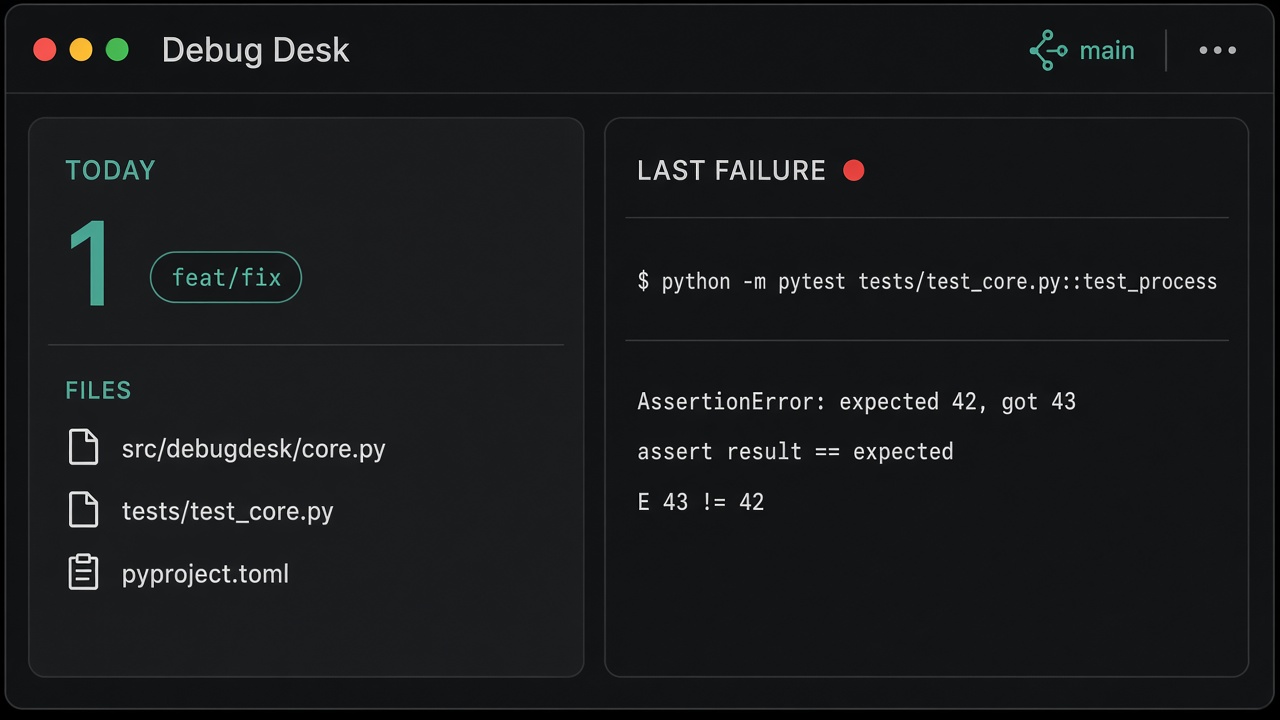
Hermes plugin: today's git digest plus the last failed terminal command the agent ran. Optional summary uses the user's active model (ctx.llm). Desktop pane + status chip.
Does not watch VS Code, PowerShell, or any terminal outside Hermes.
Install
hermes plugins install https://github.com/aydnOktay/hermes-debug-desk.git
hermes plugins enable debug-desk
Or from a local clone:
hermes plugins install .
hermes plugins enable debug-desk
Restart the gateway. The Desktop pane ships enabled (defaultEnabled: true). If you do not see it: Capabilities → Plugins → Debug Desk, then look at the right-hand pane and the desk status chip. Cmd/Ctrl+K → Debug Desk also works.
Unified install copies desktop/plugin.js into $HERMES_HOME/desktop-plugins/debug-desk/. On Windows that is %LOCALAPPDATA%\hermes\desktop-plugins\debug-desk\plugin.js.
Slash:
/debug-desk today
/debug-desk last
/debug-desk last summarize
Agent tools: debug_daily_report, debug_last_failure.
Layout
plugin.yaml
__init__.py              # register() — tools, hook, slash, skill
desk_tools.py            # handlers (JSON string, never raise)
desk_hooks.py            # post_tool_call on terminal / process
desk_context.py
store.py                 # git + redacted failure state
schemas.py
skills/debug-desk/SKILL.md
dashboard/manifest.json
dashboard/plugin_api.py  # /api/plugins/debug-desk/board
desktop/plugin.js        # pane + status chip (no JSX)
State lives in $HERMES_HOME/plugin-data/debug-desk/state.json, not in the install tree.
v1 rules
- Git report is deterministic (
git log --since=midnight). No LLM. - Failures: nonzero exit or traceback-like output. Last 8 lines, secrets redacted, 120s debounce.
- Status chip turns red if a failure is less than 15 minutes old.
- "Refresh summary" calls the active model; if
ctx.llmis missing it shows the raw lines.
Doctor
hermes plugins doctor . --ci
README from the reviewed commit 57cbd4d; it updates when the author re-pins.