 Andreas Hiltner
Hermes Filebox
Explorer-style file browser for Hermes Desktop. Browse, preview, rename,
bulk-rename, open and trash files inside a strictly whitelisted set of roots.
Filebox is token-free in normal use: it registers no core agent tools, no
hooks, no middleware — it is a plain dashboard plugin. No network I/O, no model
tokens, no self-update.
Architecture
Two halves, cleanly separated:
┌─────────────────────────────┐      ctx.rest      ┌──────────────────────────────┐
│ desktop/plugin.js          │ ───────────────────▶ │ dashboard/plugin_api.py     │
│ dual-panel commander        │  GET/POST/DELETE     │ FastAPI router (owns ALL    │
│ presentation only           │                     │ filesystem I/O)              │
│ no fs, no network          │ ◀─────────────────── │ mounted at                    │
└─────────────────────────────┘      JSON             │ /api/plugins/filebox/        │
                                                     └──────────────────────────────┘
- Backend (
dashboard/): the only place that touches the filesystem. A
FastAPI router (plugin_api.py) mounted by Hermes Dashboard at
/api/plugins/filebox/. Every handler resolves paths through the whitelist
guard and opens only the canonical return value.guard.py—guard_path()whitelist guard, returns canonicalrealpath.roots.py—RootStore(roots / add_root / remove_root), persisted in
<HERMES_HOME>/plugin-data/filebox/roots.json(migrated from the legacy
state/filebox/roots.jsonon first load).plugin_api.py— the 13 HTTP endpoints.
- Renderer (
desktop/plugin.js): dual-panel commander that callsctx.rest
and renders. No filesystem access, no network, no tokens.
Security model
- Root whitelist — every filesystem operation is validated against the
configured roots. A path outside the whitelist is rejected with403.
This includes thetarget_dirof/copy,/move, and/symlink, which
is guarded against the whitelist exactly like any source path. - TOCTOU-safe guard —
guard_path()resolves the input to a canonical
realpathand returns it. Handlers must open that return value, never
the raw input, closing the symlink-swap window. - No network I/O — the backend only ever touches the local filesystem and
thexdg-open/x-terminal-emulatorlaunchers. - No model tokens — no LLM calls anywhere; normal use never consumes tokens.
- No self-update — updates happen only via
hermes plugins updateagainst
a pinned SHA. The plugin never fetches or executes remote code. - Mime from extension — preview content-types come from
mimetypes, never
from user-supplied headers. - Safe subprocess — launchers always run with
shell=Falseand an
argument list, never a shell string.
Install
hermes plugins install <repo-url> # or the private-track path for your setup
Endpoints
Mounted at /api/plugins/filebox/.
| Method | Path | Purpose |
|--------|---------------------|------------------------------------------|
| GET | /list | List directory entries (sort/order/page/limit) |
| GET | /read | Read a text file (size-limited, full flag) |
| GET | /preview | Inline image/audio/PDF preview (FileResponse) |
| GET | /roots | List whitelist roots |
| POST | /roots | Add a root (canonicalized, / and ~ refused) |
| POST | /rename | Rename a single entry |
| POST | /bulk-rename | Bulk rename (replace/prefix/suffix/seq) |
| POST | /open | Open with xdg-open |
| POST | /open-terminal | Open terminal in a directory |
| POST | /copy | Copy entries (ask/overwrite/skip/rename conflict handling) |
| POST | /move | Move entries (same conflict model as /copy) |
| POST | /symlink | Create relative/absolute symlinks |
| DELETE | /roots/{path} | Remove a root |
| DELETE | /trash | Move entries to trash (send2trash) |
Error contract: 403 outside whitelist, 404 not found, 400 invalid input,
409 target exists, 413 file too large, 415 unsupported/binary,
500 launcher failure.
Commander mode
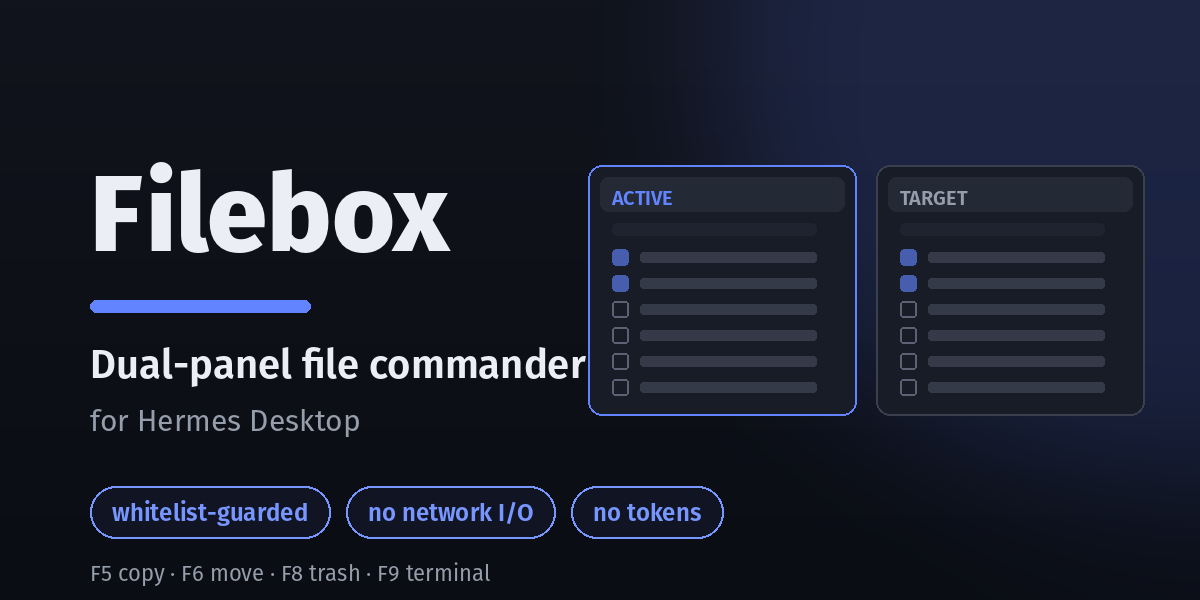
The renderer is a dual-panel commander (Total-Commander-style): two panels,
each with a path bar (a roots <select> dropdown) and entry list plus
multi-select checkboxes. One panel is active; the other is the operation target.
F5copy,F6move,F8delete (trash) — with matching toolbar buttons.F9open a terminal in the active panel's directory.Enteropen / navigate into a directory...parent entry navigates up.Tabswitch focus to the other panel.ArrowUp/ArrowDownmove the cursor one row up / down.PageUp/PageDownmove the cursor half a page up / down; both clamp at the
list top/bottom (never scroll past the ends).Home/Endjump to the first / last row. Mouse-click selection also moves
the keyboard cursor, so arrow/page navigation continues from the clicked row.- Entries are sorted directories first, then files, each group alphabetically
ascending (/listsorts byis_dirfirst, then by the requested key). - Each entry shows a file-type icon (emoji) derived from its extension —
folder, document, PDF, spreadsheet, image, audio, video, archive, code, log. - Single-click selects exactly one entry (clears previous selection); open a file
or descend into a directory only via double-click or Ctrl/Cmd+Click. Checkboxes
do multi-select (checkbox clicks stop propagation, never navigate). Selection
colors are live theme tokens (--ui-control-active-background,
--ui-text-primary) — they follow theme switches automatically, no reload.
The active panel is the one that gets F5/F6/F8/Enter; it's marked with an
ACTIVEbadge in its path bar plus an accent-colored panel border. Ctrl+Shift+F5create symlink (relative/absolute dialog).- Drag & drop into the chat: entries are draggable. Dragging a selected
entry carries the whole selection (TC-style); dragging an unselected entry
carries just that entry. The drag publishes the composer's in-app path MIME
(application/x-hermes-paths), so dropping on the composer inserts
@file:/@folder:inline refs. At submit the gateway expands supported
text types to their full content; everything else stays a path reference. - Copy/move conflicts (
phase: "ask") open a per-file dialog — skip / overwrite /
rename — then re-submit withdecisionsfor phase 2. Unresolved conflicts block
"Apply" ("Resolve all conflicts first (N left)").
Right-click context menu
Right-click on a file/folder entry only opens the custom context menu
(Open / Copy / Move / Delete / Symlink / Copy Path / Open Terminal here);
right-click also selects the entry. Copy Path copies the entry's absolute path
to the clipboard; Open Terminal here opens a terminal in the entry's directory
(or the panel directory when the entry is a file). Right-click on the empty panel
area shows the same menu minus Open/Symlink, with Copy Path / Open Terminal here acting on the panel's current directory.
The path-bar <select> and the .. parent entry do not show any menu — the
pane root carries data-context-menu-skip, which suppresses the app's global
context menu everywhere except on owned entry rows, whose onContextMenu handler
calls preventDefault() + stopPropagation() and renders its own menu.
Delete confirmation
F8 / toolbar / context-menu delete does not execute immediately. It opens a
confirmation dialog listing the selected names ("Move this item to trash?" /
"Move these N items to trash?") with Delete and Cancel. Deletion runs only on
confirm, via DELETE /trash.
Adding a root
The toolbar "+ Add root" button opens a dialog for an absolute directory path.
On confirm it POSTs /roots (backend canonicalizes and persists to
<HERMES_HOME>/plugin-data/filebox/roots.json, refusing /, ~, any
ancestor of ~, and the sensitive dotdirs ~/.ssh, ~/.hermes, ~/.aws,
~/.gnupg, ~/.config outright), refreshes the roots list, and loads the new
root into the active panel. Other hidden/dotfile paths get an extra
confirmation step in the dialog before being trusted. Roots also appear in
each panel's path-bar dropdown, which switches the panel on change.
Float / Dock
The toolbar Float button detaches the pane into a floating window (a fixed,
draggable card above the layout — drag by its header, collapse via its chevron;
position and collapsed state persist per pane). The floating card takes no space
from any zone. Its toolbar then shows Dock, which re-docks it as a main pane
beside the workspace (the original tab position is kept).
Implementation note: the toggle re-registers one of two pane contributions
(pane docked with placement: 'main', pane-float with
placement: 'floating'), never both at once — re-registering the same id with a
different placement would double-mount the pane (the tree keeps the old id and
the floating renderer adds the card). The mode persists via ctx.storage
(floating key); switching modes remounts the pane component, which reloads its
panel state.
Tests
env -u PYTHONPATH /home/andreas/.hermes/hermes-agent/venv/bin/python -m pytest tests/ -q
119 tests green across guard, roots, api, preview, copy_move, symlink, and security_regression.
README from the reviewed commit 718c595; it updates when the author re-pins.