 Bruno-coder21
fluent
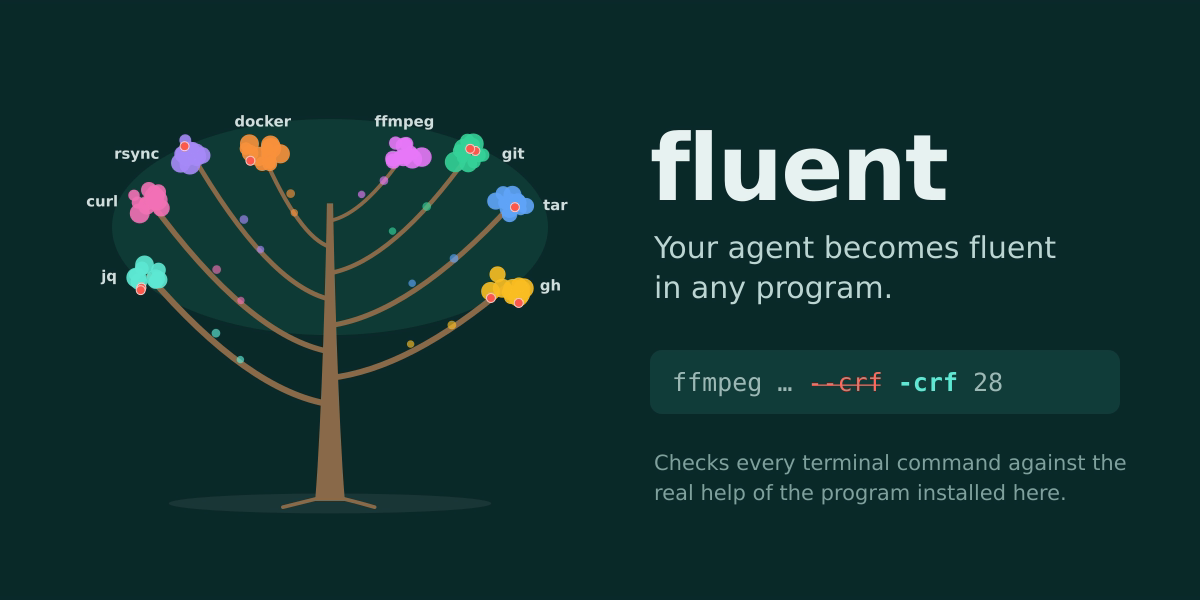
Your agent becomes fluent in any program.
Hermes already checks the code it writes. fluent checks the shell commands it runs,
against the real --help and man pages of the program installed on your machine,
before they run.
agent> ffmpeg -y -i in.mp4 -c:v libx264 --crf 28 out.mp4
🛡️ fluent caught `--crf` in ffmpeg → `-crf`
agent> ffmpeg -y -i in.mp4 -c:v libx264 -crf 28 out.mp4      ✓ encoded
The invented flag never ran. The agent read fluent's one-line correction and got it right
on the next try: no failed run, no retry loop, no wasted tokens.
Why
Agents type a lot of shell commands, and they are confidently wrong in three ways:
- They invent options (
--crffor ffmpeg,--ammendfor git,docker ps --running). - They mix up versions: an option from the docs of another release, not the one installed.
- They don't know your tools at all: internal CLIs, your own scripts, anything released
after the model was trained. This is where fluent helps most: without it the agent
guesses, with it the agent reads the real help first.
A prompt can ask the model to "be careful". Only a plugin can read the installed manual,
check every command before it runs, and stop the wrong one.
What it does
| | |
|---|---|
| 📖 Adopt | /fluent adopt ffmpeg reads the help (and every subcommand's help) and the man pages of the version installed here, and keeps a compact card: commands, options, which options take a value, and a risk class per command. A live message shows progress. git, gh, docker, ffmpeg, curl, tar, jq and rsync each adopt in under 5 seconds. |
| 🛡️ Guard | Before every terminal command, fluent checks the options of the programs it adopted. An option that doesn't exist is stopped with the closest real one (--rmm → --rm, --exlude → --exclude, --crf → -crf). |
| 🔴 Ask | A command that deletes things (gh repo delete, docker image prune, rsync --delete) goes to Hermes's own approval prompt, explained in plain words. fluent only ever adds caution: it never approves anything and skips what Hermes already asks about (git push --force, docker stop, ...), so you are never asked twice. |
| 💡 Learn | When a program fluent doesn't know rejects an option, it offers once to learn it. It never adopts anything on its own. |
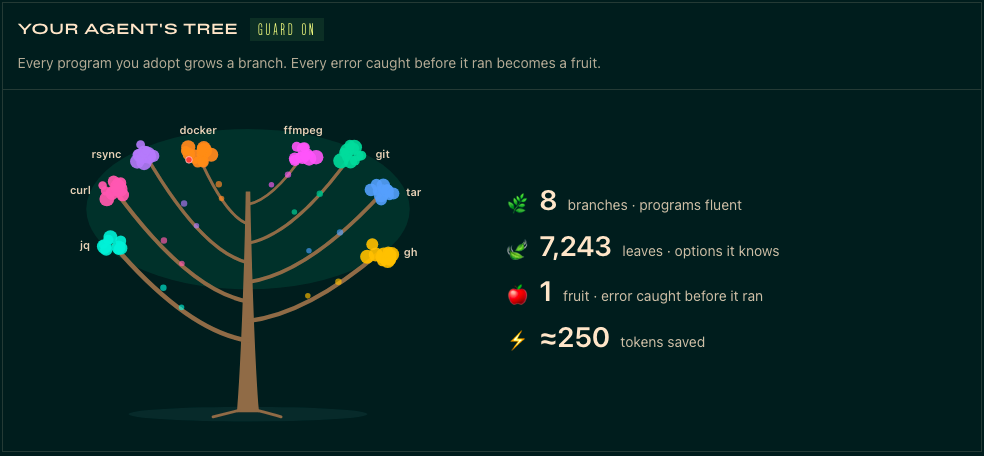
| 🌳 Grow | A dashboard tab draws your agent's tree: every program is a branch, every option a leaf, every error caught a fruit. /fluent shows the same numbers in chat. |
| 📎 Refer | @cli:ffmpeg or @cli:git log puts a program's card into the conversation, so the agent gets it right the first time. |
When everything is fine, fluent is silent.
Install
hermes plugins install fluent --enable                  # from the Hermes plugin catalog
hermes plugins install Bruno-coder21/fluent --enable    # or straight from GitHub
Then, in any Hermes chat:
/fluent adopt git
/fluent adopt ffmpeg
/fluent                      # programs fluent, errors caught, tokens saved
The dashboard tab appears as fluent in hermes dashboard (restart the dashboard
after installing).
Commands
| Command | What it does |
|---|---|
| /fluent adopt <program> | Learn a program from its own help and man pages |
| /fluent show <program> [command] | What fluent knows: commands, options, risk (🟢 read · 🟡 change · 🔴 delete) |
| /fluent forget <program> | Forget a program |
| /fluent undo | Undo the last adopt or forget |
| /fluent mode block\|warn\|off | block (default) stops a command with an option that doesn't exist; warn lets it run and explains the error under its output; off pauses the guard |
| /fluent risk on\|off | fluent's own prompts before destructive commands (Hermes's built-in approvals always apply) |
| /fluent not-now <program> | Never suggest learning that program |
| @cli:<program> [command] | Put the program's card into the conversation |
When fluent is allowed to be sure
A false block would be worse than no plugin, so the guard only speaks when it is certain:
- it judges long options only (
--name; for ffmpeg-style programs,-name), never
short options, positional arguments or subcommand names (aliases, plugins and
extensions stay free); - only on commands it read with high confidence, before
--, and never on words known
only at run time ($VAR,$(...), globs); - it accepts unique prefixes where the program does (GNU tools, git);
- the card must describe the exact binary that will run (same path, size and date) on
the local terminal backend; otherwise fluent stays silent; - after
IMAGE/COMMANDpositions (docker run img sh -c '...') the rest belongs to the
inner command and is not judged.
It reads commands the way a shell does: pipes, &&, ;, subshells, sudo, env,
timeout, xargs, watch, bash -c '...', quotes and redirections.
Tested: 311 real-world valid commands across git, gh, docker, ffmpeg, curl, tar, jq
and rsync are never blocked; 17 typical AI mistakes are all caught with the right fix
(tests/fixtures/corpus/). 542 tests in total.
What fluent does on your machine (disclosure)
- Runs the program you adopt, on the host, with help and version arguments only.
/fluent adopt <program>runs<program>with--version,-version,versionor
-V(until one prints a version) and--help,-horhelp(until one prints a help
it can read). Per program: git also getsgit --list-cmds=main,nohelpersand
git <command> -h; ffmpeg-hide_banner -h full; curl--help all.
<program> <command> --helpis run for each command only when the help carries the
marker of a parser that answers--helpbefore doing anything: git, Go/cobra (gh,
docker, kubectl), argparse or click. A home-made script is never explored this way, and
git filter-branchis never executed. A program that ignores these arguments simply
runs, so only adopt programs you trust to print their help. - How it runs them: no shell, stdin closed, an empty temporary working directory, its
own process group (killed on timeout), 5 seconds per call and about 25 seconds per
program. The environment is filtered toPATH,HOME,USER,LOGNAME,TMPDIR,
XDG_CONFIG_HOME,XDG_DATA_HOMEplusLANG=C,NO_COLOR=1and pagers set tocat:
your real home folder is passed (so CLI plugins such asdocker composeare found), API
keys and tokens are not. - Runs on the machine where Hermes runs, even when your terminal backend is Docker,
SSH or Modal. In that case the guard stays silent, and/fluent adoptsays so. - Reads man pages from the standard man directories (
/usr/share/man,
/usr/local/share/man,MANPATH) andterminal.backendfrom your Hermes config. - Writes only to its own data folder:
<HERMES_HOME>/plugin-data/fluent/(cards as
JSON, a small trash folder for undo that is pruned automatically, settings and counters). - Vetoes terminal commands that use a long option the installed program doesn't have
(defaultblockmode;/fluent mode warnoroffto change it). - Adds approval requests through Hermes's own approval prompt for commands it
classifies as destructive. It never approves, skips or disables any approval. The
request is keyed per subcommand (and per risky option), so answering Always remembers
only that one (fluent:<program>:<command>[:<option>]). Under cron and other unattended
runs Hermes's approval policy applies (default: deny), so commands fluent flags as
destructive are refused there; use/fluent risk offor Hermes'sapprovals.cron_mode
for jobs that must delete. - Posts short notices in the conversation (adoption progress, "fluent caught ...", a
one-time offer to learn a program). - No network calls, no telemetry, no model calls, no credentials.
- The dashboard tab reads the same data files through one read-only endpoint
(GET /api/plugins/fluent/summary). - Uses only public Hermes surfaces: hooks (
pre_tool_call,post_tool_call,
transform_terminal_output), the/fluentslash command, an@cli:context reference
and a dashboard tab. Live progress messages need the defaultplugins.isolation: in_process.
Known limits
- Programs with unusual help formats are learned partially; anything fluent didn't read
with confidence is never blocked. - On remote terminal backends (Docker, SSH, Modal) the guard stays silent: the card
describes the program on this machine, not the one on the backend. - Risk classes come from command names and their own help summaries; they can only add
a prompt, never remove one. Many destructive forms are not asked about (git stash drop,
gh api -X DELETE,rsync --delete-excluded). - fluent trusts the binary on Hermes's own
PATH; a different copy on a session'sPATH
(venv, nvm, direnv) may be judged against the wrong help. - Tested on Linux (Ubuntu 24.04). macOS uses the same code paths; Windows is untested.
Next
- Ask programs for machine-readable output (
--json) and shrink huge outputs. - Show what changed when a program is upgraded.
- Read help on remote backends.
- Share cards, and import harnesses from the CLI-Anything hub.
Develop
scripts/test.sh                       # 542 tests (throwaway uv env, Python 3.14)
scripts/capture_fixtures.sh           # refresh help/man fixtures from this machine
hermes plugins validate . --install-deps
License
MIT
README from the reviewed commit 182c430; it updates when the author re-pins.