 seongj-un
headroom
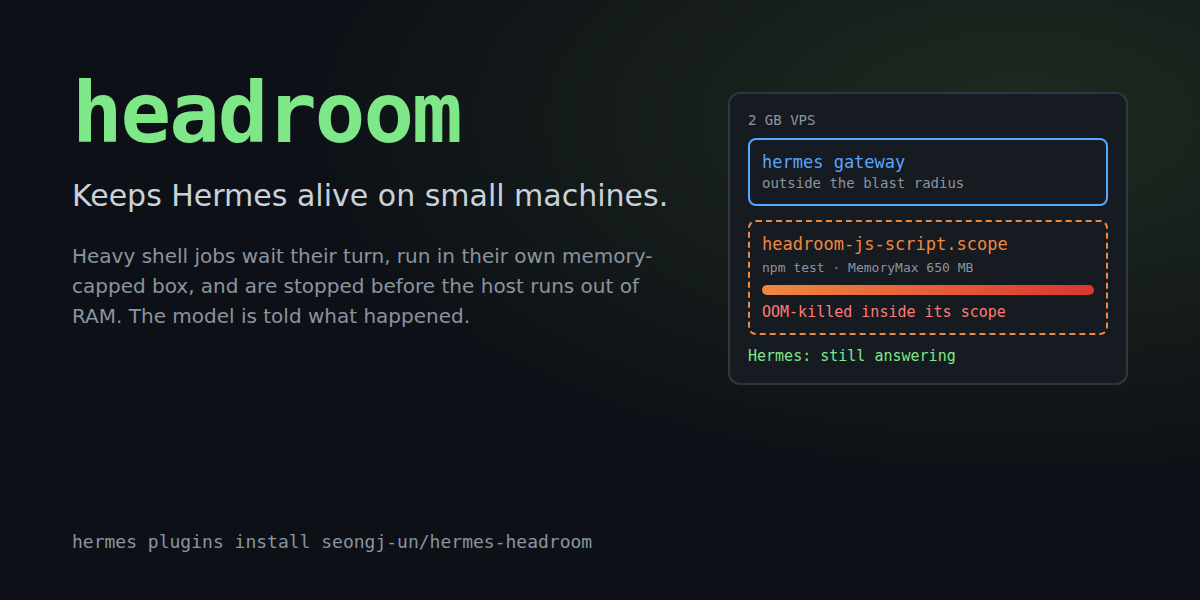
Keeps Hermes alive on small machines. A npm install, a test suite or a build that blows
past the RAM of a 1-2 GB VPS or a Raspberry Pi normally takes the agent down with it: the
gateway gets OOM-killed or the box swaps itself into a coma, and your Discord/Telegram bot goes
silent. headroom puts every heavy shell job in its own memory-capped box, queues them so only one
runs at a time, and tells the model what happened when something does not fit, so it can retry
with a lighter approach instead of you SSH-ing in to reboot.
$ hermes headroom selftest
headroom selftest: PASS
  memory: 1012 MB available of 1962 MB, 1 CPU
  PSI memory pressure: available
  isolation: systemd --user scopes with the memory controller
  test process: tried to allocate 800 MB inside a 64 MB scope
  kernel OOM-killed it inside headroom-selftest-3f1c9a2e.scope (cgroup oom_kill events: 1)
  this process (pid 6963) was not touched

What it does
For every terminal call the model makes, headroom decides whether the command is heavy
(package installs, builds, test runners, compilers, docker build, ffmpeg/whisper/llama,
browsers, nested hermes chat / coding agents). Light commands are not touched. Heavy ones get:
- Lightened (before approval, so what you approve is what runs):
jest --runInBand,
pytest -n 0,make -jN,cargo -j N,go -p N,gradle --max-workers=N,
playwright --workers=1, and a Node heap cap (NODE_OPTIONS=--max-old-space-size=...) so V8
fails with a readable "heap out of memory" instead of being SIGKILLed. - Queued machine-wide. One heavy job at a time on a small box (configurable), shared by every
Hermes process on the machine: the gateway, CLI sessions, kanban workers and other profiles.
A job also waits until enough memory is free. If it waits too long, it is refused with a
message naming the job that holds the slot. - Isolated. After Hermes spawns the approved command, headroom moves the shell (and anything
it already forked) into its own transientsystemd --userscope withMemoryMax,
MemorySwapMaxandOOMPolicy=continue, and raises its OOM score. If the job outgrows its
cap, the kernel kills the biggest process inside the scope; the shell survives, reports
exit 137, and Hermes, which stays outside the scope, never notices. - Watched. A watchdog thread stops the newest heavy job if available memory drops below a
critical line, or if Hermes' own cgroup starts stalling on memory (cgroup PSI). A job
thrashing inside its own scope is not a reason to kill it; Hermes being hurt is. - Explained. The tool result carries a
headroomobject, and the model reads it:
"headroom": {
  "memory_cap_mb": 650, "swap_cap_mb": 256, "isolated": true, "peak_mb": 650,
  "lightened": ["capped the Node heap at 455 MB (NODE_OPTIONS)"],
  "oom_killed": true,
  "note": "`npm test` hit its 650 MB memory cap and the kernel killed its largest process (usually exit code 137, 'Killed'). Hermes was not affected. Retry with less parallelism or a smaller workload, e.g. jest --runInBand / vitest --maxWorkers=1, a lower NODE_OPTIONS=--max-old-space-size, or building one package at a time."
}
Background jobs that get killed leave a note that is injected into the model's next turn.
When memory is tight, the model also gets a one-line heads-up (at most every 10 minutes per
session) to prefer single-worker options.
This needs a plugin: a prompt or a skill can ask the model to be careful, but it cannot hold a
lock across processes, move a PID into a cgroup, read cgroup OOM counters or kill a job when
the host runs out of memory.
Install
hermes plugins install seongj-un/hermes-headroom --enable
hermes headroom selftest      # proves isolation works on this machine
The middleware applies to new sessions. Restart the gateway (systemctl --user restart hermes-gateway) to cover messaging platforms right away.
Requirements: Hermes >= 0.22.6, Linux. Isolation additionally needs systemd with the memory
controller delegated to the user manager (the default on Ubuntu 22.04+, Debian 12+, Fedora,
Arch; for a service account, enable lingering with loginctl enable-linger). Without systemd,
headroom still queues heavy jobs, raises their OOM score, lightens them and runs the watchdog,
which stops a job by its process group.
Commands
| Where | Command | What it shows |
| --- | --- | --- |
| chat | /headroom | free memory, swap, pressure, the cap the next job would get, running jobs (here and in other Hermes processes), largest processes |
| chat | /headroom events | queue waits, caps, peaks, OOM kills, watchdog stops |
| chat | /headroom explain <command> | heavy or light, the cap it would get, the rewrite |
| chat | /headroom selftest | the isolation self-test above |
| model | headroom_status tool | the same snapshot as JSON, plus explain |
| shell | hermes headroom status \| events \| explain CMD \| selftest | same, from a terminal |
The status also lists the largest processes and flags the ones Hermes started. On a 2 GB box
that is often the surprise: a TypeScript language server pair can hold 500 MB.

Settings
All in the Desktop app under Settings > Plugins > headroom, or with
hermes config set plugins.entries.headroom.settings.<key> <value>. Every number defaults to
0 = auto, resolved against the machine when a job starts, so one config works on a 1 GB VPS
and a 64 GB workstation.
| Key | Default | Meaning |
| --- | --- | --- |
| mode | enforce | observe only logs what it would do; off disables everything |
| max_heavy_jobs | auto | machine-wide heavy jobs at once: 1 below 4 GB RAM, 2 below 16 GB, else 4 |
| reserve_mb | auto | kept for Hermes and the system, never given to a job: 15% of RAM, 256 MB to 2 GB |
| job_memory_max_mb | auto | per-job cap: what is free when it starts, minus the reserve |
| swap_mb | 256 | swap a job may use beyond its cap; -1 = unlimited |
| min_start_mb | auto | free memory beyond the reserve a job needs to start: 10% of RAM, 192 MB to 1 GB |
| queue_timeout_s | 300 | how long a heavy command waits before it is refused with an explanation |
| critical_mb | auto | watchdog line for available memory: 5% of RAM, 96 to 512 MB |
| lighten | true | apply the single-worker rewrites |
| isolate | true | use systemd scopes |
| extra_heavy_patterns | [] | regexes for your own heavy commands, e.g. ^python3? train\.py |
| exclude_patterns | [] | regexes for commands never to treat as heavy |
How a heavy command flows
model: terminal("cd web && npm test")
  |
  |- tool_request middleware   heavy? -> add NODE_OPTIONS heap cap      (before approval)
  |- Hermes approval / guards  sees and approves the lightened command
  |- tool_execution middleware wait for a machine-wide slot + free memory
  |     |- next_call()         Hermes spawns `bash -c ...` exactly as approved
  |     |- tracker thread      finds that shell among this process's children,
  |     |                      StartTransientUnit(headroom-js-script-XXXX.scope,
  |     |                        MemoryMax, MemorySwapMax, OOMPolicy=continue, Delegate)
  |     |                      oom_score_adj=900, samples memory.peak / memory.events
  |     |- watchdog thread     MemAvailable < critical, or Hermes' cgroup PSI high -> stop newest job
  |- result + "headroom": {...}  the model reads cap, peak, oom_killed, note
Limitations
- Enforcement is Linux-only. On macOS and Windows the plugin loads and reports, and does nothing
else. - Memory a process allocates in the first moments before it is moved (headroom polls every 5 ms)
stays charged to Hermes' cgroup. Real installs and builds ramp up over seconds, so in practice
this is a few MB. docker build/docker compose updo their work in the Docker daemon, outside the process
tree: those are queued but cannot be capped.- Only the local terminal backend is isolated. With Docker, SSH or cloud sandboxes the heavy work
runs elsewhere, and only queueing applies. - The classifier works from command words. A bespoke heavy script (
python3 train.py) needs an
extra_heavy_patternsentry.
What it touches (disclosure)
- Shell commands:
busctl --user(StartTransientUnit, AttachProcessesToUnit) and
systemctl --user kill / reset-failed, only for its ownheadroom-*.scopeunits; one
sleepplaceholder process per isolated job, which keeps the scope's counters readable until
the job is done. - Reads outside its data:
/proc/meminfo,/proc/pressure/memory,/proc/<pid>/{stat,status, cmdline,cgroup}for this user's processes (to find the shell it spawned and to list the
largest processes), and the cgroup files of its own scopes and of Hermes' cgroup. - Writes:
oom_score_adjof the job's processes (raised only), an event log at
<HERMES_HOME>/plugin-data/headroom/events.jsonl, and slot lock files in
$XDG_RUNTIME_DIR/hermes-headroom/(fallback/tmp/hermes-headroom-<uid>, used only if it is a
plain 0700 directory owned by this user; otherwise cross-process queueing is skipped). - Environment:
busctl/systemctlget onlyPATH,XDG_RUNTIME_DIRand
DBUS_SESSION_BUS_ADDRESS, never the agent's other variables. - Kills: only processes inside its own scopes (or, without systemd, the process group of a
job it is tracking), when the watchdog fires. - Network: none. No telemetry, no credentials.
- Core internals:
tools.interrupt.is_interrupted()(read-only, guarded) so that/stop
cancels a command waiting in the queue. Without it, a waiting command times out normally. - Approvals are never bypassed: rewrites happen before approval, admission and isolation happen
after it, and both only restrict what runs.
Development
uv venv .venv && uv pip install --python .venv/bin/python "pytest>=8,<9"
cd tests && ../.venv/bin/python -m pytest -q     # 70+ tests; the systemd ones run real scopes and real OOM kills
hermes plugins validate .
demo/leaky-report is a tiny Node project whose test fixture needs about 3.5 GB of
heap; it is what the demo video runs.
License
MIT
README from the reviewed commit a98a64b; it updates when the author re-pins.