 ASV-Labs
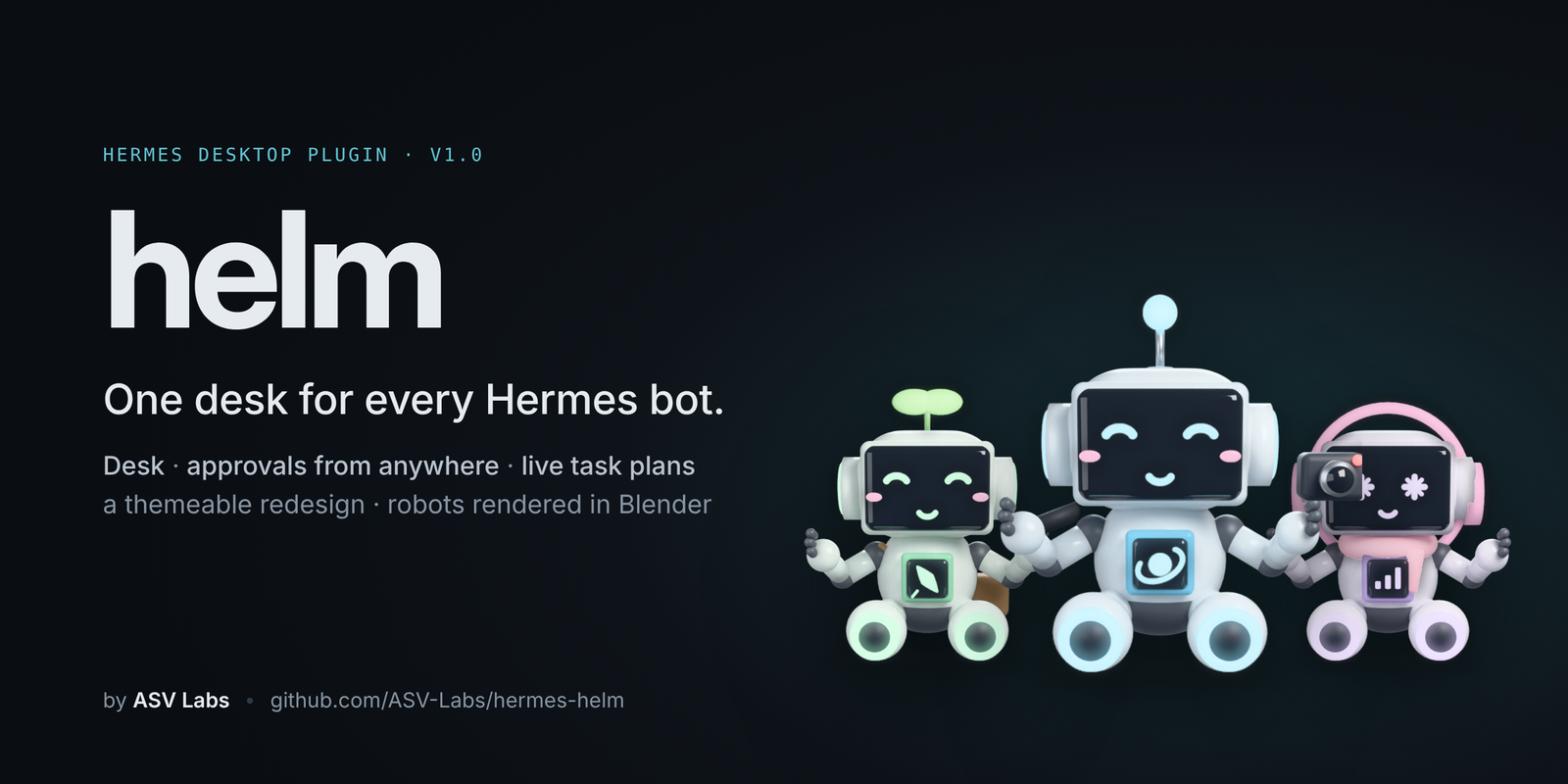





A complete redesign of Hermes Desktop, shipped as a plugin. See what every bot is doing, answer what's waiting on you, and follow the plan as it happens — from one desk.
Install · What's inside · Guides · Launch film · Privacy
Why helm
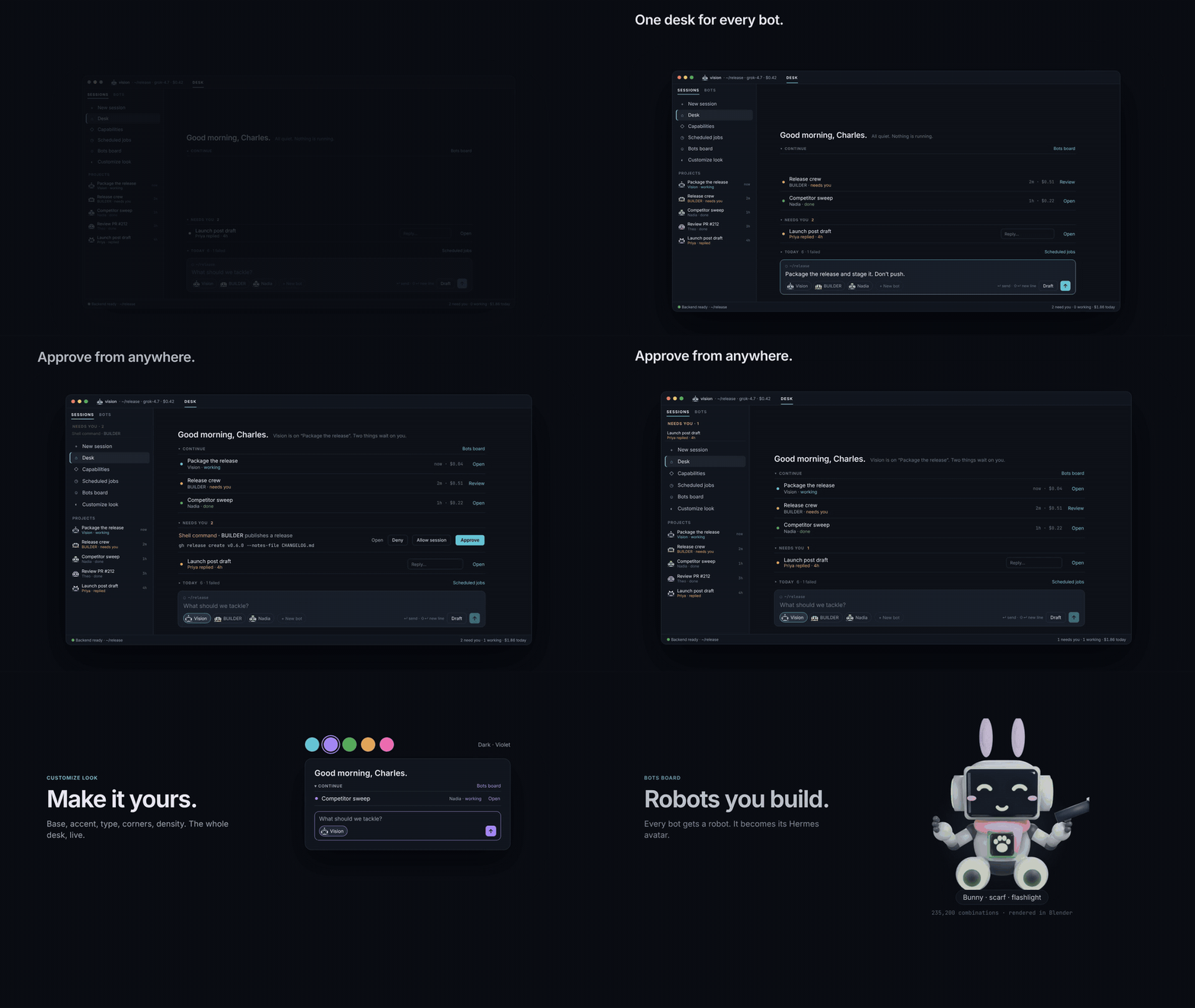
Running several Hermes bots means opening chat after chat to find out who is busy, who finished and who is waiting on you. helm turns Hermes Desktop into a control desk:
- One place for what needs you. Tool approvals and questions from every bot's live chats, answered with one click.
- One glance at the crew. Who is working, who replied, what it cost, what ran today.
- A plan you can watch. The focused bot's task list, checked off live beside the chat.
- An interface you can make yours. A redesign layer across the whole app, tuned on one page.
helm uses only the public Hermes Desktop plugin SDK and the gateway calls the app itself makes. It changes no Hermes core files and never answers anything without your click.
Install
hermes plugins install ASV-Labs/hermes-helm
hermes plugins enable helm
Then in Hermes Desktop:
- Settings → Plugins → Desktop plugins → enable helm.
- Restart Hermes once, so its gateway mounts helm's small backend for the robot renders.
- Press
⌘⌥Uand pick a look.
Requires Hermes ≥ 0.22.0. The step-by-step version, including updating, backing up your setup and uninstalling, is in Getting started.
Official Hermes plugin catalog. helm has been submitted to the catalog (NousResearch/hermes-agent#150160). Once it's listed,
hermes plugins install helminstalls the same code.
What's inside
The Desk — ⌘⌥0
Hermes opens on the Desk.
- Greeting: a one-line status of the whole crew.
- Prompt, pinned to the bottom like a chat: hands work to any bot. ↵ sends; Draft opens the chat with your text unsent. + New bot builds a new bot with its own robot.
- Continue: your latest sessions across every bot.
- Needs you: approvals, questions and unread replies.
- Today: scheduled jobs that ran, failed or are due. It shows the five that matter most, and Show all lists the rest.
Each section folds: click its header, and the Desk remembers your choice. A folded section shows its count.
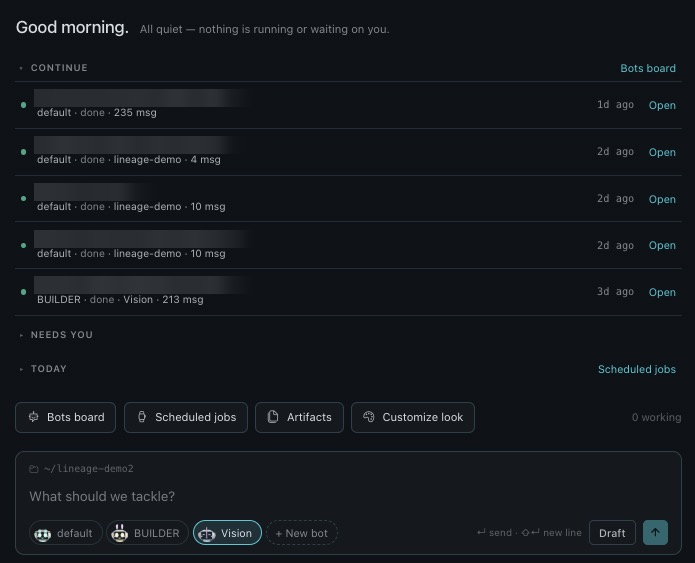
Captured from Hermes Desktop with chat titles blurred. Here is the same Desk with an approval and a question waiting:
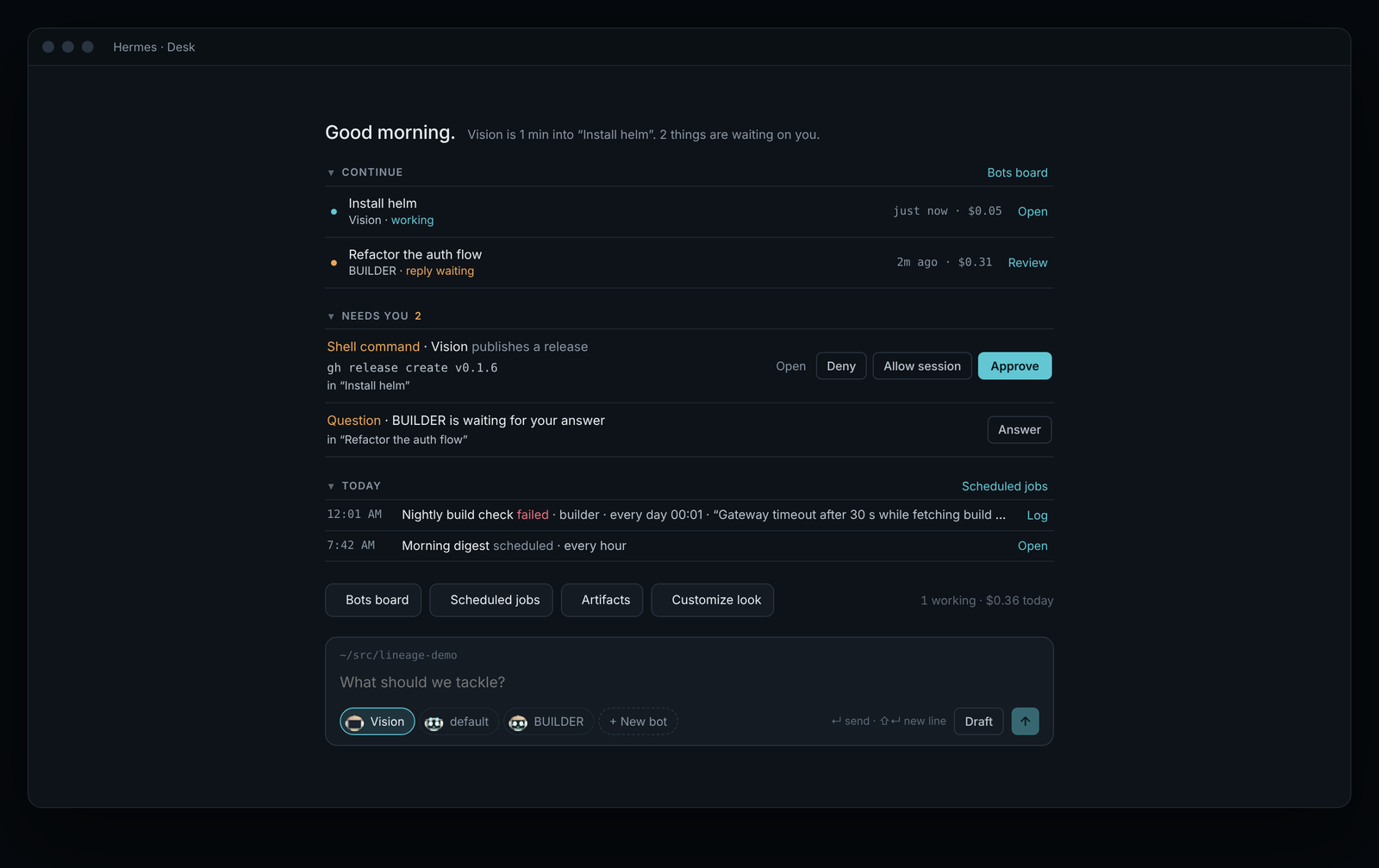
Needs you, everywhere — and the live plan
Approvals and questions from every bot appear on the Desk. They also appear in a sidebar pane, which shows up only while something is waiting.
The Session pane beside your chat shows the bot's task plan as it works (Plan · 1 of 4, with the current step marked now), along with model, folder, tokens, cost and the rest of your crew.
| Needs you — what each button sends | Session pane — where the plan comes from |
|---|---|
| 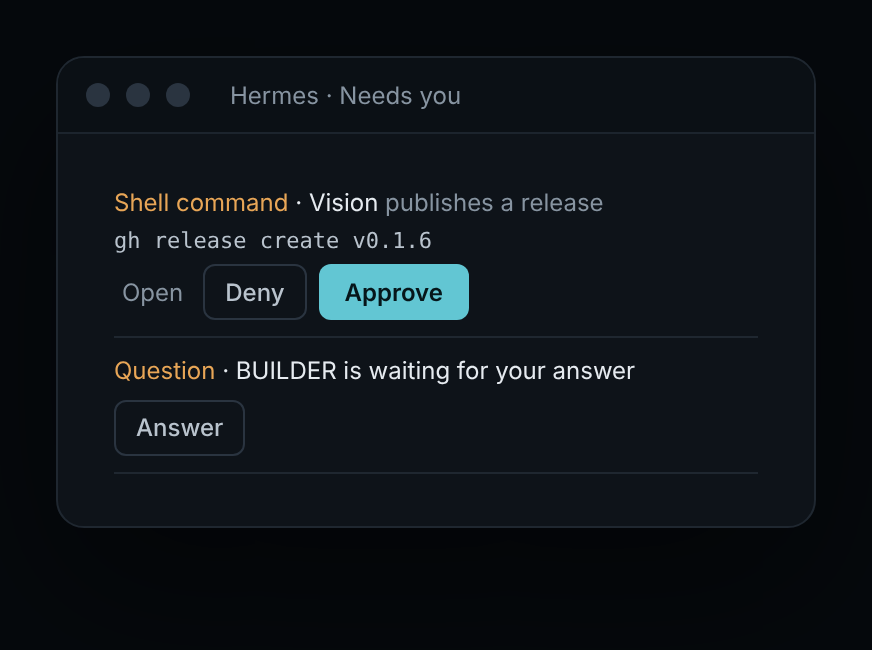 |
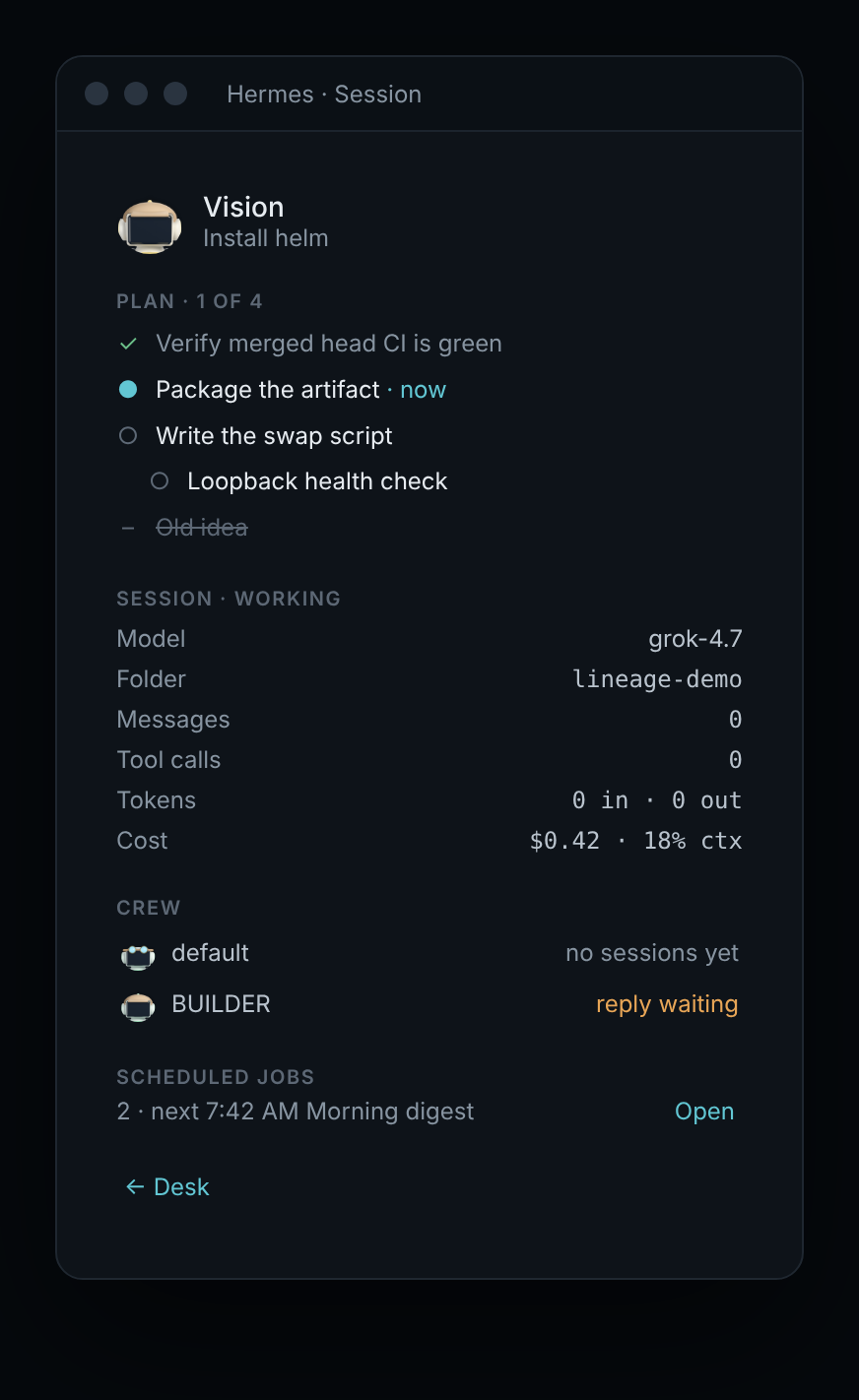 |
Robots you build — ⌘⌥R
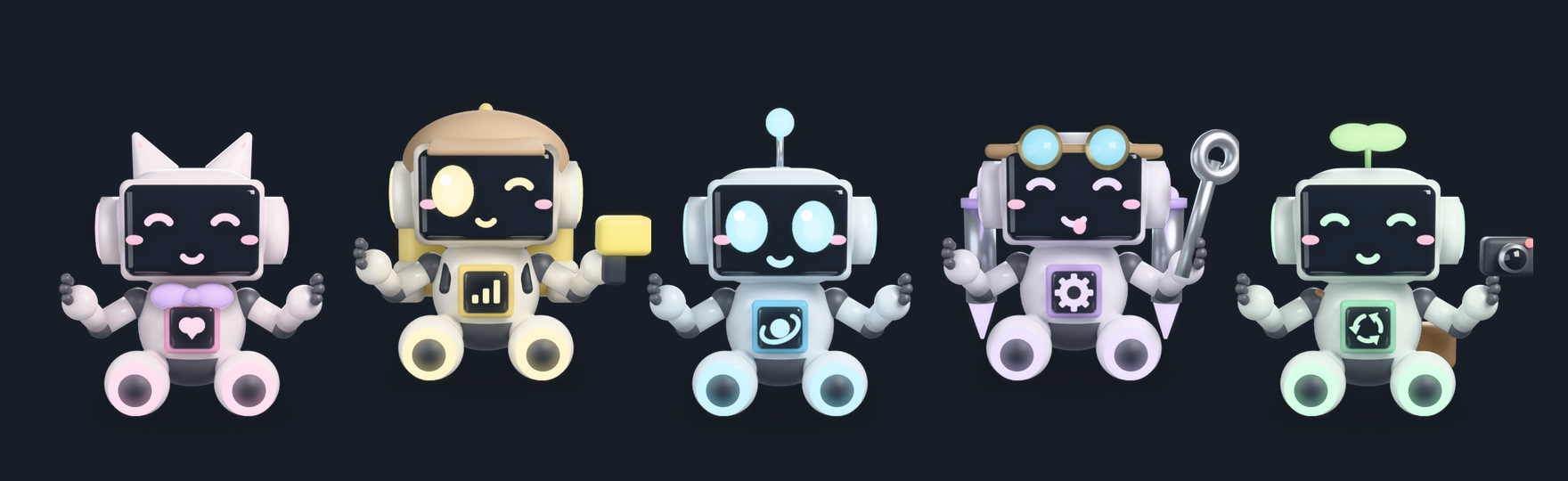
The Bots board lists every bot with its rendered robot and live state (working, reply waiting, idle), its latest session and its spend.
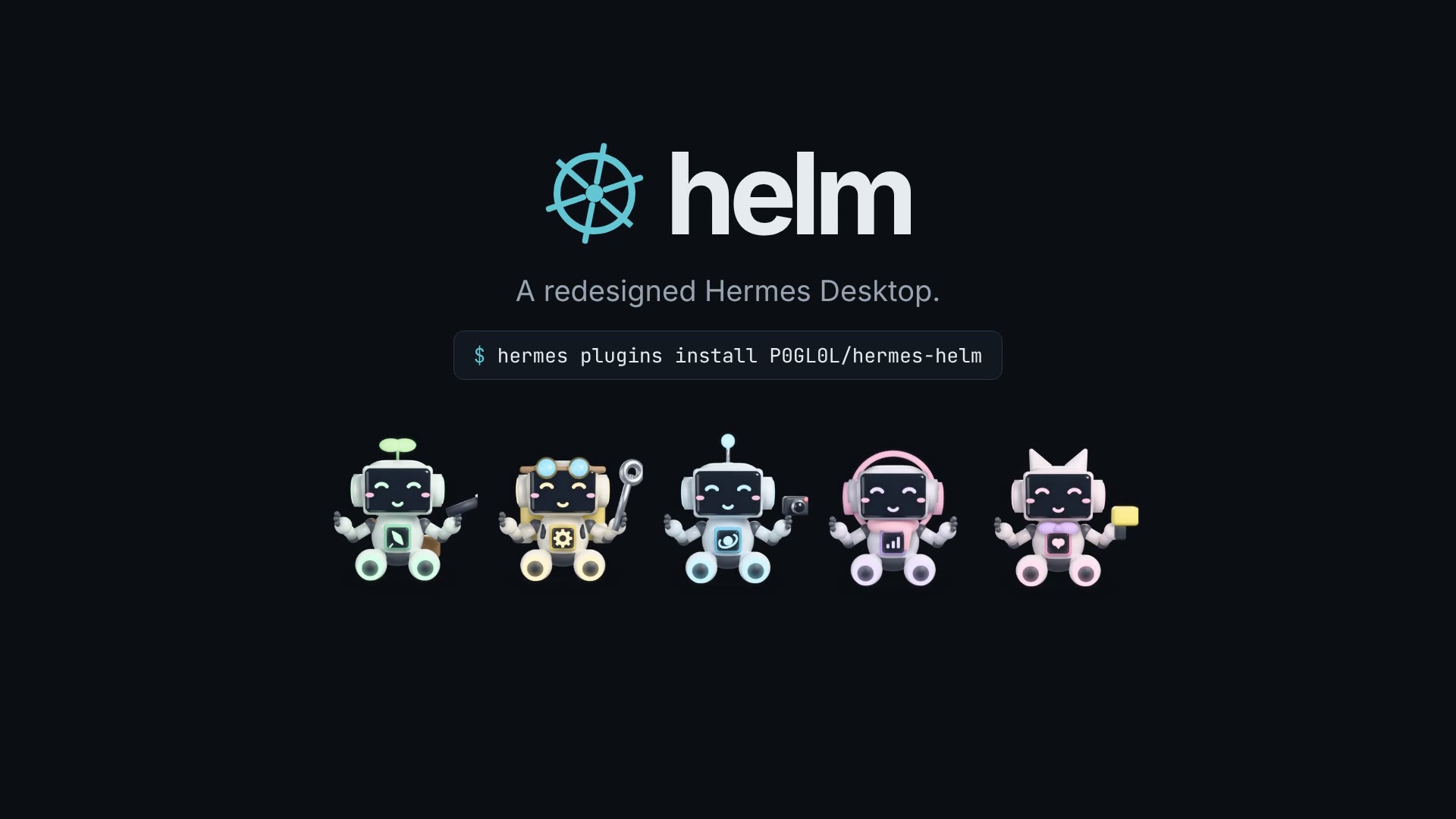
Each robot is assembled from 191 Blender-rendered layers: toppers, faces, chest modules, tools, things to wear and seven colours. Its face follows the bot's state, and the robot becomes the bot's Hermes avatar. helm never replaces a photo you uploaded. New bot creates a real Hermes bot. → Robots guide

A redesign you can tune — ⌘⌥U
The redesign layer runs across the whole app:
- a one-colour rail
- tracked-caps labels and tabs with an accent underline
- an accent edge on the open row
- a calmer reading column
- framed tool activity
- approvals with an amber decision edge
- a hairline composer that lights up on focus
- a tabular status bar
- thin scrollbars
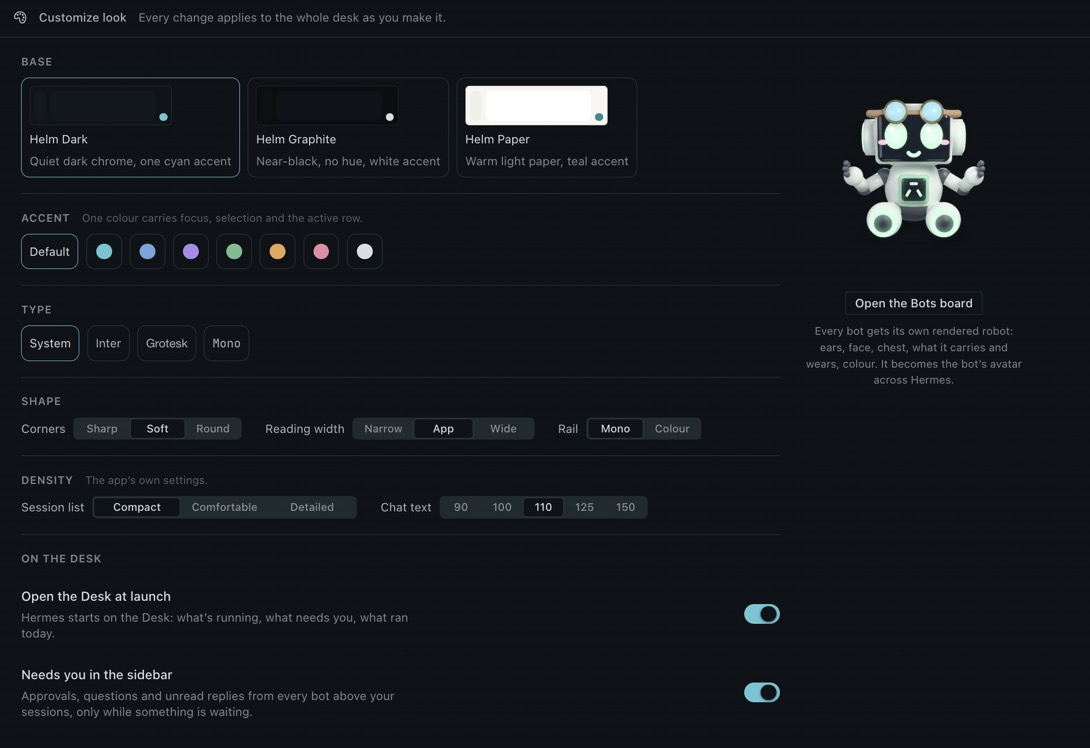
Customize look tunes all of it live:
- Base: Dark, Graphite or Paper
- Accent: seven accents
- Type: four type families
- Layout: corners, reading width and rail colour
- Density: session list density and chat text size
- Surfaces: every helm surface can be switched on or off
Status everywhere
- Titlebar: bot, folder, model, cost and context of the chat you're in.
- Session rows: the owning bot's robot and spend.
- Status bar: N need you, $ today, N working and the focused chat's cost.
- Command palette: Desk, what needs me, new chat with ‹bot›, resume ‹bot›, every theme and Helm: diagnostics.
Guides
The guides cover the details specific to helm: what it can and can't see, and what to do when something looks off.
| | |
|---|---|
| Getting started | Install, first run, shortcuts, updating, backup and uninstall |
| Needs you | Approvals and questions: what each button sends, and coverage across gateways |
| Session pane & task plan | Where the plan comes from and why a chat can show "No plan yet" |
| Customize look | Themes, accents, toggles, and what happens after a Hermes update |
| Bots board & robots | Robots, avatars, flat-robot fallback, rebuilding the renders |
| Troubleshooting | Symptoms and fixes, and how to read Helm: diagnostics |
Launch film
Privacy and permissions
helm is built to be audited.
- No network calls of its own. No telemetry, no shell, no self-updater.
- No credentials. helm never reads
.env,auth.jsonor any token store. - Nothing is sent or answered without you. The Desk prompt sends only on ↵ / Send. Approvals and questions are answered only when you click.
- Agent half: registers nothing (no tools, hooks or commands).
- Dashboard half: a read-only router that serves the bundled PNGs.
Every call helm makes
The agent half (__init__.py) registers nothing: no tools, hooks, commands or settings.
The dashboard half is read-only and does one thing. It serves the bundled PNGs, with names validated against a fixed pattern. It has no path traversal, no writes and no imports of Hermes internals.
Reads
- The profile list, through
host.profiles.list(). This is the same endpoint the profile rail uses. - Each bot's recent session rows (title, timestamps, unread/active flags, cost), through
host.listPersistedSessions. This is the sidebar's own read, and helm keeps it in memory only. - The app's busy/usage state, through
host.state. - Each bot's scheduled jobs, through the gateway's public
cron.manage. helm calls it withaction: listonly and never adds, pauses or removes a job. - Live sessions and their pending approvals, through
session.active_listandapproval.pending. - The focused chat's transcript (
session.history), to build its task plan. helm keeps this in memory only.
Listens
- The app's gateway event stream (
host.onEvent), for approval, question and plan events.
Acts only when you click
- Answers an approval or question (
approval.respond,clarify.respond) when you click Approve, Allow session, Deny or Send. - Opens sessions and chats.
- Sends a message from the Desk prompt when you press ↵ or Send.
- Creates a bot (
profiles.create) from New bot. - Sets a bot's avatar (
profiles.set_asset) to its robot, but never over a photo you uploaded.
Writes
- Its own plugin storage.
- The app's
sessionListDensityandchatTextScalesettings, when you change them.
Styling
The redesign layer is CSS supplied through the SDK's theme customCSS. It selects the app's data-slot names in CSS only. helm never queries, observes or rewrites the app's DOM. The layer switches off when you switch to another theme.
How it fits together
| Part | Role |
|---|---|
| desktop/plugin.js | The interface, written against @hermes/plugin-sdk only. |
| dashboard/plugin_api.py | A tiny read-only FastAPI router that the gateway mounts at /api/plugins/helm/. It serves the robot layers in dashboard/sprites/. |
| __init__.py | The agent half. It registers nothing. |
| tools/render/ | The Blender source that produced the layers. Hermes never runs it. |
| tools/screens/ | Re-renders the README screenshots from the real components, using demo data. |
helm lives in ~/.hermes/desktop-plugins/helm/, which hermes update never touches. Preferences live in plugin storage under hermes.plugin.helm., and you can export or import them in Settings → Plugins → Helm.
Development
node --check desktop/plugin.js
cd tests && npm ci && npm test     # loads the plugin against an SDK mock and renders every contribution
python3 tests/test_plugin_api.py   # the sprite router against FastAPI's TestClient
hermes plugins validate .          # the catalog's admission checks
bash tools/screens/render.sh       # re-render docs/screens from the real components
Drop the folder into ~/.hermes/desktop-plugins/helm/ and the app hot-reloads it on save. See CONTRIBUTING.md to contribute and SECURITY.md to report a vulnerability.
helm is made by ASV Labs — independent software, made with intent.
© 2026 A Salty Vet, a product of ASV Labs · MIT License · Not affiliated with Nous Research.
README from the reviewed commit 0f68da9; it updates when the author re-pins.