hermes-terminal

❖ Communityv0.0.4★ 3

Run the Hermes terminal interface in a Hermes Desktop workspace tab.

Open in Hermes Desktop
hermes plugins install hermes-terminal

README

From the reviewed commit 4decbf0 ↗; it updates when the author re-pins.

Hermes Terminal

The TUI of the gateway this window is already on.

Hermes Terminal opens the real hermes --tui of the gateway this Desktop window is connected to. Local Hermes, or a remote dashboard you already signed into. Same PTY the web dashboard Chat tab uses.

POWERED BY HERMES AGENT  ·  COMMUNITY PLUGIN  ·  VERSION 0.0.3

Explore the product  ·  Install it  ·  Understand the connection

Powered by Hermes

Hermes Terminal is a community-built workspace tab for Hermes Desktop. It uses the Hermes plugin SDK, the gateway this window is already signed into, and the same profile-aware desktop environment you already use.

The plugin does not invent a terminal. It opens the stock TUI on that gateway.

TUI in a workspace tab

Desktop's right-pane terminal is a local shell. This is not that.

OpenSidebar item TUI, palette TUI: Open, or Ctrl/Cmd+Alt+T. All three open the TUI as a tab in the main area, next to the chat. StayOpen it again and the tab comes to the front. Close the tab to end it.
NewStarts a fresh TUI on the connected gateway. ResumeThe session rail is session.list on that same gateway. Click a row to resume it, the way the dashboard Chat rail does.

It is a tab and not a route page on purpose. On a remote gateway cold start the Desktop's route table can miss plugin pages registered late in boot. The pane tree does not have that problem.

Same gateway. Same sessions.

New TUI sessions start in the active Desktop workspace directory. The New button captures the workspace selected at that moment. Reconnecting keeps the original directory, and resuming a saved session keeps that session's directory. With no workspace selected, the gateway's default behavior is unchanged.

This requires a gateway build containing Hermes Agent #117834. For remote connections, update Hermes on the remote machine too; the directory is interpreted on that machine. Older gateways may ignore the directory option.

Hermes Terminal keeps the TUI on the gateway you are already using, then stays out of the way:

  • Hide the session rail from the header when you want the TUI full width.
  • Drag the divider to resize. Double-click it to reset.
  • Reconnect remints the WebSocket ticket and dials again.

If the window is on a remote gateway, that TUI is the remote one.

Stock Hermes. One file.

Hermes Terminal is a single desktop plugin with its own TUI item in Hermes. It works with stock Hermes Desktop. There is no fork, upstream patch, separate backend, build step, or package manager.

Make it yours

Install

The disk door is $HERMES_HOME/desktop-plugins/hermes-terminal/plugin.js.

On this box $HERMES_HOME is %LOCALAPPDATA%\hermes, not ~/.hermes. Check before copying:

hermes config show

Under a named profile the root moves to $HERMES_HOME/profiles/<name>/desktop-plugins/.

The folder name should match the plugin id (hermes-terminal).

The same plugin.js file is both the source and the installable artifact.

Symlink

Edits here then hot-reload in place.

PowerShell, as Administrator or with Developer Mode on:

New-Item -ItemType SymbolicLink -Path "$env:LOCALAPPDATA\hermes\desktop-plugins\hermes-terminal" -Target "C:\Developer\Hermes\hermes-terminal"

macOS / Linux:

ln -s /path/to/hermes-terminal "$HERMES_HOME/desktop-plugins/hermes-terminal"

Copy

New-Item -ItemType Directory -Force -Path "$env:LOCALAPPDATA\hermes\desktop-plugins\hermes-terminal"
Copy-Item "C:\Developer\Hermes\hermes-terminal\plugin.js" "$env:LOCALAPPDATA\hermes\desktop-plugins\hermes-terminal\plugin.js" -Force

Then Ctrl+K → Reload desktop plugins. A load error also raises a toast.

The TUI, not a local shell

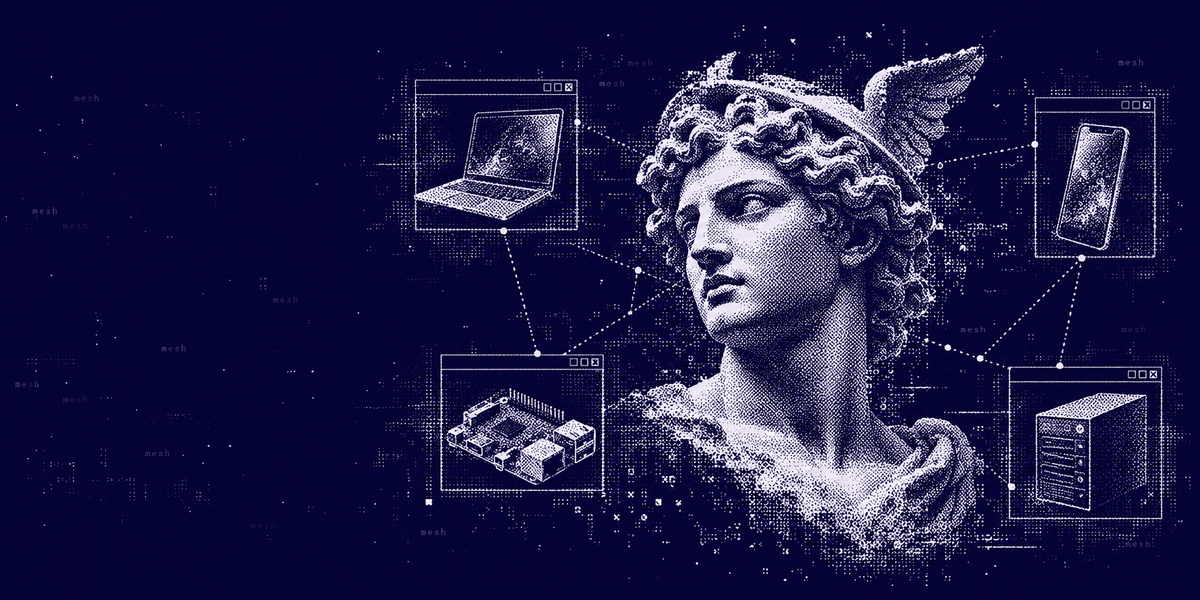
When you open TUI, the plugin mints a WebSocket ticket for the current connection, rewrites it from /api/ws to /api/pty, and paints hermes --tui with xterm.js. Nothing runs in this machine's shell. See Limits for what that rules out.

How the connection works

Your Hermes Desktop  →  gateway ticket (/api/ws rewritten to /api/pty)  →  hermes --tui on that gateway

A remote dashboard must already work for Desktop chat. Loopback bind (127.0.0.3) rejects other machines. Auth has to be configured for a public bind. See the web dashboard remote-backend notes.

Compatibility

Hermes Terminal uses the desktop plugin SDK. It needs a current Hermes Desktop with getGatewayWsUrl, and getGatewayWsUrlFor when the window is on a registry remote.

The connected dashboard has to be able to spawn the TUI. That is the same extra as dashboard Chat: ptyprocess on POSIX, pywinpty on native Windows. If spawn fails, /api/pty sends an ANSI banner and closes.

First load fetches xterm.js from jsdelivr, with esm.sh as backup. The Desktop SDK does not export a terminal emulator, and a disk plugin cannot import one. Airgapped machines will see that error until we vendor xterm.

Limits

  • This is the TUI, not the old CLI. /api/pty always spawns hermes --tui. There is no stock remote CLI PTY.
  • It does not type hermes --tui into this machine's shell. That would miss the point of a remote gateway.
  • openSessionInTerminal (the OS terminal) is local-only and is not used here.
  • xterm comes from a CDN on first open. Offline is a known miss. Vendoring a minified xterm into plugin.js is the fix for that.

License

MIT

Community project

Hermes Terminal is an independent community plugin. It is not affiliated with, endorsed by, sponsored by, or officially associated with Nous Research or the Hermes Agent project. Hermes, Hermes Agent, and Nous Research are names and marks belonging to their respective owners.

Standalone Desktop signed updates and recovery

At the bottom of Hermes Terminal, choose Check for updates. The plugin checks its own GitHub releases and asks before installing. Update now downloads the offered version; Later leaves the installation unchanged. Checking alone downloads only release metadata.

Every update has an ECDSA P-256 signature verified against the public key embedded in the plugin. The signed metadata binds the repository, plugin identity, version, exact commit, file list, sizes, and SHA-256 hashes. Unsigned releases, changed downloads, and automatic downgrades are rejected. A signature verifies origin and integrity, not the absence of bugs.

The updater replaces only plugin.js. It requires no additional Python, Git, package manager, or updater service. All file operations use stock Desktop APIs on the local Desktop profile, even when the gateway is remote. Saved settings are preserved.

Restore previous version verifies the last complete backup and asks before restoring. Choose Restore now or Cancel. Updating or restoring reloads the plugin, so finish active work first. Terminal connections may close. Use Reload desktop plugins or restart Desktop if the screen does not refresh.

Backups remain beside the installed files as update-<id>-backup-<filename>. Failed replacements attempt to restore every original file. Desktop does not expose an atomic multi-file replacement: a crash between renames can require manual recovery. Close Desktop, move any replaced files aside, restore all files from the same backup ID to their original names, then reopen Desktop. For example, update-<id>-backup-plugin.js becomes plugin.js.

Existing installations need one manual installation of this updater-enabled version. Later versions can use the confirmation flow above. Hermes Agent source changes are not required.

Publishing updates

The release description must contain a signed hermes-desktop-update block using schema 2. Publish a stable tag v<VERSION> against the exact pushed commit named in the signature. This plugin accepts only Adolanium/hermes-terminal, plugin ID hermes-terminal, and plugin.js. Signing is a maintainer operation; the private signing key must stay outside the repository and never ship to users.

Update VERSION, test, commit, and push. Save this script outside the repository as sign-release.mjs and run node /path/to/sign-release.mjs FULL_COMMIT_SHA from the repository. It prints the path of the signed release notes. Publish with gh release create vVERSION --target FULL_COMMIT_SHA --notes-file NOTES_PATH. Keep the signed block unchanged when adding notes. Only maintainers need Node.js and Git.

The private key is read from HERMES_PLUGIN_SIGNING_KEY, or the maintainer's ~/.hermes-ssh-release/signing-key.pem. This is the existing family signing identity; signatures also bind each release to its own repository. Back up the key securely. Key rotation needs a release signed by the previous key or a manual reinstall.

import fs from 'node:fs';
import os from 'node:os';
import path from 'node:path';
import crypto from 'node:crypto';
import { execFileSync } from 'node:child_process';

const commit = process.argv[2];
if (!/^[a-f0-9]{40}$/.test(commit || '')) throw Error('Use a full pushed commit SHA.');
const source = execFileSync('git', ['show', `${commit}:plugin.js`]).toString('utf8');
const plugin = source.match(/const PLUGIN_ID\s*=\s*['"]([^'"]+)['"]/)?.[1];
const version = source.match(/const VERSION\s*=\s*['"]([^'"]+)['"]/)?.[1];
const repo = source.match(/repo: "(Adolanium\/[^"]+)"/)?.[1];
const names = JSON.parse(source.match(/files: (\[[^\]]+\])/)[1]);
const pinned = source.match(/const UPDATE_KEY = "([^"]+)"/)?.[1];
if (!plugin || !/^\d+\.\d+\.\d+$/.test(version) || !repo ||
    names.some(name => !['plugin.js', 'probe.py'].includes(name))) throw Error('Invalid updater configuration.');
const origin = execFileSync('git', ['remote', 'get-url', 'origin'], { encoding: 'utf8' }).trim().replace(/\.git$/, '');
if (origin !== `https://github.com/${repo}` && origin !== `git@github.com:${repo}`) throw Error('Repository does not match origin.');
const key = fs.readFileSync(process.env.HERMES_PLUGIN_SIGNING_KEY || path.join(os.homedir(), '.hermes-ssh-release', 'signing-key.pem'));
if (crypto.createPublicKey(key).export({ type: 'spki', format: 'der' }).toString('base64') !== pinned) throw Error('Signing key does not match the plugin.');
const files = names.map(name => {
  const content = execFileSync('git', ['show', `${commit}:${name}`]);
  if (!content.length || content.length > 500000) throw Error('Release file exceeds updater limits.');
  return { name, sha256: crypto.createHash('sha256').update(content).digest('hex'), bytes: content.length };
});
const payload = Buffer.from(JSON.stringify({ schema: 2, plugin, repo, version, commit, files }));
const signature = crypto.sign('sha256', payload, { key, dsaEncoding: 'ieee-p1363' });
const envelope = { payload: payload.toString('base64'), signature: signature.toString('base64') };
const output = path.join(os.tmpdir(), repo.split('/')[1] + '-release-notes.md');
fs.writeFileSync(output, `${repo.split('/')[1]} v${version}\n\nSigned updates and backup recovery, with confirmation before each change.\n\n\`\`\`hermes-desktop-update\n${JSON.stringify(envelope)}\n\`\`\`\n`);
console.log(output);

Catalog package

The catalog/ directory packages this Desktop plugin for the Hermes plugin catalog, using the combined package layout. Catalog admission is pending. The repository does not imply approval or endorsement.

To install the package directly before catalog admission:

hermes plugins install Adolanium/hermes-terminal/catalog

Restart Hermes Desktop or rescan plugins, then enable the Desktop component in Capabilities > Plugins. This package adds no Agent tools, hooks, or middleware. It requires Hermes Desktop with combined-package support. On a remote backend, the Desktop component must also be installed on the machine running the app.

The existing root plugin.js remains the standalone distribution. Keep one installation per Desktop plugin. Before switching from a manual install, back up and move its folder out of the Desktop plugin directory; Hermes intentionally does not overwrite manual installations. Keep plugin settings when migrating.

After catalog admission, use hermes plugins update hermes-terminal and rescan Desktop plugins to adopt a reviewed update. The packaged copy has no in-app update or restore controls. Its release downloader, signature verifier, backup/restore updater, and code-replacement helpers are removed at build time. Standalone signed updates continue to use the existing root files.

The catalog copy statically bundles xterm 5.5.0 and its MIT license. Opening a terminal requires no CDN download, script injection, or SDK extension. The root standalone distribution keeps its existing loader.

For development, use Node.js 22 or newer and Python 3.11 or newer. Run npm ci --ignore-scripts, edit the root files, then run python scripts/build_catalog.py. Commit the generated catalog/ files and the dependency lockfile. CI verifies them with python scripts/build_catalog.py --check. Run the browser regression with npx playwright install chromium and npm run test:browser. The test uses the packaged terminal with external requests blocked and checks rendering, keyboard input, resizing, and disposal. Catalog packaging releases use catalog-v0.0.4 and are not marked as the latest standalone release.

hermes-resetwatch❖ Community★ 83

Track subscription quotas and reset times in Hermes Desktop. Disclosure — probe.py re-executes itself under the Hermes Python interpreter located via HERMES_PYTHON / VIRTUAL_ENV / the parent process or the Hermes installer's managed venv (HERMES_HOME/installs); it reads provider API keys from the Hermes .env, Hermes's own saved OAuth logins (auth.json credential pool, read-only), the Vaultwarden plugin's local secret cache (cache/vaultwarden_cache.json, read-only, only when Vaultwarden is the sole enabled secret source) and Docker s6 container env files, plus other coding-assistant CLIs' local logins (including macOS keychain entries), and sends each key only to its own vendor's usage endpoint.

Desktop
hermes-tailscale❖ Community★ 57

Browse Tailscale devices and connect to remote Hermes instances in Hermes Desktop.

Desktop
hermes-rss❖ Community★ 55

Read RSS and Atom feeds and discuss articles in Hermes Desktop. Disclosure — feeds and full articles are fetched with curl through the gateway's shell.exec on the connected Hermes host (public-IPv4 SSRF guard); opt-in AI grading sends article excerpts to your configured model and creates HERMES_HOME/skills/rss-importance-grading/SKILL.md if missing; opt-in image loading fetches publisher images directly from Desktop.

Desktop
shodan❖ Community★ 28

Shodan tools with complete capability declarations.

Tools
hermes-ledgerline❖ Community★ 17

Inspect session costs and usage in Hermes Desktop.

Desktop
hermes-ssh❖ Community★ 17

Manage SSH connections and remote workspaces in Hermes Desktop.

Desktop

← Back to the catalog · catalog built Oct 14, 2026