 XpycT
HermesFord: Where the Agents Live
A living HD-2D pixel-art village for Hermes Desktop.
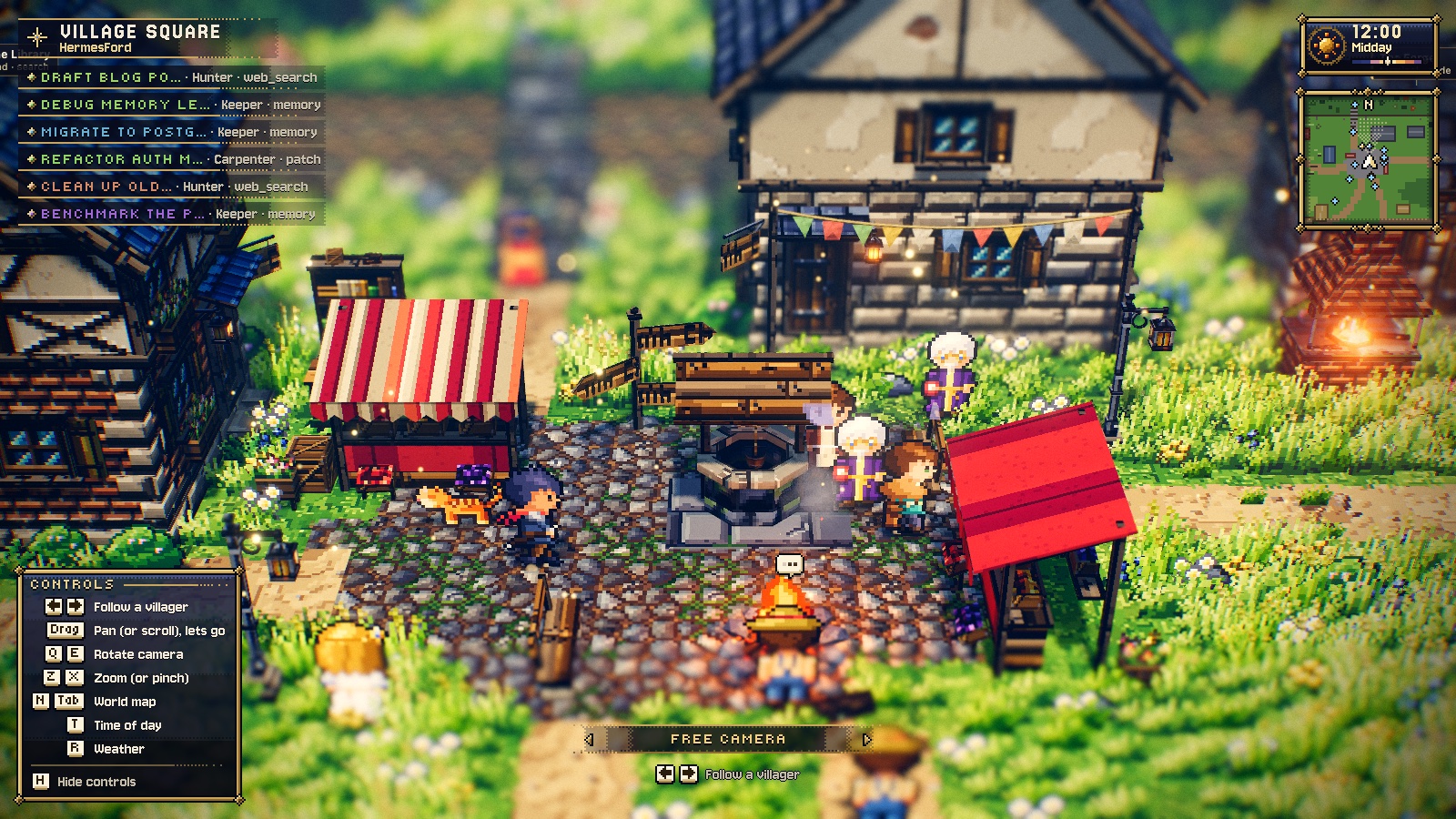
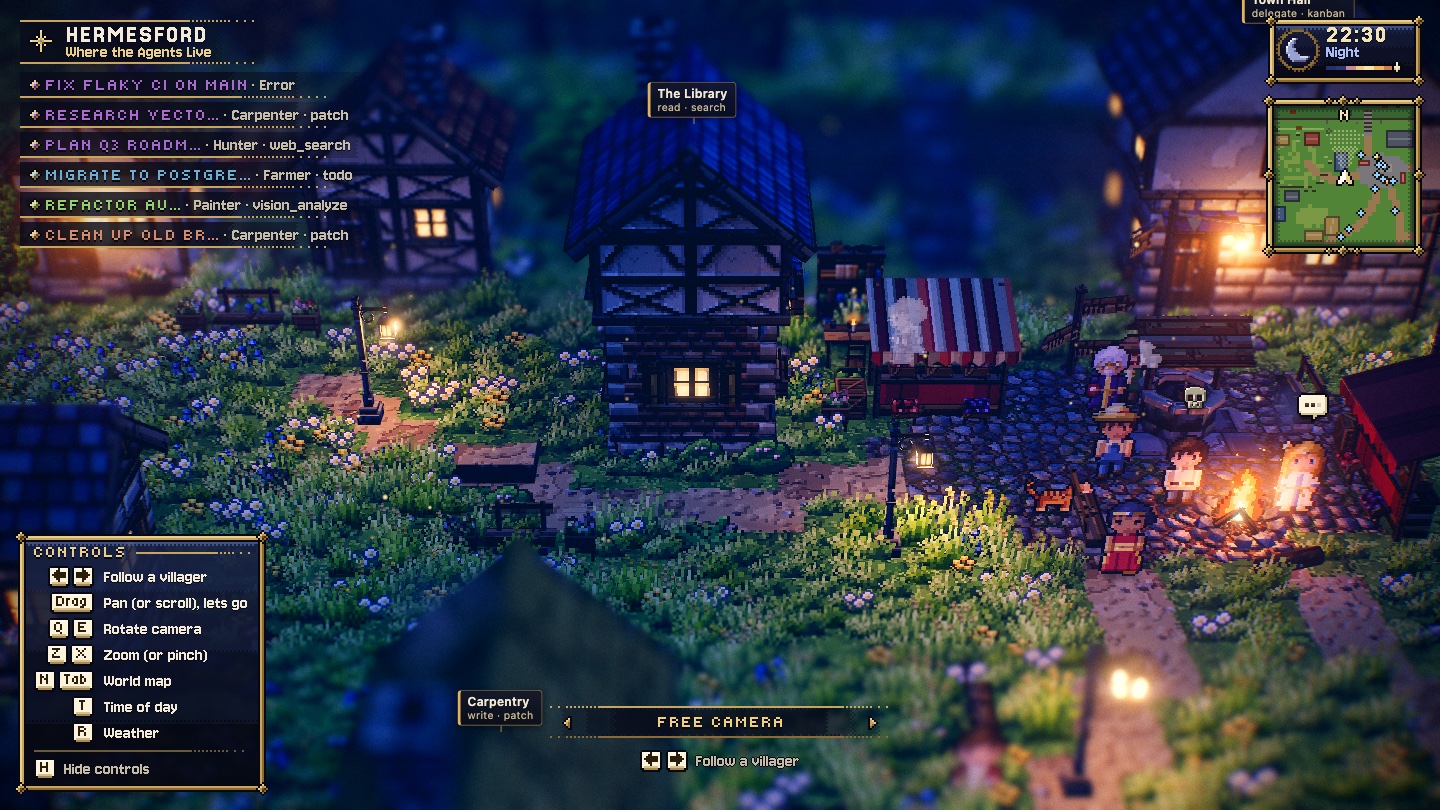
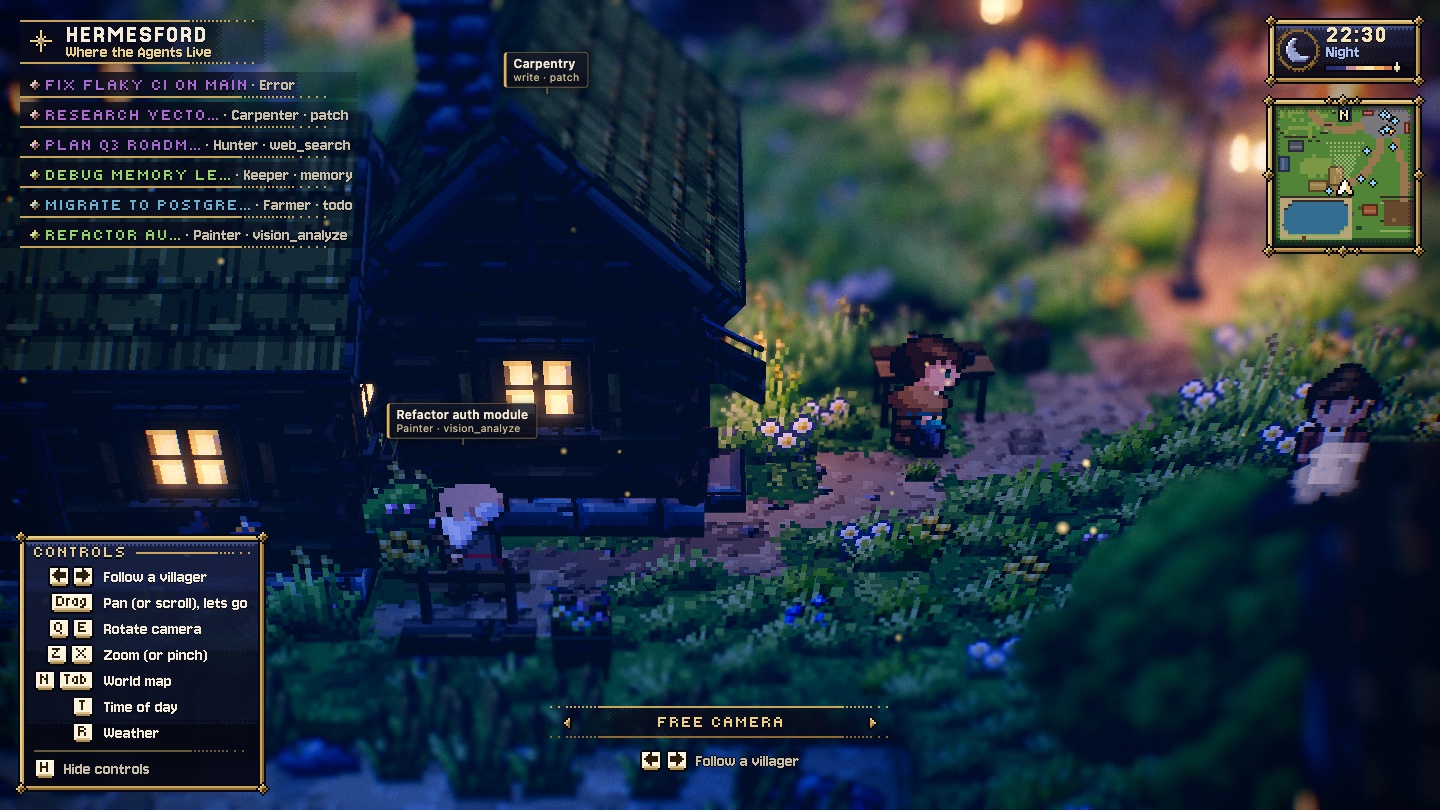
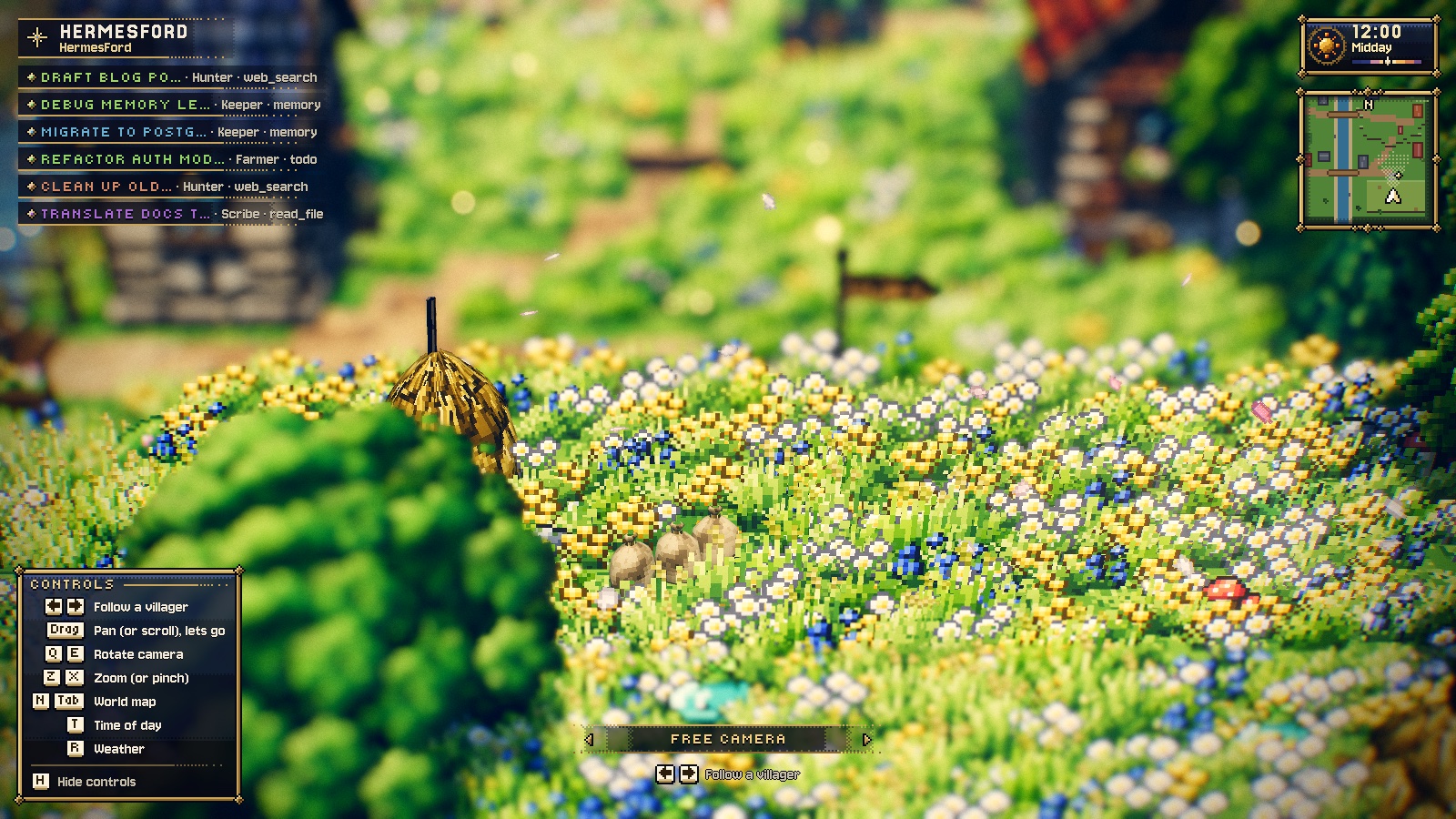
Every Hermes chat is a villager. Open the HermesFord page from the sidebar to see at a glance
who is working, who is waiting for you, who failed and who is asleep.
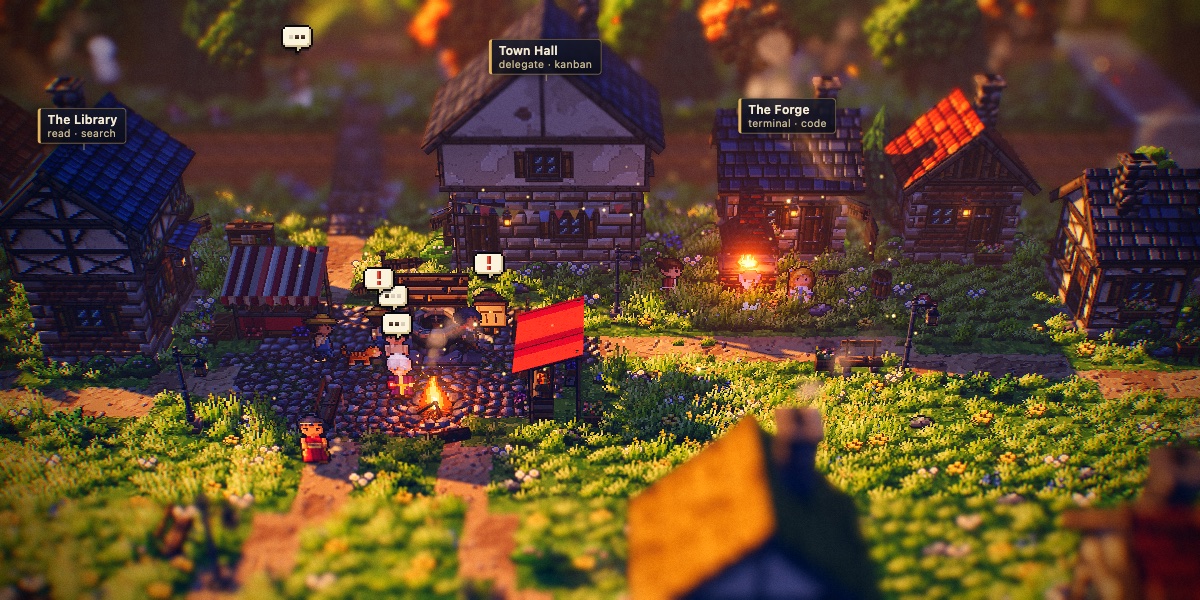
It is an indicator, not a game. The villagers only act out what the agents really do: no
fake work and no controls except the camera. Clicking a villager opens its chat.
| | |
| --- | --- |
|  |
 |
|  |
 |
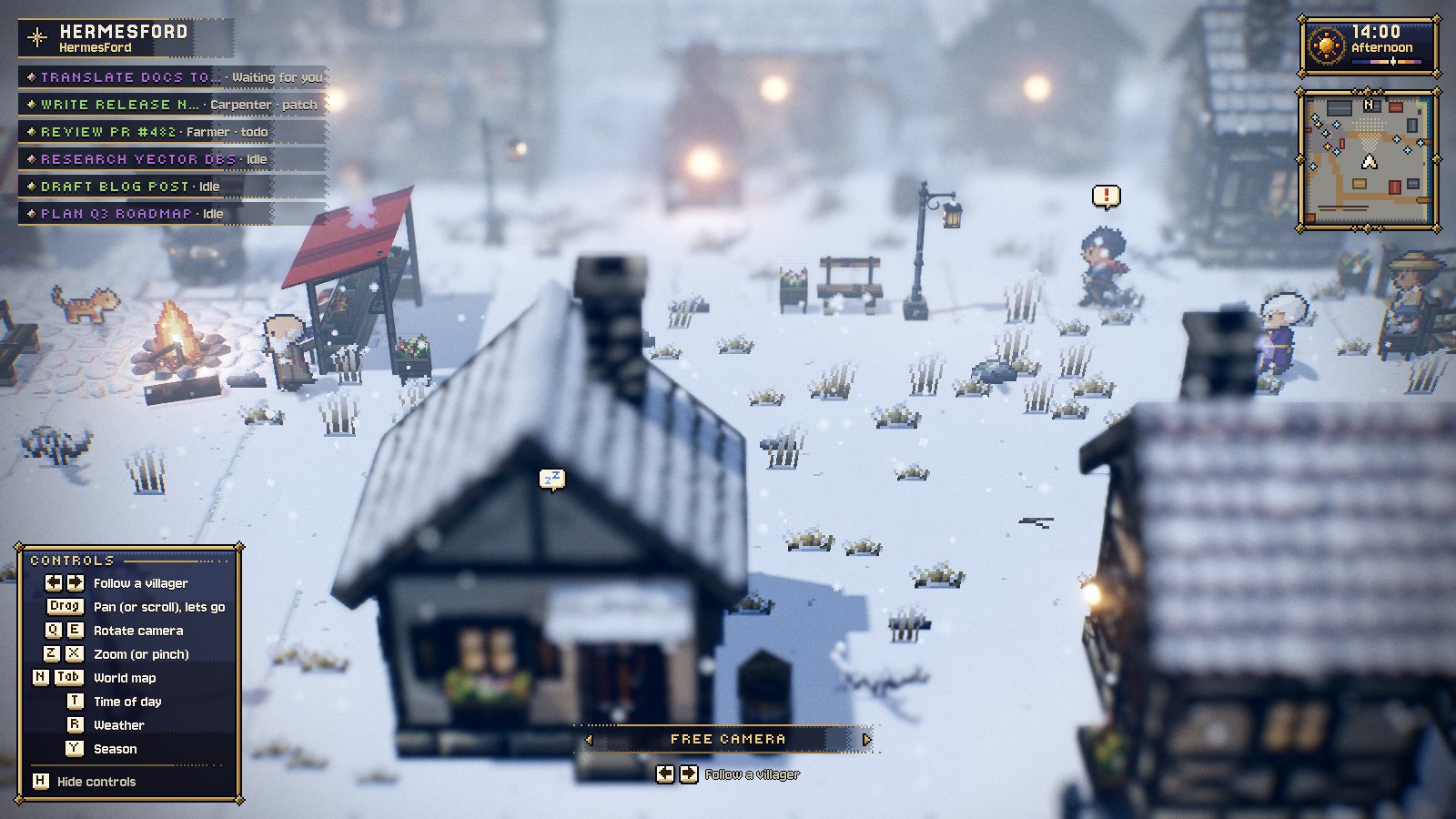
Seasons
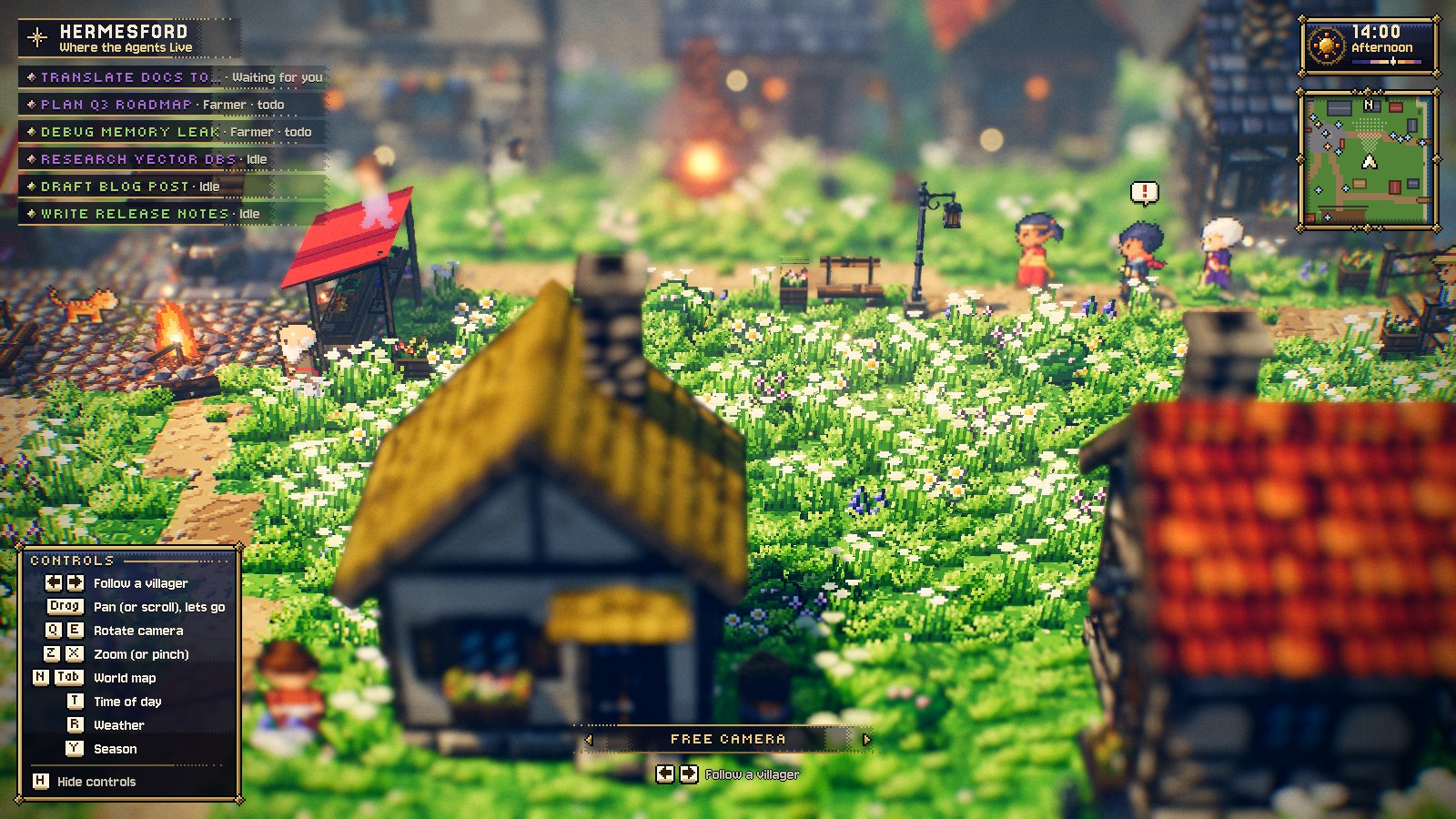
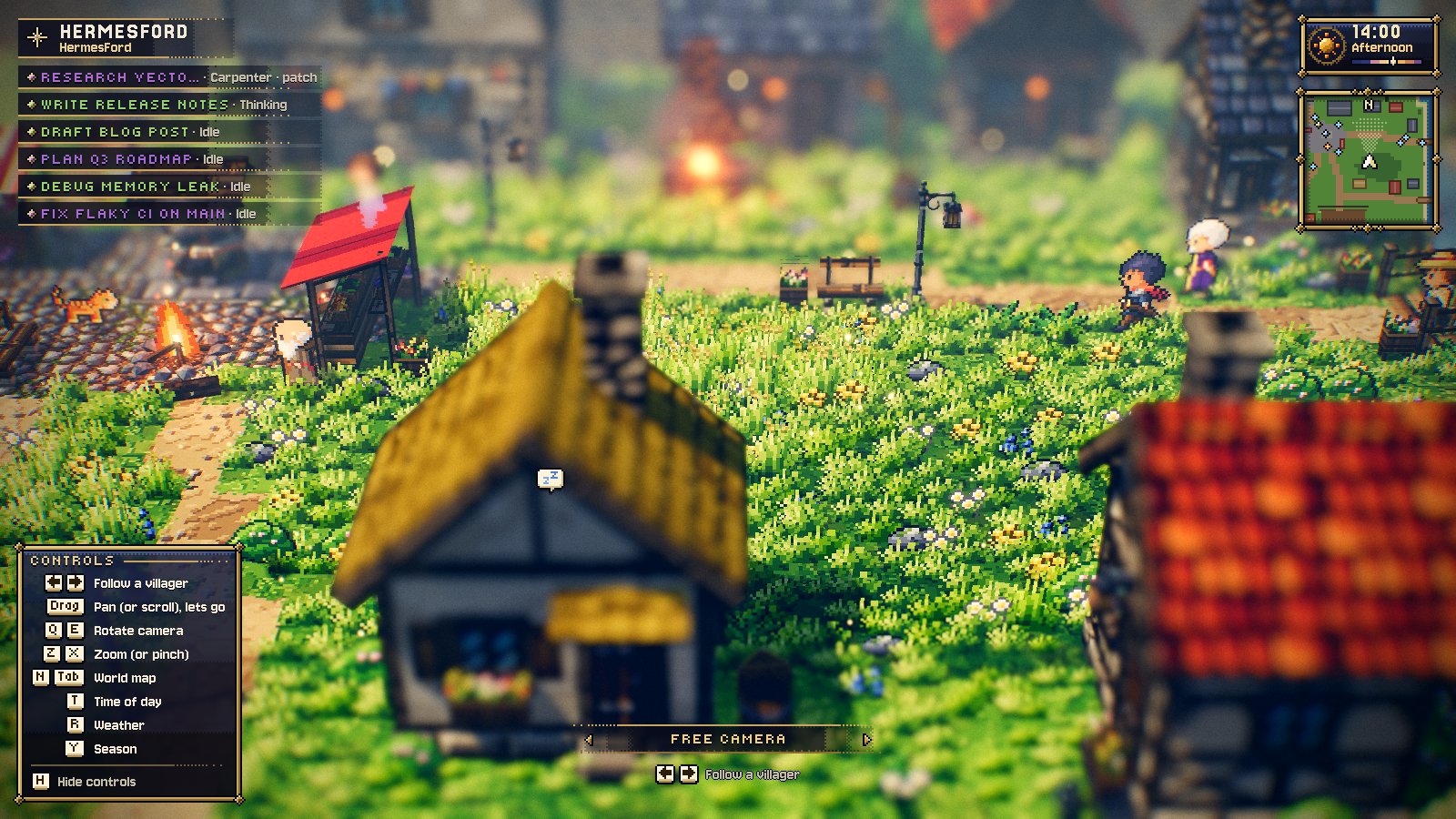
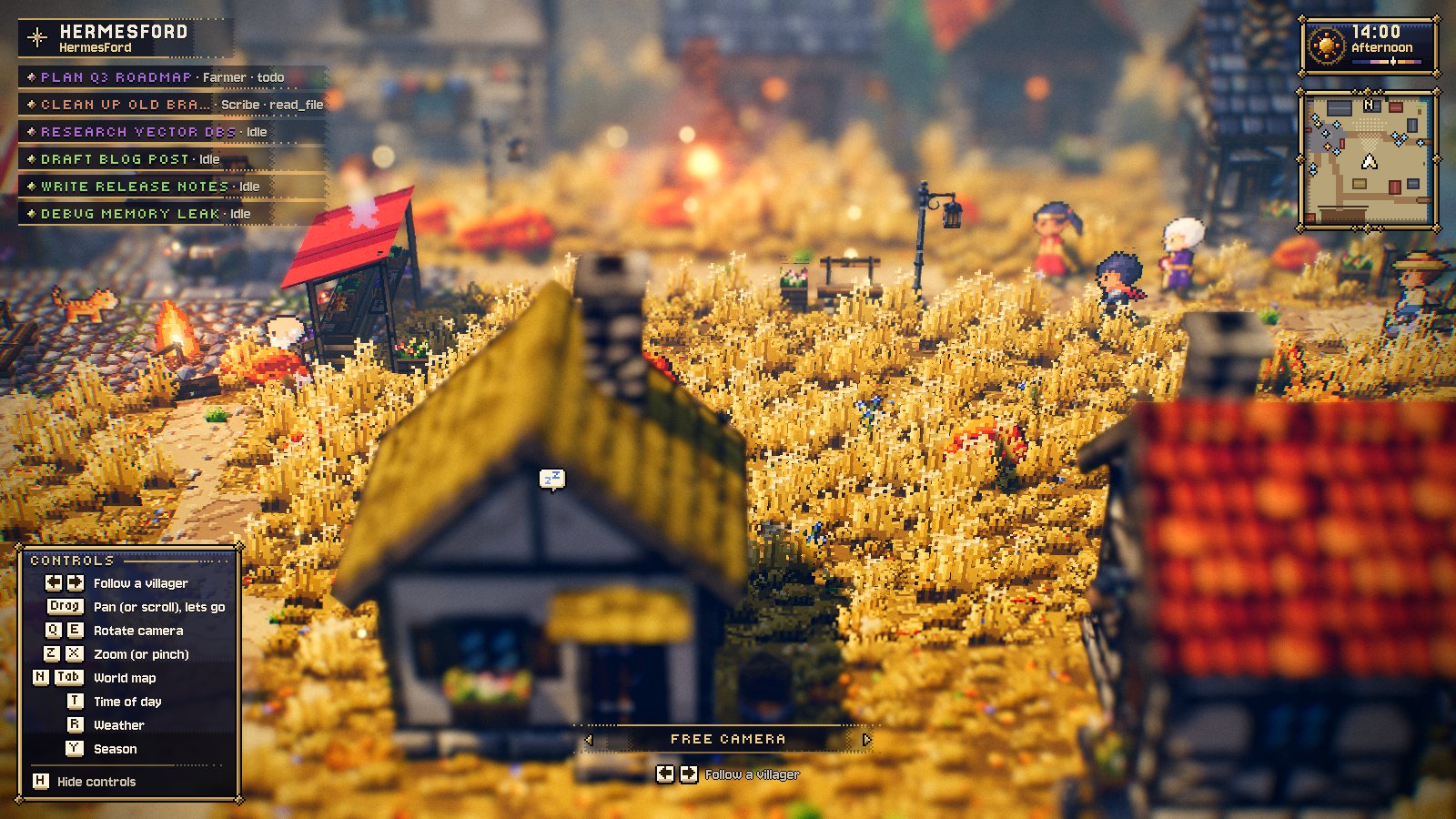
The village follows the calendar: spring, summer, autumn or winter, by today's date. Press Y
to change the season: the screen fades to black and the village comes back re-dressed under the
season's banner. The camera stays where it was.
| | |
| --- | --- |
|  |
 |
|  |
 |
- Spring: young grass and meadow flowers, cherries in blossom, petals in the air.
- Summer: the village as drawn.
- Autumn: russet grass, fallen leaves, stubble on the field, red maples and golden birches.
- Winter: snow on the ground and roofs, trodden paths, frosted cobbles, icicles on the eaves,
snowy pines and bare trees, falling snow. The snow stays whatever the weather (R).
The seasons are Luminati's season kit (its terrain, trees, ground sprites and sky) applied to the
village map, so nothing new is drawn. The river does not freeze.
What the villagers do
The plugin polls session.active_list / session.list and listens to tool.* / message.*
gateway events, then maps each chat to a state:
| Chat state | Villager |
| --- | --- |
| Waiting for you (approval, clarify) | goes to the Town Hall, a pulsing ! over its head |
| Turn failed | a skull over its head for a few seconds |
| Running a tool | walks to the workplace for that tool and works there (see below) |
| Thinking (turn running, no tool) | sits by the campfire, … over its head |
| Idle | wanders around the square |
| Not active | goes home; zzz over the roof, the window lit at night |
| Tools | Trade | Place |
| --- | --- | --- |
| terminal, execute_code, process* | Blacksmith (the forge sparks while they work) | The Forge |
| web_search, web_extract, browser*, mcp__tavily*, mcp__scrapling* | Hunter | the woods (boars, slimes, bats at night) |
| read_file, search_files, session_search | Scribe | The Library |
| write_file, patch | Carpenter | Carpentry |
| delegate_task, kanban* | Messenger | Town Hall |
| memory, fact_store, skill* | Keeper | the well |
| vision_analyze, image_generate, computer_use | Painter | the lake |
| anything else | Farmer | the field |
Other features:
- Party frames (top left) list the awake chats. Click one to open its chat.
- Follow a villager (◀ ▶ at the bottom) makes the camera follow one chat.
- The time of day and lighting follow your real clock. The page also has a minimap and a world
map (Tab). - Drag to pan, scroll or pinch to zoom, Q/E to rotate, T for the time of day, R for the weather,
Y for the season. - Rendering pauses when the page is hidden.
Installation
Requires Hermes Desktop ≥ 0.22.5 and WebGL.
From Git (CLI):
hermes plugins install XpycT/hermesford
hermes plugins enable hermesford
From Hermes Desktop: Capabilities → Plugins → Install from Git, enter XpycT/hermesford,
then switch the plugin on. You can also use the one-click link
hermes://plugin/install?repo=XpycT/hermesford&enable=1.
After that, HermesFord appears in the sidebar and opens the /village page.
Manual: copy desktop/plugin.js to ~/.hermes/desktop-plugins/hermesford/plugin.js and turn
it on under Capabilities → Plugins.
What it does and does not do
- Desktop-only.
desktop/plugin.jsruns inside the plugin SDK surface. It registers no agent
tools, hooks, middleware or env vars. - Reads the session list and live session status through
host.request('session.list')/
session.active_list, polled every 3 s, and gatewaytool.*/message.*events. It never
writes to sessions. A click only callshost.openSession. - No network calls, no telemetry, no stored credentials. Nothing is persisted: the village
state lives in memory. - Bundled code: the whole bundle is built from this repository (≈2 MB minified). It contains
three.js (MIT) and the Luminati engine (MIT, see below). All art
(sprites, textures, UI, fonts' pixel styling) is generated procedurally at runtime; there are
no binary assets. hermes plugins validatepasses. Itscautionfindings come from the bundled engine:
invisible_unicodeis CJK and typographic characters in Luminati's strings and fonts, and
inline_shell_execis a backtick-quoted melody notation in a code comment.
Credits
HermesFord is built on Luminati, an open-source
2.5D pixel-art engine for three.js inspired by Square Enix's HD-2D games (MIT, © 2026 Luminati).
The world, lighting, post-processing, villagers, critters, monster sprites, pathfinding (Nav) and
the pixel-art UI are Luminati's. A snapshot lives unmodified in vendor/lumina/ with its
LICENSE and VERSION; tools/vendor-lumina.sh only rewrites four imports. The village map
follows the layouts of Luminati's Emberfall and Starfall Vale.
Development
npm install
npm run dev            # dev page with fake chats: http://127.0.0.1:5199/?hour=17
npm test               # village simulation and seasons asserts
npm run build          # → desktop/plugin.js
npm run install-local  # build and copy to ~/.hermes/desktop-plugins/hermesford/
node tools/make-village.mjs                                         # regenerate levels/village.json
node vendor/lumina/tools/check-level.mjs levels/village.json --strict # Luminati's level checker
| Path | What it is |
| --- | --- |
| src/plugin.js | registers the page and the sidebar entry; Hermes data → villagers |
| src/viewer.js | hosts the Luminati level: engine, light, post-FX, villagers, critters, UI |
| src/village.js | the pure simulation: chat state → where to go and what to do; the seasons (seasonal) |
| tools/make-village.mjs | generates the map levels/village.json |
| desktop/plugin.js | the built plugin (committed: it is what Hermes installs) |
Dev-page query params: ?hour=N (time of day), ?season=spring|summer|autumn|winter,
?fake=0 (no fake events), ?panel=0 (hide the event panel).
License
MIT. Luminati is MIT-licensed by its authors (vendor/lumina/LICENSE).
README from the reviewed commit cfa2555; it updates when the author re-pins.