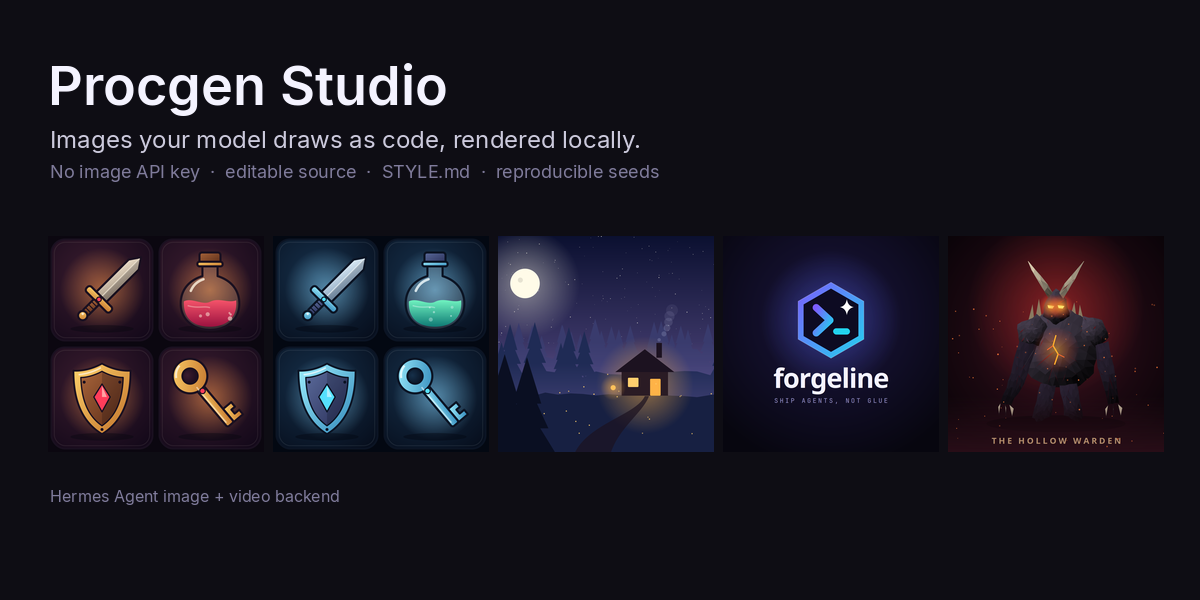
 iamlukethedev
Procgen Studio
An image and video backend for Hermes Agent
that draws with code. Instead of calling a hosted image API, your configured model writes a
drawing program (SVG, or Python with Pillow/numpy), Procgen Studio renders it locally, and you
get back a PNG with the editable source and a reproducible seed saved right next to it.
Because it registers through Hermes's image-generation provider API, everything that already
calls the built-in image_generate tool (chat, cron jobs, messaging platforms, subagents) gets
it with no changes. Select it once and keep working.
Why
- No image API key, no per-image bill. It uses the model Hermes already talks to, through
the host-ownedctx.llmfacade. Rendering is local and offline. - Editable. Every image ships with the program that drew it. Change a number, re-render.
Ask for an edit and the existing program is revised instead of rolling the dice again. - Consistent. A
STYLE.mdart contract (palette, outline, lighting, shading, shape language)
is injected into every generation, so an asset set looks like one set. Change one line and
regenerate. - Reproducible. Programs take their randomness from a seed. Re-rolling a seed re-runs the
program locally in about a second, with no model call. Same program, same seed, same pixels. - Self-checking. A critic reviews each render against the prompt and the style (by looking at
the PNG when your model has vision, otherwise by reading the program plus measured facts about
the image) and asks for a bounded number of redraws when it falls short.
It is built for icons, game assets, logos and wordmarks, flat illustrations and scenes, patterns
and textures, diagrams, low-poly creatures, pixel sprites and short motion graphics. It is not a
photorealism model.
How it works
image_generate(prompt) ─▶ Procgen Studio provider
                            │ STYLE.md + preset + prompt directives ─▶ style contract
                            │ technique references picked for the request (icons, scene, logo, ...)
                            ▼
                          ctx.llm  ─▶  def draw(t): ... return svg     (your model writes this)
                            ▼
                          sandboxed render worker (separate process) ─▶ PNG
                            ▼
                          critic (vision or structure) ─▶ pass, or redraw with the issues (bounded)
                            ▼
                          PNG + source + seed + metadata ─▶ back to Hermes
Drawing programs see W, H, SEED, a seeded rng, the palette as PAL[role] and a few
helpers (svg_doc, mix, shade, poly_pts, ease, pixel_grid). They return an SVG string,
a Pillow image or a numpy array. Pixel art uses a palette-grid JSON spec instead of hand-placed
pixels, which is far more reliable.
Install
Requirements: Hermes Agent 0.22.7 or newer, and the cairo system library that cairosvg uses
(preinstalled on most Linux desktops; brew install cairo on macOS; apt install libcairo2 on
Debian/Ubuntu servers). Video needs ffmpeg on PATH (Hermes's installer ships one).
hermes plugins install iamlukethedev/hermes-procgen-studio --enable
hermes config set image_gen.provider procgen-studio
hermes config set video_gen.provider procgen-studio      # optional: animated output
hermes tools enable video_gen                            # optional: expose video_generate
The install asks for consent to add three Python dependencies: cairosvg, numpy and Pillow.
Or pick it interactively: hermes tools → Image Generation → Procgen Studio.
Then just ask:
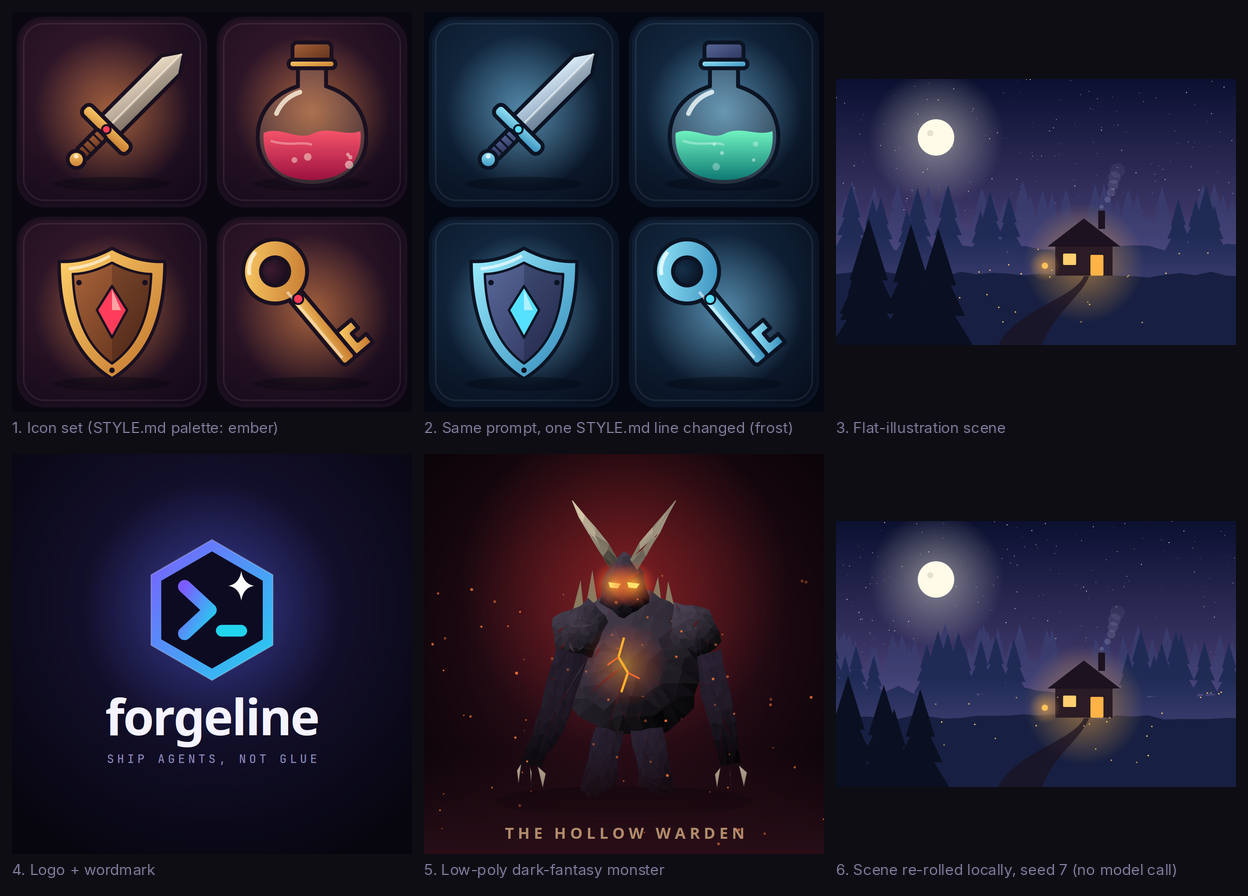
> Make a set of 4 game icons on rounded tiles: a sword, a health potion, a shield and a key.
Check the setup any time with hermes procgen status.
Configuration
Settings live under plugins.entries.procgen-studio.settings (they also render as a form in the
Desktop app under Settings → Plugins):
| Setting | Default | What it does |
|---|---|---|
| preset | flat-illustration | Style used when no STYLE.md applies |
| style_file | | A STYLE.md that applies everywhere |
| critic | auto | auto (vision, falling back to structure), vision, structure, off |
| max_redraws | 2 | Upper bound on extra model calls per image (repairs + critic redraws), 0-6 |
| min_score | 7 | Critic score (0-10) a render needs to pass |
| allow_python | true | Off restricts the model to literal SVG and pixel specs (no code runs) |
| output_dir | | Also copy every PNG + source + metadata into this folder |
| render_timeout | 90 | Seconds a drawing program may run |
| time_budget | 360 | Seconds per image; redraws stop early and the best attempt is returned (0 = no limit) |
| llm_timeout, max_tokens | 300, 16000 | Per drawing call |
| fps, video_seconds, gif | 24, 4, true | Video defaults |
hermes config set plugins.entries.procgen-studio.settings.critic structure
hermes config set plugins.entries.procgen-studio.settings.output_dir ./assets/procgen
Choosing models. By default drawing and critique run on your main chat model. Procgen Studio
registers two auxiliary slots you can pin separately in hermes model → Configure auxiliary
models (or the Desktop Models page): Procgen Studio drawing (procgen_draw, a strong coding
model helps most) and Procgen Studio critic (procgen_critic, which follows Hermes's vision
slot until you pin it).
Slow or local models. Hermes stops any tool call after timeouts.tools.sequential_call
(420 s by default). Procgen Studio keeps each image inside time_budget by measuring its own
model calls and skipping redraws (or the critic) that would not fit, so you get the best attempt
instead of a timeout. For a slow local model raise both, for example
hermes config set timeouts.tools.sequential_call 1800 and time_budget 1700.
The image model picker offers three tiers: procgen-studio (critic + up to max_redraws),
procgen-fast (no critic) and procgen-careful (3+ redraws, stricter pass score).
STYLE.md
A STYLE.md is a few key: value lines plus optional prose. Procgen Studio uses, in order:
- a
[style=<preset or path>]directive in the prompt, - the
style_filesetting, ./.procgen/STYLE.mdor./STYLE.mdin the session's working directory (only if the file
has apreset:orpalette:line, so an unrelated writing-style guide is ignored),- your user style at
$HERMES_HOME/plugin-data/procgen-studio/STYLE.md, - the preset picked with
/procgen style <name>, then thepresetsetting.
# STYLE.md - shared art contract
palette: ember
outline: 10px ink, round joins
lighting: top-left key light, soft rim on lower-right
shading: two-tone cel + one gradient, one specular highlight per object
background: rounded tile, radial vignette
preset: <name>inherits every rule and colour from a built-in preset.palette: <name>takes the colours of a preset. This is the one-line restyle:
palette: ember→palette: frost.palette.<role>: #hexoverrides a single colour. Roles:bg bg2 ink base base2 metal metal2 accent accent2 wood wood2 liquid liquid2 gem glow highlight shadow sky sky2 ground foliage light.- Any other key (
outline,lighting,shape_language,typography, ...) and free prose are
passed to the model as rules.
/procgen init ember writes a starter STYLE.md into the working directory.
Because programs read colours from PAL[role], a palette change can be applied without a
model call: /procgen restyle --set dungeon-loot re-renders the whole set locally. Rule changes
(lighting, outline weight, shape language) need a redraw: /procgen regen --set dungeon-loot.
Presets

| Preset | For |
|---|---|
| ember | Warm cel-shaded game icons on dark rounded tiles |
| frost | The same rules with a cold palette (inherits ember) |
| flat-illustration | Layered flat vector scenes with atmospheric depth (default) |
| dark-fantasy-lowpoly | Faceted creatures and props with ember lighting |
| brand-minimal | Geometric marks, wordmarks and app icons with one gradient |
| pixel-arcade | 16-32 px sprites and sprite sheets via the pixel-grid spec |
Prompt directives
Directives anywhere in a prompt are stripped before drawing:
| Directive | Effect |
|---|---|
| [style=frost] | Preset (or STYLE.md path) for this image only |
| [seed=42] | Fix the seed |
| [set=dungeon-loot] | Group renders into a set you can restyle or regenerate together |
| [renderer=pixel] / [renderer=svg] | Force an output format |
| [critic=off], [redraws=3] | Override the critic loop for one call |
| [size=800x600] | Exact canvas size (otherwise 1536x1024 landscape, 1024x1024 square, 1024x1536 portrait; resolution: 2K doubles) |
The tool's complexity (-100..100) and thinking (fast/high) controls are honoured too.
Commands
The same commands work in a session (/procgen ...) and in a terminal (hermes procgen ...):
| Command | |
|---|---|
| status | Style in effect, critic settings, ffmpeg, where renders live |
| styles, style <preset>, style show, init [preset] | Presets, the active contract, starter STYLE.md |
| set <name> / set off | Put the next generations into an asset set |
| list [n] [--set s], show <id\|last>, source <id\|last> | Browse renders, paths, seeds, critic logs, code |
| reroll <id\|last> [--seed n] | Re-run the program with a new seed (local, free) |
| restyle <id\|last\|--set s\|--all> [--style p] | Re-render with the current palette (local, free) |
| regen <id\|last\|--set s> [--style p] | Redraw with the model under the current STYLE.md |
| edit <id\|last> <instruction> | Revise an existing drawing ("make the gem emerald green") |
| render <file> [--seed n] [--style p] [--size WxH] | Render a local .py, .svg or .pixel.json |
| gallery [--set s] | Contact sheet of recent renders |
Editing also works through the normal tool: pass a Procgen Studio image path as image_url with
an instruction and the existing program is revised. Any other image passed as image_url is
sent to your model as a composition reference.
Video

With video_gen.provider: procgen-studio, video_generate asks for a draw(t) program that
animates over t ∈ [0, 1], critiques a strip of three frames, renders every frame in the
sandbox and encodes MP4 (plus a GIF) with ffmpeg. Pass a Procgen Studio image as image_url to
animate an existing drawing. Supports 16:9, 9:16, 1:1, 4:3 and 3:4 at 480p-1080p, 1-15 s.
Desktop pane
The package includes a Desktop half (desktop/plugin.js with routes in dashboard/plugin_api.py):
a procgen pane showing recent renders, the selected image with its prompt, seed, style and
critic score, its source code, and Re-roll / Random buttons that re-run the program locally.
A command palette entry re-rolls the latest render. Like every Desktop plugin half it ships opt-in:
enable it under Capabilities → Plugins.
Under plugins.isolation: host Hermes does not wire plugin terminal subcommands, so use
/procgen ... in a session instead of hermes procgen ...; everything else works the same.
Limits
- No blur. cairosvg ignores SVG filters, so glows, halos, fog and soft shadows are built from
radial/linear gradients fading to transparent (the prompts teach this). - Not photorealism. Requests for photos come out as stylised illustrations.
- Model-dependent. The drawing is only as good as the model writing it. Strong coding models
are what the gallery is aimed at; small local models produce much simpler drawings (see
examples/local-model-check), and the critic, the
repair loop and the copy guard catch the worst failures. - Text uses system fonts through font stacks (
Inter, DejaVu Sans, sans-serif, ...), so exact
typefaces depend on what is installed. - Pixel art goes through the pixel-grid spec (
renderer=pixel), which is reliable for sprites
up to 128x128; freehand pixel placement in code was the weakest approach in testing.
Security and disclosure
- Network: Procgen Studio makes no network calls of its own. Every model call goes through
Hermes'sctx.llmon the provider you configured (or theprocgen_draw/procgen_critic
slots if you pin them). No telemetry. - Running model-written code: Python drawing programs run in a separate Python process
with an AST allowlist of imports (math, random, numpy, PIL and a few stdlib modules), no dunder
or frame access (classes may define only__init__/__post_init__, andgetattr, from-imports
and star imports refuse the same names as dotted access), trimmed builtins, an audit hook that
refuses sockets, subprocesses, process control, native library loading, any file read or write
outside the job directory and the read-only interpreter/font folders, andmkdir/utime
outside the job directory, plus CPU, memory and file-size limits and a wall-clock
timeout. This is defence in depth, not a security boundary. Setallow_python: falseto accept
only literal SVG (external references disabled) and pixel specs, which run no code at all. - Shell commands: the video backend runs the system
ffmpegas a subprocess to encode frames.
The render worker is started with the same Python interpreter Hermes uses. - Files read: a
STYLE.mdin the session's working directory (only when it has apreset:or
palette:line), your configuredstyle_file, and images you pass asimage_url. A local
image_urlis only read from under$HERMES_HOME/cache/, the plugin data dir or the session's
working directory, must decode as a PNG, JPEG, WebP or GIF with Pillow (the decoded format sets
the MIME type), and is capped at 8 MiB; anything else is ignored rather than sent to the model. - Files written: renders, sources and metadata under
$HERMES_HOME/plugin-data/procgen-studio/, the published PNG/MP4 plus sidecars under
$HERMES_HOME/cache/generated/, and youroutput_dirif you set one./procgen initwrites a
STYLE.md into the working directory when you ask it to. - Credentials: none. The plugin never sees a key; it declares no
requires_env. - Background processes, self-updates: none.
Examples
See examples/ for every output above with its source, seed and metadata,
the prompts used, and how to regenerate the set with your own model (bash scripts/e2e.sh).
Development
python3 -m pytest                                  # unit tests (render pipeline, sandbox, critic loop,
                                                   # seeds, provider contract, commands, Desktop routes)
hermes plugins validate . --install-deps           # catalog admission checks
ln -s "$PWD" ~/.hermes/plugins/procgen-studio      # develop against a live Hermes
Provider tests run against the real Hermes ABCs when a Hermes checkout is importable
(HERMES_AGENT_DIR, default ~/.hermes/hermes-agent) and against a minimal stand-in otherwise.
License
MIT, see LICENSE. Procgen Studio is an independent community plugin and is not
affiliated with or endorsed by Nous Research.
README from the reviewed commit 204b063; it updates when the author re-pins.
