
 chengyimingvb
Hermes Read-only Mode
Hermes 桌面端单文件插件:在输入框 + 右边加一个开关按钮,开启后每条发给 Agent 的消息开头都带一段「只读」约束,Agent 只回答、不改东西。对应 Cursor 的 Ask 模式。
不改 Hermes 核心代码,全部通过 @hermes/plugin-sdk 的 ctx.register 实现,禁用插件即完全恢复原状。
效果
| 元素 | 行为 |
|---|---|
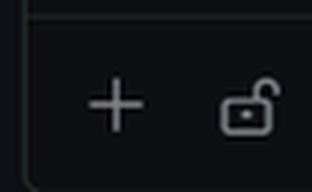
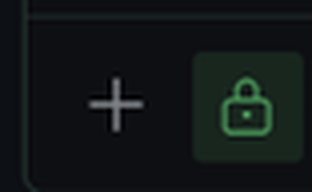
| 按钮(composer.leading,+ 右侧那一格) | 24×24 ghost 图标按钮,与 + 同款尺寸/配色;关闭时 unlock 灰,开启时 lock 高亮(accent 底 + accent 图标) |
| 悬停提示 | 只读模式:关闭 / 只读模式:已开启(不改文件);切换时不弹提示框,只靠图标与配色变化反馈 |
| 开启后的发送 | 消息最前面插入一段约束(见下),空文本/仅有附件时不插 |
| 记忆 | 状态按会话独立,存 ctx.storage({ on: { [sessionId]: true } }),切会话各自保持,重载插件/重启应用后保持 |
| ⌘K 命令 | Read-only mode: toggle(关键词含「只读」「问答」),作用于当前聚焦会话 |
开启后实际发送内容(中文界面):
⟨read-only-mode⟩ 只读模式:本轮只做阅读与回答。只用读操作与只读命令(读文件、搜索、ls、git log/diff/status)。不创建、修改、删除、移动文件,不写配置,不装依赖,不执行有副作用的命令(build / test / format / install / git commit、push 等)。需要改动时,只给方案或 diff,等我确认后再动手。

<你原本的消息>
截图
输入框左侧:+ 菜单右边就是这个开关(24×24 ghost 按钮,与 + 同尺寸)。
| 关闭(灰锁) | 开启(accent 底色 + 实心锁) |
|---|---|
|  |
 |
这是「软约束」,不是沙箱
Hermes 没有会话级只读策略,插件也改不了系统提示(会破坏 prompt 缓存),所以唯一的注入点是用户消息文本:
session.mutate的edit_policy只有ask/workspace_session/session三个值,没有「禁止写」;桌面端写文件本来也不走审批。- 因此实现走 composer 的官方中间件:
composer.middleware(use-middleware-submit.ts在 onSubmit 前按顺序跑)。 - 后果:约束是给模型的指令,模型理论上仍可违规;要硬性阻断需要改核心或加独立沙箱。
安装
纯前端 ESM,无需构建:
hermes plugins install chengyimingvb/HermesPlugins/read-only-mode
装完在桌面端 Settings → Plugins 里打开这个插件(包内 desktop 半边默认关闭)。
手动拷贝:
mkdir -p "$HERMES_HOME/desktop-plugins/read-only-mode"
cp desktop/plugin.js "$HERMES_HOME/desktop-plugins/read-only-mode/plugin.js"
文件夹名必须等于插件 id(read-only-mode)。新目录不保证自动发现:放好后 ⌘K → Reload desktop plugins。之后保存 plugin.js 即热重载。
卸载
hermes plugins remove read-only-mode;或删掉 desktop-plugins/read-only-mode/;或 Settings → Plugins 里禁用。
实现要点
- 挂载点:
area: 'composer.leading'——+菜单右边那一格(grid-area: menu,items-start)。尺寸用核心导出的GHOST_ICON_BTN,所以与+完全对齐(实测 24×24)。 - 注入点:
area: 'composer.middleware'+data: { handler },返回改写后的 draft;关闭时原样返回,链上零影响。 - 幂等:draft 已以
⟨read-only-mode⟩开头就不再插(排队发送、重试、手动粘贴都安全)。 - 只读状态:模块级
$states = atom({ [sessionId]: true }),按会话记;ctx.storage存同一张表。按钮与中间件都通过sessionKey()(host.state.focusedSessionId,空则new)取键,保证"看到的状态"和"发送时的状态"是同一个会话。 - 样式:只用内联样式 + 主题变量(
var(--ui-accent)、color-mix(…))。插件的 Tailwind 类名不进构建,写了也不生效。 - 区域常量:SDK 运行时不导出(
COMPOSER_AREAS会ReferenceError),area id 一律写字面量。
已知边界
- 只影响桌面端输入框;CLI、消息平台、定时任务的消息不走这条中间件。
- 「只读」= 提示词约束,不是权限系统;见上节。
- 会话识别靠
host.state.focusedSessionId:composer.middleware拿到的 draft 只有{text, attachments},没有 session id,插件无法知道是哪个输入框在发。按钮与中间件用同一个sessionKey()(聚焦会话,空则new),所以正常打字发送不会错。
两个边界会误判:用host.composer.submit()往非聚焦会话发;排队消息在焦点切走后 drain。要精确得在核心的ComposerDraft上加sessionId。
目录
plugin.yaml        # 插件清单(name / version / requires_hermes)
desktop/plugin.js  # 全部逻辑(单文件 ESM)
README.md          # 本文件
兼容性
- Hermes 0.22.7 桌面端(打包版)实测:注册成功、按钮 24×24 出现在
+右侧、点击切换状态与持久化正常、热重载生效。 - SDK 面:
atom/useValue/host.state.focusedSessionId/ctx.register/ctx.storage/Button/Codicon/Tip/GHOST_ICON_BTN。
README from the reviewed commit c6fd56f; it updates when the author re-pins.