 mciocchi
hermes-readonly-guard
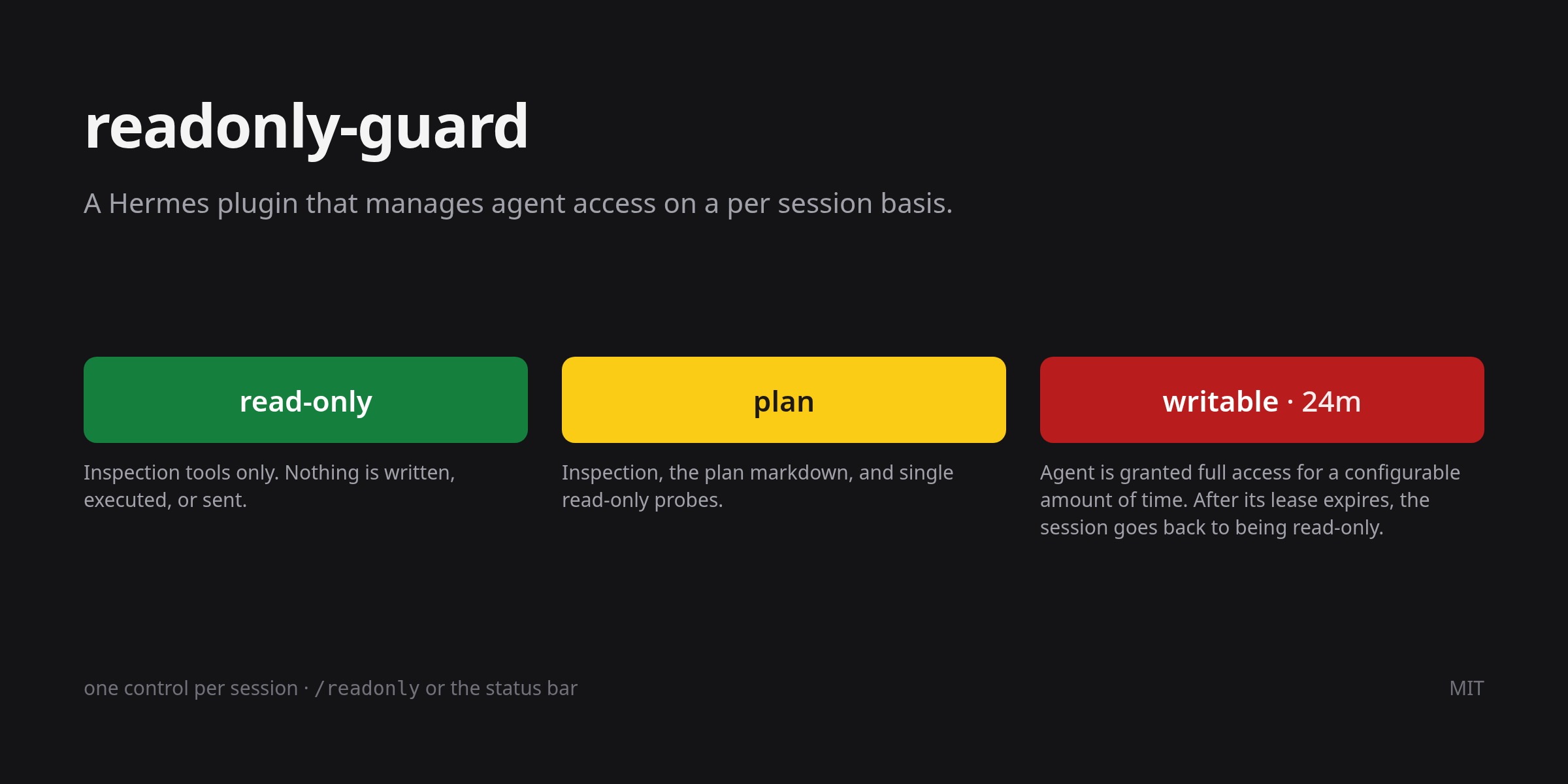
A Hermes plugin that manages agent access in code, per session: while readonly or
plan is active, every tool call that is not on a small inspection allowlist — or a single,
allowlisted, read-only command — is refused before it runs, and the refusal happens in
pre_tool_call, ahead of the approval layer, so --yolo and approvals.mode: off do not
lift it.
The mode is per session. Turning the guard off to do one edit cannot turn it off under
another chat that is already running, which is the failure a machine-wide switch
guarantees eventually.
Published as hermes-readonly-guard; it installs and registers as readonly-guard.
Why
- A prompt is a request. A model that ignores instructions, or a session started with
--yolo, still cannot callwrite_fileinreadonly: the hook vetos the call. - One switch per session. Each session has its own entry in one small table, so
loosening one chat leaves the others exactly where they were. - Writable is a lease, not a switch. A writable session returns to
readonlyon its own
after thirty minutes without a message from you, so the dangerous mode is the one you have
to keep choosing. - Plan mode is enforced, not suggested.
/planalone is a prompt; inplanmode this
plugin also blocks the writes and commands that would contradict it.
Install
From the catalog, once it is listed:
hermes plugins install readonly-guard
hermes plugins enable readonly-guard --no-allow-tool-override
From this repository, before that:
hermes plugins install mciocchi/hermes-readonly-guard
hermes plugins enable readonly-guard --no-allow-tool-override
--no-allow-tool-override is the right flag for a hook-only plugin: this one replaces no
built-in tool, it only vetoes calls.
Then start a new session — a running session does not pick up a newly enabled plugin.
New sessions start at readonly.
For the status-bar control (Desktop): Sidebar → Capabilities → Plugins, turn on
Read-only guard, then Rescan, which copies desktop/plugin.js out of the package.
Requirements: Hermes with plugin manifests at schema 2, Python 3.11 or newer, and no
extra packages — the plugin imports only the standard library and Hermes itself. It makes
no network calls and defines no environment variables.
Platforms: Linux, macOS, and Windows, with the test suite running on all three. On Windows,
Hermes executes terminal through Git Bash, so read-only probes are the same coreutils
commands (ls, cat, grep, find, git). file, tree, column, jq, and rg are
not part of Git Bash, so those probes answer "command not found" until you install them.
The three modes
| Mode | Inspection tools | Single read-only probes | Plan markdown | Everything else |
|------------|------------------|-------------------------|---------------|-----------------|
| readonly | allowed | allowed (allowlist) | blocked | blocked |
| plan | allowed | allowed (allowlist) | allowed | blocked |
| writable | allowed | allowed | allowed | allowed |
readonlyis the default, and the mode you leave on when nothing may be written.
Thirteen inspection tools stay available —read_file,search_files,skill_view,
web_search,session_search, and the rest of the list in__init__.py— plus single
read-only commands such asls,git log, orrg, so a session can still see the
state of the workspace. Nothing is written, sent, or scheduled.planisreadonlyplus one thing: the plan markdown theplanskill writes
(.hermes/plans/*.md, written withwrite_fileor a single-filepatch). Every turn
inplanis handed Hermes' own plan prompt plus a pointer to theplanskill.writableblocks nothing, and does not stay on by itself: a writable session returns
toreadonlyafter thirty minutes without a message from you (writable_expiry_minutes;
0turns the limit off). The status-bar control counts down on the pill —
writable · 24m, then<1m— and/readonly statusprints the expiry too.
Switching it
| Surface | What it switches |
|-------------------------------------------------------------------------------------|------------------------------------------------------------------|
| Desktop status-bar control, or the palette rows | the focused chat; on a fresh draft, the default for new sessions |
| /readonly [status\|readonly\|plan\|writable\|toggle] | the session you type it in |
| POST /api/plugins/readonly-guard/state with {"mode": "plan", "session": "<id>"} | that session; with no session, the default |
| the default_mode setting | what a new session starts as |
The switch is deliberately not an agent tool. An agent that can turn off its own guard
has no guard. A slash command is not a tool call, which is why /readonly is the one
control you can type while everything else is blocked.
/readonly status prints the mode this session is actually under, where it came from —
session when the session has its own entry, default when it follows the setting — the
default for new sessions, the writable expiry when that setting is on, the session id, and
the path of the state file. A lapsed lease shows as readonly here, because that is what the
guard will enforce.
Keyboard shortcuts
In the Desktop app the guard ships two keybinds and leaves the third for you to bind:
| Action | Default |
|---|---|
| Read-only for this chat | Ctrl+Alt+R (⌘⌥R on macOS) |
| Plan for this chat | Ctrl+Alt+P (⌘⌥P on macOS) |
| Writable for this chat | unbound — bind it yourself |
All three appear in Settings → Keybinds under Session, where you can rebind them;
the defaults are only the starting point. They fire while the Hermes window has focus, never
system-wide, and a key pressed with no chat focused does nothing but tell you so.
Where the keybinds do not work
The keybind registry belongs to the Desktop app's plugin SDK, so nothing outside that window can
bind these actions:
| Surface | Keybinds | What to do instead |
|---|---|---|
| Desktop app | yes | — |
| CLI and TUI | no — the keymap is fixed and shared with the classic CLI | /readonly readonly, /readonly plan, /readonly writable |
| Gateway sessions | no — there is no keyboard | /readonly … as a slash command |
| A browser client | no — it has no plugin SDK bridge | /readonly … as a slash command |
/readonly is the same switch on every surface; the hotkeys are a shortcut for one of them.
The default for new sessions
default_mode decides what a session starts as. Set it in Settings → Plugins (the form
comes from the manifest's config_schema), by clicking the status-bar control while no
chat has a session yet, or by editing config.yaml:
plugins:
  entries:
    readonly-guard:
      settings:
        default_mode: readonly   # readonly | plan | writable
Changing it never touches a session that already has its own mode. An unrecognised value
reads as readonly.
Writable expires
writable_expiry_minutes (30 by default) puts a session back to read-only once you have
been silent for that long, so a session you forgot cannot stay armed:
plugins:
  entries:
    readonly-guard:
      settings:
        writable_expiry_minutes: 30   # minutes; 0 keeps writable on until you change it
The clock starts at the beginning of each of your turns, not at each tool call, so a turn
that is already running always finishes — silence is what expires, not work. Once the
limit has passed the grant is gone for good: a new message does not revive it, and the mode
has to be re-armed with /readonly writable or the status-bar control. The status-bar
control counts down on the pill itself — writable · 24m, then <1m for the last minute —
and /readonly status prints the expiry next to the mode. The pill keeps a fixed width
across those states, so nothing moves as the number changes. A session following
default_mode: writable has no countdown; that setting is the explicit choice to stay on.
What it does not protect against
- It blocks tool calls, not the machine. A command that is already running, a
background process, or something outside Hermes is not affected. The guard is a veto on
the tools Hermes is about to call, nothing more. - Probes are a speed bump, not a sandbox, in
readonlyandplanalike. Every verdict
is a string decision about a command a shell will then interpret: one program per call,
an allowlist of programs, a per-flag policy forgit,file, andfind, and
composition (;,&&,|,>,<, newlines) and expansion syntax ($(…),${…},
$NAME,\$, backticks) refused rather than parsed; a literal dollar is written[$].
Anything unrecognised is refused, so a useful command sometimes is too. - A probe can read anything you can read —
cat ~/.ssh/id_rsais admitted, exactly as
read_filealready is. This guard is about writes and execution, not confidentiality. writablereally does block nothing, includingterminal,write_file, and
delegate_task— its only limit is the lease, and that bounds silence, not work: a turn
already running always finishes.default_mode: writablehas no lease at all, which is why
that is the setting to leave alone.- A subagent inherits the session that spawned it. A delegated child has its own
session id, but it runs under its parent's mode; if the parent had no explicit mode, the
child follows the default. - A plugin that fails to import registers no hook at all, and then nothing is blocked.
hermes plugins doctoris the check that the manifest, the import, and the hook
registrations still line up. - Old state is ignored on purpose. A 2.x file stored one mode for the whole machine;
3.0 never reads that value, because inheriting it would hand a looser mode to every
session at once.
Troubleshooting
| Symptom | Cause and fix |
|----------------------------------------------|--------------------------------------------------------------------------------------------------------------------------------------------------------------------------------------------------------------------------------------------------------|
| No status-bar control | The Desktop half is off, or the app is running a stale copy: Capabilities → Plugins → enable Read-only guard, then Rescan. hermes plugins doctor readonly-guard warns about a stale copy (pass the absolute path if the bare id is not found). |
| A mode change seems to be ignored | /readonly status shows the session id the guard is using. A new chat has its own entry, and a session with no entry follows default_mode. |
| /readonly answers "no session context" | The caller had no session bound, so nothing was written — by design. Use it inside a chat. |
| Everything is blocked right after an upgrade | 3.0 ignores 2.x's machine-wide mode. Set the mode in the session, or set default_mode. |
| A probe says "command not found" on Windows | Git Bash ships the coreutils the probe list assumes, but not file, tree, column, jq, or rg. Install the program, or use read_file and search_files. |
| A command is refused by readonly or plan | Only single, allowlisted, read-only commands are admitted. Split the command, or use a session in writable. |
| writable switched itself off | The lease expired: writable_expiry_minutes (30 by default) ends a writable session after that many minutes without a message. Re-arm with /readonly writable, or set the setting to 0. |
Uninstall
hermes plugins disable readonly-guard
rm -rf "$HERMES_HOME/plugins/readonly-guard"
rm -f "$HERMES_HOME/readonly-guard.state"   # per-session modes; safe to delete
The first line is enough to stop the guard; the rest removes the code and the state.
Licence
MIT. See LICENSE.
README from the reviewed commit 1f2d12e; it updates when the author re-pins.