
 flamiinngo
Rehearse
Practise out loud. Hermes asks the questions, watches you answer, and shows you exactly what to fix.
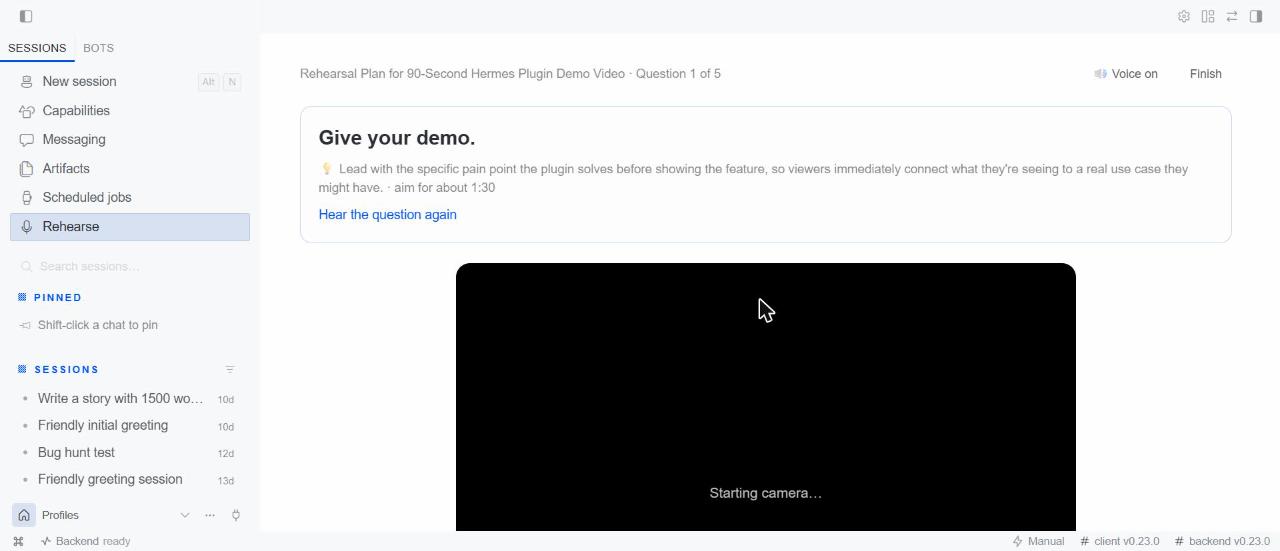
Full interview mode runs like the real thing: the interviewer greets you and asks each question out loud,
recording starts when it finishes speaking, live nudges appear while you answer (look at the camera, move back a
little, you're off-centre, add light), and it moves straight on to the next question while your answer is scored in
the background. At the end you get the final account: a hiring-panel verdict, your interview score, filler
words, pace, eye contact and live presence across every answer, your three strengths and three fixes, and every
question's replay. Prefer to drill one answer? One question at a time gives a replay and a retry after each.
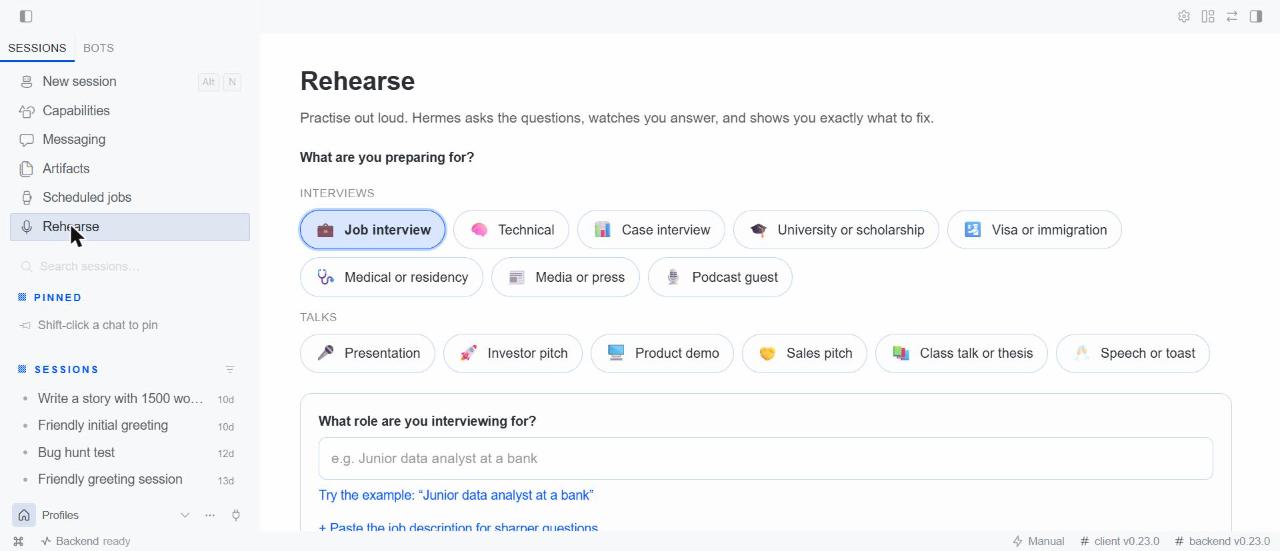
Rehearse turns Hermes into a patient coach for any interview or talk. Pick what you are preparing
for, type the role or topic, and press Start:
| Interviews | Talks |
|---|---|
| 💼 Job · 🧠 Technical · 📊 Case | 🎤 Presentation · 🚀 Investor pitch · 🖥️ Product demo |
| 🎓 University or scholarship · 🛂 Visa or immigration | 🤝 Sales pitch · 📚 Class talk or thesis defence |
| 🩺 Medical or residency · 📰 Media or press · 🎙️ Podcast guest | 🥂 Speech or toast |
Each one has its own questioner (a consular officer, a case interviewer, a journalist, an investor, a thesis
committee) with its own questions, ideal answer lengths and idea of what a good answer is. Questions and
feedback come in the language you write in, and the interviewer speaks with Hermes's own natural voice (its
text-to-speech, or your ElevenLabs/OpenAI voice if you set one up), or any system voice you prefer. Hermes asks
out loud, you answer on camera (or upload a recording), and a few seconds later you get a scored replay:
- Filler words ("um", "uh", "like,", "you know,"), each marked on the timeline at the moment you said it
- Pace in words per minute, with the stretches where you rushed or dragged
- Long pauses, stumbles and repeated words
- Answer length against what an interviewer expects for that question
- Eye contact: how much of the time you faced the camera, and when you looked away
- Content feedback: what worked, what to fix first, an outline of a stronger answer built only from what
you said (gaps are left in[brackets]for you to fill, never invented), and the follow-up question you
are most likely to get next
Press Try this one again and Rehearse tells you how many points you gained. Your history shows your
scores over time.
Quick start
hermes plugins install rehearse(Hermes asks once to download the speech and face-detection packages).- In Hermes Desktop, open Capabilities → Plugins and switch Rehearse On. Hermes keeps every
plugin's page off until you choose to turn it on. - Click Rehearse in the sidebar, pick what you're preparing for, press Start interview.
Tip: feedback is written by the model you use in Hermes, so a capable model gives sharper coaching.
Who it is for
Job seekers and career changers, students facing a presentation, defence or admission interview, people
preparing a visa interview, doctors applying for residency, founders before a pitch or a demo day,
salespeople, anyone about to be interviewed by a journalist or a podcast host, anyone with a wedding speech,
and people practising in a second language. Feedback that used to need a
coach or a patient friend, available at 11pm the night before, as many times as you want.
Use it
Hermes Desktop (the full experience): open Rehearse in the sidebar.
Any chat, including Telegram and Discord:
/rehearse job junior data analyst at a bank
/rehearse visa student visa for a master's in Canada
/rehearse demo my Hermes plugin, 90 seconds
/rehearse history
Answer by text or voice note. A voice note arrives as text in chat, so there you get content feedback and
filler-word counts; pace, pauses and eye contact need the Desktop page. You can also just ask Hermes:
"Give me a mock interview for a nursing job".
Install
hermes plugins install rehearse
Hermes asks once to install the speech and face-detection packages. Requires Hermes 0.23.0 or newer.
Then, in Hermes Desktop, open Capabilities → Plugins, find Rehearse and switch it On: Hermes
keeps every plugin's Desktop page off until you choose to turn it on. Rehearse appears in the sidebar.
| Platform | Status |
|---|---|
| Windows (x64), Linux, macOS (Apple Silicon) | Full analysis: every platform Hermes Desktop supports |
| Windows on ARM | Content feedback only: Hermes's local speech engine (faster-whisper) has no build there, the same limit Hermes's own voice features have |
Settings
Settings → Plugins → Rehearse (or plugins.entries.rehearse.settings in config.yaml):
| Setting | Default | |
|---|---|---|
| whisper_model | base | tiny is fastest, small is most accurate |
| language | auto | Spoken language code (en, fr, es, ...). Filler-word detection is tuned for English |
| keep_recordings | true | Turn off to delete each recording as soon as it is scored |
What it does on your computer (disclosure)
- Camera and microphone are used only while you are on the practice screen, and stop when you leave it.
No camera, or it is busy in another app? Rehearse carries on with the microphone alone and skips eye contact. - Speech-to-text and eye-contact analysis run locally (faster-whisper and OpenCV). No audio or video
leaves your computer. - The transcript of each answer is sent to your configured AI model (through Hermes, with your existing
sign-in) to write the questions and the content feedback. Nothing else is sent, and Rehearse has no
network service or telemetry of its own. - One-time downloads, from their official sources: the speech model (about 150 MB, from the
faster-whisper project on Hugging Face) and OpenCV's YuNet face model (230 KB, from the
opencv/opencv_zoorepository at a pinned commit, verified against its SHA-256 before use). - Stored data: sessions, scores and recordings live in Hermes's plugin data folder for your profile
(plugin-data/rehearse). Delete any session from the page, or delete the folder. Unused uploads are
removed after a day. - No shell commands, no background processes beyond the analysis of a take you just recorded.
- Honest coaching: for visa, immigration and admission interviews the coach helps you tell the truth
clearly and never suggests misrepresenting your situation.
Eye contact combines head direction with where your pupils point, so facing the camera while reading your notes still counts as looking away; when the eyes can't be read (glare, low light, far from the camera) it falls back to head direction rather than guess. Live interviews also report composure: how steady you held your head across the answers. Posture and hand gestures are not measured yet.
How it works
Desktop page ──record──► dashboard/plugin_api.py  (stores the take)
     │
     └──/rehearse app <method>──► bridge.py ──► pipeline.py
                                               ├─ speech.py   faster-whisper, word timestamps
                                               ├─ face.py     OpenCV YuNet, head direction at 2 fps
                                               ├─ delivery.py fillers, pace, pauses, length, scores
                                               └─ coach.py    questions + feedback via ctx.llm
The page talks to the plugin through its own slash command over command.dispatch, so it works on the
current Hermes release. Slow work runs as polled background jobs, so the app never freezes.
Development
pip install "faster-whisper==1.2.1" "av==18.1.0" "opencv-python-headless>=4.10,<6" pytest fastapi httpx python-multipart
pytest tests
hermes plugins validate .
MIT licensed.
README from the reviewed commit d30be99; it updates when the author re-pins.