 tommulkins
Hermes Session Analyzer
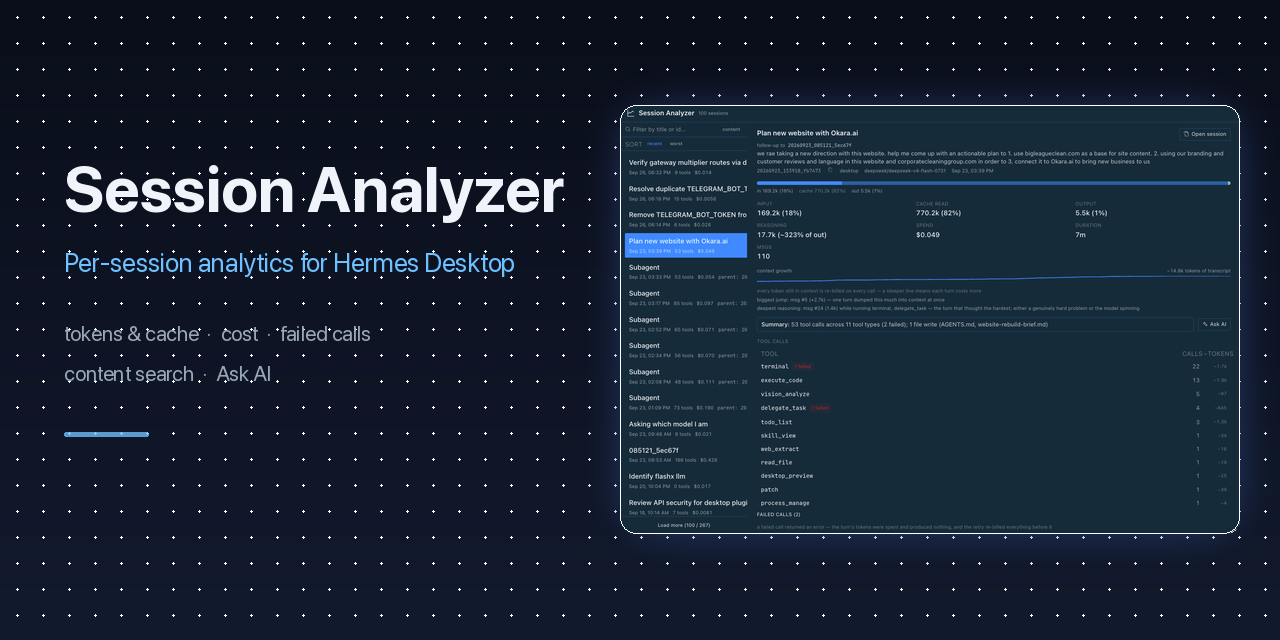
Per-session analytics for the Hermes Desktop app: tool calls, token/cache
usage, spend, files touched, failed calls, search — plus an Ask AI button
that opens a new session analyzing what went wrong and how to improve the next
one.
How to use it well: the plugin works best as a feedback loop — analyze a
session, extract the lesson, and turn it into a skill, memory, or a dedicated
Hermes profile so the next session starts smarter. See
HOW_TO_USE.md.
What you get
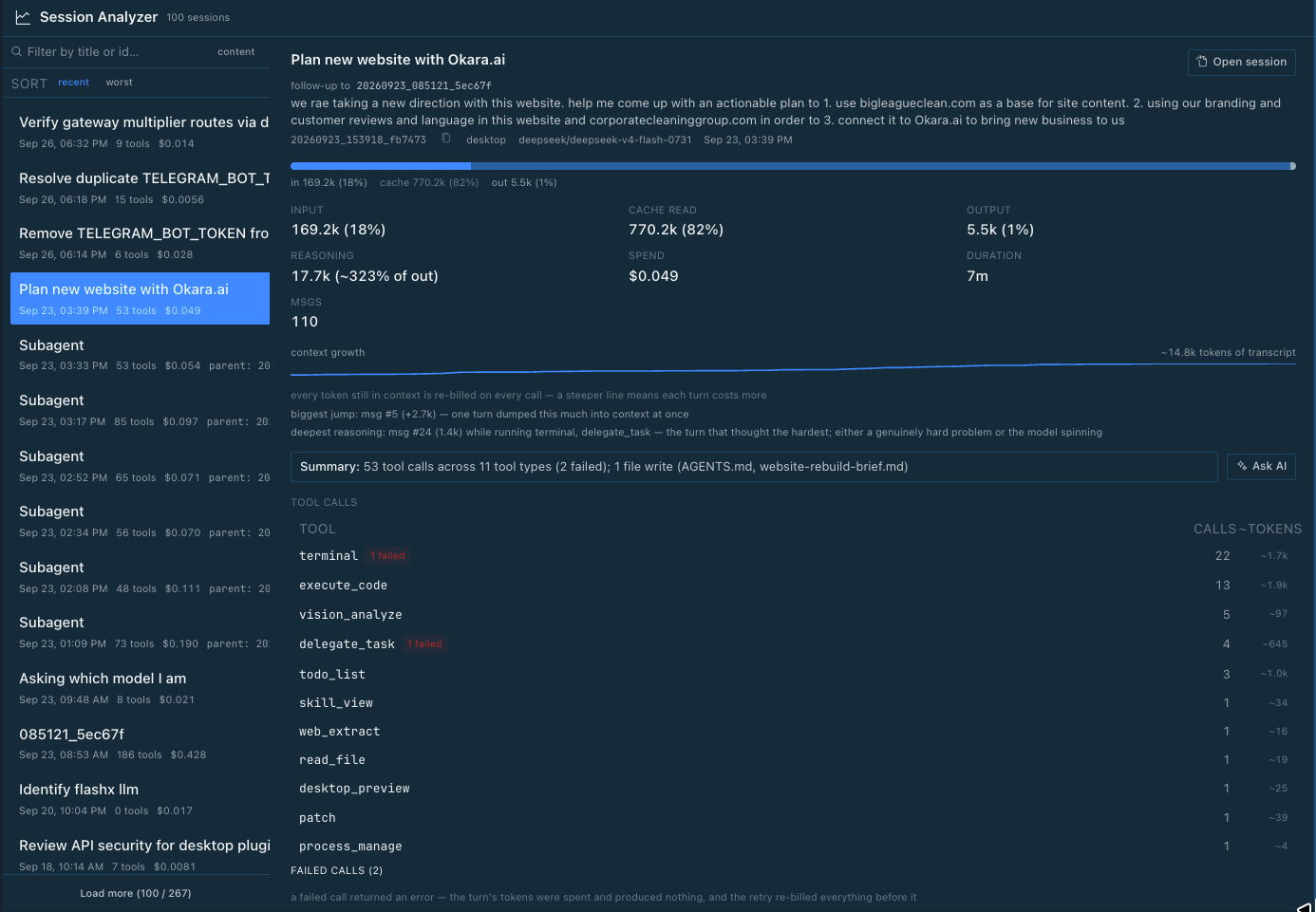
- Session list — title, date, tool count, cost; Load more up to 500
- Search — two modes:
- Title filter — live substring match on title or session id as you
type (searches all sessions) - Content search — toggle to
contentfor FTS search over message text
(the same index Hermes' own session search uses), with>>>snippet<<<
context per match
- Title filter — live substring match on title or session id as you
- Sort —
recentorworst(most failed tool calls first, red
"N failed" badge per row) - Per-session detail — input/output/cache tokens, spend, duration, message
count, deterministic summary, tool-call breakdown - Tool calls — per-tool call counts and estimated tokens pushed back into
context, aligned columns with a labeled header row (tool / calls / ~tokens) - Failed calls — every failed tool call with its error string, click to
expand and see the tool's arguments and the extracted failure detail
(structured error first, ANSI-stripped output tail) - Files touched — reads and writes, written files highlighted, its own
full-width section below the tool calls - Cache-reset / re-bill events — model switches, 503 retries, and
compactions each invalidate the prompt cache; each event is listed with a
one-line plain-language summary of what happened and what it costs you - Context growth — sparkline of cumulative transcript tokens with the
biggest single jump and the deepest-reasoning turn (annotated with the tools
that ran there), plus one-line explanations of why each matters - Repeated calls — identical (tool + arguments) calls 3+ times grouped as
one root-cause problem instead of N failures - Session lineage — open-session link, and origin labeling (spawned by /
continuation of / follow-up to) with click-through to the parent - Copy session id — right-click any session row, or the id line in the
detail panel, or click the copy icon next to it - Ask AI — one click opens a new session with a ready-made analysis
prompt (copied to your clipboard). Paste, pick your judge model, send.
No API keys, no config — it uses your existing Hermes. See
HOW_TO_USE.md for what to ask and how to turn the
analysis into lasting changes.
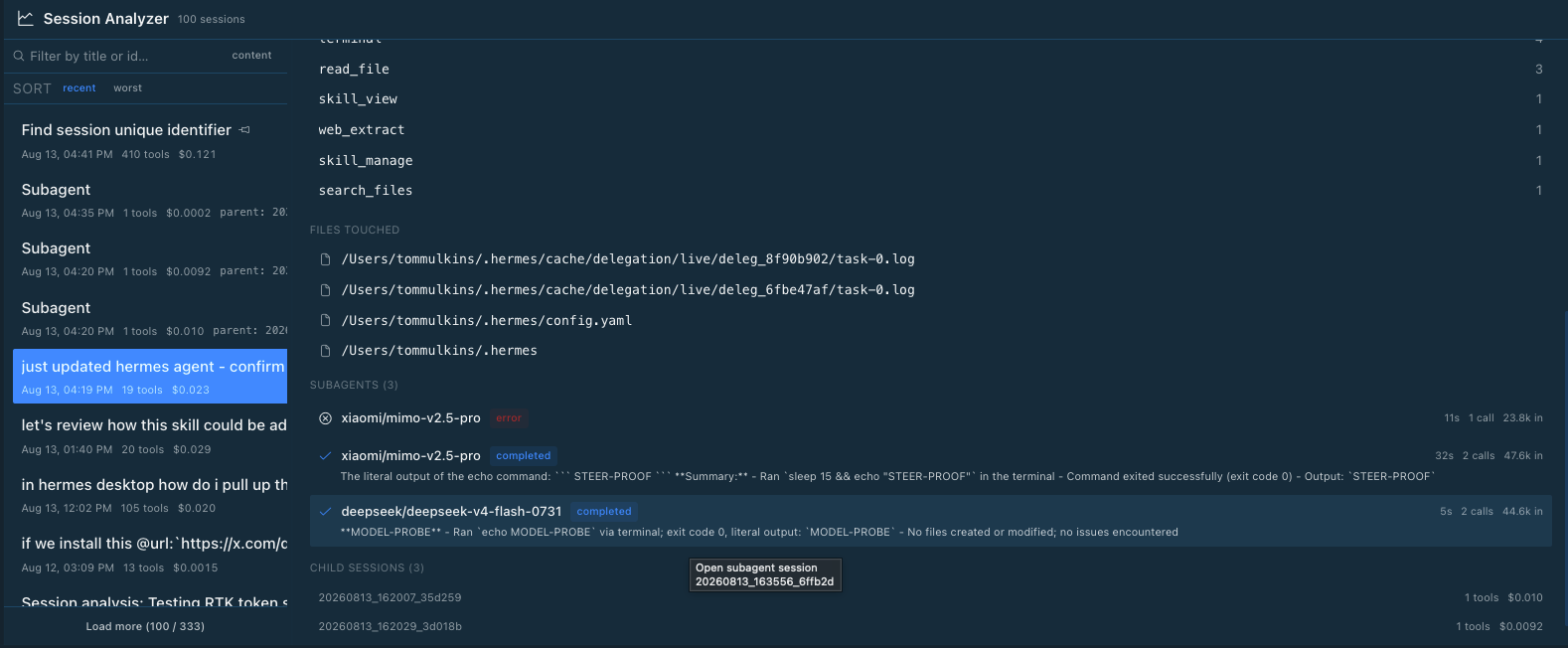
- Subagents — every subagent spawned by the session: model, status
(completed / error), summary, duration, calls, input tokens — click one to
jump to its own session detail. Child sessions listed with tool count and
cost; unnamed subagent rows are labeledSubagentwith their parent id.
Requirements
- Hermes Desktop (the plugin registers a sidebar row + ⌘K command)
- macOS / Linux / Windows (any platform Hermes Desktop runs on)
Install
macOS / Linux:
git clone https://github.com/tommulkins/hermes-plugin-session-analyzer.git
cd hermes-plugin-session-analyzer
chmod +x install.sh
./install.sh
Windows (PowerShell):
git clone https://github.com/tommulkins/hermes-plugin-session-analyzer.git
cd hermes-plugin-session-analyzer
powershell -ExecutionPolicy Bypass -File .\install.ps1
The installer copies both halves into your Hermes home — %LOCALAPPDATA%\hermes
on Windows, ~/.hermes elsewhere (honouring a custom HERMES_HOME if set) —
and adds the plugin to plugins.enabled in config.yaml. It is idempotent:
safe to re-run after updates.
Then restart Hermes Desktop (⌘Q / quit and reopen) so the backend mounts.
Open it via the sidebar "Session Analyzer" row (graph icon) or ⌘K →
"Session Analyzer: Open" (Ctrl+K on Windows).
The desktop UI hot-reloads, but the Python backend only mounts at startup —
the restart is required once after installing.
Multiple Hermes profiles
The desktop UI half is shared, but the Python backend is per-profile. If
you run Hermes under a profile (e.g. hermes --profile web-dev), the plugin
only works in sessions for that profile once both are true:
~/.hermes/profiles/<profile>/plugins/session-dashboard/exists (copy it
from~/.hermes/plugins/session-dashboard/), andplugins.enabledin~/.hermes/profiles/<profile>/config.yamllists
session-dashboard.
Without that, the sidebar row appears but every data call fails (the backend
never mounted for that profile). The backend reads that profile's own session
database, so a profile sees only its own sessions. Backend changes require a
restart of that profile's Hermes instance.
Install via Hermes
Already have Hermes running? Copy this prompt into a session:
Install the Session Analyzer plugin from https://github.com/tommulkins/hermes-plugin-session-analyzer following the README install instructions (clone and run install.sh), then restart Hermes Desktop so the backend mounts.
Update
cd hermes-plugin-session-analyzer
git pull
chmod +x install.sh     # needed once per fresh clone
./install.sh            # macOS/Linux — idempotent, never duplicates config
powershell -ExecutionPolicy Bypass -File .\install.ps1   # Windows
Restart Hermes Desktop again to pick up backend changes.
Uninstall
macOS / Linux:
rm -rf ~/.hermes/desktop-plugins/session-dashboard
rm -rf ~/.hermes/plugins/session-dashboard
Windows (PowerShell):
$home = "$env:LOCALAPPDATA\hermes"   # or your HERMES_HOME if you set one
Remove-Item -Recurse -Force "$home\desktop-plugins\session-dashboard"
Remove-Item -Recurse -Force "$home\plugins\session-dashboard"
Then remove session-dashboard from plugins.enabled in
~/.hermes/config.yaml (or leave it — a missing plugin is ignored), and
restart Hermes Desktop.
How it works
Two cooperating halves, both read-only over the session store
(~/.hermes/state.db):
| Half | Location | What it does |
| -------------- | ------------------------------------------------------- | ------------------------------------------------------------------------------------------------ |
| Desktop plugin | ~/.hermes/desktop-plugins/session-dashboard/plugin.js | UI: page, sidebar row, ⌘K, drag-resize divider, Ask AI |
| Backend API | ~/.hermes/plugins/session-dashboard/dashboard/ | FastAPI routes over state.db: /sessions, /sessions/{id} with token/cost/failure aggregates |
The backend reads sessions, messages, and session_model_usage tables
directly — it never writes. Token, cache, and cost figures are the same
numbers the app records per turn.
Ask AI copies a self-contained analysis prompt to your clipboard and opens
a fresh draft chat (the app's own new-chat door — no pre-created session, so
ownership always resolves). Paste, choose the model, send.
Files
hermes-plugin-session-analyzer/
├── install.sh                                     # macOS/Linux installer
├── install.ps1                                    # Windows installer
├── desktop/plugin.js                              # UI (hot-reloads)
├── dashboard/
│   ├── manifest.json                              # backend manifest
│   └── plugin_api.py                              # FastAPI over state.db
├── plugin.yaml                                    # native manifest (plugin catalog)
└── tests/
    ├── test_plugin_api.py                         # unit tests (pytest)
    └── test_acceptance_live.py                    # acceptance over real state.db
Tests
~/.hermes/hermes-agent/venv/bin/pytest tests/ -q     # unit + acceptance
pnpm lint                                            # plugin lint gate (loader traps, packaged-CSS gaps)
pnpm lint:test                                       # lint rule self-tests
Support
Found a bug, or have an idea for making Session Analyzer better? Open an
issue — we read them all and tag fixes with release versions:
- Report issues: https://github.com/tommulkins/hermes-plugin-session-analyzer/issues
- See releases: https://github.com/tommulkins/hermes-plugin-session-analyzer/releases
License
MIT
README from the reviewed commit f5a880c; it updates when the author re-pins.