 IpastorSan
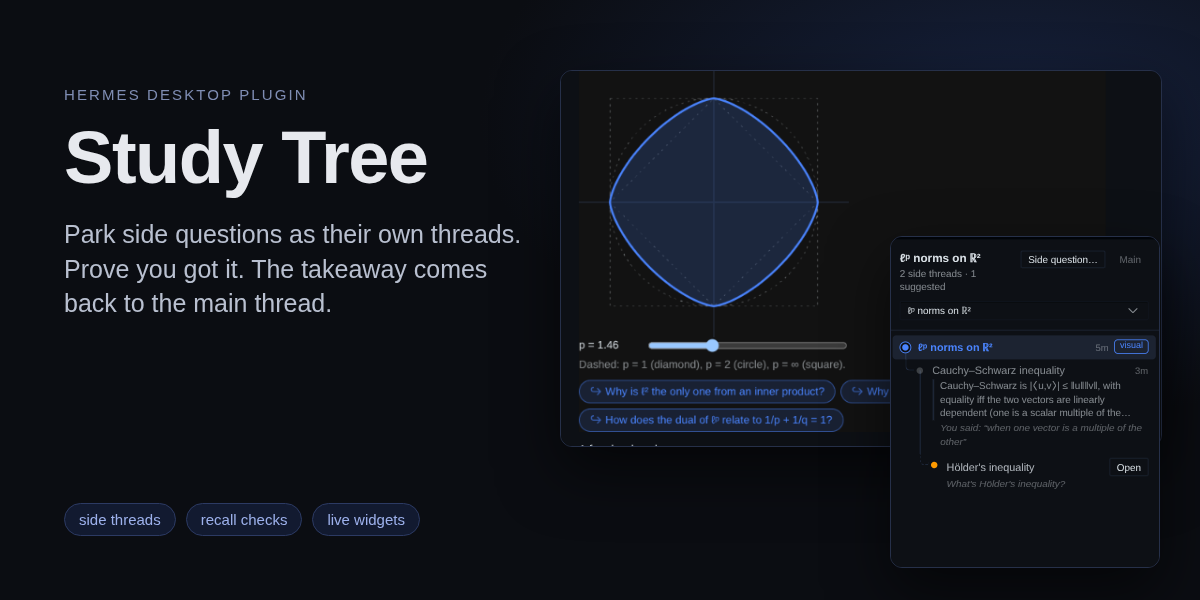
Study Tree
You are halfway through an explanation of normed spaces and want to know what
Cauchy–Schwarz is. Ask it, and the agent finishes the normed spaces first,
then parks your question as its own branched session. You open it when you're
ready, learn it there, and one checked sentence comes back to the main thread.
The side threads, and theirs, show up as a tree beside the chat.
Study Tree is a Hermes plugin with an agent half (four tools, two hooks, a
skill) and a Hermes Desktop half (a pane, a card in the transcript, a
status-bar chip).

The chat is the trunk. A side question grows its own branch, and only what you
learned there flows back.
Install
hermes plugins install study-tree --enable
Then, in Hermes Desktop, open Capabilities → Plugins and turn on Study
Tree. Its Desktop half is off by default. The status-bar chip turns green
when the Desktop half reaches the plugin's routes; if it says the backend is
not answering, restart the gateway once.
Requires Hermes Agent 0.22.7 or newer.
Use it
Ask a side question
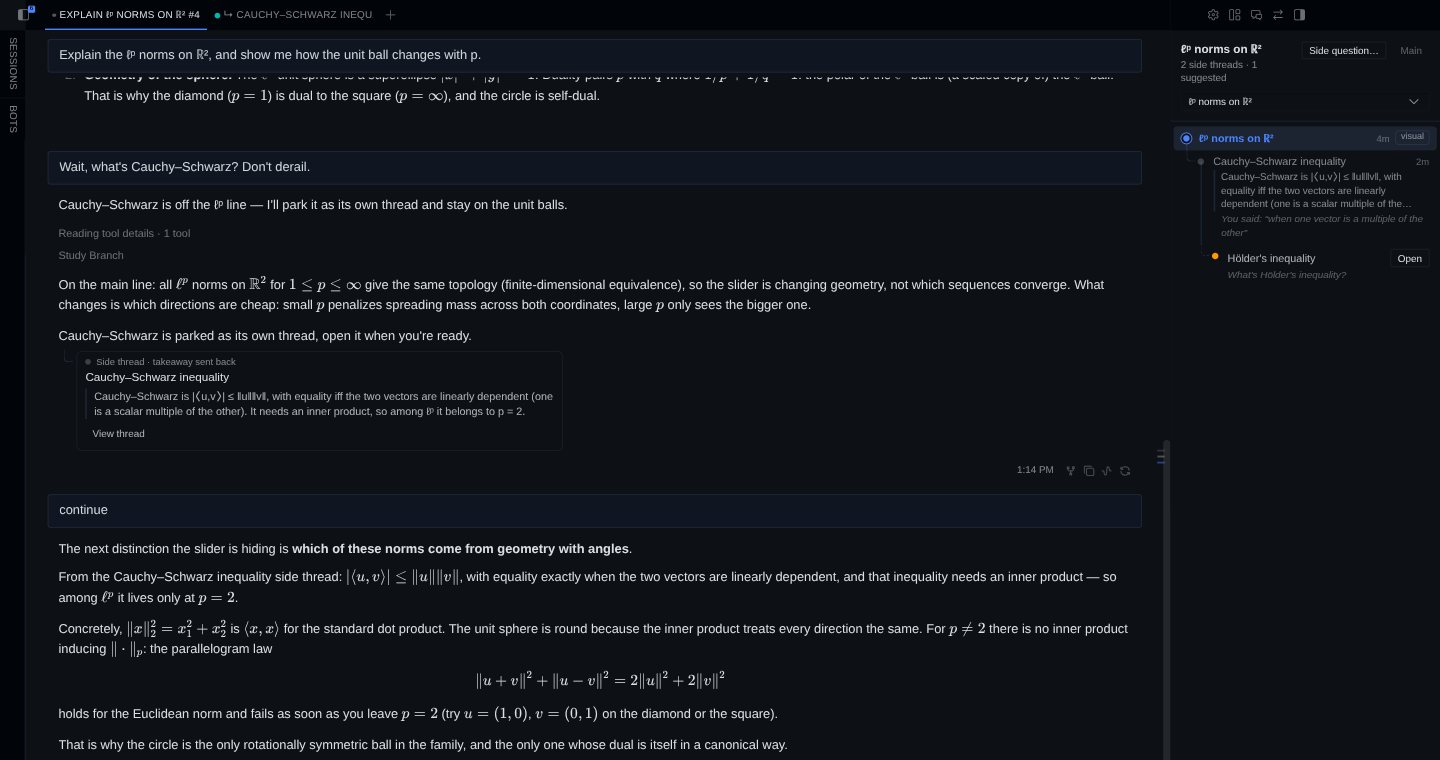
Ask something off the current topic in your own words ("wait, what's
Cauchy–Schwarz? don't derail"). The agent answers the main topic in full, calls
study_branch and ends the reply with a card for the side question. It
branches at most once per reply and never on its own initiative: a concept its
explanation touches is not a side question unless you ask about it.
The card offers Open, Later (hide the card; the thread stays suggested
in the pane) and Drop.
Open it
Open branches the chat into a new session nested under it in the sidebar,
names it after the topic (↳ Cauchy–Schwarz inequality), opens it as a tab
beside the main chat and sends your side question as its first message. The
branch carries the parent's visible user and assistant text, without tool
output, so the side thread knows where you were.
Inside the side thread the agent stays on that topic. A tangent of the tangent
branches again, one level deeper.
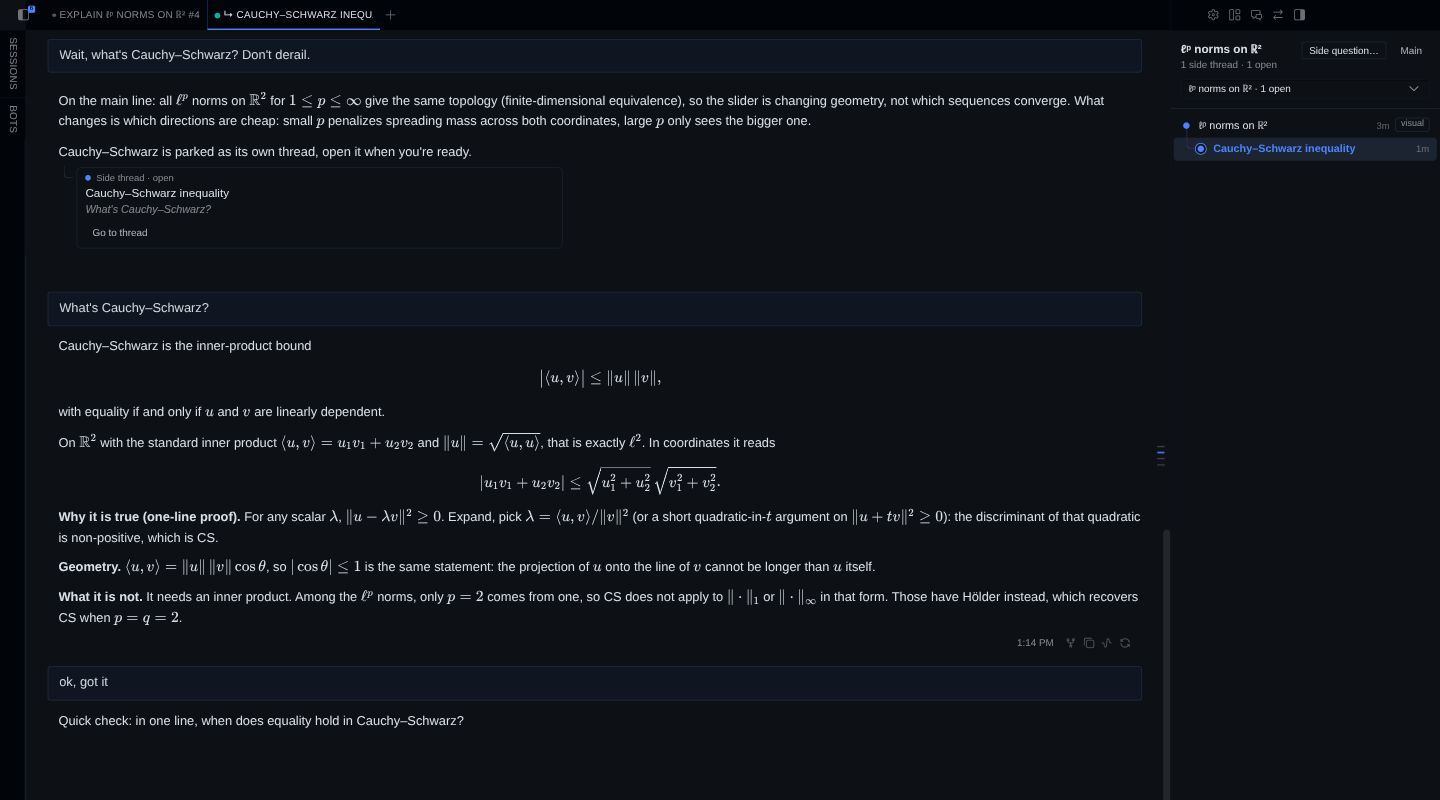
Say "got it"
When you say you have it, the agent does not close the thread on that alone.
It asks one short recall question. A right answer closes the thread with your
answer as the takeaway, and the pane keeps your words under it. A wrong one
gets a one-line correction, and the corrected takeaway goes back instead. Say
"just close it" and it closes at once.
The takeaway reaches the main thread once, on its next turn. The agent brings
it in with a sentence in its own words ("From the Cauchy–Schwarz side thread:
…") and carries on with what you asked. The card in the main chat turns into a
resolved card that shows the takeaway.
See it, play with it
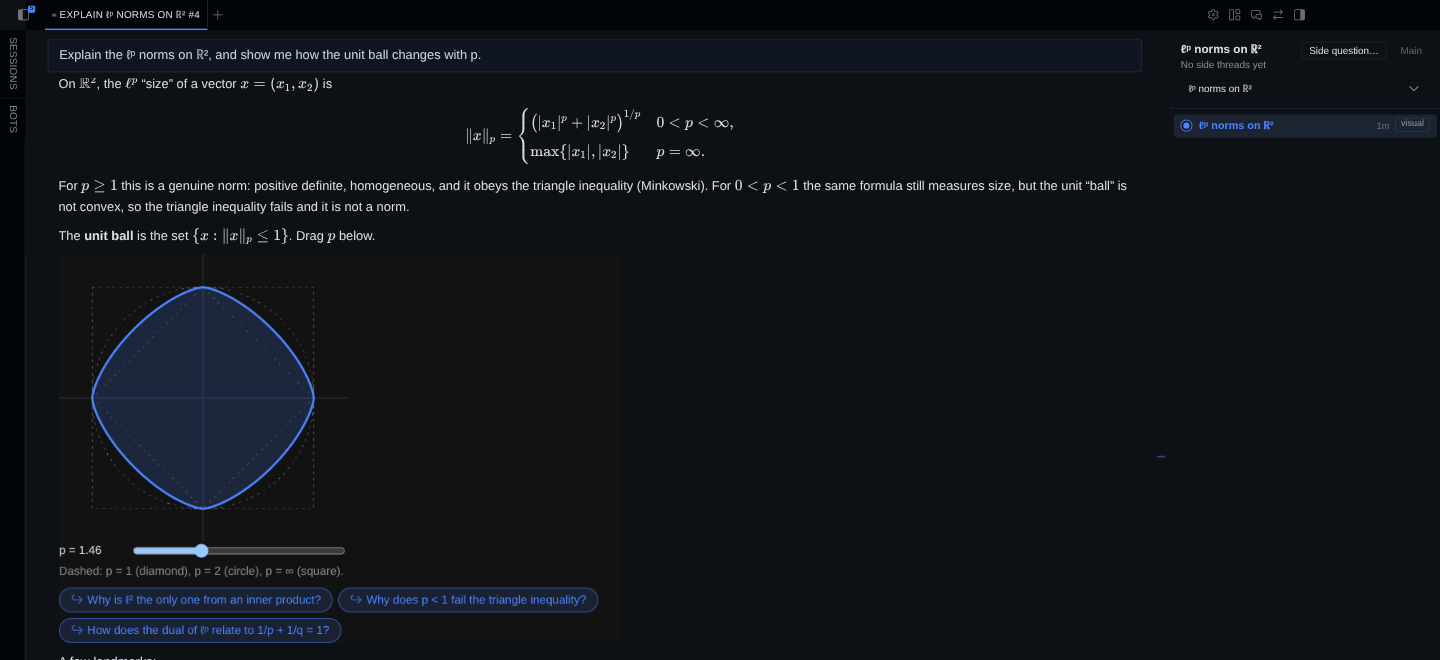
Ask the agent to show, plot or visualise an idea and it draws an interactive
widget inline with study_visual: an ℓᵖ unit ball with a slider for p, a
sequence converging. Under the widget sit up to three buttons with the next
questions it invites. A button sends its question to the agent, and the reply
quotes it at the top (↪ Why is ℓ² the only one from an inner product?),
since a widget's prompt shows no message bubble of its own.
Ask for a quiz and you get one multiple-choice question of the agent's own on
the current topic. Pick an option and the reply opens with Your answer: …,
then says whether it is right and why, in two lines.
The pane
The study tree pane on the right shows every thread of the current tree,
with its status: suggested, open, or resolved with its takeaway. Click a
thread to open it. A thread with a widget can show it in the pane. The pane
refreshes when the agent branches, resolves or draws.
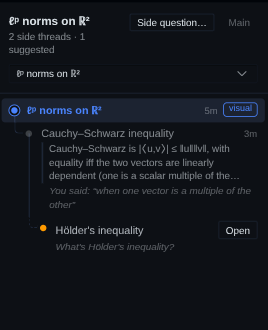
Side question… in the pane parks a side question, or opens it at once,
without asking the agent. The same dialog opens from the palette command
Study Tree: Side question…, prefilled with text you selected in the last
minute, and from Ask as a side question when you right-click selected text in
the composer. Ctrl+Shift+Y (Cmd+Shift+Y on macOS) shows or hides the pane.
A chat that Hermes compacts continues under a new session id. The plugin
follows Hermes' compression lineage, so a compacted thread stays in its tree.
Export the glossary
Once a thread is resolved, Export glossary in the pane copies the tree as
Markdown: one line per resolved thread with its takeaway, and your own answer
to the recall question under it when you got it right. A side thread's own side
threads go under a heading named after it. Suggested, open and dropped threads
are left out. Paste it into a note, in Obsidian or anywhere else.
Limits
- The cards, the pane and the widgets live in Hermes Desktop. On other surfaces
(CLI, TUI, Telegram and other messaging platforms) the tools still work, but a
card shows as a plain::study-tree-node{id="…"}line and a widget as a
plain::preview{file="…"}line. - Widgets in the pane are view-only. Their buttons work in the chat, where
Desktop wires them to the agent. - While a reply streams, a card shows as its raw directive line. Desktop draws
the card when the turn ends.
What it does to your Hermes
- Storage. The tree lives in a SQLite file at
$HERMES_HOME/plugin-data/study-tree/data.db. Widgets are written to
$HERMES_HOME/plugin-data/study-tree/visuals/<node id>/. Nothing goes in the
install directory. - Widgets are agent-written HTML.
study_visualrefuses a widget over
200 KB or one that references the network (<script src>, external URLs in
src,hrefor CSSurl(),@import,fetch,XMLHttpRequest,
WebSocket,EventSource). Desktop renders it in its sandboxed preview
frame, with scripts allowed and no network. - Reads Hermes' session database, read-only. To follow compression
lineage it opens Hermes'state.dbread-only throughSessionDB. It reads no
other files outside its own data directory. - Adds to the model's context. A short Study Tree section goes into every
session's system prompt. Throughpre_llm_callit adds a frame on each turn of
an open side thread (its topic, what it branched from, the recall-check rule)
and each takeaway once, on the parent's next turn. - Rewrites the final reply. Through
transform_llm_outputit moves each
card to the end of the reply as its own paragraph, drops cards whose id is not
in this session's tree, puts each widget directive on its own paragraph, and
quotes a widget button's question or quiz answer at the top. Earlier turns are
never touched. - Creates sessions only when you click. Open (on a card, in the pane or
in the side-question dialog) creates a branched session (session.branchorsession.branch_stored),
renames it withsession.title, and sends the side question as its first
prompt. Nothing else creates, renames or sends. - Remembers your last selection, in memory. The Desktop half keeps the
last text you selected in the window for 60 seconds, to prefill the
side-question dialog. It is never written to disk, and it leaves the window
only if you send it as a side question. - No network calls, no shell commands, no background processes, no stored
credentials, no telemetry. The Desktop half talks only to the plugin's own
routes on your gateway (/api/plugins/study-tree/).
Development
git clone <repo-url> study-tree
cd study-tree
scripts/install.sh                 # links the checkout into $HERMES_HOME/plugins/study-tree
hermes plugins enable study-tree   # lets Hermes import the agent half
scripts/check.sh                   # ruff, pytest, node tests, hermes plugins doctor and validate
scripts/install.sh creates one symlink and refuses to replace anything that
is not a symlink. After it, restart the gateway and turn on Study Tree in
Desktop under Capabilities → Plugins.
| Path | What it is |
|---|---|
| plugin.yaml, __init__.py | Agent half: manifest and register(ctx) |
| study_tree/ | Tree store, tools, hooks, widget checks, compression lineage |
| skills/study-tree/ | The skill the agent loads, with a unit-ball and a quiz template |
| dashboard/ | Routes under /api/plugins/study-tree/ for the Desktop half |
| desktop/plugin.js | Desktop half: pane, card, chip, dialog (plain ESM, no build step) |
License
MIT
README from the reviewed commit aae3bf5; it updates when the author re-pins.