
 wysie
wysieYantrikDB for Hermes Dashboard

A local-first web dashboard for browsing, visualising, and safely maintaining a YantrikDB memory store used by Hermes Agent.
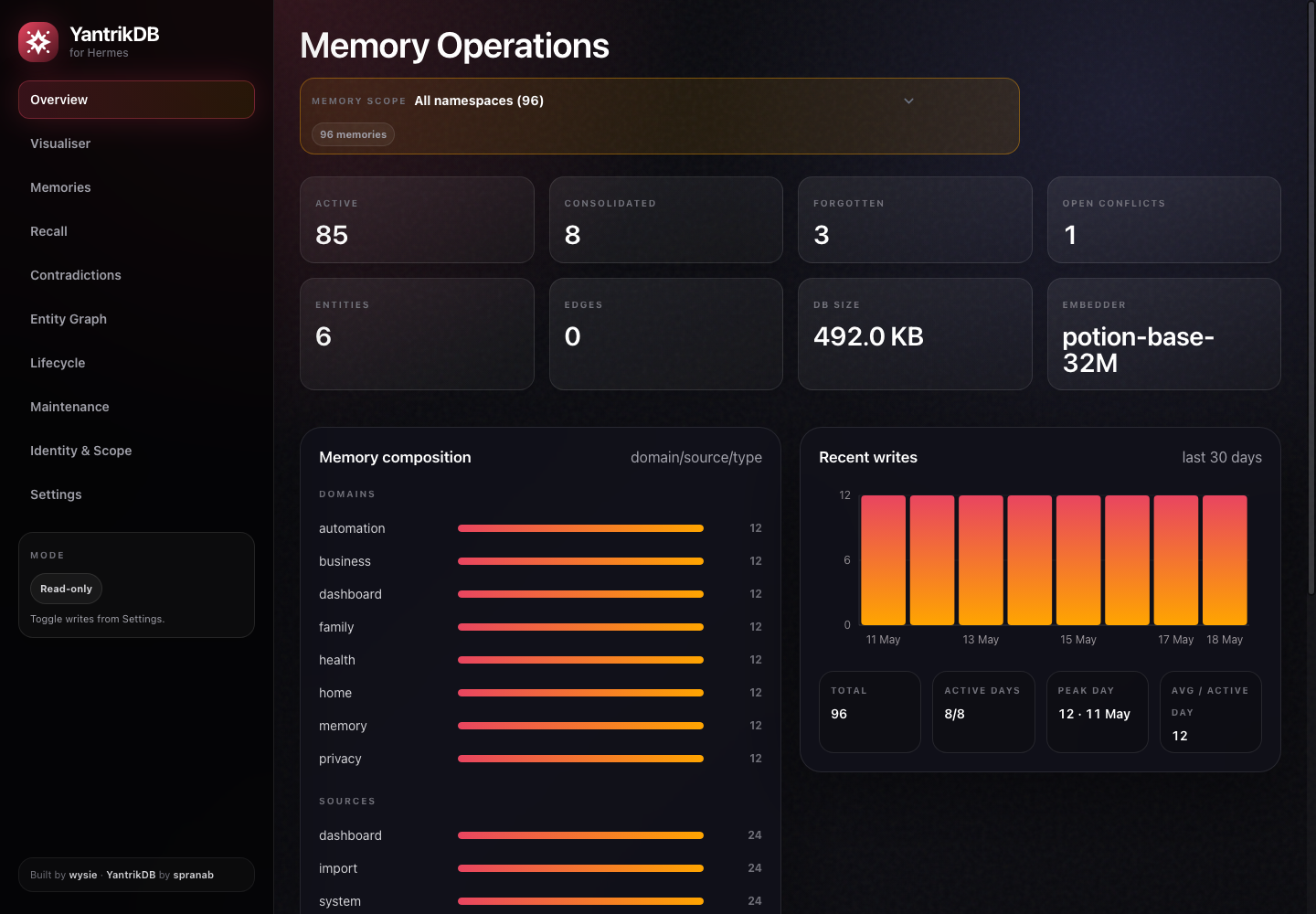
This is not meant to be a generic YantrikDB admin console. It is an operator dashboard for Hermes memory workflows: recall debugging, Identity & Scope checks, namespace coverage, contradiction review, memory browsing, entity/graph inspection, lifecycle signals, and read-only visualisation.
It is intentionally private/local: FastAPI backend, static HTML/CSS/JS frontend, no cloud calls from the dashboard backend, and read-only browsing by default. Mutating actions require Admin Mode, and optional password authentication can protect the dashboard when exposed beyond localhost.
Installation as a Hermes plugin
Install directly from GitHub with the Hermes plugin command:
hermes plugins install wysie/yantrikdb-hermes-dashboard --enable
Then restart the running Hermes process so plugin metadata is rediscovered. For the gateway:
hermes gateway restart
Manual clone is also supported if you are developing the dashboard locally:
git clone https://github.com/wysie/yantrikdb-hermes-dashboard.git ~/.hermes/plugins/yantrikdb-hermes-dashboard
hermes plugins enable yantrikdb-hermes-dashboard
hermes gateway restart
If the directory already exists and you intentionally want to replace it, use:
hermes plugins install wysie/yantrikdb-hermes-dashboard --enable --force
hermes gateway restart
--force deletes the existing plugin directory before reinstalling, so back up plugin-local changes first.
Starting the dashboard
The plugin install gives Hermes the dashboard files. The dashboard itself is a local FastAPI web app.
For a one-off local run:
cd ~/.hermes/plugins/yantrikdb-hermes-dashboard
scripts/start.sh
Then open:
http://127.0.0.1:8767
By default the dashboard reads the Hermes YantrikDB SQLite store at:
~/.hermes/yantrikdb-memory.db
Override paths or bind address when needed:
YANTRIKDB_DASHBOARD_HOST=127.0.0.1 \
YANTRIKDB_DASHBOARD_PORT=8767 \
YANTRIKDB_DB_PATH=~/.hermes/yantrikdb-memory.db \
scripts/start.sh
Optional: HTTP backend mode (talk to a yantrikdb-server cluster)
The default mode reads the embedded-mode SQLite store at YANTRIKDB_DB_PATH directly — perfect for the single-instance Hermes plugin install. If you instead run yantrikdb-server on an HA cluster, set YANTRIKDB_SERVER_URL and the dashboard proxies supported routes to the cluster instead:
YANTRIKDB_SERVER_URL=http://your-cluster.local:7438 \
YANTRIKDB_TOKEN=ydb_... \
scripts/start.sh
Requires yantrikdb-server v0.8.17 or later for Phase 1 dashboard endpoints (/v1/memories, /v1/memory/{rid}, /v1/stats, /v1/health). Docker:
docker pull ghcr.io/yantrikos/yantrikdb:0.8.17
What works in HTTP mode (Phase 1)
| Dashboard route | Server endpoint |
| --- | --- |
| GET /api/health | GET /v1/health |
| GET /api/stats | GET /v1/stats |
| GET /api/memories (filters + pagination) | GET /v1/memories |
| GET /api/memory/{rid} | GET /v1/memory/{rid} |
That covers the overview, memory browser, and detail drawer.
What's deferred (Phase 2 + 3)
Routes that need server endpoints not yet exposed over HTTP return 501 with a pointer to the tracking issue:
- Recall debugger, conflicts review/resolve, think, forget — pending server-side endpoint additions
- Identity & Scope page —
/v1/identity-scopeexists in v0.8.17 but the dashboard wiring is Phase 2 - Visualiser, entity graph, lifecycle (stale/upcoming), patterns/triggers, JSONL export — pending
/v1/entities,/v1/graph/{entity},/v1/sessions,/v1/stale,/v1/upcoming,/v1/patterns,/v1/triggers,/v1/export/memories.jsonl
Status of the engine-side endpoints lives at yantrikos/yantrikdb-server#39.
Reverting to SQLite mode
Unset YANTRIKDB_SERVER_URL and the dashboard reads SQLite again — no other config change needed.
Persistent macOS service
For a dashboard that starts on login and restarts after crashes, install the LaunchAgent:
cd ~/.hermes/plugins/yantrikdb-hermes-dashboard
YANTRIKDB_DASHBOARD_PYTHON="$HOME/.hermes/hermes-agent/venv/bin/python" \
YANTRIKDB_DASHBOARD_HOST=127.0.0.1 \
YANTRIKDB_DASHBOARD_PORT=8767 \
scripts/install-launchd.sh
The installer writes:
~/Library/LaunchAgents/io.yantrikdb.dashboard.local.plist
Uninstall:
cd ~/.hermes/plugins/yantrikdb-hermes-dashboard
scripts/uninstall-launchd.sh
Updating
If you installed with the Hermes plugin command:
hermes plugins update yantrikdb-hermes-dashboard
hermes gateway restart
If you want a clean reinstall from GitHub instead of pulling into the existing directory:
hermes plugins install wysie/yantrikdb-hermes-dashboard --enable --force
hermes gateway restart
If you installed or develop the plugin as a manual git clone:
cd ~/.hermes/plugins/yantrikdb-hermes-dashboard
git pull --ff-only
hermes gateway restart
Use the git pull path when you want to keep a normal local checkout. Use the hermes plugins install --force path when you want Hermes to replace the plugin directory from the remote repo.
Screenshots
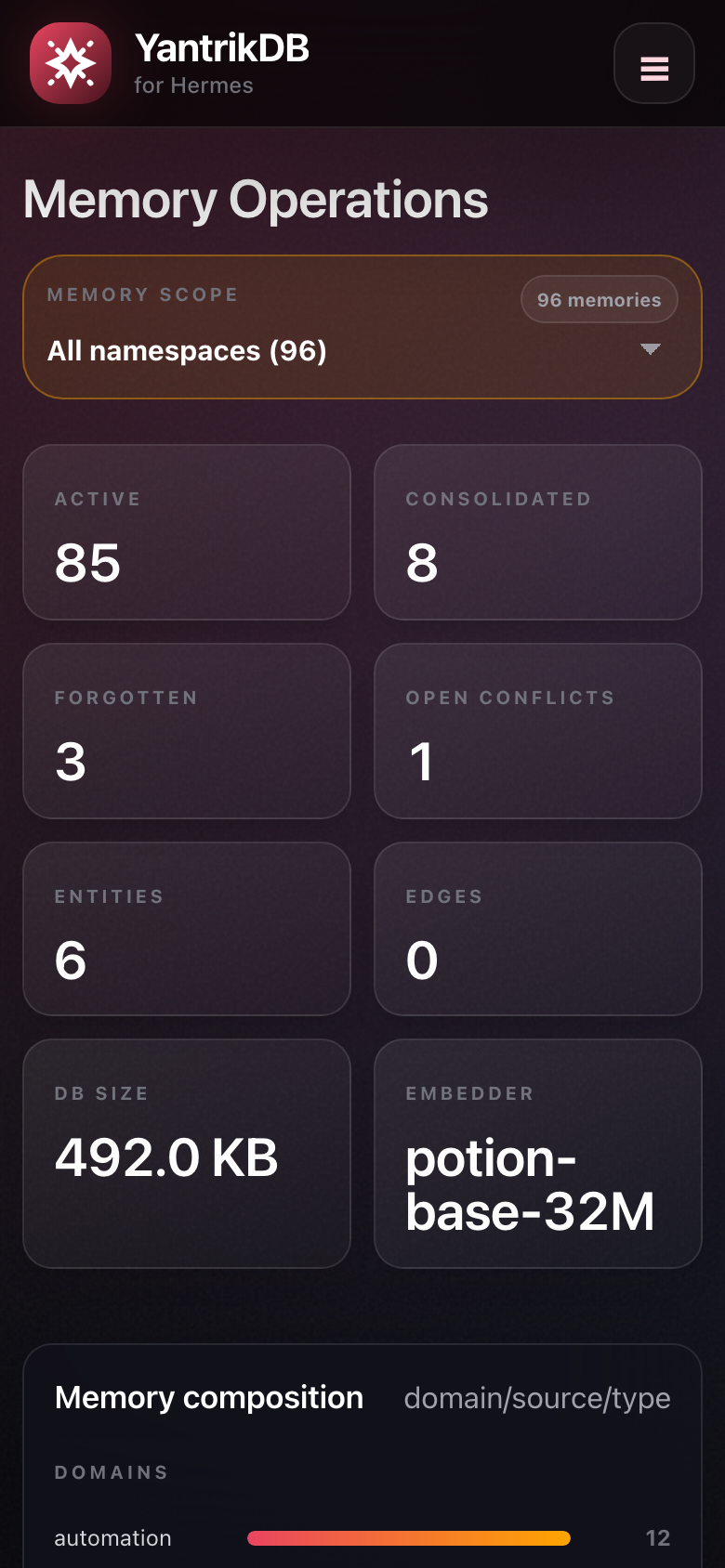
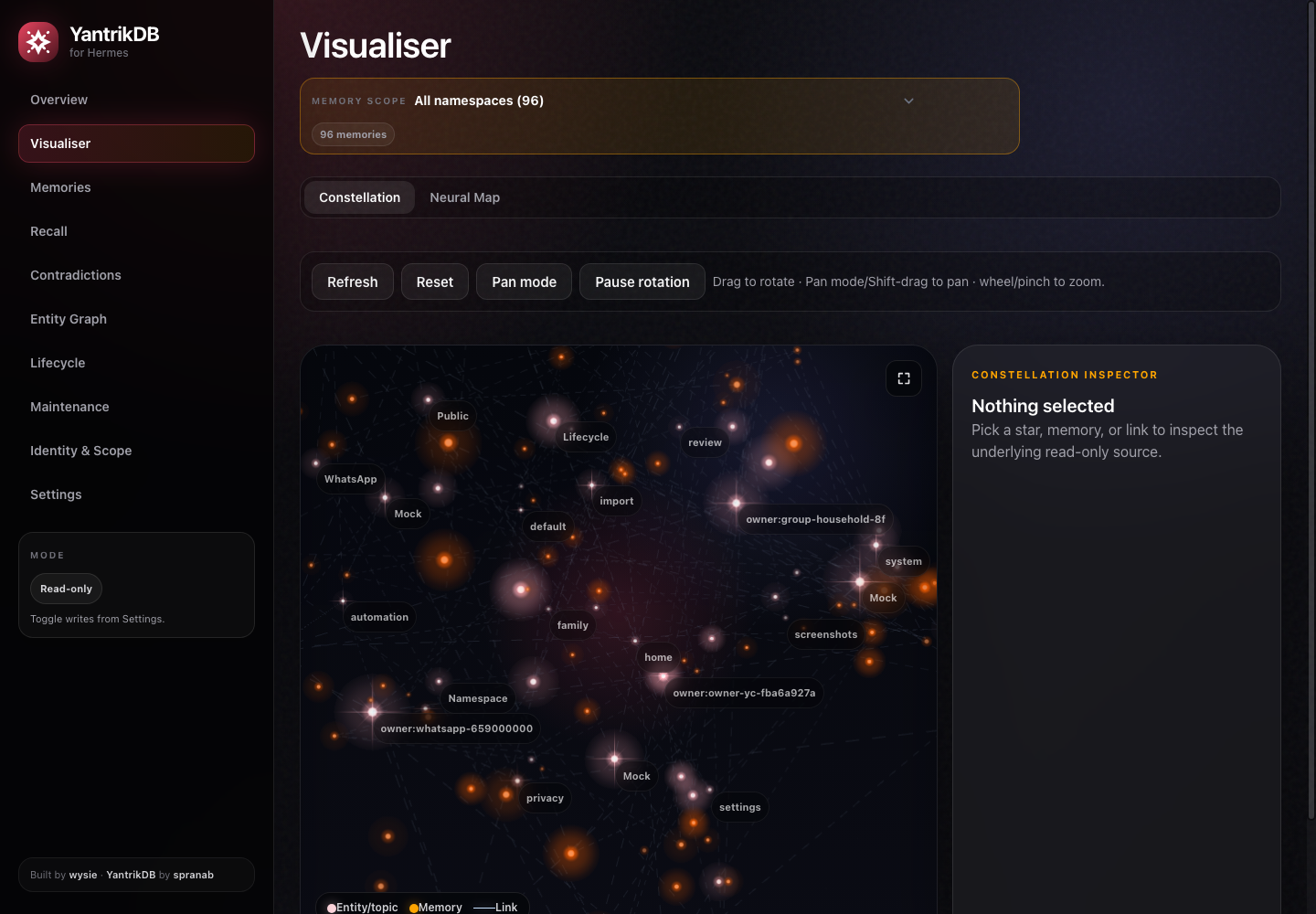
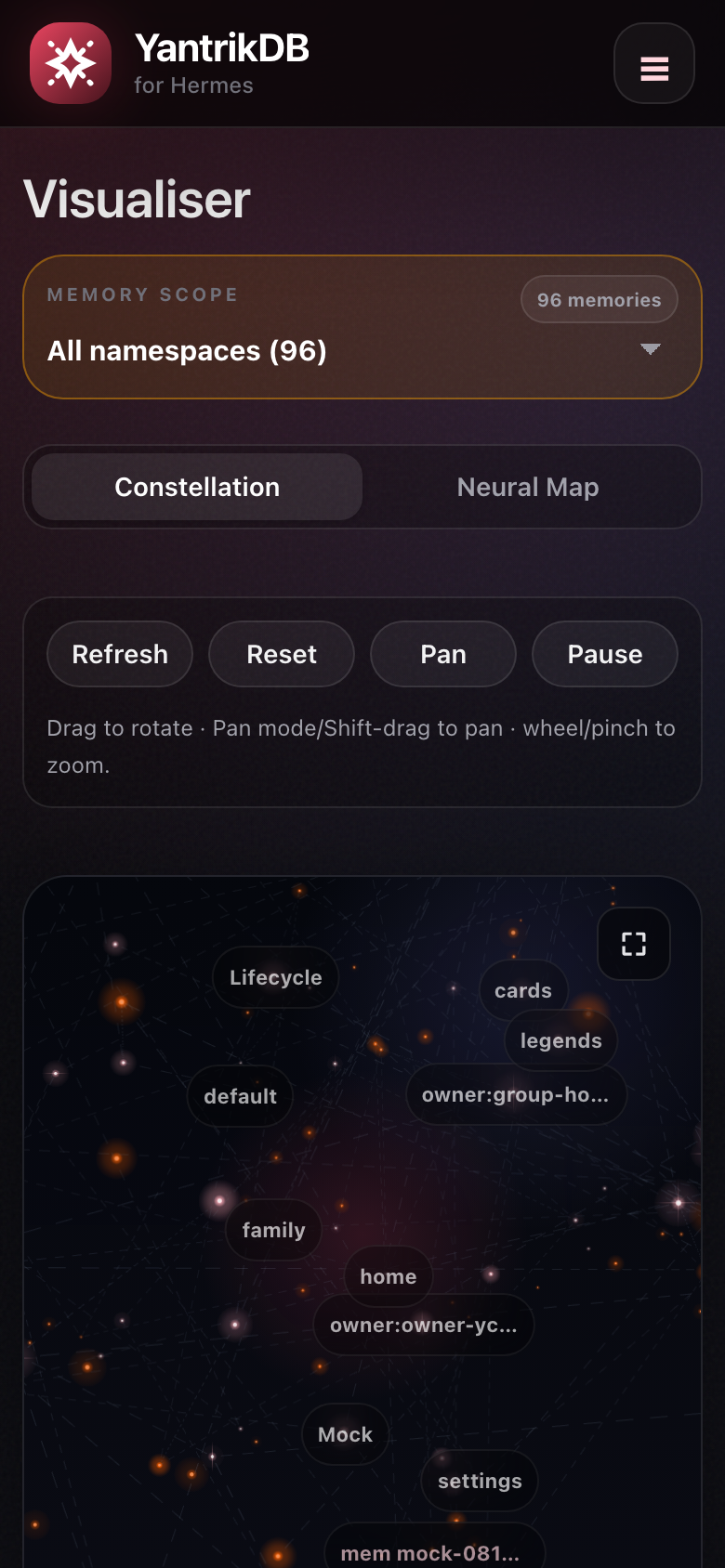
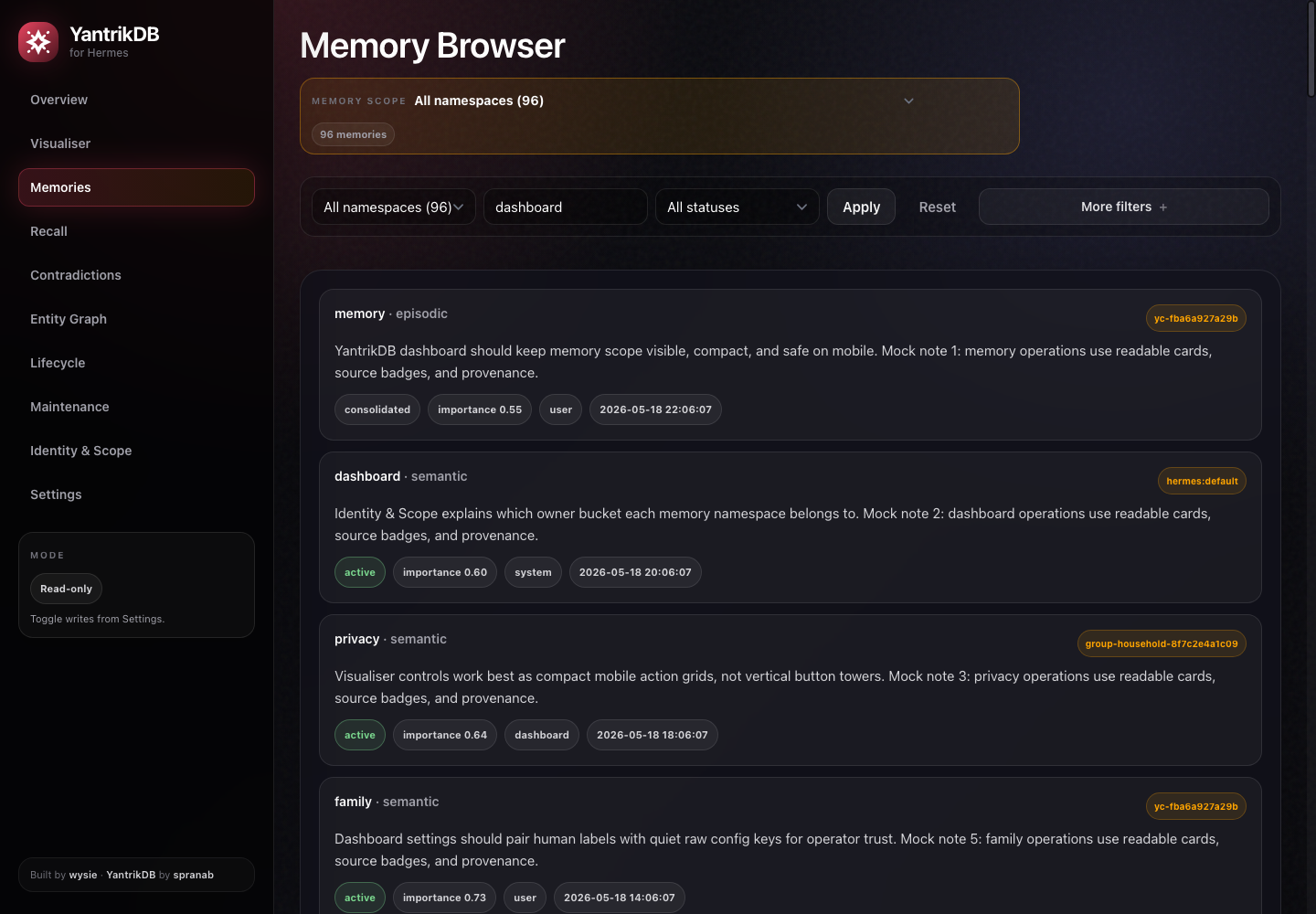
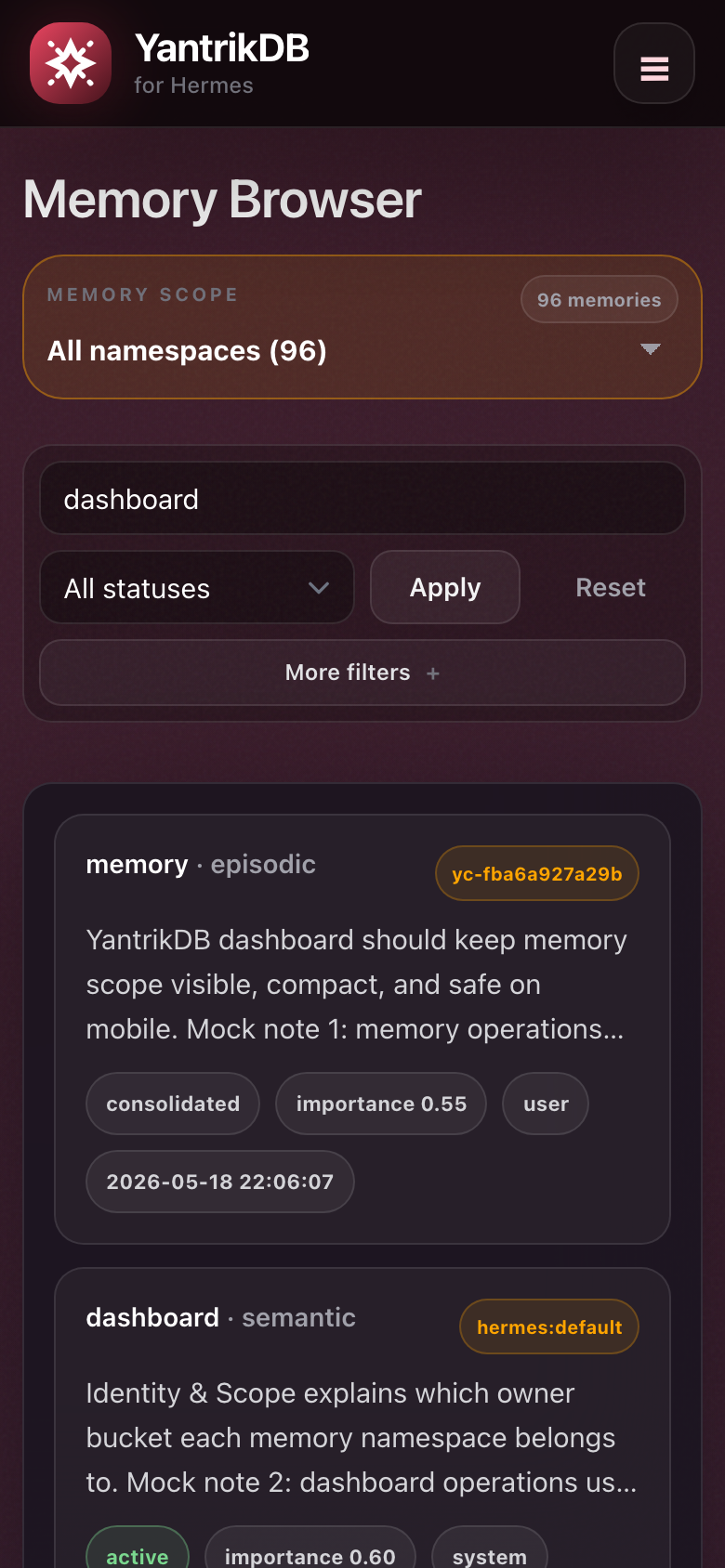
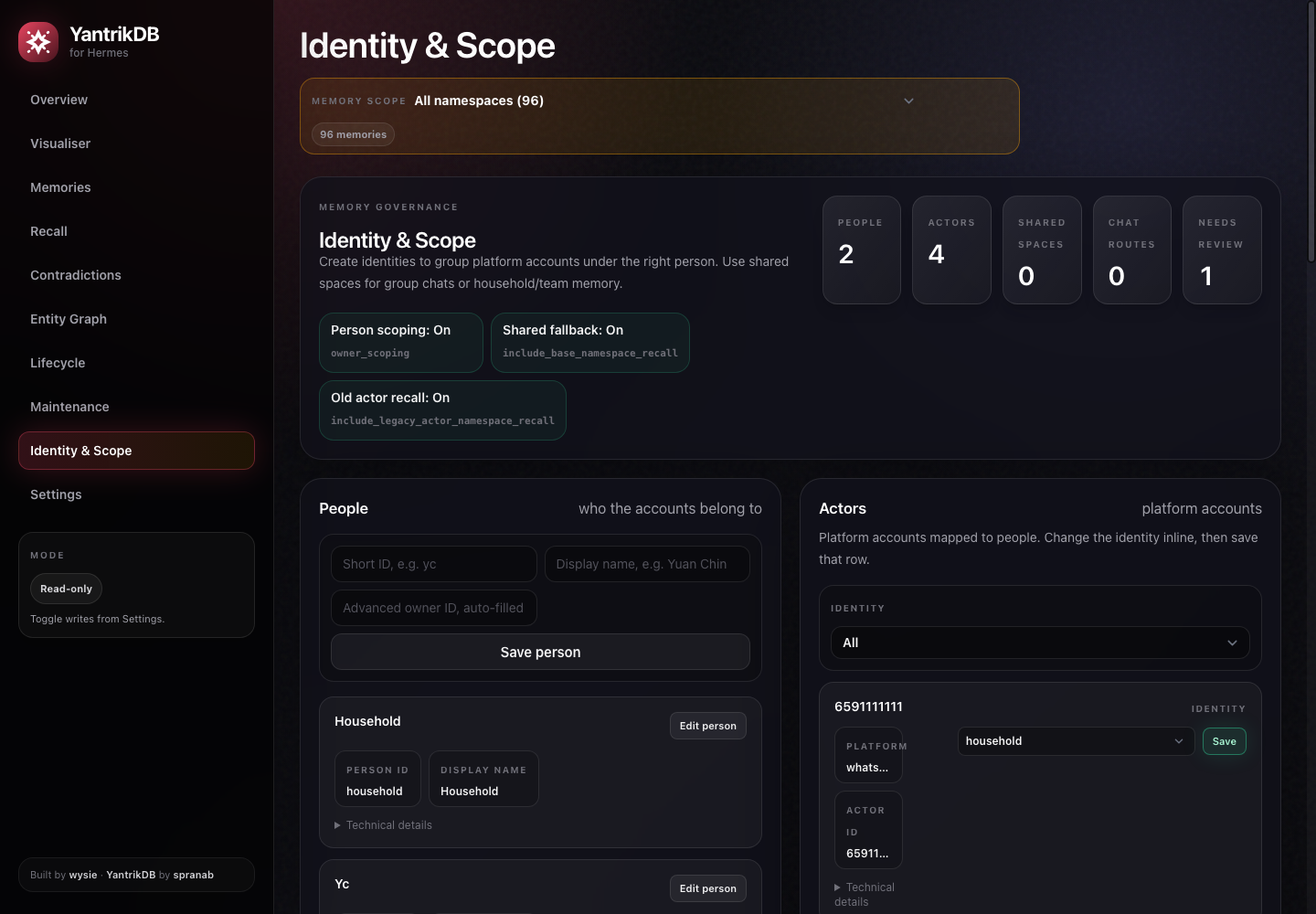
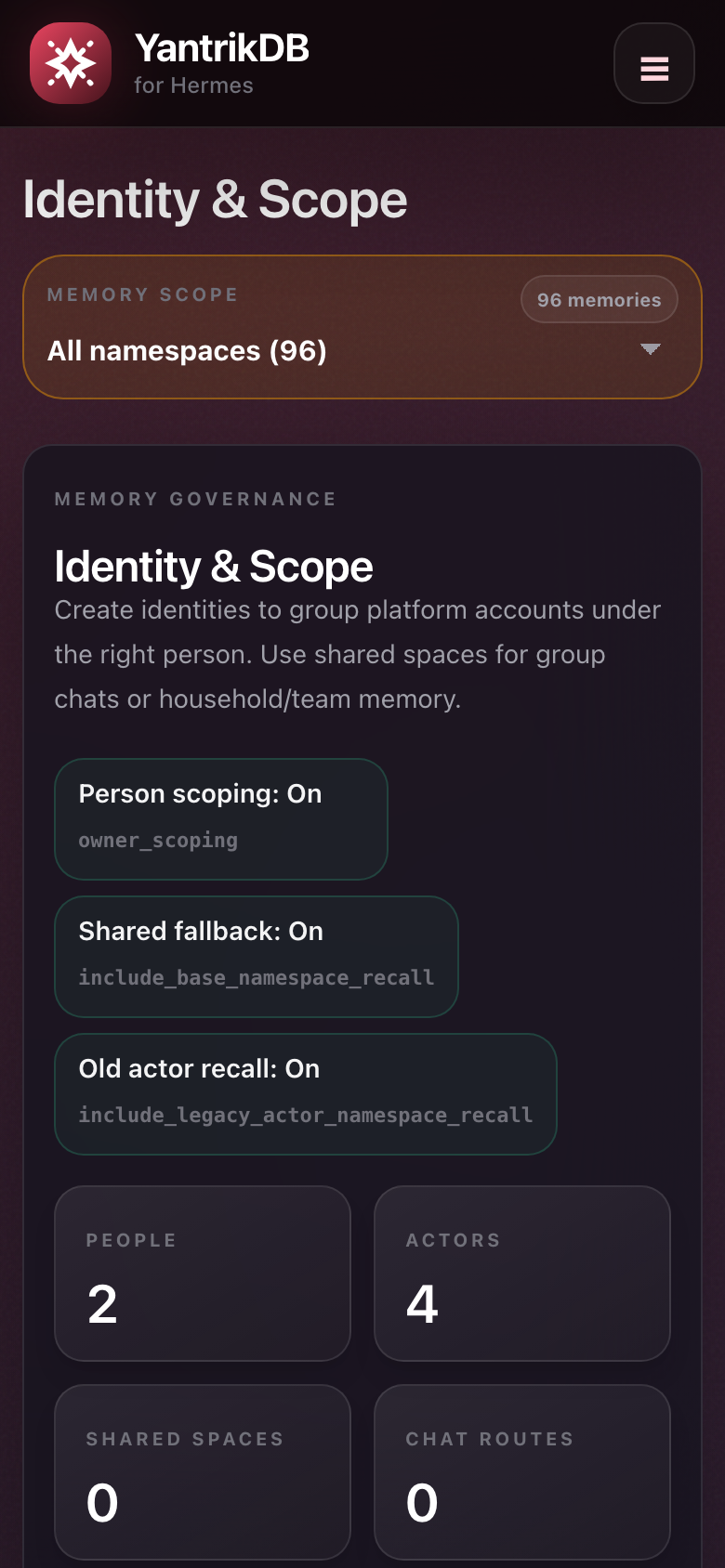
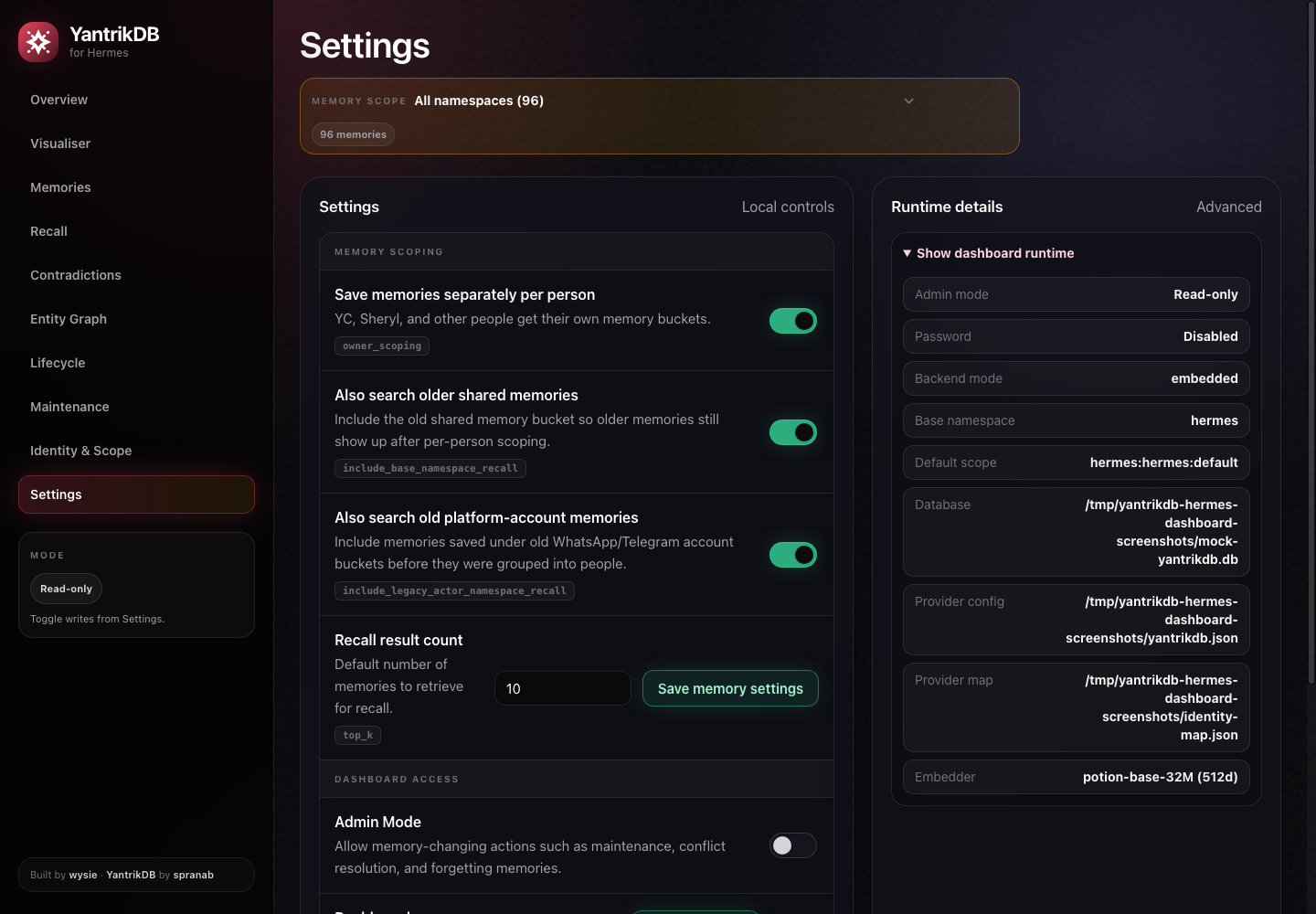
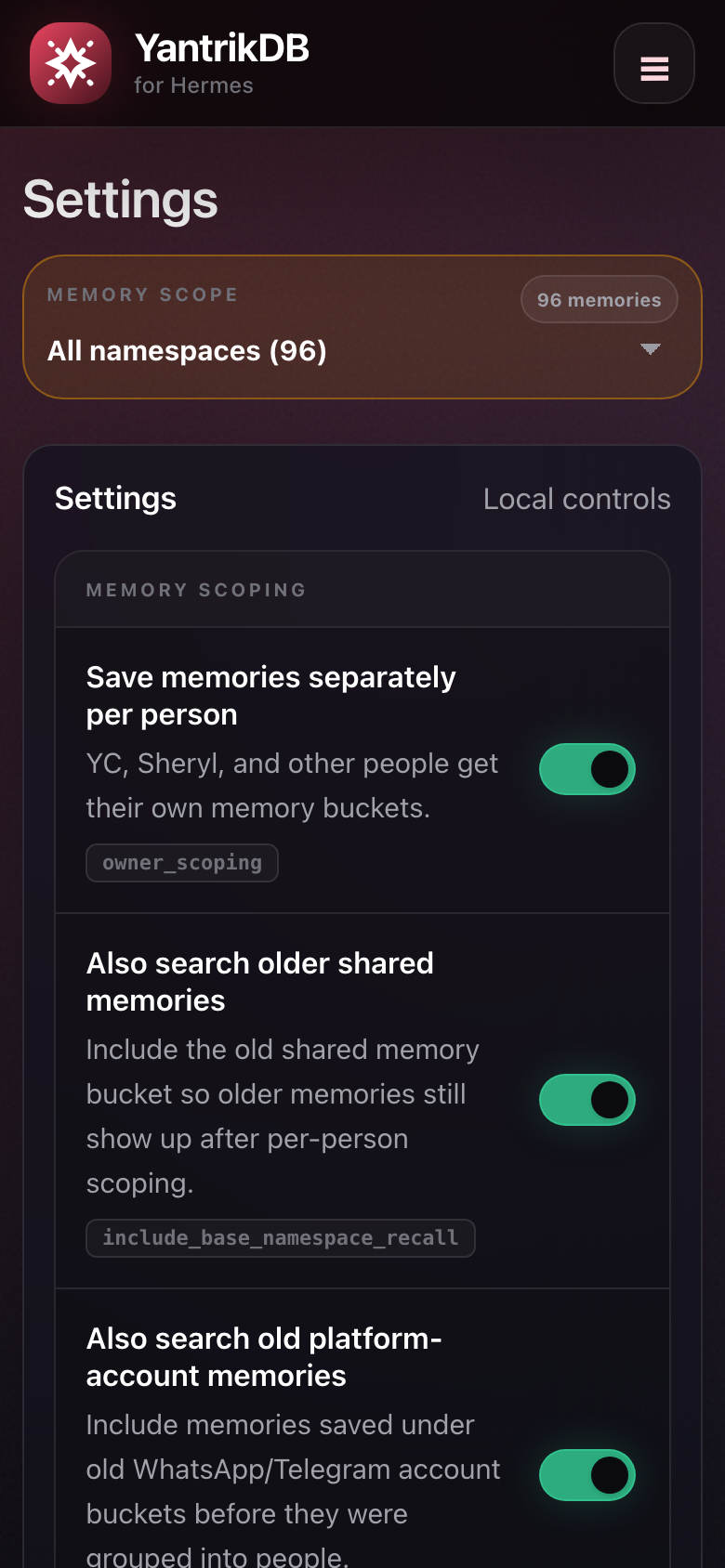
The screenshots below are generated from a synthetic mock YantrikDB database. They do not contain private memory data.
| Desktop | Mobile |
| --- | --- |
|  |
|  |
|
|  |
|  |
|
|  |
|  |
|
|  |
|  |
|
|  |
|  |
|
Regenerate the gallery locally with:
python3 scripts/generate_mock_screenshots.py
The generator creates a temporary mock SQLite database, starts the dashboard on a random localhost port, captures desktop/mobile viewports, and writes the images to docs/screenshots/.
Features
- Overview of active, consolidated, forgotten memories, conflicts, entities, edges, DB size, and embedder
- Global namespace selector for browsing one Hermes memory scope or all scopes
- Memory browser with search, status/domain/source filters, namespace chips, and detail drawer
- Recall debugger with top-k, domain/source, consolidated-memory, and entity-expansion controls
- Identity & Scope page for Hermes owner/person scoping, actor mapping, shared spaces, conversation routing, and namespace coverage
- Contradiction review and resolution helpers
- Entity graph inspection
- Lifecycle and maintenance views for stale/upcoming memories, triggers, patterns, and safe housekeeping
- Visualiser with Constellation and Neural Map modes backed by local YantrikDB data
- JSONL export for active memories
- Optional dashboard password managed from Settings
Safety model
The dashboard can expose sensitive Hermes memory content to whoever can reach the web UI.
Recommended default:
YANTRIKDB_DASHBOARD_HOST=127.0.0.1
Only bind to 0.0.0.0 if you intentionally want LAN access, and set a dashboard password from Settings first.
There is no admin token to configure. Older admin-token style setup is obsolete. The current model is:
- Read-only browsing by default.
- Optional dashboard password for access control.
- Admin Mode for mutating operations such as maintenance, conflict resolution, and forgetting memories.
Admin Mode can be toggled from Settings. For unattended local deployments, it can also be enabled at launch:
YANTRIKDB_DASHBOARD_ADMIN_MODE=true scripts/start.sh
Do not expose an Admin Mode dashboard without password protection.
Configuration
| Variable | Default | Purpose |
|---|---:|---|
| YANTRIKDB_DASHBOARD_HOST | 0.0.0.0 | Bind host for Uvicorn |
| YANTRIKDB_DASHBOARD_PORT | 8767 | Bind port for Uvicorn |
| YANTRIKDB_DB_PATH | ~/.hermes/yantrikdb-memory.db | Hermes YantrikDB SQLite DB path |
| YANTRIKDB_NAMESPACE | hermes | Base namespace used for defaults |
| YANTRIKDB_DASHBOARD_NAMESPACE | ${YANTRIKDB_NAMESPACE}:hermes:default | Default namespace selected in UI/API |
| YANTRIKDB_EMBEDDING_DIM | inferred from DB | Override embedding dimension |
| YANTRIKDB_EMBEDDER | dimension-based default | Override embedder name |
| YANTRIKDB_DASHBOARD_ADMIN_MODE | false | Enables admin mutations at launch when truthy |
| YANTRIKDB_DASHBOARD_SETTINGS_PATH | ~/.hermes/plugin-data/yantrikdb-hermes-dashboard/settings.json | Persisted dashboard settings and password config |
| YANTRIKDB_DASHBOARD_PYTHON | python3 | Python binary used by scripts/start.sh and scripts/install-launchd.sh |
| YANTRIKDB_DASHBOARD_LOG_DIR | .run | launchd stdout/stderr directory |
| YANTRIKDB_DASHBOARD_LAUNCHD_LABEL | io.yantrikdb.dashboard.local | macOS LaunchAgent label |
Frontend styling
The dashboard uses a local Tailwind build, not the Tailwind CDN.
cd ~/.hermes/plugins/yantrikdb-hermes-dashboard
npm install
npm run build:css
Source styles live in src/styles.css; the compiled artifact is served from static/styles.css so the FastAPI/launchd runtime stays a simple static app.
Development
python -m py_compile app.py
node --check static/app.js
python -m pytest
npm run build:css
The tests avoid requiring a real YantrikDB database for basic smoke coverage.
Repository hygiene
This repo intentionally excludes:
- local SQLite databases
- logs and process files
- virtual environments
- caches
- private
.envfiles
Do not commit memory exports, live database snapshots, or screenshots containing private memory content.
Naming
The dashboard UI and repository are named “YantrikDB for Hermes” / yantrikdb-hermes-dashboard to make the integration scope clear. The older yantrikdb-dashboard GitHub URL may redirect, but new installs should use wysie/yantrikdb-hermes-dashboard.
Credits
Built by wysie for Hermes Agent memory operations. Thanks to spranab for creating YantrikDB.
License
MIT
README from the reviewed commit 30e8fa2; it updates when the author re-pins.