 PIR8-Software
Android Emulator for Hermes Agent
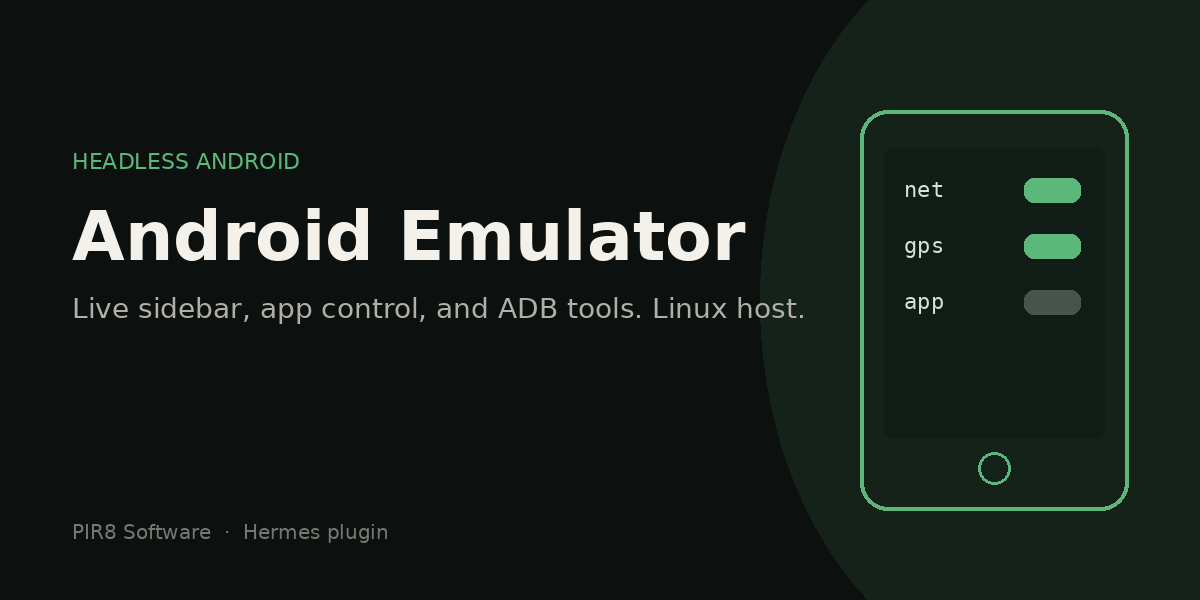
Control a headless Android emulator from Hermes — install APKs, take screenshots, tap/swipe/type, manage apps, simulate device conditions, and view a live screen in the desktop sidebar.
Version 1.1.0 — hardening pass (2026-09-26): all adb calls are pinned to the
emulator serial (a physical device is never targeted unless you explicitly opt in),
destructive AVD operations require validation + confirmation, mutating API routes are
POST-only, and every advertised feature below is implemented.
Features
Core Emulator Control
- Live sidebar panel — real-time emulator view with tap-to-interact
- Start/Stop — boot and shut down the emulator from the sidebar (stopped narrowly:
adb emu kill+ only the exact process this plugin started — no broad pkill; the
emu stopCLI fallback kills only the process matching the configured AVD name) - Navigation — Back, Home, Recent Apps, Power buttons
- Swipe gestures — Up, Down, Left, Right directional swipes (centered on the real screen size)
- Text input — Type text directly into the emulator (shell metacharacters escaped)
- Screenshot — Capture and save to local gallery
- Keyboard shortcuts — Ctrl+S screenshot, Ctrl+H home, Ctrl+B back, Ctrl+L logcat,
Ctrl+G gallery, Ctrl+R toggle recording (seeGET /shortcuts)
App Management
- App drawer — Browse all installed apps (user apps first, then system)
- Launch apps — Tap to launch any installed app
- Install/Uninstall — Manage APKs from the sidebar (install takes a host path on the
machine running the gateway/adb)
Device Simulation
- GPS location — Set lat/lng coordinates for location testing (clear override supported)
- Battery simulation — Set charge level (0-100%), simulate unplugged, reset
- Network conditions — Toggle offline, slow (500ms+10% loss), or fast
- Deep links — Open URL schemes directly
- Push notifications — Send test notifications (real delivery result reported)
Developer Tools
- ADB shell — Run arbitrary commands from the sidebar (intentional raw device shell)
- Logcat viewer — Real-time log output with tag/priority filtering
- Screen recording — Start/stop recording, save as MP4 (detached recorder; truthful
start/stop results) - Record & replay touches — Capture real touch input and replay it as tap/swipe
gestures (raw capture + parsed gestures both saved) - Test runner — Run instrumented tests and view results (bounded at 300s)
- Screenshot gallery — Browse saved screenshots
AVD Management
- Device picker — List AVDs and switch between them for real (stop + start)
- Android versions — shows installed vs available Google APIs x86_64 system images;
clicking an available API installs it viasdkmanagerand creates anapi<N>-testAVD - Create AVDs — Create new virtual devices from the sidebar (never overwrites an
existing AVD unless you passoverwrite=true) - Delete/Wipe — Remove or factory reset AVDs via the API (destructive: requires
confirm=<name>; onlyuserdata*.imginside the AVD directory is ever deleted)
CLI
emu start— Boot the emulator headlessemu stop— Shut down the emulatoremu status— Check if running + device info
Prerequisites
- Linux x86_64 (tested on Ubuntu 24.04)
- Java 17+
- ~6GB disk for SDK + system image
- ~2GB RAM for the emulator
Install
1. Install Android SDK
# Download command-line tools
mkdir -p ~/Android/Sdk/cmdline-tools
curl -fsSL -o /tmp/cmdline-tools.zip \
  "https://dl.google.com/android/repository/commandlinetools-linux-11076708_latest.zip"
unzip -qo /tmp/cmdline-tools.zip -d /tmp/cmdline-tools-tmp
mv /tmp/cmdline-tools-tmp/cmdline-tools ~/Android/Sdk/cmdline-tools/latest
rm -rf /tmp/cmdline-tools.zip /tmp/cmdline-tools-tmp

# Add to PATH (add to ~/.bashrc)
export ANDROID_HOME=~/Android/Sdk
export PATH="$ANDROID_HOME/cmdline-tools/latest/bin:$ANDROID_HOME/platform-tools:$ANDROID_HOME/emulator:$PATH"

# Accept licenses and install components
yes | sdkmanager --licenses
sdkmanager "platform-tools" "emulator" "platforms;android-34" \
  "system-images;android-34;google_apis;x86_64"
2. Create AVD
# Default: Pixel 7 Pro with Android 14
echo "no" | avdmanager create avd \
  -n pixel7pro \
  -k "system-images;android-34;google_apis;x86_64" \
  -d "pixel_7_pro" \
  --force
3. Install the plugin (gateway side)
The production deployment is a targeted copy of the five runtime files:
REPO=~/.hermes/plugins/android-emulator-src   # or any checkout of this repo
mkdir -p ~/.hermes/plugins/android-emulator/dashboard ~/.hermes/plugins/android-emulator/desktop
cp "$REPO/__init__.py" "$REPO/plugin.yaml" ~/.hermes/plugins/android-emulator/
cp "$REPO/dashboard/plugin_api.py" "$REPO/dashboard/manifest.json" \
   ~/.hermes/plugins/android-emulator/dashboard/
cp "$REPO/desktop/plugin.js" ~/.hermes/plugins/android-emulator/desktop/

hermes plugins enable android-emulator
Alternatively clone the whole repo (extra files are ignored by the loader):
git clone https://github.com/PIR8-Software/hermes-android-emulator.git \
  ~/.hermes/plugins/android-emulator-src
# then copy the five runtime files as above
Install the CLI wrapper:
cp ~/.hermes/plugins/android-emulator-src/scripts/emu ~/.hermes/scripts/emu
chmod +x ~/.hermes/scripts/emu
ln -sf ~/.hermes/scripts/emu /usr/local/bin/emu
4. Install the desktop sidebar (optional)
Copy desktop/plugin.js to your Hermes Desktop plugins folder:
- Linux:
~/.hermes/desktop-plugins/android-emulator/plugin.js - Windows:
%LOCALAPPDATA%\hermes\desktop-plugins\android-emulator\plugin.js - macOS:
~/Library/Application Support/hermes/desktop-plugins/android-emulator/plugin.js
The sidebar hot-reloads on file changes. Reload desktop plugins (⌘K) or restart Hermes
Desktop after first install.
Update / Uninstall / Data preservation
- Update replaces only the plugin's own files. It never touches your data:
screenshots (~/.hermes/emulator-screenshots), touch recordings
(~/.hermes/emulator-recordings), logs (~/.hermes/emulator-logs) and AVD data
(~/.android/avd/*) all survive updates. - Activation after copying new files: agent tools are re-read from disk in new
sessions; dashboard API changes take effect after a dashboard restart (restart your
hermes dashboardservice/process); the desktop pane hot-reloads on save (⌘K →
"Reload desktop plugins" if it doesn't appear). - Uninstall:
hermes plugins disable android-emulator, then delete
~/.hermes/plugins/android-emulator(and the desktopplugin.jscopy). Your
screenshots, recordings and AVDs are preserved. - AVD wipe/delete is destructive and only available via the API with an explicit
confirm=<name>; wipe deletesuserdata*.imgfiles inside that AVD directory only.
Usage
Sidebar Controls
| Section | What it does |
|---------|-------------|
| 📱 Picker | Device selector (real switching), AVDs, Android versions |
| 📱 Screen | Live emulator view, tap to interact |
| 🔙🏠📋⏻ | Back, Home, Recent, Power buttons |
| ↖⬆⬇➡ | Swipe direction buttons |
| ⌨ Text input | Type text directly into emulator |
| 📦 Apps | App drawer: install APK (host path), launch, uninstall |
| 📸🌐⏺💻 | Save screenshot, Network sim, Record, Shell |
| ⏸▶📜⏹ | Pause/resume live view, Logcat (with filter), Stop emulator |
| ⚡ More Tools | GPS, Battery, Deep links, Notifications, Recording, Touch record/replay, Test runner, Gallery |
CLI
emu start     # Boot emulator headless
emu stop      # Shut down
emu status    # Check if running + device info
Agent tools (18)
Available in any Hermes session after enabling the plugin:
"Install the APK at /path/to/app.apk on the emulator"    → emu_install
"Take a screenshot of the emulator"                      → emu_screenshot
"Tap at coordinates 540, 1200"                           → emu_tap
"Launch com.example.app on the emulator"                 → emu_launch
"Show the last 50 lines of logcat"                       → emu_logcat
"Set GPS to San Francisco"                               → emu_gps
"Set battery to 25%"                                     → emu_battery
"Go offline"                                             → emu_network
"Open deep link myapp://path"                            → emu_deeplink
Full list: emu_status, emu_shell, emu_install, emu_uninstall, emu_screenshot,
emu_tap, emu_swipe, emu_type, emu_key, emu_launch, emu_packages, emu_push,
emu_pull, emu_logcat, emu_gps, emu_battery, emu_network, emu_deeplink.
Configuration
| Env var | Default | Description |
|---------|---------|-------------|
| ANDROID_HOME | ~/Android/Sdk | SDK location |
| ANDROID_EMULATOR_SERIAL | emulator-5554 | Target emulator serial (must start with emulator) |
| ANDROID_EMULATOR_AVD | pixel7pro | AVD used by emu start, POST /start, and the picker |
| ANDROID_EMULATOR_ALLOW_NON_EMULATOR | unset | Set to 1 and point ANDROID_EMULATOR_SERIAL at a non-emulator device to deliberately target it (e.g. a physical test device). Without it the plugin refuses non-emulator serials. |
| ANDROID_EMULATOR_OUTPUT_ROOT | unset | Extra allowed root for agent host-side writes (emu_pull/emu_screenshot) |
Architecture
┌─────────────────┐     ┌──────────────────┐     ┌─────────────┐
│  Hermes Agent   │────▶│  plugin_api.py   │────▶│    ADB      │
│  (18 tools)     │     │  (41 endpoints)  │     │  emulator   │
└─────────────────┘     └──────────────────┘     └─────────────┘
                              ▲
┌─────────────────┐           │
│  Hermes Desktop │───────────┘
│  (plugin.js)    │
│  sidebar panel  │
└─────────────────┘
__init__.py— Agent tools registered viactx.register_tool()dashboard/plugin_api.py— FastAPIAPIRouterwith 41 endpointsdesktop/plugin.js— ESM desktop plugin usingctx.registerMany()+useQueryscripts/emu— Bash wrapper for emulator lifecycle
API Endpoints (41)
| Category | Endpoints |
|----------|-----------|
| Core | status, screenshot, screenshot_b64, start, stop |
| Input (POST) | input/tap/{x}/{y}, input/key/{keycode}, swipe/{direction}, type, statusbar, appdrawer, pinch/{action}, shell |
| Apps | apps, apps/launch, apps/uninstall, apps/install |
| AVD | picker, picker/switch, create, avd/delete, avd/wipe |
| Media | screenshot/save, screenshot/gallery, screenshot/file/{filename}, record/start, record/stop |
| Simulation | gps/{lat}/{lng}, gps/clear, battery/{level}, battery/reset, battery/unplug, network/{condition}, deeplink, notification |
| Dev tools | logcat, replay/record/start, replay/record/stop, replay/play, test/run, shortcuts |
Notes:
- All device-mutating routes are POST-only (no state-changing GETs).
avd/deleteandavd/wiperequireconfirm=<name>;createrefuses to overwrite an
existing AVD unlessoverwrite=true.screenshot/file/{filename}andshortcutsare backend-only (the UI lists gallery
names and implements shortcuts client-side).
Tests
python3 -m pytest tests/ -q
The suite (69 tests) mocks every subprocess (argv-level capture) — no emulator or device
is touched. It covers the 2026-09-26 hardening regressions: emulator-only device routing
guards, destructive-operation confirmation gates, path traversal and symlink containment,
input validation/clamping, the adb shell wire-semantics quoting fix, replay gesture
parsing, feature coverage for the documented UI/API surface, and a Node runtime
load/render check of desktop/plugin.js.
Limitations
- Tap/swipe replay is approximate. Touch capture records raw
geteventstreams and
derives tap/swipe gestures from them; replay re-synthesizes those gestures via
input tap/input swipe. Timing, pressure, long-press, pinch/multi-touch, and
scroll momentum are approximations — replay is functional coverage, not byte-exact
playback. - Notifications vary by Android build. Test notifications are posted with
cmd notification post; exact rendering, grouping, and behavior differ across Android
versions and OEM skins. The plugin reports the real shell result but cannot guarantee
identical appearance everywhere. - Test runner output is raw.
test/runexecutesam instrument(bounded at 300s)
and returns the raw instrumentation output — it does not parse JUnit XML. - Installing an API level needs network + SDK licenses. The Android-version install
path downloads the system image throughsdkmanager; offline or unlicensed SDKs will
fail with the reported error.
Troubleshooting
Emulator won't start:
- Check
~/.android/avd/pixel7pro.avdexists (or setANDROID_EMULATOR_AVD) - Verify KVM:
egrep -c '(vmx|svm)' /proc/cpuinfo(should be > 0) - Check logs:
~/.hermes/emulator-logs/emulator_<avd>.log(dashboard start) or
/tmp/emulator.log(CLIemu start)
"Connection failed" in sidebar:
- Ensure the emulator is running:
emu status - Click the ▶ Start Emulator button in the sidebar
- Restart the dashboard: close and reopen Hermes Desktop
Multiple devices connected:
- The plugin targets
emulator-5554(orANDROID_EMULATOR_SERIAL) and refuses to run
against non-emulator serials unlessANDROID_EMULATOR_ALLOW_NON_EMULATOR=1is set —
a physical phone can never be hit by accident.
App list empty:
- The emulator may have been wiped — reinstall your APKs
- Use the ▶ Start Emulator button to boot a fresh instance
License
MIT
README from the reviewed commit 3b5cb61; it updates when the author re-pins.