All plugins

boardstate

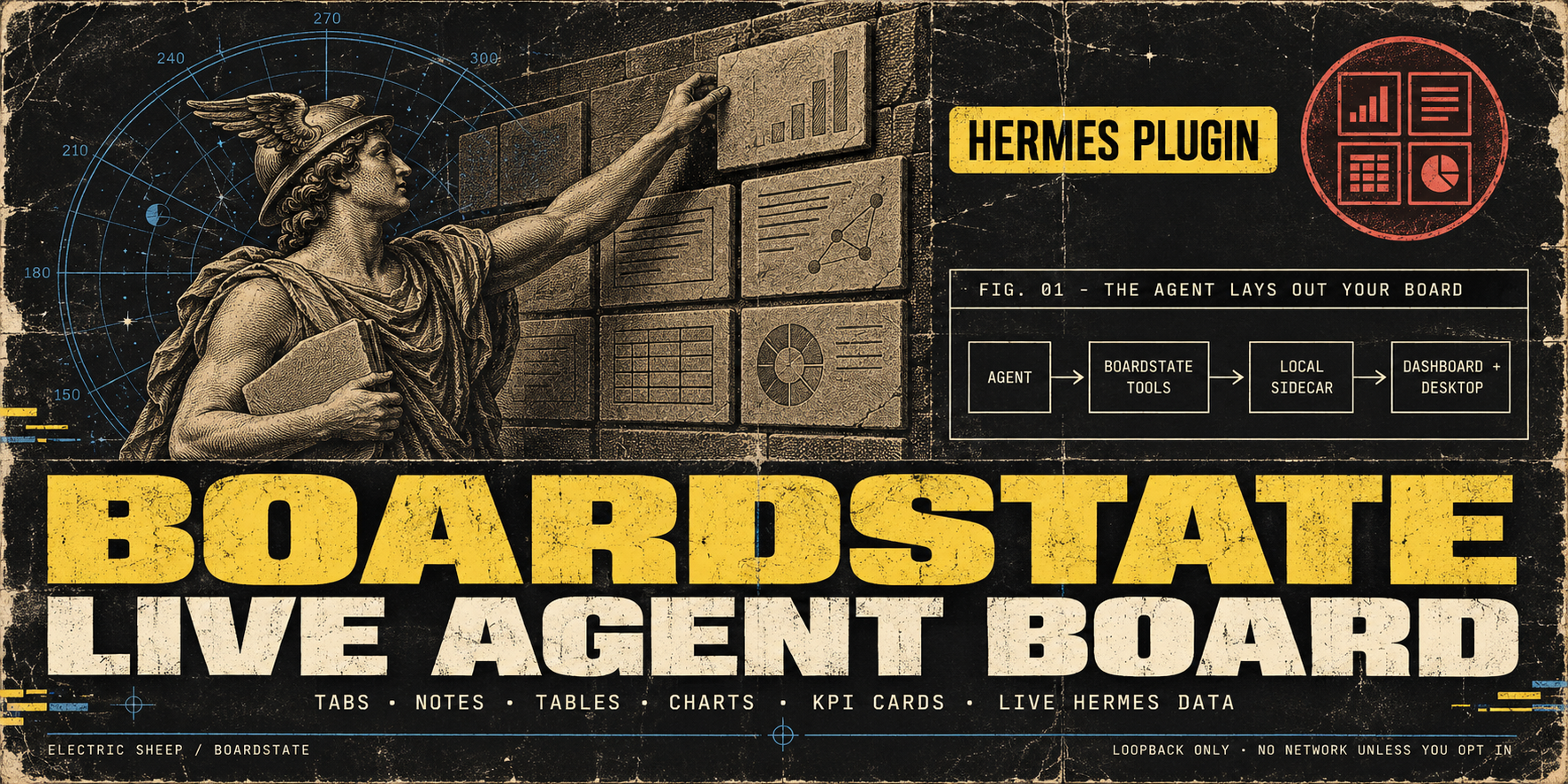
A live board your agent builds for you: tabs of notes, tables, charts, KPI cards and live Hermes data, in the dashboard and Hermes Desktop. It appears as a Board tab in the dashboard and a page in Desktop, and the agent lays it out with 19 native boardstate_* tools, approval widgets included. Runs a local Node >= 20 sidecar on loopback with a per-spawn nonce; no network access unless you opt in to operator-gated connectors. Disclosure — spawns a local Node.js ≥20 sidecar (from PATH/HERMES_NODE_BIN, nothing downloaded) on 127.0.0.1 on first use; state under HERMES_HOME/boardstate-state/. Reads the dashboard's loopback session token from Hermes internals (web_server._SESSION_TOKEN) and passes it to the sidecar for live usage/sessions/cron widgets; mounts one token-gated static route for approved widget assets. No outbound network unless you author boardstate.connectors.json (stdio/HTTP MCP connectors); connector actions need operator approval. Ships one plugin skill, boardstate:boardstate-report-problem, which drafts a bug report and files it with the GitHub CLI only after the user approves the exact text.

100yenadmin11Desktopv1.5.2Updated 21 days ago

About

A live board your agent builds for you: tabs of notes, tables, charts, KPI cards and live Hermes data, in the dashboard and Hermes Desktop. It appears as a Board tab in the dashboard and a page in Desktop, and the agent lays it out with 19 native boardstate_* tools, approval widgets included. Runs a local Node >= 20 sidecar on loopback with a per-spawn nonce; no network access unless you opt in to operator-gated connectors. Disclosure — spawns a local Node.js ≥20 sidecar (from PATH/HERMES_NODE_BIN, nothing downloaded) on 127.0.0.1 on first use; state under HERMES_HOME/boardstate-state/. Reads the dashboard's loopback session token from Hermes internals (web_server._SESSION_TOKEN) and passes it to the sidecar for live usage/sessions/cron widgets; mounts one token-gated static route for approved widget assets. No outbound network unless you author boardstate.connectors.json (stdio/HTTP MCP connectors); connector actions need operator approval. Ships one plugin skill, boardstate:boardstate-report-problem, which drafts a bug report and files it with the GitHub CLI only after the user approves the exact text.

Boardstate for Hermes

Boardstate: a live board your agent builds for you

Boardstate gives Hermes a durable board that the agent can build with native tools. Open
the Board tab in hermes dashboard or the Board page in Hermes Desktop, then ask
Hermes to create tabs, add widgets, arrange a layout, or review its design. Widgets include
notes, markdown, tables, charts, KPI cards, live Hermes data, and approvals. Changes are
stored as a validated workspace document and appear live when the dashboard socket is
available.

Boardstate is one unified Hermes plugin: the agent tools, Web dashboard tab, Python
backend, Desktop page, and loopback Node sidecar install from this repository together.

Install

Boardstate requires Hermes 0.21.2 or newer and Node.js 20 or newer. Boardstate looks for Node
in HERMES_NODE_BIN, then in Hermes' own Node lookup, then on PATH.

hermes plugins install boardstate --enable

This installs the catalog entry at its reviewed pin, and Hermes accepts the scanner's caution
verdict for that pin without a prompt. The bare name resolves only after the Hermes plugin catalog
lists Boardstate; until then, use the owner/repo form below.

The owner/repo form (hermes plugins install 100yenadmin/boardstate-hermes-plugin) is not
reviewed or pinned. It prints the scanner findings and asks for confirmation; pass --force
to accept them non-interactively, and --ref <40-character sha> to pin a commit.

To enable an installed copy later:

hermes plugins enable boardstate

Start hermes dashboard for the Web tab. The unified package also contributes a Desktop
plugin; enable Boardstate under Capabilities → Plugins in Hermes Desktop. The two
surfaces have separate enable switches by design.

After you update or reinstall the plugin, quit and reopen Hermes Desktop. Rescan under
Capabilities → Plugins copies the new Desktop files, but a Desktop plugin that is already
loaded keeps running its old code until the app restarts.

Profiles

On Hermes 0.21.x, hermes -p <name> dashboard re-runs as the default profile with
--open-profile <name>. Web dashboard plugins load from the root ~/.hermes/plugins, and
their state comes from the dashboard process's HERMES_HOME, so the web Board tab shows
the default profile's board. Install with hermes plugins install … (no -p) for the
dashboard, and with hermes -p <name> plugins install … for that profile's agent tools. Hermes
Desktop loads the Desktop half app-wide from ~/.hermes/desktop-plugins once you switch it
on under Capabilities → Plugins, and talks to the active profile's backend.

Uninstall

Run hermes plugins remove boardstate. The board itself stays in the boardstate-state
directory of the profile's Hermes home: $HERMES_HOME when you set it, otherwise ~/.hermes for
the default profile and ~/.hermes/profiles/<name> for a named profile. If you set
BOARDSTATE_HERMES_STATE_DIR, the board is in that directory instead. Delete it if you no longer
need the board.

Native agent tools

No hand-written mcp_servers entry is needed. The package registers these 19 tools in the
boardstate toolset:

  • boardstate_workspace_get
  • boardstate_tab_create, boardstate_tab_update, boardstate_tab_delete,
    boardstate_tabs_reorder
  • boardstate_widget_add, boardstate_widget_update, boardstate_widget_move,
    boardstate_widget_remove
  • boardstate_layout_set, boardstate_workspace_replace, boardstate_undo
  • boardstate_widget_catalog, boardstate_design_review,
    boardstate_widget_scaffold, boardstate_data_read
  • boardstate_tool_search, boardstate_connector_read,
    boardstate_connector_invoke

The two connector invocation tools and boardstate_tool_search are always discoverable.
Without an operator-authored connector configuration they return a clear
no connectors configured error.

The existing Streamable HTTP MCP endpoint remains available as an optional compatibility
path at /api/plugins/boardstate/mcp, but normal Hermes use should rely on the native tools.

What runs

Boardstate starts one Node sidecar on an ephemeral 127.0.0.1 port. Every spawn gets a
random nonce. Its mode-0600 port record contains the port, nonce, process id, and owner
kind so the agent and dashboard do not create competing writers.

  • An agent tool call can start the sidecar without the dashboard. That sidecar gets no
    operator secret at all, so operator-only verbs are unavailable until the dashboard
    replaces it. On it, boardstate_connector_invoke still runs approved readOnly connector
    tools; a mutating tool asks the agent to open the Board tab instead of parking.
  • When the dashboard finds an agent-owned sidecar, it terminates and replaces that process
    with a dashboard-owned one. Both use the same state directory, so the board survives.
  • An agent-owned sidecar is stopped when its owner exits if no live agent process adopted
    it. A process never stops a sidecar whose port record has moved to another spawn.
  • If every process named in the sidecar's port record (its owner and any adopters) dies
    without cleaning up, for example after SIGKILL, the sidecar notices within a few seconds
    and shuts itself down.
  • Live Hermes data widgets use the authenticated dashboard API. When only the agent half is
    running, they show an explicit "open the Board tab" unavailable message instead of
    crashing.

The Desktop plugin stays inside the public plugin SDK. It uses ctx.register with
ROUTES_AREA and SIDEBAR_NAV_AREA for the page and its nav row, ctx.rest for Boardstate
requests, ctx.socket for server pushes, ctx.onDispose for cleanup, ctx.setTimeout when
the SDK provides it (with a disposed fallback timer on older SDKs), and host.notify for
template errors.
OAuth remotes support request/response traffic but the SDK intentionally provides no live
socket there, so the page reports live updates unavailable instead of pretending to be
live.

Network and security disclosure

Boardstate makes no third-party network request by default.

  • The sidecar, dashboard bridge, native tool wrapper, and optional MCP path communicate on
    loopback only. Live Hermes widgets call the local Hermes dashboard API.
  • External connectors are opt-in. Only an operator-authored
    $HERMES_HOME/boardstate-state/boardstate.connectors.json can enable one. A connector may
    spawn its configured local command or contact its configured remote MCP URL; those are
    the only runtime paths that can reach outside Hermes.
  • Connector reads require an approved grant. Connector mutations park for an operator
    decision. A changed connector manifest re-pends its grant. A mutation whose wait times out
    is reported as parked, but a later confirm can still run it, so the agent is told not to
    retry it on its own (a retry can run the mutation twice) and to ask the operator for the outcome.
  • Operator approve/confirm/deny verbs use a separate in-memory secret that is never written
    to the port record. In gated multi-user mode, boardstate.operators.json is also required.
  • Sidecar traffic never goes through an HTTP(S)_PROXY from the environment.
  • The sidecar inherits the Hermes process environment, so provider keys there are available
    to connector env references. A dashboard-owned sidecar also receives the dashboard session
    token so live Hermes data widgets can read the local dashboard API.
  • Limit of the operator gate. It keeps approvals off the agent's tool surface: no
    boardstate_* tool, MCP call or board WebSocket can approve or confirm anything. It is not
    a boundary against an agent that has unrestricted shell access as the same OS user. In
    ungated loopback mode, such an agent can read the dashboard page, which carries the
    dashboard session token. In any mode, it can read a same-user process's environment,
    including the dashboard-owned sidecar's operator secret. If approvals must hold against the
    agent itself, run the agent's terminal in an isolated backend (for example Docker, SSH or
    Modal) or as a different OS user from the dashboard.
  • Approved custom widgets run in an opaque-origin iframe with a no-network Content Security
    Policy. Pending, rejected, and unknown widget assets all return 404.

Connector configuration

Connectors are optional. For example, after installing OfficeCLI, an operator can create:

{
  "connectors": [
    { "name": "officecli", "transport": "stdio", "command": "officecli", "args": ["mcp"] }
  ]
}

Save that as $HERMES_HOME/boardstate-state/boardstate.connectors.json, restart the
dashboard, and approve only the requested tools you want. See
docs/connectors/officecli.md.

Connector grants are scoped to the active Hermes profile: Boardstate keeps separate state for
each HERMES_HOME/profile, while sessions within one profile are the same agent and
intentionally share native-tool grants.

Security scanner notes

hermes plugins validate reports caution. All five HIGH findings are in the committed
dashboard/sidecar/server.js bundle, which is generated from the pinned packages in
package-lock.json. Line numbers are for the 1.5.0 build; reviewers should still inspect
every warning:

  • dump_all_env at server.js:3082: ajv's compiler (ajv/dist/compile) names a schema
    environment variable env (env = env || new SchemaEnv(...)). It does not touch
    process.env.
  • dump_all_env at server.js:7124: path-key reads the name of the PATH key from
    process.env.
  • dump_all_env at server.js:7144: cross-spawn resolves a connector command against
    process.env (PATH).
  • path-key and cross-spawn are transitive dependencies of the MCP SDK's stdio client.
    None of these returns the environment to an agent.
  • exfil_service at server.js:28509: the optional Pipedream preset URL string in the
    bundled @boardstate/broker package. It is inert until an operator authors and approves
    that connector.
  • sudo_usage at server.js:25999: a comment in the MCP SDK's stdio client
    ("inspired by the default env inheritance of sudo"), not a command Boardstate executes.

The MEDIUM and LOW findings are:

  • Character-code, base64, Unicode-escape and relative-path matches in the minified bundles:
    server.js, dashboard/dist/index.js, dashboard/vendor/boardstate-browser.js and
    desktop/plugin.js.
  • One oversized-file warning, for server.js only.
  • The repository's own CI install steps (pip install, git clone in
    .github/workflows/ci.yml).
  • subprocess use in test/.
  • An example loopback dashboard address in a comment in dashboard/sidecar/src/hermes-data.ts.

Catalog self-updater check: the catalog CI flags a bundled JS file that contains both a
GitHub raw-content URL and a file-write call. In the sidecar bundle, the only such URL was
ajv's $data meta-schema identifier (its $id and the one $ref to it), which is never
fetched. build.mjs rewrites that identifier consistently to https://ajv.js.org/refs/data.json#,
so the check stays meaningful for this bundle: a later releases/latest or
raw.githubusercontent.com URL next to a file write would still trip it. This repository's CI
replays the check, with upstream's exact file enumeration, on every build. Boardstate has no updater;
updates arrive only through a new catalog pin plus hermes plugins update boardstate.

dangerous scanner results are not accepted. Reproduce the reviewed artifacts with:

npm ci && npm run build && git diff --exit-code

Development and tests

The build produces the Web bundle, root desktop/plugin.js, sidecar bundle, vendored Lit
assets, and dashboard/tools.schema.json. The schema is generated from the same Boardstate
tool factory and connector definitions the sidecar invokes.

CI keeps the existing sidecar, connector, operator, widget, theme, Web, Desktop, and Python
tests. It also pins Hermes upstream commit
38c289c0146ed8c8b2b767eca1fff6f5b7e6382e and runs plugin validate, doctor, compat,
native-tool dispatch, WebSocket auth, and the schema sync gate.

Screenshots

A board built by the agent through the native tools, in the Web Board tab:
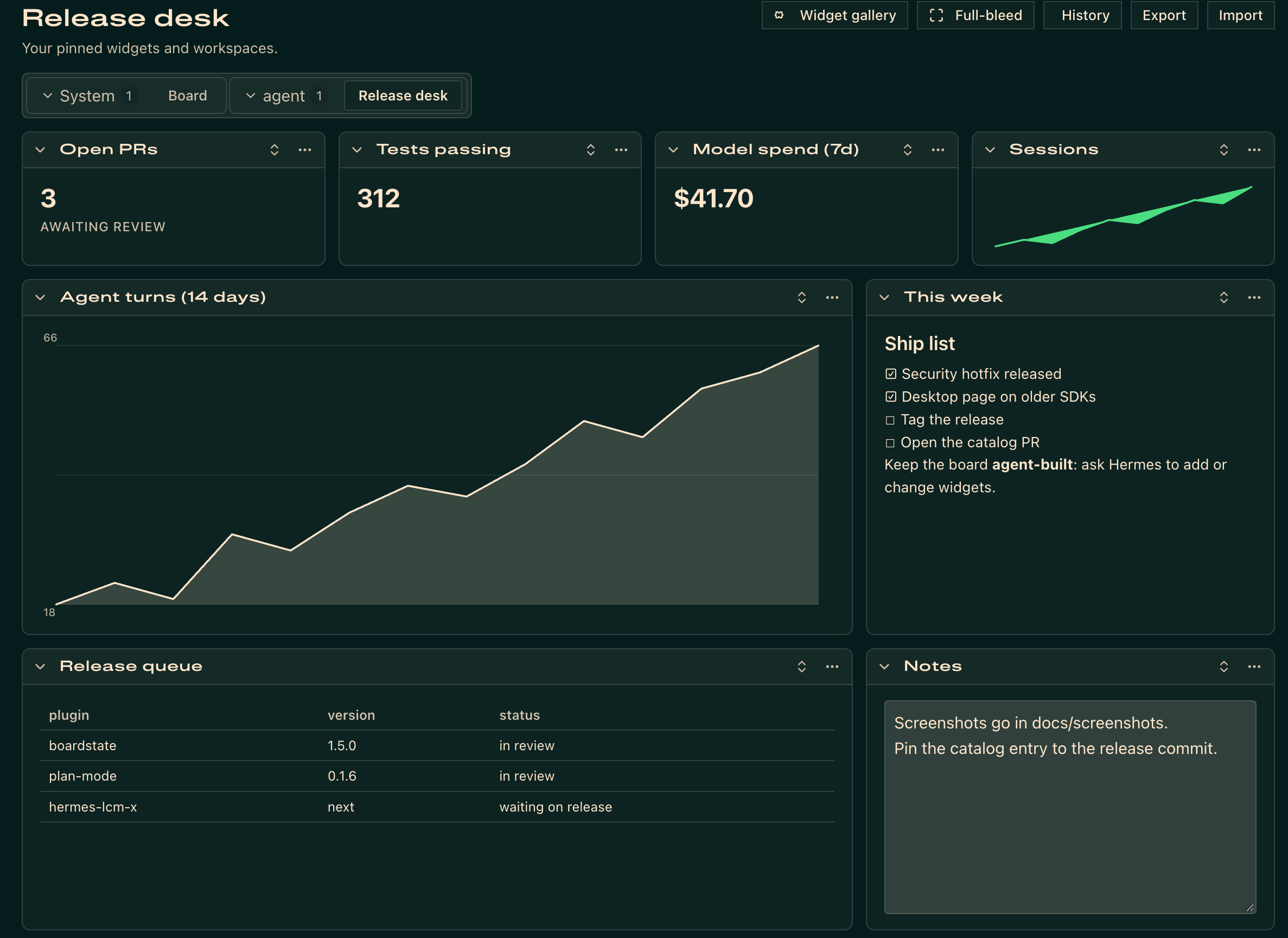
Boardstate Board tab in the Hermes web dashboard

The same kind of board on the Board page in Hermes Desktop:
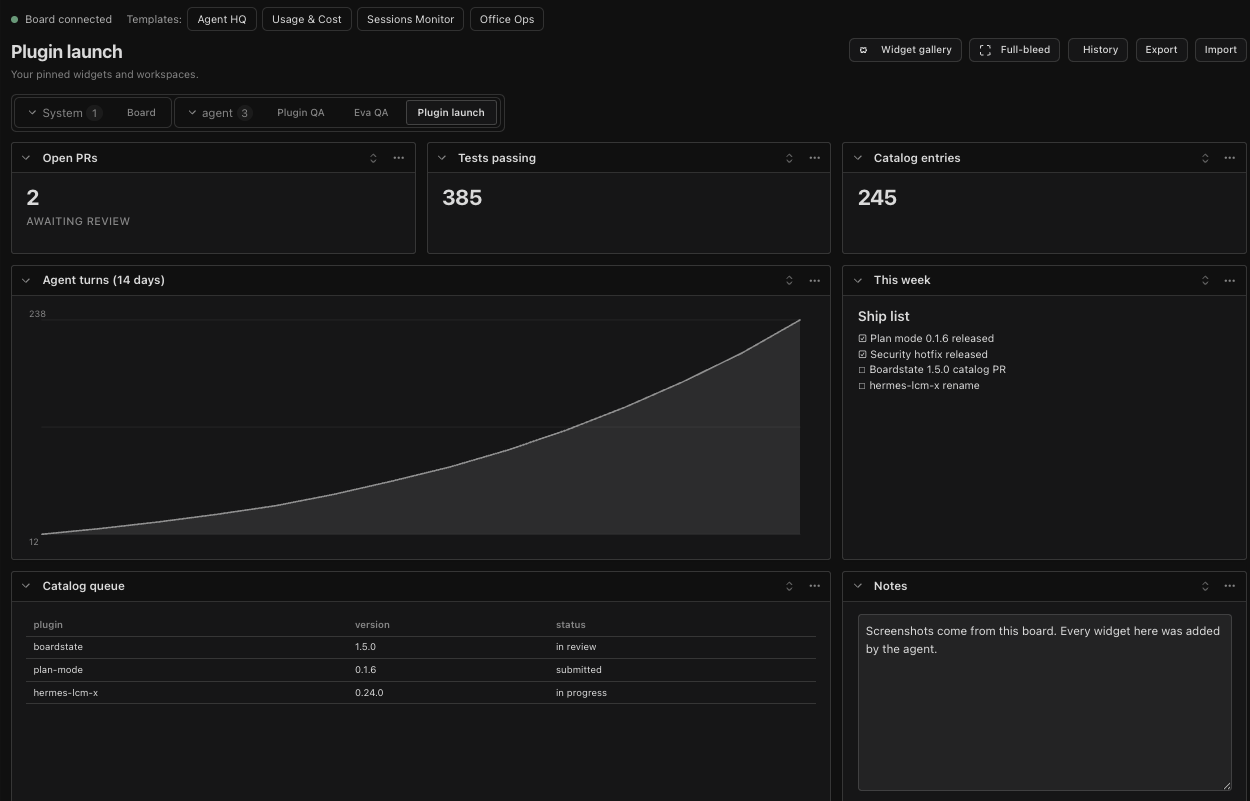
Boardstate Board page in Hermes Desktop

Troubleshooting and reporting a bug

Boardstate has no agent-callable diagnostics tool yet. Collect recent logs with
hermes logs gui -n 300 | grep -i boardstate (dashboard), hermes logs desktop -n 300 | grep -i boardstate (Desktop), or
hermes logs -n 300 | grep -i boardstate (agent tools); remove tokens, credentials, private data, and local paths.
In a browser tab where you are already signed in to your local Hermes dashboard, open /api/plugins/boardstate/health and check the browser console.
The probe reports ok, sidecar_running, sidecar_port, state_dir, and bundle_present; leave state_dir out of the report. Don't copy session tokens or call the endpoint or the gateway by hand with credentials.
On Hermes 0.21.6 or newer, ask your Hermes agent to "report a problem with Boardstate". On older versions, ask it to load the boardstate:boardstate-report-problem skill. Either way, review its draft before it is filed.
Use the bug report form.
Report security problems through a private advisory.

License

MIT — see LICENSE.

README from the reviewed commit a52cb77; it updates when the author re-pins.
More by 100yenadmin

7 plugins by 100yenadmin in the catalog.

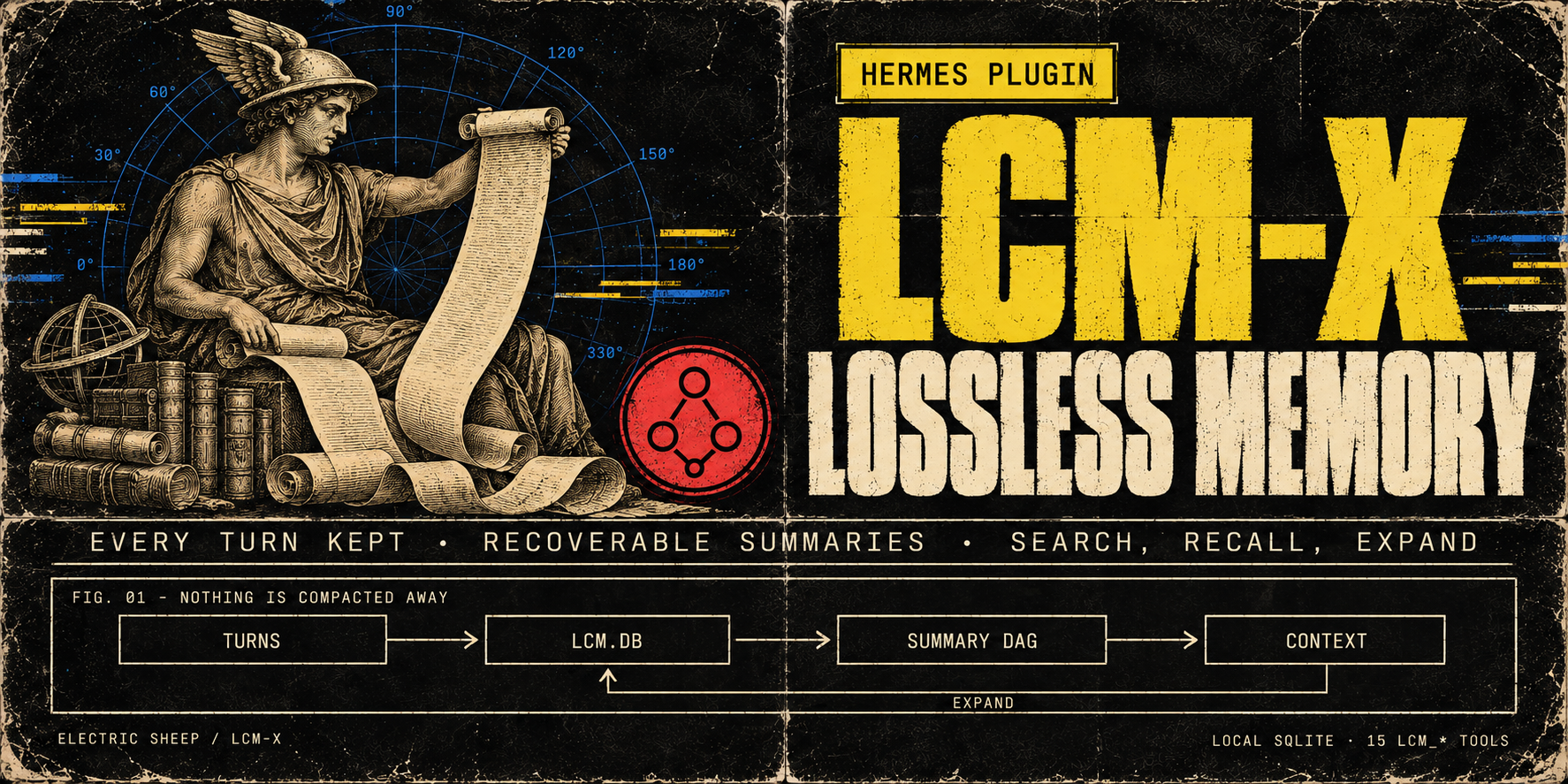
100yenadminhermes-lcm-xLossless memory for long sessions: LCM-X keeps every turn in a local store instead of compacting it away, and the agent can search and expand it. The store is local SQLite (lcm.db) with a recoverable DAG of summaries over it and 16 lcm_* tools for search, recall and expansion (lcm_memory only with LCM_ENTITIES_ENABLED=1). Select it with context.engine: lcm-x. Upgrading from hermes-lcm (breaking in v0.24.0): stop Hermes, then in plugins.enabled replace hermes-lcm with hermes-lcm-x and run exactly one LCM copy (the install script prints the steps; the old engine name lcm still resolves with a deprecation warning); lcm.db and the lcm: config block are unchanged. Summaries use the model Hermes is configured with. Disclosure — local semantic recall is on by default once its dependency companion is installed (hermes plugins install electricsheephq/lcm-x/companions/hermes-lcm-x-local-embeddings --ref <the LCM-X commit>; it carries fastembed): summaries and message chunks are embedded in-process with BAAI/bge-small-en-v1.5 after a one-time model download, in the background, and stay on the machine. Without the companion, recall answers from full text and lcm_doctor prints the install command; on hosts with 2 or fewer effective CPUs the default answers from full text unless LCM_EMBEDDINGS_ENABLED=true; LCM_EMBEDDINGS_ENABLED=false turns semantic recall off. Cloud embedding providers (Voyage via VOYAGE_API_KEY, an OpenAI-compatible endpoint, or a local Ollama) send message text to that provider and run only with LCM_EMBEDDINGS_ENABLED=true and an explicit model. For known cloud providers the provider-bound copy is privacy-transformed by default (LCM_EMBEDDING_PRIVACY_ENABLED=false opts out), while lcm.db keeps the raw text. Every turn (user, assistant and tool output) is stored in plaintext in lcm.db (secret redaction at rest is opt-in); on gateway platforms the sender's platform user ID is recorded with each user message by default (LCM_SENDER_CAPTURE=0 turns it off), and oversized tool outputs are by default written as plaintext files under HERMES_HOME/lcm-large-outputs and replaced in the model's context by recoverable references. The engine also reads Hermes' state.db read-only for session lineage, reads private AIAgent attributes via the call stack on Hermes builds without subagent hooks, and runs git on its own install directory for lcm_status/lcm_doctor; tiktoken may fetch its BPE file on first use.Communitymemory114100yenadminfish-audioLifelike voices for your agent: Fish Audio's expressive text-to-speech in 80+ languages, plus transcription, voice cloning and a voice library. The official Fish Audio plugin: Fish's Drama 3 model with word-level direction, speech-to-text, Fish Audio's community voice library, voice cloning and voice design, with a Voices page in Hermes Desktop. Fish Audio becomes a Hermes speech and transcription provider for voice replies, read-aloud, voice notes and Desktop dictation, with sentence-by-sentence streaming in CLI voice mode and Desktop, and word-by-word live dictation captions on Hermes 0.21.6+ (stt.streaming: true). Adds the fish_speak, fish_voices and fish_transcribe tools, /fish and hermes fish commands, and four skills. Disclosure — sends your Fish API key and the text, audio (with file names) and voice titles, tags, descriptions, cover images and design instructions you ask it to process to api.fish.audio, or to the base_url you configure, and reads your Fish wallet for balances and model choice; with live dictation on, microphone audio streams to Fish's native realtime speech-to-text at api.fish.audio (transcribe-stream-1, Preview) while you speak, billed $0.36 per hour of open session, per second, including silence; a session opens with the first audio and closes once Fish confirms the last words (the plugin stops waiting after 15 seconds), or 30 seconds after the last audio of a cancelled recording; the live_transcription: compat setting uses Fish's older realtime endpoint instead, billed per committed phrase rounded up to a second; synthesis, transcription, cloning and voice design are paid requests billed to your Fish account, except the free s2.1-pro-free model (free through 30 November 2026), whose requests Fish may use to improve its models. The key comes from the profile's secret scope (Hermes stores it in the profile .env; a single-profile install may also read FISH_API_KEY from the environment). Generated audio and subtitles are written to Hermes's audio cache; clone samples and recordings it uploads must be regular audio files, and Hermes config, secret and credential paths are refused. Cloning and deleting voices from chat or the model tools go through Hermes's approval gate and follow your approval settings. The Desktop Voices page and a Fish Audio settings page add gateway routes under /api/plugins/fish-audio/, behind the Hermes dashboard's existing authentication. On the Voices page, previews, clones and voice designs are billed; cloning a voice or saving a designed one creates a voice in your Fish account; cloning and deleting are confirmed on the page (a speaker-consent box, a typed voice name) instead of through Hermes's approval gate; and Use sets the profile's Fish voice, and its speech provider when none is set. The settings page and /fish alias can set or reset the profile's Fish model and voice and save up to 50 voice names in the profile's config. Preview and design audio files are deleted from the gateway once returned; a design's audio is held in gateway memory so you can save it, until it is saved, a later design or save finds it over an hour old, or the gateway stops; clone uploads are deleted after the clone, or by the next upload once idle for 15 minutes. With a key set, Desktop reads your Fish wallet when an agent is selected and about every five minutes, for the status-bar credit; favourites stay in Desktop's plugin storage on that computer, and fetched previews stay in the window's memory until it closes. Includes a report-a-problem skill: the agent drafts a bug report and files it to this plugin's repository as a public GitHub issue or comment with your gh login only after you approve the exact text; reports leave out keys, credit amounts and your own voice ids, and security problems go to the repository's private advisory form instead. No telemetry.Communityvoice70100yenadminhermes-teammatesGive your agent a team: named subagents with their own instructions, tools and model, which it assigns work to, checks on and steers mid-task. The operator defines the roster; the agent follows up with a digest of earlier results and can work a Kanban teammates lane with a review handoff. Launches subagents only through the public ctx.subagent_lifecycle API. Stock Hermes; no patched core. Disclosure — adds six tools (teammates_roster, teammate_assign, teammate_check, teammate_wait, teammate_message, teammate_stop) and a /teammates command; the model picks only a teammate name, and the operator's config decides what it means. Teammates run as in-process Hermes subagents using credentials selected by Hermes from the parent, delegation settings or an operator-configured teammate route where supported. Toolsets narrow the parent's tools at toolset granularity only (the file toolset includes write_file and patch); Hermes can add inherited MCP toolsets back unless delegation.inherit_mcp_toolsets is false. A teammate with invalid settings refuses to launch. A delegated child cannot start teammates. Steering uses the lifecycle steer where Hermes provides it, otherwise delegate_task's steer action with the turn-bound parent. Under plugins.isolation: host every tool except the roster refuses. Optionally the roster is read from an operator-named YAML file (roster_file, relative to the profile home or absolute, so several profiles can share one); the plugin never writes it. It keeps a per-profile SQLite run ledger in its plugin-data folder (goals, statuses, clipped summaries, role hashes and available token receipts; no full transcripts). It does not read credential stores. Where supported in-process, subagent_start and post_api_request hooks collect token receipts for mapped child sessions. For a card assigned to its non-profile lane, it claims the card through the Kanban DB, heartbeats the claim and its worker, then moves the card to review without a reviewer, or blocks it on failure, a stop or an unavailable result; it never completes a card. It runs one in-process monitor thread per run to retain finished results and, for lane runs, keep the claim alive; no network calls, child processes or self-updates of its own. Completion-notice code exists but never injects on current Hermes because the host cannot bind notices to the receiving session; use teammate_wait instead. Includes a report-a-problem skill: the agent drafts a bug report and files it to this repository with gh only after the user approves the draft.Communityautomation62100yenadminplan-modeClaude Code-style plan mode for Hermes: the agent explores and writes a plan, and edits nothing else until you approve it. It works on every interactive Hermes surface: /plan or /planmode on blocks mutating Hermes tools dispatched through pre_tool_call (writes outside .hermes/plans, terminal, code execution, delegation, MCP) while the agent explores, asks clarifying questions and writes a plan. The agent shows the complete plan, submits it with plan_mode(submit) and one approval card asks: approve and auto-accept edits, approve and review each file edit (when Hermes approvals are on, every write_file and patch then gets Hermes' approval prompt with its path and a preview), or keep planning; Other sends feedback, and the revised plan says what changed since the last revision. Once approved, it implements in the same turn and tracks todo_list progress. To change the plan yourself, keep planning, run /planmode edit, save, then /planmode show and /planmode approve; the text you were shown is saved as an approved snapshot, so later edits to the file do not change the approval. The classic profile (plan_profile: classic), approval_card: false and surfaces without a card use Hermes' own approval prompt (gateway buttons, the TUI/Desktop card, the CLI panel or /approve). When yolo or approvals.mode: off would auto-approve, it asks through clarify instead, so a person still decides. By default plans are compact and decision-complete, the lean profile asks at most three targeted questions, and the agent does not commit unless asked (plan_style, plan_profile, allow_commits and plan_skill settings). Classic CLI enforced on every supported Hermes; gateway, TUI and Desktop from Hermes v2026.9.24 (0.21.5), and refused on older builds; 0.21.6 recommended. On the interactive classic CLI, Hermes' inline diff shows a new plan file in full, so the agent does not retype it (write_once). A report-a-problem skill drafts a bug report and files it with gh only after you approve the draft. Disclosure — plan-mode does not enforce Codex app-server exec/applyPatch or TUI /background and btw side agents. A plan is approved only on its approval card (a clarify question only the plugin issues and checks), through Hermes' own approval prompt, or with /planmode approve. It reads nine groups of internal Hermes seams for session identity, workspace, profile, skills.inline_shell and the classic CLI's inline diff, each guarded with a documented fallback. It creates .hermes/plans under the session working directory, reads plan files there, saves the approved text of an edited plan as a new file under .hermes/plans/approved, and keeps per-session state in plugin state. It adds a turn note while planning or executing, a ≤200-char system-prompt hint, and a one-line footer to short replies on chat platforms. When a turn ends while a submitted plan still awaits approval and no approval card was answered, it adds one line to that reply on any surface, whatever its length, saying how to approve (unless footer is off). When you pick "Always" on a plan approval or a per-edit review, Hermes core writes a plugin_rule:plan-mode entry to command_allowlist in config.yaml; each entry is keyed to one plan revision, so it cannot approve another plan. With allow_gateway_injection: true it queues one message to start work after a typed /planmode approve. On TUI, Desktop and hermes serve sessions (lean profile, plan_once) it reads the visible reply text from post_api_request while planning and saves its <proposed_plan> block as the plan file. On the interactive classic CLI (lean, write_once) it checks that Hermes printed a newly written plan file in full, then tells the agent not to retype it. Its report-a-problem skill has the agent file to the plugin repository with gh only after the user approves the exact saved draft. The plugin itself makes no network calls, launches no subprocesses and has no self-updater.Communitytools51