Tormen28
Bot Chat Agent for Hermes
English · Español
A calmer, simpler Hermes Bot Chat for people who just want answers.
Why this exists
Hermes is powerful, and that power shows on screen: reasoning blocks, tool cards, diffs, logs, follow-up questions.
For developers that is great. For many people (students, small business owners, family members, anyone
who is not technical) it can feel overwhelming.
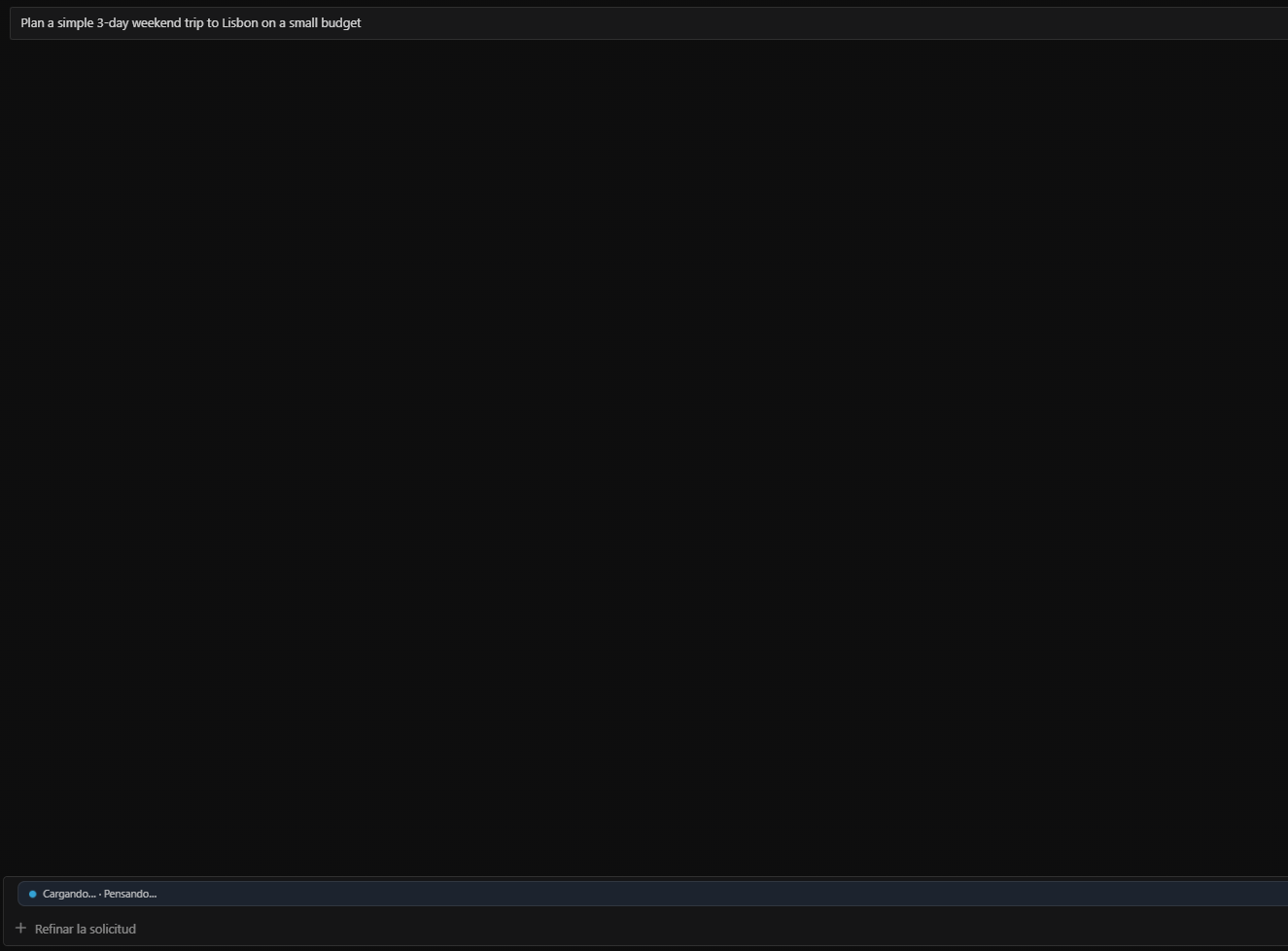
Bot Chat Agent gives them a friendlier Hermes Bot Chat: you ask, you see a quiet "Working…" bar,
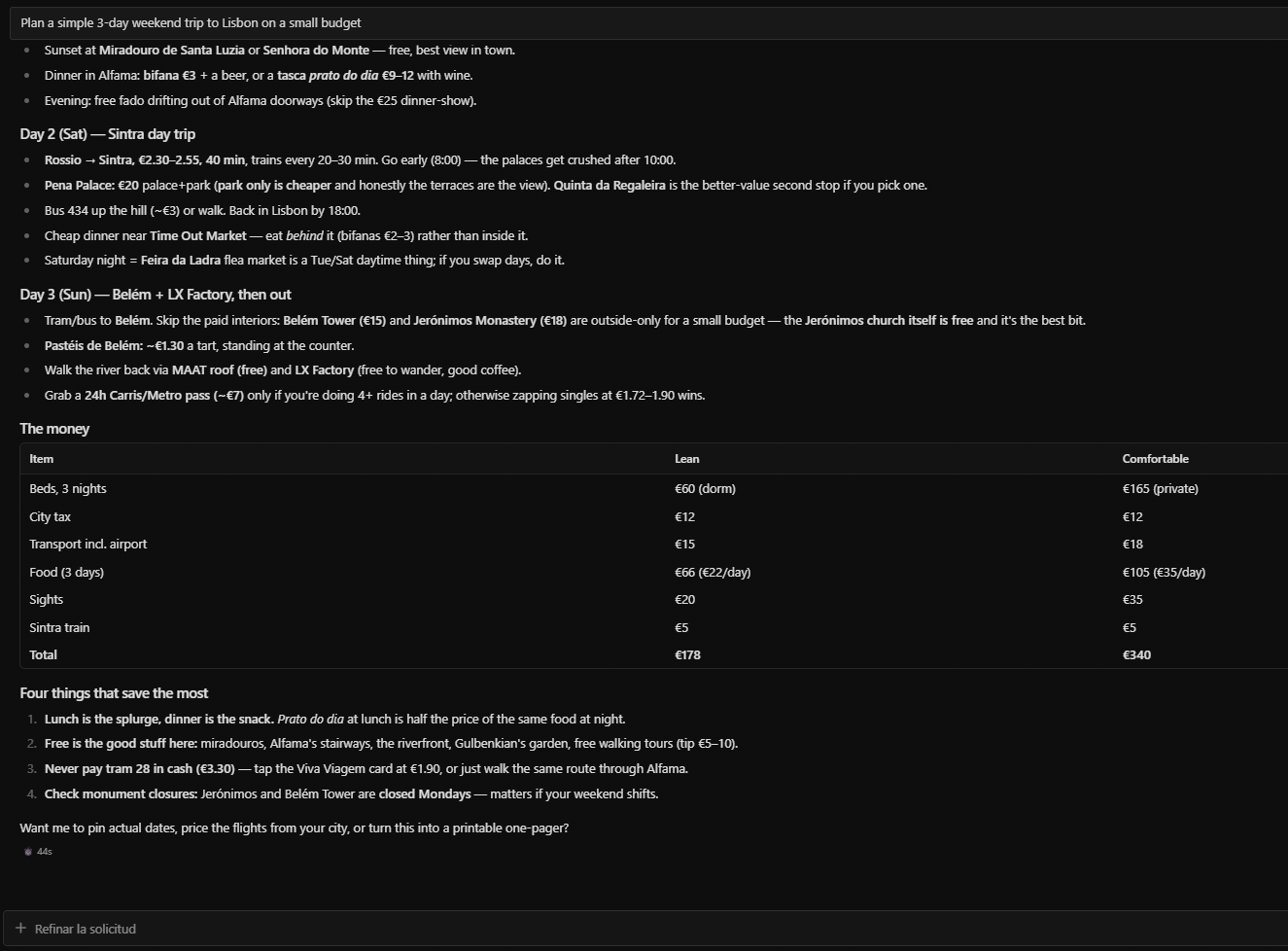
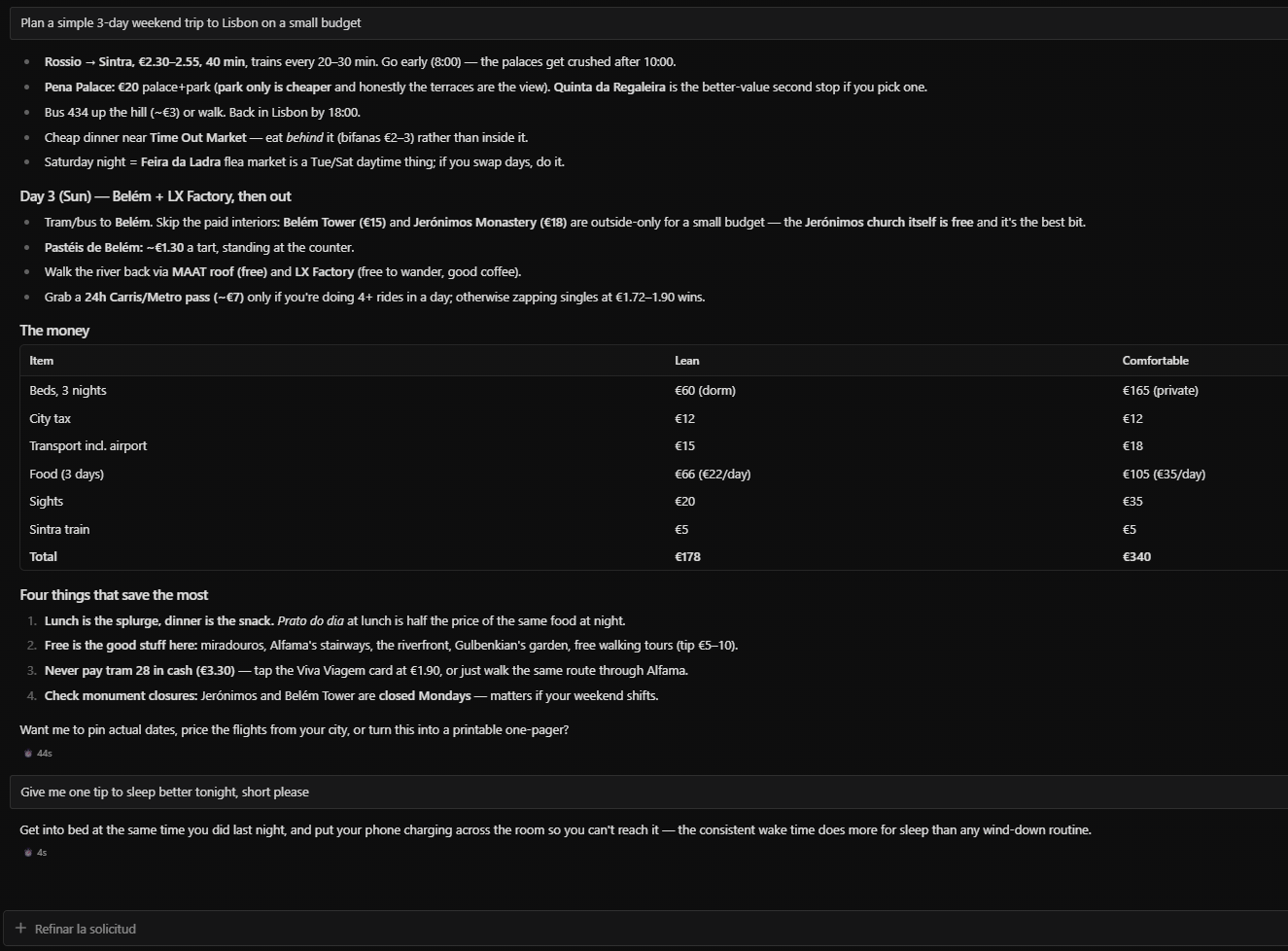
and you get a short, direct answer. Less on screen, fewer questions, the same Hermes underneath.
If you want every detail, open a normal session: it stays exactly as it was.
Screenshots
| Working | Answer | Short and direct |
|---|---|---|
|  |
 |
 |
(Captured on a clean demo profile; the Desktop UI was in Spanish, so the bar reads "Cargando… · Pensando…".)
What it does
| Layer | What changes |
|---|---|
| Style (pre_llm_call) | A short "act, don't narrate" contract: brief acknowledgement, do the work, short result. At most one question per turn. |
| Safety guard (pre_tool_call) | Blocks risky tool calls (secrets, deletes, destructive git, pushes to protected branches, outbound messages, expensive models) and asks you first. Covers both the Bot Chat session and its delegate_task / subagent child sessions. It never approves anything. |
| Desktop | A quiet status bar above the composer with clear phases (Working… · <step>, Waiting for your OK, Error: <short summary>), and reasoning collapsed by default while a Bot Chat is focused. Tool and approval cards are untouched. |
Only sessions titled "Bot Chat" (the title Hermes Bot Mode uses) and their compaction children get the reply style.
The safety guard also protects delegate_task / subagent child sessions spawned from a Bot Chat (inheriting parent Bot Chat protection), while normal sessions, subagents of normal sessions, and kanban sessions behave exactly as before.
Install
Requires Hermes >= 0.22.5.
hermes plugins install Tormen28/hermes-bot-chat-agent
hermes plugins enable bot-chat-agent
Desktop: Capabilities → Plugins → Bot Chat Agent → enable. Restart the Desktop app if it does not appear.
Then open Bots, pick a bot and chat.
Disable / uninstall
hermes plugins disable bot-chat-agent
hermes plugins remove bot-chat-agent
Or switch it off in Capabilities → Plugins. Disabling restores your previous "collapse reasoning" setting.
Configuration
In config.yaml (all optional; defaults shown):
plugins:
  entries:
    bot-chat-agent:
      settings:
        bot_chat_title: "Bot Chat"
        language: en            # en | es
        style: true
        scope: bot_chat         # bot_chat | all  (where the guard runs)
        preset: default         # strict | default | relaxed
        guard:
          secrets: true
          deletes: true
          destructive_git: true
          protected_push: true
          external_sends: true
          expensive_models: true
          one_question_per_turn: true
        protected_branches: [main, master]
        expensive_model_patterns: ['\bpro\b', 'opus', '\bultra\b', '-max\b']
        external_send_tools: [send_message, react_to_message]
Any mcp_* tool whose name contains send/post/reply/publish/tweet/email is also treated as an outbound send.
Guard presets
Presets only package the existing YAML rule groups (no free-form regex allowlists; defaults stay safe):
| Preset | Enabled rule groups |
|---|---|
| strict | All 7 rules on: secrets, deletes, destructive_git, protected_push, external_sends, expensive_models, one_question_per_turn |
| default | All 7 rules on (same safe baseline as strict) |
| relaxed | Keeps critical guardrails (secrets, destructive_git, protected_push) on; turns off deletes, external_sends, expensive_models, one_question_per_turn |
You can set preset: relaxed (or guard: relaxed) and still override individual boolean rules inside guard:.
Guard rules
| Rule | Blocks (examples) |
|---|---|
| secrets | reading .env, auth.json, SSH keys, *.pem; printenv |
| deletes | rm, Remove-Item, del, DROP TABLE, DELETE FROM, shutil.rmtree |
| destructive_git | push --force, reset --hard, clean -f, branch -D, rebase |
| protected_push | git push … main, merges into protected branches, gh pr merge |
| external_sends | send_message, react_to_message, outbound MCP tools |
| expensive_models | delegate_task with a model matching the patterns |
| one_question_per_turn | a second clarify in the same turn |
The guard is a safety net based on patterns, not a sandbox. Keep Hermes's own approval settings on.
Disclosures
- Reads
<HERMES_HOME>/state.dbread-only (sessions table: id, title, parent, source) to find Bot Chat sessions. Never writes it. - Never reads
.env,auth.jsonor any credential store. No network calls. No telemetry. - Desktop: changes the
reasoning.collapsedByDefaultsetting while a Bot Chat is focused and restores the previous value when you leave it or disable the plugin. If the app crashes inside a Bot Chat, the setting may stay on; toggle it in Settings.
Known limitation
The public Desktop SDK can collapse reasoning but cannot hide tool cards per session. Full "answer-only" display
needs a new Desktop SDK hook (proposed upstream). Until then tool cards still show in Bot Chat.
Development
python -m pytest tests -q
hermes plugins validate . --install-deps
License
MIT. See LICENSE.
Español
Un Bot Chat de Hermes más tranquilo y simple, para quien solo quiere respuestas.
Por qué existe
Hermes es muy potente, y esa potencia se ve en pantalla: bloques de razonamiento, tarjetas de herramientas,
diffs, logs, preguntas de seguimiento. Para un desarrollador eso está genial. Para mucha gente (estudiantes,
emprendedores, familia, cualquiera que no sea técnico) puede ser abrumador.
Bot Chat Agent les da un Bot Chat de Hermes más amable: preguntas, ves una barra discreta de
"Cargando…" y recibes una respuesta corta y directa. Menos cosas en pantalla, menos preguntas, el mismo
Hermes por debajo. Si quieres ver todo el detalle, abre una sesión normal: queda exactamente igual.
Capturas
| Cargando | Respuesta | Corto y directo |
|---|---|---|
| | | |
Qué hace
| Capa | Qué cambia |
|---|---|
| Estilo (pre_llm_call) | Un contrato corto de "actúa, no narres": acuse breve, hace el trabajo, resultado corto. Máximo una pregunta por turno. |
| Guardia de seguridad (pre_tool_call) | Bloquea acciones riesgosas (secretos, borrados, git destructivo, push a ramas protegidas, mensajes salientes, modelos caros) y te pregunta primero. Cubre tanto el Bot Chat como sus subagentes hijos (delegate_task). Nunca aprueba nada por ti. |
| Desktop | Una barra de estado discreta sobre el cuadro de texto con fases claras (Cargando… · <paso>, Esperando tu OK, Error: <resumen corto>) y el razonamiento colapsado por defecto mientras estás en un Bot Chat. Las tarjetas de herramientas y de aprobación no se ocultan ni se tocan. |
Solo las sesiones llamadas "Bot Chat" (el título que usa el Modo Bot de Hermes) y sus hijas de compactación reciben el estilo de respuesta.
La guardia de seguridad también protege las sesiones hijas delegate_task / subagentes lanzadas desde un Bot Chat (heredan la protección del Bot Chat padre), mientras que las sesiones normales, los subagentes de sesiones normales y kanban siguen igual.
Puedes elegir un preset de guardia (preset: strict | default | relaxed) que agrupa únicamente las reglas YAML existentes (secrets, deletes, destructive_git, protected_push, external_sends, expensive_models, one_question_per_turn).
Instalar
Requiere Hermes >= 0.22.5.
hermes plugins install Tormen28/hermes-bot-chat-agent
hermes plugins enable bot-chat-agent
Desktop: Capacidades → Plugins → Bot Chat Agent → activar. Reinicia la app si no aparece.
Luego abre Bots, elige un bot y chatea.
Desactivar / desinstalar
hermes plugins disable bot-chat-agent
hermes plugins remove bot-chat-agent
O apágalo en Capacidades → Plugins. Al desactivarlo se restaura tu ajuste anterior de "colapsar razonamiento".
Configuración y privacidad
La configuración (language: es para respuestas en español), las reglas de la guardia y las divulgaciones
están detalladas arriba en inglés. En resumen: lee state.db solo en modo lectura para encontrar los Bot Chat,
nunca lee .env, auth.json ni credenciales, no hace llamadas de red y no envía telemetría.
Limitación conocida: el SDK público de Desktop puede colapsar el razonamiento pero aún no puede ocultar las
tarjetas de herramientas por sesión, así que esas tarjetas siguen visibles en Bot Chat.
Licencia
MIT. Ver LICENSE.
README from the reviewed commit 2bc1ba3; it updates when the author re-pins.