GitHub profile
Plugins by c-pompa
3 plugins by c-pompa in the catalog, most-starred first.
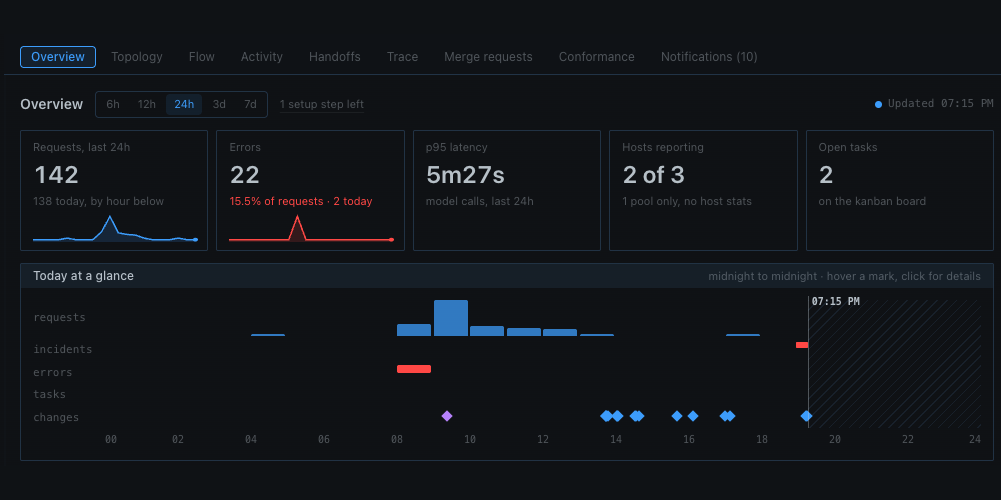
c-pompaoperationsA Hermes Desktop page for running a fleet - topology, model traffic, handoffs, traces, merge requests and conformance checks in one place. Disclosure — reads hermes-metrics-dash's <hermes root>/metrics/metrics.db, the kanban board, every profile's config.yaml (plugin enable state, rolectl-mcp entries, default model) and plugin-data/gitlab-mr/device-aliases.json, all read-only; calls your GitLab (host and token from the plugin settings or GITLAB_HOST/GITLAB_TOKEN), the local model router (MODEL_ROUTER_URL, default 127.0.0.1:8867) and LM Studio (LMSTUDIO_URL, default 127.0.0.1:1234); runs git status/rev-parse/ls-files in the project folders it checks and shows matching lines (including any keys found) on the page. Page buttons create, assign, schedule, unblock and close kanban cards and start their workers at once, write <hermes root>/conformance/conformance.yaml, and "Propose a rule" pushes a branch and opens a merge request on the standard's GitLab project. A hook on every kanban dispatcher tick starts cards scheduled from the page; with alert_target set it posts new attention items through hermes send; with drift_action: automatic it files and starts a fix card for drift_profile for each drifting host with a verified report (at most daily) carrying the standard's remediate commands. With Activity summaries on (off by default), Activity sentences and each "Explain this session" click send log lines and trace details to the model set for the operations_summary auxiliary task. From the setup checklist's Connect GitLab step it can also adopt this profile's own login - its environment read through Hermes' secret scope, or the host the gitlab-mr plugin names - or take a host and token typed on the page; the host goes through the plugin-settings writer and the token through Hermes' .env credential route as OPERATIONS_GITLAB_TOKEN, and the token is never sent back to the page. No other credential store is read: a login that exists only in another profile's .env or in the glab CLI's config is typed in instead. Since 0.3.5 the plugin keeps its own metrics store: it tails <hermes root>/metrics/requests.jsonl and moa-refs.jsonl, guardrail lines in logs/agent.log, logs/model-router-requests.jsonl and clientgate/clientgate-usage.jsonl (all read-only, offset-tracked) plus its own host probes (CPU and memory via sysctl/vm_stat or PowerShell, LM Studio's lms ps, and every five minutes the local conformance.yaml's install-stamp, launchd/scheduled-task, loopback-port and key-name checks), and reads session titles and costs from <hermes root>/state.db and every profile's gateway_state.json (read-only), into <hermes root>/metrics/operations.db, which this plugin alone writes and prunes to the metrics_retention_days setting (30/60/90 days or forever, chosen on the page and written through Hermes' plugin-settings writer); hermes-metrics-dash's metrics.db is then only a read-only fallback until the own store holds data. It probes the local metrics dashboard's /api/about (METRICS_DASH_URL, default 127.0.0.1:8899, cached five minutes) to link to it rather than duplicate it, and every Hermes process that loads the plugin starts a daemon timer: when no kanban dispatcher tick has arrived for two minutes it runs the same sweep itself every 30 seconds (collection, alerts and, with drift_action: automatic, the fix cards), and the page says so; OPERATIONS_HEARTBEAT_TIMER=0 turns that timer off. Since 0.3.4 a failed model call is classified with the host app's own error classifier and shown with its cause and remedy commands; no new outbound call is made for that.CommunityDesktop app1c-pompas2docsSource 2 documentation and mod tooling for CS2 and Deadlock from a local index of Valve's own game data: convars, Hammer entities with their inputs and outputs, schema classes and enums, game events, the cs_script and Pulse APIs and Source2Wiki pages, plus the mod pipeline — scaffold addons, validate scripts and .cfg files, start map builds on a registered Windows host over SSH, deploy and verify hashes, and record evidence, test runs and job state. Needs uv and an index built with s2docs sync; every write-capable call asks for approval. Disclosure — runs its MCP server with uvx from the pinned git commit, resolving its PyPI dependencies on first start as of a fixed 2026-10-10 snapshot; nothing is sent to a third party, but SSH/scp go to any host registered through register_host, build_start runs agent-written shell commands on that host and its builds keep running after the session ends, deploy_push and job_attach copy local files the agent names, and it writes its own index and addon workspace; write tools ask for approval through the package's untrusted server trust.Communitytoolsc-pompawowChat with a Hermes agent from inside World of Warcraft: Forever. The plugin registers a kind: platform gateway adapter that serves a local HTTP endpoint (/v1/wow/message, /v1/wow/outbox, /v1/wow/health) authenticated with a bearer token; one character (Name-Realm) is one Hermes DM session. A companion bridge runs on a Windows 11 PC next to the game client: it captures a 1600x400 pixel strip from the game window with the Windows Graphics Capture API (mss/GDI fallback), decodes chat, POSTs lines to the adapter and long-polls the outbox. It also writes reply/state files into the WoW AddOns tree and reads SavedVariables for reload mode, and plays silent doorbell WAVs. The adapter binds 127.0.0.1 by default and can be bound to a LAN address explicitly; the bridge then makes outbound HTTP requests to that configured Hermes host. Adds five WoW-only tools (wow_addon_search, wow_addon_guide, wow_addon_install, wow_addon_uninstall, wow_quest_help), three per-character toolsets selected with /mode (standard, wow, full; full needs an in-game confirmation and expires after 60 minutes), and a bundled wow-player-guide skill. Disclosure - the plugin opens a local HTTP listener guarded by a shared bearer secret (WOW_BRIDGE_TOKEN, auto-generated in memory when unset, so the bridge cannot pair until it is set); it makes CurseForge API calls (api.curseforge.com) with the player's own CurseForge Core API key, stored as a profile-scoped Hermes secret (WOW_CURSEFORGE_API_KEY in the selected profile) with no plugin-managed credential file; addon installs and uninstalls are queued to the bridge, which writes or moves files under the WoW AddOns directory only after the player confirms in game and keeps a removal backup instead of deleting permanently; a desktop setup page creates or updates a dedicated Hermes profile (wow), writes its .env, config.yaml, SOUL.md and a profile skill, and can hot-serve that profile through a running gateway multiplexer. The bridge is a separate long-running background process (screen pixels plus files only); the plugin does not read the game process or its memory, does not inject input, and does not automate gameplay. Chat text and tool results are sent to the model provider configured for the WoW Hermes profile (cloud or local), with that provider's data-handling terms and the usual token cost. Requires Hermes >=0.22.7, Windows 11 for the bridge, WoW: Forever (Interface 16001), and uv/Python downloaded for the bridge; a CurseForge key is needed only for one-click addon installs (without one the addon tools return a guided CurseForge link). Disclosure — the plugin opens a local HTTP listener (127.0.0.1 by default, plain HTTP if bound to a LAN address) guarded only by a shared bearer token (WOW_BRIDGE_TOKEN); whoever holds that token can chat as any character and, after the in-game /mode full confirm step, use terminal, file and code tools on the Hermes host for 60 minutes. It calls the CurseForge API (api.curseforge.com) with the player's own CurseForge key, stored as a Hermes secret in the selected profile. The Desktop setup page creates or updates a dedicated Hermes profile: it copies this plugin into that profile, writes the profile's .env, config.yaml (including turning off tool deferral for that profile), SOUL.md and a profile skill, and can hot-serve it through a running gateway. A separate long-running Windows bridge reads a strip of the game window's pixels, writes reply and state files and installs or backs up addons under the WoW AddOns folder only after an in-game confirmation, opens links the agent sends in the default browser, and downloads a checksum-pinned uv release and Python on setup; it never reads game memory, injects input or automates play. Chat text and tool results go to the model provider configured for the WoW profile.Communityplatform