GitHub profile
Plugins by WestWaters
2 plugins by WestWaters in the catalog, most-starred first.
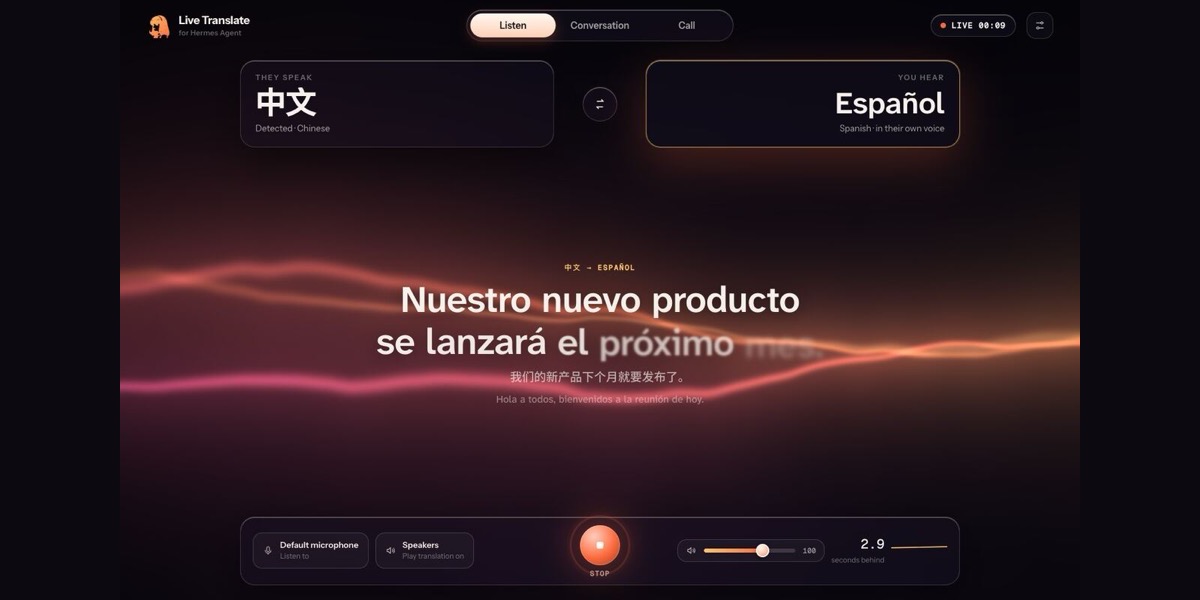
WestWaterschorepilotYour house and family chore board as Hermes tools, through ChorePilot's own MCP server on this machine, the LAN or Tailscale. Runs appliances (lights, climate, dishwasher/washer/dryer, sprinklers, vacuum and more via Home Assistant, Home Connect, MQTT or a simulator) and keeps a rotating chore board that devices verify. ChorePilot's policy decides every call: water/heat actions wait for the person's own yes in Telegram or the ChorePilot dashboard, kids' requests go to a parent's approval queue, and unlocking, opening the garage and disarming are never available to an agent. Bundles the chorepilot:household skill. Disclosure — each tool call sends HTTP requests with the bearer token in CHOREPILOT_TOKEN to the user's own ChorePilot server at CHOREPILOT_URL, and the plugin also lists that server's tools once at every Hermes start (plain http only to loopback, private, Tailscale or .local/.lan/.ts.net addresses); chorepilot_call runs any device or chore tool the token's person may use (lights, climate, vacuum, locking and more) without a Hermes approval prompt, with ChorePilot's own policy deciding, so water/heat actions wait up to two minutes for that person's yes in Telegram or the ChorePilot dashboard, kids' requests go to a parent, and unlocking, opening the garage and disarming are never available; no other network calls, no files read outside the plugin, no background processes, no telemetry, stdlib only.Communitytools5WestWaterslive-translateReal-time speech-to-speech translation on your own computer: anyone speaks in any language and you hear them in yours, in their own voice, about 2-3 seconds behind. Hears ~100 languages (Qwen3-ASR + Whisper), translates between 201 (Qwen3.5-4B, a local server, a subscription, or the model Hermes already uses through ctx.llm), and speaks with the speaker's cloned voice in 23 languages and natural voices in 600+. One-way, two-way conversations and meetings/streams through a virtual audio device (Zoom, Meet, Teams, Discord, OBS, with OBS closed captions viewers can switch on); echo cancellation, background voices ignored, several speakers each with their own language and voice. Tools translate_start/stop/status/languages, /translate, hermes translate setup|start|file|serve|languages|devices, and an agent skill; optional desktop tray app (separate download). Disclosure — while translating it listens to the microphone or audio input you choose and plays to the output you choose; it never starts from a chat app or a scheduled job unless you enable allow_remote_start. Voice cloning uses a 5-second sample of each speaker on this computer, except with ElevenLabs voices, which upload each speaker's sample to ElevenLabs to create a cloned voice in your account that is deleted when the speaker changes or translation stops; temporary local copies are deleted when the session stops. Each session's captions are saved to plugin-data/live-translate/sessions/*.jsonl. hermes translate setup builds a separate Python environment with uv (plus three voice-model environments on Windows/Linux) under plugin-data/live-translate, installs packages from PyPI, PyTorch's index (Windows/Linux) and llama.cpp's prebuilt-wheel index (abetlen.github.io), installs uv from PyPI into the plugin's data folder if it is missing, and downloads 6-9 GB of model weights pinned to exact commits from their official Hugging Face repos into the standard Hugging Face cache. While translating it runs the engine and voice-worker processes (stopped on Stop or when the session that started them ends) and a local server on 127.0.0.1:7865 only, protected by a token kept in an owner-only file under plugin-data/live-translate, a Host check and an Origin check. No network while translating with built-in or local models; a cloud model or voice you choose receives the session's text or audio with your key, read only through Hermes's secret store. No telemetry. Licences: Apache-2.0/MIT models by default; OmniVoice (best preset) is CC-BY-NC-4.0; on CPU-only machines Kokoro uses espeak-ng (GPL-3.0).Communityvoice