All plugins

chat-length

Tells the user when a chat is getting too long and hands them a short opener for a fresh chat; the new chat pulls the earlier context itself via session_search, no handover document. Fill level from real provider token counts, measured against Hermes' compaction point by default; notices at 70 % and 90 % (configurable), once each per chat, re-armed after compaction, never in cron, subagent, kanban, batch or webhook runs. Notice in the conversation language, English or German. Disclosure — on the turn that crosses a threshold, pre_llm_call adds a one-turn instruction to that turn's user message (never the system prompt; replayed byte-identical, so prompt caching stays intact); post_api_request stores per-session token counts, model and provider name and which notice fired (no message content) under HERMES_HOME/plugin-data/chat-length/, pruned after 30 days; reads the session title read-only from state.db and the compression settings read-only from config.yaml; no network calls, no tools, no dependencies.

MadeByBrain1Toolsv1.1.0Updated 15 days ago

About

Tells the user when a chat is getting too long and hands them a short opener for a fresh chat; the new chat pulls the earlier context itself via session_search, no handover document. Fill level from real provider token counts, measured against Hermes' compaction point by default; notices at 70 % and 90 % (configurable), once each per chat, re-armed after compaction, never in cron, subagent, kanban, batch or webhook runs. Notice in the conversation language, English or German. Disclosure — on the turn that crosses a threshold, pre_llm_call adds a one-turn instruction to that turn's user message (never the system prompt; replayed byte-identical, so prompt caching stays intact); post_api_request stores per-session token counts, model and provider name and which notice fired (no message content) under HERMES_HOME/plugin-data/chat-length/, pruned after 30 days; reads the session title read-only from state.db and the compression settings read-only from config.yaml; no network calls, no tools, no dependencies.

chat-length

chat-length: know when to start a fresh chat

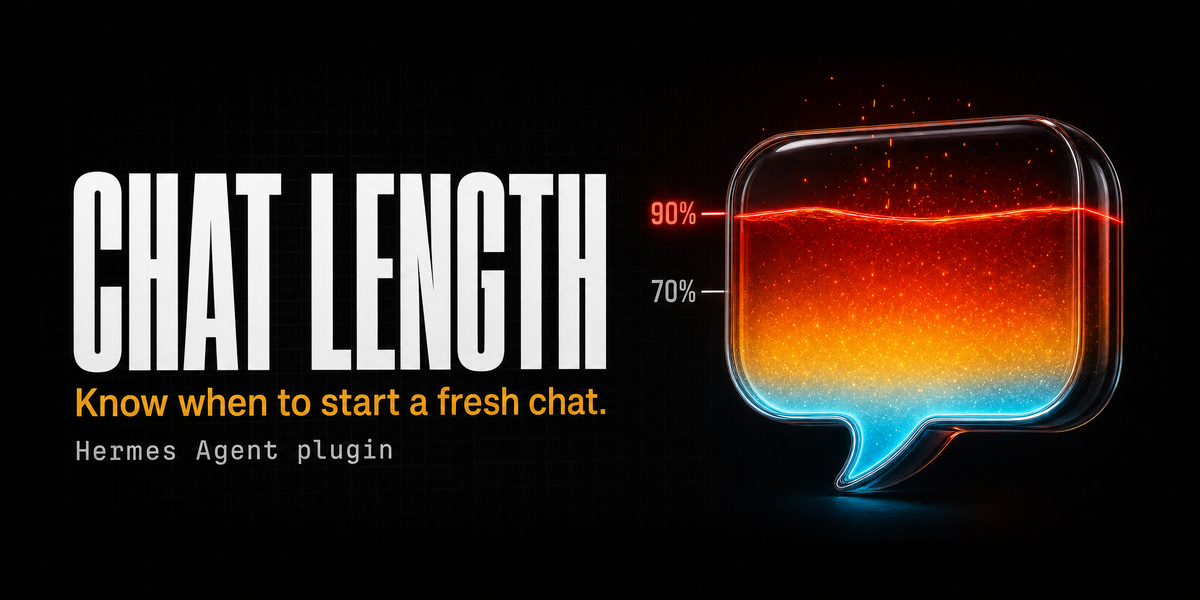
A Hermes Agent plugin that tells you when a chat is getting too long, and hands you a short opener for a fresh chat. In the new chat, Hermes pulls the earlier context itself with its built-in session_search tool.

No handover protocol, no auto-opening of chats, no changes to the system prompt.

What the notice looks like

Heads-up: this chat is getting long (about 72 % of the way to automatic compaction). Replies get slower and less precise from here on. Best to open a new chat and paste this opener:

Continue our chat "Summer party in Cologne" (session 20261015_141559_2a617f). First retrieve the history yourself with session_search (session_id 20261015_141559_2a617f).
Status:
* Beach theme chosen
* Decoration, tech and catering budget roughly planned
Open: venue, bad-weather plan.

At the second threshold (default 90 %) an urgent version appears. Each level shows up exactly once per chat. When Hermes compacts the chat and the fill level drops clearly, both levels re-arm.

Why

Long chats get slow, expensive and fuzzy, and automatic compaction throws details away. Handover documents are a weak fix: they are long, they go stale, and nobody reads them. Hermes already keeps every session searchable, so all a new chat needs is a pointer. This plugin produces exactly that pointer, at the right moment.

How it works

| When | Hook | What happens |
|---|---|---|
| After every model call | post_api_request | Stores the real provider numbers (prompt tokens including cache, output tokens) and the active model's context length. |
| Before the next turn | pre_llm_call | Fill level = last measurement + last reply + new message. When a threshold is crossed for the first time, the model is told, for this one turn only, to append the notice below its normal answer. |

Provider numbers, not guesses. The plugin uses what the provider actually billed. Without a measurement (the first turn of a chat, or the first turn after a restart) it simply waits one turn; the measurement from that turn is used from the next turn on.

Prompt caching stays intact. The instruction travels through the regular hook channel into the current turn's user message, never into the system prompt. Hermes stores exactly the bytes it sent and replays them unchanged in later turns. Verified with request dumps: in the following turn every earlier message, including the one that carried the instruction, was byte-identical, and the system prompt never changed.

Runs server-side, so it works wherever Hermes answers: CLI, WebUI, Hermes Desktop, Telegram and the other gateways. Background jobs (cron, subagents, Kanban, batch, webhooks) never get a notice.

Measured against compaction, not the full window

Hermes compacts long chats automatically (compression.threshold, default 50 % of the context window, at least 75 % for windows below 512K). With the default setting, a notice at 70 % of the full window would never fire, because Hermes compacts first. So by default the plugin measures against the compaction point: 70 % means "70 % of the way to compaction". Set basis: window to measure against the full context window instead. If compaction is disabled, the full window is used automatically.

Installation

hermes plugins install MadeByBrain/hermes-chat-length --enable
hermes gateway restart        # or restart your WebUI / Desktop backend

Pin an exact version (--ref only accepts the full 40-character commit SHA, not a tag; the SHA for each release is listed under Releases):

hermes plugins install MadeByBrain/hermes-chat-length --ref <commit-sha> --enable

Check:

hermes plugins list | grep chat-length

Settings

In config.yaml, or in Hermes Desktop under Settings, Plugins, chat-length:

plugins:
  entries:
    chat-length:
      settings:
        threshold_1: 0.70        # first notice
        threshold_2: 0.90        # urgent notice
        basis: compaction        # or: window
        language: auto           # auto, en or de
        disabled_platforms: [cron, subagent, kanban, batch, webhook]

| Setting | Default | Meaning |
|---|---|---|
| threshold_1 | 0.70 | Fill level (0 to 1) for the first notice. |
| threshold_2 | 0.90 | Fill level for the urgent notice. |
| basis | compaction | compaction = relative to the point where Hermes compacts; window = relative to the full context window. |
| language | auto | auto = the model writes the notice in the language of the conversation (English template, translated). en / de = fixed, hand-written wording. |
| disabled_platforms | background jobs | Platforms that never get a notice. |

Tip for very large windows (1M tokens): compaction at 50 % sits at 500K tokens, so a first notice at 70 % comes only after roughly 350K tokens. Lower thresholds such as 0.50 and 0.80 give earlier nudges.

Recommended addition to SOUL.md

So that a new chat also works without the opener, when someone simply writes "as we discussed":

Earlier conversations: when the user refers to an earlier conversation with you ("as discussed", "in our last chat", "where did we leave off") or names a session id, search for it with session_search first (by session_id if one is given, otherwise by keywords with sort newest). Only then fall back to other sources. If you find nothing, say so openly and ask.

Tests

cd /path/to/hermes-agent
HERMES_HOME=$(mktemp -d) venv/bin/python /path/to/hermes-chat-length/tests/test_chat_length.py
hermes plugins validate /path/to/hermes-chat-length

22 offline checks without any model call (levels, one-time firing, re-arming after compaction, background jobs, long pastes, languages, error cases). Run with the Hermes interpreter so the real Hermes compaction helpers are exercised too.

Data and disclosure

Network: none. Hermes core: public hooks plus read-only config access, no private imports, no core patches.

One small entry per chat in <HERMES_HOME>/plugin-data/chat-length/sessions.json (token counts, model, which level has fired). No message content. Entries older than 30 days are removed on the next write. The chat title is read read-only from state.db.

Requirements

Hermes Agent v0.21.5 or newer (tested on v0.21.6 and v0.22.2). Python standard library only.

About

Built by MadeByBrain for production Hermes deployments in the German-speaking market. Issues and pull requests welcome.

License

MIT, see LICENSE.

README from the reviewed commit 1759b26; it updates when the author re-pins.

More by MadeByBrain

4 plugins by MadeByBrain in the catalog.

MadeByBrainde-lawGerman federal law, EU law and German federal court decisions for Hermes Agent: read one section or article (§ 203 StGB, Art. 6 DSGVO, Art. 50 AI Act) in the source wording with version status (Stand), gazette reference and a ready source line, search the index of federal laws, list a law's sections, and find and read published decisions of BVerfG, BGH, BVerwG, BFH, BAG, BSG and BPatG. Legal texts, not legal advice. Disclosure: sends HTTPS GET requests only to www.gesetze-im-internet.de (law folder names, the daily index, weekly abbreviation lists), www.rechtsprechung-im-internet.de (the daily index, document ids of decisions you read) and publications.europa.eu (CELEX numbers, text language, one SPARQL query per act listing its consolidated versions); section numbers and search words are not sent, because whole laws are downloaded and searched locally. Public sources, no key. Writes public legal texts and indexes (JSON with ETag, Last-Modified and fetch time; no questions, no session data) under HERMES_HOME/plugin-data/de-law/cache, capped by the cache_max_mb setting (default 200 MB). Reads only its own plugin settings. At most one request per second per host, 25 s timeout, 40 MB response cap. rechtsprechung-im-internet.de sends a tdm-reservation header; the plugin fetches its index and single decisions on request only, and case_law: false turns that source off. No hooks, no cron jobs, no background processes. Tools stay on every platform, including gateways (a guest can call them; hermes tools disables one). While the plugin is enabled, its skill adds one line to the skills index of every session.Communitytools1MadeByBrainprivacy-xrayWhere does your data actually go? Records every outgoing model request, the main loop and side tasks such as title generation, compression and vision, as metadata only: destination host, vendor, vendor HQ country, the model vendor behind aggregators such as OpenRouter (read from the model id; the final processing vendor behind an aggregator is not visible), size and counts of detected personal data types (e-mail, IBAN, payment card, phone, IPv4, German Steuer-ID and USt-IdNr, own watch terms). /xray canary invents a fictitious person and /xray trace shows every request and local store that carried it. /xray check audits the config with a severity and the exact hermes config set fix per path; /xray fix <id> --yes applies one; a session retention hint is advice only and is never applied. /xray fix --yes and /xray find run only on local surfaces (CLI, TUI, desktop, dashboard) unless allow_sensitive_on_gateways is turned on. /xray find searches the local stores for a person, /xray report writes a self-contained HTML leak map (no scripts, no external assets) with a before and after view of two canaries; a dashboard tab shows the same page in a sandboxed frame. Not legal advice and not a compliance certificate. Disclosure: no network calls, no model calls, standard library only. pre_api_request and pre_auxiliary_call are observers; they write one metadata line per request (time, session and turn id, task, provider, model, host, vendor, counts, canary id and message fields; never message text or matched values) to HERMES_HOME/plugin-data/privacy-xray/ledger.jsonl (rotated once at ledger_max_mb, default 5 MB). The llm_request middleware is off by default (guard: false); when turned on it masks canary values and watch terms in main model requests before they are sent. Reads the merged Hermes config through load_config_readonly. /xray trace, /xray find and /xray check read outside the plugin's own data, read-only and under a time budget (scan_seconds, default 30): state.db (messages, session titles, stored system prompts, delivery queue), session files including request dumps, memories, logs, cron output, other plugins' plugin-data, paste and pending folders; output shows counts and masked snippets only. Writes config only on /xray fix <id> --yes, through hermes_cli.config.set_config_value (same code as hermes config set); never deletes files. Stores fake canary persons, last check and trace results and requested HTML or Markdown/JSON reports under its plugin-data folder. Registers the tool privacy_xray (map, check, trace, find; read-only, never changes settings), the slash command /xray and a skill that adds one line to the skills index of every session while the plugin is enabled. No credentials, no shell commands, no cron jobs, no background processes, no telemetry.CommunitytoolsMadeByBrainwriting-guardStyle check for every Hermes answer in German and English: finds em and en dashes outside code, links and quotes (optionally replaces them by rule: ranges and list bullets become hyphens, dashes between words a comma), reports stock AI phrases (German and English) and mixed or switched forms of address (du/Sie) in German. Reports by default with one line appended to the answer; rule based, no model calls. Disclosure — no network calls and no model calls. A transform_llm_output hook reads the final answer of each turn; in report mode it appends one report line when there is a finding, in fix mode it also replaces dashes, with footer: false it never changes the answer; the returned text is what Hermes stores and shows. Stores per chat session id only the last form of address (du or sie) and a timestamp in HERMES_HOME/plugin-data/writing-guard/sessions.json (30 days, at most 2000 sessions); the last report with matched phrases stays in process memory only. Reads only its own plugin settings. Off on cron, subagent, kanban, batch and webhook by default. Registers the tool writing_guard_check (checks a draft, returns JSON), the slash command /writing-guard (settings, last report, check a text) and a skill that adds one line to the skills index of every session while the plugin is enabled.Communitytools