 robbyczgw-cla
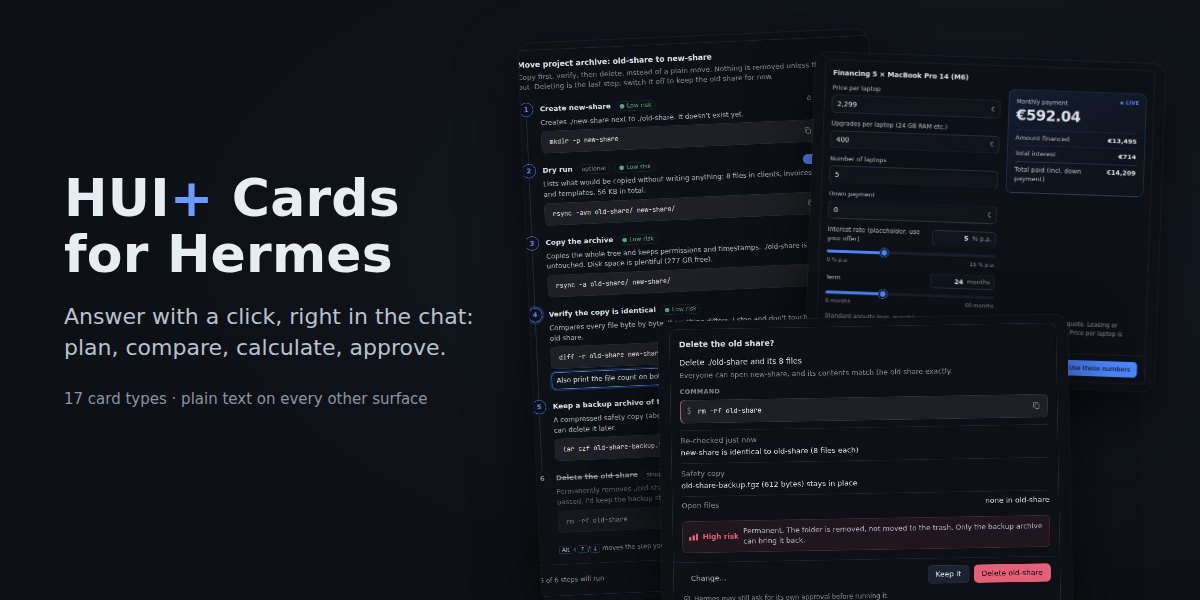
HUI+ Cards for Hermes
Hermes answers with cards you act on in its chat (edit a plan, compare options, tick off a list, fill in
a form, approve a risky step), and when you submit one, your answer goes back as your next message.
Install
Requires Hermes 0.22.6 or newer (the version that lets a plugin draw the files its own tool
produces).
-
Install and enable the plugin:
hermes plugins install robbyczgw-cla/hermes-ui-cards --enableOnce it is listed in the plugin catalog,
hermes plugins install hermes-ui-cards --enableworks
too. Or use the install link:hermes://plugin/install?repo=robbyczgw-cla/hermes-ui-cards&enable=1. -
Check that the Desktop half is on. Desktop plugins are opt-in: after a CLI install, open
Capabilities → Plugins in Hermes Desktop (or the Hermes Webapp), find HUI+ Cards and switch on
its Desktop half. (Installing through the link above or the Desktop's own install dialog turns
it on for you.) Without it, each card shows up as a small Markdown file attachment instead of a card.With a remote backend the Desktop half is not copied from the server: install it from Git in the
Desktop's plugin dialog with the Desktop target checked. -
Start a new chat. Try
Show me the hui_present demo for plan, or just ask for something that
needs a decision ("help me pack for Japan in January", "migrate the blog to the new server").
Cards
17 card types. Use the built-in clarify picker for a single plain question with a few simple options.
| Card | What you do | What Hermes gets |
|---|---|---|
| checklist | Tick items off; ticks are saved as you go | Done and open items |
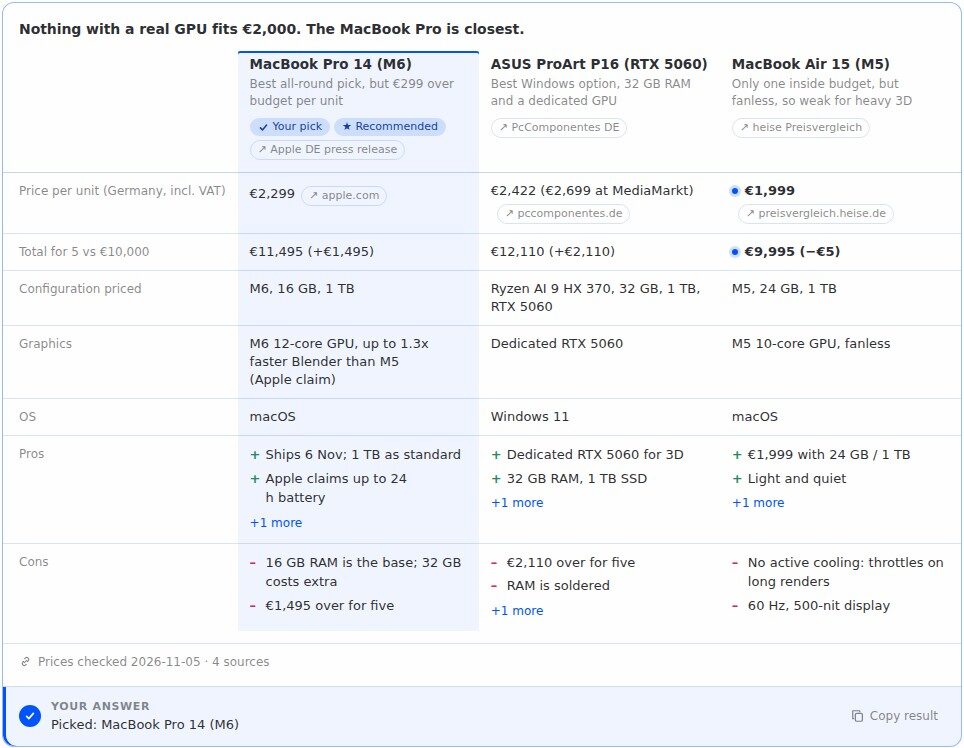
| compare | Read 2–4 options side by side, pick one | Your pick |
| form | Fill in fields with required ones and checks | The values |
| steps | Follow a walkthrough with Back and Next; say when you're done or stuck | Done, or where you got stuck and why |
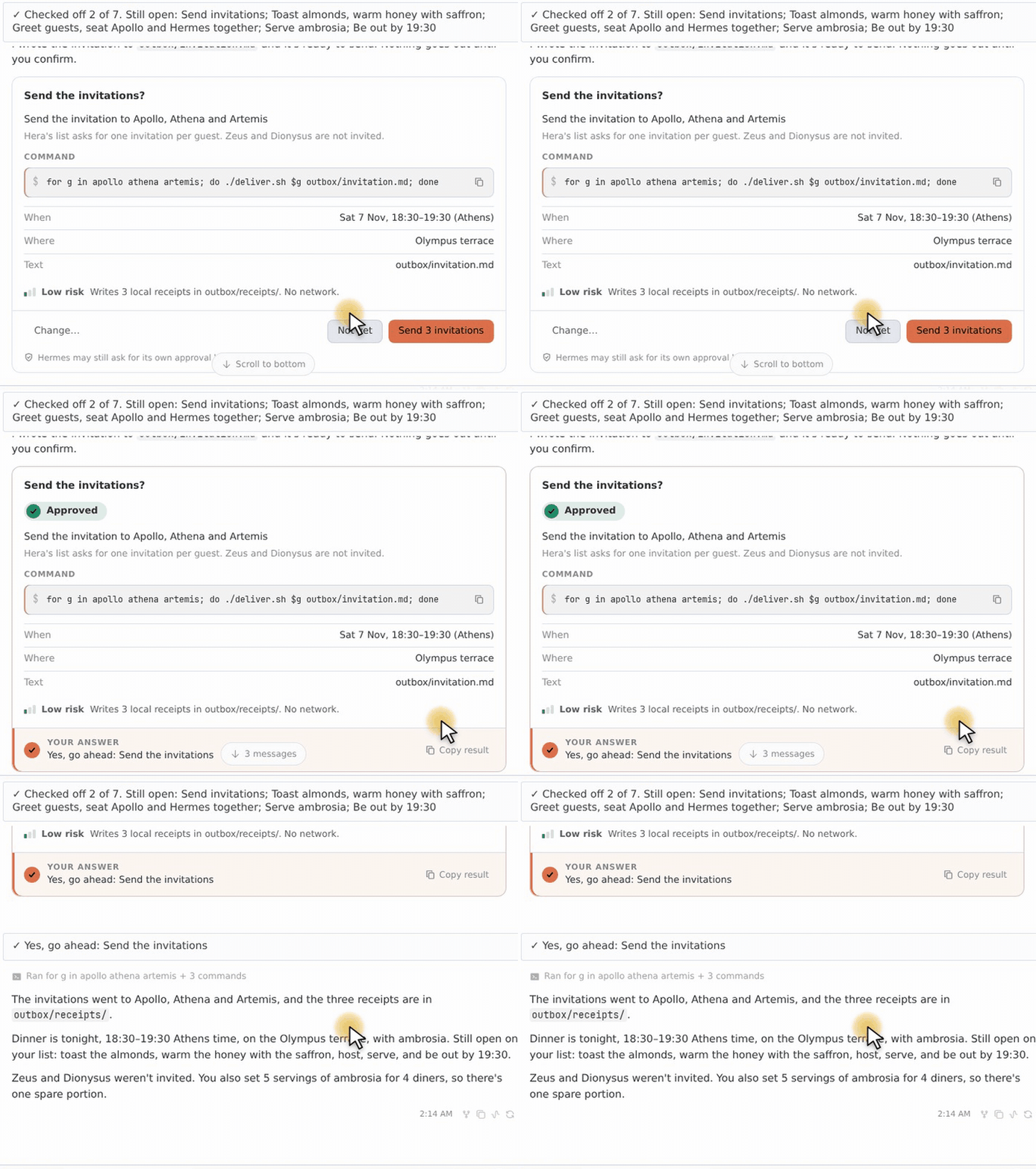
| confirm | Read one action with its reason, risk and exact command; Yes, No or Change | Your decision, or what to change |
| plan | Switch off optional steps, reorder, add a note per step, then Run | The steps to run, in your order, with notes |
| review | Keep or drop many drafts at once, comment on any | Which to keep, drop or leave open, plus comments |
| decision | Weigh criteria with sliders; the ranking updates live | Your weights and the ranking, or a pick |
| calc | Change inputs; results update live (loan, budget, split a bill) | Inputs and results |
| rank | Put items in order (drag or Alt+↑/↓) | The order |
| choice | Pick several options, or options with a picture or short text each | Your picks |
| schedule | Pick a time slot, or "none of these" | The slot |
| recipe | Scale servings, tick what you have | A shopping list for what's missing |
| flashcards | Flip cards, mark known or again | What you knew and what to practise |
| rating, slider, quiz | Rate, set one number, answer practice questions | The rating, the number, your score |
Most replies are still plain text.
The built-in example cards as the Hermes Webapp draws them (/cards demo <type> shows the text version).
Click a card for the full image.
Decide
| compare | decision | calc | rank |
|---|---|---|---|
|  |
 |
 |
 |
| choice | schedule | | |
|  |
 | | |
Do
| checklist | form | steps | confirm |
|---|---|---|---|
|  |
 |
 |
 |
| plan | review | recipe | |
|  |
 |
 | |
Learn & rate
| flashcards | rating | slider | quiz |
|---|---|---|---|
|  |
 |
 |
 |
Dark theme: plan · review · checklist · compare · confirm · form.
How it works
-
Hermes calls the
hui_presenttool with one card. The tool checks it against
one schema: a missing or broken field is rejected with an error that
names it, so the model can fix it; small slips (an unknown field,"true"fortrue) are accepted
with a warning. -
On Desktop the tool result carries the card, and the plugin's Desktop half draws it in the chat.
-
Submitting the card (Send, Done, Choose, Run, Apply, Yes/No) sends one message into the same chat,
as if you had typed it. Ticking, typing and navigating inside a card send nothing:✓ Picked: MacBook Pro 14 (M6) --- Attached Context --- [hui-card] {"card":"laptops-3f9a1c2b7e","type":"compare","selected":"c1","label":"MacBook Pro 14 (M6)"}Line 1 is for you, the
[hui-card]line is for the model. It follows Hermes' own attached-context
line, so the chat bubble shows the whole message while the reply is being written and collapses to
line 1 once the reply is done (and after reopening the chat). The full format is in
docs/protocol.md.
Details that make it dependable:
- Answered cards lock. An answered card shows a receipt and locks in that window. The plugin's
backend records answers too, so the Webapp, the Desktop app and a second computer on the same Hermes
lock the card once they have checked (its buttons wait for that first check). This is eventual, not
exactly-once: two clients that answer before either has synced can both send; the backend keeps the
first answer and tells the model about the second. - Undo before it counts. A pick on
compare, Run onplan, Apply onreviewand Yes on a medium-
or high-riskconfirmwait 4 seconds (Settings: 0, 4 or 8) and can be undone. The countdown ticks
down on screen; screen readers hear the starting value once. - A card is not an approval bypass. A Yes on a card is your message to the model. Hermes' own
approval settings still apply to whatever it then runs (with the default Smart approval mode, Hermes
may approve routine commands itself, so the card is often the only question you see). - Work in progress is kept. Checklist ticks, form input and drafts survive reopening the chat.
- Stale answers are flagged. If you answer a card after writing other messages, the model is told
to check that the answer still fits and to ask again before acting on a stale confirm (a warning to
the model, not an enforced lock). - The card is shown even if the model forgets. If the reply lacks the card's line, the plugin adds
it (for cards of that chat from the last 30 minutes). - Plugin tools are found. Hermes hides plugin tools behind its tool search by default; on Desktop
the plugin adds a one-line hint so the model knows cards exist. Hermes keeps it with that message,
so it is added again only when none of the last 20 messages carries its current text (so also after
the card types changed), and on the turn after Hermes compacts the chat (the compacting turn itself
may go without it).
Fallback and other surfaces
| Where | What you get |
|---|---|
| Hermes Desktop, Hermes Webapp | Interactive cards |
| CLI, TUI, Telegram, Discord, other messaging, web dashboard chat | A plain-text version with numbered options; you answer by typing |
| Hermes API server with the Hermes UI+ app | The app's own cards for the supported variants of 12 types (details); plan, review, compare, recipe and flashcards always as text. Answers use the app's reply format; the Desktop's undo and receipts don't carry over |
| Desktop with the Desktop half switched off | The text version as a Markdown attachment |
| Desktop with Interactive cards switched off | The text version, for cards created after the switch |
The text version of the checklist demo:
Before the release

Code
☐ 1. Bump the version
☐ 2. Update the changelog
☑ 3. Run the full test suite

Comms
☐ 4. Write the announcement
☐ 5. Tell support about the changes

Reply with the numbers you have done, e.g. 1, 4.
Settings
Settings → Plugins → hermes-ui-cards. Compact, accent colour and undo time apply to cards already on
screen; the other settings affect cards created afterwards.
| Setting | Default | Meaning |
|---|---|---|
| Interactive cards | on | Off: new cards in Desktop come as text too |
| Compact cards | off | Less padding, for narrow split views |
| Accent colour | app | Your theme's accent, or blue, green, orange, purple, red |
| Undo time (seconds) | 4 | 0, 4 or 8 seconds before a pick, Run, Apply or risky Yes is sent |
| Card types | all 17 | The types Hermes may use; disabled types are refused immediately; an empty list means all (the tool description follows after a Hermes restart) |
| Cards for the Hermes UI+ app | auto | API server format: auto uses native cards when the app plugin is enabled; hui always requests them; text uses text |
Commands: /cards (status), /cards types, /cards demo <type> (the text version of a demo card).
In Desktop, the command palette has HUI+ Cards: show an example card.
Limits
- Interactive cards render in Hermes Desktop and the Hermes Webapp (and, for some types, in the Hermes
UI+ app); everything else gets text. - One card per tool call; a card is at most 24,000 bytes, an answer at most 4,000 characters (the
protocol lists the field limits). - Answer synchronization between devices is eventual (see above), and it follows the backend the window
is connected to: in a split view with chats of different profiles or backends, cards of the inactive
one are not synchronized. - Tested against Hermes 0.22.7; 0.22.6 is the first version with the APIs the plugin needs, but it was
not run here. - With
plugins.isolation: host, Desktop detection and the backend routes are untested. - Card images are loaded from the
httpsURLs the model puts on the card (it is told to use only URLs
it got from a tool or from you).
Privacy and what the plugin stores
No telemetry or usage reporting, no credentials read or stored, no shell commands run by the plugin.
Card answers and temporary card context go through Hermes to its configured model provider like any
other message; images on cards are fetched by your Desktop directly from their hosts. What is stored
and sent:
On the Hermes host, per profile, in <HERMES_HOME>/plugin-data/hermes-ui-cards/:
answers.db(SQLite): for each card shown on Desktop, its id, type, the chat that showed it, verified
branches and when it was shown; each answer (up to 8 chats per card): the mark, line 1 (up to 300
characters) and the answer data, including free text you typed into the card (form values, comments,
notes), up to 20,000 bytes; and the compaction links Hermes reports (up to 5,000). The 2,000 most
recently shown or answered cards are kept; reading doesn't refresh that, there is no time-based
expiry, and deleting a chat does not delete its entries.cards/<id>.md: the text version of each Desktop card plus the card itself (for a confirm card,
also its action and command). The newest 500 are kept.
To the model provider, as context added to the turn that answers a card: the card's type, title
and id, for a confirm card its action and command, and notes when the answer is stale or a duplicate.
On Desktop, a one-line hint that cards exist (on the first turn, then when no message of the last 20
carries it). Hermes stores this context with the user message in its session database and sends it
again with that message in later turns, like the message itself.
Backend routes (read-only, under /api/plugins/hermes-ui-cards/, behind Hermes' own sign-in):
GET /answers returns the answers of one chat's cards to any client signed in to that backend that
knows the chat and card ids; GET /settings returns the display settings. After each recorded answer
the plugin broadcasts an empty answers.changed event so open windows check again.
Reads outside its own data: the active profile's Hermes configuration (its own settings and whether
the Hermes UI+ plugin is enabled) through Hermes' public config API, and non-secret session context
(platform, session id).
On your computer, in the Desktop's plugin storage: drafts (up to 300, including text never sent)
and receipts (up to 5,000), keyed by the active connection, profile and chat; the caps are shared by all
profiles of that Desktop; nothing expires by time.
Network requests from the Desktop half go only to the backend you are connected to, plus card
images, which your Desktop loads directly from the image host (that host sees your IP address).
Development
python3 scripts/build.py            # regenerate desktop/plugin.js and desktop/cards.d.ts
python3 scripts/build.py --check    # fail if they are out of date

python3 -m venv .venv && .venv/bin/pip install pytest pyyaml
timeout 300 .venv/bin/python -m pytest tests -q   # Python: schema, tool, hooks, backend, calc parity
npm install && npm test                            # Desktop: jsdom, capped at 300 s and 1 GB

HERMES_BIN=/path/to/hermes python3 tests/e2e/run_e2e.py   # real Hermes + a scripted model
hermes plugins validate .
hui_cards/cards.schema.jsonis the single source of card shapes: the Python validator reads it,
scripts/build.pyembeds it in the Desktop half (whose validator gives identical results on every
test fixture) and generatesdesktop/cards.d.ts. Thecalcexpression parser and evaluator also
have a seeded parity test over generated expressions.desktop/src/*.jsare the Desktop sources;desktop/plugin.jsis generated.calcformulas are parsed by a small expression parser in both languages; nothing is evaluated
witheval.
Related
- hermes-rich-ui draws display cards (tables,
charts, metrics). HUI+ Cards is for cards you answer; the two work side by side. - The card format comes from the Hermes UI+ app (MIT).
License
MIT, see LICENSE. Changes are listed in CHANGELOG.md.
README from the reviewed commit c40df4d; it updates when the author re-pins.
