All plugins

netease-cloud

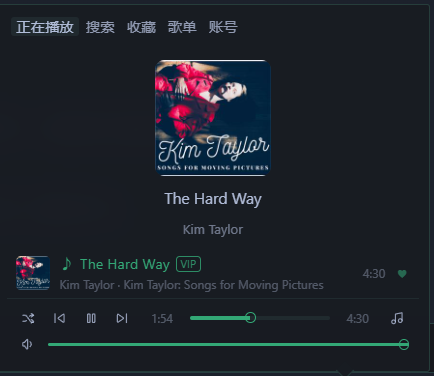
NetEase Cloud Music (网易云音乐) mini player in the Hermes Desktop status bar, in the spirit of the built-in Radio plugin: a compact themed popover with Now Playing (cover + scrolling synced lyrics with the current line highlighted), search for songs and playlists, favorites (heart / Liked Music), browsing and in-panel playback of your own playlists, play/pause/skip/progress/volume with outline-style controls, loop modes (list loop, single loop, shuffle) and a mini control cluster on the status bar itself. Desktop-only UI (desktop/plugin.js on the plugin SDK surface) plus a local FastAPI backend (dashboard/plugin_api.py) that implements NetEase's weapi/eapi request signing (AES-CBC/ECB + RSA) with the Python standard library only — no build step, no extra Python dependencies. Disclosure — unofficial NetEase Cloud Music client: the backend calls only NetEase hosts (music.163.com, interface3.music.163.com, and the p*.music.163.com CDNs for covers and audio) using NetEase's own web/PC client identity (Chrome User-Agent, music.163.com Referer/Origin, eapi os=pc/appver headers, x-os/x-login-chain-id QR-login headers with a generated anonymous device cookie set); after you log in, your NetEase session cookie (MUSIC_U) is stored in the plugin's own data/cookie.json and sent only to NetEase hosts, and 'Log out' deletes it; while logged in it reports each played track to NetEase (feedback/webenergy play history) and the heart button likes/unlikes songs on your account; no other third-party services and no telemetry; QR login may be blocked by NetEase risk control, pasting the MUSIC_U cookie is the documented fallback; VIP songs stream through your own VIP session.

BoosterCoreDesktopv0.1.0Updated 1 hour ago

About

NetEase Cloud Music (网易云音乐) mini player in the Hermes Desktop status bar, in the spirit of the built-in Radio plugin: a compact themed popover with Now Playing (cover + scrolling synced lyrics with the current line highlighted), search for songs and playlists, favorites (heart / Liked Music), browsing and in-panel playback of your own playlists, play/pause/skip/progress/volume with outline-style controls, loop modes (list loop, single loop, shuffle) and a mini control cluster on the status bar itself. Desktop-only UI (desktop/plugin.js on the plugin SDK surface) plus a local FastAPI backend (dashboard/plugin_api.py) that implements NetEase's weapi/eapi request signing (AES-CBC/ECB + RSA) with the Python standard library only — no build step, no extra Python dependencies. Disclosure — unofficial NetEase Cloud Music client: the backend calls only NetEase hosts (music.163.com, interface3.music.163.com, and the p*.music.163.com CDNs for covers and audio) using NetEase's own web/PC client identity (Chrome User-Agent, music.163.com Referer/Origin, eapi os=pc/appver headers, x-os/x-login-chain-id QR-login headers with a generated anonymous device cookie set); after you log in, your NetEase session cookie (MUSIC_U) is stored in the plugin's own data/cookie.json and sent only to NetEase hosts, and 'Log out' deletes it; while logged in it reports each played track to NetEase (feedback/webenergy play history) and the heart button likes/unlikes songs on your account; no other third-party services and no telemetry; QR login may be blocked by NetEase risk control, pasting the MUSIC_U cookie is the documented fallback; VIP songs stream through your own VIP session.

NetEase Cloud Music · 网易云音乐

English · 简体中文

A minimal NetEase Cloud Music player for the Hermes Desktop status bar, in the
spirit of the built-in Radio plugin.

Disclosure

The plugin's local backend calls NetEase Cloud Music public web endpoints
(music.163.com, interface3.music.163.com, and the p*.music.163.com
CDNs) for search, playlists, lyrics and playable audio URLs.
No other third-party services and no telemetry.

Stored credential: after you log in, your NetEase session cookie
(MUSIC_U) is stored in the plugin's own data directory
(data/cookie.json, git-ignored). "Log out" deletes it. The cookie is sent
only to NetEase hosts; it is never passed to any other service. VIP songs
stream through this session. QR login may be blocked by NetEase risk
control; pasting the MUSIC_U cookie is the reliable fallback.

No build step, no Python dependencies beyond what Hermes already ships
(FastAPI) — NetEase's weapi/eapi crypto (AES-CBC/ECB + RSA) is implemented
with the standard library only.

Features

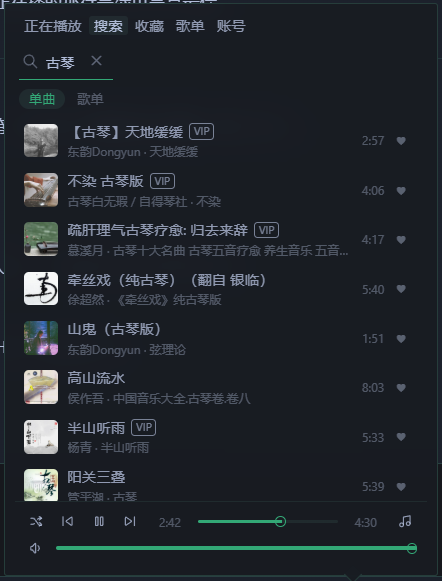
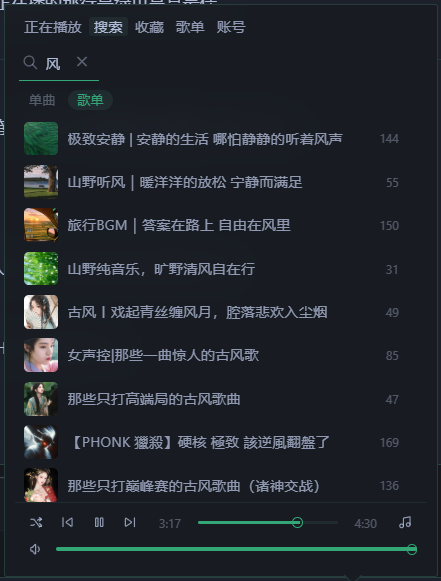
  • 🔎 Search songs and playlists (two tabs: Songs / Playlists)
  • ▶️ Playback controls: play / pause / previous / next, progress bar,
    volume — all in a consistent thin-outline style
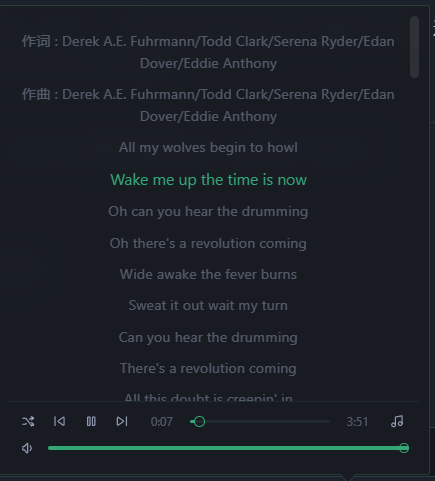
  • 📜 Scrolling synced lyrics with the current line highlighted
  • ❤️ Favorites: heart / un-heart, and the "Liked Music" playlist
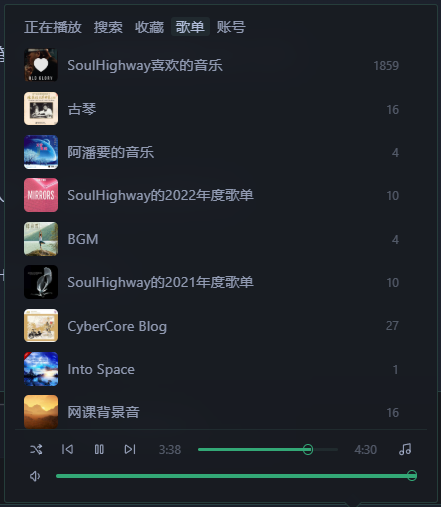
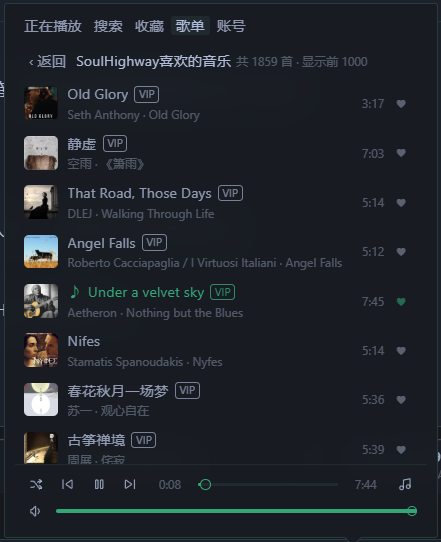
  • 📁 My Playlists: browse your own NetEase playlists and play them
    right inside the panel
  • 🔑 Login: QR code or paste your MUSIC_U cookie (QR login is often
    blocked by NetEase risk control — the cookie is the reliable fallback)
  • 🔁 Play modes: list loop / single loop / shuffle
  • 🖥️ Status bar: mini controls on the bottom status bar plus a compact
    popover panel; follows the Hermes theme, no build step

Install

hermes plugins install BoosterCore/hermes-netease-cloud
hermes plugins enable netease-cloud

Then enable NetEase Cloud Music under Capabilities → Plugins.
VIP tracks require a logged-in NetEase VIP account.

Login (pick one)

Option A · QR code — open the 账号 (Account) tab and scan with the
NetEase Cloud Music app. If you see "检测到当前设备环境异常,本次操作已拦截"
(risk control), use Option B.

Option B · Cookie (recommended, most reliable)

  1. Log in to music.163.com in a desktop browser
  2. Open DevTools (F12) → Application/Storage → Cookies → copy the value of
    MUSIC_U
  3. Paste it into the input on the 账号 (Account) tab and hit import
    (pasting the full cookie string also works; if you accidentally paste
    NMTID the plugin will tell you)

Screenshots

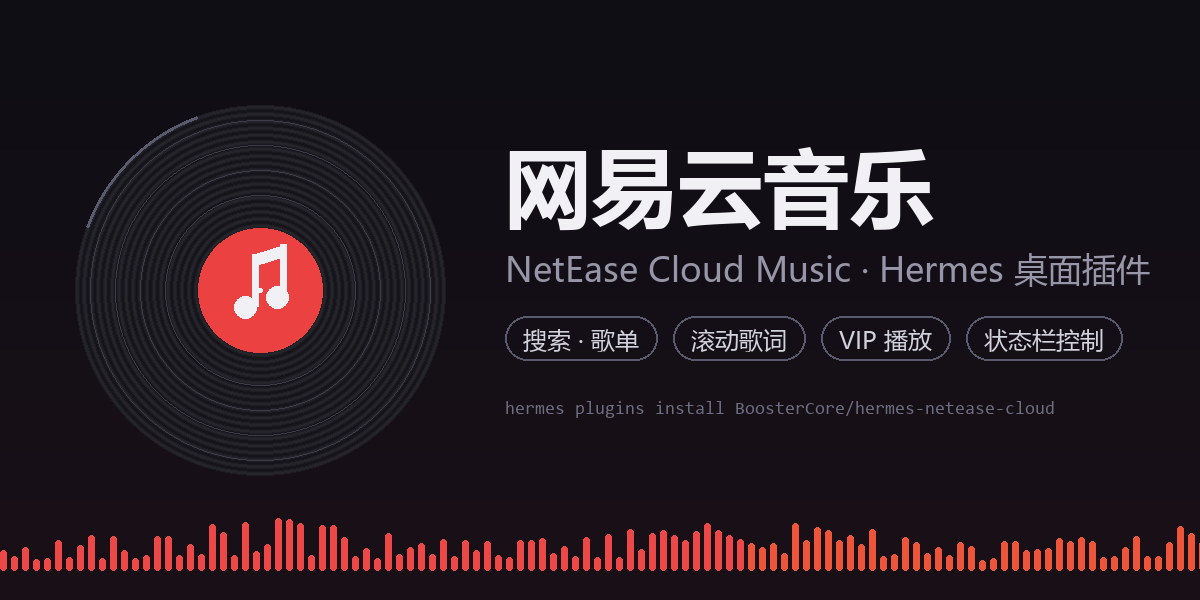
banner

| Now Playing | Lyrics | Search · Songs |
|---|---|---|
| now playing | lyrics | search songs |
| Search · Playlists | My Playlists | Playlist Tracks |
|---|---|---|
| search playlists | my playlists | playlist tracks |
Known limitations

  • Playlists load the first 1000 tracks (the panel shows the real total)
  • Audio quality follows your NetEase account (VIP → higher bitrate); the
    plugin requests exhigh and falls back to standard when unavailable
  • QR login may be blocked by NetEase risk control ("environment anomaly") —
    use cookie login instead

Repository layout

netease-cloud/
├── plugin.yaml            # Hermes plugin manifest
├── dashboard/
│   ├── manifest.json      # backend API declaration
│   └── plugin_api.py      # FastAPI routes: search / url / lyric / login ...
└── desktop/
    └── plugin.js          # Desktop status-bar UI (single-file ESM, @hermes/plugin-sdk)

License

MIT

README from the reviewed commit 1410afc; it updates when the author re-pins.