oslook
office-3d — a live isometric office for Hermes Desktop
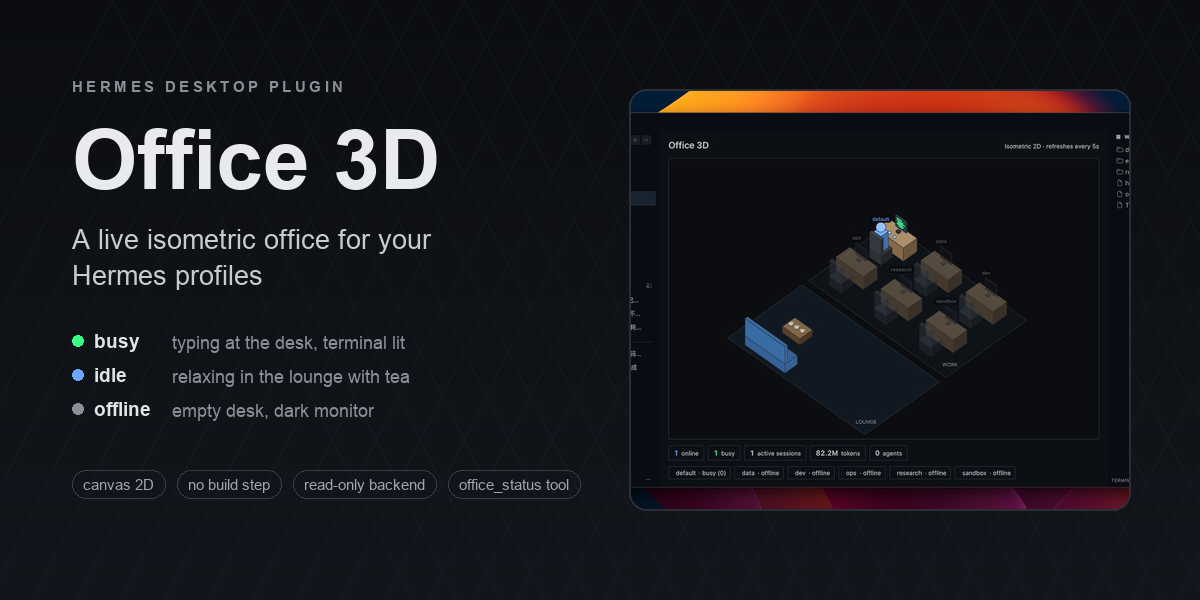
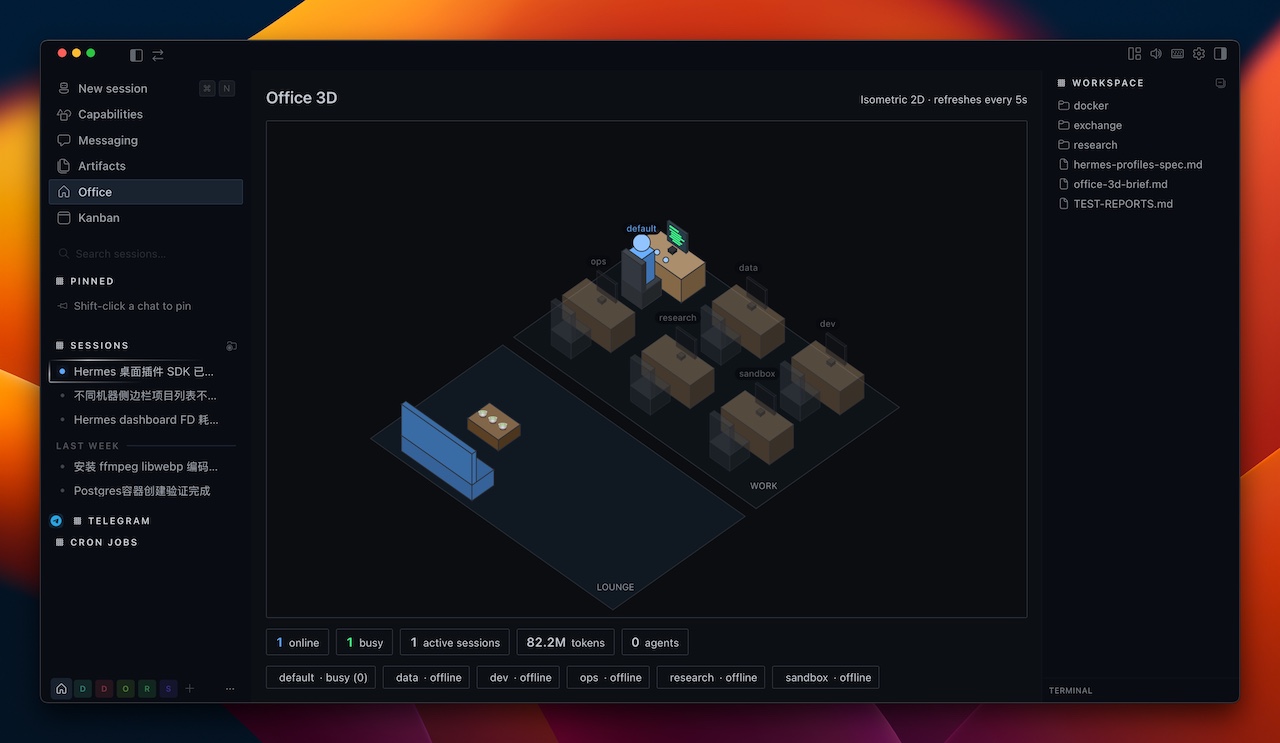
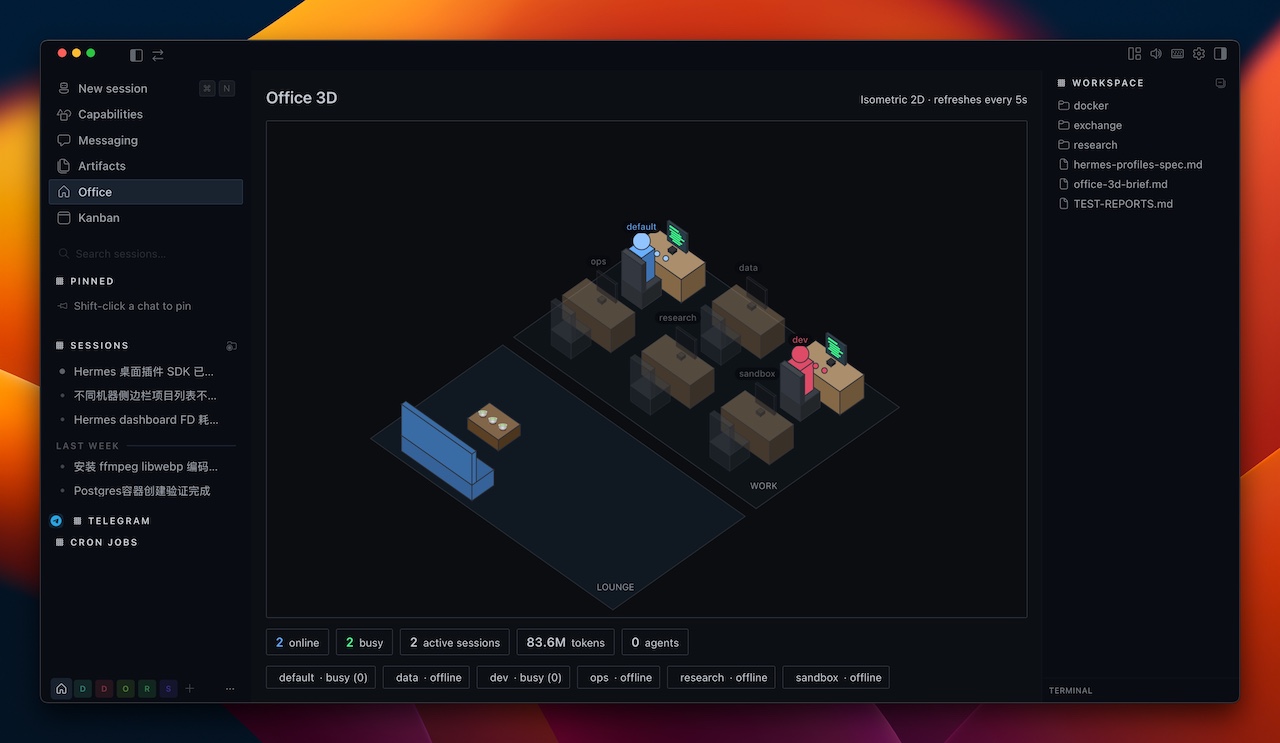
A Hermes Desktop plugin that renders your Hermes profiles as people in an isometric office. Each profile owns a desk; when a profile is doing real work it sits at its desk typing with a green terminal screen, when it's online but idle it relaxes in the lounge with tea 🍵, and when it's offline its desk sits empty with a dark monitor. A slim stats bar shows aggregate active sessions, tokens, and cost.
English | 中文
Screenshot
What it shows
| State | Meaning | In the office |
|---|---|---|
| busy | the profile has a session active in the last ~90s (real work) | person typing at the desk, green code on screen |
| idle | online but no recent session activity | person in the lounge holding tea 🍵 |
| offline | no live process / no recent activity | empty desk, dark monitor, dimmed name |
Delegated subagents (since v1.4.0)
delegate_task children run as managed workers inside the gateway process and record
their sessions in the top-level state.db with source='subagent' — not in the
routed profile's own state.db. Without attribution, a specialist desk
(meo-finance, meo-coding, …) would stay offline while its delegation is
actively working, and all delegated activity would light up the default desk.
While a delegation is in flight, the backend and office_status parse its route
from the task's explicit profile field or the [profile] goal prefix in
async_delegations, and light up the routed desk while live subagent sessions
exist. Each entry carries a delegated_sessions counter.
-
Display-only heuristic: concurrent delegations routed to the same profile share
credit; historical (finished) subagent sessions are not re-attributed — recorded
usage stays underdefault. -
Same privacy boundary as the rest of the plugin: aggregate-only reads
(async_delegations.task_jsonfor route labels,COUNT(*)onsessions). -
Degrades silently on older Hermes (no
async_delegationstable), locked db, or
malformed JSON. -
Follows the Hermes light/dark theme automatically.
-
The overview counts enabled profiles, including offline ones even when offline desks are hidden.
-
Backend reads only aggregate columns (COUNT/SUM/MAX) from each profile's
state.db— never message contents.
Beyond the page
- Click a desk (or a leaderboard row) to inspect that profile: a detail panel with its state,
active/open sessions, agents, tokens, cost and idle time, plus Open chat and — when the
profile has one — Open latest session. - Cost / tokens leaderboard in the right-hand column, switchable between the two, ranked
descending; click a row to inspect that profile. - Status-bar chip — an always-mounted summary at the right end of the status bar
(🏢 2 busywhen something is working, otherwise🏢 4 online). Click it to open the office.
Hover for the full breakdown. - ⌘K palette command + keybind — "Open Office 3D", bound to
mod+shift+oby default and
rebindable in Settings. office_statusagent tool — read-only. Reports which profiles are online, busy or
offline with aggregate session / token / cost totals, so the model can answer "who is
working right now?" without the Desktop app. Same privacy boundary as the backend.- Settings ▸ Plugins ▸ Office 3D — refresh interval (2s / 5s / 15s / 60s), hide offline
profiles, choose visible profiles (includingdefault), and opt in to state-change notifications.
All profiles, including newly discovered ones, are enabled by default. The profile switches
remain available for offline profiles and persist in Desktop's plugin storage, shared across
profiles in that client. They affect only this UI, not gateways or theoffice_statustool.
Disabled profiles are excluded from the office, details, overview, status chip and notifications.
The status chip and notifications also apply the hide-offline filter; newly visible profiles
seed notification state rather than triggering a toast. The overview still counts enabled
offline profiles, even when their desks are hidden.
Built with
- @hermes/plugin-sdk — Hermes Desktop plugin API (single-file ESM, no build step)
- Canvas 2D — hand-rolled isometric projection (no WebGL / three.js)
- React via the SDK's jsx runtime —
useQuerypolling + canvas lifecycle - Python + FastAPI — read-only dashboard backend at
/api/plugins/office-3d/ - SQLite (read-only, stdlib only) — per-profile session / token / cost aggregates
Repository layout
This repo is a single unified package — one installable folder that ships both halves:
plugin.yaml                 # manifest (name, version, description, platforms)
__init__.py                 # agent half — the read-only office_status tool
desktop/plugin.js           # desktop half — the canvas office page, sidebar nav,
                            # status-bar chip, palette command + keybind, settings page
dashboard/manifest.json     # dashboard backend manifest
dashboard/plugin_api.py     # FastAPI router -> /api/plugins/office-3d/state
docs/                       # screenshots
When the folder lands in a plugins/ root, the Desktop app copies desktop/plugin.js into $HERMES_HOME/desktop-plugins/office-3d/ itself, so one folder is the whole install. The desktop half degrades gracefully (an error, not a crash) when the backend half is disabled.
How it works
- Desktop half —
desktop/plugin.js— a single ESM file the desktop app loads at runtime (canvas 2D isometric scene; no build step). - Backend half —
dashboard/plugin_api.py+manifest.json— a FastAPI router mounted at/api/plugins/office-3d/stateby the dashboard web server. It uses Hermes gateway liveness resolution, including multiplexed profiles, and readsgateway_state.jsonandstate.dbfor status and session activity + token/cost aggregates. Recent active sessions also mark a profile online. - Enable flag —
office-3dmust be listed inplugins.enabledin yourconfig.yamlbefore the backend is imported (security gate).hermes plugins enable office-3dwrites it. - Agent half —
__init__.pyregisters one read-only tool,office_status, which scans the same two sources directly from the gateway process (no HTTP, no credentials).
The plugin uses Hermes's get_default_hermes_root() to find the fleet root, including custom roots and named-profile processes; profile names are discovered under that root. The Python halves require a Hermes build providing that helper, which is why requires_hermes is >=0.21.4 (the same floor the catalog entry enforces); they fail explicitly if it is unavailable. The desktop half requires the SDK's host.state.connectionId, gatewayActivationEpoch and useGatewayActivationEpoch APIs. Switching profiles does not enable the backend: each serving profile must independently authorize the plugin, otherwise requests can return 404.
Install
From the catalog (once listed)
hermes plugins install office-3d
hermes plugins enable office-3d
From this repository
hermes plugins install oslook/hermes-desktop-plugin-office-3d
hermes plugins enable office-3d
Manual
git clone https://github.com/oslook/hermes-desktop-plugin-office-3d.git
cp -R hermes-desktop-plugin-office-3d "${HERMES_HOME:-$HOME/.hermes}/plugins/office-3d"
hermes plugins enable office-3d
install.sh does the same thing and honours $HERMES_HOME:
bash install.sh
Then make it take effect:
- Desktop half: fully quit and reopen the Hermes Desktop app (or ⌘K → Reload desktop plugins), then open the Office page from the sidebar.
- Backend half: restart the dashboard web server so it mounts
/api/plugins/office-3d/. If you runhermes dashboard, stop and start it again. (On a LAN/LaunchAgent setup, restart that service.)
Requirements
- Hermes Desktop 0.21.4+ — the desktop app is required; the CLI/gateway alone does not load desktop plugins.
- The dashboard web server running (it serves
/api/plugins/...). - Linux, macOS or Windows. The only platform-specific code was the PID liveness probe:
os.kill(pid, 0)is routed throughTerminateProcesson Windows, so the check refused to run there. It now usesOpenProcess(PROCESS_QUERY_LIMITED_INFORMATION)+GetExitCodeProcessviactypes, which never signals the target — seeWINDOWS.mdfor what was measured.
Releasing
Version bumps, annotated tags, GitHub releases and the one-file re-pin PR against the official
plugin-catalog/office-3d.yaml
are documented in RELEASING.md.
Uninstall
hermes plugins remove office-3d
Then reload desktop plugins / restart the dashboard.
Privacy
The backend opens each profile's state.db read-only and runs only aggregate queries (COUNT/SUM/MAX) over the sessions table — session counts, token totals, cost, and last-activity time. It never reads message content, system prompts, or titles. It makes no network calls and needs no credentials.
License
MIT — see LICENSE.
README from the reviewed commit 127c28a; it updates when the author re-pins.