 ChasClogston
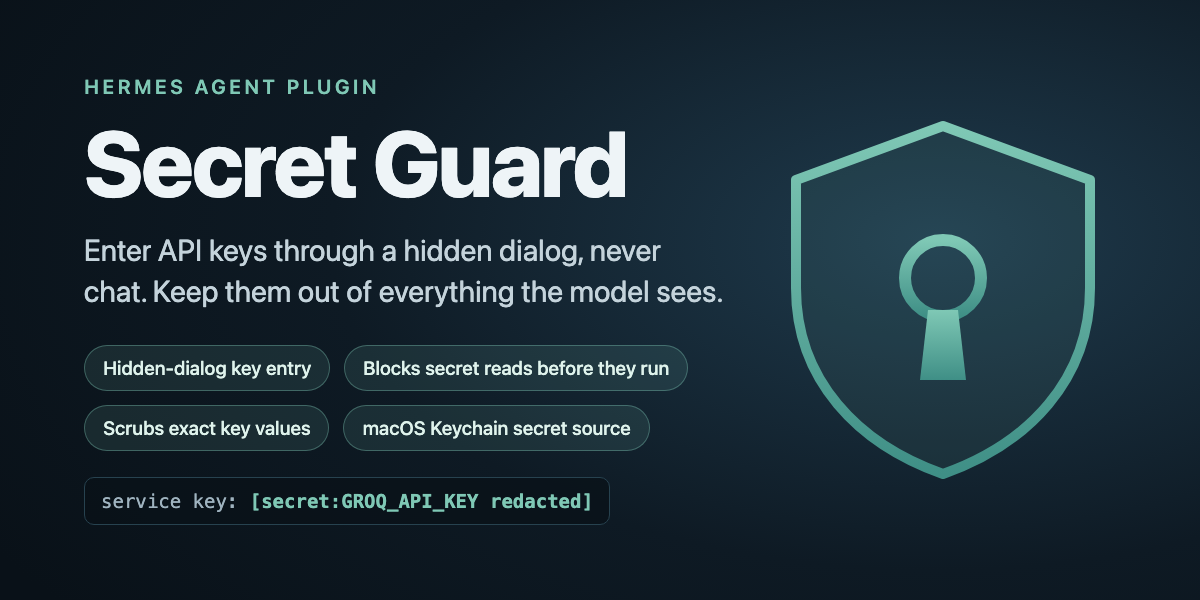
Secret Guard
Safe key entry and leak prevention for Hermes Agent.
Agents need API keys. Today the easy way to give Hermes one is to paste it into chat, where it
lands in the transcript, the session store, memory and the model provider's logs. And once a key
is on the machine, one printenv from the agent, or one read of a .env file, puts it back in
front of a model.
Secret Guard closes both ends:
- Keys come in through a hidden dialog, never chat. Ask Hermes to add a key; a native macOS
dialog takes it, the value goes straight into your keychain, and Hermes sees only a name, a
fingerprint and a length. Thesecret_requesttool has no value parameter, so there is nothing
for the model to fill in. - Reads are blocked before they run. A tool call whose command, code or path points at a
secret file, runs a secrets helper or asks the keychain to print a value is refused, for
built-in, plugin and MCP tools alike. - Exact key values are scrubbed from tool results, terminal output and replies before the
model sees them, even from commands no filename rule could predict. - A key pasted into chat is stopped before inference. The turn ends before any model call, a
placeholder is stored instead of the message, and you're told whether to rotate the key. - Keys reach your profiles through Hermes's own secret source API, with bot tokens kept to the
root profile so the multiplex gateway keeps working.
Why a plugin and not a skill: a skill can ask the agent to be careful. Only a plugin can refuse
a tool call before it executes, rewrite output before it reaches the model, and veto a turn before
inference. Secret Guard uses all three.
It is not a sandbox: an agent determined to transform a key before printing it can still get one
out. Honest limits below says exactly where the edges are.
What it looks like
you:     add my Groq key
hermes:  [a "Secret Guard" dialog opens on your Mac; you paste the key and click Save]
         GROQ_API_KEY is stored in the keychain (fingerprint 3f9a…, 56 chars).

you:     run perl -ne 'print' notes.txt
hermes:  service key: [secret:GROQ_API_KEY redacted]

you:     show me what's in ~/.hermes/.env
hermes:  Secret Guard blocked that: it reads a secret-shaped file (.env).
Results against a real agent (Hermes 0.23.0, macOS) with a prefix-less canary key that Hermes's
built-in regexes don't recognise. The With column is measured by tests/e2e_canary.sh, which
also requires the baseline to leak; the other Without entries are Hermes's default behaviour.
| Attempt | Without Secret Guard | With Secret Guard |
|---|---|---|
| perl prints a file holding the key | key in the reply and 2 stored rows (measured) | [secret:… redacted], 0 stored rows |
| read a .env file | runs | blocked before it runs |
| execute_code opens the .env file | runs | blocked before it runs |
| security find-generic-password -w | runs | blocked |
| key pasted into chat | sent to the model | turn stopped, nothing stored |
How it differs from other secret plugins
Hermes already has good places to keep keys: built-in Bitwarden and 1Password sources, and
community sources such as pass-secrets and hermes-dpapi-secrets. redaction-pack adds masks
for known key formats. Secret Guard is the piece around them: getting a key in without chat,
refusing the calls that would read it back, and scrubbing your own exact values, including keys
with no recognisable prefix.
Install
hermes plugins install ChasClogston/hermes-secret-guard
hermes plugins enable secret-guard --no-allow-tool-override
hermes tools enable secret_guard          # if your profile restricts toolsets
Then turn on the key source in that profile's config.yaml (Hermes applies a secret source only
when this is set):
secrets:
  secret_guard:
    enabled: true
Plugins are per profile; repeat in each profile that should be guarded. hermes secret doctor
lists every profile and says which ones still need a step.
Commands
| Command | Does |
|---|---|
| hermes secret add ENV_VAR [--scope all\|default-only] | Dialog entry. Prints name, fingerprint, length. |
| hermes secret list | Names, scopes, fingerprints. Never values. |
| hermes secret verify ENV_VAR | Checks the keychain item and the value Hermes resolved, by fingerprint. |
| hermes secret remove ENV_VAR --yes | Deletes the keychain item and registry entry; keeps the entry if the delete fails or a replace is pending. |
| hermes secret recover ENV_VAR [--yes] [--discard] | Finishes (or with --discard, cancels) an interrupted replace, without re-entering the key. |
| hermes secret import SCRIPT | Registers keys named in an existing emit "service" "ENV" keychain helper. Reads names only; never runs it. |
| hermes secret doctor | Read-only health check of every profile. Exit 1 on problems. |
How keys reach your profiles
Secret Guard is a Hermes secret source (ctx.register_secret_source), the same mechanism as
Hermes's Bitwarden and 1Password integrations. At startup Hermes asks it for each profile's keys and
tells it which profile is asking. Values are read from the keychain then; the plugin's registry
(<hermes root>/secret_guard/registry.json) holds only names, scopes and fingerprints.
Each secret has a scope:
all: every profile gets it.default-only: only the root profile. Telegram, Discord and Slack bot tokens are forced to
this scope. If a second profile resolved the same bot credential, the multiplex gateway would
refuse to multiplex and silently fall back to standalone.
If you already feed keys through secrets.command or another source, both can run while you
migrate: Hermes gives each variable to the first source that claims it and logs a warning instead
of overwriting. hermes secret doctor lists any variable your old source still supplies.
Managing keys safely
- Replacing a key is deliberately narrow.
hermes secret addreplaces only a key already
registered to that variable, with the same keychain item, and keeps its scope. It refuses,
before changing anything, to overwrite an existing keychain item that isn't registered (register
it withimportfirst) or to change scope (remove and add it again). - An interrupted replace (a crash or keychain error mid-way) is recoverable without re-entering
the key. Before changing anything, the plugin records the new key's fingerprint as pending; it
then writes a verified recovery copy named<service>.sg-staging.hermes secret recover ENV_VARfinishes the replace (only from a copy that matches the pending record), and
recover --discardcancels it. While one is pending,verifyanddoctorsay so (even if the
main item is missing), and a new replace orremoveof that key is refused. - Changes wait at most 30 seconds for each other. All changes share one lock; if another is
in progress you get a "busy" message rather than a hang. The dialog runs before the lock.
The three layers
- Path gate (
pre_tool_call, fails closed). Inspects every tool call's arguments by name, at
any nesting depth: commands (command,cmd,script), inline code (code,js,
expression) and paths (path,file_path,paths,image_path, …). It refuses a reader
(cat,grep,python -c,perl,cp, …) or inline code pointed at a secret-shaped file
(*.env,*token*,*secret*,*credential*,*.pem,id_rsa,auth.json, Hermes
config.yaml), running any secrets helper,security find-*-password -w/-g,security dump-keychain, a bareenv/printenv, andopenclaw mcp show(prints stored headers unmasked). - Value redaction. Every registered value is pushed into Hermes's own model-egress scrub, the
same exact-value registry Hermes uses for browser-vault passwords. That registry applies even
whensecurity.redact_secretsis off. Backuptransform_*hooks scrub tool results, terminal
output and replies too; if a backup hook itself fails, it withholds the output instead of
passing it through. - Inbound block (
pre_llm_call). An exact registered value, or a string shaped like a known
key (sk-,ghp_,xoxb-,AKIA,AIza, Telegram bot tokens, …), stops the turn before any
inference.
Disclosures
What Secret Guard does on your machine, so you can decide before installing:
- No network calls by the plugin. No telemetry. (Hermes itself sends each resolved key to the service it belongs to.)
- Shell commands.
/usr/bin/security(create, read and delete the keychain items you
register with Secret Guard) and/usr/bin/osascript(the hidden-input dialog). The dialog runs only from
hermes secret addor thesecret_requesttool when you ask Hermes to add a key. - Stored credentials. Keys you enter are stored in your login keychain as generic passwords
namedhermes-<env-var>. The registry (<hermes root>/secret_guard/registry.json, mode 600)
holds names, scopes and SHA-256 fingerprints, never values. While a replace is in progress it
also holds the new key's fingerprint as a pending record, and the keychain holds a recovery copy
named<service>.sg-staging; both are removed when the replace completes or is cancelled. - Keychain access. Items are created with
-T /usr/bin/security, so Hermes's secret source can
read them at startup without a prompt. The trade-off: any process running as your user can also
read them withsecurity find-generic-password -w, without a prompt, which is the same exposure as
a keychainsecrets.commandhelper. A per-read keychain prompt would close that, but would hang
cron and gateway runs. - Credential reads. As a Hermes secret source, the plugin reads the keychain items you
registered (entered through Secret Guard, or existing items you named withimport) at startup and hands them to Hermes, which applies them per profile. Inside the agent,
redaction gets values only through Hermes'sget_secret(). Thehermes secretCLI reads the
same items to confirm a write and forverify,doctorandimport(fingerprints only).
importreads the names in a helper script you point it at; it never runs the script. - No config edits. The plugin never writes your
config.yaml; you add the
secrets.secret_guardblock yourself. - Blocking. The
pre_tool_callhook refuses some tool calls and thepre_llm_callhook some
messages (see The three layers). Both fail closed: if a check errors, the call or turn is refused. - Unattended runs. The dialog gives up after 5 minutes and the tool returns a plain error, so
cron and gateway runs never hang on it. The secret source never prompts. - No background processes.
Honest limits
Secret Guard reduces exposure. It is not a sandbox and it does not certify anything.
- Only exact values are scrubbed. A key that is base64- or hex-encoded, reversed, split across
two outputs or partly echoed is not recognised. Redaction is the safety net; the path gate and
key entry outside chat are what keep keys from being read in the first place. - What it can't see: logging done by MCP servers or child processes outside Hermes; images and
screenshots; backups taken before a value was scrubbed. The plugin makes no network calls, but
Hermes sends resolved keys to the services they belong to, as it does for any secret source. - Shared redaction capacity. Hermes's exact-value registry holds 64 values per profile, shared
with browser-vault passwords. Secret Guard re-registers its keys on every turn, and its own
transform hooks scrub with no cap, so an evicted key is still caught there. - Transform order. When several plugins rewrite the same tool result, Hermes keeps the first
rewrite. Hermes's own redaction, which carries Secret Guard's registered values, still runs on
terminal output after the transform hooks and inside the file and MCP tool handlers. A tool whose
output skips core redaction relies on whichever plugin's rewrite wins. - Argument names decide what the gate checks:
command,code,script,path,
file_path,pathsand similar. A tool that hides a file path or a shell command under another
argument name is not inspected. - The path gate matches patterns. It will block some harmless files (
tokens.txt,
secret-santa.log) and can be routed around, for example by building a filename at run time. - A key pasted into a messaging app has already left your machine. Secret Guard keeps it from
the model and the session store; rotate it anyway. - The dialog appears on the Mac Hermes runs on, not on your phone, and can't show while the
Mac is locked or asleep. From Telegram, Hermes tells you this before it asks. - A new key reaches other profiles at their next start. In the session where you enter it,
the plugin checks that Hermes's redactor actually removes that key and reports whether it does.
Because Hermes's registry holds 64 values, a later registration can evict it; the plugin's own
transform hooks still scrub it from tool results, terminal output and replies. Other running
sessions pick it up when they restart. - Hermes skips plugin
pre_llm_callhooks for sessions with persistence disabled, so the
paste block does not run there; the path gate and redaction still do. - Large or deeply nested tool arguments are refused, not skipped. The gate inspects up to 12
levels, 5,000 values and 2 million characters of command, code and path fields per call; a call
beyond that is blocked. This can block unusually large legitimate calls. - The end-to-end test checks replies, the session store and logs, and needs positive evidence
for each case (a redaction label, or a block event for that attempt in the logs). It does not
capture the exact payload sent to the model provider; no recording-provider test exists yet. - Keychain items made by other tools may need an access approval the first time Secret Guard
reads them; the source never prompts, so such an item is skipped (with a warning). Register it
withhermes secret import, then replace its value withhermes secret add. - macOS only in this version (Keychain +
osascript). Values with whitespace, quotes or
backslashes, or longer than about 3,900 characters, are refused;security -ican't carry them. - Value redaction uses
agent.redact.register_vault_redaction_value(to register keys) and
redact_registered_vault_values(to confirm a just-entered key is covered), module functions rather
than a documented plugin API (hermes plugins validatewarns on both). If an update removes them,
the plugin's owntransform_*hooks still scrub tool results, terminal output and replies, and
doctorreports the change.hermes secret doctoralso reads each profile'sconfig.yamlwith
Hermes's bundledhermes_yaml.safe_load(flagged by the same check), because Hermes does not ship
PyYAML.
Tests
cd <plugin folder>
HA=$(hermes --version | awk -F': ' '/Install directory/ {print $2}')   # your hermes-agent checkout
PYTHONPATH=$HA $HA/venv/bin/python tests/test_guard.py
Self-contained: a throwaway HERMES_HOME, a throwaway keychain and random canaries, removed at
the end. 163 checks: a block case and an allow case for every gate rule, fault injection for every
keychain and registry failure path, and assertions of the documented limits (so this README cannot
quietly overclaim).
tests/e2e_canary.sh runs the same attacks against a real Hermes agent in a throwaway home and
throwaway keychain, and requires positive evidence for each result. See the script header for setup.
Origin
Built for the Hermes Agent Plugin Hackathon (November 2026) from a working setup on two production
Macs: a hidden-dialog keychain intake tool, keychain-backed secrets.command helpers, and a shell
guard written after real key exposures. Secret Guard moves those into Hermes, where the hook system
closes gaps a shell guard can't reach.
License
MIT. See LICENSE.
README from the reviewed commit b823a9e; it updates when the author re-pins.