Tormen28
ARGOS - Hermes ⇄ Godot 4 editor portal
English · Español
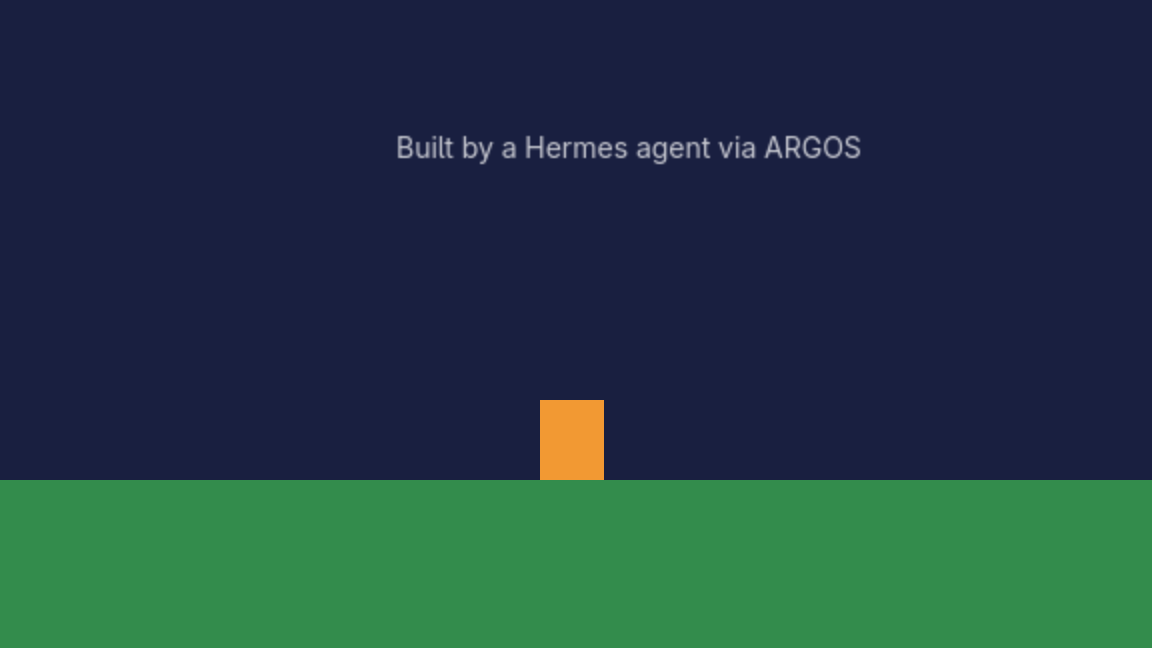
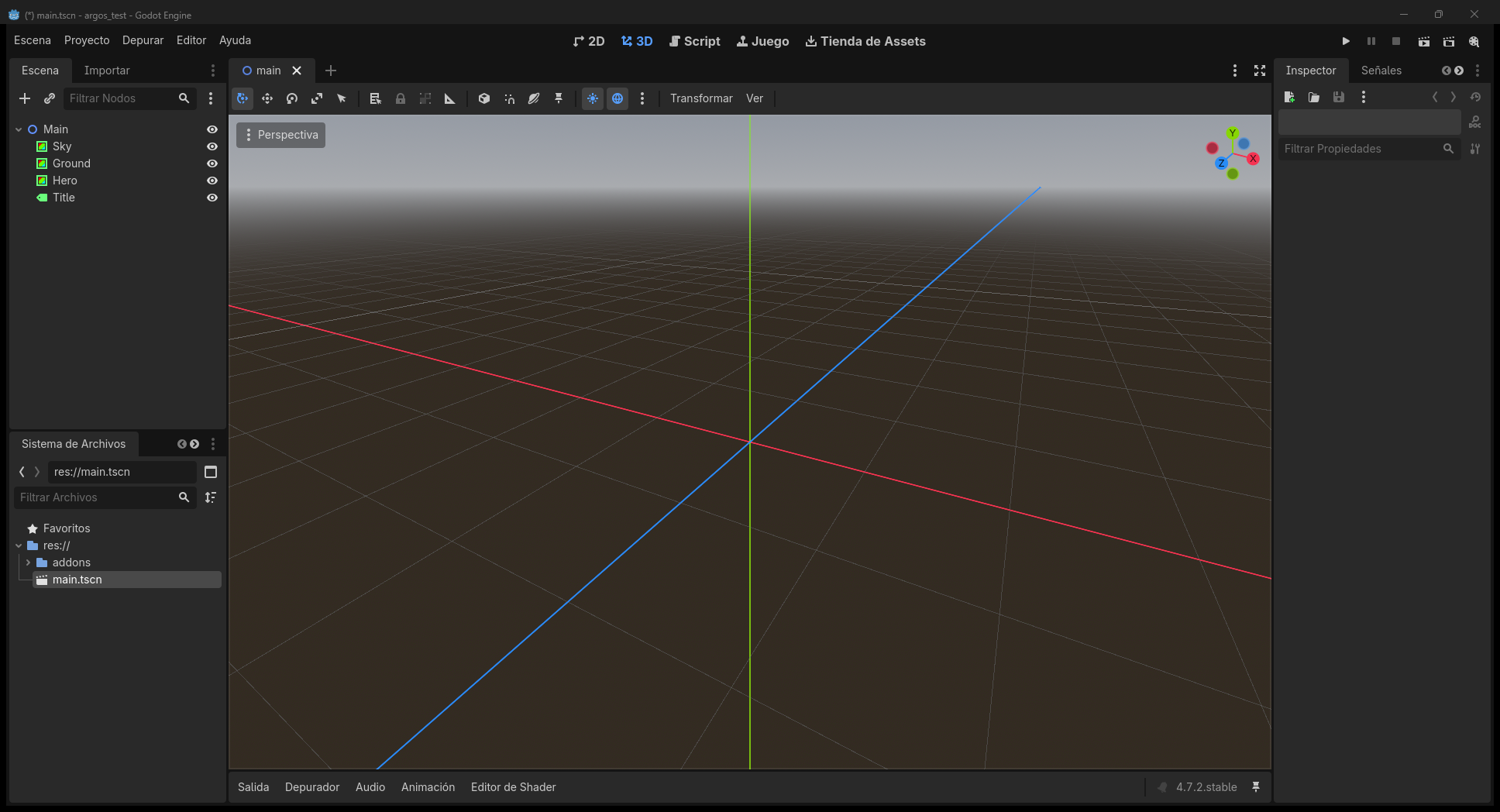
ARGOS lets a Hermes agent work inside a live Godot 4 editor: read the scene tree, create / move / delete nodes, change properties with the editor's real undo, batch those edits into one undo group, play animations, open and save scenes, play and stop the game, validate GDScript and take screenshots. The Godot addon is the server (a local WebSocket on 127.0.0.1), and tools/argos_mcp.py exposes it to Hermes as an MCP server with 33 tools.
What's new in 1.2.0
argos_action_batchruns up to 64 node edits as one undo group.argos_anim_listandargos_anim_getare read-only.argos_anim_playandargos_anim_stopcontrol anAnimationPlayerorAnimationTreein the edited scene.argos_capture_editor_2dcaptures the 2D editor viewport. Scene, editor, and runtime captures take an optionalsessionand write PNGs under.argos/captures/<session>/. If the file name is omitted, the next freeframe_NNN.pngis used and an existing file is never overwritten. GIF export is not included.- A refused launch, check, or play returns
project_not_allowedwith the attempted path, the allowlist, and a hint. It does not list the rest of the disk.
Security invariants from 1.1.0 are unchanged: trust stays untrusted, readOnlyHint is only on pure reads, launch/check/play stay on ARGOS_PROJECT or ARGOS_ALLOWED_PROJECTS, and captures stay under res:// or .argos/captures/.
Requirements
- Godot 4.x (tested on 4.7.2)
- Python 3.11+ with
websockets(pip install -r requirements.txt) - Hermes 0.21.5 or newer
Install in Hermes
From the catalog (once listed): hermes plugins install argos
Or by hand, in config.yaml (per profile):
mcp_servers:
  argos:
    command: python            # a Python that has `websockets`
    args:
      - /path/to/argos/tools/argos_mcp.py
    env:
      ARGOS_PROJECT: /path/to/your/godot/project   # optional default project
    enabled: true
Then add the addon to your Godot project:
python tools/argos_install.py --project /path/to/your/godot/project
Open the project in Godot (or let the agent run argos_editor_launch) and check with argos_ping.
How editing works
- Every tool accepts
project; if omitted,ARGOS_PROJECTis used. argos_editor_launch,argos_checkandargos_run_playrefuse a project that is notARGOS_PROJECTor listed inARGOS_ALLOWED_PROJECTS(os.pathsep-separated). Opening a project runs its editor plugins and@toolscripts.- Node and scene tools need an open scene. If none is open, ARGOS opens
scene_path(if you pass one) or the project's main scene, and retries. If there is neither, it returns a clearno_sceneerror telling you what to do. - All edits land in the editor's undo history (
argos_undo/argos_redo).
What it does on your machine (disclosure)
- Opens a WebSocket only on 127.0.0.1 (ports 9080+), protected by a CSPRNG token (
Crypto.generate_random_bytes) rotated every editor start, stored in<project>/.argos/. - Writes state and history under
<project>/.argos/. Screenshots may only be written to<project>/.argos/captures/orres://(no absolute paths, no.., and existing files are not overwritten). - Runs shell commands: launches the Godot editor,
godot --check-onlyfor script checks, and plays your scenes, which executes the project's own GDScript. Launch, check and play stay inside the project allowlist. Use it on projects you trust. - Editor start/stop works on Windows, Linux and macOS. Set
ARGOS_GODOTto the editor binary, or leave it unset to usegodotonPATH(on Windows the historical default install path is still the fallback). - No network calls to third parties, no telemetry, no credentials, no self-update.
argos_rawis an escape hatch that sends any ARGOS action; treat it like the other editing tools.
Tests
pip install -r requirements.txt pytest
python -m pytest tools -q          # 182 tests, no Godot needed
python tools/argos_mcp_selftest.py <project> --require-editor   # live, editor open
License: MIT © Tormen28
Español
ARGOS permite que un agente de Hermes trabaje dentro de un editor de Godot 4 abierto: leer el árbol de escena, crear / mover / borrar nodos, cambiar propiedades con el deshacer real del editor, agrupar ediciones en un solo deshacer, reproducir animaciones, abrir y guardar escenas, ejecutar y detener el juego, validar GDScript y sacar capturas. El addon de Godot es el servidor (WebSocket local en 127.0.0.1), y tools/argos_mcp.py lo expone a Hermes como servidor MCP con 33 herramientas.
Novedades en 1.2.0
argos_action_batchaplica hasta 64 ediciones de nodos como un solo grupo de deshacer.argos_anim_listyargos_anim_getson de solo lectura.argos_anim_playyargos_anim_stopcontrolan unAnimationPlayeroAnimationTreede la escena editada.argos_capture_editor_2dcaptura el viewport 2D del editor. Las capturas de escena, editor y runtime aceptansessiony escriben PNG en.argos/captures/<session>/. Si omites el nombre, se usa el siguienteframe_NNN.pnglibre y nunca se pisa un archivo. No hay exportación a GIF.- Si launch, check o play rechazan un proyecto, el error es
project_not_allowedcon la ruta intentada, la lista permitida y una pista. No lista el resto del disco.
Los invariantes de seguridad de 1.1.0 se mantienen: trust sigue en untrusted, readOnlyHint solo en lecturas puras, launch/check/play se quedan en ARGOS_PROJECT o ARGOS_ALLOWED_PROJECTS, y las capturas se quedan en res:// o .argos/captures/.
Requisitos
- Godot 4.x (probado en 4.7.2)
- Python 3.11+ con
websockets(pip install -r requirements.txt) - Hermes 0.21.5 o más nuevo
Instalar en Hermes
Desde el catálogo (cuando esté publicado): hermes plugins install argos
O a mano, en config.yaml (por perfil):
mcp_servers:
  argos:
    command: python            # un Python que tenga `websockets`
    args:
      - /ruta/a/argos/tools/argos_mcp.py
    env:
      ARGOS_PROJECT: /ruta/a/tu/proyecto/godot   # proyecto por defecto (opcional)
    enabled: true
Después instala el addon en tu proyecto de Godot:
python tools/argos_install.py --project /ruta/a/tu/proyecto/godot
Abre el proyecto en Godot (o deja que el agente use argos_editor_launch) y comprueba con argos_ping.
Cómo funciona la edición
- Todas las herramientas aceptan
project; si no se pasa, se usaARGOS_PROJECT. argos_editor_launch,argos_checkyargos_run_playrechazan un proyecto que no seaARGOS_PROJECTni esté enARGOS_ALLOWED_PROJECTS(separado poros.pathsep). Abrir un proyecto ejecuta sus plugins de editor y sus scripts@tool.- Las herramientas de nodos y escenas necesitan una escena abierta. Si no hay ninguna, ARGOS abre
scene_path(si lo pasas) o la escena principal del proyecto y reintenta. Si no hay ninguna de las dos, devuelve un errorno_sceneclaro que dice qué hacer. - Todos los cambios quedan en el historial de deshacer del editor (
argos_undo/argos_redo).
Qué hace en tu equipo
- Abre un WebSocket solo en 127.0.0.1 (puertos 9080+), protegido con un token CSPRNG (
Crypto.generate_random_bytes) que cambia en cada arranque del editor y se guarda en<proyecto>/.argos/. - Escribe estado e historial en
<proyecto>/.argos/. Las capturas solo pueden ir a<proyecto>/.argos/captures/ores://(sin rutas absolutas, sin..y sin pisar un archivo que ya existe). - Ejecuta comandos: abre el editor de Godot,
godot --check-onlypara validar scripts y ejecuta tus escenas, lo que corre el GDScript del propio proyecto. Launch, check y play se quedan en la lista de proyectos permitidos. Úsalo con proyectos de confianza. - Arrancar y detener el editor funciona en Windows, Linux y macOS. Define
ARGOS_GODOTcon el binario, o déjalo vacío para usargodoten elPATH(en Windows, si no está definido, se sigue usando la ruta de instalación histórica). - Sin llamadas a terceros, sin telemetría, sin credenciales y sin autoactualización.
argos_rawes una vía directa para enviar cualquier acción ARGOS; trátala como las demás herramientas de edición.
Pruebas
pip install -r requirements.txt pytest
python -m pytest tools -q          # 182 pruebas, sin Godot
python tools/argos_mcp_selftest.py <proyecto> --require-editor   # en vivo, con el editor abierto
Licencia: MIT © Tormen28
README from the reviewed commit ab19415; it updates when the author re-pins.