 benoit-dev
Ariadne's Thread
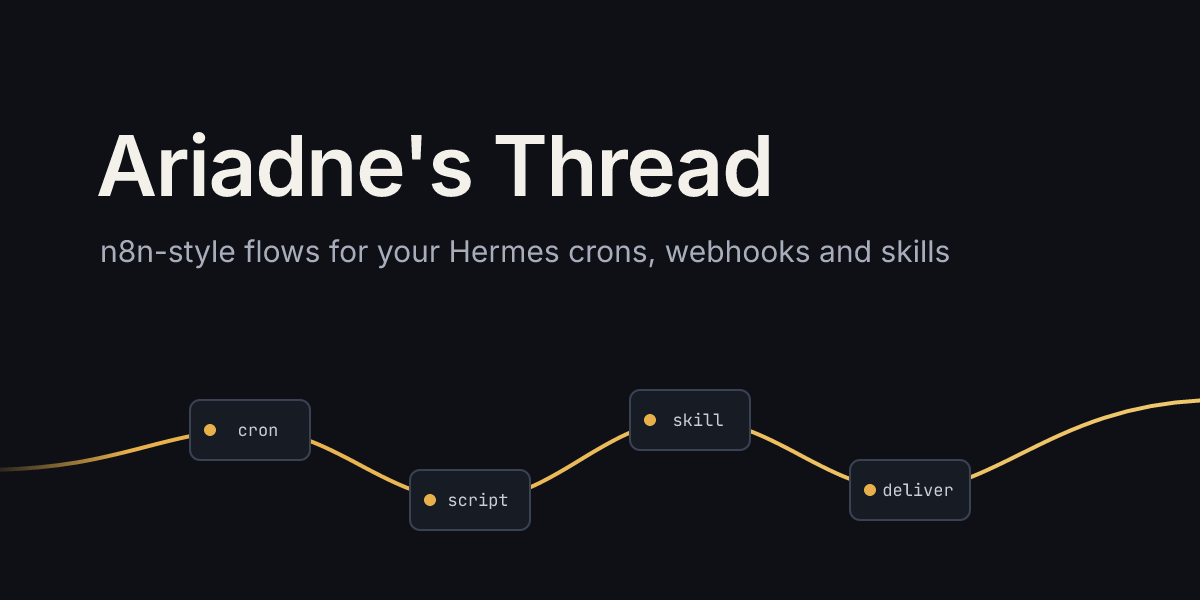
n8n-style flows for your Hermes skills and crons.
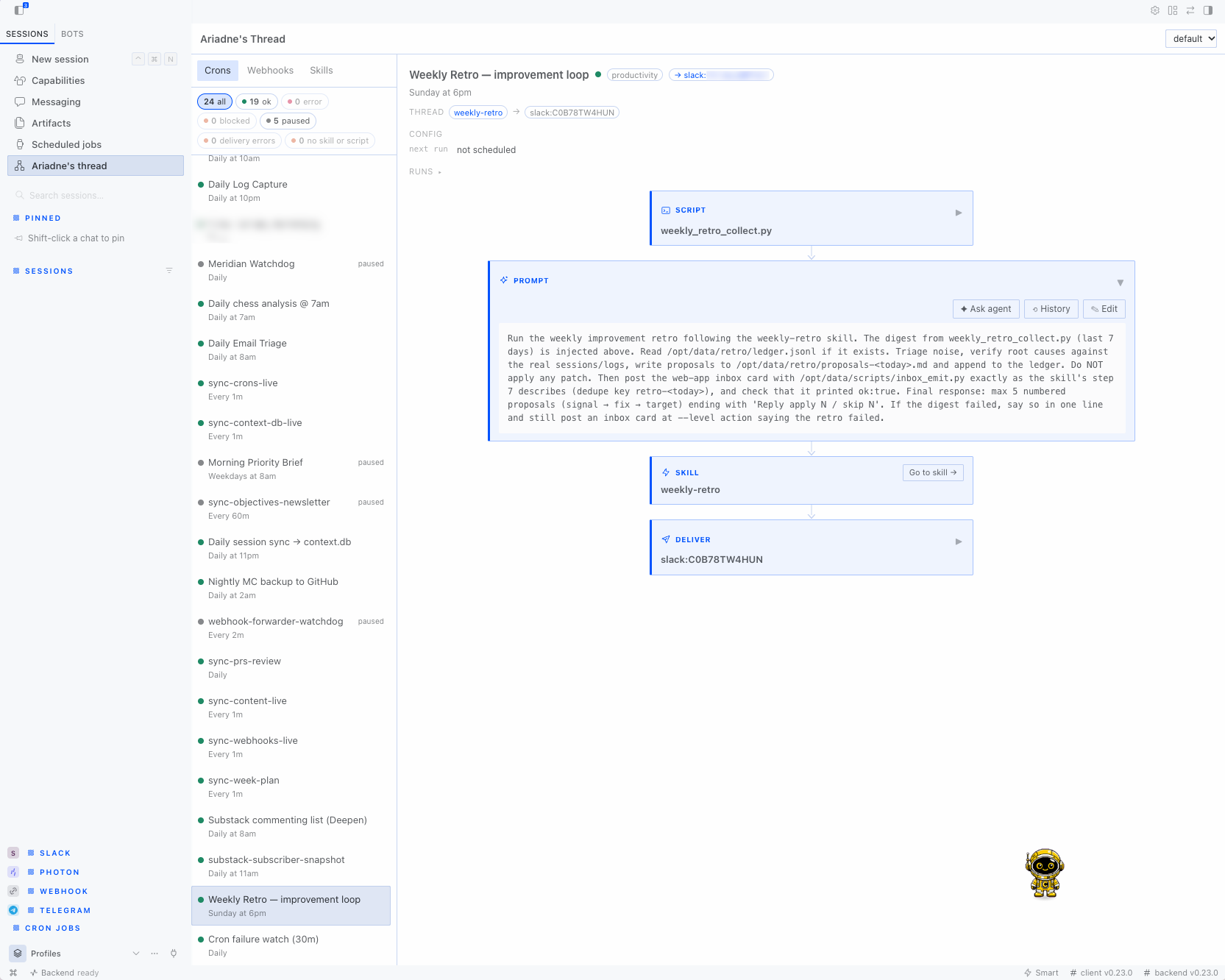
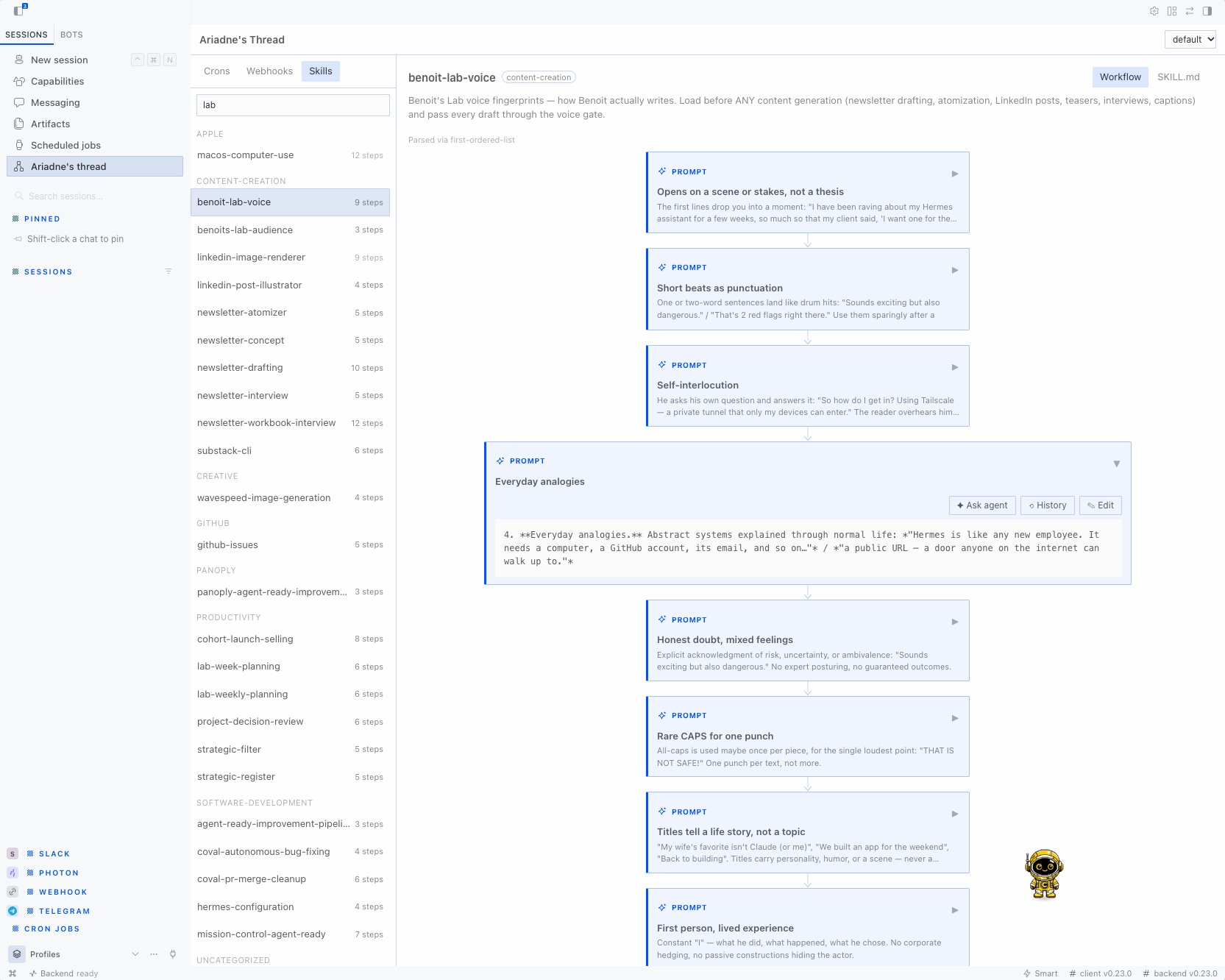
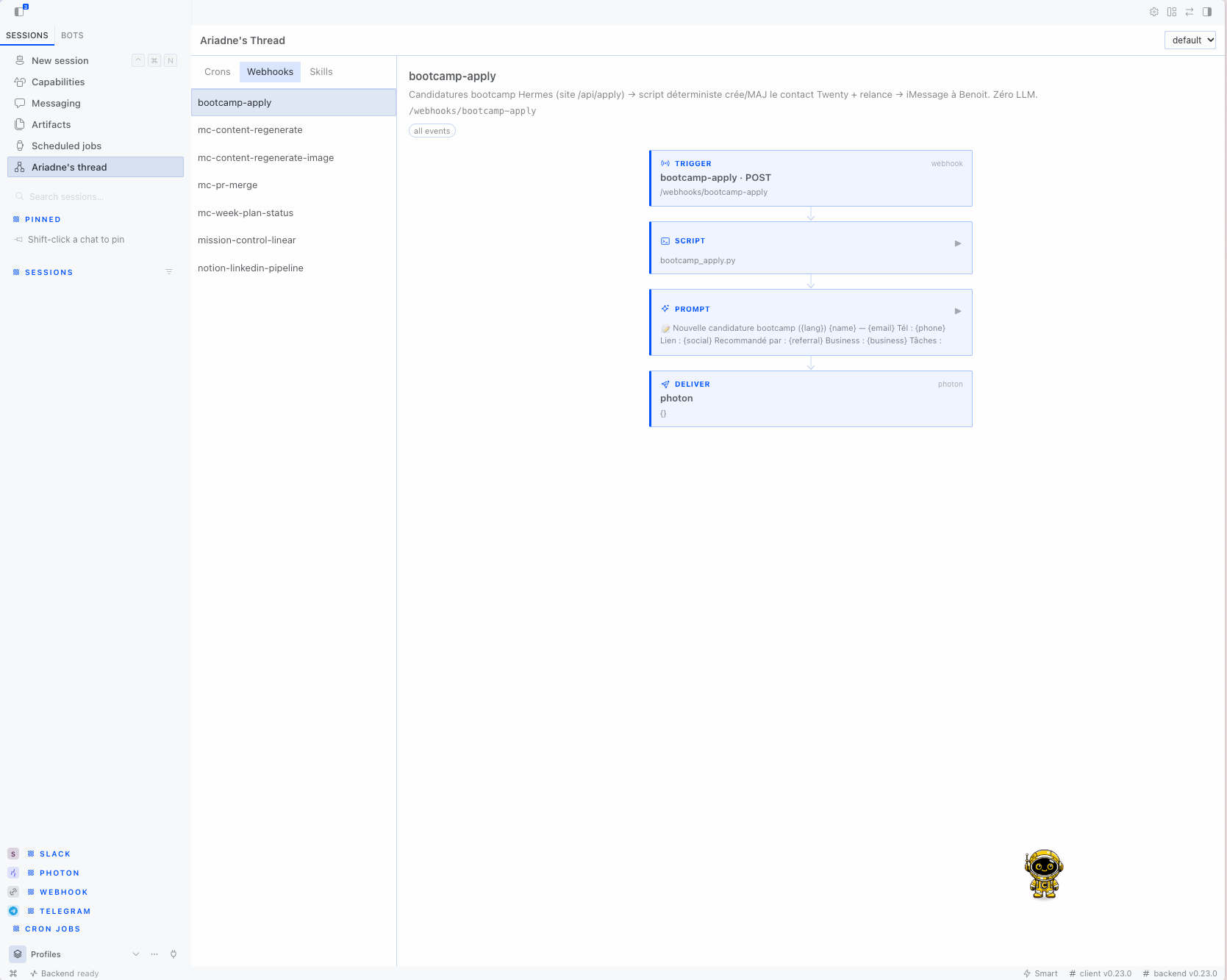
Ariadne's Thread adds a page to Hermes Desktop that draws each cron job, webhook route, and skill as a chain of steps. A cron shows its script, prompt, attached skills, and delivery target. A skill shows the steps it describes, read from its SKILL.md. Open any step to read it, edit it right there, or draft a change request for it in a new chat.
Install
Ariadne's Thread needs Hermes 0.22.0 or later.
Install it from the plugin catalog:
hermes plugins install ariadne-thread
Until the catalog entry exists, install it from its GitHub repository. Pin a full commit SHA:
hermes plugins install benoit-dev/ariadne-thread --ref <40-character commit sha>
Hermes installs plugins disabled. To enable it, answer yes to the prompt or run:
hermes plugins enable ariadne-thread
Restart Hermes Desktop, or rescan plugins, so that it loads the Desktop page. The backend API mounts when the Hermes backend starts.
Use it
Open Ariadne's Thread in the Desktop sidebar. The page has three tabs.
- Crons lists the jobs in
cron/jobs.jsonwith their status and schedule. Select a job to see its flow.- A health bar at the top counts jobs that are ok, in error, blocked, paused, with a delivery error, and with no skill or script. It also counts other and never run jobs when there are any. Click a count to show only those jobs, and click it again to show all.
- The status is the scheduler's own
last_status. A status other thanokshows next to the job's name exactly as Hermes wrote it, such asblocked_configordelivery_failed. A status the plugin does not know is never shown as ok. A job that has not run yet showsnever. - The selected job lists its problems: the last error, how many runs in a row have failed, why and since when it is paused, and the last delivery error.
- Config shows when the job runs next (relative and as a date), then its
model,provider,enabled_toolsets,profile,workdir,context_from,repeatandno_agent, when set. It never showsbase_url, and it hides any value that looks like a key, a token, or a URL with a password in it. - Thread shows the skills the job loads and where its output goes. Click a skill to open it.
- Runs lists the latest output files Hermes saved for the job in
cron/output/<job id>/, with their time and size. Click one to read it. At most the first 256 KB is shown.
- Click a step to expand it in place: a script step widens to show the script file from
scripts/, a prompt step shows the whole prompt, and the deliver step lists each target indeliveras stored and flags one that sends nothing, such as a platform with no home channel. Which platforms have a home channel comes from Hermes' own/api/cron/delivery-targets. A job that only saves its output ends in a local deliver step. Click it again to collapse it. A skill step does not expand; its Go to skill button opens the skill. - Webhooks lists the routes from Hermes' own
/api/webhooks, with their events and flow. That endpoint never returns a route's secret. Its steps open the same way. - Skills lists the skills in your skills folder and in any folder listed under
skills.external_dirs, grouped by category folder, with a step count. A selected skill has two views: Workflow shows its flow, its related skills, and Used by, which lists every cron and webhook that loads the skill with the cron's status and where each one delivers. SKILL.md shows the whole file.
Use the profile menu in the header to look at another profile. Other profiles are read-only. Skills from skills.external_dirs are also read-only and show an external badge. If a local skill and an external skill have the same name, the local one wins, as it does in Hermes.
Edit in place
An expanded step has an Edit button. It turns the step into a text box; Save (or ⌘/Ctrl+Enter) writes it, Cancel (or Esc) drops it. What you can edit:
- a skill step: the lines of
SKILL.mdthat step came from. The rest of the file is left as it was, and the whole file must still pass the frontmatter checks. - the whole
SKILL.md, from the SKILL.md view. - a cron job's prompt.
- a script step's file in
scripts/, unless it is over 256 KB. - a cron job's delivery targets. Pick from local, the origin chat and the platforms your gateway has set up (⚠ marks one with no home channel yet), or type the comma-separated
delivervalue, such astelegram,discord:1234. Enter saves.
Scripts show with line numbers and syntax colours (Python, shell and JavaScript, picked by extension or shebang), and edit in a code editor: Tab and Shift+Tab indent or dedent the selected lines, Enter keeps the line's indent (one level more after a Python : or an opening bracket), and Backspace in leading spaces removes one indent level.
When you edit a skill, the line next to Save says what the change reaches, such as "Saving affects 3: daily-digest, triage, gh-issues", or that no cron or webhook uses the skill.
Each save sends the text you started from. If the file changed since (a cron run, an agent, another window), the save is refused and nothing is written; reload and try again. Trigger steps and webhook deliver steps are read-only. A webhook prompt is read-only too, because Hermes has no endpoint yet to change one field of a route; its Ask agent button drafts the change for a chat instead.
Undo an edit
Before each save, Ariadne's Thread keeps a copy of the text it is about to replace. This covers a whole SKILL.md, one skill step, a script, a cron prompt, and a cron's delivery targets. A skill step edit keeps the whole SKILL.md. The last 10 copies of each are kept, and older ones are deleted.
An editable step has a History button next to Edit. It lists the saved copies by time. Pick one to see a diff against the current text, then click Revert to this version to write it back. A revert is a save, so it goes through the same checks: it is refused if the text changed since you opened the diff, and it keeps a copy of the text it replaces, so you can undo the revert too. History is available in the active profile only.
Ask an agent
Every editable step also has an Ask agent button next to Edit. It docks a request box at the bottom of the step's visible area that stays in view while you scroll (Esc closes it). The skill has a box for the whole file under its views. Type the request (the box grows to fit it; Shift+Enter adds a line) and press Enter or click the send arrow. Ariadne's Thread opens a new chat with a prompt that names the file or job, quotes the step's current text, and adds your request. Nothing runs until you send that message. If the draft cannot be placed, the prompt goes to your clipboard.
How skills become flows
The parser reads step headings (## Step 1), an ordered list under a heading such as "Procedure" or "Steps", or the first ordered list in the skill. If it finds none, it shows each ## section as a step, or the whole skill as one step. The flow view says which rule it used. docs/parsing-report.md shows the results on every skill that ships with Hermes and lists where the parser is weak.
What this plugin reads and writes
Ariadne's Thread reads files that Hermes keeps in its home folder (HERMES_HOME, ~/.hermes by default). The only data of its own is the edit history in plugin-data/ariadne-thread/history/ inside that folder. This is the per-plugin folder Hermes sets aside for plugins.
It reads:
cron/jobs.json- the run output files in
cron/output/<job id>/, when you open a job's Runs. It lists only files named like2026-11-08_09-00-00.md, refuses any path that resolves outside that job's folder, and shows at most the first 256 KB. - the webhook routes and the cron delivery platforms, from Hermes' own
GET /api/webhooksandGET /api/cron/delivery-targets. The Desktop page calls them through the Desktop bridge (window.hermesDesktop.api), because the plugin SDK only reaches the plugin's own API. Both are read-only, and/api/webhooksreturns no secrets. The plugin never openswebhook_subscriptions.jsonitself. - every
SKILL.mdunderskills/, including skill folders that are symlinks to shared folders config.yaml, only to findskills.external_dirs, and everySKILL.mdin those folders- a script in
scripts/when you click a script step, the same folder Hermes runs cron and webhook scripts from. It refuses paths that resolve outside that folder and shows at most the first 256 KB. The script is shown as it is, so anything written into it is visible on screen. - the folder names in
profiles/, and the same sources inside a profile when you pick it - its own history files in
plugin-data/ariadne-thread/history/, when you open History
It writes only when you click Save, and only in the active profile:
- a skill's
SKILL.md, whole or one step's lines, through a temporary file in the same folder. Only skills whose real path is insideskills/; never external skill folders. - a script in
scripts/, through a temporary file, keeping its file mode. Paths outsidescripts/are refused. - a cron job's
prompt, through Hermes' own cron store (cron.jobs.update_job), which takes the same lock as the scheduler. - a cron job's
deliver, through the same cron store. - before each of these writes, one history file in
plugin-data/ariadne-thread/history/<kind>/<hash of the target>/. It holds the replaced text, its kind and target name, and the time. It is written through a temporary file with mode0600in folders with mode0700. The plugin keeps the newest 10 per target and deletes older ones. If the history file cannot be written, the save is refused and nothing changes.
A revert from History writes through the same paths as a save.
Every save is refused if the text on disk no longer matches what you started editing.
To clear the history, delete plugin-data/ariadne-thread/. Uninstalling the plugin does not delete it.
It does not:
- run shell commands or start processes
- run, pause, or resume cron jobs. Runs only reads the output files Hermes already wrote.
- start agent sessions or send messages for you
- call any network service other than the Hermes backend it is installed in
- read credentials,
.envfiles, or tokens, or enter another profile's secret scope - collect telemetry
Hermes has no public plugin seam for editing a cron job, so the backend imports cron.jobs (get_job and update_job) for the cron prompt and delivery edits. A Hermes release can change it. docs/risk-audit.md explains what happens if it goes away.
After a save, it sends the local event plugin.ariadne-thread.skills.changed to open Desktop windows so that they refresh.
docs/risk-audit.md lists each of these with its file and line.
Development
Run the tests with a Python that has Hermes installed:
python -m pytest tests
Check the package the same way catalog CI does:
hermes plugins validate . --install-deps
hermes plugins doctor . --ci
docs/validation.md has the output for this version.
Try external skill folders by hand
-
Create a folder with one skill in it:
mkdir -p ~/team-skills/ops/rotate-logs printf -- '---\nname: rotate-logs\ndescription: Rotate old logs\n---\n\n1. Find logs older than 7 days.\n2. Compress them.\n' > ~/team-skills/ops/rotate-logs/SKILL.md -
Add the folder to
~/.hermes/config.yaml:skills: external_dirs: - ~/team-skills -
Open the Skills tab.
rotate-logsappears underopswith 2 steps and an external badge, and it has no Edit button. -
Run
hermes skills listand check that Hermes lists the same skill.
License
MIT. See LICENSE.
README from the reviewed commit a4ca623; it updates when the author re-pins.


