KeyArgo
Aura turns Hermes Desktop into a room you can live in. Put any film, lecture or playlist in the
right-hand pane and keep working; switch the film off and the same audio drives a MilkDrop-compatible
visualiser in that pane, on the Aura page, or in the watch window. The full-window visual returns
when Hermes ships a backdrop area (#155903). It listens to what the machine is already playing —
system loopback, never the microphone — and nothing leaves the computer: no account, no uploads, no recording.
Aura is not a music-service integration. It needs no Spotify, no YouTube Music and no account of any
kind. If the speakers are making a sound, Aura can see it.
See it
Real renders, not mockups. Captured 2026-11-11 at 1600 × 1000 from the Butterchurn build and the
preset set Aura ships (web/vendor/), driven through an analyser by a synthetic signal — the same
render path the app uses, so the colour, motion and preset behaviour are the product's. The preset
names are the ones in the catalogue: Flexi, fishbrain, Geiss + Martin — tokamak witchery ·
Krash + Illusion — Spiral Movement · Eo.S. + Zylot — skylight · flexi — fractopia ·
martin — castle in the air. Screenshots of the pane and page chrome need a display server; the
visualiser is the part that renders identically headless.
One player, three surfaces
The film lives in exactly one place at a time. The docked pane is how you work with it beside the chat;
the Aura page is the whole product in one screen; the pop-out window is ordinary Chromium so it
can go full-screen on another monitor. Move the film and the old surface gives it up — the position is
kept per film, keyed by URL, so nothing restarts.
Watch while you work
- A docked theatre pane on the right: 16:9 stage, scrubber, transport, volume, and a poster list of
your sources. Closing it leaves only the status-bar menu. - YouTube videos, YouTube playlists, direct MP4/WebM. Any public or unlisted playlist link works.
- Per-film resume. Every film remembers where you stopped, keyed by URL, so switching sources all day
never restarts anything. A film that reaches the end is not remembered as being at its last second. - Playlist episodes. Next/previous move through the episodes of a playlist, and fall back to your saved
sources when the current source is a single video. - Auto-skip. A playlist item that forbids embedding (or has been deleted) would otherwise break the
whole list, so Aura resolves the playlist server-side and moves to the next playable episode. - Manage a playlist where it lives.
☰hands the list to the pop-out window — real Chromium on its
own profile — so YouTube's own page opens and adding, removing and reordering work with your own
session. No API scope, no OAuth review, no second account. - Free placement. The floating watch window drags anywhere and remembers its spot; 320 / 480 / 640
/ 880 / 1120 wide. Its control strip is two rows — the film's title, scrubber, clock, volume and window
buttons above a centred transport row — stays inside the viewport, and dims when idle instead of
vanishing. Below the transport it carries Size and Send to (Right panel, Desktop). - The same window for the visualiser. In Visualizer mode the watch window shows the visualiser with
the film window's own Size presets and the same Send to row: Panel brings it back to the
Right panel, Window keeps it where it is, and Desktop opens it in the desktop OS window. The film's title, scrubber and transport rows are
not shown, because the visualiser has nothing to scrub. - An Aura page in the sidebar — the whole product in one place. One row opens a full page: the same
film in a big 16:9 frame with the transport, volume and source picker, a Library of poster cards
(add, rename, remove, hide starters, clear recents), the playlist how-to, and every setting Aura has
underneath. Dark glass over a violet-to-ember gradient, scoped to#aura-page. It is the same
player — the film moves into the page while it is open and goes back when you leave. Pop out on the
page floats it in a watch window you can drag anywhere; Bring back returns it to the page. - One library, two pickers. The source dropdowns in the A menu and in Settings list everything —
saved playlists, your films, the starter pack and recents — grouped underPlaylists,Your films,
StartersandRecent. A small Edit sources… link opens the Aura page, where editing lives. - A film is the picture. While Backdrop is Video player, Style, Intensity, the Aura
transparency and Gentle motion are greyed out (they only describe the Aura visual). The film plays
in the Right panel, the Aura page, or the watch window. The full-window visual behind the app
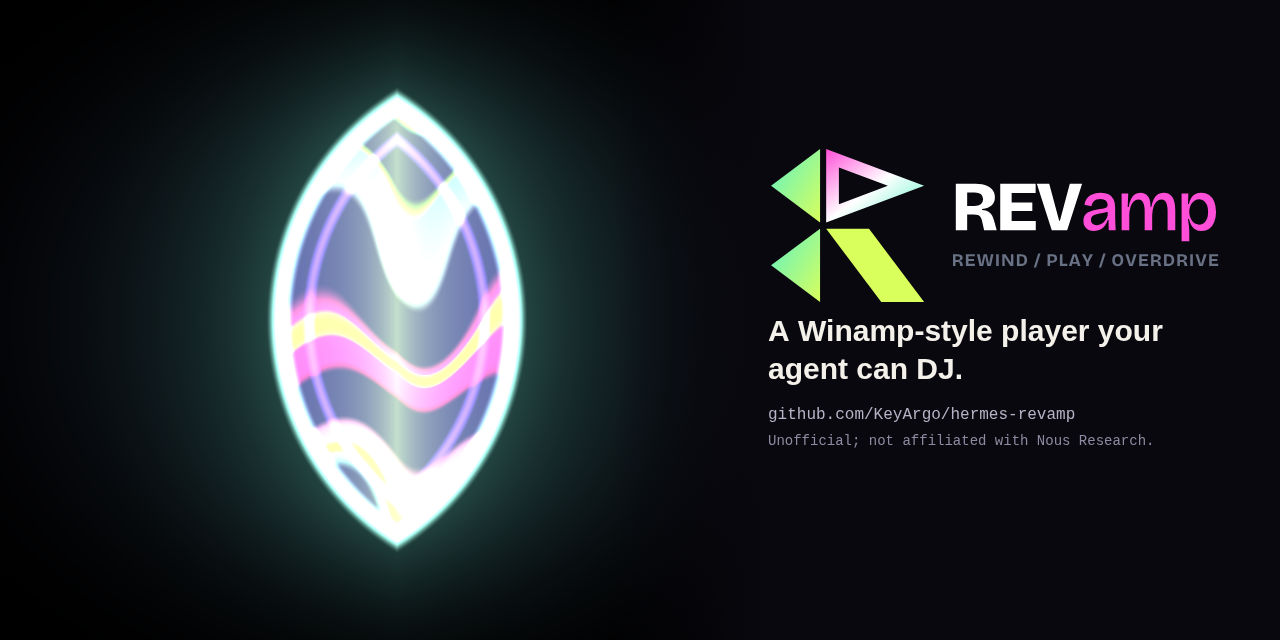
returns when Hermes ships a backdrop area (#155903). - REVamp, next door. Aura has no music library of its own. REVamp
is a Winamp-style player for Hermes, listed in the Hermes plugin catalog — install it from Capabilities -> Plugins,
or withhermes plugins install revamp. It includes Hermes Radio, a curated
station section, and Aura's visuals react to whatever it plays.
Adding a YouTube playlist (plain instructions)
- Open the playlist on YouTube.
- Press Share, then Copy link — it looks like
https://youtube.com/playlist?list=PL…. - On the Aura page, paste it into the Library box, give it a name if you like, and press Add.
Public and unlisted playlists play here. Private playlists cannot be embedded and are not supported.
Pop out to its own window
Click Pop out and the film leaves the Hermes window: a real OS window (Chrome/Chromium app mode)
that you can drag to another monitor or full-screen. It opens at the exact second the in-app player had
reached, and the in-app one pauses so two copies never play with sound. Pop in closes it again.
Everything the strip does follows the film out, too: picking another film, Next/Previous on a single
film, the mute switch and Close video all reach that window.
The pop-out needs Chrome or Chromium. If none is installed Aura says so plainly; set
AURA_DESKTOP_BROWSER=/path/to/chrome to point it at one. The window uses its own browser profile, so
it never touches your normal browsing session. If the Aura server restarts (or the app quits), the
window is closed with it — a stale window could play audio nothing can control.
Control it by talking to Hermes
Because the server is the remote, anything in the window can still be driven from the chat — no
alt-tab, no reaching for the mouse:
- “pause” / “resume” / “next episode” / “go back an episode”
- “jump to 40 minutes” (seek)
- “put it on my other screen” / “pop the film out” / “bring it back into Hermes”
The agent calls aura_control with action=pause|resume|next|prev|seek|popout|popin, and
action=status answers “what is playing?” with the title, position, duration and whether the window is
open. Commands go through a small server-side queue (/api/player/command), which the desktop window
polls about three times a second and applies to the same player code the in-app transport uses.
Ask Hermes for something to watch
You do not need a link. Say what you are in the mood for:
You: I want to watch a documentary about octopuses.
Hermes: Here are a few — say the number:
- Secrets of the Octopus: the Ocean's Masterminds · Nat Geo Animals · 2:03:39 · youtube.com/watch?v=3GB-7qwwIp0
- Full octopus documentaries · Timely Documentaries · 8 videos · youtube.com/playlist?list=PL…
- Masterminds: Secrets of the Octopus (Full Episode) · National Geographic · 42:32 · youtube.com/watch?v=ah8U0-fV6k8
You: 2
Hermes: Playing “Full octopus documentaries” in Aura.
The agent calls aura_watch with action=search, shows the numbered options (title, channel,
length and link) and stops. Nothing plays until you pick; then it calls action=play, which puts the
choice on the same player queue the transport buttons use — so it starts in the docked pane, the Aura
page or the popped-out window, whichever is showing the film. action=now answers “what is playing?”
without opening anything.
Search is keyless: it reads YouTube's public results page, caches the answer for five minutes, and
returns nothing rather than an error when YouTube is unreachable (the agent then says so, and can fall
back to its own web search with a direct link). action=play accepts YouTube watch / youtu.be /
shorts / embed / playlist links and direct .mp4, .webm, .m3u8 and .mov files. The dashboard
also exposes the same search as GET /api/plugins/aura/search?q=…&limit=….
Watch the machine
- A MilkDrop-compatible WebGL visualiser driven by system audio — level, bands, silence gating.
It lives in the Right panel, the Aura page, or the watch window. The full-window visual returns
when Hermes ships a backdrop area (#155903). - An optional accent that follows the audio, and agent moods: thinking, running tools, waiting for
approval, erroring, streaming, finished — each restores itself, nothing latches.
Listen to anything
Aura listens to more than a film's soundtrack: internet radio, direct audio files and
streams play on their own channel, beside the video and independent of it.
- Radio. A curated starter list (SomaFM, NTS, KEXP, FIP, Radio Paradise, BBC World
Service and more), a search across the Radio Browser
directory by name or genre tag, and favourites that persist between sessions..plsand
.m3uplaylists are resolved server-side, so a playlist link behaves like a station. - Direct audio. Any public
http(s)URL to mp3, ogg/opus, aac/m4a, flac or wav. - Music on, video muted. The audio channel has its own volume and mute, so a film can run
silently while music plays — watch the lecture, listen to the radio. The muted state is
remembered with the film. - Ask the agent. The
aura_listentool searches radio, shows numbered choices, waits
for your pick, then plays it: "find me some jazz radio" → a numbered list → "the second
one". It can also stop the audio, set its volume, or mute/unmute the video without touching
the music. - Visuals follow it. Nothing new feeds the visualiser: Aura already reacts to system audio,
so music from Aura's own channel (or any other app) drives the same visuals.
Aura is a media player, not a Winamp. If you want a Winamp-style player with your local
library, audiobooks, skins and a 90s attitude, REVamp is in the Hermes
plugin catalog — install it from Capabilities -> Plugins or with
hermes plugins install revamp. It includes Hermes Radio, and Aura's visuals
react to whatever it plays.
The plugin surface
- Status-bar A menu: play/pause, seek, volume, source picker, watch window, Aura panel.
- A sidebar Aura page: the film, the transport and the full setup in one place.
- A settings page with every control, including dropdown lists that stay readable on dark themes.
- The
aura_controltool, so the agent itself can set the room; theaura_listentool
for radio search and the audio channel; theaura_watchtool to find something to watch
and start the choice you pick. - Hooks: session start/end,
pre/post_tool_call, approval request/response,api_request_error,
stream start/end, subagent start/stop.
Install and set up by OS
hermes plugins install https://github.com/KeyArgo/hermes-aura --enable
Restart Hermes Desktop after installation.
- Linux: Aura automatically uses a PipeWire or PulseAudio monitor source.
- Windows: Aura captures system audio through WASAPI loopback, not the microphone.
The plugin installssoundcardandnumpydependencies. - macOS: Install a virtual loopback device, for example BlackHole 2ch with
brew install --cask blackhole-2ch. In Audio MIDI Setup, create a Multi-Output
Device containing your speakers and BlackHole, then select it as your output.
Aura recognizes input device names containing BlackHole, Loopback, Soundflower,
or Existential Audio.
Aura reacts to Hermes lifecycle events and does not depend on your AI model or
provider. It needs no NVIDIA GPU or CUDA. The visualiser uses WebGL2; software
WebGL runs at reduced resolution and frame rate. If WebGL2 or the visualiser
cannot start, Aura shows an accent-only fallback.
Troubleshooting
- The visual is black? Open Aura's Right panel or the Aura page and play some audio. The full-window visual returns when Hermes ships a backdrop area (#155903).
- Nothing reacts to sound? Check the Linux monitor source, Windows WASAPI
loopback, or macOS virtual loopback routing above. - YouTube is black or unavailable? The uploader may block embedding. Try
Watch in → Desktop, which opens the film in its own window; some videos
are still unavailable. - The panel is behind Sessions after choosing a layout? Restart Hermes Desktop,
or use Aura menu → Panel. - Radio stopped? Try another station or start the stream again; the station
or its stream may be unavailable. - How do I reset the look? Choose Restore my theme, or turn Aura off and on.
- Where are the logs? Check Hermes Desktop's logs for messages from
aura,
aura.server, oraura.capture; Aura uses Python logging.
Limits, stated plainly
| Area | Status |
|---|---|
| Audio capture | Linux (PipeWire / PulseAudio monitor) — tested. Windows (WASAPI) is implemented but unproven on real hardware; macOS needs a virtual audio device. Treat Aura as Linux-first. |
| YouTube | Embeds play only when the uploader allows it. Aura detects the refusal and skips the episode; it cannot play a video that forbids embedding. |
| Netflix, Disney+, most streaming services | Not possible — their players refuse to be framed (DRM + X-Frame-Options). Aura offers "open in browser" instead. |
| Plex | Not built. A direct stream URL works; the server integration is not written. |
| Playlists | Resolved by reading the public playlist page — no API key, no OAuth. Public and unlisted lists only; private/account lists need Google sign-in and are unsupported. |
| Privacy | Audio is analysed in memory and never written or sent. No account, no telemetry. |
Host safety
The only host DOM Aura touches is opt-in and bounded:
- The pane is a
PANES_AREAcontribution — Hermes lays it out. The film isposition: absolute
inside the panel stage (inset: 0), a descendant of that stage. It is notposition: fixedover
the window, and it has no z-index above the pane. The Aura page and the watch window keep their
film inside the box Hermes gives them, the same way. Nobodypadding. - The visualiser, the film, and radio share Aura's own iframe in the Right panel, the Aura page, or
the watch window. Nothing is appended to the host body, and Aura does not clear the app's backgrounds.
The full-window visual returns when Hermes ships a backdrop area (#155903). - Host
html/body/root styles are never written. The accent override is the SDK's sanctioned mechanism. - Turning Aura off, Restore my theme and plugin disposal remove every effect Aura applied and
restore the theme that was there before.
Layout
plugin.yaml          manifest (hooks, tools, dashboard)
__init__.py          Python plugin: hooks, aura_control tool
aura_core/           capture, analysis, config, HTTP server, sessions, radio
dashboard/           plugin_api.py — the desktop half's REST door (incl. /radio/*)
desktop/plugin.js    Hermes Desktop half (status menu, pane, page, watch window, audio)
web/                 visualiser (aura.js), audio channel (audio.js), film stage (player.html), presets
tests/               Python suite + the desktop DOM contract suite
Development
.venv/bin/python -m pytest tests/ -q          # server, capture, analysis
node --test tests/test_desktop_plugin.mjs     # desktop half against a fake host DOM
The end-to-end visualiser tests drive a real headless Chrome and measure the canvas. They skip
themselves when the machine is too loaded to sample reliably rather than reporting a false failure.
Status
Pre-release. SPIKES.md records what was actually measured; CONTRACT.md is the wire contract between
the capture server, the page, the desktop half and the agent hooks.
This README applies to plugin version 1.0.0; revised 2026-11-19
(listen lane: audio channel, radio, aura_listen, REVamp card, catalog link + Hermes Radio).
Licences
MIT. Butterchurn (MIT) and a curated subset of butterchurn-presets; individual presets are credited in
THIRD_PARTY_NOTICES.md. "MilkDrop-compatible" — not MilkDrop itself.
README from the reviewed commit 6b72d2a; it updates when the author re-pins.