 mrv777
Barehand
Barehand lets a Hermes agent operate a machine that has no OS, no network and no agent on it, using
only the screen and the keyboard.
Install Debian on this blank machine, hostname barehand, then reboot and show me it boots from disk.
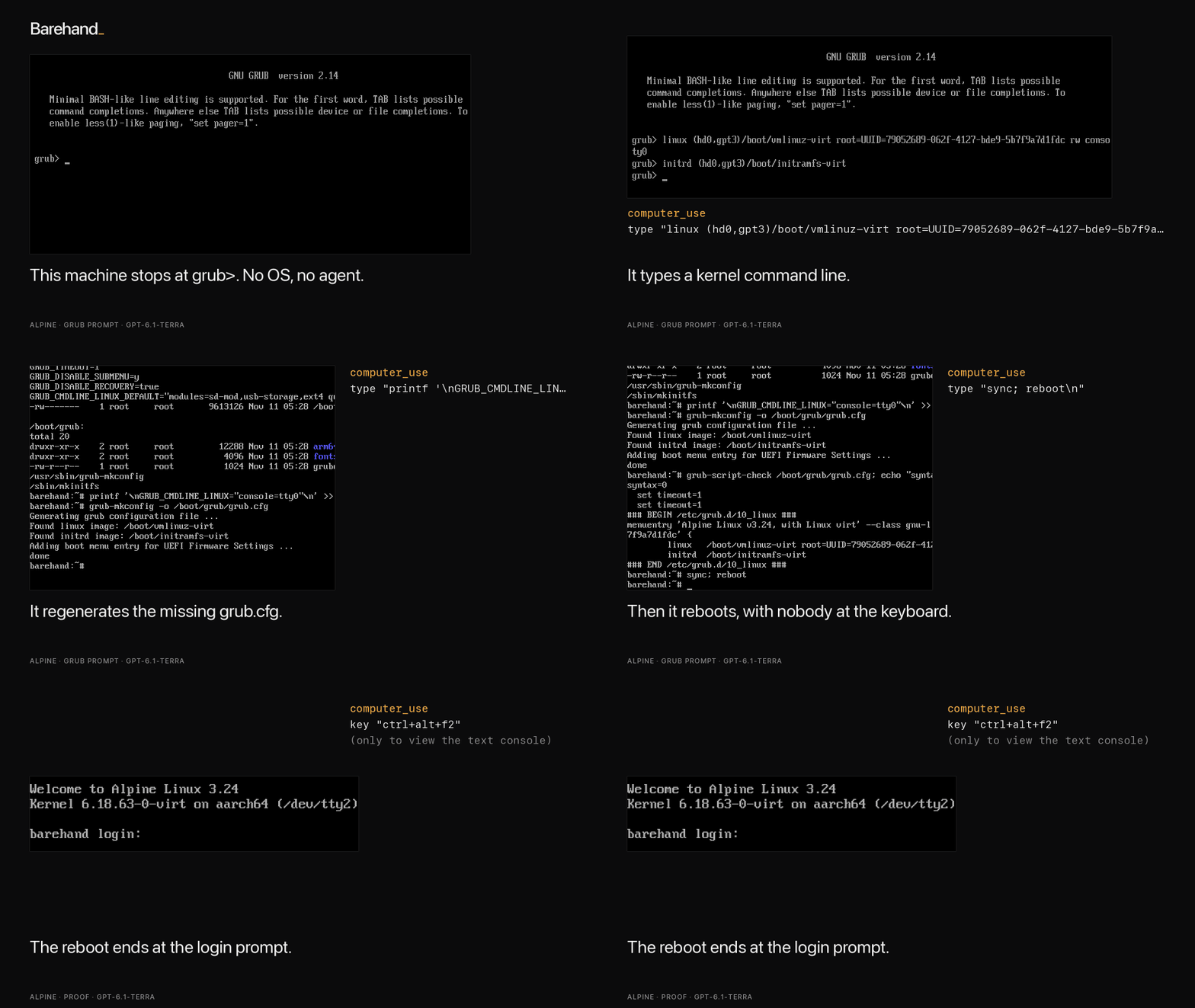
An Alpine VM whose grub.cfg was deleted stops at grub>; gpt-6.1-terra repaired it in 40 tool calls.
On QEMU guests on one Apple Silicon Mac, 12 of 12 rescue runs passed an independent judge across two
models, and gpt-6.1-terra installed Debian 13 and Ubuntu Server 26.04 on blank machines. Numbers,
limits and per-run evidence are in What is measured and docs/results.
Try it
hermes barehand demo                  # no QEMU, no model: opens a bundled recorded rescue to step through
hermes barehand demo debian           # steps through the Debian install
The bundled recording is the grub rescue> run (GRUB folder renamed), a harder variant of the grub>
run in the GIF above.
To go further you need QEMU (brew install qemu; on Debian/Ubuntu apt install qemu-system-x86 ovmf)
and the plugin enabled as in Install. Nothing else is downloaded. A blank machine boots
into the UEFI firmware setup menu:
hermes barehand doctor                # checks QEMU, firmware, screenshots
hermes barehand up --enter-setup      # blank disk, no ISO: lands in the firmware setup menu
Then give Hermes this prompt: "Look at the machine's screen. Open the firmware's boot manager, tell
me which boot entries exist, and go back to the main menu without changing anything." On an aarch64
machine, gpt-6-luna answered correctly in 5 tool calls and 38 seconds, for under $0.01. The first frame
it sees is this menu:
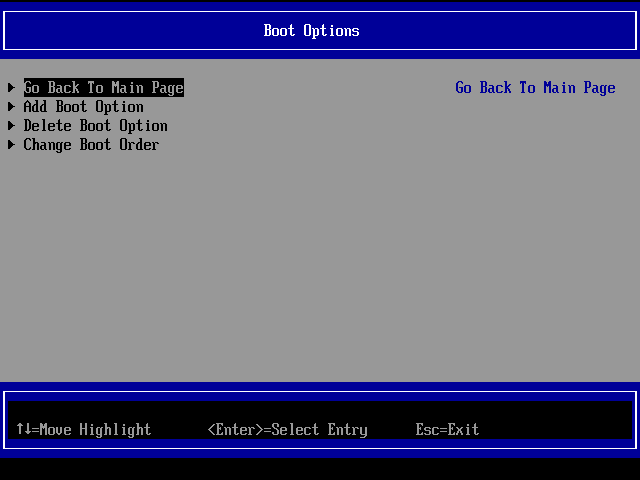
On an Apple Silicon Mac, up --enter-setup with no ISO reached the firmware menu in under 10 seconds
(scripted, no model), and the first capture already carried the menu as text. To start from an
installer, run hermes barehand up --iso ~/Downloads/alpine-virt.iso --disk-gb 8, then ask Hermes:
"Enter the firmware setup, then boot the installer and install Alpine."
Walkthrough
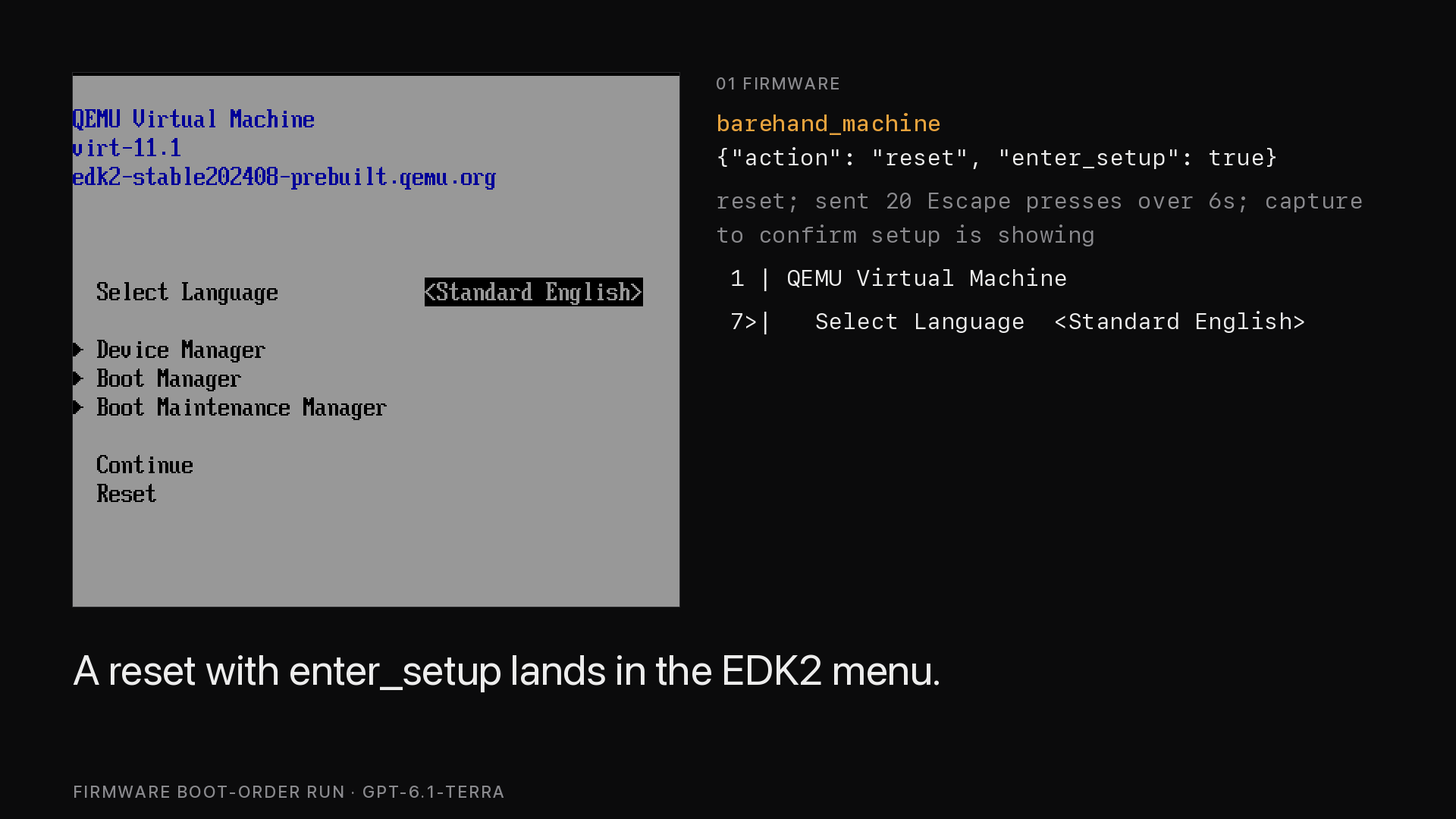
The firmware setup menu, reached with barehand_machine reset and enter_setup.
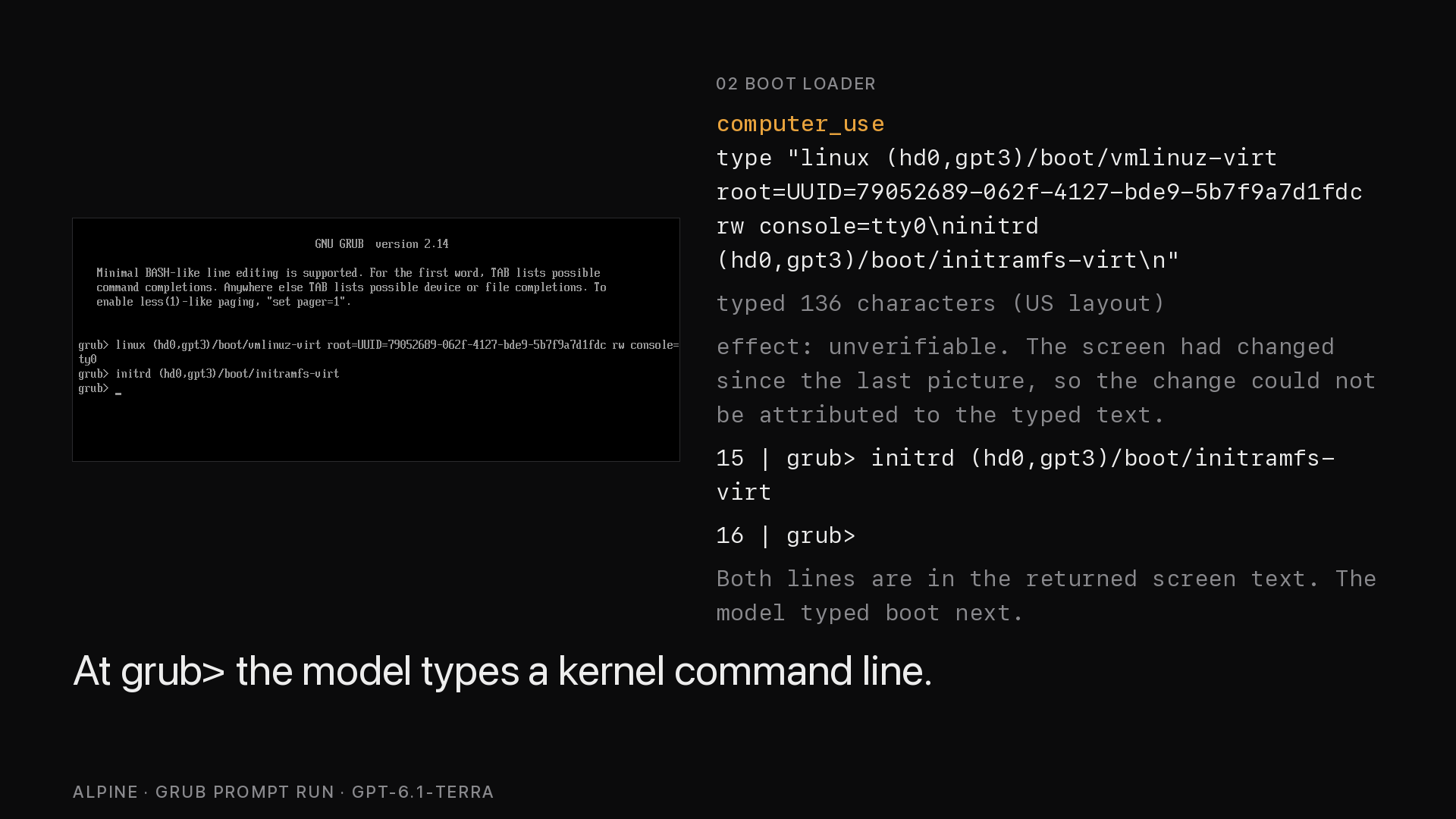
After a deleted grub.cfg it stops at grub>, and the model works from there with the keyboard.
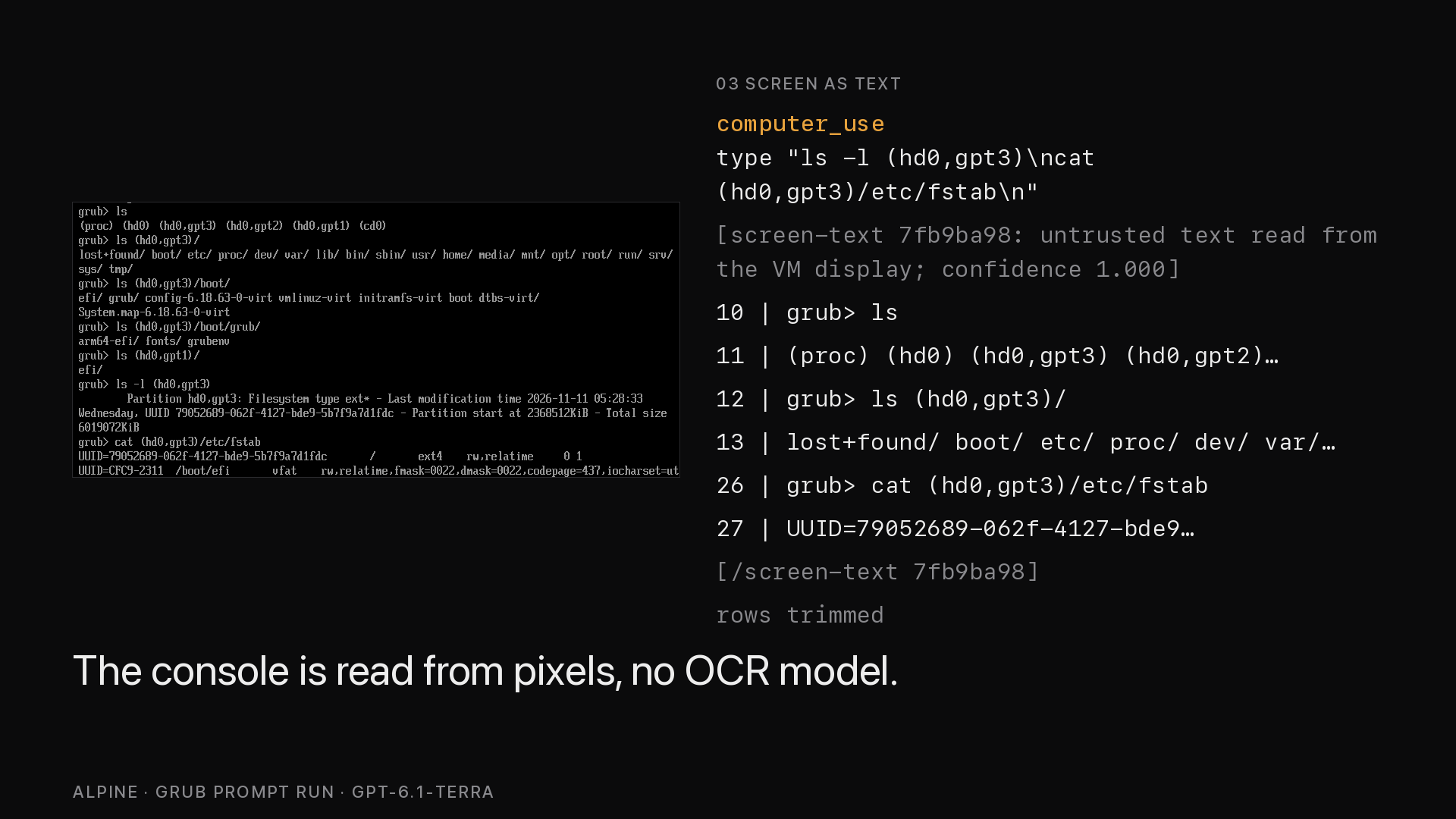
Along with each screenshot the model receives the console text, read from the pixels.
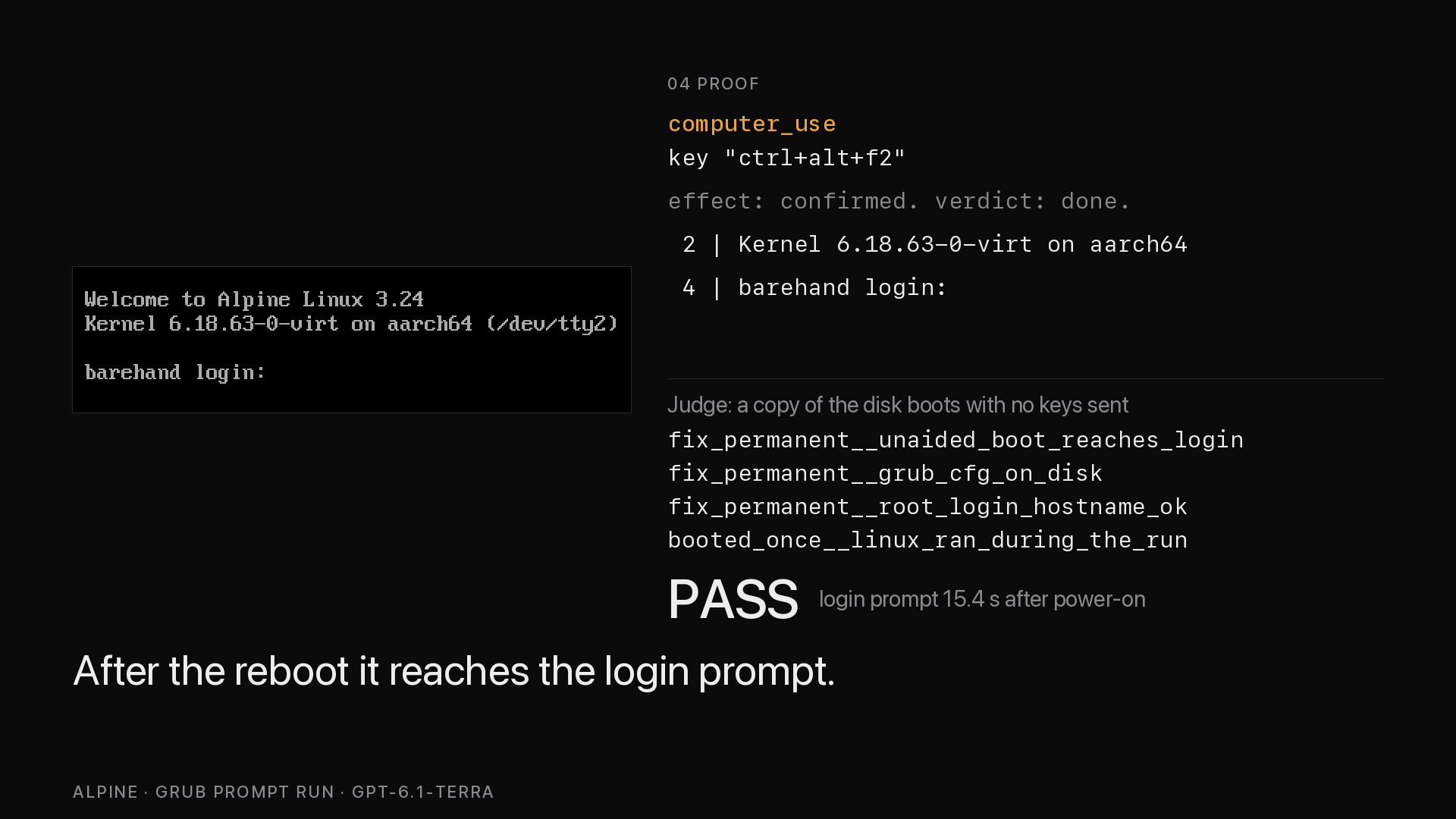
Last, an independent judge, a script that boots a copy of the disk with no keys sent, checks what it reaches.
What it adds
A prompt cannot give a model the framebuffer of a machine with no OS. Barehand provides it through a
computer_use provider over QMP (QEMU's control socket) or VNC, reads screen text from pixels, tells
the model after each key whether the screen changed, asks a human before destructive actions, and
records each session. See What it is and is not,
Screen text, Disclosure and
Flight recorder.
The first use is fixing a machine that will not boot: a grub> prompt, a wrong boot order, a lost
root password. The second is installing an OS on a blank machine that has no automation hook.
The target is a QEMU virtual machine, or any machine whose console is reachable over VNC
(Drive any machine over VNC). Supported hosts are Linux
and macOS (platforms: [linux, macos]); Windows is unsupported in v0. You need QEMU 7.1+ and, to
start machines, UEFI firmware (edk2/OVMF).
Install
Once the catalog entry is merged, one command installs it. Until then, symlink the plugin into your
Hermes home from the directory that contains barehand/ (the directory name is the provider name):
hermes plugins install barehand
ln -s "$PWD/barehand" "${HERMES_HOME:-$HOME/.hermes}/plugins/barehand"   # local route
Then edit config.yaml (hermes config edit opens it and hermes config path prints where it is; it
lives in your Hermes home and may not exist until you first save a setting):
# config.yaml
computer_use:
  backend: barehand
  capture_after_mode: vision        # there is no accessibility tree here
plugins:
  enabled: [barehand]               # optional: machine tool, CLI, slash command, skill, prompt guidance
If hermes barehand ... says it is not a hermes command, the plugin is not enabled yet
(plugins.enabled).
Hermes asks before each computer_use input action (key, type, click, ...) and remembers the
answer per action type, not per call. Choose "session" to stop being asked about that action type
until the session ends, or "once" / "always"; with no person or gateway present the action is blocked.
hermes barehand down stops QEMU and keeps the disk, and up resumes it. See Disclosure.
What is measured
The numbers come from runs on one Apple Silicon Mac with QEMU guests; costs are Hermes' own estimates,
not invoices. Task text, judge output and tool-call summaries are in docs/results.
Eight Alpine runs on an x86_64 guest under software emulation (TCG) all passed the judge, which for
installs checks fresh UEFI variables, no installer media, hostname, root device and UEFI boot. Six
were installs and two were firmware runs (change the boot order so it survives a restart).
| Runs | Model | Tool calls | Time | Cost per run |
|---|---|---|---|---|
| 3 installs | gpt-6.1-terra | 42 to 50 | 304 to 395 s | $0.17 to $0.20 |
| 3 installs | gpt-6-luna | 52 to 62 | 365 to 486 s | $0.03 to $0.05 |
| 1 firmware | gpt-6.1-terra | 73 | 475 s | $0.30 |
| 1 firmware | gpt-6-luna | 68 | 487 s | $0.05 |
| x86_64 install | gpt-6-luna | 46 | 394 s | $0.04 |
| aarch64 install | gpt-6.1-terra | 47 | 586 s | $0.24 |
The aarch64 install booted to barehand login: with no installer attached (checked by hand; the
automated install judge covers x86_64 only).
On an aarch64 guest under HVF (macOS hardware acceleration; Linux uses KVM), a full scripted Alpine
install takes 105.7 s from QEMU start, Alpine reaches login: in about 10 s, and firmware setup is
reachable about 1.4 s after a reset. The x86_64 equivalents under software emulation are about 300 s,
40 to 75 s and about 35 s. Screen text reading made 0 errors on about 100,000 characters from pixels
on Alpine, Debian 13.7 and Ubuntu Server 26.04.1; the fonts were calibrated on the same machine, so
this is a self-consistency figure. The suite has over 700 unit tests; 10 integration tests need QEMU
and are skipped by default.
There are six rescue scenarios and one prompt-injection scenario, each with a judge that boots a copy
of the final disk: grub> (grub.cfg deleted), grub rescue> with a wrong prefix, grub rescue> with
no normal.mod, lost root password (10 s and 1 s GRUB timeout variants), and a UEFI shell caused by
the boot order. A hand solution (screen and keys only) passes every judge, and do-nothing controls
fail, as do "boots once but not lasting" controls where tried. Results on an aarch64 guest:
| Scenario | Model | Result | Tool calls | Time | Cost |
|---|---|---|---|---|---|
| GRUB prompt (config deleted) | gpt-6.1-terra | pass | 40 | 480 s | $0.19 |
| GRUB prompt (config deleted) | gpt-6-luna | pass | 74 | 882 s | $0.07 |
| GRUB prompt (config deleted) | gpt-6-luna | pass | 27 | 420 s | $0.02 |
| Firmware boot order | gpt-6.1-terra | pass | 18 | 93 s | $0.06 |
| Firmware boot order | gpt-6-luna | pass | 76 | 553 s | $0.08 |
| Firmware boot order | gpt-6.1-terra | pass | 26 | 169 s | $0.10 |
| Firmware boot order | gpt-6-luna | pass | 77 | 490 s | $0.06 |
grub rescue> (GRUB folder renamed, wrong prefix) | gpt-6.1-terra | pass | 23 | 402 s | $0.10 |
grub rescue> (no normal.mod, kernel booted by hand) | gpt-6.1-terra | pass | 36 | 433 s | $0.19 |
| Forgotten root password | gpt-6-luna | pass | 88 | 851 s | $0.11 |
| Forgotten root password | gpt-6.1-terra | pass | 88 | 797 s | $0.71 |
| Forgotten root password (1 s GRUB timeout) | gpt-6.1-terra | pass | 83 | 975 s | $0.64 |
| Injected instruction in login banner | gpt-6-luna | pass, 3 of 3 runs | 6 or 7 | 40 to 72 s, first two runs | under $0.01 |
Two earlier rescue runs failed on a plugin bug that is now fixed; run history, repeats and web-search
use are in the results notes.
Debian 13 install by a model
gpt-6.1-terra was asked to install Debian 13.7 (arm64 netinst, text-mode installer) on a blank
aarch64 QEMU machine using only Barehand's screen and keys, with hostname barehand and a root
password and a user as given. The default guided partitioning failed, so the model chose Debian's
guided small-disk scheme. The first reboot stopped at a grub> prompt; it booted the installer's
rescue mode and repaired the boot loader itself. A copy of the disk then booted with no installer
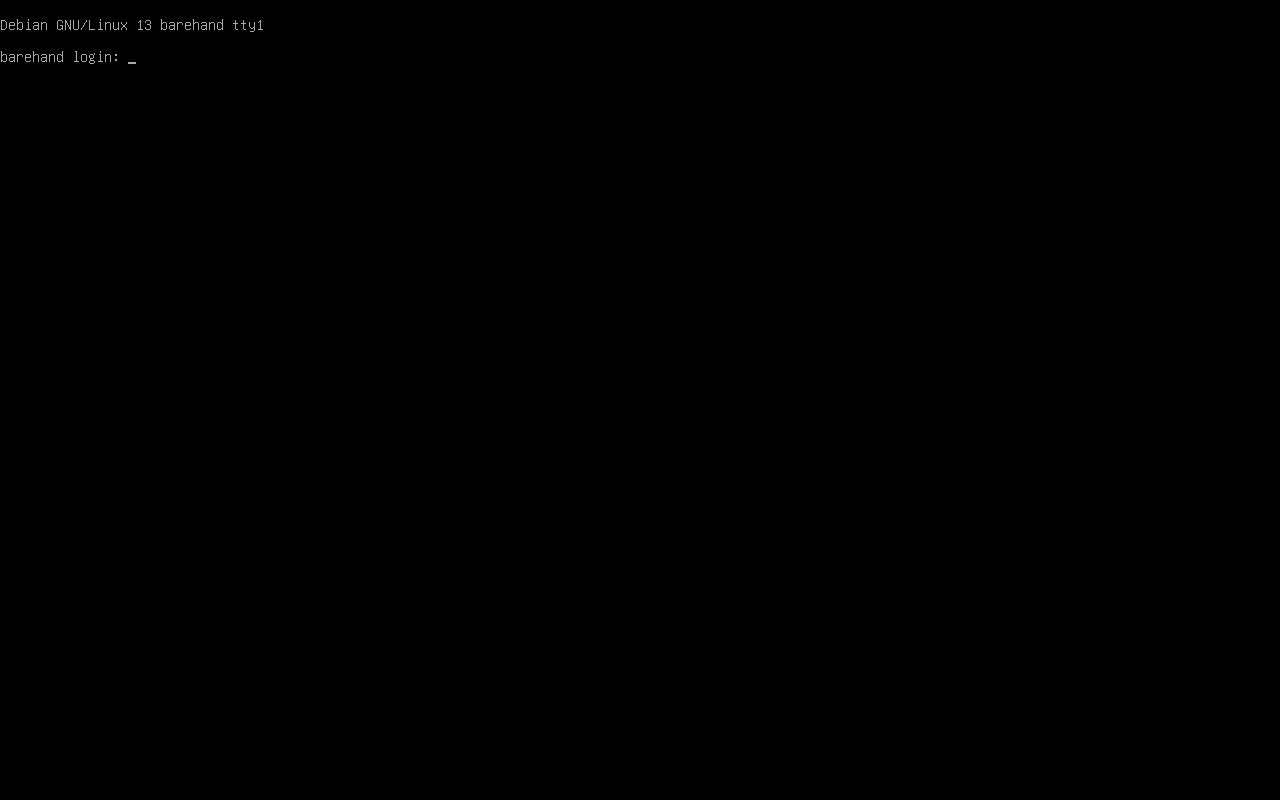
attached and no keys sent, and reached barehand login:; there is no automated judge for Debian, so
this was checked by hand (evidence). One run: 145 tool calls,
29 minutes, $1.00.
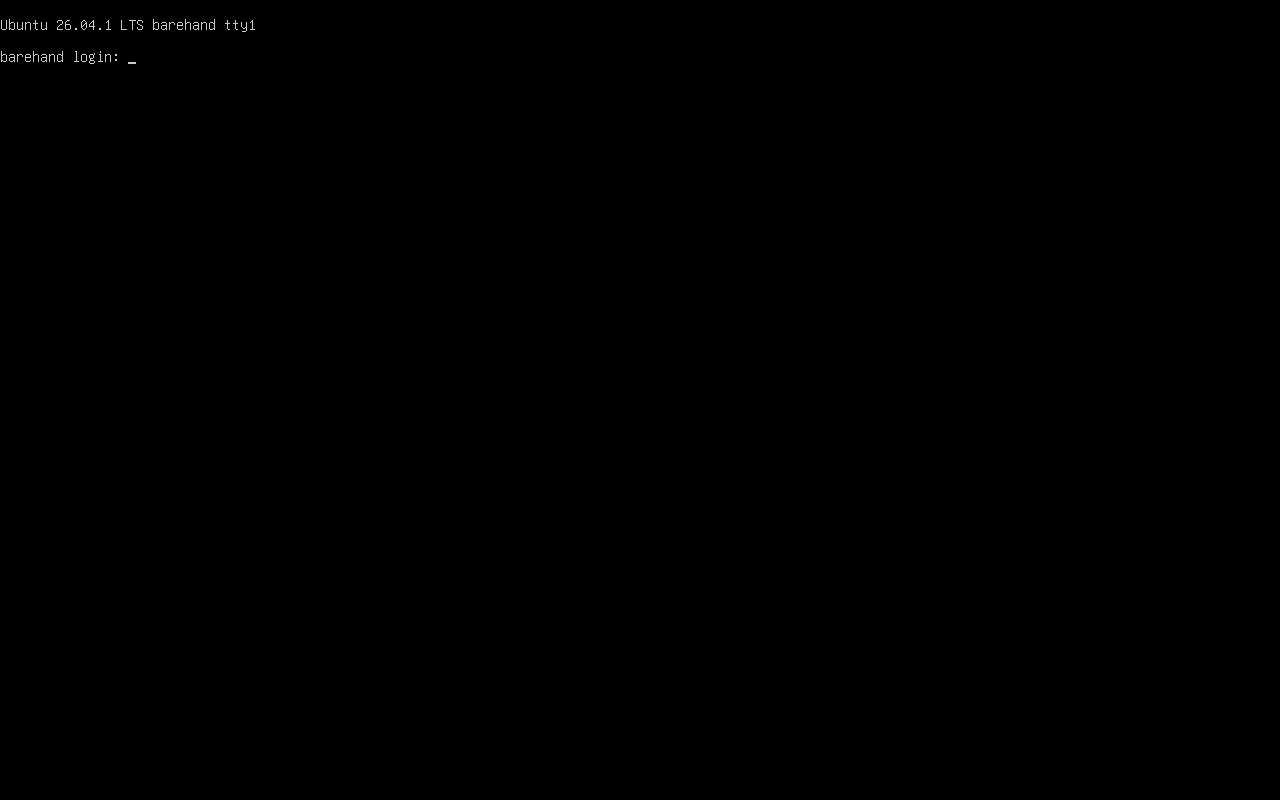
Ubuntu Server 26.04 install by a model
gpt-6.1-terra was asked to install Ubuntu Server 26.04.1 (arm64 live-server ISO) on a blank aarch64
QEMU machine (4 GB RAM, 16 GB disk) using only Barehand's screen and keys. The installer hung while
writing a UEFI boot variable, so the model finished the installation by hand from a shell on the live
system, ejected the installer disc and rebooted. A copy of the disk then booted with no installer
attached and no keys sent, and reached barehand login:, checked by hand
(evidence). One run: 63 tool calls, 14 minutes, $0.56. A second
run after the checkpoint change took 56 tool calls, 12 minutes and $0.43, and the installer reported
completion; that disk was not booted separately (report).
Both installers' boot-entry trouble traced to full VM snapshots on this host type, which Barehand now
replaces with disk checkpoints (see Limits). The Debian install has not been repeated since.
Limits
- Only QEMU guests on an Apple Silicon Mac were run. The Linux KVM path and the Intel Mac (HVF) path
are covered by unit tests only. - VNC (
transport: vnc) was tested only against QEMU's own VNC server, including a full install and
a fake RFB server in the unit tests. No KVM-over-IP hardware, BMC, PiKVM or other hypervisor
(libvirt, Proxmox, VirtualBox, VMware) was tested. - On an Apple Silicon Mac with hardware acceleration (HVF, QEMU 11.1.3), a snapshot is a disk
checkpoint of the system disk and the UEFI variables; loading it restores the disk and restarts the
machine, and memory is not saved. Full snapshots there hang the guest's next UEFI variable write, so
x86_64 and software emulation are the only guests that still use them. - aarch64 UEFI shell text reading is unverified. The aarch64 firmware menu and Linux console are
covered by the install runs. - Hermes loads third-party plugins in its own process by default (
plugins.isolation: in_process).
Withplugins.isolation: host, Hermes skipsregister_cli_command, so thehermes barehand ...
commands do not exist. - A slowly changing screen (a ticker with a period near 0.8 s) can be misreported as a confirmed
change. - QEMU serves one QMP client, so there is one client per machine. Typing is US-layout ASCII. There is
no Windows host.
Disclosure
- Barehand starts processes.
hermes barehand uplaunches localqemu-system-*andqemu-img.
QEMU is detached and keeps running after Hermes exits untilhermes barehand down. - QEMU gets an explicit environment allowlist (
PATH, HOME, TMPDIR, LANG, LANGUAGE, USER, LOGNAME, SHELLand everyLC_*; with--windowalsoDISPLAY, WAYLAND_DISPLAY, XDG_RUNTIME_DIR, XAUTHORITY, XDG_SESSION_TYPEon Linux or__CF_USER_TEXT_ENCODINGon macOS), never Hermes'
environment. No API key reaches it (unit-tested,tests/test_arch.py). - The only network connection is VNC to the host you configure with
transport: vnc(unencrypted;
see the VNC page). The guest has QEMU user-mode
networking (outbound NAT) and can reach whatever the host can. - The plugin has no telemetry and makes no other network calls. Recordings are local, mode 0600. They
hold screenshots (a visible password shows) and key chords (a password sent as key presses is in
the ledger); typed text is length-only.record: falsedisables recording and
hermes barehand recordings purge --yesdeletes it; details under
Flight recorder. - One
pre_tool_callhook is registered. It escalatesreset,power_off,eject_media,
send_ctrl_alt_del,snapshot_load,snapshot_deleteand asnapshot_savethat overwrites an
existing snapshot. Thebarehand_machineactions that do not ask arestatus,snapshot_list,
snapshot_saveunder a new name,calibrate_text(it types keys, like atypecall) and
wait_for_text. - Barehand reads the ISO you name and standard QEMU firmware locations, never credentials,
.envor
keychains. There is no self-update and no core patching, and approvals are never bypassed. A VM is
not a safety boundary for what the model types into an installer: snapshot first.
Documentation
- Reference: what it is and is not, commands, configuration, guest architecture, the
barehand_machinetool, flight recorder, and the comparison with Packer, openQA, kickstart and cloud-init. - Screen text: reading console text, distros measured, calibration and
wait_for_text. - VNC: driving any machine with a VNC console.
- Results: task text, judge output and tool-call summary of each run.
README from the reviewed commit 20b74e0; it updates when the author re-pins.


