
 kwpings
Board insights
A read-only analytics page for the Hermes Kanban boards, in the Hermes desktop app.
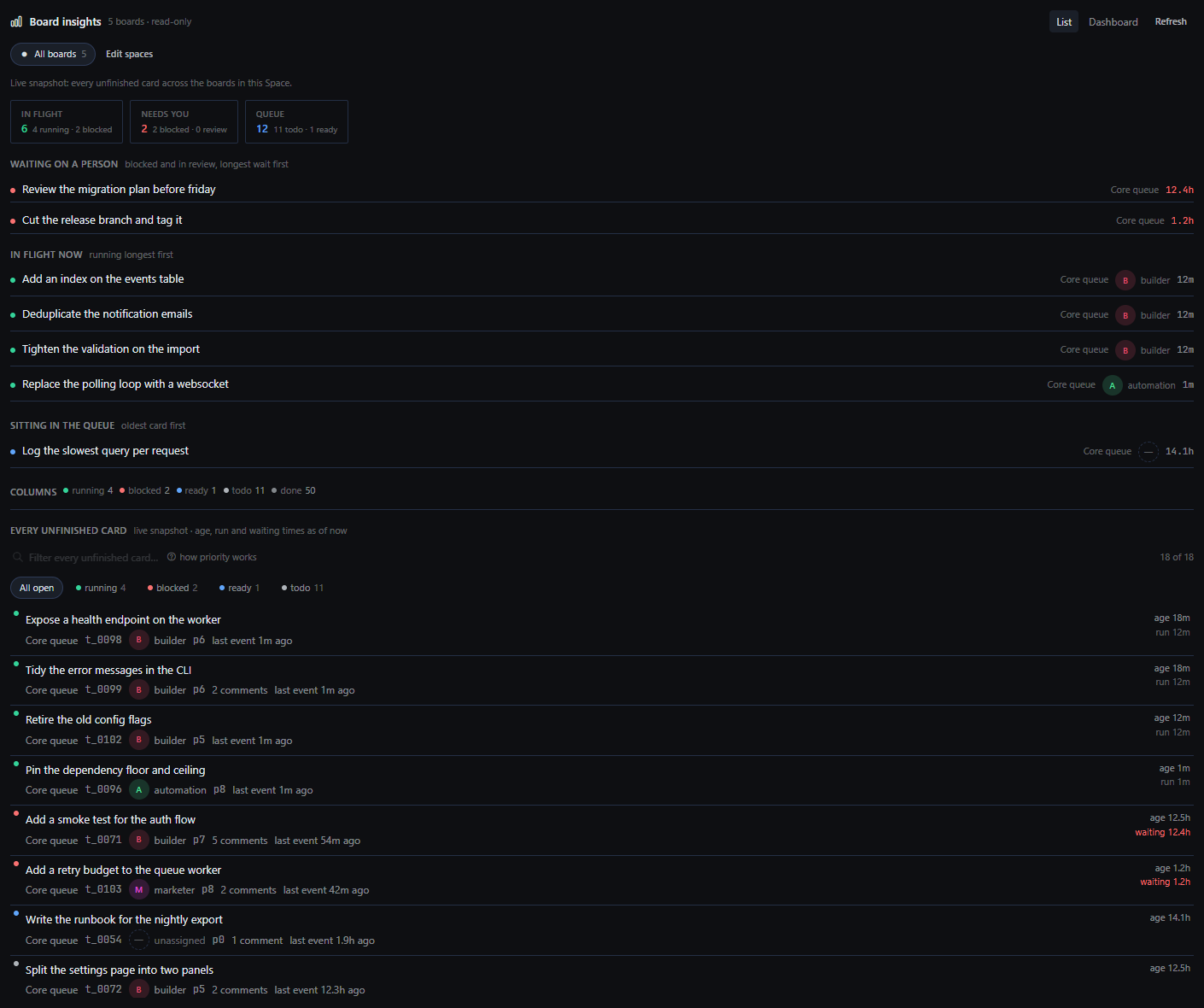
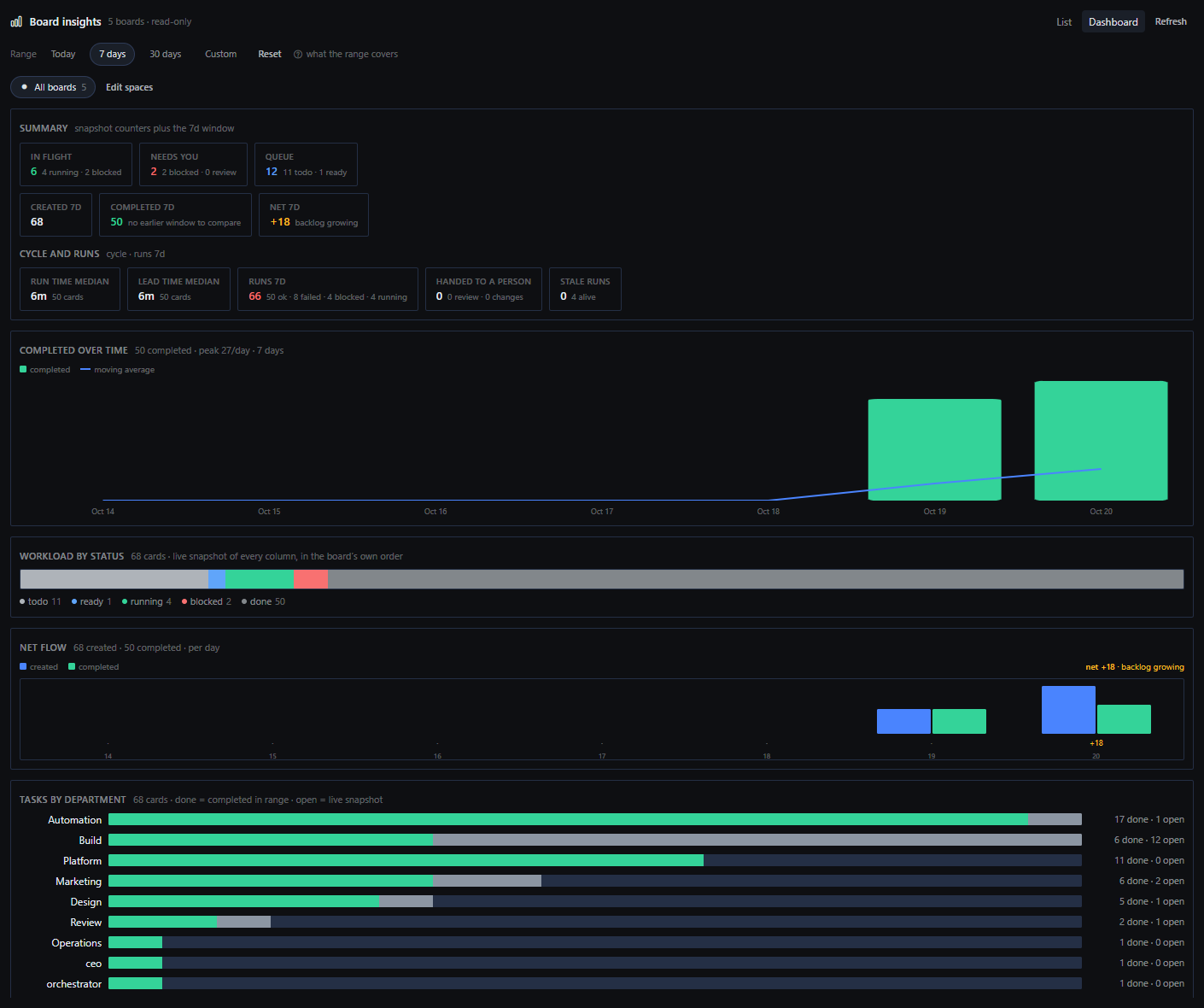
The board shows you the cards. This shows you the flow: what is in flight right now, what is
waiting on a person rather than on compute, whether throughput is rising or dipping over the
last 3 to 90 days, how long a run really takes, and every unfinished card across every board
in one filterable list.
What it does
| View | Answers |
|---|---|
| List | In flight, needs you, queue. The card waiting longest, the cards running now, what is sitting in the queue, the columns, and every unfinished card across every board with a filter box and status chips. Live snapshot. |
| Dashboard | Summary counters, completed over time with a moving average, workload by status, net flow (created minus completed), tasks by department, created vs completed, cycle and run medians, stale runs, and a per-assignee table. Driven by one date range: today, 7, 30 or custom (up to 90 days). |
- Spaces: a named set of boards, saved in the plugin's own storage, so the page can read
one project or every board. It ships with a singleAll boardsSpace and creates nothing
on your install. Make your own from Edit spaces. - Per-person chips: the profile's own stored avatar when there is one, else its initial in
the app's own identity colour. No stock faces. - Read-only by construction: every
kanban.dbis opened with SQLitemode=ro. There is no
write path, no tool, no hook, no model call and nothing to configure.
Install
hermes plugins install kwpings/board-insights
hermes plugins enable board-insights
Then two gates, both deliberate:
- A plugin installs disabled.
hermes plugins enable board-insightsis the second command.
Without it the backend is never imported. - The desktop half is opt-in. Open Settings -> Plugins -> Board insights and turn the
desktop page on. It then appears as Board insights in the sidebar.
If the page is missing entirely, gate 2 is the reason. If the page loads but shows an error,
the backend half is not enabled (gate 1) or there is no readable kanban store yet.
What it reads
The Kanban store on this machine, resolved in this order: HERMES_KANBAN_HOME,
HERMES_KANBAN_DIR, <HERMES_HOME>/kanban, the local app-data kanban folder, then
~/.hermes/kanban. Every board directory holding a kanban.db is picked up. No boards yet?
The page says so once instead of drawing zeroes.
Disclosure
- Opens
kanban.dbfiles read-only (mode=ro); no statement in this plugin writes. - Stores two things in the plugin's own storage: your Spaces and your date range. Nothing else.
- No network calls, no model calls, no credentials, no background processes, no telemetry.
Requirements
- Hermes Agent
>=0.22.0, desktop app. - The empty-state,
List/Dashboardsplit and every tile are desktop-only; there is no web
dashboard or TUI half.
Verify it yourself
hermes plugins validate /path/to/board-insights # the same gate catalog CI runs
verify/ holds the harness this page was built against: shot.py renders the real page from
the real plugin.js under the app's own vitest + stylesheet and screenshots it, and
fixtures/ are recorded API payloads. Nothing in verify/ ships to a user; it is excluded
from the plugin's runtime.
License
MIT - see LICENSE.
README from the reviewed commit af7fc66; it updates when the author re-pins.


