 brainarts-lab
Bot Drops for Hermes
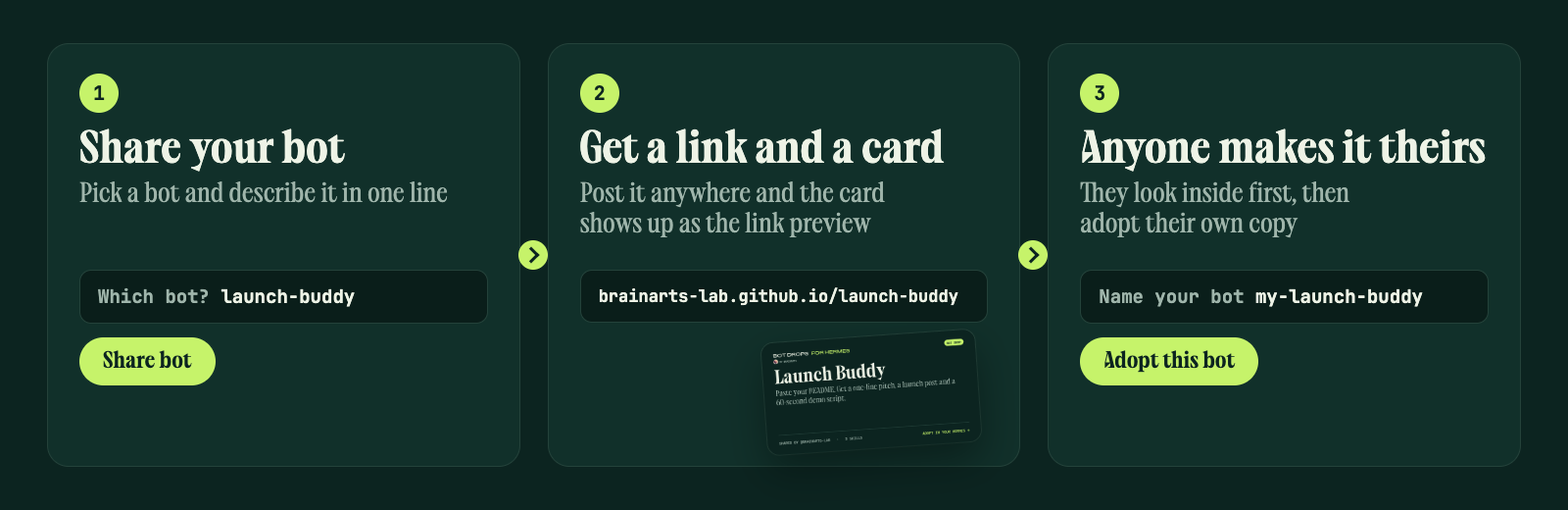
Share a Hermes bot as a link and a card. Anyone with Hermes can preview it and adopt their own copy as a new profile.
Made by BrainArts · @chrisbrainarts on X · MIT licensed
Try it
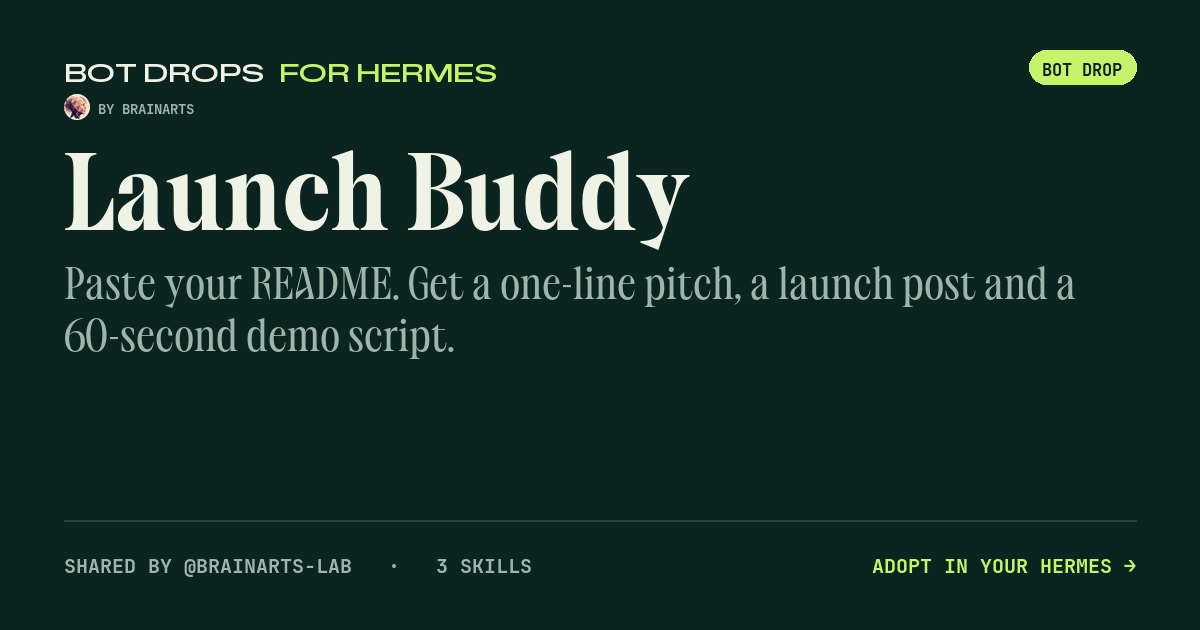
Launch Buddy is a small bot we shared with Bot Drops: paste your README and it answers with a one-line pitch, a launch post and a 60-second demo script. Install the plugin, paste the link https://brainarts-lab.github.io/launch-buddy/ into Bot Drops, and it is yours.
What it does
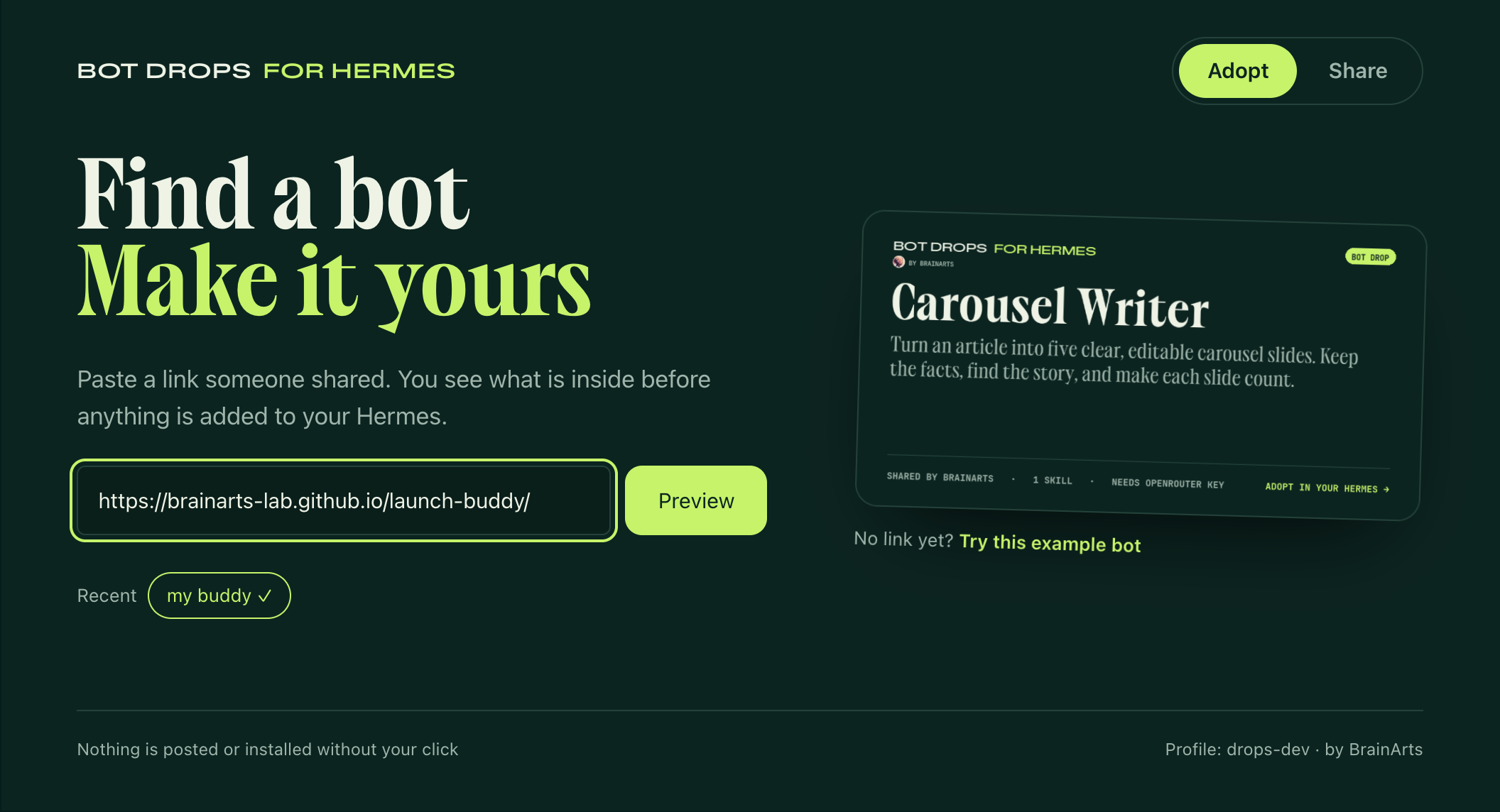
Adopt a bot. Open a bot link, or paste it into Bot Drops. You see the bot's card, what it needs, the full text of each scheduled task and what was left out, before anything is installed. Scheduled tasks arrive paused, with only their name, task text, schedule and skills. Adopting always creates a new Hermes profile through Hermes' own hermes profile install, pinned to the exact commit you reviewed. Existing profiles, including default, are never changed. The adopted bot runs with your own model access; the sharer's keys and logins never travel with it.
| Find a bot | Look before you adopt |
|---|---|
 | 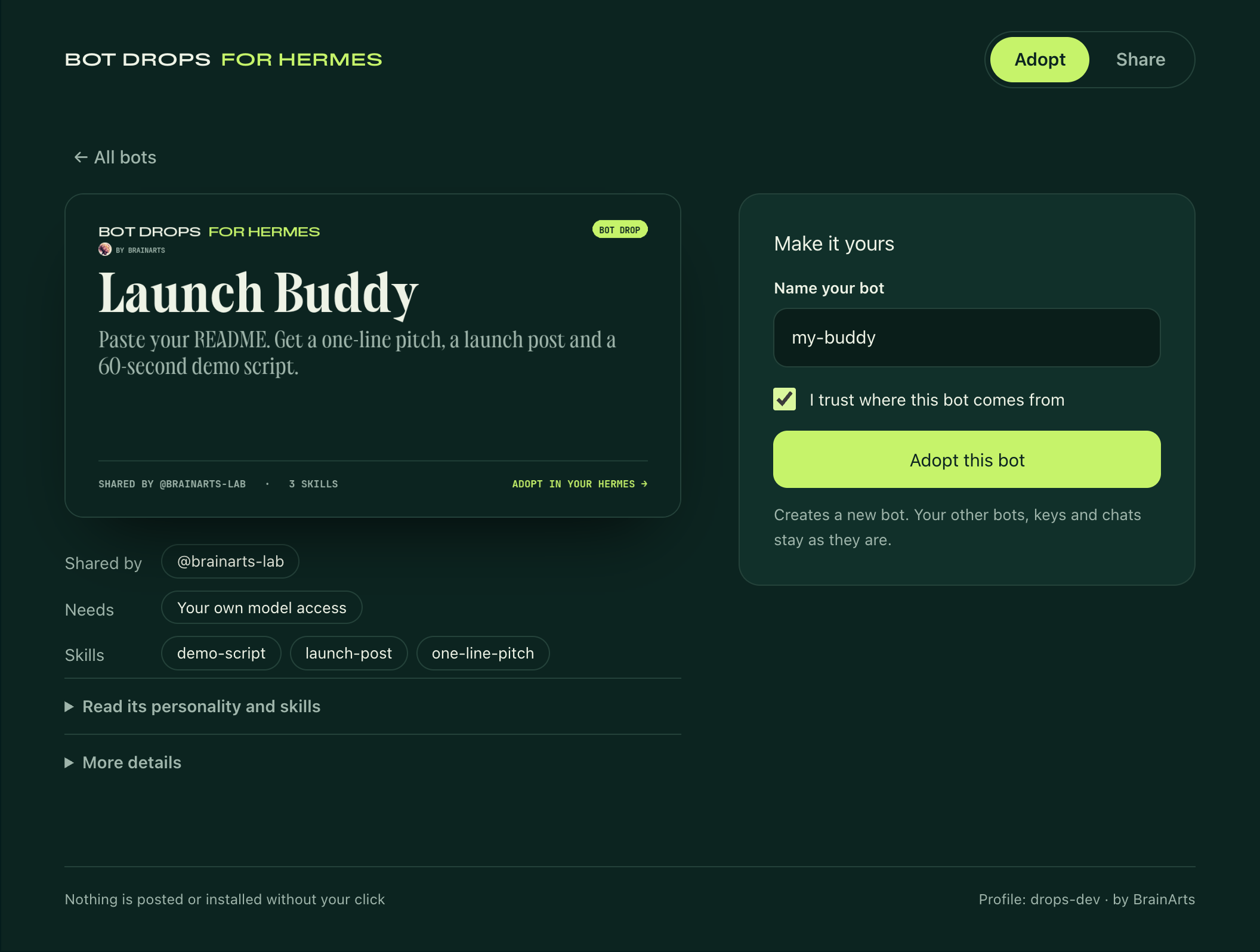 |
Share your bot. Pick one of your bots, say in one line what it does and watch its card build itself. Share bot packages the personality (SOUL.md), your own text skills and any scheduled tasks (name, task text, schedule and skills only, shown to you before sharing), renders a link card (1200 × 630) and a story image (1080 × 1920), creates a new public GitHub repository through your own gh login, uploads the package and turns on GitHub Pages. You get one link, with share buttons for X, LinkedIn, Reddit and Bluesky. Link previews show the card automatically. Update a drop publishes a new version to a drop you shared earlier.
| Share | Live |
|---|---|
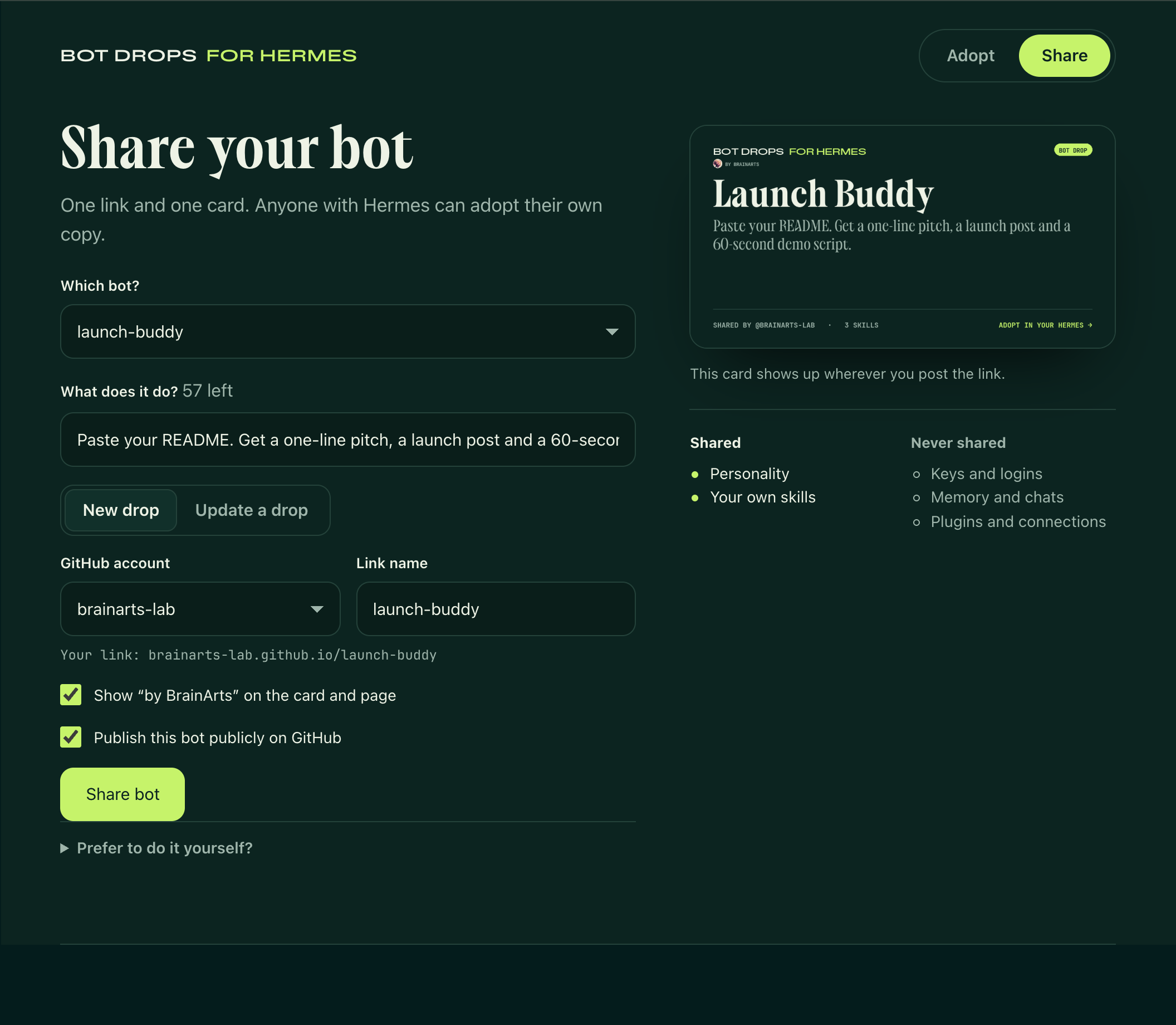 | 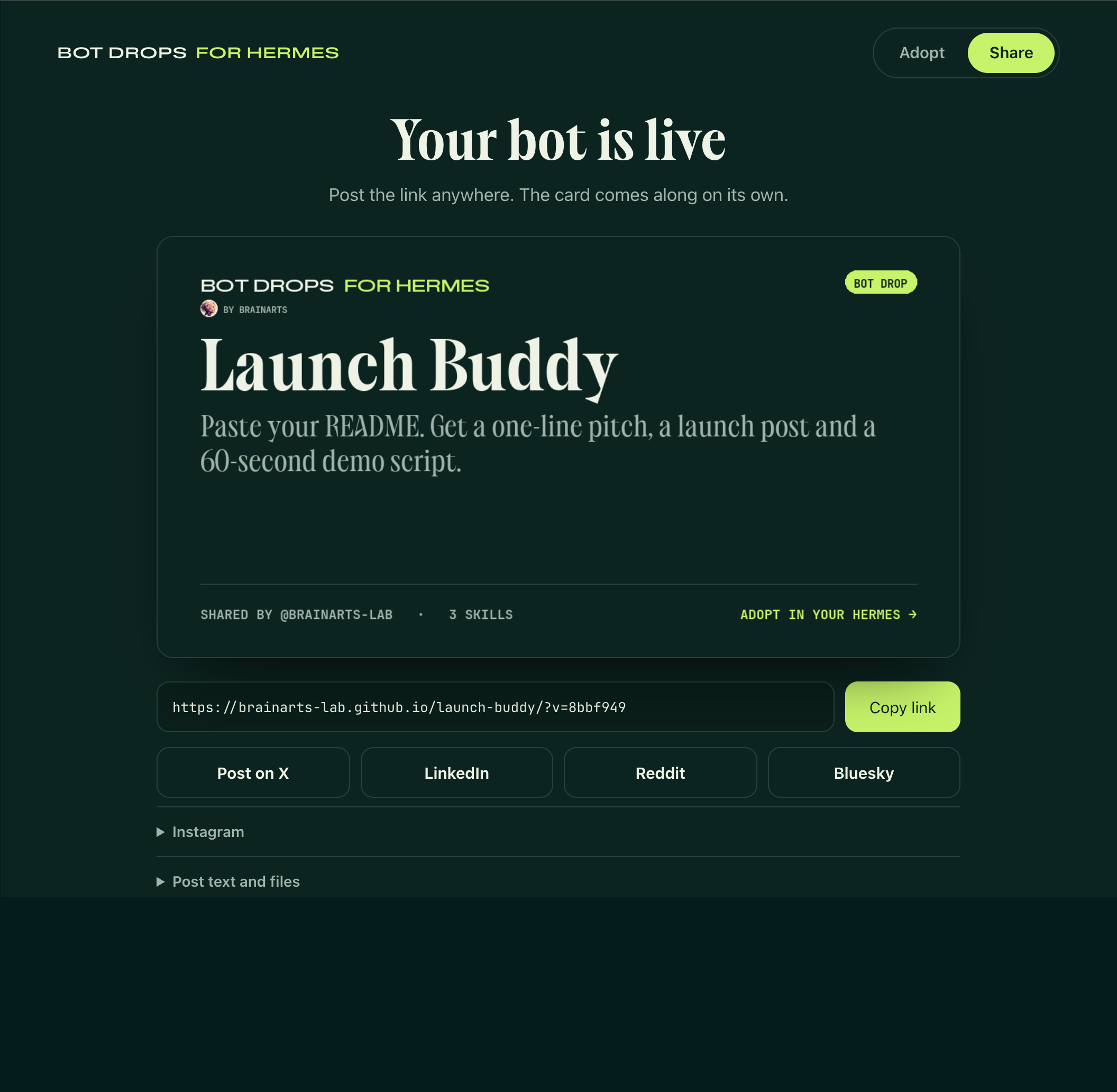 |
The bot page. Every shared bot gets a small page on GitHub Pages. Adopt in my Hermes opens Hermes Desktop straight into the preview (hermes://drops/import?url=…). On a phone the page offers a message for your Hermes chat instead.
Never shared: keys and logins (.env, auth.json), settings (config.yaml apart from the name of a built-in model), memory, chats and sessions, plugins, MCP servers, custom endpoints, skills that ship with Hermes or come from the Skills Hub, and skill programs or attachments. From scheduled tasks, everything except name, task text, schedule and skills stays home: the chat and user a task came from, where it reports to, scripts, working folders, model settings, run history and errors. Something that looks like a key in the personality, a skill or a task text blocks sharing.
Install
hermes plugins install https://github.com/brainarts-lab/bot-drops --enable
Requires Hermes >=0.23.0. No extra Python packages: Bot Drops uses Pillow and ruamel.yaml, which ship with Hermes. Publishing to GitHub needs the GitHub CLI signed in (gh auth login); without it, Bot Drops prepares the files for a manual upload.
Then open Bot Drops in the Hermes dashboard (/drops/import) or in Hermes Desktop (Capabilities → Plugins → Bot Drops).
In chat
You can also talk to your Hermes, for example from Telegram:
/drop preview https://github.com/<owner>/<bot>
/drop install <preview id> --name my-bot
/drop example
Or just ask: "Show me this bot: ". Installing always asks for a confirmation first.
What the plugin does on your machine
So you can decide before installing:
- Network: a preview clones a public GitHub/GitLab repository (HTTPS only, size, time and file limits, no symlinks or submodules). Publishing calls GitHub through your
ghlogin, and only when you press Share bot or Update drop. - Programs it runs:
git,ghandhermes profile install, always as fixed argument lists, never through a shell. - Files it reads: from the profile you choose to share, only
SOUL.md,distribution.yaml, your skills with Hermes' lists of bundled and Skills Hub skills, the scheduled tasks and the model name inconfig.yaml. It never opens Hermes' credential stores (.env,auth.json); instead every package is checked for key patterns, and a match stops the share. It writes to its own folderplugin-data/bot-dropsand creates new profiles only when you adopt. Previews that were not adopted are removed after 24 hours, local share packages after 7 days. - No telemetry. Shared pages and cards carry a small "Made with Bot Drops · by BrainArts" line linking to @chrisbrainarts. It is a plain link without tracking, and you can turn it off before sharing.
Profiles are not a security sandbox: a bot's personality and skills guide your agent. Only adopt bots from people you trust.
Limits
- Built and tested on macOS. Linux and native Windows run the same code; file locking, process cleanup, paths and Git's certificate store are handled per system. Windows support is new in 0.5.0 and has not been confirmed on a Windows machine yet, so please report what you see.
- On Hermes 0.23.0, a bot name you removed earlier cannot be used again for a new bot; Bot Drops suggests a free name. Hermes 0.23.1 lifts this.
- Opening a link on a phone cannot jump into Hermes directly. The bot page offers a message for your Hermes chat instead.
- Hermes Desktop support covers local Hermes sources.
- Shared bots are public repositories. Private sharing is not supported.
Development
python -m pip install "Pillow==13.0.0" "ruamel.yaml==0.18.16" "fastapi>=0.115,<0.120" "httpx>=0.27,<1"
python -m unittest discover -s tests -v
node --test tests/test_drops_ui.cjs
python scripts/build-ui.py   # rebuilds dashboard/dist/index.js and desktop/plugin.js from ui/
python scripts/check-live-preview.py https://brainarts-lab.github.io/launch-buddy/   # previews a live bot, installs nothing
The GitHub tests use a stand-in gh and local bare repositories; they never contact GitHub.
README from the reviewed commit 954278e; it updates when the author re-pins.