 drowzeys
CyboPal ONE DevKit for Hermes (unofficial)
Drive a CyboPal ONE from Hermes Agent: ask in plain words from Telegram,
Discord, the Desktop app or the CLI, and Hermes moves the robotic screen, writes on its displays, looks through its
cameras, and stops it the moment you say stop.
CyboPal ONE is a 27-inch 4K screen on a 6-DOF robotic arm (700 mm reach) with a 3.5-inch Pauli
companion display and two cameras. It has no public developer API yet, so this plugin works against the
CyboPal ONE DevKit's live simulator, which defines the HTTP contract the DevKit keeps for the hardware. When the
device ships, point device_url at it.
You need the simulator (or the device) running. The DevKit is free and open source:
https://github.com/drowzeys/keys-CyboPal-ONE-Hermes-DevKit-LiveSimulator-Nemotron3Nano-Omni-for-DGX-Sparkdocker run --rm --network host ghcr.io/drowzeys/keys-cybopal-one-hermes-devkit:0.1.0 # or: git clone ... && ./oneshot.sh # then open http://127.0.0.1:5000/ to watch the arm move
Install
-
Start the DevKit simulator (above). It needs no GPU.
-
Install the plugin:
hermes plugins install drowzeys/hermes-cybopal-one-devkit --enable -
If the simulator runs on another machine, set its address in the plugin's settings
(plugins.entries.cybopal-one-devkit.settings.device_url, for examplehttp://192.168.1.20:5000).
Restart the gateway so it loads the plugin. Its tools are in thecybopal_devkittoolset.
What you can ask
- "Follow me." · "I'm standing up now." · "Lean back, I'm reclining." · "Put the screen away."
- "Turn the screen 20 degrees to the right and tip it down a little."
- "Put a 25-minute focus timer on the big screen and FOCUS on Pauli."
- "What does the front camera see? Am I in frame?"
- "Wave hello." · "Nod." · "Run the posture cycle."
- "Stop!": freezes the arm at once. It stays stopped until you say it is safe again.
- "Make a revenue chart from my spreadsheet and put it on the big screen." (with Hermes's code tool)
- "Make a short video of a fox in the snow and show it on the monitor." (with the Imagination Studio plugin)
- "Scan this receipt." · "Take a selfie." · "Tell me a joke." · "I'm having a rough day." · "Make me a meme."
- "Design a stretch-break routine, try it, and save it."
Or the command: /cybopal, /cybopal stop, /cybopal sit, /cybopal say HELLO, /cybopal show # Hi,
/cybopal look, /cybopal run wave-hello, /cybopal resume.
Screenshots
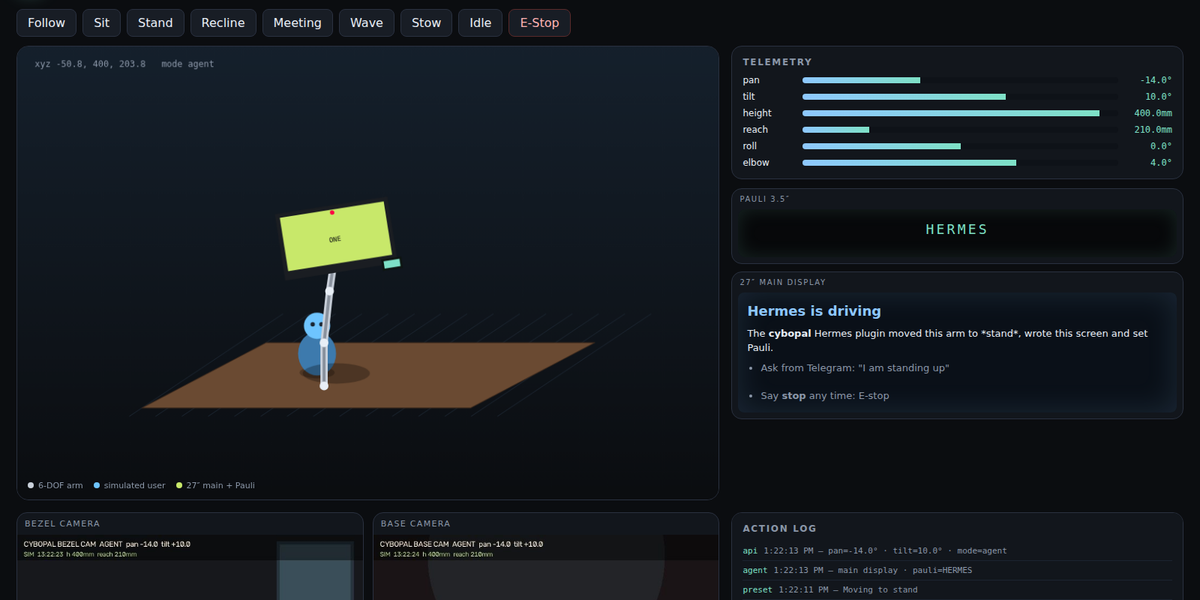
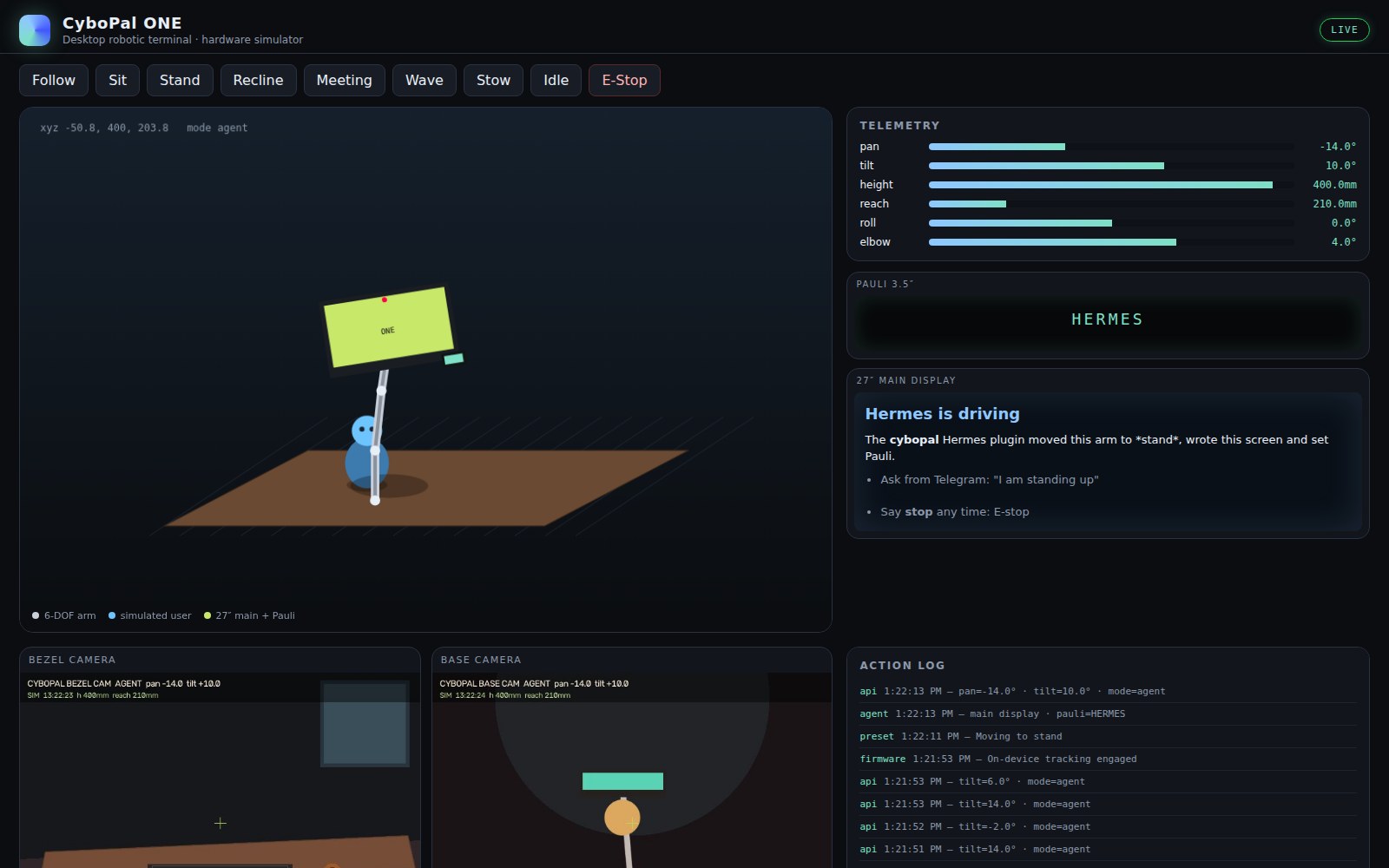
Hermes moved the arm to stand, set an exact pan and tilt, and wrote both screens:
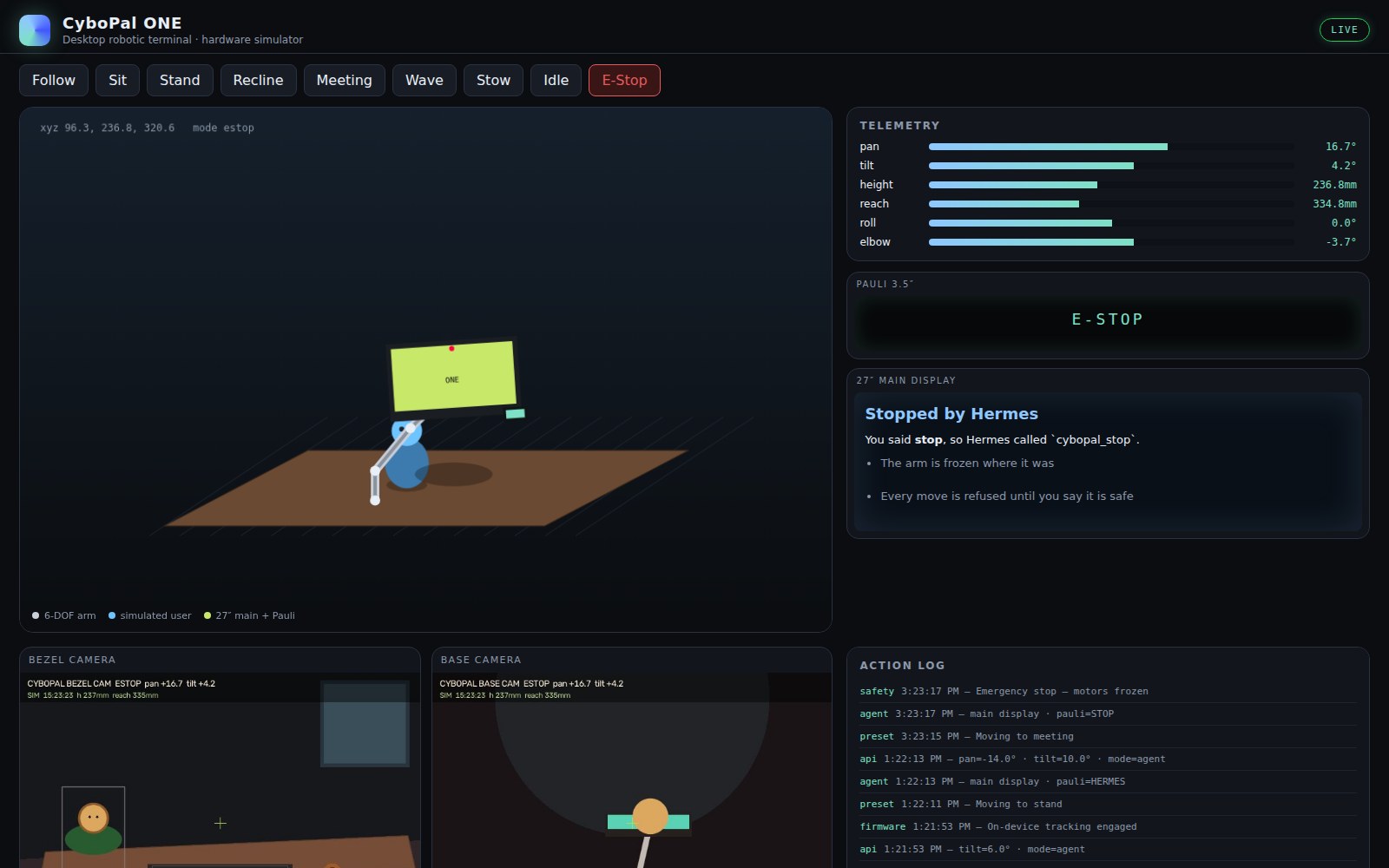
"Stop!": the arm froze, and every move is refused until the person says it is safe:
Tools
cybopal_status: mode, arm pose, both screens, safety (E-stop, collision, in bounds), where the person is in the
front camera, joint limits, recent events.cybopal_mode:follow,sit,stand,recline,meeting,stow,wave,idle; waits for the arm to settle.cybopal_pose: exact pan, tilt, height, reach, roll and elbow; values outside the joint limits are refused, not
clamped.cybopal_display: markdown on the 27-inch screen, a few words on Pauli.cybopal_show: a picture or video file on the 27-inch screen (a chart, a meme, a clip from Imagination Studio).cybopal_look: a picture from the front (bezel) or base camera, delivered to the chat.cybopal_routine: built-ins (wave-hello,posture-cycle,meeting-brief,nod), up to 24 steps of your own,
and routines you designed on the simulator and saved withsave_as.cybopal_stop: emergency stop.
Design on the simulator, deploy to the unit
The DevKit simulator is where new actions are engineered before they touch hardware. Hermes builds a routine as
steps, runs it on the simulator while you watch the arm, adjusts it, and saves it with save_as. Saved routines
run by name and use the DevKit's HTTP contract, the same one it keeps for the hardware, so when the physical CyboPal ONE
arrives you point device_url at it and the tested routines run on it unchanged. The simulator also accepts a camera
feed (POST /api/v1/camera/feed/bezel, a photo standing in for the camera), so vision tasks such as receipt scanning
can be tested without the device.
Safety
- Emergency stop always works, even with motion switched off, and the bundled skill tells the agent to call it
first whenever the person says stop, freeze or wait. - Only the person can clear an E-stop. Every motion tool refuses while the device is E-stopped (the plugin checks
before sending anything), and no tool can release it: the person runs/cybopal resumethemselves. - Nothing moves on a bad request. Joint values are checked against the limits and refused, not clamped. A routine
is checked step by step before its first step runs; it is capped at 24 steps and 60 seconds, and it stops at once
if the device is E-stopped midway. allow_motionoff keeps the screens and cameras working and refuses every motion command.
Settings
device_url(defaulthttp://127.0.0.1:5000): where the simulator or device answers.allow_motion(default on): off refuses every motion command.settle_seconds(default 3, 0 to 10): how long a move waits for the arm to arrive before answering.
Disclosure
- Network: talks only to
device_url, over the DevKit's HTTP contract (/api/v1/health,/limits,/telemetry,
/control,/mode,/camera/bezel,/camera/base). It never follows a redirect and ignores proxy settings from
the environment, so commands reach only the address you set. No other network access, no telemetry. - Files: writes camera pictures to its own Hermes data folder (
plugin-data/cybopal-one-devkit/cameras/), keeping
the newest 30 (it deletes only older pictures it took itself), and saved routines toroutines.jsonthere. - Uploads:
cybopal_showreads the picture or video file it is given and sends it todevice_url(POST /api/v1/media). Only PNG, JPEG, WebP, GIF, MP4 and WebM files are sent, each checked by its contents, not its name,
up to 64 MB; anything else is refused before any byte leaves the computer. - No secrets, no threads, no hooks, no shell commands, no dependencies (Python standard library only).
Tests
python -m pytest tests                                          # 47 tests against a fake device
CYBOPAL_SIM_URL=http://127.0.0.1:5000 python -m pytest tests    # plus one against the real simulator
Credits
- CyboPal ONE and Pauli are CyboPal's. This is an unofficial plugin, not made or
endorsed by CyboPal. - CyboPal ONE DevKit + live simulator: keys (drowzeys),
repo. - Hermes Agent: Nous Research.
MIT licence.
README from the reviewed commit 6a0c7b9; it updates when the author re-pins.


