 Datwebguy
Greenlight
You approve every trade. Nothing happens without your yes.




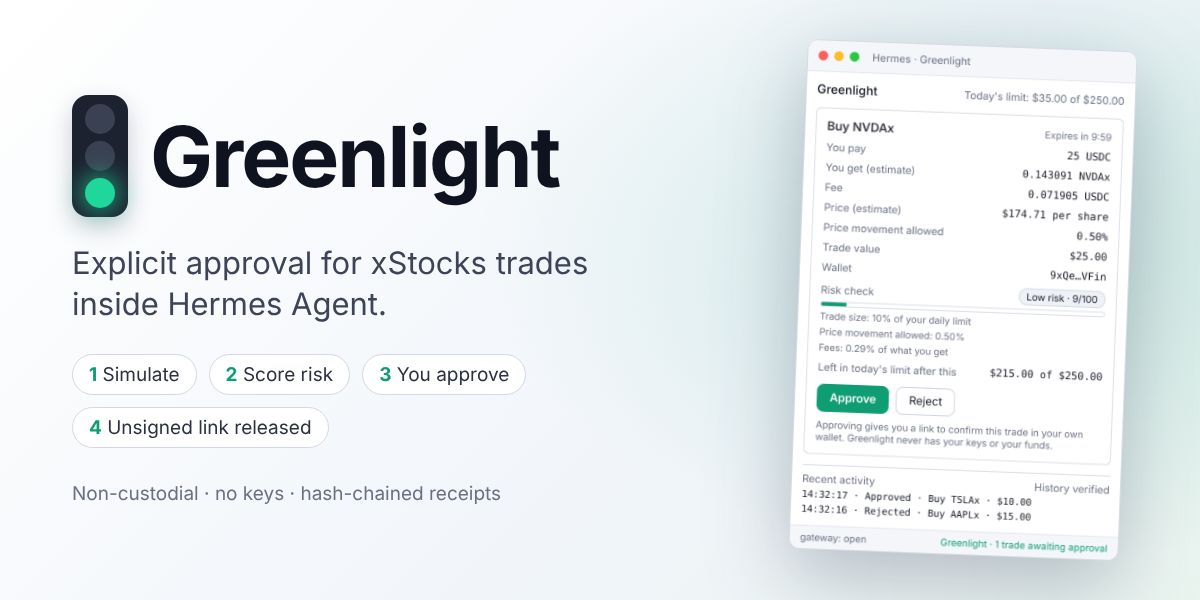
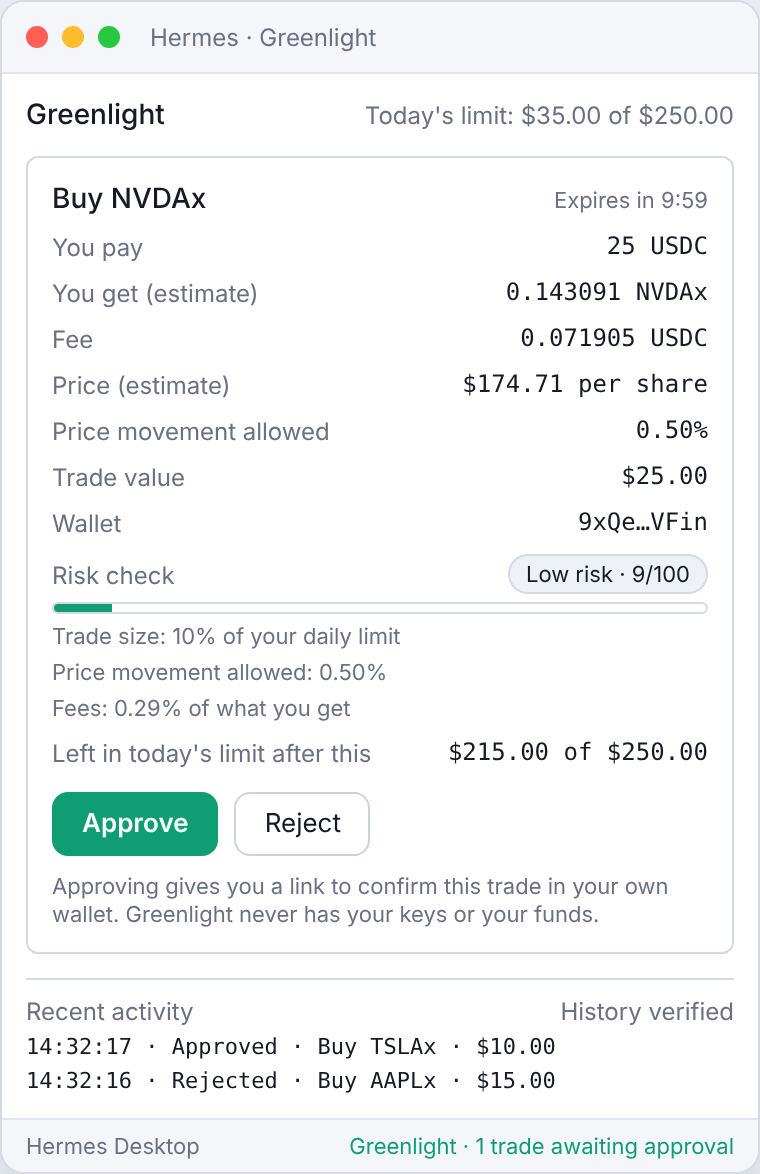
Greenlight adds a safety step to trading xStocks (tokenized US stocks on Solana, like NVDAx and AAPLx) with Hermes. Ask Hermes for a trade and Greenlight shows you exactly what would happen: what you pay, what you get, the fees and a simple risk check. Only when you press Approve do you get a link that opens the trade in your own wallet. Your wallet makes the final confirmation, so Greenlight never holds your keys or your money.
Why you'll like it
- Plain, clear trades. Price, fees, risk and your remaining daily limit, all in one window.
- You're always in control. Hermes cannot send a trade on its own. It has to wait for you.
- Live prices. Every trade is checked against the live xStocks service before you see it.
- Protection that stays out of the way. Daily and per-trade limits are optional and off until you set them.
- A history you can trust. Every decision is saved in a record that shows if anything was changed.
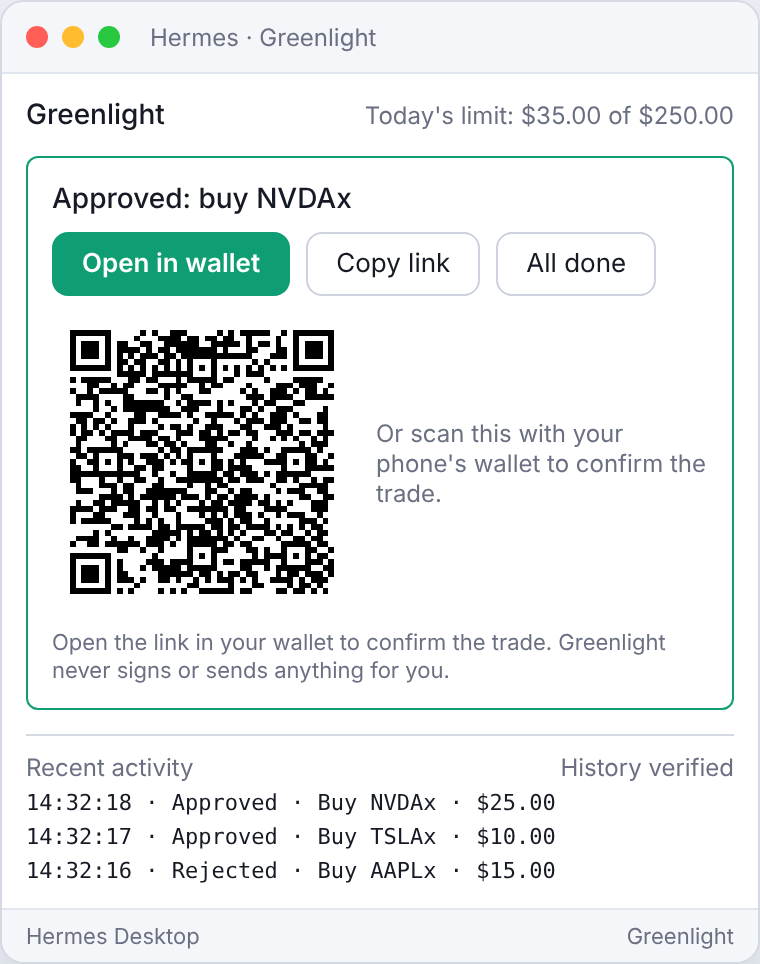
- Easy wallet hand-off. Open the link on your computer, or scan the QR code with your phone's wallet.
- Works where you do. The Hermes Desktop window, plus simple
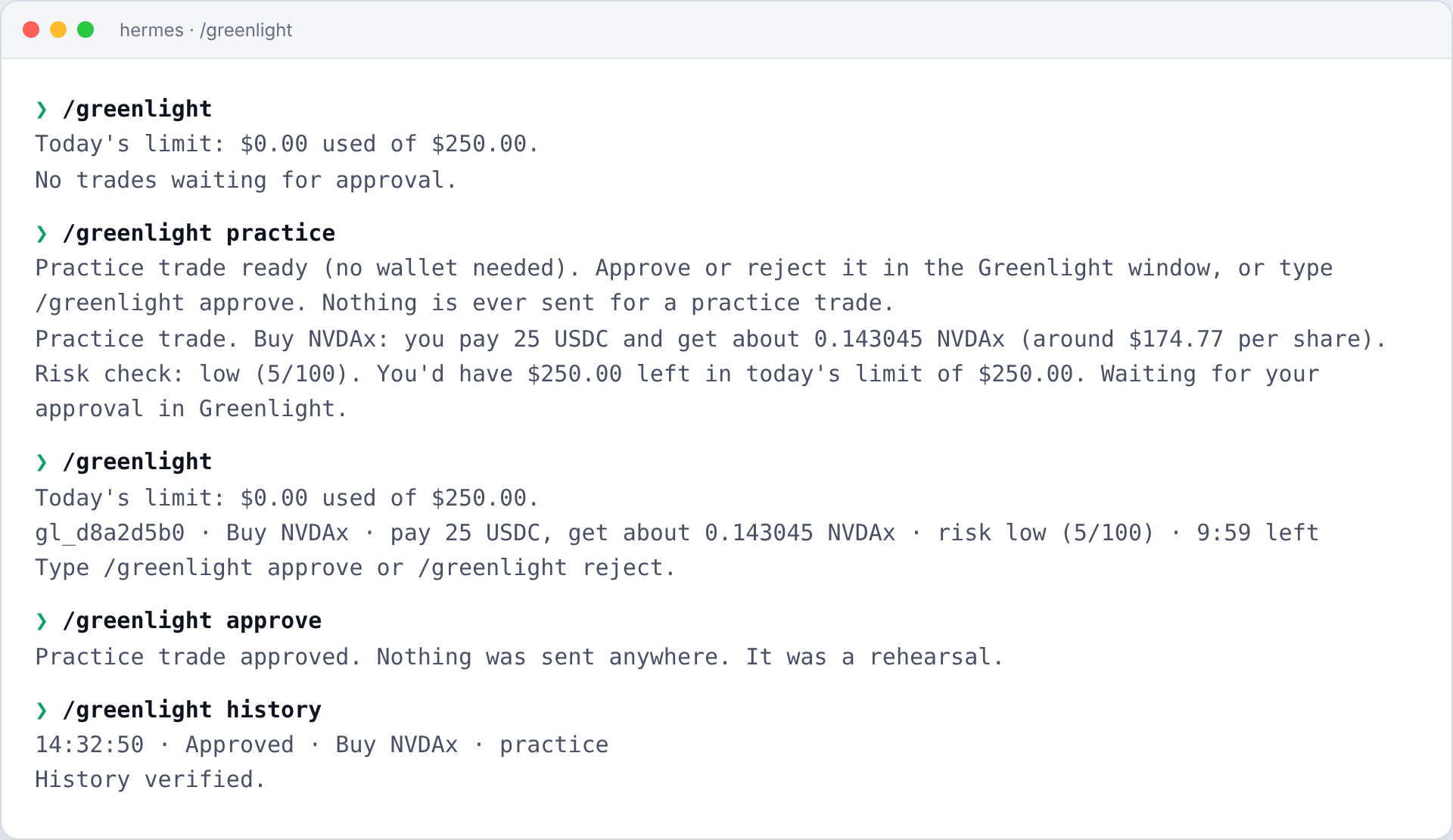
/greenlightcommands in the terminal and chat apps.
See it
| Review the trade | After you approve |
|---|---|
|  |
 |
Screens are previews rendered from Greenlight's own interface, with live xStocks prices.
Get started
- Install (one command in a terminal, or use Install from Git under Capabilities > Plugins in Hermes Desktop with the same address):
hermes plugins install https://github.com/Datwebguy/greenlight hermes plugins enable greenlight - Switch it on in Hermes Desktop under Capabilities > Plugins.
- Add your wallet address in Greenlight's settings (your public address only, never a private key or seed phrase).
- Try a practice trade with no wallet or funds: type
/greenlight practice, or press Try a practice trade in the Greenlight window.
Using Greenlight
Just talk to Hermes:
Buy $25 of NVDAx
Hermes sets up the trade and the Greenlight window opens. Review it, then press Approve (or Reject). After approving, open the link in your wallet (or scan the QR code with your phone's wallet) to confirm the trade, then press All done.
Prefer typing? Use these anywhere you chat with Hermes:
| Type | What it does |
|---|---|
| /greenlight | Shows trades waiting for you and today's limit |
| /greenlight approve | Approves the waiting trade (add its id if there is more than one) |
| /greenlight reject | Rejects it |
| /greenlight done | Clears an approved trade once you've confirmed it in your wallet |
| /greenlight history | Shows your recent activity |
| /greenlight practice | Runs a practice trade |
Settings
Open Greenlight's settings page in Hermes Desktop (Capabilities > Plugins).
| Setting | What it does | Default |
|---|---|---|
| Your wallet address | Used when you don't name a wallet in your request | empty |
| Daily limit (USD) | Greenlight won't set up trades beyond this total per day | none |
| Per-trade limit (USD) | Greenlight won't set up a single trade above this amount | none |
| Only allow these stocks | A list like NVDAx, AAPLx | any |
| Price-change tolerance (%) | If the price gets worse than this before you approve, you get a fresh quote | 1 |
| Time to decide (minutes) | How long a trade waits for your decision | 10 |
| Time to confirm after approving (minutes) | How long the wallet link stays available | 30 |
Your money and your keys
- Greenlight never holds your keys or your funds, and it never signs or sends anything. Your own wallet does that.
- Hermes cannot send a trade until you approve it.
- If the price moves against you between review and approval, Greenlight asks for a fresh quote instead of sending a stale one.
- Your history is saved on your computer, in a record that shows if anything was changed.
Questions
Do I need a wallet to try it? No. Use a practice trade.
What if I do nothing? The trade expires after the time you set and nothing happens.
Can Hermes trade without me? No. Every trade waits for your approval.
Do I need to install anything else? No. Greenlight works out of the box. If Node.js 18 or newer happens to be installed, it uses the official xStocker SDK for prices; if not, it talks to the same xStocks service directly.
Where is my data? On your computer, in Hermes' plugin data folder. Nothing is sent anywhere except price requests to the xStocks service.
- Network: talks to
api.xstocker.comandxstocker.comthrough the official xStocker SDK. No other services, no telemetry. - Code: the official xStocker SDK is bundled unmodified (
vendor/agent-sdk, with its checksums inVENDORED.md) and used when Node.js 18+ is installed. Without Node.js, Greenlight calls the same public xStocks endpoints directly using Python's standard library. Either way, nothing is installed or downloaded while the plugin runs, and it never updates itself. - Processes: with Node.js, a short-lived process per price request, started with a fixed command (
node sdk-bridge.js). No shell, and never a command chosen by the AI. Without Node.js, no extra process is started. - Files: writes only to
<HERMES_HOME>/plugin-data/greenlight/. Reads no credentials.
What Greenlight registers
| Surface | Details |
|---|---|
| Tools | propose_trade (simulate and create a pending trade, never returns a transaction), get_trade_status (look up a trade or signature; the unsigned link appears only after approval), list_receipts (recent receipts with chain verification) |
| Hooks | pre_tool_call blocks other tools from carrying an xStocks order link no approved trade released; pre_llm_call keeps the agent aware of pending and approved trades |
| Command | /greenlight |
| Desktop | approval pane, status-bar chip, notifications |
| Skill | greenlight (teaches the agent the flow and how to talk to users) |
Flow
sequenceDiagram
    participant U as User
    participant H as Hermes agent
    participant G as Greenlight
    participant X as xStocks API
    U->>H: "Buy $25 of NVDAx"
    H->>G: propose_trade
    G->>X: build order (simulation)
    X-->>G: quote + unsigned tx
    Note over G: keeps only the quote, discards the tx
    G-->>H: summary + risk, no transaction
    G-->>U: Desktop window / chip / notification
    U->>G: Approve (window or /greenlight approve)
    G->>X: rebuild order fresh
    G-->>G: refuse release if the quote drifted
    G-->>H: get_trade_status releases solanaPayUrl
    H-->>U: link; wallet signs and sends
    G-->>G: write hash-chained receipt
Price source. bridge.py uses the bundled official SDK through sdk-bridge.js when Node.js 18+ is present, and otherwise calls the same three public endpoints (assets.json, build-order, order/{signature}) directly. A busy service is retried once, and the last good stock list is reused if it briefly fails.
Simulation. Each proposal is built against the live xStocks API through the official SDK, giving a real route, expected output, fee and slippage. On approval the order is rebuilt (unsigned transactions are short-lived) and release is refused if the fresh quote is worse than the approved one by more than max_quote_drift_pct.
Risk check. A transparent 0-100 score: trade size relative to the daily limit (when set), slippage, fees, SOL price exposure, and wallet-link availability.
Configuration keys (plugins.entries.greenlight.settings): default_wallet, daily_cap_usd, max_trade_usd, allowed_assets, max_quote_drift_pct, proposal_ttl_minutes, release_window_minutes. All limits default to off.
Development
pip install pytest fastapi httpx pyyaml
python -m pytest tests                  # 37 tests, no network needed
hermes plugins validate . --install-deps
Validated with hermes plugins validate and hermes plugins doctor on Hermes v0.23.1.
Links
License
MIT. See LICENSE.
README from the reviewed commit 4b843d1; it updates when the author re-pins.


