
 Cam-AcitveIce
Hermes Security Warden
Ask your Hermes agent "what needs attention on this machine?" and get an answer backed by evidence.
Warden watches the machine your Hermes agent runs on. It records what your files and permissions look like, notices when they change, and shows you what needs a look — in the terminal, in a local web dashboard, or through your agent.
- Evidence, not scores. Every finding shows the path, what's wrong, when it was seen and what to do about it.
- Change history. A saved baseline turns "something is different" into a dated list of changes.
- You choose the scope. Nothing is watched until you approve it. Credential files, memory and chat history are never opened.
- Honest about gaps. If a scan is incomplete or its data can't be read, it says so rather than showing an empty, all-clear screen.
- Local only. No telemetry, no cloud, no self-updater. The dashboard runs on your machine behind a login, and the agent can't grant itself more access.
Works on Linux, macOS and Windows with Python 3.11 or newer.
Screenshots
Screenshots use synthetic data only.
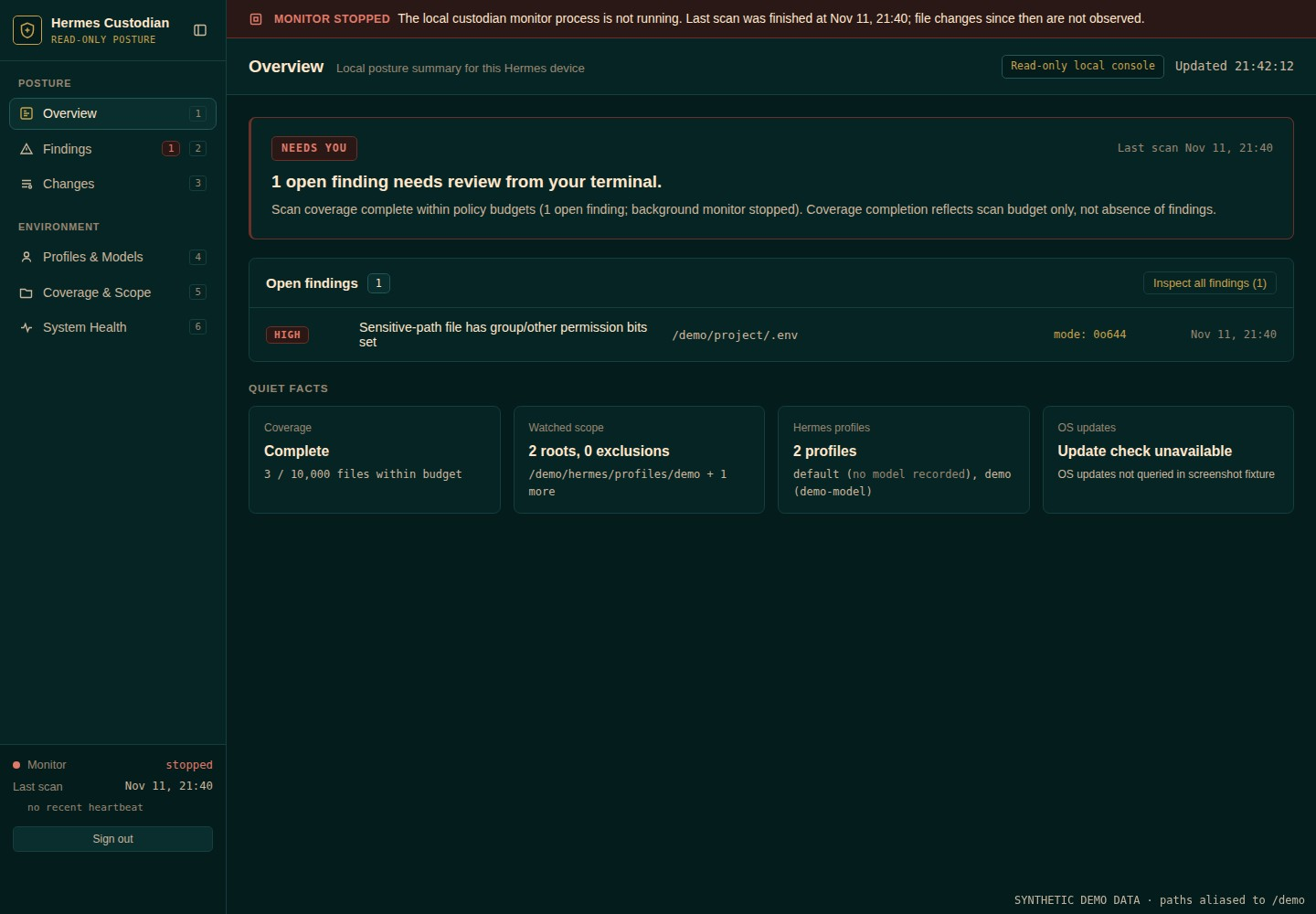
Overview — what needs attention, coverage and monitor state.
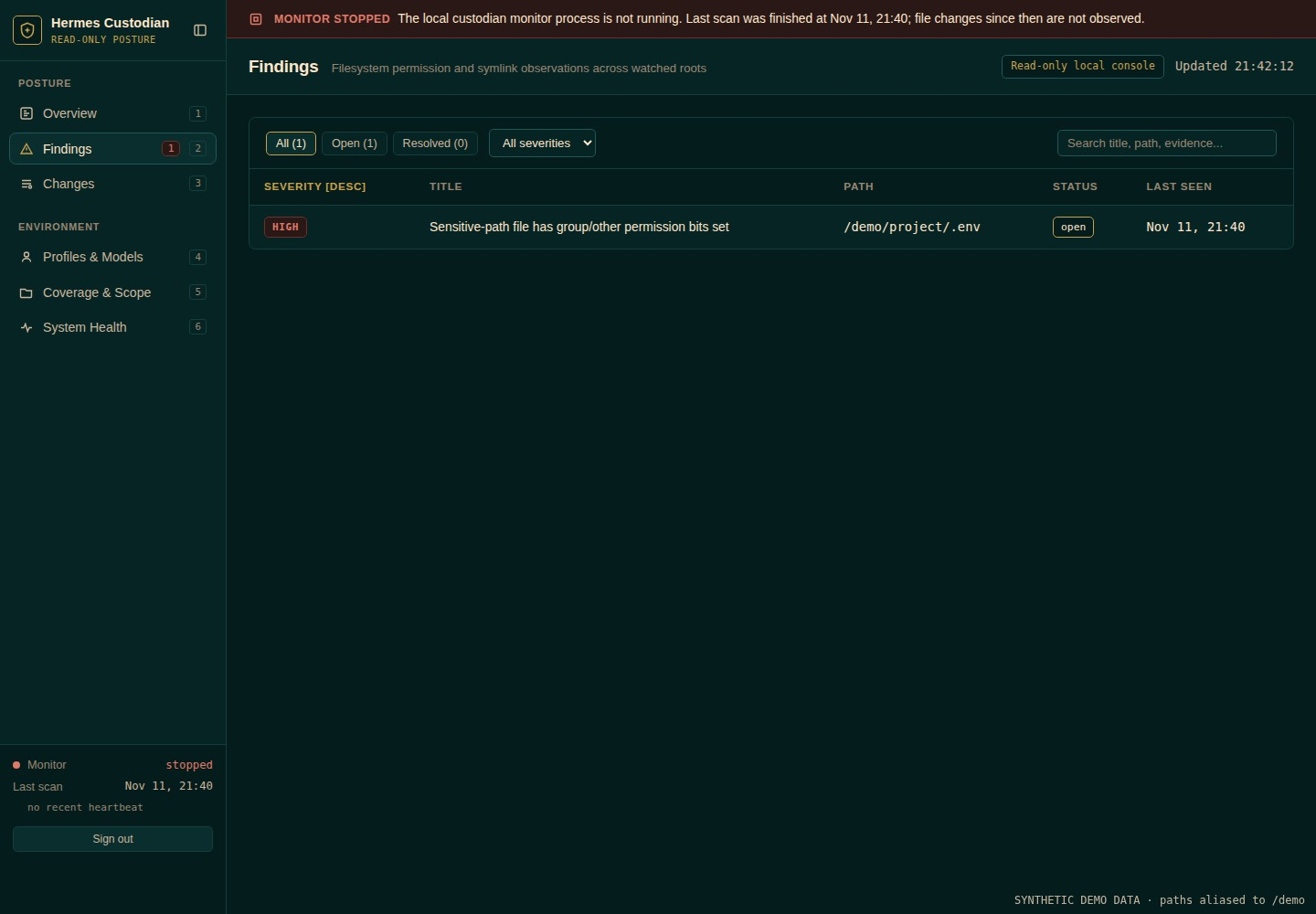
Findings — evidence, severity and timestamps for each open finding.
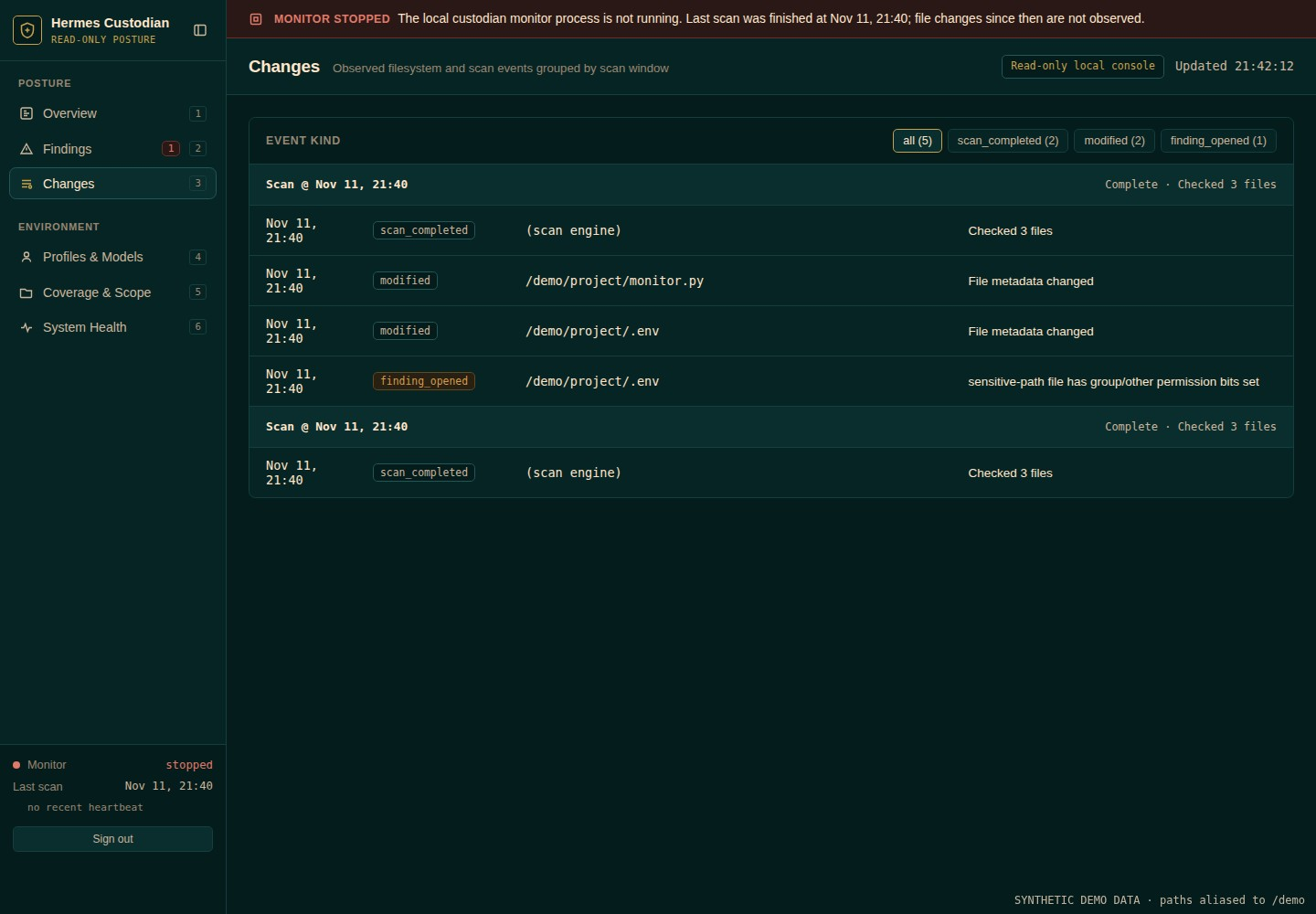
Changes — what changed since the previous scan.
Install
Standalone
Clone the repository and install it into its own virtual environment.
Linux / macOS
git clone https://github.com/Cam-AcitveIce/hermes-custodian.git
cd hermes-custodian
python3 -m venv .venv
.venv/bin/pip install -e .
To run warden from anywhere instead of typing .venv/bin/warden, link it onto your PATH:
ln -s "$PWD/.venv/bin/warden" ~/.local/bin/warden
Windows (PowerShell)
git clone https://github.com/Cam-AcitveIce/hermes-custodian.git
cd hermes-custodian
py -3 -m venv .venv
.\.venv\Scripts\pip install -e .
The command is then .\.venv\Scripts\warden.exe.
To update later, run git pull in the folder. The -e install picks up the new code automatically.
As a Hermes plugin
Installing as a plugin also gives your agent four read-only tools: warden_status, warden_findings, warden_changes and warden_scan.
hermes plugins install https://github.com/Cam-AcitveIce/hermes-custodian
hermes warden setup
Hermes asks before installing the plugin's Python dependencies. Inside Hermes, every command below is run as hermes warden <command>.
Get started
warden setup       # choose your Hermes profiles and the folders to watch
warden scan        # run a first scan
warden findings    # see what needs attention
warden dashboard   # open the web dashboard
Setup asks for your consent at each step and offers to create a dashboard login at the end. It doesn't start monitoring or install anything that runs in the background — those are separate steps you choose.
Commands
| Command | What it does |
|---|---|
warden setup | Guided setup: find Hermes profiles and choose watched folders |
warden tui | Full-screen terminal control centre |
warden scan | Scan the approved folders once |
warden status | Monitoring health and coverage |
warden findings | Open findings with their evidence |
warden events | Recent changes |
warden monitor | Keep scanning in the foreground (--once for one cycle) |
warden dashboard | Start the local web dashboard (--port to choose a port) |
warden dashboard-credentials | Set or reset the dashboard login |
warden service install | start | status | stop | uninstall | Run the monitor as a background service |
warden updates | Check for OS updates without installing anything |
setup, tui and dashboard-credentials need an interactive terminal. custodian still works as an alias for warden.
Web dashboard
warden dashboard serves a read-only view of findings and changes on 127.0.0.1 only. You sign in with a username and password set during setup, or with warden dashboard-credentials (12 characters minimum, entered at a hidden prompt).
The password is stored only as a salted scrypt hash. Sessions expire, sign-in attempts are rate-limited, and there is no MFA. It's built for use on the same machine; to reach it from elsewhere, use SSH port forwarding.
Background monitoring
warden service install --enable   # install and enable at login
warden service start              # start it now
This uses a systemd user service on Linux, a LaunchAgent on macOS and a per-user Task Scheduler task on Windows. Installing doesn't start it, and nothing is installed unless you run these commands. User services start when you log in; starting before login isn't guaranteed.
Hermes profiles and where data is stored
Warden keeps its settings, findings and history in a state folder:
| Situation | Location |
|---|---|
HERMES_HOME is set (including inside Hermes) | $HERMES_HOME/plugin-data/hermes-custodian/ |
| Linux | $XDG_STATE_HOME/hermes-custodian (default ~/.local/state/hermes-custodian) |
| macOS | ~/Library/Application Support/hermes-custodian |
| Windows | %LOCALAPPDATA%\hermes-custodian |
If you use the standalone install alongside the plugin for a named Hermes profile, set HERMES_HOME to that profile first so both share the same data. To pick a folder yourself, put --state-dir /some/path before the command.
The state folder must not be writable by other users. A group-writable parent folder (the default on Ubuntu and Raspberry Pi OS) is accepted only if you own it and nobody else is in its group. Otherwise, run chmod g-w on the parent or choose a private folder with --state-dir.
OS updates
warden updates only reports what's available. It reads the APT cache on Linux, runs softwareupdate -l on macOS and queries Windows Update on Windows.
On Debian and Ubuntu there are also commands to preview and apply a security-updates-only unattended-upgrades policy:
warden updates security-plan --enable    # preview only, writes nothing
warden updates security-apply --plan-id <PLAN_ID> --enable
security-apply runs only as real root, from a root-owned installation, and asks you to type a confirmation phrase. It never reboots the machine, and it can't be triggered by the agent or the dashboard.
What it checks, and what it doesn't
- Content fingerprints only for
.pyand.mdfiles. Other files get metadata checks only (permissions, owner, size, modified time). - Sensitive files such as
.envfiles, keys, OAuth stores and browser data are checked by permissions only. Their contents are never read, hashed or shown to the agent. - Private Hermes areas (memories, sessions, chat history) are never listed or read.
- Symlinks and special files are never followed. Hitting a scan limit shows up as incomplete coverage.
- Permission findings come from mode bits, so they don't account for ACLs, group membership or parent folder access. Each finding says this.
- A changed file is not proof of malware.
- Not a sandbox, antivirus or EDR. Anything running as your user could stop Warden or rewrite its data.
- The dashboard cookie isn't tied to a port, so other local web servers in the same browser could receive it. Treat other local users as trusted.
Privacy
- Nothing is scanned or started when the plugin loads. Scans happen only when you or your agent ask, or when you start the monitor.
- Stored data contains paths, fingerprints, findings and change history — never credential contents.
- There is no telemetry, and monitoring never calls an AI model.
- System tools (systemctl, APT, launchctl, schtasks and so on) are run with fixed arguments, timeouts and a minimal environment. API keys, proxy settings and
PATH/PYTHONPATHoverrides are not passed on.
Development
.venv/bin/pip install -e '.[test]'
.venv/bin/python -m pytest -q
CI runs the tests on Linux, macOS and Windows with Python 3.11–3.14.
The plugin and package are still named hermes-custodian, the Python package is custodian, and the state folder and services keep those names so existing installs don't need migrating.
Status
Release candidate (0.1.1). The Hermes plugin catalog still lists 0.1.0.
README from the reviewed commit ec523a2; it updates when the author re-pins.


