 hey-yx
What it does
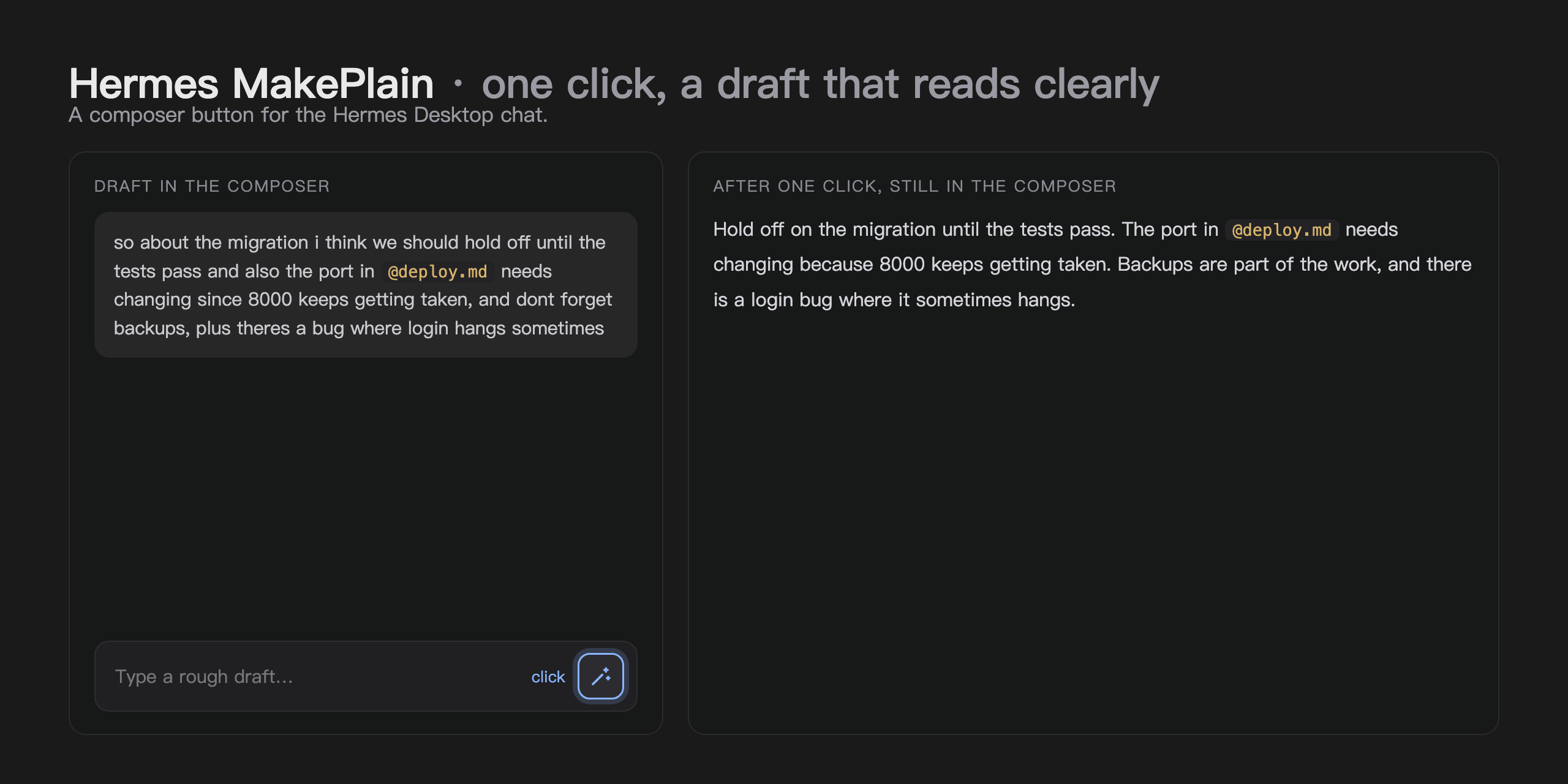
- Adds a wand button to the right of the chat input box in Hermes Desktop.
- Click it to replace your rough draft in place with a clean rewrite that reads clearly. The message is not sent; the chat stays untouched.
- The rewrite keeps your original meaning, stays in the language you wrote in, and keeps every concrete detail exactly as written: names, numbers, versions, ports, paths, file names, URLs,
@-references,/-commands and code. - You can see what it is doing: the button spins while the rewrite is in flight, and an empty box is rejected before any work starts.
How it works
Each click sends the draft text to the model configured for auxiliary.title_generation in the Hermes config, through Hermes' built-in auxiliary route. That route is intended for cheap, fast helper calls and does not touch your main chat model.
Install
Copy plugin.yaml and desktop/plugin.js into the desktop plugins folder (~/.hermes/desktop-plugins/ on macOS and Linux) as hermes-make-plain/, then run "Reload desktop plugins" from the command palette (⌘K). The button appears immediately.
From the plugin catalog: install hermes-make-plain, then flip its Desktop switch in Settings → Plugins. A catalog install ships the desktop half switched off until you toggle it.
Disclosure
- One model call per click: the draft text is sent to the model configured under
auxiliary.title_generationto produce the rewrite. - No other network calls, no telemetry, no analytics.
- The plugin reads and writes only the composer draft through the official SDK. Its whole storage is a one-field load heartbeat; it keeps no copy of your text.
Requirements
Hermes Desktop 0.22.0 or newer.
License
MIT, see LICENSE. Version history lives in CHANGELOG.md.
README from the reviewed commit 202bd0e; it updates when the author re-pins.