 Timidan

hostbook
A dashboard for the machines and services on your network, inside Hermes.
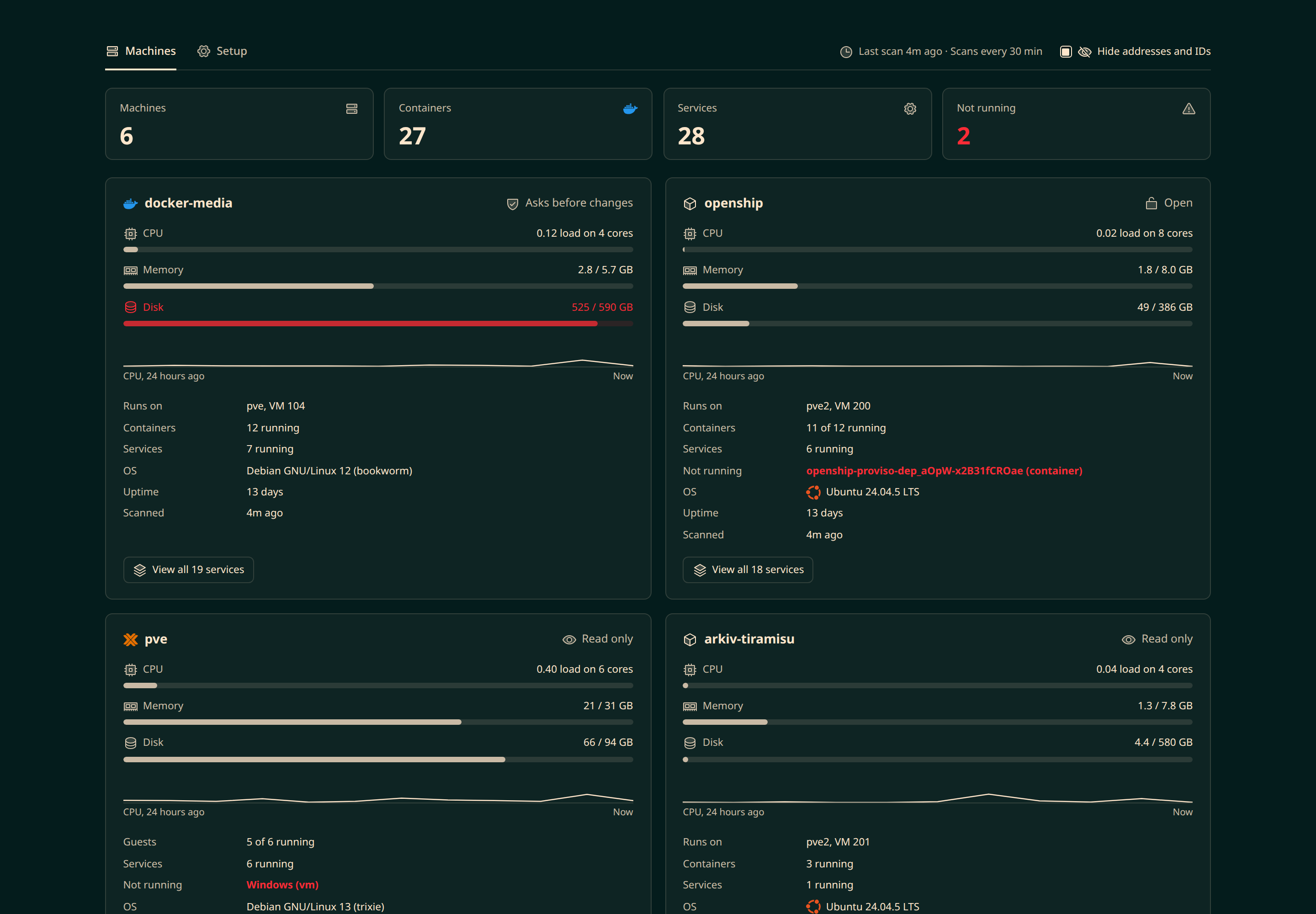
hostbook adds a Hosts page to the Hermes Agent dashboard. It shows every machine you add, what runs on each one, and what has stopped. Hermes can also check and fix your machines from chat, under rules you set.
What you get
- One page for your whole network. CPU, memory and disk for each machine. Every container, system service and Proxmox VM, with its state. Stopped services and full disks show in red.
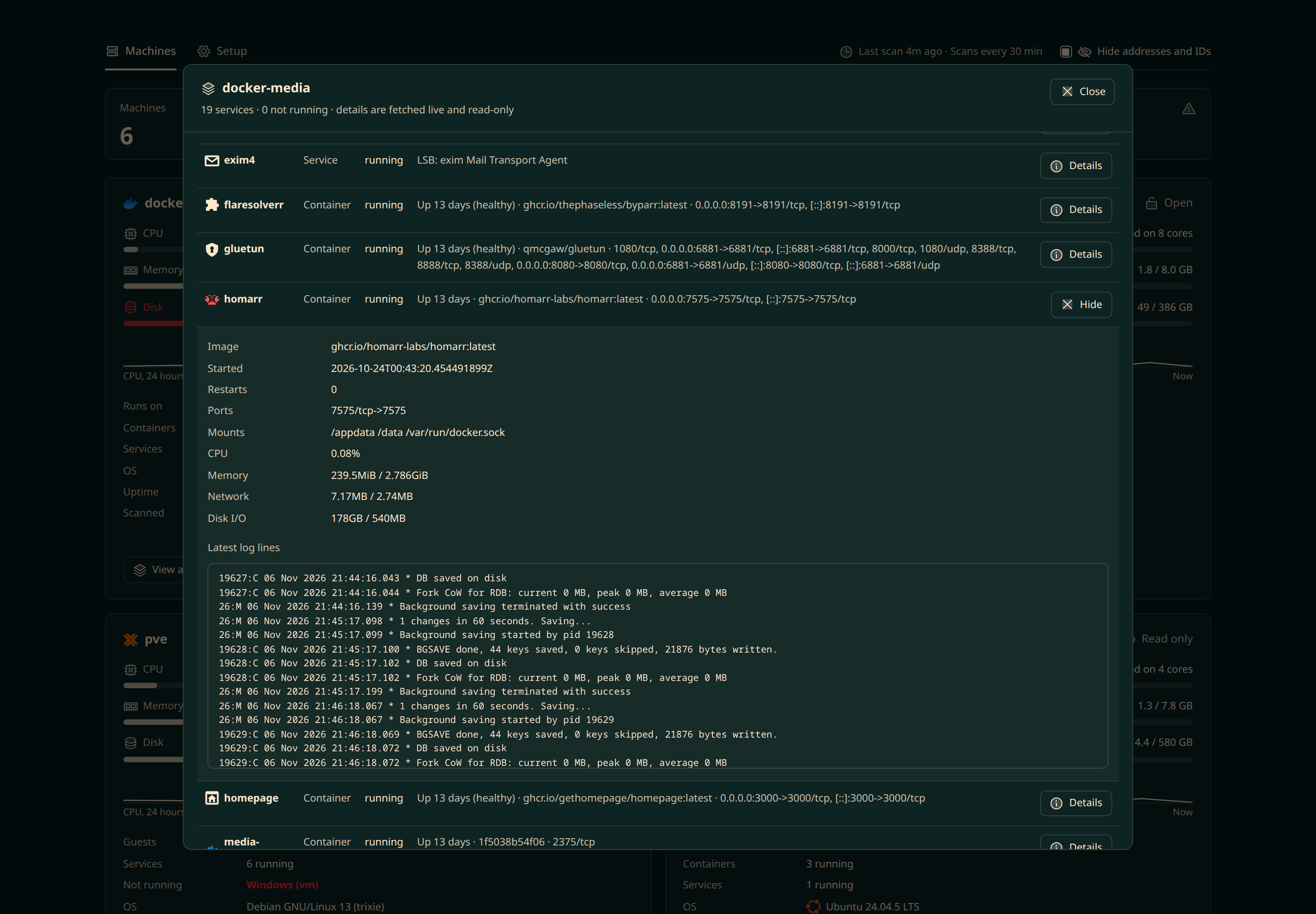
- Details when you need them. Open any service to see its ports, resource use and latest logs.
- Hermes works on your machines. Ask in chat: "How full are my disks?" or "Restart jellyfin." Hermes can run one script on several machines at once.
- A rule for each machine. Read only, asks before changes, or open.
- Access for other people. Add someone by their Telegram, Discord or other chat account. Give them view, operate or owner access.
- Alerts at no AI cost. Scheduled scans run without the AI. They alert you only when something changes.
Screenshots
| | |
|---|---|
|  |
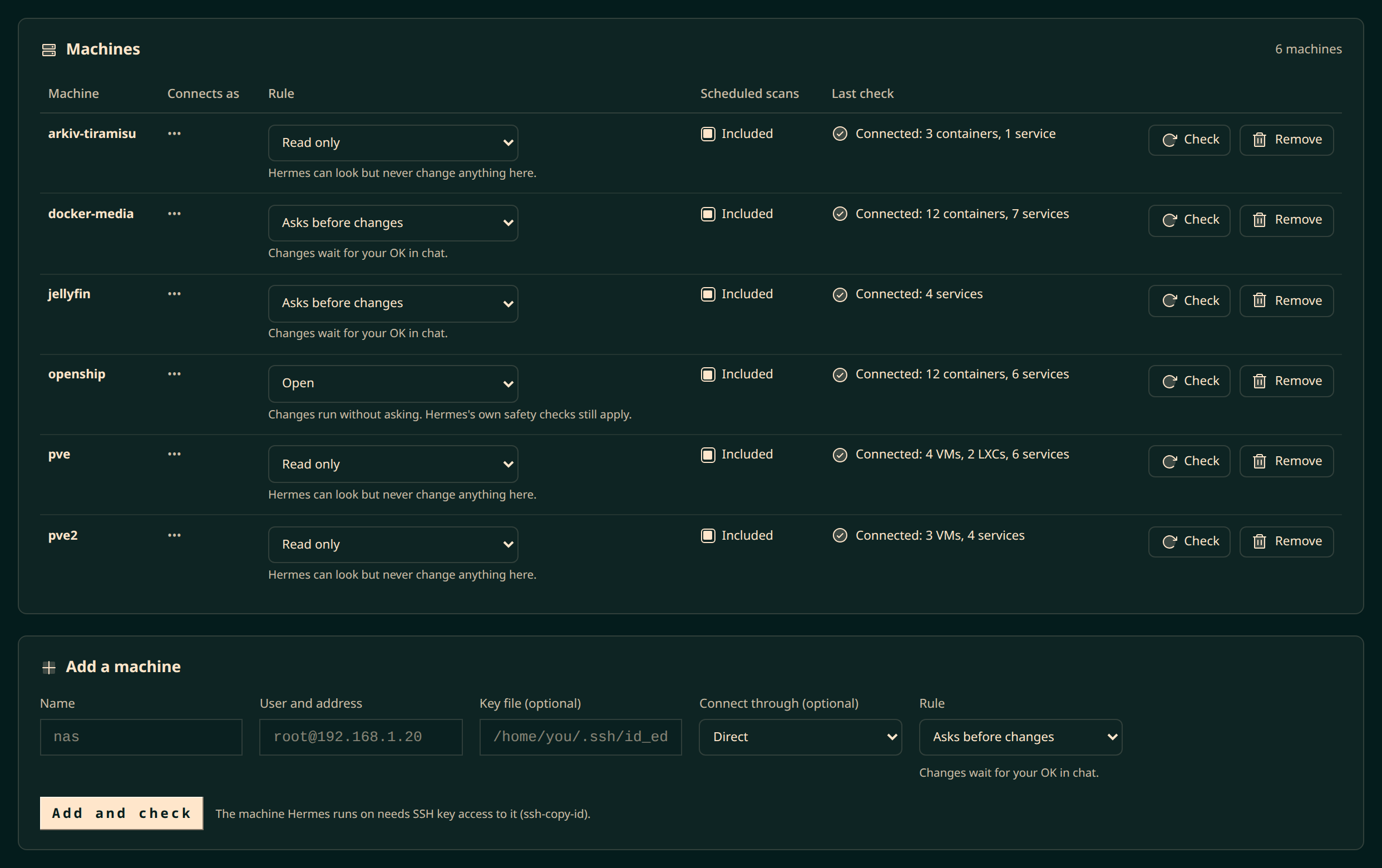 |
| Every service on a machine, with live details. | Each machine's rule and connection status. |
|  |
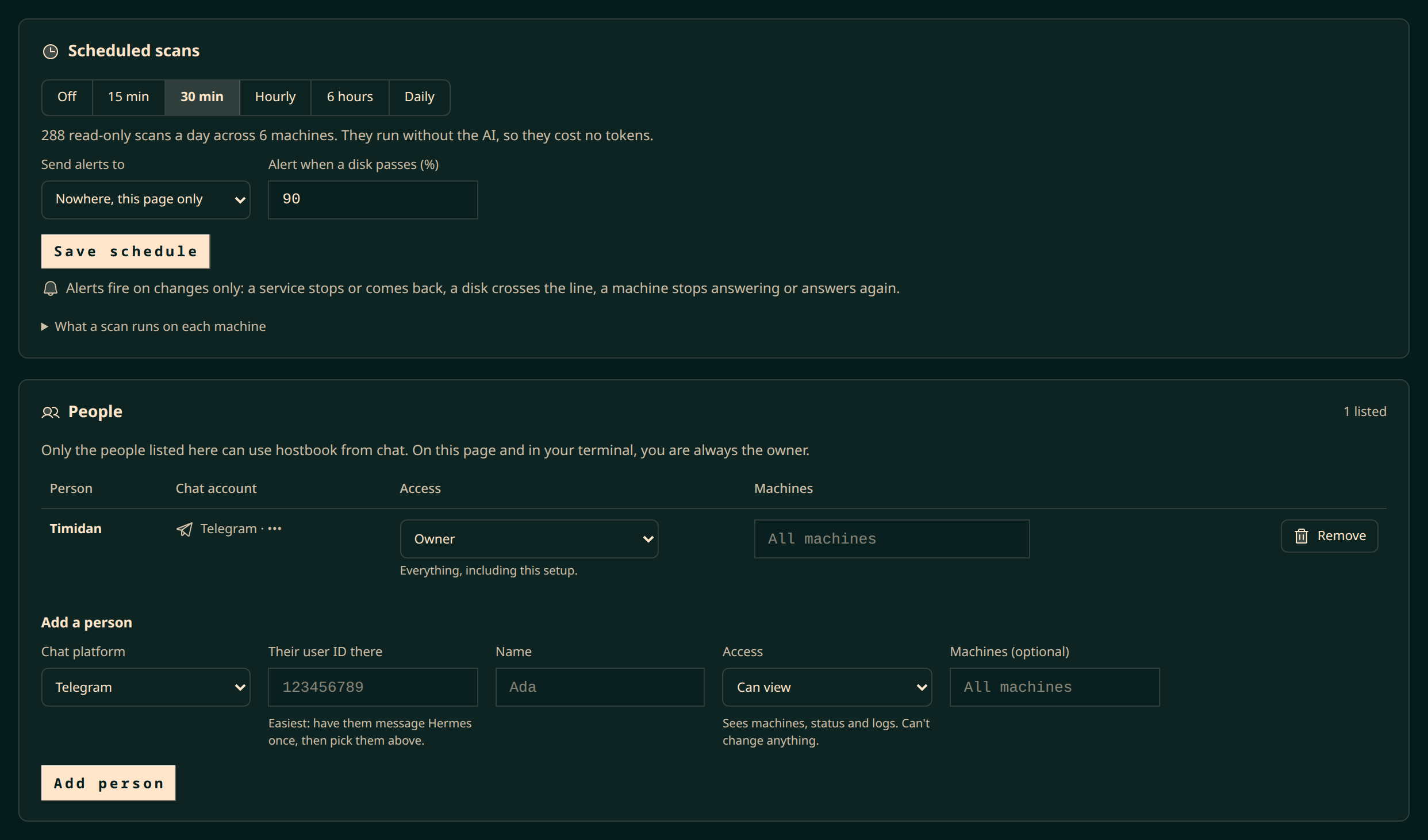 |
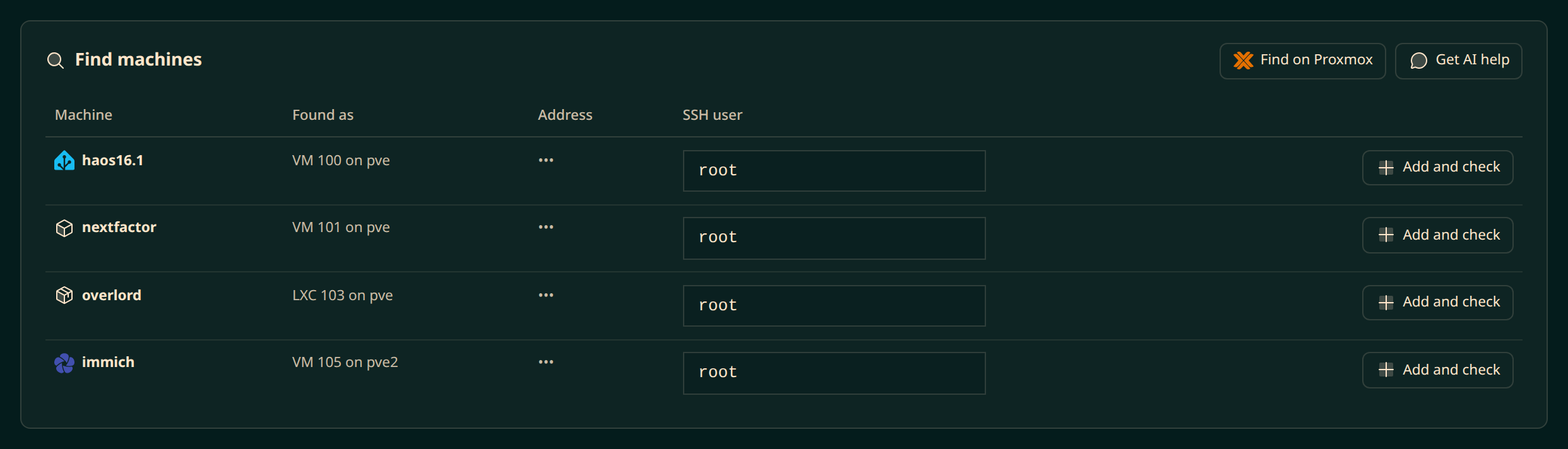
| Add Proxmox VMs and containers in one click. | Scheduled scans, and who can use hostbook. |
These screenshots come from a real homelab. Addresses, usernames and chat IDs are hidden with the page's Hide addresses and IDs switch.
Install
You need Hermes 0.22.0 or newer.
-
Install the plugin and turn it on:
hermes plugins install https://github.com/Timidan/hostbook hermes plugins enable hostbook -
Restart the Hermes dashboard. A Hosts tab appears.
-
Let the machine that runs Hermes log in to your other machines with an SSH key:
ssh-copy-id root@192.168.1.20 -
Open Hosts → Setup → Add a machine. Enter a name and
user@address. hostbook checks the connection at once. If it fails, hostbook tells you what to fix.
If you use Proxmox, add the Proxmox machine first. Then click Find on Proxmox to add its VMs and containers.
Use it
Ask Hermes in your own words:
- "What's running on nas?"
- "How full are the disks on all my machines?"
- "Restart jellyfin."
- "Show me the last logs for sonarr."
Rules
Each machine has one rule.
| Rule | What Hermes can do |
|---|---|
| Read only | Look. It never changes anything. |
| Asks before changes | Changes wait for the owner's OK in chat. Co-admins can't make them. |
| Open | Changes run without asking. Hermes's own safety checks still apply. |
People
Add people in Setup → People, by their chat account.
| Access | What they can do |
|---|---|
| Can view | See machines, services, status and logs. |
| Can operate | Also run commands and restart services, within each machine's rule. |
| Owner | Everything, including setup. |
Add yourself first, as owner. When the list has anyone on it, chat accounts that are not on it cannot use hostbook. On the dashboard and in Hermes's own terminal, you are always the owner.
What it runs and stores
- It connects over SSH only to machines you add, with your existing keys or ssh-agent. It stores a key's path, never the key.
- It runs scripts on those machines when you ask in chat, after the machine's rule and Hermes's approvals.
- It runs fixed, read-only scans from the dashboard and on a schedule. The schedule is a Hermes cron job,
hostbook-scan, that never calls the AI. It addsscripts/hostbook-scan.pyto your Hermes home. - When you connect as a non-root user, service restarts use
sudo -n, which fails rather than asks for a password. - It keeps SSH connections open for up to 10 minutes to reuse them.
- It calls your model only when you click Get AI help. It sends machine names, addresses and network neighbour tables. It never sends keys or file contents.
- It keeps its data in
plugin-data/hostbook/in your Hermes home. No telemetry.
Details: Security.
Learn more
- Guide: setup, scheduled scans, finding machines, fixing connection problems, and the command line.
- Access control: how rules and people work, and their limits.
- Security: what hostbook runs on your machines, what it stores, and when it calls the AI.
Development
python3 test_hostbook.py     # self-check, no Hermes needed
hermes plugins validate .    # the check the Hermes plugin catalog runs
Credits
Icons by Phosphor (MIT). Service logos by Simple Icons (CC0); logos and trademarks belong to their owners (disclaimer). Icons for services without a public logo are original to hostbook.
License
README from the reviewed commit 4d4630f; it updates when the author re-pins.


