 ROCK
IDEA CUT
Turn any idea, website or product into a polished video — by talking to Hermes.
A Hermes plugin (agent tools + a Desktop page) · Created by ROCK · MIT
Status: v1.2.0 — AI video and tutorial studio. Real browser recordings and editable video scenes join the gallery, image scenes, narration, music and Full HD export. Real-clip playback and recording/export have been exercised; integrated v1.2 native Desktop click-through remains unverified. Voice-over uses an internal Hermes TTS import.
Read Known limits before relying on it. See
release review for the full audit.
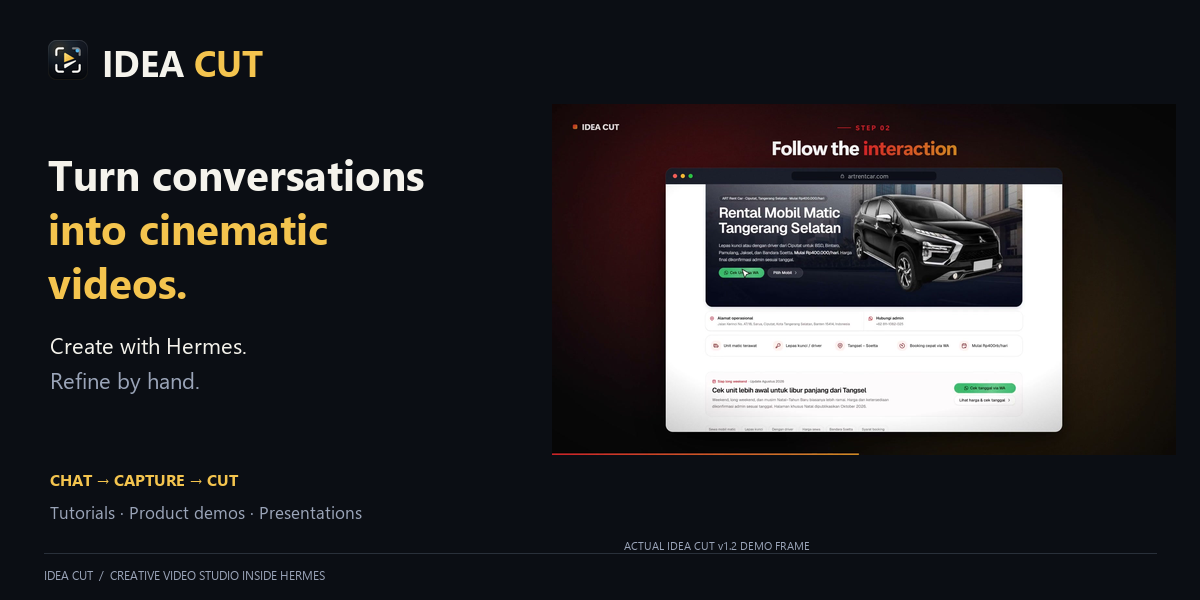
You describe the video in chat. Hermes studies your product, writes a storyboard and builds the video. It appears in the IDEA CUT gallery; you open it, change anything by hand or by asking, and export an MP4.
Hermes is the AI. IDEA CUT is the creative workspace. There is exactly one place to talk: Hermes Chat. The IDEA CUT page is a gallery and an editor — it has no chat box of its own, and nothing in it is sent anywhere without you pressing send in the real chat.
You:    Make a 45-second launch video using these ART Rent Car screenshots. Show the fleet and how to book.
Hermes: (reads supplied images → writes scenes → renders a contact sheet → exports)
        MEDIA: …/art-rent-car-website-tour.mp4
How it works
Capture from the source that fits the story
- Website/web app:
ideacut_recordexecutes agent-authored click, scroll, hover, typing and navigation steps on a public page. Real footage and its interaction log drive cinematic camera motion and cursor highlights. - Desktop software, IDE and terminal tutorials: use an available, authorized host recording/control tool, then import its recording. Native desktop control is not built into IDEA CUT.
- Android/iOS: import device or emulator screen recordings. Automatic control requires separate host tooling; IDEA CUT does not provision it.
- Existing footage: MP4/WebM/MOV clips can become
screenscenes through Chat or the Studio's Screen recording… picker. Trim, speed, normalized crop, camera zoom, framing and scene text are editable. Automatic cursor/camera tracking requires an interaction log; ordinary imported footage has none.
Hermes chooses an actually available capture route, records or imports, creates scenes, previews, edits and exports. If capture/control access is unavailable, import a user-provided recording instead of claiming automation.
- Describe — say what the video is about in any Hermes chat. In the IDEA CUT page, Create with Hermes opens a chat and leaves the caret in its composer.
- Explore & capture — Hermes opens the page in headless Chromium, screenshots it and reads its headings and buttons. Every connection goes through a validating proxy: names are resolved once, private/loopback/LAN/metadata answers are refused and the browser is pinned to the address that was checked. Only capture pages the user asked about.
- Create — Hermes writes a storyboard of typed scenes. The video appears in the IDEA CUT page straight away.
- Collaborate — play the live preview, edit words, order, timing, theme, music; or press Edit with Hermes, which puts the exact project, revision and scene into the chat composer (unsent). Both edit the same project; undo/redo covers both.
- Export — MP4 (H.264, 30 fps) in 720p, 1080p or 4K, landscape, vertical, square or portrait, with music and optional voice-over. The project stays editable.
The page
- Gallery home. One card per project: the real first frame, the title, scenes, running time, format, and whether it is a
draft,edited,exported, or stillrendering. Status is read from the project store and the project's own export folder — nothing is guessed from a button press. - Studio. Click a card to open it: preview, scene list, timing, per-scene composition, theme, music, voice-over, undo/redo and export. Library returns to the gallery to pick another video.
- Handoff. Both chat actions use the supported Desktop doors (
host.newChat,host.composer): the page never mounts a second composer and never ships the message.@ideacutis not used because Desktop exposes no plugin mention contract.
The idea that keeps it simple
A storyboard never says where pixels go. It only says what each scene is and what it says:
| Scene | What you get |
|---|---|
| title / outro | Big animated headline, call-to-action button |
| showcase | A screenshot in a browser or phone frame with a 3D camera move. Tall pages scroll by themselves; focus/crop zooms into an area; cursor moves a pointer there and clicks |
| features · steps · stats | Cards, a numbered walkthrough, counting numbers |
| statement · quote | One strong sentence; a testimonial |
| code | A terminal or editor window that types |
| photo · gallery | A full-bleed picture; an isometric wall of screenshots |
Layout, typography, easing, camera and transitions are designed once, inside the player. Six themes (midnight, noir, aurora, ember, paper, cloud) plus your brand colour.
Every scene can also be art-directed, so a video is not one template repeated. A scene takes an optional design block — x/y shift, scale, rotate, an entrance (motion: rise, fade, zoom, drift), easing, its own accent, and crop for screenshots. The agent can write it; the editor exposes the same values as sliders, and both go through the same project store, so the preview and the exported file agree.
One visual renderer. desktop/player.js draws frames from time. The Desktop page plays it live; the exporter asks headless Chrome for exact timestamps and pipes frames to FFmpeg. This shares visual logic, not a proven pixel-identical native playback guarantee. Preview is silent; exported narration can extend scene durations.
Agent tools
| Tool | Does |
|---|---|
| ideacut_capture | Screenshot a public page (desktop or mobile) and describe what is on it |
| ideacut_record | Record real browser interactions and an interaction log |
| ideacut_create | Create a project from a storyboard |
| ideacut_edit | Change scenes or project settings |
| ideacut_get | Read the project as it is now, including manual edits |
| ideacut_preview | Render a contact sheet so the agent can check its own work |
| ideacut_export | Render the MP4 |
Requirements
- Hermes Agent with Hermes Desktop
- Google Chrome or Microsoft Edge (already installed on most machines; nothing is downloaded)
- FFmpeg on
PATH - Python packages
Pillow,numpy,playwright(declared inplugin.yaml)
See docs/INSTALL.md.
Privacy
- Everything renders locally. No cloud video service, no telemetry, no uploads.
- Capture loads a page like a visitor through a loopback-only proxy; redirects and subresources are validated per connection and cannot reach private or metadata addresses. WebSockets and service workers are blocked. It does not log in or defeat bot checks, and this is a network boundary inside the process, not an OS sandbox.
- Voice-over is optional and off by default. When on, each scene's narration line is sent to the text-to-speech provider configured in Hermes. Set the video language (
enorid) and the voice follows it. - Built-in music is synthesized locally. Imported assets, fonts, TTS output and separately installed browser/FFmpeg builds retain their own licensing requirements; the source MIT license does not license third-party media.
- Projects live in the Hermes plugin data folder (
plugin-data/ideacut/projects/<id>/) as plain JSON plus images.
Development
python scripts/build.py                      # rebuild desktop/plugin.js after editing player.js or page.js
python -m unittest discover -s tests -t .    # model, tools, preview/export, clips, gallery and security
node tests/desktop.mjs                       # Desktop module contract and model parity
hermes plugins validate . --json             # catalog preflight (one TTS warning expected)
| File | Role |
|---|---|
| model.py | Storyboard schema, forgiving validation, edit operations |
| store.py | Projects on disk, image import, undo history |
| render.py | Headless-Chrome frames, MP4 export, contact sheets, web capture |
| sound.py | Generated music, voice-over, final mix |
| __init__.py | Hermes tools and Desktop RPCs |
| desktop/player.js | The renderer (scenes, motion, themes) |
| desktop/page.js | The Desktop page: gallery home, studio, chat handoff |
| desktop/plugin.js | Generated: player + page, the single file Hermes Desktop loads |
Known limits
- Original clip audio is discarded on import; narration and music are mixed separately. Desktop/mobile control requires external host tools or user-supplied recordings. Recording does not bypass bot checks or authentication.
- The live preview is silent; music and voice are in the exported file.
- Render speed depends on the device and scene. Encoding has a 10-minute watchdog, a 2 GiB video-output limit and a 256 MB soundtrack limit; these are guards, not a complete process-tree disk quota.
- Text looks best with Inter or Segoe UI Variable installed; other systems fall back to their system font.
- The Desktop page has not been accepted end to end in a native session: its layout, card status and chat handoff were verified in a fixture harness (stubbed host), and manual edit → preview → reopen in the running app is still open. Treat the UI as beta.
- Voice-over calls Hermes's text-to-speech through an internal module (
tools.tts_tool). It fails gracefully, but a Hermes release can break it until a public seam exists. - Deleting a project from the page is disabled on purpose; projects stay in the plugin data folder.
Independent software for Hermes Agent. Hermes/Nous is the host platform, not IDEA CUT's author or endorser.
README from the reviewed commit b78cdff; it updates when the author re-pins.


