 TakeshiTGAL
Mesh Check
Mesh Check reads one local STL, OBJ, PLY, GLB, or glTF file and returns whether that mesh is closed, the volume when the file holds one closed mesh, the bounding box, and the mesh, animation, and material counts. Use it before a 3D print and before a game export. A numeric check does not guarantee that the mesh looks right. The call is local. It does not render, generate, repair, or open a network connection.
What one call returns
mesh_check takes path, a local file path. The reply is one JSON object.
| Field | What you get |
|---|---|
ok | true when the file was measured. false when the check stops. |
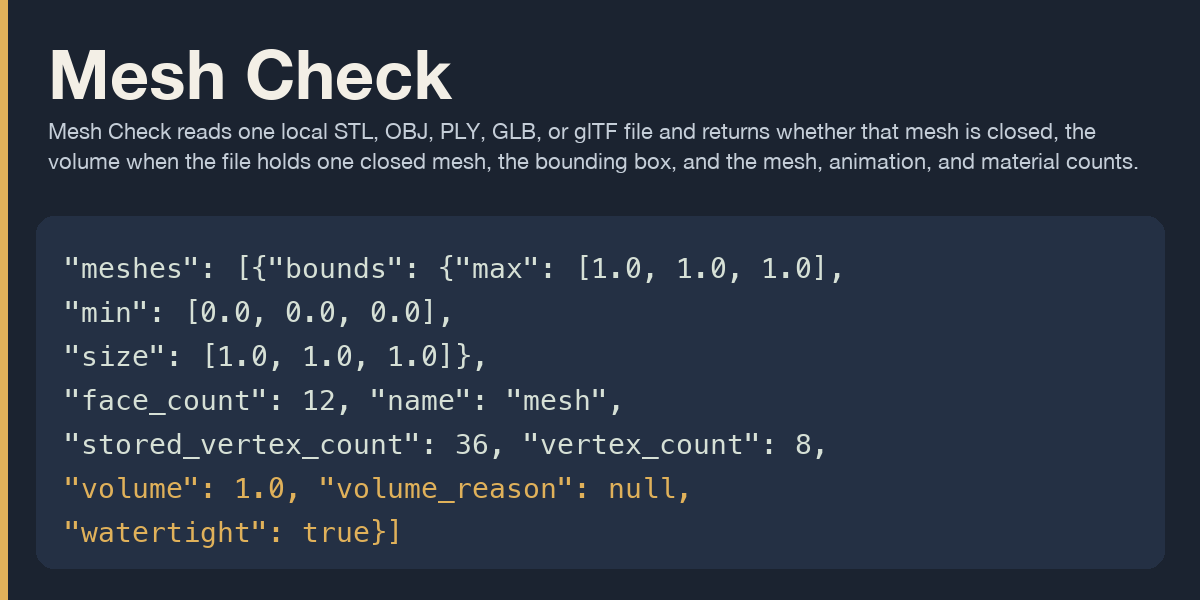
watertight | Whether the one measured mesh is closed. null when the file holds several meshes. |
volume | The solid volume of that one closed mesh. null when the mesh is open or the file holds several meshes. |
bounds | The box around the shape: min, max, and size. An STL file has no unit, so units is "file". |
face_count | How many triangles the check counted. |
vertex_count | How many positions the check counted. |
stored_vertex_count | How many positions the file stored. |
mesh_count | How many meshes the file records. |
measured_mesh_count | How many meshes this check measured. |
animation_count | How many animations the file records. STL, OBJ, and PLY report 0. |
material_count | How many materials the file records. |
scene_count | How many scenes a glTF or GLB file records. Other formats leave this null. |
node_count | How many nodes a glTF or GLB file records. Other formats leave this null. |
The tool opens the path you pass and follows a symlink on that path. It stops at 33554432 bytes. It asks for no approval, and it registers no skill and no cron job. hermes tools disable mesh-check --platform telegram hides the tool there.
Details
watertight is true or false when the file holds one measured mesh. A file with several meshes, or geometry this check does not measure, leaves it null and sets watertight_reason.
volume is a number only when that one mesh is closed, its winding is consistent, and the value stays finite and greater than zero after rounding to 9 decimal places. Any other case leaves volume null and sets volume_reason. A rounded value of 0 sets volume_reason to volume_below_precision. A surface that is open can still have a nonzero surface integral. That integral is not returned.
bounds has min, max, and size from the finite vertex coordinates. Each end is rounded to 9 decimal places. A nonzero value that those places would turn into 0 stays in scientific form. size is the difference of the published ends. That difference is kept, with no second pass through the 9-decimal rounding. When both ends would land on the same 9-decimal value and the vertices still span a nonzero extent, each end keeps its offset from that shared value in scientific form. size is still the difference of the published ends. Lengths are the numbers in the file.
face_count is the triangle count. A face with more than three corners is split into triangles from its first corner. vertex_count is the count of unique positions after coordinates that match exactly are joined. A gap stays open. stored_vertex_count is the count before that join.
mesh_count, animation_count, and material_count come from the file. A glTF or GLB file counts meshes, animations, and materials in the document. STL, OBJ, and PLY have no animation channel, so animation_count is 0 and animation_source is not_in_format. An OBJ file counts distinct usemtl names and does not open a .mtl file. A PLY file uses element material when that element is present.
One glTF or GLB mesh entry can store several primitives. Each primitive is measured as its own mesh. Two primitives in one mesh entry keep mesh_count at 1 and set measured_mesh_count to 2. watertight and volume stay null. watertight_reason and volume_reason are mesh_count_disagrees.
An ASCII STL with several solid sections counts several meshes, so the top-level volume stays null and each mesh keeps its own volume. A binary STL is one mesh, including when it holds several shells. That volume adds the shells. It is not the volume of their union. Shells that share the same vertex positions are welded first, and the closed test then sees the joined surface.
scene_count and node_count are filled for glTF and GLB. Other formats leave them null with source not_in_format.
Identical coordinates become one vertex. The join does not move a vertex to close a crack. Volume is omitted unless the file is one closed mesh with consistent winding and a volume that stays greater than zero after rounding to 9 decimal places.
A glTF buffer URI with a scheme, a .. segment, a symlink, or a path outside the opened file's directory is refused before the file is loaded. The byte cap counts a glTF buffer that stays inside that directory. Enable prepares trimesh and pygltflib in the shared Hermes environment. Numpy is installed with trimesh. pygltflib also brings dataclasses-json, which asks for marshmallow 3. Scipy, networkx, rtree, shapely, manifold3d, and httpx are not installed with those packages.
Anyone allowed on the gateway can call the tool on a path the Hermes process can open.
When the check stops
Each failure names a next step.
| kind | next step |
|---|---|
| broken file | Export the mesh again as STL, OBJ, PLY, GLB, or glTF. |
| unsupported format | Save the mesh as STL, OBJ, PLY, GLB, or glTF and pass that file. |
| file over 33554432 bytes | Export a smaller file. This check stops at 33554432 bytes. |
| empty mesh | Export a mesh that contains triangles. |
A missing path, a directory, a pipe, a missing package, and coordinates that are not finite each name their own next step in next_step. A URI in path uses this next step: Pass a local file path. From a file URI, drop the scheme first. A glTF buffer URI that leaves the opened file's directory uses this next step: Export a single GLB and pass that local file.
Thirty seconds
hermes on PATH is Hermes 0.22.2. The scene follows symlinks and uses the python beside the real hermes file. This scene does not call a model. It calls handle_function_call in model_tools.py, which is the dispatcher hermes chat uses after a tool call. --yes-deps is the consent to prepare trimesh and pygltflib in that shared environment.
set -eu
SCENE="$(mktemp -d)"
export HERMES_HOME="$SCENE/hermes"
mkdir -p "$HERMES_HOME"
hermes plugins install --no-enable --yes-deps "file://$PWD"
hermes plugins enable mesh-check
cat > "$HERMES_HOME/config.yaml" << 'EOF'
_config_version: 50
plugins:
  enabled:
    - mesh-check
approvals:
  mode: off
EOF
HERMES_BIN="$(command -v hermes)"
while [ -L "$HERMES_BIN" ]; do
  _dest="$(readlink "$HERMES_BIN")"
  case "$_dest" in
    /*) HERMES_BIN="$_dest" ;;
    *) HERMES_BIN="$(dirname "$HERMES_BIN")/$_dest" ;;
  esac
done
PY="$(dirname "$HERMES_BIN")/python"
WORK="$SCENE/work"
mkdir -p "$WORK"
cd "$WORK"
"$PY" - "$WORK" << 'PY'
import json
import struct
import sys
from pathlib import Path

from hermes_cli.plugins import discover_plugins
from model_tools import handle_function_call

work = Path(sys.argv[1])
verts = [
    (0.0, 0.0, 0.0),
    (1.0, 0.0, 0.0),
    (1.0, 1.0, 0.0),
    (0.0, 1.0, 0.0),
    (0.0, 0.0, 1.0),
    (1.0, 0.0, 1.0),
    (1.0, 1.0, 1.0),
    (0.0, 1.0, 1.0),
]
faces = [
    (0, 3, 2),
    (0, 2, 1),
    (4, 5, 6),
    (4, 6, 7),
    (0, 1, 5),
    (0, 5, 4),
    (1, 2, 6),
    (1, 6, 5),
    (2, 3, 7),
    (2, 7, 6),
    (3, 0, 4),
    (3, 4, 7),
]
blob = bytearray(b"cube" + b"\0" * 76)
blob += struct.pack("<I", len(faces))
for a, b, c in faces:
    corners = (0.0, 0.0, 0.0) + verts[a] + verts[b] + verts[c]
    blob += struct.pack("<12fH", *corners, 0)
cube = work / "cube.stl"
cube.write_bytes(blob)

discover_plugins(force=True)
unchanged = handle_function_call(
    "terminal",
    {"command": "echo hello-unchanged"},
    skip_pre_tool_call_hook=True,
)
print("UNCHANGED")
print(unchanged)
checked = handle_function_call(
    "mesh_check",
    {"path": str(cube)},
    skip_pre_tool_call_hook=True,
)
print("CHECK")
print(checked)
body = json.loads(checked)
print(
    "FIELDS",
    json.dumps(
        {
            "ok": body.get("ok"),
            "watertight": body.get("watertight"),
            "volume": body.get("volume"),
            "face_count": body.get("face_count"),
            "vertex_count": body.get("vertex_count"),
        },
        sort_keys=True,
    ),
)
PY
The second scene clears HERMES_HOME and uses a fresh HOME. Hermes then uses $HOME/.hermes.
set -eu
SCENE="$(mktemp -d)"
export HOME="$SCENE/user"
mkdir -p "$HOME"
env -u HERMES_HOME HOME="$HOME" hermes plugins install --no-enable --yes-deps "file://$PWD"
env -u HERMES_HOME HOME="$HOME" hermes plugins enable mesh-check
HERMES_DIR="$HOME/.hermes"
cat > "$HERMES_DIR/config.yaml" << 'EOF'
_config_version: 50
plugins:
  enabled:
    - mesh-check
approvals:
  mode: off
EOF
HERMES_BIN="$(command -v hermes)"
while [ -L "$HERMES_BIN" ]; do
  _dest="$(readlink "$HERMES_BIN")"
  case "$_dest" in
    /*) HERMES_BIN="$_dest" ;;
    *) HERMES_BIN="$(dirname "$HERMES_BIN")/$_dest" ;;
  esac
done
PY="$(dirname "$HERMES_BIN")/python"
WORK="$SCENE/work"
mkdir -p "$WORK"
cd "$WORK"
env -u HERMES_HOME HOME="$HOME" "$PY" - "$WORK" << 'PY'
import json
import struct
import sys
from pathlib import Path

from hermes_cli.plugins import discover_plugins
from model_tools import handle_function_call

work = Path(sys.argv[1])
verts = [
    (0.0, 0.0, 0.0),
    (1.0, 0.0, 0.0),
    (1.0, 1.0, 0.0),
    (0.0, 1.0, 0.0),
    (0.0, 0.0, 1.0),
    (1.0, 0.0, 1.0),
    (1.0, 1.0, 1.0),
    (0.0, 1.0, 1.0),
]
faces = [
    (0, 3, 2),
    (0, 2, 1),
    (4, 5, 6),
    (4, 6, 7),
    (0, 1, 5),
    (0, 5, 4),
    (1, 2, 6),
    (1, 6, 5),
    (2, 3, 7),
    (2, 7, 6),
    (3, 0, 4),
    (3, 4, 7),
]
blob = bytearray(b"cube" + b"\0" * 76)
blob += struct.pack("<I", len(faces))
for a, b, c in faces:
    corners = (0.0, 0.0, 0.0) + verts[a] + verts[b] + verts[c]
    blob += struct.pack("<12fH", *corners, 0)
cube = work / "cube.stl"
cube.write_bytes(blob)

discover_plugins(force=True)
unchanged = handle_function_call(
    "terminal",
    {"command": "echo hello-unchanged"},
    skip_pre_tool_call_hook=True,
)
print("UNCHANGED")
print(unchanged)
checked = handle_function_call(
    "mesh_check",
    {"path": str(cube)},
    skip_pre_tool_call_hook=True,
)
print("CHECK")
print(checked)
body = json.loads(checked)
print(
    "FIELDS",
    json.dumps(
        {
            "ok": body.get("ok"),
            "watertight": body.get("watertight"),
            "volume": body.get("volume"),
            "face_count": body.get("face_count"),
            "vertex_count": body.get("vertex_count"),
        },
        sort_keys=True,
    ),
)
PY
Do not point HERMES_HOME at a profile you already use. hermes plugins disable mesh-check turns the tool off. hermes plugins remove mesh-check deletes the installed plugin directory. plugins.enabled becomes empty. The shared environment can keep numpy and trimesh. In the two installs for this tree, du -sk of the numpy 2.4.3 directory was 34220 KiB and 34108 KiB, and trimesh was 4660 KiB and 4664 KiB. That figure is the directory alone. Hermes can leave the toolset name in known_plugin_toolsets, a pyproject.toml under plugin-deps, the workspace pyproject.toml, uv.lock, and a config backup under backups/config. The installed plugin directory, including .git, is 364 KiB.
README from the reviewed commit a9fdecd; it updates when the author re-pins.