 rbur0425
OwnMachine
Start with the evaluator quickstart for the complete ordered setup and permission checks.
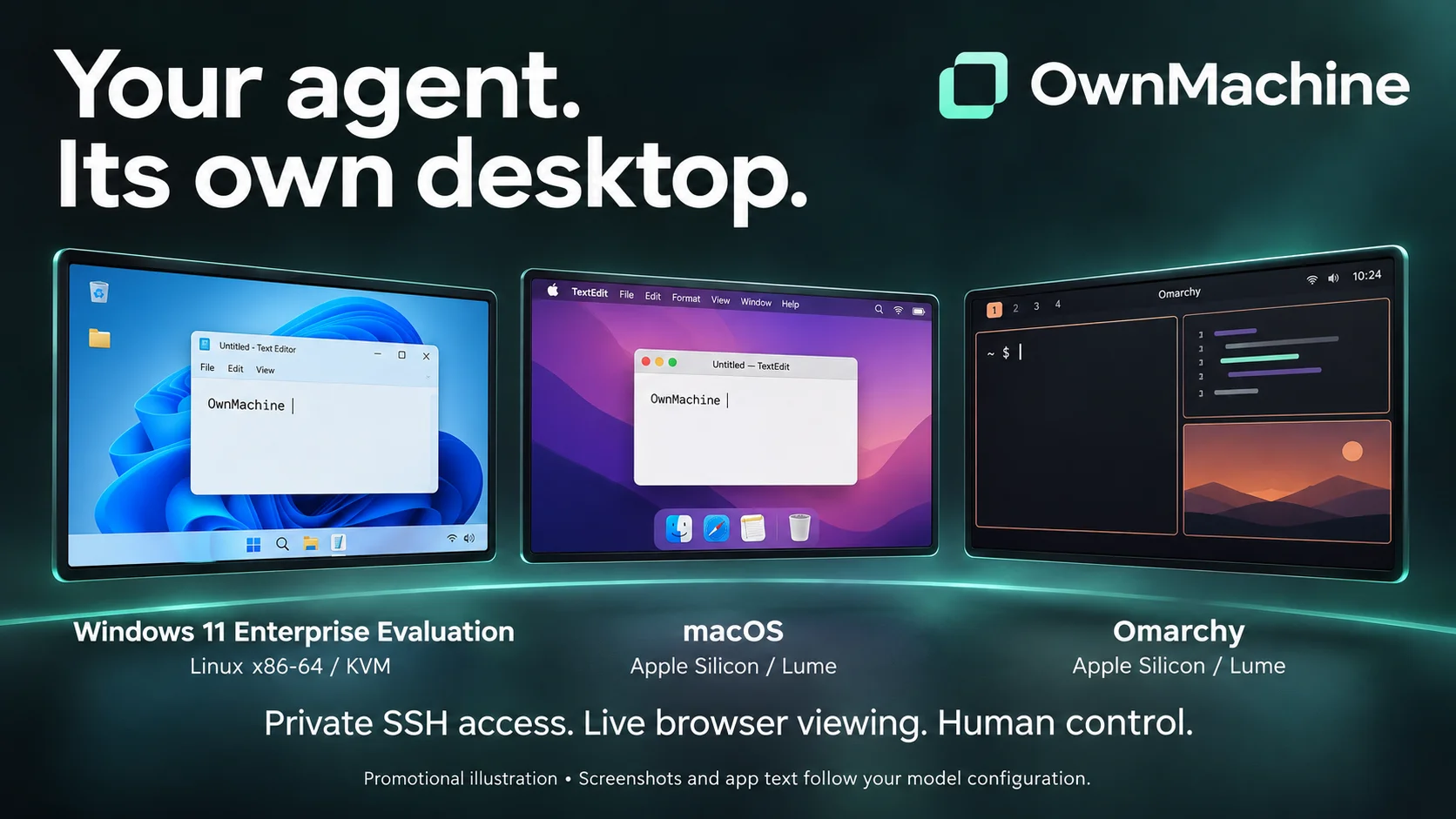
Give Hermes its own Mac, Omarchy or Windows desktop.
Test apps, scrape websites and automate repetitive work in a dedicated VM while
your personal desktop stays yours. Keep your workspace on infrastructure you
control, connect over private SSH, and take over from your browser whenever you
need to. Apps and saved files persist between sessions. Screenshots and app text
used by Hermes follow your configured model provider.
OwnMachine connects Hermes to a persistent, separate macOS, ARM64 Omarchy or Windows 11 Enterprise Evaluation VM through restricted
SSH and MCP. The agent works in its own guest desktop; a separately installed
private browser viewer lets you watch, pause it, reserve the workspace for human
mouse/keyboard input, and return control. Your personal host desktop is not the
computer-use target.
OwnMachine requires Hermes 0.23.1 or later and OpenSSH. macOS and ARM64 Omarchy
use an Apple Silicon Mac with patched Lume; Windows 11 Enterprise Evaluation
x86-64 uses Linux KVM/libvirt. Hermes can run on a separate machine, including
Linux Docker. See the Windows scope and input matrix
and v1.1.0 notes. Cloud hosts and Windows Home/Pro are
not qualified. Catalog installs use the reviewed upstream commit pin.
Guided setup commands
Start with the wizard quickstart.
Repository documentation follows the tree being viewed; execute only reviewed source or verified release bundles.
Start with /ownmachine setup in Hermes chat. Hermes default plugin-host mode
skips plugin CLI commands and cannot load the native provider. In a dedicated
OwnMachine profile, explicitly run hermes config set plugins.isolation in_process
before using hermes ownmachine setup or hermes ownmachine doctor in a terminal.
This is a profile isolation choice, not something setup silently changes. The terminal wizard asks for the guest profile, a local or remote host, or an existing relay,
then previews non-secret settings. It saves only when you choose to. Chat and
noninteractive sessions never wait for stdin.
hermes ownmachine setup --target remote --vm-name ownmachine --save
hermes ownmachine setup --json
hermes ownmachine doctor
For an already prepared relay, use your own verified SSH alias and absolute
shared control path:
hermes ownmachine setup --target existing --host-alias example-mac \
  --control-dir /absolute/shared/control --connect
Read-only previews work after /ownmachine setup in chat. Saving or connecting
from chat requires an exact setup_allowed_senders grant containing platform,
user_id and chat_id, matched against Hermes-provided sender identity. Missing
identity is refused, including local chat surfaces that do not supply it. Configure
grants locally in plugin settings using verified stable IDs, never display names
or values supplied in the command. The local terminal wizard remains available
without a chat grant. --connect saves the
connection in the active profile; it requires --replace if different connection
settings already exist. It does not select the native provider or change Hermes
isolation/toolsets: follow the dedicated-profile setup below and start a new
session after configuration changes. hermes ownmachine doctor --json and
/ownmachine doctor report bounded read-only readiness.
macOS remains the default; OwnMachine also supports Omarchy foreground desktop control on Apple Silicon. See the final acceptance and scope. Background input remains experimental. The terminal
wizard also offers Windows on a Linux KVM host; follow the Windows guide for its distinct administrator and guest-login handoffs. Use --guest-profile omarchy for an explicit
noninteractive choice. Read the Omarchy evaluator steps
before provisioning: operator trust/bootstrap and firewall approval remain, while
Hermes drives installation and boot transitions. Targeted foreground input
requires explicit opt-in to the exact-ABI Hyprland module. Linux guest control
does not require macOS guest Accessibility or Screen Recording permissions.
The Hermes command layer provides planning, resume, connection configuration
and diagnosis. hermes ownmachine setup --run STAGE now dispatches approved
operator stages over the dedicated setup SSH endpoint; mutations require
--apply. Fresh account creation, source/key trust bootstrap, root firewall
installation and guest consent remain explicit operator handoffs. The full-source
Mac runner and service stages now provide explicit build/provision, relay/key
installation, driver/permission checks and viewer service setup; see the wizard
quickstart for exact boundaries. Setup stores
non-secret choices in the active profile's setup_plan. Progress is stored
separately through Hermes's profile-scoped atomic ctx.state API (0600 state file).
Use /ownmachine status or hermes ownmachine status --json to see the saved
checkpoint without contacting the Mac. Plan or connection edits invalidate stale
progress; corrupt/newer state is preserved and reported, not silently reset.
A saved connection means awaiting verification, never completed onboarding.
Reminders are disabled by default. setup --later offers choices and
setup --next explains the next handoff. remind later previews a consent-bound
next-visit nudge; --mode tomorrow previews one no-model scheduled reminder.
Both require explicit token confirmation. Scheduled mode needs the matching
Hermes gateway and an approved chat destination. Use remind status or remind off to inspect or disable it. See the reminder guide for delivery checks and
profile configuration. No job is created by installation or a preview.
Never put passwords,
private keys or viewer tokens in it or in chat. Resource choices and storage
budgets are configurable; remote capacity is not inferred from the local machine.
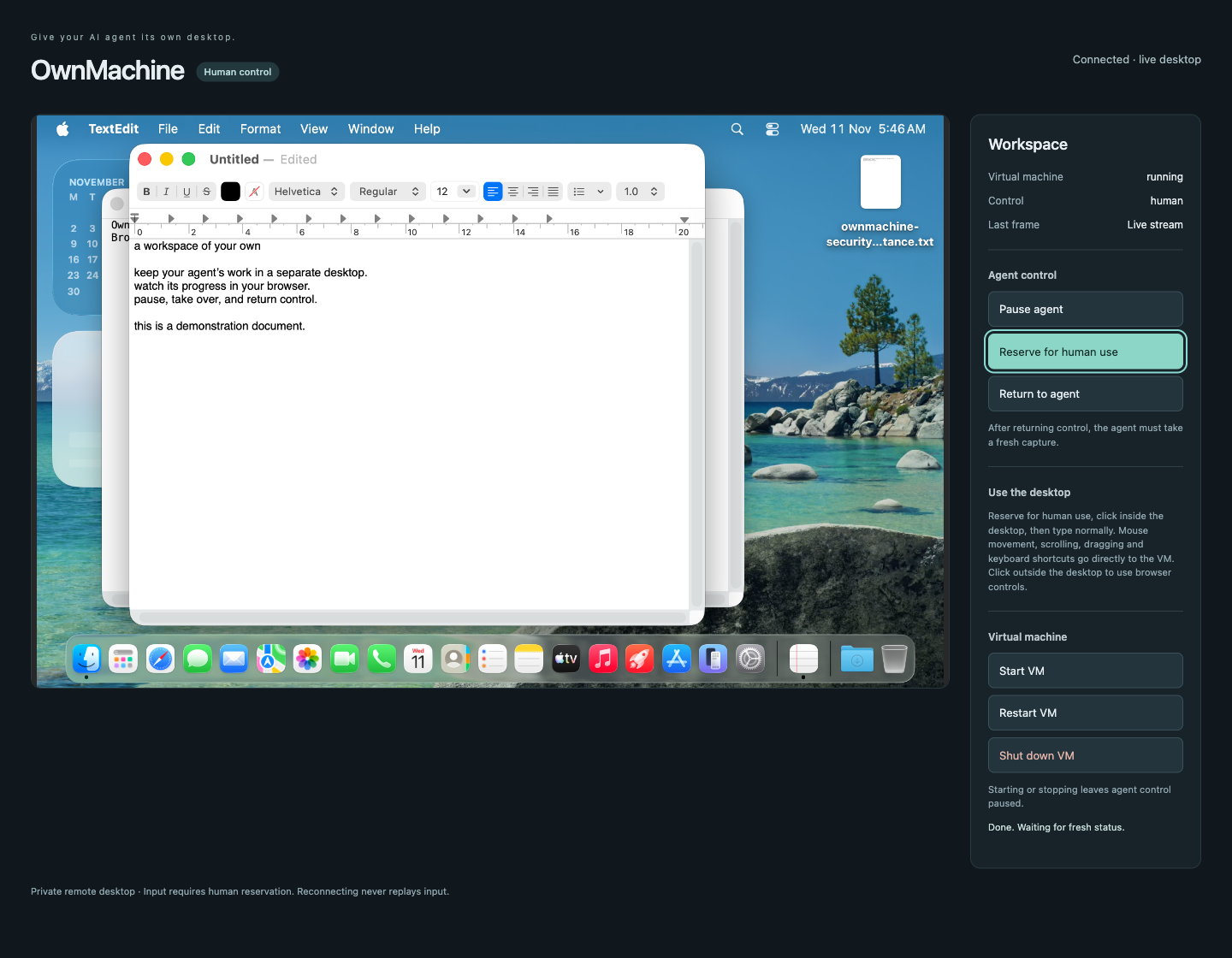
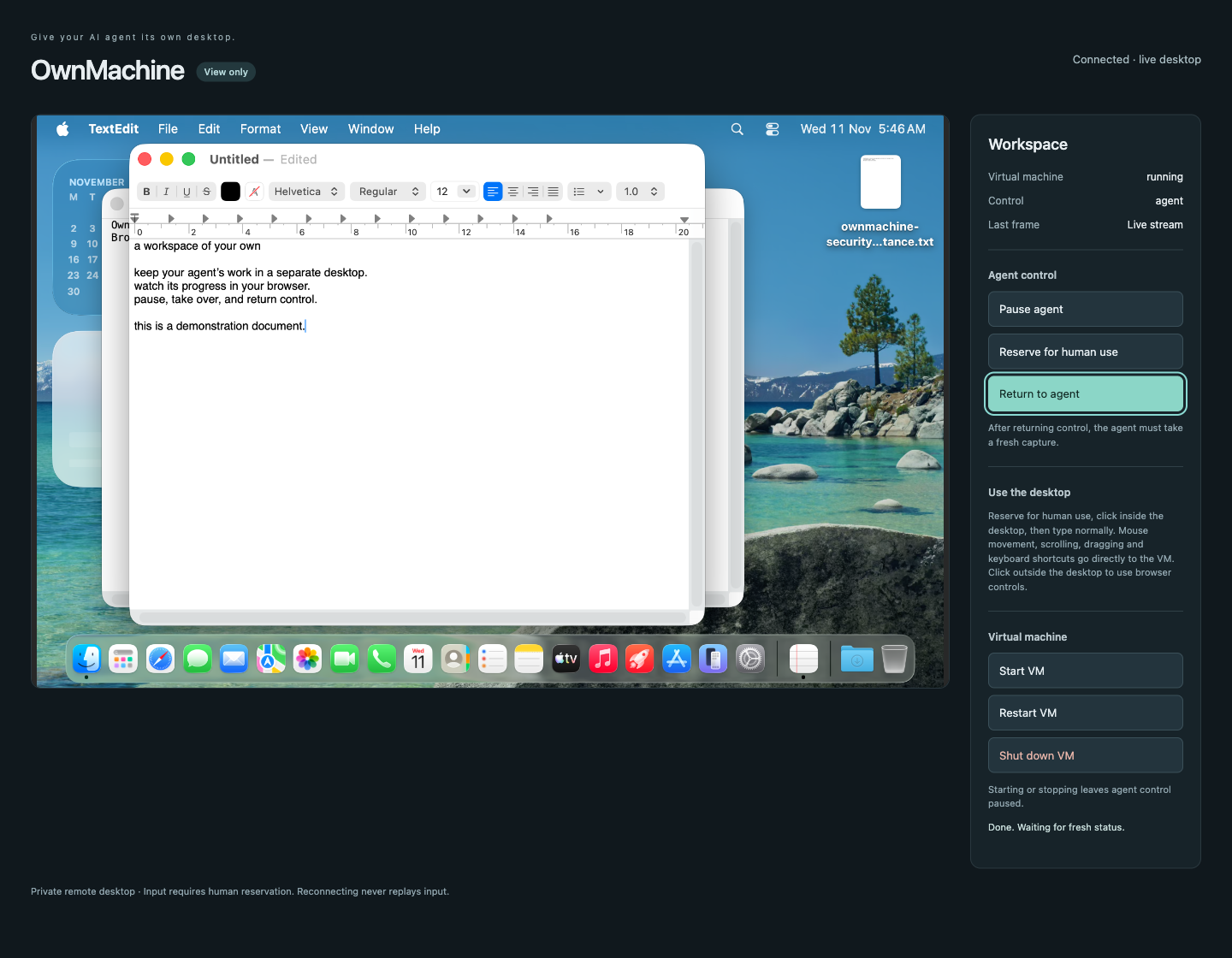
Browser viewer and handoff
Actual browser captures from the dedicated acceptance guest, using demonstration
text. The viewer is a separate operator service, not a Hermes Desktop extension.
Install and configure
Installing this package alone does not provision a VM, install the driver or
viewer, open network ports, or grant macOS permissions. Obtain the full source
from the release page and follow:
- Host SSH and restricted relay setup.
- Guest provisioning and permissions
and native provider / MCP setup. - Hermes home configuration and viewer onboarding.
- Persistent startup
and private viewer access.
Set plugins.entries.ownmachine.settings.host_alias to your verified SSH alias,
vm_name to the relay's configured guest, and control_dir to an absolute private
state directory. Every agent and viewer for that VM must share the same underlying
control directory, including across container mounts. Follow the native-provider
guide to select ownmachine as the computer-use backend. The tested integration
requires in-process plugin loading; use a dedicated Hermes home if another plugin
requires a different isolation setting. Standard permissions remain enabled.
Run hermes computer-use doctor in that home. It checks readiness without sending
GUI input, resetting uncertain actions or approving permissions. The full source
also supplies operator-only provisioning, lifecycle and recovery commands.
Registered capabilities
ownmachine_status: bounded, read-only host/guest readiness and shared-control
status. It does not create guests or grant permissions.- Native
ownmachinecomputer-use provider: desktop/window capture, accessibility
inspection and supported guest input through Hermes's public provider API. tool_executionmiddleware: reports shared-control gate outcomes.- No additional hooks, model credentials, OAuth clients or required environment
secrets are registered by this package.
The agent does not receive viewer-access tokens or control-transfer tools. Failed
or uncertain writes block follow-up writes for operator review; they are not
replayed. A takeover waits for active input and cannot recall an event already sent.
Installation and security disclosures
The updated source requires separate agent/viewer identities and firewall
verification.
Hardened VNC requires the pinned local Lume build with protected-file password
input (Xcode/Swift required); the upstream binary exposes argv passwords to other
local accounts. No forked binary is bundled. The v0.8.0 preview includes
this hardening; current macOS/Omarchy installations still require it. Fresh dedicated Hermes profiles
disable terminal, file and code-execution toolsets.
Plugin runtime: the provider launches an OpenSSH subprocess and maintains a
stdio MCP session through the configured host relay to the guest driver. The relay
accepts only supported operations for its configured VM. This is not a required
reverse SSH tunnel. OpenSSH uses the runtime account's SSH configuration, verified
known-hosts file and restricted key or SSH agent; OwnMachine does not parse private
keys or read Hermes/vendor credential stores. This operator-managed authentication
is disclosed under the catalog credential policy. On 2026-11-11 the owner
confirmed that this design and the PolyForm license are acceptable for submission.
The plugin is now catalog-listed; each catalog update still requires review of its pinned commit.
No secret is declared in requires_env or config_schema; if future functionality
needs one, it must use the applicable Hermes secret-scope or credentialed-request
API, not direct environment or credential-file reads. Runtime and setup SSH children inherit only PATH, HOME, SSH_AUTH_SOCK and LANG.
The setup-key retirement check additionally fixes LANG and LC_ALL to C. Reminder
scheduling CLI children inherit only PATH, HOME and LANG, plus the active profile's HERMES_HOME;
provider keys and Python injection variables are not forwarded. Hermes must be
installed in the running Python environment, not supplied only through PYTHONPATH.
Screenshot verification declares Pillow>=11.0.0,<14 and reports a setup error if that
dependency is missing; it cannot accept setup or retire the key without verification.
State and access outside this package: the plugin reads/writes its configured
shared-control database and reads the viewer heartbeat there. Captures and app text
flow to Hermes, which may send them to your configured model provider. Guest apps
can access their configured network services. Self-hosting the VM does not make
cloud-model requests local or hide them from that provider.
Separate operator setup: scripts outside plugin/ download Lume 0.7.0 and
CuaDriver 0.44.0 from official trycua/cua GitHub releases, verify pinned SHA-256
checksums and Apple code-signing identities, and provision a macOS guest using
Apple restore media. No executable binary is bundled in this plugin. The host
the host firewall installer requires explicit administrator action; fresh guest
hardening is an explicit host-side guided stage;
Accessibility, Screen Recording and final capture consent require human approval
inside the guest. Setup retains private SSH material, a guest password and runtime
configuration in operator-owned files. Lume and driver telemetry are disabled by
the supplied setup; this plugin adds no telemetry.
Separate viewer: a long-running Python/noVNC service streams the guest desktop.
Its HTTP listener binds loopback, uses a private access token/session cookie and
requires human reservation for input. SSH carries the VNC traffic; the configured
host firewall must block direct network access to Lume's VNC port. The viewer
stores its bearer access link and control state outside this package. Do not expose
the viewer or VNC directly to the internet. Its dependencies and notices are in
viewer provenance.
Updates: no self-updater is registered or run by this package. Catalog installs
must follow reviewed catalog SHA updates through Hermes. Standalone installation
and offline upgrade scripts belong to the full-source operator workflow, not the
catalog-installed subdirectory.
Read the security model
and recovery guide.
Password-manager policy
OwnMachine does not register browser_vault, ctx.register_login_backend, an
OAuth client, or a password-manager integration. It requests the community tier,
not verified or official. Guest/VNC provisioning passwords belong to the
separate operator setup; they are not a browser login backend. This distinction
does not remove OpenSSH authentication from the credential-policy disclosure.
The owner has confirmed license and SSH eligibility; upstream review is still
required.
Tested behavior and preview limits
Clean guest setup, a real-model Accessibility document task with independent
verification, live browser input/handoff, persistence and operator-assisted host
reboot recovery have been tested in the scopes recorded below. The new security
account/firewall arrangement has not had physical-host reboot acceptance or an
independent application-firewall-only random-port check. An initial guest hang
required a power-off; later normal lifecycle checks passed. Screenshot/pixel-click model acceptance is
deferred after a capture-expiry failure. There is no claim of reliable control
across every app or model. Guest backup/restore, unattended host unlock/startup,
cloud Mac acceptance and native-viewer password-dialog paste remain outside the
verified scope. See acceptance evidence.
License
The PolyForm Noncommercial License 1.0.0 permits use, modification
and redistribution for its permitted noncommercial purposes, subject to its
terms and notice requirements. It also expressly permits use by the organizations
listed in its Noncommercial Organizations section. Commercial use outside those
permissions requires a separate license from Roland Burke.
OwnMachine is source-available, not open source. Third-party components retain
their own terms. Earlier valid license grants are not revoked. See
licensing details.
OwnMachine is listed in the Hermes community catalog. Its reviewed pin may lag a
new GitHub release; a release does not update the catalog automatically.
Remote terminal/chat execution, guided fresh-guest hardening and channel-bound progress: see setup transport. The setup command derives its live guide URL from the installed plugin version; development operators may pin a full commit through setup_guide_ref.
Verified model task
A real local Qwen model used the installed native provider to launch Safari and
reach Google, independently verified by a separate screenshot and URL read.
Acceptance evidence
records both the initial cold-launch failure and passing fixed run. This is one
keyboard/accessibility task; model-driven pixel-click acceptance remains deferred.
Experimental Omarchy background input
Foreground remains the default. experimental_linux_background_input: true
explicitly permits requested background actions to reach the ABI-matched module
for per-target admission. Native Wayland Mousepad typing and saving passed a
bounded real-model test; this does not certify Chromium/Electron, XWayland,
background pointer actions or all GTK apps. No foreground fallback is performed,
and human reservation still blocks all agent writes. See the operator guide
and acceptance evidence.
README from the reviewed commit f0b9160; it updates when the author re-pins.


