 kbtbc
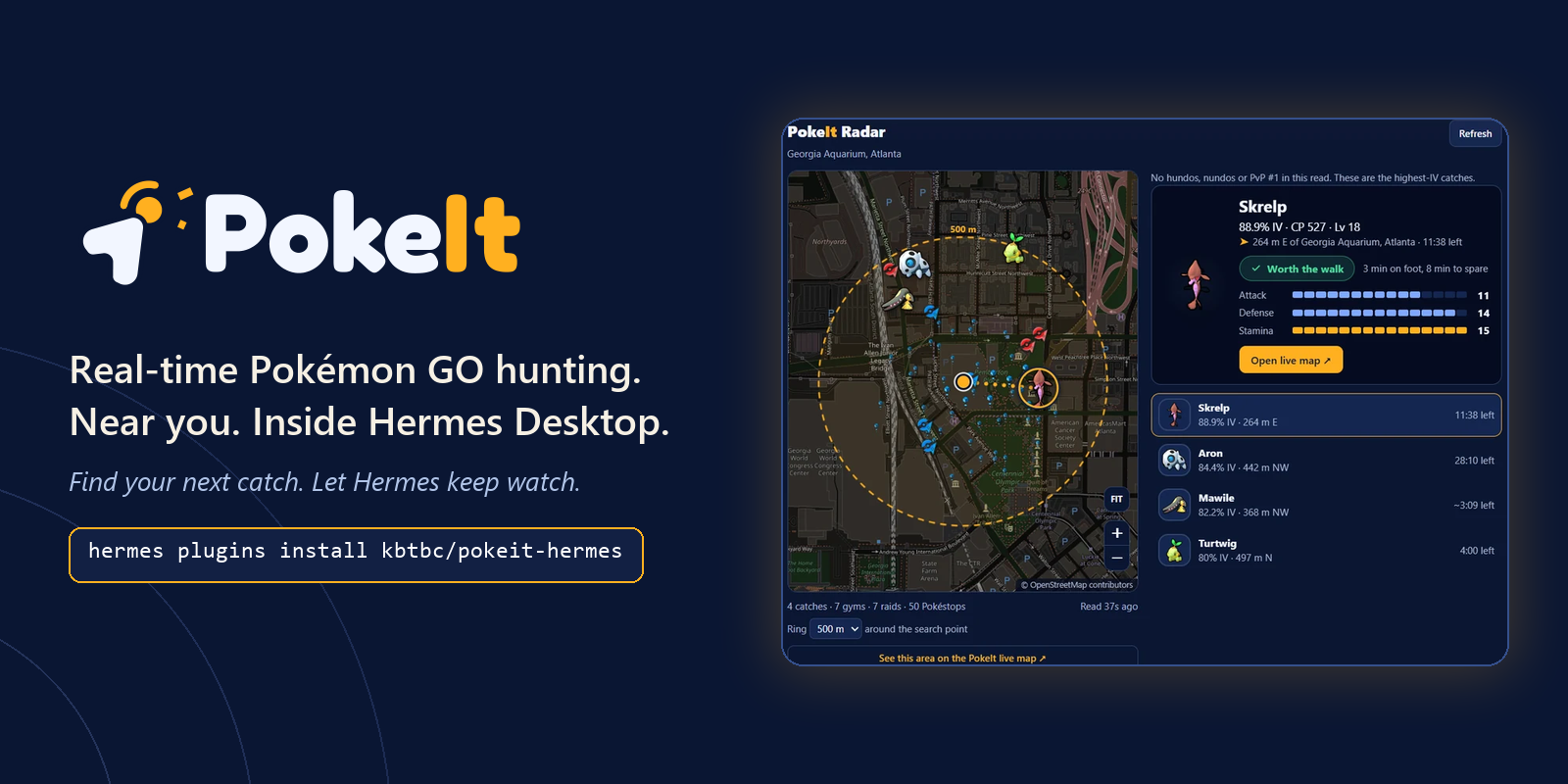
Real-time Pokémon GO hunting. Near you. Inside Hermes Desktop.
Find your next catch. Let Hermes keep watch.
Ask Hermes what's worth catching near you. A live radar opens beside the chat with the best Pokémon GO catches, raids and events around any spot, from a real scanning network. Set a watch, go back to work, and your desktop tells you when something good appears. No account, no API key.
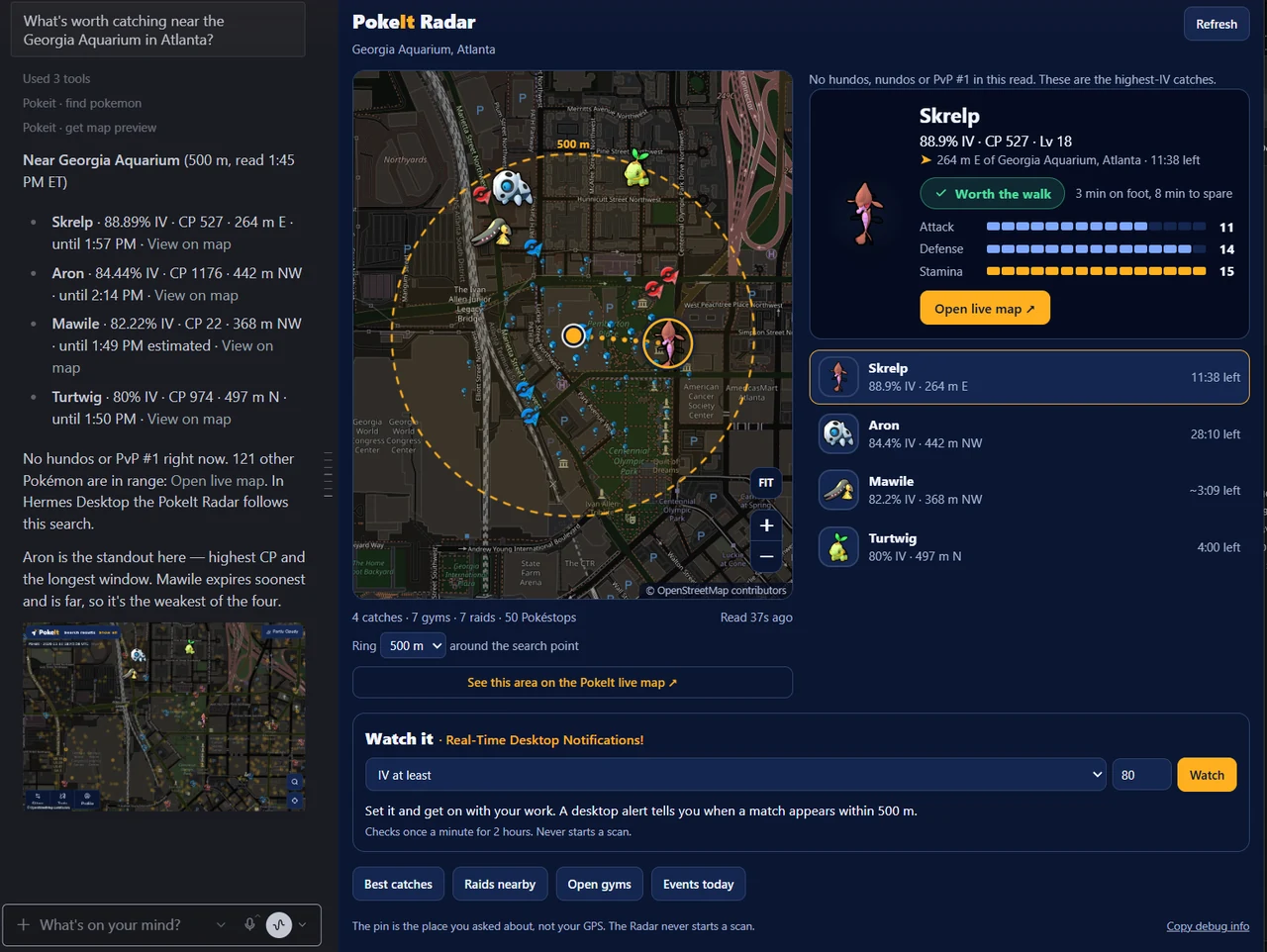
Hermes Desktop: the answer in chat, and the PokeIt Radar following it with the featured catch, a live map with gyms, raids and Pokéstops, and real-time desktop alerts. Live data near the Georgia Aquarium in Atlanta.
Install
Before you start: PokeIt requires Hermes 0.23.0 or newer (hermes --version; update with hermes update) with a configured model that supports tools. PokeIt needs no separate account or API key; your normal Hermes model usage still applies. Install and enable the plugin in the profile you'll use, then open a new chat.
hermes plugins install kbtbc/pokeit-hermes --enable
Without --enable Hermes asks "Enable now? [y/N]" and Enter leaves the plugin off. On Hermes Desktop you can also use Capabilities → Plugins → Install from Git with https://github.com/kbtbc/pokeit-hermes, then switch it on.
Enable PokeIt in the profile and gateway that serve your chat, then restart Hermes and open a new chat. hermes plugins list should show pokeit as enabled. Update with hermes plugins update pokeit.
Try it
Just ask:
What Pokémon are worth catching near me?
Hermes asks where you are. Name a landmark, an address or an intersection ("Centennial Olympic Park in Atlanta") and the answer comes back with IVs, distances and how long each catch has left. On Hermes Desktop the PokeIt Radar opens beside it by itself.
More to try:
What's worth catching near the Georgia Aquarium in Atlanta?
What raids and eggs are near the Gateway Arch in St. Louis right now?
Any hundos or rank-one PvP catches near the Georgia Aquarium in Atlanta?
Your agent doesn't know your GPS, so if you only name a city it will ask for something smaller. Answers link to the live map. You can also try the search without Hermes at pokeit.cc.
How it works
Hermes calls the hosted PokeIt MCP server, which answers from observations on the public map. There is no language model inside the server.
Outside the scanned areas, your agent can ask PokeIt to scan: 49 points covering a 371 m radius. Hermes asks you to approve before it starts, and scans can take one or two minutes. Reading data never starts a scan. Without signing in you get 20 full scans per network per rolling 24 hours, one minute apart.
Why a plugin, not just a skill
- It acts, with your approval. When the map has no data, the agent can ask PokeIt to scan the area. That is a write-capable tool, so Hermes asks before it runs. Nothing else in the plugin can start one.
- It brings a live service. Answers come from a scanning network behind
mcp.pokeit.cc, not from the model's memory or a web search. - It has a Desktop half. A radar pane that follows the chat, catch cards with art and a walking guide, and real-time desktop alerts, built on the Desktop SDK and a small read-only proxy.
- It works without Desktop. On the CLI and in chat apps you get the same tools and answers, with plain map links.
Hermes Desktop
- PokeIt Radar opens beside the chat by itself and follows the conversation. It shows the best catches on a live map with gyms, raids and Pokéstops; click a catch for its IVs, a countdown and whether the walk is worth it. Ask about raids and the map switches to raid bosses.
- Watch it sends real-time desktop notifications. Pick a filter (highlights, hundos, nundos, PvP rank #1 or an IV minimum) and press Watch. It checks within 500 m once a minute for two hours: the first alert covers matches already there, later ones are new arrivals. It reads what scans have found and never starts one, so it needs an area with ongoing coverage (pokeit.cc/coverage), Hermes left running and notifications allowed.
- New scans always go through Hermes's approval prompt. Everything else in the Radar is read-only.
Tools
| Tool | What it does |
|---|---|
| find_pokemon | Hundos, nundos and PvP rank 1 by default, or any species, IV or league filter |
| find_raids find_gyms find_showcases find_max_battles find_pokestops | What is active near a point: raids and eggs, gym slots, showcases, Max Battles, lures and Rocket stops |
| get_game_context get_event_details | Official event articles that matter for what is nearby |
| resolve_location prepare_search | The shared decisions every PokeIt surface uses: is this one precise place, and is there data to read, a scan to offer or a limit to explain. Read-only |
| get_coverage request_scan get_scan_status | Check coverage, start an approved scan, follow its progress |
| search_places describe_location list_areas | Place name to coordinates and back (worldwide), and the listed map areas |
| get_map_preview | A map screenshot with a live link |
What leaves your machine
- Each tool call sends coordinates, place text and filters to
https://mcp.pokeit.cc, which PokeIt runs. No files, credentials or conversation text are sent. Desktop uses the same host through a read-only Python proxy in your Hermes gateway, with a short in-memory cache, and the proxy also loads species icons fromhttps://pokeit.cc/assets; no location goes with an icon request. Opening a map link openshttps://pokeit.ccin your browser. - The embedded Radar map loads tiles directly from
https://tile.openstreetmap.organd icons fromhttps://pokeit.cc/assets. Tile requests reveal the displayed map area and your network address to the tile provider. - The service keeps tool names, filters, timings and result counts for about 14 days. A scan request keeps its coordinates and request ID for 24 hours, plus a keyed hash of your network address (not the address) to apply the trial limit. Ordinary web logs hold IP, path, time and status.
- The plugin sends no separate analytics events or place-search diagnostics header. The hosted service's operational request logging is described above; it is not disabled by removing that header.
- Place search uses OpenStreetMap data, © OpenStreetMap contributors (ODbL). Species names in other languages can come from WatWowMap's public translation files on GitHub; no user data goes with that request.
- Map previews are drawn by the service in a signed-out browser and cached for 60 seconds.
- The Radar saves your last spot and radius, and the watch saves its filter and minimum IV, locally per gateway/profile. A running watch keeps its location and seen catches in memory and does not resume after reopening the app.
- The server runs separately from this repository and can change after you install. Results are not exhaustive and observations can expire before you arrive.
Other clients
Any MCP client can connect to https://mcp.pokeit.cc/mcp over Streamable HTTP. The skill in this repository is Hermes guidance.
Package
plugin.json, mcp.json, one skill, desktop/plugin.js and a small dashboard/ proxy. No extra dependencies or build step. No plugin.yaml: with one present, Hermes skips the portable MCP tools.
PokeIt for Hermes runs on pokeit.cc, a real-time Pokémon GO MCP service.
Questions and feedback: Discord. MIT licensed.
PokeIt is not affiliated with or endorsed by Nintendo, Niantic, Scopely, The Pokémon Company, Creatures or GAMEFREAK. Pokémon and Pokémon GO are trademarks of their owners.
README from the reviewed commit 990c412; it updates when the author re-pins.


