scottleimroth
Signal Dog
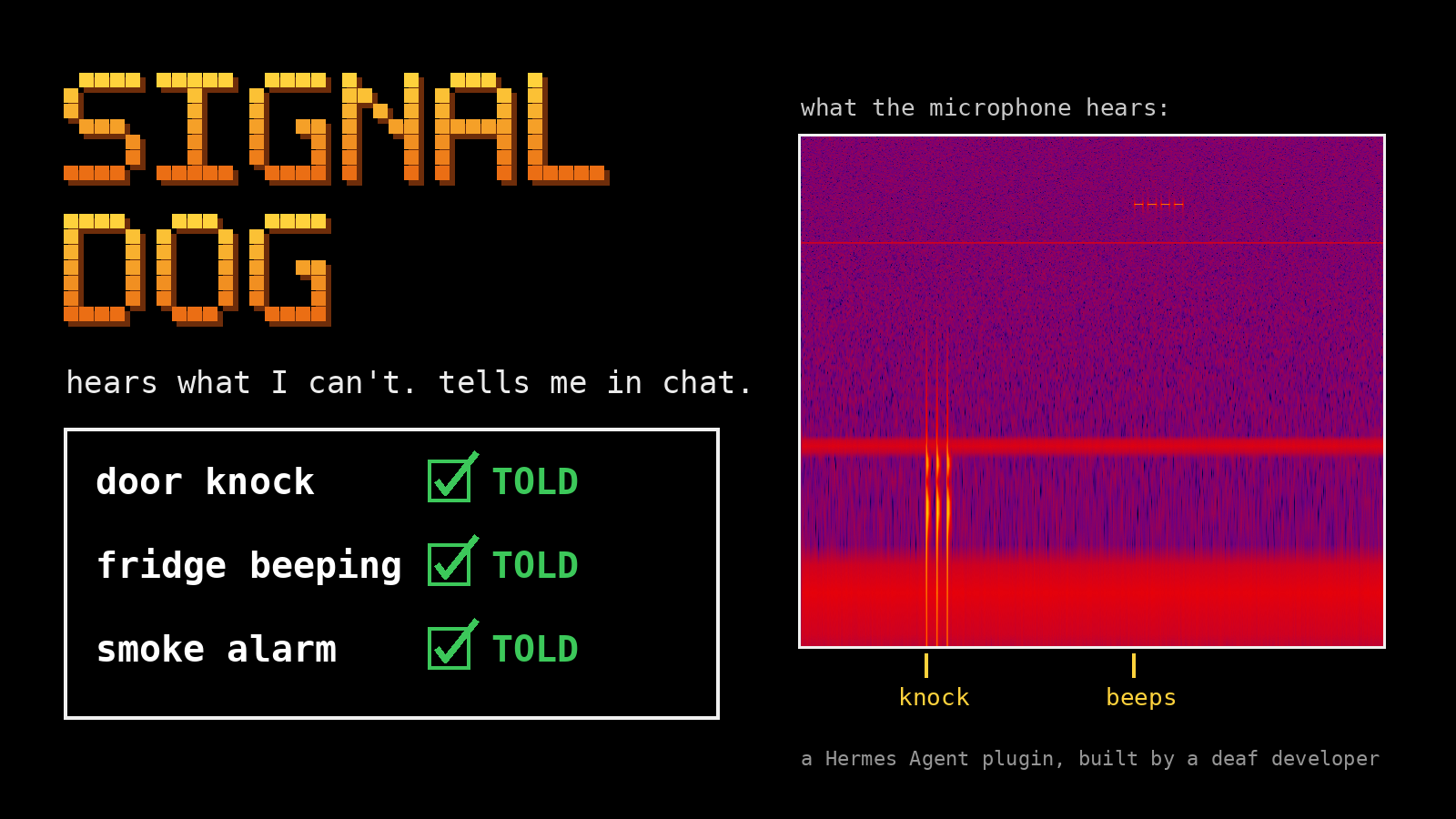
Listens through your computer's microphone for a knock at the door, an appliance beeping or a smoke alarm, and tells you in your Hermes chat. Built by a deaf developer for his own home.
Demo video (68 seconds): https://x.com/ScottLeimroth/status/2119318814991188312
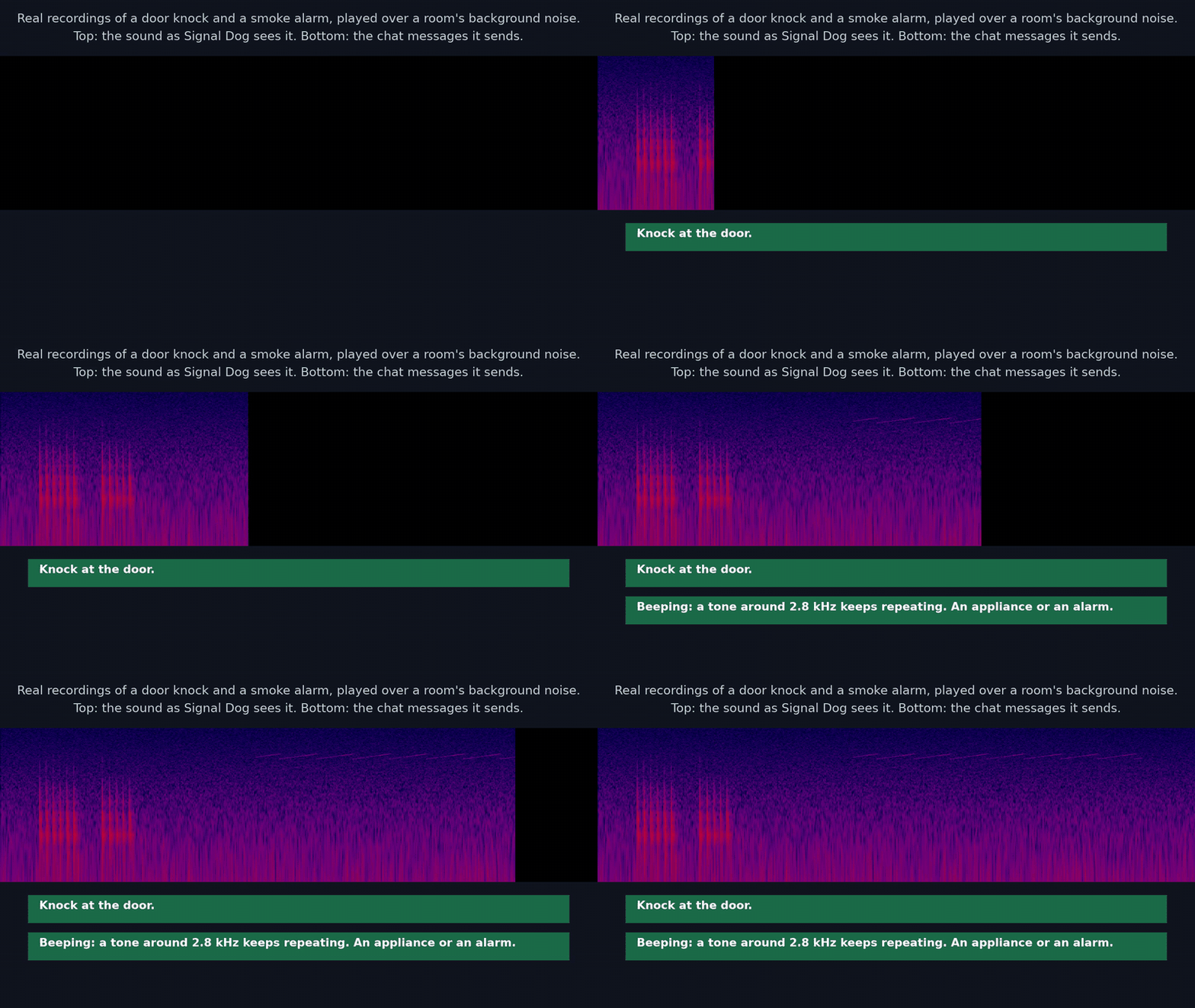
A Hermes Agent plugin that listens through your computer's microphone for household
sounds and tells you in chat when it hears one:
- a knock at the door
- an appliance beeping (a fridge door alarm, a phone timer, an oven)
- a smoke alarm, or any steady tone that goes on for seconds
A signal dog is a dog trained to alert a deaf person to sounds. This does the same job
with a microphone. It is built by a deaf developer, for use at home.
Not a certified smoke alarm. Do not rely on it for safety.
What you see
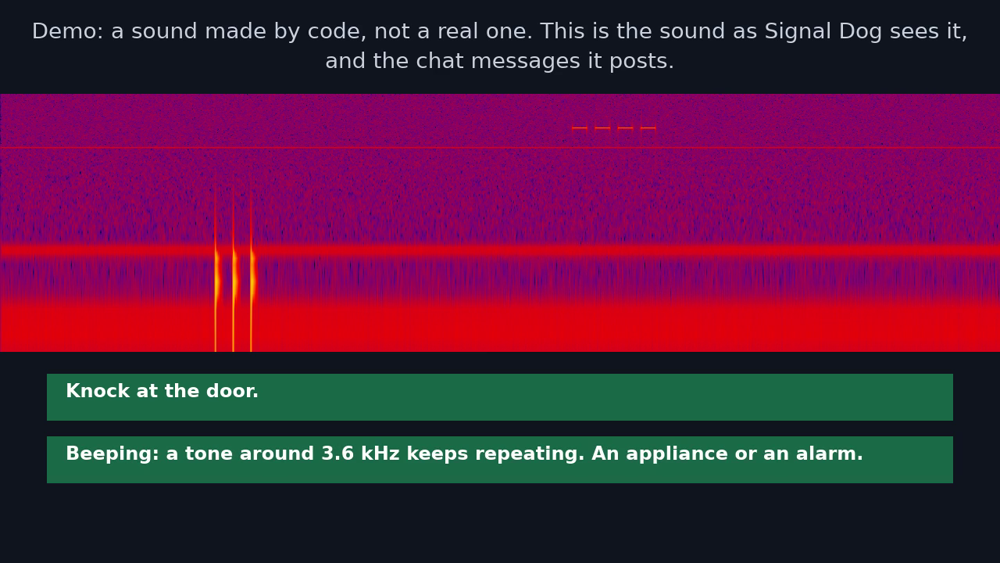
In the chat where you switched it on:
Knock at the door.
Beeping: a tone around 3.6 kHz keeps repeating. An appliance or an alarm.
A steady tone around 2.9 kHz has been sounding for 12 seconds. An appliance or an alarm.
No microphone? /signaldog demo plays a short recording made by code through the real listener
and posts what it finds, each message labelled DEMO. It needs only ffmpeg.
Why a plugin (not a skill or prompt)
A skill or a prompt can only shape what the model says when someone talks to it. Signal Dog has to listen all the
time, including when nobody is chatting: it runs ffmpeg in the background, turns the sound into 64 numbers 100
times a second, and posts into your chat by itself the moment it hears a knock or an alarm. It also gives the agent
a tool to answer "what did you hear while I was out?", and slash commands to switch it on, check on it, pause knocks
and mark alerts right or wrong. None of that is possible from a prompt. No extra model: the rules are plain Python.
Why not use the phone
Phones can already recognise some sounds, including knocks, alarms and appliance beeps.
Signal Dog does not claim to hear better than a phone, and it has not been compared with
one. It is different in three ways:
- It stays at home, listening, when your phone is somewhere else.
- It reports inside the agent you already talk to, and you can ask that agent what it
heard. Delivery has been tested on Hermes's local chat and on Matrix (a test Matrix
server set up for it, without encryption). No other messaging app has been tested. - It is open and small enough to read in an afternoon, and the thresholds are yours to
change.
Use
For live listening it needs ffmpeg and a microphone:
- Linux and WSL2: through PulseAudio. A static
ffmpegbuild without PulseAudio will start but cannot open the
microphone; the plugin then says so in/signaldog status. - Windows (native): through DirectShow.
defaultis the first microphoneffmpeglists; to choose another, set
sourceto a name fromffmpeg -list_devices true -f dshow -i dummy. Tested live on a Windows PC's webcam microphone,
including the reader swap and a clean stop. - macOS: not yet. On a test Mac the microphone reached Signal Dog with most of the sound missing, so on a Mac
/signaldog onsays so and does nothing./signaldog demoand the agent's tool work there, and the tests pass on macOS.
ffmpeg is started with only the environment it needs to run and reach the microphone (the names are in
graph.ENV_KEEP: search path, home, user, locale, temporary folders, the PulseAudio/PipeWire session variables and
PULSE_*, and on Windows the system folders). API keys, tokens and anything else in the agent's environment are not
passed to it.
Machines with no microphone can run /signaldog demo, which needs ffmpeg but no microphone. The tests run on
Linux, macOS and Windows (.github/workflows/tests.yml).
Put this folder at $HERMES_HOME/plugins/signal-dog and enable it:
git clone https://github.com/scottleimroth/signal-dog "$HERMES_HOME/plugins/signal-dog"
hermes plugins enable signal-dog
Run its tests with python3 -m unittest discover -s tests (standard Python; the demo and recording tests need ffmpeg).
Then, in the chat where you want alerts:
| Command | What it does |
|---|---|
| /signaldog on | Start listening; alerts are posted in this chat |
| /signaldog off | Stop listening |
| /signaldog status | Is it alive, when did it last hear numbers, did alerts get through |
| /signaldog test | Send a test message by the same route alerts use |
| /signaldog wrong [note] | Mark the latest alert (from the last 24 hours) as a false alarm; the note is optional |
| /signaldog right [note] | Mark the latest alert as a real one |
| /signaldog demo | Play a short recording made by code through the real listener, with no microphone |
| /signaldog knocks off / on | Pause knock messages (for example while you cook), or bring them back; beeps and alarms still come |
Marks. wrong and right write one line to the numbers log (see below) with the
alert's kind, pitch and time and your verdict. Marking the same alert again replaces the
earlier mark. A mark changes nothing about what Signal Dog detects: it is a record for
you, and /signaldog status shows how many alerts still in the log you marked right and
wrong. If there is no alert to mark, it says so.
Demo. /signaldog demo makes a 14 second recording by code (a knock, then four beeps
at about 3.6 kHz), plays it through the same ffmpeg graph, detector and delivery as live
listening, and posts what it finds in the chat. Every message is labelled DEMO (not a real sound), nothing is added to the numbers log, and the counts in /signaldog status
are untouched. It stops by itself, or with /signaldog off. It will not run while live
listening is on, and it says so if ffmpeg is missing. It needs the same owner rights as
the other commands.
Asking the agent. The plugin gives the agent one read-only tool,
signal_dog_recent_alerts. Ask "what did you hear while I was out?" and the agent can
read the plugin's numbers log: each recent alert with its time, kind, pitch and your
mark, and whether Signal Dog is listening now. It never reads audio, makes no network
call, and does not return your notes. If Signal Dog is off, or has only just been
switched on, the answer says so, because an empty list then proves nothing. The log
rotates (it keeps only its newest part), so older alerts are gone.
It is off until you turn it on. Every 24 hours it posts "still listening", or says that
it is not, so a dead listener is never silent. Settings: source (which microphone,
default the system default), heartbeat_hours (0 turns the daily message off),
recycle_minutes (see below), alarm_reminder_minutes, alarm_clear_seconds and owner_ids.
Why it replaces its microphone reader every 10 minutes. On a live microphone, one ffmpeg
process slowly uses more processor the longer it runs (measured on the capture alone, so it is
not the plugin's own filters): about 5 percent of a core when fresh and over 10 percent after 40
minutes, and still rising. So every recycle_minutes (default 10, 0 turns it off) the plugin
starts a second ffmpeg beside the first, lets it learn the room for a few seconds, waits until
the first is not in the middle of a knock or a run of beeps, then switches over and stops the
old one. For those few seconds two readers share the microphone. Nothing is lost at the swap.
With the swap on, an 8.5-hour overnight run stayed at 8 to 9 percent of one core the whole time.
Who can use it. On your own machine (CLI, TUI, Desktop), whoever is at it. In a messaging
chat, only the owner: anyone listed in owner_ids, or, if that is empty, the first person
to switch it on from a direct message. In a group chat it will not switch on for anyone
not listed. Alerts go only to the chat it was switched on in.
If an alert cannot be delivered, it is kept and sent later as one "Missed while this chat
was disconnected" message: when a retry works (every minute), when you next run a
/signaldog command, or, on your own machine, when you next send a message. /signaldog status shows what is waiting.
Ongoing beeps
The first beep or steady-tone alert is sent as soon as the existing detector finds it; grouping adds no delay.
While a similar-pitch tone continues, later detections join that alert instead of filling the chat.
Every alarm_reminder_minutes (default 3, range 1–60), it updates to still beeping with the elapsed time.
After alarm_clear_seconds of analysed audio without a matching tone (default 15, range 10–300), it
updates to no longer detected, with the local time and zone. This is not a safety all-clear.
Knocks are unchanged. A different pitch, or a repeating alarm becoming a steady tone, still gets a fresh alert.
Very tightly spaced beeps can be detected as both repeating and steady, so one sound can produce two alert cards;
that second warning is retained rather than hiding a possible escalation.
After the quiet tail, a new alarm at that pitch can alert again without waiting out the old detector cooldown.
Hermes 0.23's public post_message handle supplies edit; no private Hermes state is changed.
Desktop and the Ink TUI replace a keyed notification; the classic CLI prints each update as another line.
Matrix implements edits; this ongoing-alert path has been live-tested on Hermes local chat and in an unencrypted room on a throwaway Matrix server, including replacement edits and refused-edit fallback.
If a route does not support editing, or an edit fails, Hermes may send a new message;
the same three-minute update interval limits these reminders too. A failed delivery uses the existing missed-alert
queue. On reconnect, a summary or fresh message may replace the original alert; message edits are not guaranteed.
Grouping uses pitch, not appliance identity: two sounds at similar pitches may be grouped, and a different
sound at the same pitch can keep an alert open. A missed or masked tone can make it report no longer detected
while an alarm is still sounding. Long pauses can split one alarm into separate incidents. A stopped microphone,
reader restart, or missing audio is unknown, never evidence that an alarm stopped. A file ending without enough
quiet audio does not produce a stopped update. Switching off or restarting Hermes forgets ongoing incidents.
The recent-alert tool and right/wrong marks still refer to detected starts, not each reminder or ending.
How it works
ffmpeg listens to the microphone and splits the sound into 64 narrow bands. It turns
each band into a number, 100 times a second, and hands those numbers to Python. Python
never receives or stores sound. A small set of rules then looks for a pattern:
- Knock: three low thuds that are evenly spaced (about a quarter of a second apart),
alike in strength and loud, mostly without sharp clicks in them. When there has been a lot of
thumping nearby in the last 30 seconds (someone typing, cooking or walking about), one set is
not enough: it waits for a second set within 20 seconds, because people at a door knock again,
and the message says the room was busy. Each thud must also be struck: it reaches full loudness within about 50 ms,
as a knuckle on a door does, where typing, footsteps and snoring mostly build up more slowly. In a quiet room two dull
thuds are enough. A single
hit is not a knock, and a hand on a desk or a mug put down hard usually is not either. - Beep: a narrow band that stands out from the bands around it and from its own
usual level, repeating three times at evenly spaced moments (within 80 milliseconds of
each other) in eight seconds, or holding for three seconds. Steady tones, such as the
whine of a fan, are learned as part of the room and ignored. When the room is busy
(television, talking), evenly spaced beeps turn up by chance, so it asks for more: a
fifth beep in the same rhythm, or a second separate set a little later, and the beeps
must be long enough (at most one shorter than 240 ms). A real alarm keeps going, so this
delays it and does not lose it. Alerts that came through this route say the room is
noisy, because you cannot hear whether they were right.
No Python packages are needed. See docs/DETECTOR-DESIGN.md.
What it does with your data
- Microphone: while switched on, it listens to the microphone continuously.
- Background process: it runs one
ffmpegprocess (two for about 30 seconds every
recycle_minutes, while one replaces the other), and stops them when you turn the
plugin off or it unloads./signaldog demoruns one moreffmpegfor about 15
seconds.ffmpegmust already be installed; the plugin never downloads anything. - Audio from the microphone is never kept. It is analysed in memory and dropped, and
there is no option to keep it. The one file of sound the plugin ever writes is the
demo's: a recording made by code (a knock and beeps, no real sound), written to a
private temporary folder when you run/signaldog demoand deleted when the demo ends. - What is kept: a small log of times, levels and what was detected, in
$HERMES_HOME/signal-dog/events.log, limited in size (when it reaches 256 KB it is
moved toevents.log.1, replacing the one before). It contains numbers only, with one
exception: the optional note you type after/signaldog wrongorright. That note is
free text. It is cut to 80 characters and kept on one line, with extra spaces,=
signs and control characters removed, but otherwise written as you typed it, so do not
put anything private in it. It stays on your machine, and the agent's tool does not return it. - What the tool gives the agent:
signal_dog_recent_alertsreads that log and returns
alert times, kinds, pitches, your right and wrong marks and the listener's state to
the agent. Like any tool result, it goes to whatever model your agent uses. The tool does not
check who is asking: anyone who can talk to your agent, in any chat it serves, can ask what
the house heard, which also shows when it was quiet. Do not use Signal Dog on an agent that
strangers can message. - Missed alerts: up to 20 undelivered alert messages are held in memory only. A gateway
restart or/signaldog offempties them. - Hook: it uses
pre_llm_callonly to notice, on your own machine, which chat session is
live. It reads no message content and adds nothing to the turn. - Network: the plugin makes no network calls and has no telemetry. Alerts are chat
messages delivered by the agent through the messaging app you already set up. - Secrets: it reads and stores no credentials.
What has been measured
Every number is from one house, one microphone, and, where marked, from the same recordings the rules were
tuned on, so it shows a direction, not a promise. docs/DETECTOR-DESIGN.md has the detail.
| Test | Result |
|---|---|
| House recordings: 3 visits to the door, 12 sets of knocks (tuned on) | every visit alerted; 9 of the 12 sets |
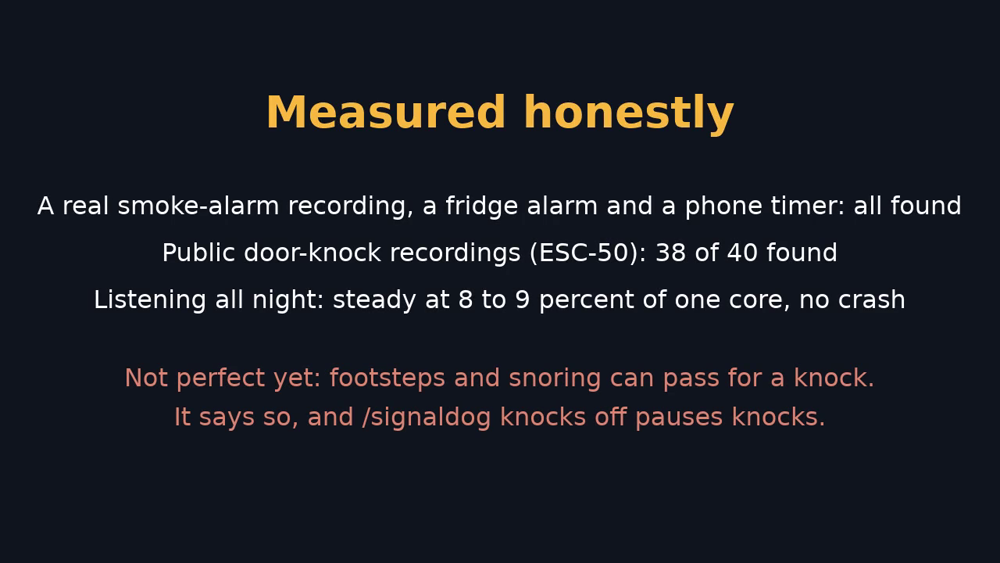
| House recordings: fridge door alarm, phone timer, a smoke-alarm sound played from a phone (tuned on) | 3 of 3 alerted |
| A public-domain recording of a real smoke alarm (Wikimedia Commons, 37 s) | alerted 4.5 s after the alarm began, and again as it kept sounding |
| The standard smoke-alarm pattern (three half-second beeps, a pause), made by code and mixed into room noise at four loudnesses | found in 2.3 to 2.7 s each time |
| 40 public door-knock recordings (ESC-50) mixed into room noise, loudest thud 25 dB over the room | 38 alerted (35 at 30 dB, 28 at 20 dB) |
| The same test with 240 recordings of other sounds (footsteps, typing, mouse clicks, clock ticks, a creaking door, a can opening), each as loud as the knocks | 43 raised a knock alert |
| The same test with 40 public snoring recordings | 22 raised a knock alert |
| 40 public alarm-clock recordings, same loudness | 26 raised a beep alert |
| Television on, 1.3 hours in several sittings (tuned on) | 5 beep alerts and 1 knock alert nobody asked for |
| An ordinary evening, television off, 35 minutes (tuned on) | 14 knock alerts nobody asked for, no beep alerts |
| 49 minutes at home, nobody at the door, recorded after the knock rules were written (32 of them helped set the strike limit) | 14 knock alerts nobody asked for, down from 48 without the two knock checks |
| A quiet house overnight, television off, 8 hours (not tuned on) | 7 soft knock alerts (snoring is the likely cause) and 1 beep alert, cause unknown |
| Running all night with its reader swapped every 10 minutes | 8.5 hours, 8 to 9 percent of one processor core, no crash |
The public-recording test is tools/public_clips.py; the ESC-50 set (Piczak 2015,
https://github.com/karolpiczak/ESC-50) is not in this repository. The house recordings are not either.
Limits, honestly
- It can miss sounds and it can raise false alerts. Knock alerts are the weaker side: Signal Dog hears
"something thumped three times", not "someone is at the door". Footsteps, typing, mouse clicks, a creaking
door and snoring can all do it when they are loud and close (see the table). On an ordinary evening at home, awake
and with no visitors, it raised 82 knock alerts in 133 minutes, every one of them false (before the two knock checks). In a room busy with thumps it waits
for a second set of knocks and says the room was busy, and every knock must be struck (full loudness within about 50 ms).
Together these cut false knock alerts at home by about 70 percent (48 to 14 in 49 fresh minutes), but do not end them; while
you cook or tidy,/signaldog knocks offpauses knock messages and keeps the beeps. - With the television on, only the three-thud route works, and a knock has to be loud (at least 20 dB above
the room). Soft knocks and two-knock knocks are missed then, and for up to two minutes after the television goes
quiet, because the two-thud route stays off while the beep side calls the room busy. The 20 dB comes from one house. - A loud, sudden sound that is dull and repeats twice, close to the microphone, can look like a knock in a quiet room.
- With the television on, a beep alert can come about two minutes after a fridge door
alarm starts, because it waits for a second set; a phone timer or smoke alarm sound took
a few seconds. A single set of three beeps with the television on (a microwave) is not
alerted. Repeats slower than one every 4 seconds are never alerted, and slower than
2.4 seconds are not alerted with the television on. Clocks that tick evenly look like beeps: 14 of 40 public
clock-tick recordings raised a beep alert. - Beep false alerts with the television on were about 4 an hour in the recordings above (the target was 1).
Beep alerts raised in a noisy room say so. - Ongoing alarms update at most once per configured reminder interval, then report when matching tones are no longer
detected (see above). This is not proof an appliance stopped or a door was shut. Classic CLI and non-editing routes
show new messages rather than replacing the first. - Beeps shorter than about 0.16 seconds are mostly missed (some carbon-monoxide alarms use 0.1 s beeps). A made-up pattern of four 0.1 s beeps was found
only in a very quiet room. - It listens only where the agent runs. It cannot hear a different room or house.
- A gateway restart stops the listener and empties the missed alerts. Run
/signaldog on
again after one. - The agent's tool (
signal_dog_recent_alerts) has been used by a live Hermes agent on a local model: asked in plain
words what the house heard, it found the tool, called it and answered with the right times and pitch. Hermes finds
the tool by keywords, so a model that searches with a whole question rather than keywords may not find it. - In a very echoey room a knock can land on the echo of the one before and be missed: with echo added to the public
knocks, 33 of 37 (room echo) and 28 of 37 (hall echo) still alerted. - Delivery has been tested on two routes only: Hermes's local chat, and Matrix in an
unencrypted room on a throwaway server (with a network outage and a/new). Every other
messaging app, and encrypted rooms, have not been tested. - It does not replace a certified smoke alarm.
Licence
MIT. See LICENSE.
README from the reviewed commit 002e33b; it updates when the author re-pins.