
 AIverflow
hermes-snooze
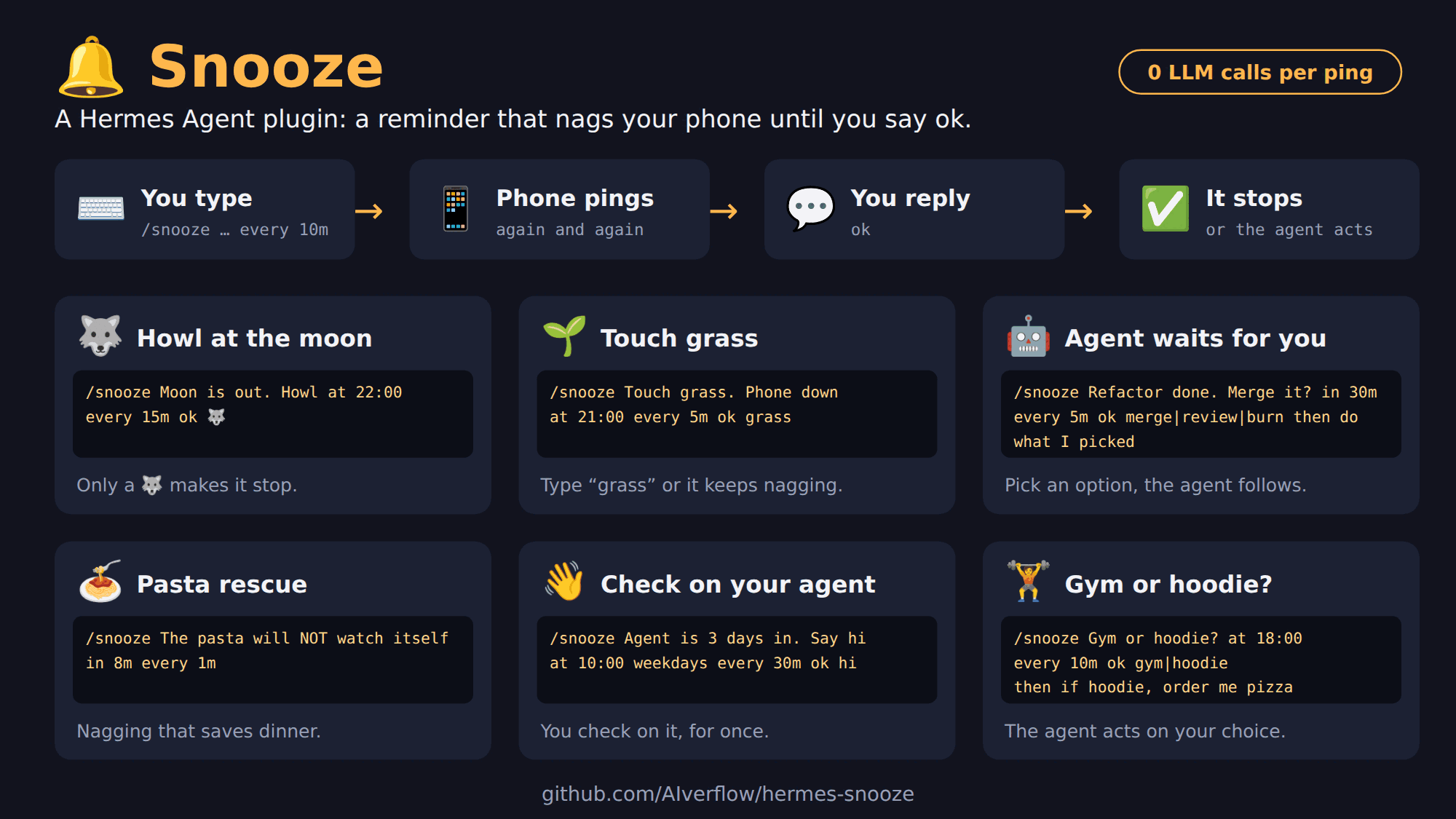
hermes-snooze is a plugin for Hermes Agent. It repeats an LLM-free reminder in your chat until you answer it or a configured limit is reached.
Add a follow-up and your agent acts after you answer. Add choices and it acts on the option you pick. The command is /snooze.
https://github.com/user-attachments/assets/88a98031-fcbe-4a38-b203-22e5a15b81d9
Before you start
hermes-snooze sends its reminders through a messaging platform, so Hermes needs at least one platform configured (for example Telegram or Discord). Without one there is no chat to remind you in. Requires Hermes Agent 0.22.7 or later and Python 3.11+ (the same as Hermes).
| Platform | Status |
|---|---|
| Telegram | ✅ Tested (private chat) |
| Discord | ✅ Tested |
| Other Hermes platforms (Slack, Signal, …) | ❔ Untested, may work |
Install
hermes plugins install AIverflow/hermes-snooze
hermes plugins enable snooze
hermes gateway restart
Or clone this repository into ~/.hermes/plugins/snooze, enable the plugin, and restart the gateway.
Start
In a Telegram private chat or Discord chat already connected to Hermes, check delivery first:
/snooze test
Reply Ok to the test reminder. Once the test passes, try your first snooze:
/snooze Drink a glass of water in 1m every 1m
About a minute later you receive a message like this, and a new one every minute until you answer:
🔔 Snooze #12: Drink a glass of water (reply "Ok" | later)
Reply Ok when done: Snooze answers ✅ Done: Drink a glass of water and stops. Reply later 15 to postpone by 15 minutes. To cancel instead, use /snooze cancel 12 with the ID in your reminder.
You can also ask Hermes in plain language: "Remind me to update Hermes in 1 hour, then every 10 minutes until I confirm."
For setup, commands, confirmations, recurrence, and script use, see the user guide.
What you can do
Every example repeats its reminder every 5 to 30 minutes until you answer (Ok, or the word or choice the command asks for), or until a limit is reached.
1. Simple
/snooze Polish Zeus's thunderbolts in 20m every 10m
→ reply: Ok | later
/snooze Take a break, stand up in 50m every 5m ok done
→ reply: done | later
/snooze Cancel the streaming trial before it bills at 10:00 every 30m ok cancelled
→ reply: cancelled | later
2. With a follow-up action (then)
Reply Ok: the agent gets the then text and does it, with the tools you gave it: write files, send email, edit Google Docs, run scripts, run skills…
/snooze Stop the rented GPU at 19:00 every 10m then shut down the instance and tell me what it cost
→ reply: Ok | later
/snooze Check last night's backup at 08:30 weekdays every 15m then run ./verify-backup.sh and show me the result
→ reply: Ok | later
3. With choices (ok a|b|c)
Each reminder lists the options. Reply with an option or its number: the agent gets your choice.
/snooze Refactor done. Merge? in 30m every 10m ok merge|review then do what I picked
→ reply: merge | review | later   (or 1 | 2)
/snooze Ship to production? at 17:30 every 10m ok ship|hold then if I chose ship, run ./deploy.sh prod and announce it with my release-notes skill
→ reply: ship | hold | later   (or 1 | 2)
Keywords
Type these after /snooze <what>, in any order; put then last. Details: user guide.
| Keyword | What it does | Example |
|---|---|---|
at <time> | First reminder at a time of day | at 16:00 |
in <duration> | First reminder after a delay | in 30m |
every <duration> | Time between reminders (default 10m) | every 5m |
daily (or everyday) / weekdays / every <days> | Repeat every day, Monday to Friday, or on listed days (monday-friday is a range; mon works too) | at 8am daily, at 8am weekdays, at 8am every monday,thursday |
on <day> | One time, on the next such day | at 9am on monday |
until <time> | Stop reminding at this time | until 18:00 |
via <platform> | Send to that platform's home channel (telegram or discord) | via discord |
ok <answer> | Confirm with a word, an emoji, or choices (a|b|c); the reply must be exactly that | ok done, ok ✅, ok merge|review |
then <action> | The agent does this after you confirm | then run ./deploy.sh |
Reply later (or later 15) to a reminder to postpone it.
Snooze or Hermes cron?
Hermes cron runs a job on a schedule. Snooze reminds you until you answer.
| Hermes cron | Snooze | |
|---|---|---|
| Repeats | Every N minutes, forever or N times | Every N minutes, until you answer or until a set time |
| Stops when | You run /cron remove <id> | You reply Ok, a word, an emoji or a reaction |
| Postpone | Edit the job | Reply later |
| Choices | Not built in | ok merge|review: your answer is the choice |
| After the answer | A continuable job passes your reply to the agent, which decides | then … gives the agent a set next step |
| LLM calls per message | 0 in no-agent mode (a script file per job), else 1 per run | 0 |
| Where it sends | About 20 platforms, or several at once | One chat per snooze: Telegram and Discord tested, other Hermes platforms untested |
Use cron for reports, scripts and agent tasks on a schedule. Use Snooze when someone must answer.
What Snooze runs and stores
- A timer task inside the Hermes gateway checks every 15 s and sends due reminders through Hermes' own send path. No LLM call, no network call of its own, no telemetry, no credentials.
- The
pre_gateway_dispatchhook reads each incoming gateway text message before the agent, for snoozes that have a user; thepost_gateway_admissionhook does the same for snoozes with no user (made from the CLI for a home channel), after Hermes has admitted the sender. They act only in a chat with a running snooze: an answer, or a message that replies to a reminder or comes first after one, is handled by Snooze and does not reach the agent. Everything else passes untouched. Thegateway_platform_eventhook reads Telegram reactions. - A
thenaction asks the agent to act: your answer is rewritten into the request, or, after a reaction,/snooze okor an answer to a snooze with no user, one agent turn is queued withinject_message(needsallow_gateway_injection). - Data:
snoozes.jsonand two lock files in the plugin data folder, and thenotification_platformsetting inconfig.yaml. - Two private Hermes names are used (
send_message_tool,estop.is_engaged); a daily GitHub check runs the plugin against new Hermes releases.
Limits
- The Hermes gateway must be running on an awake machine for reminders and replies to work.
- Snooze does not support voice-note confirmations or WhatsApp Cloud API.
- Reaction confirmations are supported only in Telegram private chats.
- Reminders arrive in the chat you talk to your agent in. The first message after a reminder is read as its answer: if it is not one, Snooze replies with the valid answers and the agent does not see it.
- Snoozes belong to the Hermes profile:
/snooze list,/snooze okand/snooze cancelact on every snooze of the profile, whatever chat it was sent to, and anyone Hermes authorizes in that profile can use them. Replies in the chat only count in the reminder's own chat.
README from the reviewed commit c462b01; it updates when the author re-pins.


