
 NikolaosArgy

Speckle for Hermes
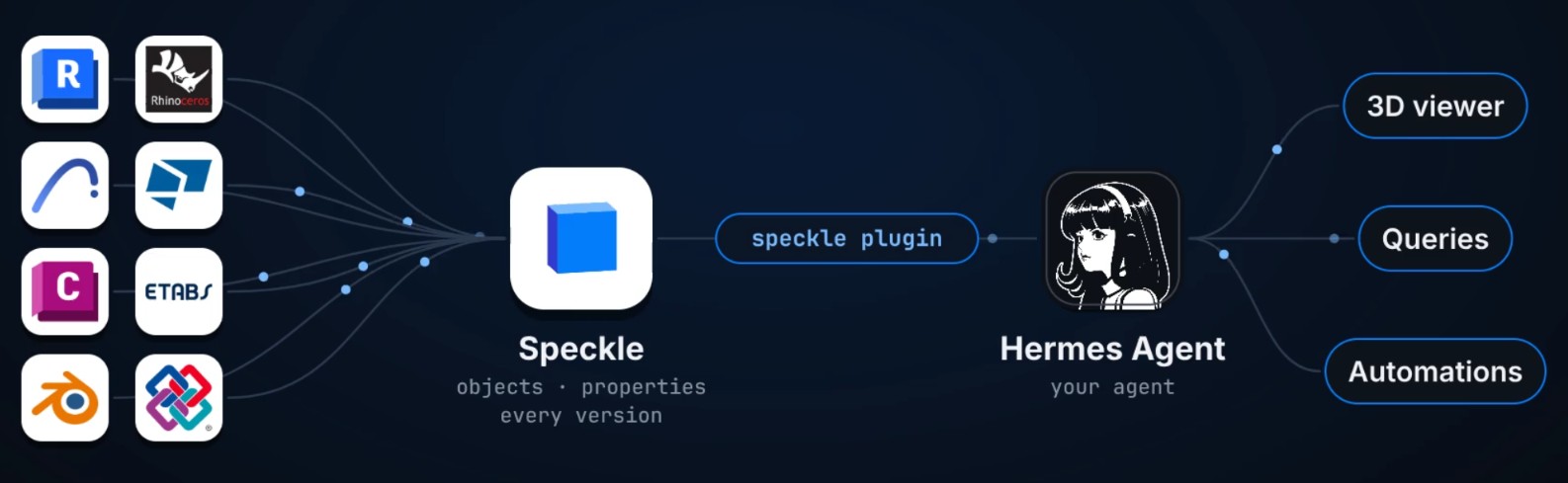
Work with 3D/BIM models (mainly for the AECO industry) from
Speckle inside Hermes: browse projects, query and count elements, compare versions, save checks that run on every new
version, get a chat message when someone publishes, and look at the model in a live 3D
viewer in Hermes Desktop.
Install and set up
hermes plugins install speckle
- Create a personal access token just for Hermes at
https://app.speckle.systems/settings/user/developer-settings with the scopes
profile:readandstreams:read. Addstreams:writeonly if you want Hermes to raise
issues on models. Don't reuse a token from another tool, so you can revoke this one on
its own. - Give it to Hermes as
SPECKLE_TOKEN. - Using a self-hosted Speckle server? Set the plugin's
server_urlconfig. The default is
https://app.speckle.systems. The token only works on the server that issued it, and
the plugin only sends it there.
Private models
The plugin works as the account that owns the token, so it can read any model that account
can open in the browser, private ones included. It can't read a private project the
account isn't a member of: ask a project owner to invite that account. Projects in a
workspace with single sign-on also need an active SSO session: if Hermes says so, sign in
to the workspace in your browser and ask again.
Requires Hermes 0.22 or newer. The plugin reads models in Speckle's bundle format, so
versions published by older connectors need publishing again from a current connector.
Try it
These public models from Speckle's demo project open for any Speckle account. Paste a
link into the Speckle pane or into a message to Hermes.
| Published from | Model |
|---|---|
| IFC | ifc/tower |
| Revit | revit/speckle tower revit 2025 |
| Archicad | archicad/hillside_house |
| Rhino | rhino/demo model |
| Blender | blender/demo model |
| ETABS | etabs/sample model with results |
| Tekla | tekla/demo model |
| Civil 3D | civil3d/intro demo |
Screenshots
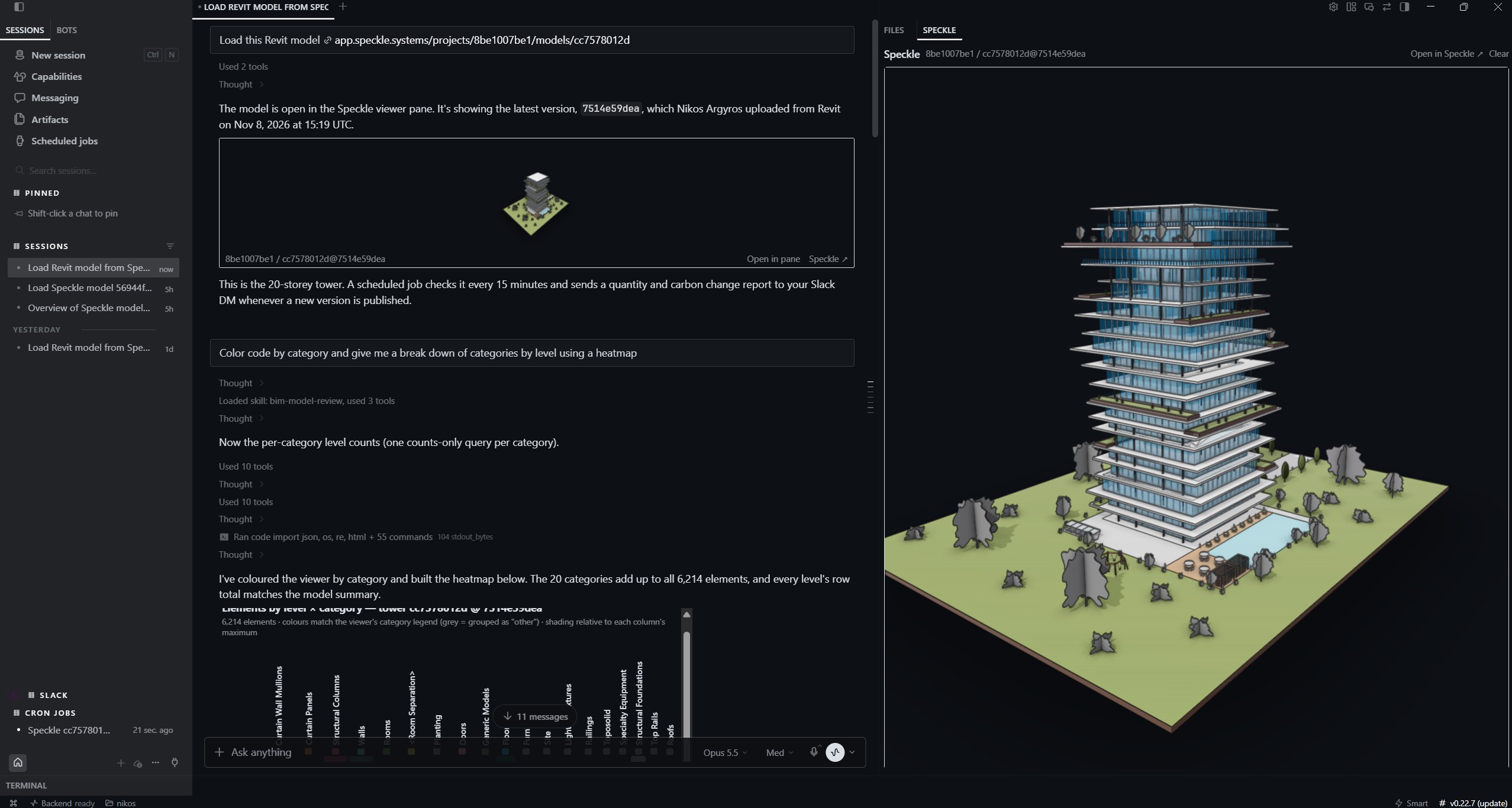
A Revit model in the Speckle pane, with a model card in the chat:
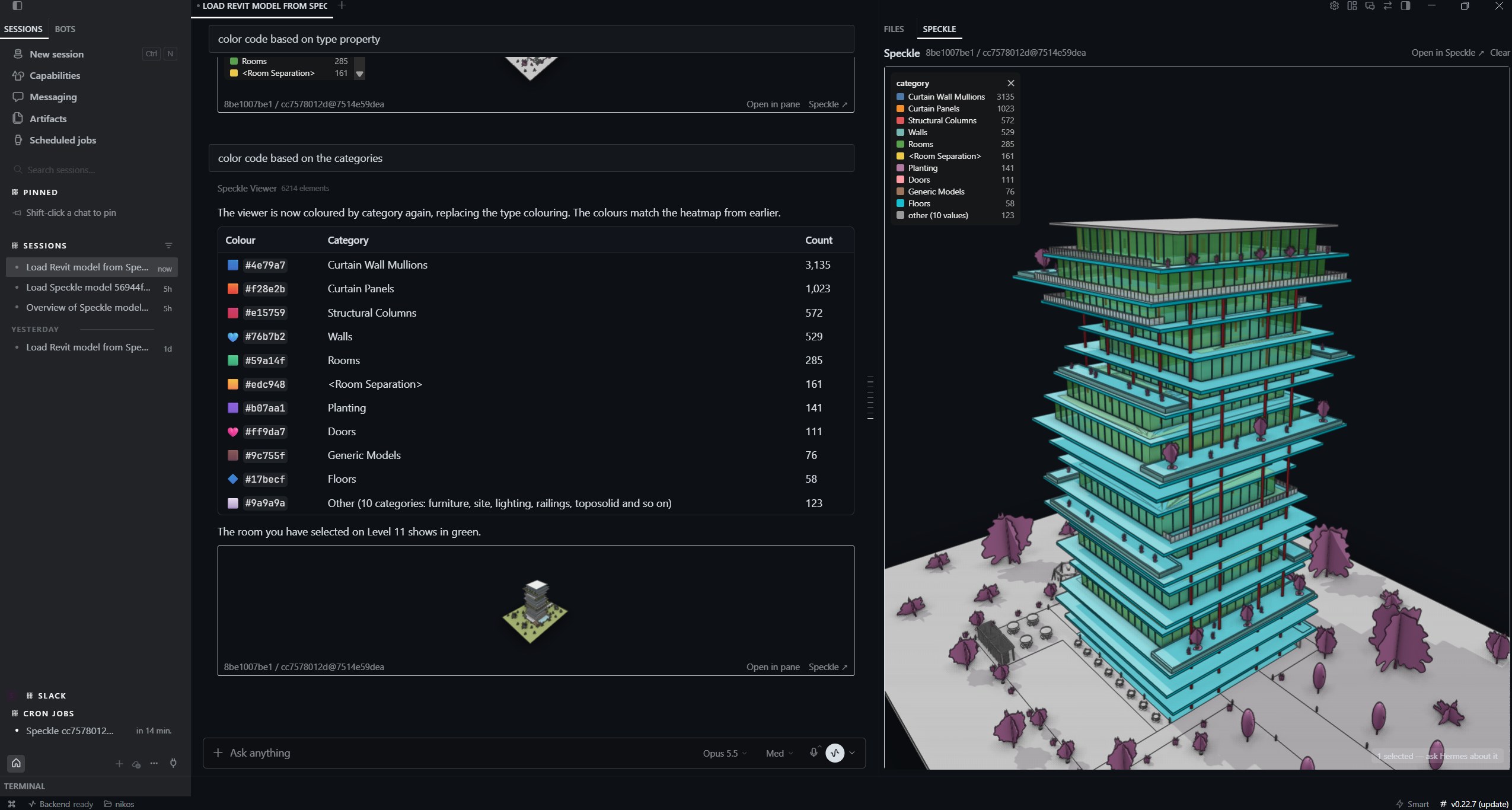
Hermes colouring the model by category, with the legend in the viewer and the counts in the chat:
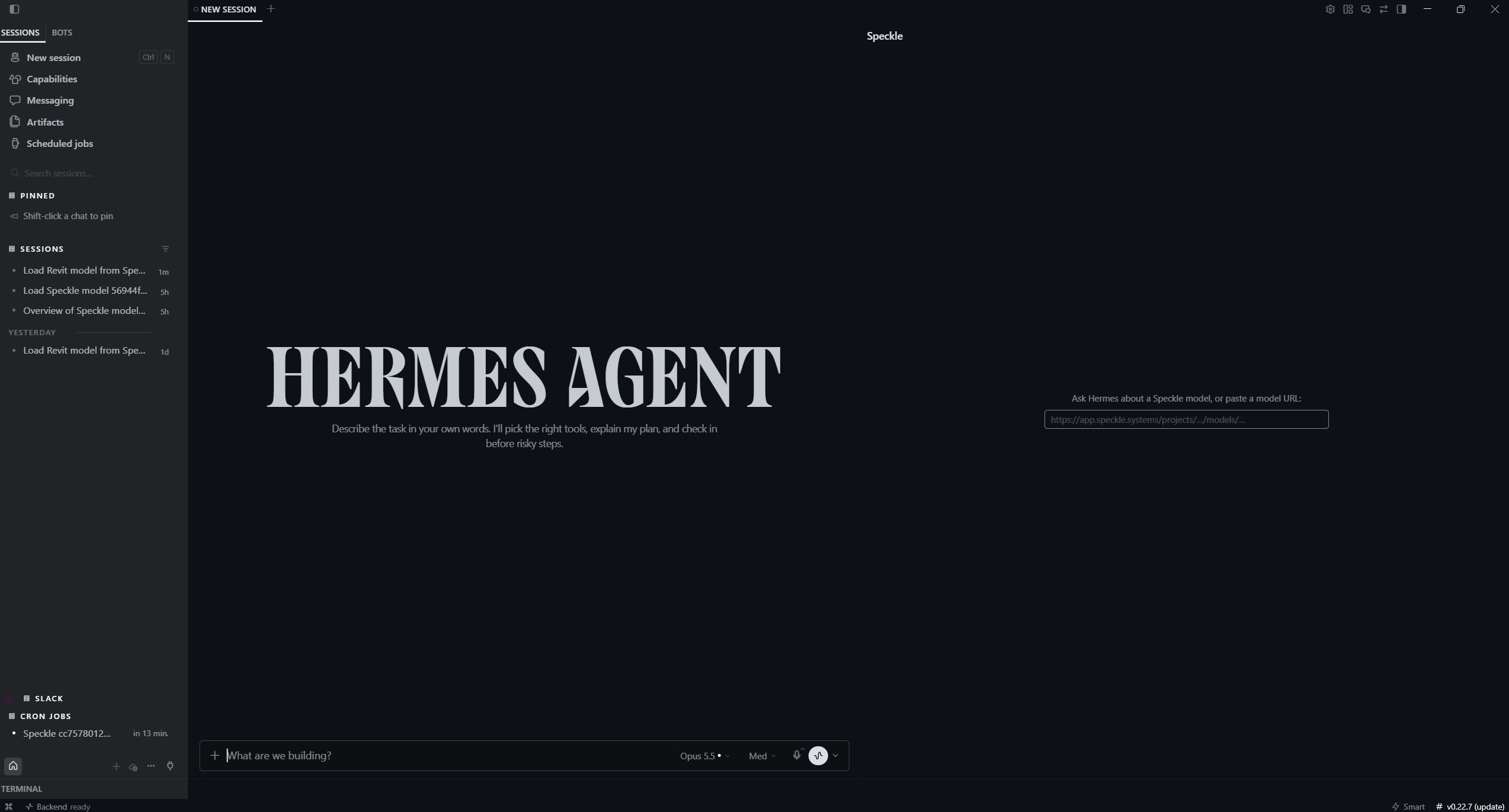
The empty pane, ready for a model URL:
What you can ask
- "What's in this model?" with a model URL: element counts per category and level.
- "How many curtain wall mullions per level?", "Which walls have no fire rating?"
- "What changed since the last version?" The viewer colors added elements green and
changed ones orange. - "Check that every door has a fire rating on each new version" saves a rule that runs
whenever a new version arrives. - "Watch this model" posts a message in chat when someone publishes a new version.
- "Color the walls by level", "Isolate the level 3 columns", "What is this?" about
elements you clicked in the viewer. - "Raise an issue about this on the model" (Hermes asks before creating it).
Tools
| Tool | What it does |
|---|---|
| speckle_list_projects, speckle_list_models, speckle_list_versions | Browse your projects, models and versions |
| speckle_model_summary | Element counts per category and the most common properties |
| speckle_query_objects | Filter, count and group elements; several queries in one call |
| speckle_diff_versions | Element-by-element diff between two versions |
| speckle_checks | Save, list, run and remove rules that run on every new version |
| speckle_show_model, speckle_viewer | Show the model in the Desktop 3D viewer and drive it |
| speckle_create_issue | Raise an issue on a model (visible to the project team) |
| speckle_watch_model, speckle_unwatch_model, speckle_list_watches | Version watches |
Hooks: on_session_start resumes watches after a restart, and pre_llm_call tells the agent
what you have selected in the viewer.
What this plugin does on your machine
-
Network connections. All of them are made by the plugin's Python side, inside Hermes:
| Where | What for | Your token |
|---|---|---|
| Your Speckle server (server_url,app.speckle.systemsby default):/graphql| Projects, models, versions, new-version checks, issues you ask for | Sent |
| The same server:/api/v2/…/artifacts| The list of a version's model files | Sent |
| The same server:/preview/…| Preview images | Sent |
| The file storage your server points to (signed links from the list above) | Downloading the model files | Not sent |The plugin's own requests (everything but the model file downloads) only ever reach your
Speckle server. A URL taken from a model or a message can't point them anywhere else, and
a redirect away from the server is refused, not followed. So the token never goes to
another host. The file storage is whatever your Speckle server uses; for
app.speckle.systemsit is Speckle's own cloud storage. Its links are signed by the server
and need no token. -
The 3D viewer makes no network connections. The viewer library (
@speckle/viewer
2.31.14 with three.js and its other dependencies) ships inside the plugin as
viewer/dist/speckle-viewer.js, built from the pinnedviewer/package-lock.json; nothing
is loaded from a CDN. Text in models uses a bundled font (Open Sans). Its text library
would otherwise download fonts from a CDN, so the build patches it to keep characters the
font lacks (Chinese, for example) as blank glyphs instead. The viewer runs in Hermes's
sandboxed frame, gets the model from the plugin, and never receives your token. The
licences of the 28 packages and the font in it are in
viewer/dist/THIRD_PARTY_NOTICES.txt. -
Background process. While you watch at least one model, a background thread checks
it for new versions everypoll_seconds(60 by default, 15 minimum). Each check is one
GraphQL call and uses no LLM tokens until there is something to report. -
Stored data. Everything is kept in the plugin's own Hermes data folder: watches, saved
checks, the last viewer selection, cached element indexes and viewer objects per
version, and preview images. Model downloads are unpacked in a temporary
speckle-bundle-*folder that is deleted once the model has been read. The plugin
authenticates withSPECKLE_TOKENonly; it never reads Speckle Manager's saved accounts
or any other credential store. -
Writes to Speckle. Only
speckle_create_issuewrites to Speckle, and the agent is
told to ask you first. -
No shell commands, no telemetry.
Development
hermes plugins validate . --install-deps
python -m pytest tests
The viewer bundle
viewer/dist/ is built, not written by hand, and committed so the plugin installs without
Node. To check that it matches the locked packages (CI runs this on every push):
cd viewer
npm ci --ignore-scripts
node build.mjs --check
To update the viewer, change the versions in viewer/package.json, run npm install, then
node build.mjs, and commit package-lock.json and dist/ together. The build stops if a
bundled package has no licence text; add one under viewer/licenses/ and map it in
LICENCE_OVERRIDES in build.mjs. It also stops if its patch to troika-three-text (which
keeps text rendering offline) no longer matches the troika source, which means a troika
upgrade needs the patch reviewed.
License
Apache-2.0. See LICENSE.
README from the reviewed commit c642a18; it updates when the author re-pins.


