 TakeshiTGAL
US Filings
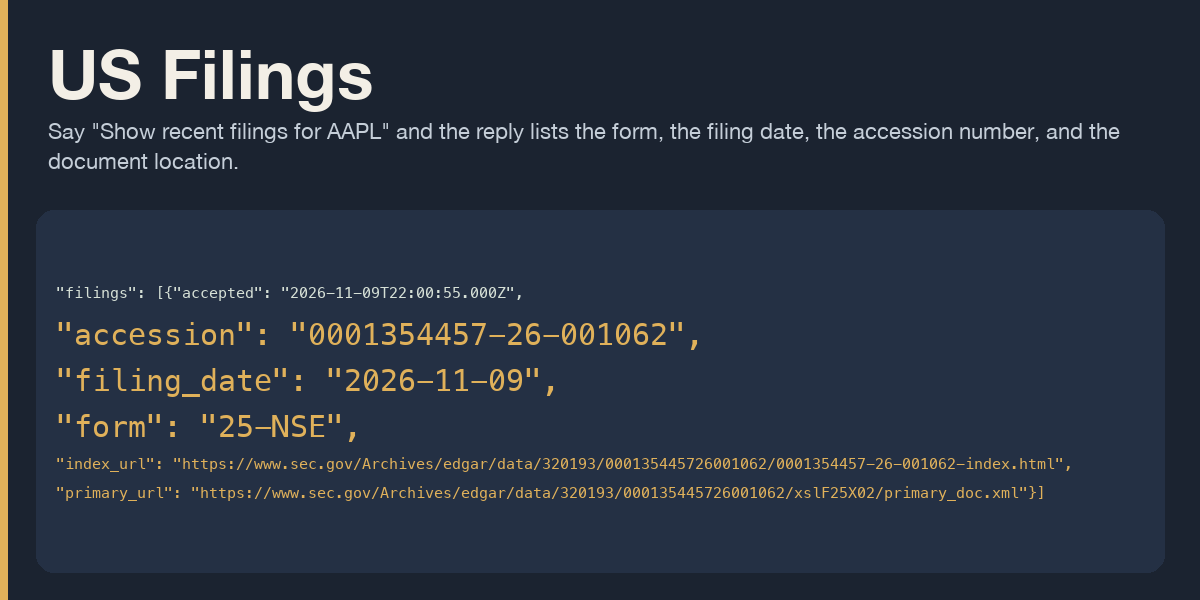
Say "Show recent filings for AAPL" and the reply lists the form, the filing date, the accession number, and the document location.
Ask for a document by its accession number and the reply gives the EDGAR index URL and the primary document URL.
Ask to watch AAPL each morning and one message is sent only when a new accession number appears. The first complete read sends nothing.
Install and first call
From this directory:
hermes plugins install "file://$PWD"
hermes plugins enable us-filings
hermes us-filings call us_filings_recent --json '{"ticker":"AAPL"}'
The first call needs no network when US_FILINGS_CONTACT is unset. The JSON has ok false, kind contact_unset, error_type contact_unset, and next_step. Copy next_step. It names the profile .env line and the SEC fair-access page.
Put your own name and email on one line in the active profile .env:
US_FILINGS_CONTACT=Your Name you@your-domain.example
The plugin sends that string as the User-Agent. It does not add its own name or email. The value is read again on every SEC call through agent.secret_scope.get_secret. It is not printed. The morning script binds the profile secret scope with build_profile_secret_scope and set_secret_scope, then the same get_secret read. An HTTP proxy in the environment is not used. Redirects are not followed. The plugin waits 0.2 seconds between its own SEC calls and stays under the SEC limit of 10 requests a second. There is no daily cap.
After the contact is set, the same command lists recent filings. Each row has the form, the filing date, the accession number, an index URL, and a primary document URL.
Details
US Filings sends one morning message when a watched US company has a new SEC filing. You can also list recent filings for a ticker or CIK, and locate a document by accession number. It does not read financial figures.
Linux and macOS are the listed platforms. Hermes 0.21.6 or newer is required. The cron mark is cron.execution_identity.current_cron_execution, and hermes cron create --no-agent is already in that line. These checks ran on Hermes 0.22.2.
The tools are on for every surface, including gateways. One surface turns off with hermes tools disable us_filings --platform telegram.
A pasted SEC URL on www.sec.gov or data.sec.gov is read as the CIK or the ticker inside it. A trailing # comment is dropped before the ticker or the accession number is read. A non-SEC URL is refused.
Tools
us_filings_recent takes ticker or cik, an optional limit from 1 to 40 (default 20), and an optional forms list. The recent window can be longer than limit. window_count is the number that was read. A shorter shown does not mean those rows are the whole window.
us_filings_locate takes accession and, unless a saved watch already has that accession, ticker or cik. The directory in the URL is the subject company CIK from the submissions file. The accession prefix is the filer CIK and can belong to an agent, so it is not used as the directory. An accession that is outside filings.recent is not called absent. The reply names the window count and the date span. Older pages listed under filings.files are not read.
us_filings_watch takes action add, remove, or list. Add requires hour from 0 through 23 and deliver. deliver is local, origin, or a platform target you choose. One job named us-filings serves every watched company, at 0 <hour> * * *. The prompt passed to cron is US Filings morning check. The script is us-filings-watch.py. At most 20 companies are stored. The default form list is every form, including Form 4 and 13F. Pass forms when you want a subset in the morning line. The seen set is still every accession in the recent window.
List is read only. Recent and locate are read only. They do not ask for approval and they do not mark filings seen.
Hooks
pre_tool_call returns the approve line for add and remove. Recent, locate, and list return no approval line. The conversation text stays as the user wrote it.
Approval
Add and remove return {"action":"approve","message":...} from pre_tool_call. The approval card command field shows the tool name us_filings_watch. The message contains the full hermes cron command when a cron command will run, plus plugin-data/us-filings/state.json. The handler runs those same cron arguments.
yolo and approvals.mode: off skip the prompt when a person is present. The hook still records the plan. A cron job, hermes -q, a webhook, and a separate plugin process cannot add or remove a company even after always. Answering always on add covers that same add plan only while a person is present. Remove builds a new rule key on every call, so always on remove does not cover the next remove.
If the approval message does not fit in one message, the hook blocks and nothing is saved.
Morning job
The first complete read of a company stores the accession numbers and prints no filing line. A later morning prints one block per new accession number: company, ticker, CIK, form, filing date, acceptance time when SEC sent one, accession number, index URL, and primary document URL. It does not say the filing arrived this morning. A repeated accession is not printed again when the document text changes. Dropped accession numbers leave the seen set and are not printed. The same set in a different order prints nothing.
Empty stdout sends nothing. Each run costs 0 tokens and holds no tools. There is no daily cap. A company that was not fully read is left unseen, and the script exits non-zero so cron can show the failure. Companies that were fully read can still update, and their new lines can be on stdout inside that failure.
The script stdout goes to the deliver value. local keeps it in the cron output on this machine. origin sends it to the chat that created the job when that chat is known. A platform target needs that platform connected on the Hermes gateway. With no gateway running, the job is stored and does not fire.
The job and scripts/us-filings-watch.py remain after hermes plugins remove or disable. Remove them with hermes cron remove <id>. When the profile is not default, add -p and the profile name. The state file remains at plugin-data/us-filings/state.json until you delete that directory.
The SEC fair-access page is https://www.sec.gov/search-filings/edgar-search-assistance/accessing-edgar-data.
README from the reviewed commit 9ffdeef; it updates when the author re-pins.