 borealBytes
Hermes Wear Kit — the watch half of your gateway
This is the Hermes plugin that pairs a Wear OS watch with your gateway and keeps it
answerable: Hermes Wear OS (the watch app, same
repo). The plugin runs on the gateway box inside Hermes; it owns pairing, the watch's tailnet
enrollment, the private lane the watch calls home on, and the Wear Kit pane in Hermes Desktop.
Stock watch bridges speak one vendor voice from a datacenter; this one clones your voice from
a 3–12 second sample, computed on your gateway, then keeps the line being spoken in view on your
glass (word-synced karaoke in the desktop pane).
Status, tiered: hardware-proven on a Galaxy Watch Ultra (SM-L705U) and the Wear OS emulator;
the Play listing for the watch app is pending.
hermes plugins install borealBytes/hermes-wearos-plugin --enable # today; `hermes plugins install wearos --enable` once the catalog PR merges
Testers welcome: pair it against any Wear OS watch or the emulator — if the PIN flow takes
more than 30 seconds, I want to know.
Getting started (30 seconds, the shape the first-run test forced)
- Install the plugin (above), open the Wear Kit tab in Hermes Desktop.
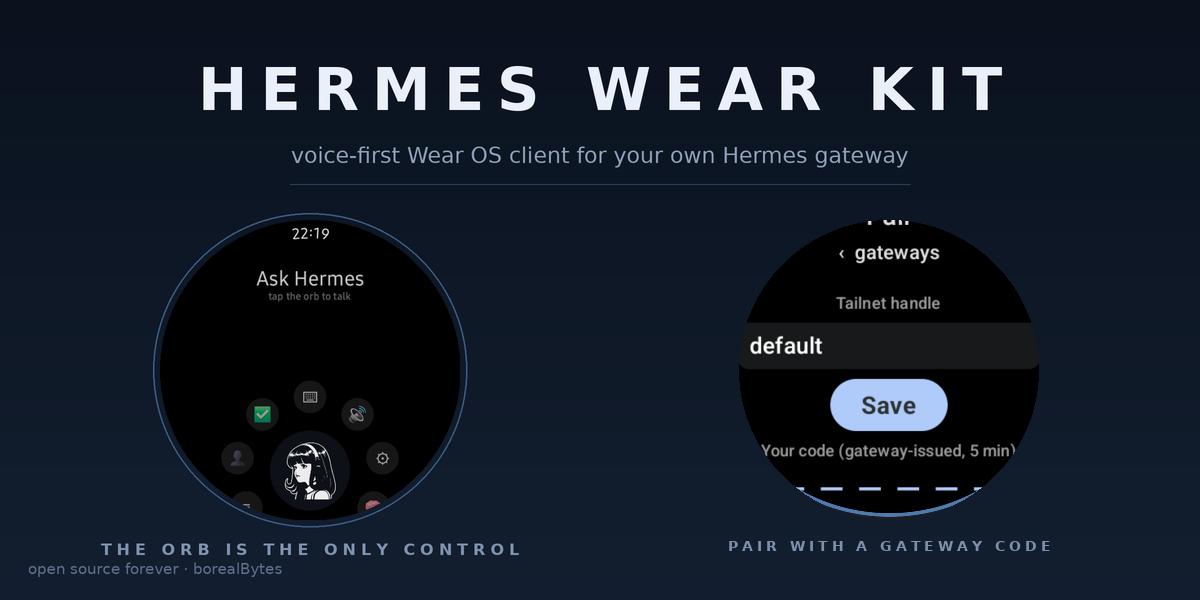
- On the watch: install the app from releases
and open it — no key to paste: pairing hands the watch a single-use enrollment key.
(Manual alternative: Settings ▸ Gateways ▸ Tailnet with a reusable, non-ephemeral authkey.) - Type the host the pane shows you — the bare
machine.tailnetname under
"wear kit host" (nohttps://, no.ts.net, no port: the app adds them and knocks over
your Funnel). - Knock on the watch, approve the 6-digit code in the pane. Done — the watch answers.
- Per-agent voice: tick an agent's box in the pane; the enable also syncs that agent's plugin
bytes to the current release (checkbox = current code, not whatever an old install left behind).
How pairing works (v2 — the shape a review forced)
The 6-digit pairing code is minted by the gateway, never by the watch, and it never passes
through a model. The window is closed by default and opened at the gateway (hermes watch pair, the pane's Pair button, or a bare /pair typed on a local surface). One pairing per open
window; the window dies in 5 minutes.
- Knock. The watch types your funnel handle into one field and taps Pair.
POST /pair/begin
carries a 256-bit device secret the watch just generated (64 hex, client-side), plus a label.
Rate limits on the anonymous door slow floods but never lock a legitimate pairing out. - Code. The door answers with the 6-digit code; the watch shows it big. The code rides no URL
from here on — only the secret does. - Approve on your computer.
hermes watch pair <CODE>in a terminal, the Wear Kit pane's
Approve button,/pair <CODE>on a local surface — those and only those. A messaging-platform
reply (/pair 123456from Telegram, Discord, or the watch's own chat) is honestly told:
approve it on your computer. Three wrong typed codes lock approval for 5 minutes
(15 minutes on a repeat); the
watch's polls are never penalized. (RFC 8628 device-flow shape, with the pickup leg moved onto
the device secret so the code can't be sprayed from a URL.) - Pickup + ack. The watch polls
GET /pair/poll?secret=…(throttled per secret); after
approval it collects the single-use Tailscale enrollment key (24 h default, tagged
tag:hermes-watch, minted at approval, zeroed from the ledger the moment it's collected), then
POST /pair/acktrades the secret for its permanent device token (wtk-…). - The private lane carries the keys, not the public door. The watch's embedded tsnet node
enrolls, dials the gateway's private lane (100.x:42654, tailnet-facing, never Funnel),
and opens a session. The lane resolves the caller's identity withtailscale whoison the
peer IP — a watch self-reporting a node is never believed — and binds the node to the device
on first sight: after binding, a different node with the same token is refused. That session —
over the tunnel, under the just-verified whois — is the only thing that delivers
API_SERVER_KEYand the watchkit bearer. The pairing packet itself carries neither.
Grant law. The device's own paired agent's key always flows over its lane, no grant, whatever
profile hosts the lane (one shared door + lane on a multiplexed gateway is the norm). Reaching
another agent's key requires a grant, per agent, on the Wear Kit pane (Gateways ▸ Agents);
until then the lane says so in as many words: no key grant yet — approve it under Gateways ▸ Agents.
Revocation is full removal. hermes watch devices --revoke <name> (or the pane) deletes the
tailnet node (admin API; id captured at bootstrap from whois, not from the watch), invalidates the
device token and clears its outbox queue, and rotates the agent's API_SERVER_KEY through Hermes.
For a named profile the rotation is hot — no restart. For the default profile the key is
cached at startup, so the plugin warns and asks; run the restart when it says so — for
default this means the whole gateway restarts (every profile on it blinks once). A watch
unpaired from the wrist (Settings ▸ Gateways ▸ Forget) posts /watch/<agent>/forget over its
own lane: same key rotation and, for the default profile, the same gateway restart — disclosed
here so nobody reads it as the watch "rebooting the server on its own".
What you get installed
The Desktop app gains a Wear Kit page (desktop/plugin.js): a
four-step checklist — install the APK → pair the watch → enable agents → green lights — where
the checkbox is the grant (checking enables the plugin for that profile — it no longer
re-pins or self-installs anything: revision drift is shown next to the row with the exact
hermes -p <profile> plugins update wearos command, and a profile that never installed wears
gets that install command back as its answer; unchecking revokes the agent from the watch's
ring and never self-disables the
plugin; fresh installs grant nobody, and an Enable-all box sits over the list), a per-agent
voice-out dropdown riding the canonical voiceout.yaml store, the pairing window control
(the button opens it and toggles to a bare countdown chip; the live pending list carries
Approve), paired devices with live tailnet state and a Revoke button (no device row carries an
agent name — the row is the hardware, the grant is yours to make), per-agent cron-alert
preference (all runs / only failures / off), a one-click Parakeet STT installer (see
below), and ✅/❌ readiness lights where every red names its fix verb. Its data plane is
dashboard/plugin_api.py, a FastAPI router
hot-mounted at /api/plugins/wearos/*: /status, /pair/window|pending|claim, /devices,
/devices/revoke, /grants, /alerts, /enable, /stt, /voice. The pane never calls tools — the
desktop SDK has no tool-call door (measured on v0.23.0), which is exactly why the REST half exists.
The agent gains three tools: watch_send (text/markdown to a watch — lands in its private
outbox and rings as a notification on the next lane poll), watch_status (paired devices, door and
lane state, readiness, and with api: true the tailscale-API checks), and watch_pair (no
arguments — opens the window for this agent and reports how many watches are waiting; it never
returns a code. Approval is a human's
act on a human surface, so the tool deliberately cannot approve). Enablement lives in the pane and
in the CLI (hermes plugins enable wearos -p <profile> — a fixed-argv subprocess of the core,
never a shell); there is no watch_enable tool. And a CLI: hermes watch pair|devices|setup|status|alerts (setup --fix credential|funnel|serve|stt).
Cron alerts (on by default, every agent with the plugin enabled)
Every finished or failed cron run of an agent that has this plugin enabled rings every watch
paired to that agent: ⏰ <job name> ✓ finished / ✗ failed. The job name comes from the cron
store (the run's task_id — race-free); the session row's "<job name> · <date>" title in the
profile's state.db (read read-only, never credentials) is the secondary; the copy degrades to
cron run rather than dropping the alert. Per-agent preference (all/failures/off) is on the pane.
The watch's Sessions screen has a ⏰ chip; the run itself opens like any other session (the rows
come from watchkit's /sessions?source=cron).
The claim door and the private lane
claim_server.py is the ONE pre-enrollment network surface: loopback HTTP,
127.0.0.1:42653 — Funnel fronts it at the root of your node's :443, and the door answers
only /pair/begin, /pair/poll, /pair/ack (426 on the retired /pair/claim, 404 for
everything else). private_api.py is the
post-enrollment lane: bound to the gateway's own tailnet IP on :42654 — never loopback, never
Funnel — bearer = the device token.
POST /pair/begin  {"v":2,"secret":"<64 hex>","label":"<watch>","tailnet":"<handle>"}
                  → 201 {"code":"123456","expires_in":300} · window closed 403 · floods 429
GET  /pair/poll   ?secret=<hex>      (≥2 s between polls per secret)
                  → 204 pending · 200 {"state":"ready","authkey",…} once · 410 gone
POST /pair/ack    {"v":2,"secret":"<hex>"} → 200 {"token":"wtk-…","device":{…}} · 410
*  /pair/claim    → 426 Upgrade Required — the v1 protocol (code-in-URL) is retired

lane  POST /watch/<agent>/session   → binds node by WHOIS, returns the private bundle:
      {"api_key","profile","gateway_fqdn","gateway_port":8642,"watchkit_port":42651,"watchkit_token"}
lane  GET  /watch/<agent>/events?since=N / POST …/ack {up_to} / POST …/forget
The registry is gateway-global: one fcntl-locked pairing.json at the gateway root's
plugin-data/wearos/ (a named profile's …/profiles/<p> home collapses to the root) — the door
is a single shared port hosted by the launch profile, so per-profile stores gave it a window it
could never see. Credentials: prefer a Tailscale OAuth client (auth_keys + devices:core,
restricted to the watch tag); an Owner/Admin API token also works — the wizard and README say
which is which.
Disclosures (rule 13)
-
Network.
api.tailscale.comfor:- minting and expiring single-use enrollment keys;
- device list, DNS prefs and ACL read;
- a full-file ACL write with If-Match, behind preview→approve (
--fix funnel); - node DELETE on revoke.
Only when you press Install:
github.com: transcribe.cpp @5700f12, neutts @ac69851, and the optional CUDA llama-cpp wheel (≈1.8 GB, SHA-256-pinned).pypi.org: torch,torchao==0.11.0,llama-cpp-python==0.3.36and their transitive deps.huggingface.co:- Parakeet GGUF: the Q8_0 default is SHA-256-pinned, other quants are size-checked.
- NeuTTS backbone ≈3.3 GB, size-checked, hash recorded on first fetch, not pre-pinned.
- The gated
neuphonic/neucodeccodec, needed by every source row. api/whoami-v2when you paste a token.
The plugin no longer installs itself into foreign profiles (review round 2 —
the pane hands the user the exactplugins installcommand instead). No telemetry. -
Public exposure.
hermes watch setup --fix serverunstailscale funnel --bg --https=443 http://127.0.0.1:42653as soon as you invoke it. It mounts at the root of your node's :443 and mutates your tailnet's Funnel config; on a tailnet without Funnel it prints the per-node approval link and waits up to 4 min. The door answers only/pair/begin|poll|ack(426 on the retired/pair/claim, 404 otherwise). If the gateway machine moves to a different tailnet or its node is renamed, re-run--fix serve— the serve config survives under the OLD name and the watch would knock a dead URL; the pane checklist flags exactly that ("funnel still names the OLD host"). -
Credentials. Declared secrets are read through
agent.secret_scope. Checking an agent in the pane enables the plugin for that profile and lets paired watches receive that profile'sAPI_SERVER_KEY, so Enable-all grants every profile. A pasted HF token is stored 0600 atplugin-data/wearos/tts/hf_token. Device tokens and codes are stored as SHA-256 hashes; enrollment keys are single-use and zeroed at pickup. Revoking or forgetting a watch rotates that profile's key, and every other client using the old key gets 401 until it re-pulls. -
Commands (fixed argv, never a shell).
tailscale:- reads:
status --json,whois --json,funnel status; - write:
funnel --bg(via--fix serve).
- reads:
hermes:[-p P] plugins list --json, across every profile (pane inventory);[-p P] plugins enable|disable wearos;[-p P] config set API_SERVER_KEY …(revoke rotation);config set tts.provider wearkit-gateway— ONLY from the pane's "set as agent voice"
button (the Voice-out card states the change); plugin load never writes it;gateway restart, run automatically after an unpair confirmed on the watch, default profile only. Pane and CLI revokes only warn.
- Voice installers and the Parakeet aligner/transcriber runner:
git,cmake,g++,pip,python -m venv,nvidia-smi, with an allowlisted env (no provider keys inherited — the runner getsPATH/HOME/LANG/TMPDIR + TRANSCRIBE_LIBRARY, nothing else).
-
Background. The door and lane daemon threads run while the gateway runs, plus a voice prewarm thread at boot. Once the TTS engine is installed, one resident
air_runner.py --serveworker (~3.4 GB RSS) stays loaded (WEARKIT_TTS_IDLE_S=900restores idle exit). To keep a single copy, the plugin scans/procand SIGKILLs any otherair_runner.py --serveon the machine. -
Reads outside plugin data. Each profile's
state.db(read-only, cron titles);config.yaml(to detect an existingtts.provider); each profile'splugins/.install-metadata.json(revision check);/proc/*/cmdline(worker dedupe).
The STT installer (pane button, pinned + checksummed)
Voice-in on the watch can stream through Parakeet via transcribe.cpp on the gateway box. The
pane's Install button (stt_install.py) does the whole thing preview-first —
every step, host, byte estimate and the exact pins are shown before anything runs, and it's one
button:
github.com/handy-computer/transcribe.cpp@ commit
5700f127e38dd53c4735ea23ef743b4b538eacd4(fixed revision; git + cmake + g++ in a private venv),- model
parakeet-unified-en-0.6b-Q8_0.gguf(~731 MB) verified against SHA-256
4b50b6dd862bf6e346929aaf4f5eaacec003bfa3f56462d6c874b41ef2f38795before use —
every official quant of that repo is selectable (Q4_K_M 477 MB → F32 2.47 GB, one engine
underneath): the pane's dropdown persists your choice, and the karaoke aligner follows it.
Unpinned rows are size-gated and their observed SHA-256 is recorded at first fetch, - cache-first weights (owner ruling): downloads land in a shared cache under
plugin-data/wearos/<installer>/cache/keyed by repo+file — a completed file whose size/SHA
matches the remote (HEAD etag) is hardlinked, never re-downloaded, and an interrupted
download resumes with a Range request; STT and TTS installers share the discipline, - everything under the plugin's own
plugin-data/wearos/stt/; nothing system-wide, nothing sudo,
cancellable, resumable, and the status line saysinstalled and verified(or names what failed).
The voice-out engine (TTS ▸ Voice-out card — consent, sources, no telemetry)
The Voice-out card adds speech synthesis to the kit: agents' replies spoken on the wrist
with zero-shot cloned voices, a word-synced karaoke in the desktop pane, all computed on your
gateway's CPU. Nothing
is installed until you press Review & install on that card (rule 12), and the review
dialog lists every step, host, byte estimate and pin before anything runs.
- What leaves your machine at install: weight files DOWNLOADED from
huggingface.co
(model GGUF + audio codec, ~3.3 GB for the Q8 gateway slot) and the pinned runtime from
github.com/pypi.org(neuphonic/neutts@ac69851f…, private venv under
plugin-data/wearos/tts/). No telemetry, no calls-home afterwards: synthesis text never
leaves the box, and playback crosses only your own tailnet. - Source menu (the dropdown): official Neuphonic Q8/Q4 (gated) and community re-quants of
the backbone (ungated). Every row still needs the NeuCodec audio codec from
neuphonic/neucodec, which is gated: accept its terms once at
https://huggingface.co/neuphonic/neucodec and paste a free HF read token — the community rows
only spare you the backbone consent. Selections are per device: agatewayslot
(its quant runs here) and awatchslot (Q4 by default; the files ride to the wrist in
the on-device milestone). A re-quant is a re-encoded copy, not the vendor artifact: sizes
differ from official by ~1 KB and the audio equivalence is proven by the sound test, not
assumed — the menu says which rows are community mirrors. - The HF token is this plugin's declared secret (
config_schema: hf_token, env
HF_TOKEN): read through the profile-scoped secret route; a paste into the card stores
it 0600 in the plugin's own data dir; never echoed by any route, never logged. - Rule 17 note: these are weights, not executables. Every row (official or community) is
size-gated against a recorded byte count and its SHA-256 is recorded on first fetch; no row is
checksum-pinned yet. The review dialog states repo + bytes before download. - The engine is a RESIDENT worker (owner ruling 2026-11-10): one warm subprocess
(private venv, never a shell, SIGKILL-safe) loads the GGUF once at gateway boot and
keeps it loaded — speech answers instantly instead of paying a 30–90 s reload per
call. Budget ~3.4 GB RSS while the gateway runs; a FIFO ticket gate serialises
synthesis to ONE at a time, capped at 8 CPU threads at nice(10). Voice switching
never reloads: the cloned card is a per-request zero-shot reference. Set
WEARKIT_TTS_IDLE_S=900in the gateway env to restore sleep-between-calls on
small boxes.
Config options (plugin.yaml → config_schema)
| Key | Type | Default | Notes |
|---|---|---|---|
| tailnet | str | — | Tailnet handle as shown in the admin console; validated live before anything is minted. May stay empty — the handle rides the watch's begin request. |
| tailscale_api_token | secret | — | Owner/Admin API token. Either this or the OAuth pair below. |
| tailscale_oauth_client_id | str | — | Preferred credential: scope to auth_keys + devices:core, restrict to the watch tag. |
| tailscale_oauth_client_secret | secret | — | Secret for the OAuth client (client_credentials flow). |
| watch_tag | str | tag:hermes-watch | ACL tag stamped on every enrolled watch node (ACL hygiene). |
| key_expiry | str | 24h | Lifetime of the single-use enrollment key. |
| watchkit_token | secret | — | Optional helper-sidecar bearer handed to the watch over its private lane (nullable — leave unset with no sidecar). The lane reads it through the routed agent's secret scope: set it per profile (.env watchkit_token= or the Settings ▸ Plugins form). |
| hf_token | secret | — | Voice-out weights: needed by every source row — the gated neuphonic/neucodec codec is required no matter which backbone you pick (env HF_TOKEN, profile-scoped secret route; community rows only spare you the backbone consent). Pane paste box stores 0600 in the plugin data dir; never echoed, never logged. |
| claim_port | int | 42653 | Loopback port of the funnel-facing claim door (127.0.0.1 only). |
| private_port | int | 42654 | Tailnet-IP port of the private lane (never loopback, never Funnel). |
| apk_release_url | str | …releases/latest | Where "install the watch app" points. |
Where state lives: install dir ~/.hermes/plugins/wearos/; the pairing registry (window, pending
codes, devices, grants, outboxes, alert prefs) in the gateway-root plugin-data/wearos/pairing.json,
mode 0600, fcntl-locked for whole transactions (door, CLI and lane are different processes); the
door and lane are in-process daemon threads. Device tokens and PINs live only as SHA-256 hashes;
the enrollment key lives short-term and is zeroed at pickup.
Wizard fix-verbs
hermes watch setup prints the readiness checklist; every red light names its fix.
--fix credential live-validates the OAuth pair / token and shows the discovered tailnet handle.
--fix funnel detects the funnel node attr in the ACL and, behind an explicit preview→approve,
rewrites the policy file with the one added rule (full-file POST with If-Match on the ETag, so a
concurrent console edit conflicts instead of being overwritten; huJSON files get a console diff,
never a blind write).
--fix serve checks tailscale funnel status; if the door isn't fronted it RUNS
tailscale funnel --bg --https=443 http://127.0.0.1:42653 (this changes your node's Funnel config
on :443; on a tailnet without Funnel it prints the per-node approval link and waits up to 4 min
for your click). The only sudo the plugin mentions is a printed suggestion
(sudo tailscale set --operator=$USER) for you to run; the plugin never shells out with sudo.
--fix stt runs the same pinned Parakeet installer as the pane button (see above).
Requirements
- A Tailscale account + tailnet reachable from the Hermes host (
tailscaled+ MagicDNS).
No Tailscale yet? Install it from https://tailscale.com/download first;hermes watch setup
then checks tailscaled, the credential, MagicDNS and Funnel and names each fix. - An OAuth client (recommended;
auth_keys+devices:core, scoped to the watch tag) or an
Owner/Admin API token, entered as plugin secrets — never a file the plugin opens. - Funnel enabled on the gateway node —
--fix servemounts the door at the root of :443
and the door itself only answers/pair/begin|poll|ack(404 for everything else; the wizard
fixes the ACL). requires_hermes >= 0.23.0— the pane data plane (ctx.rest+ hot-mountedplugin_api.py) is
measured on v0.23.0.- A Wear OS 3+ watch (API 30+: Galaxy Watch 4 / Pixel Watch and later; built and tested on
Wear OS 5/6), running APK
0.9.0 or newer — v1's claim protocol is retired (the door answers/pair/claimwith 426).
The app installs today from the GitHub-Release APK; the Play Store listing is in Google's
approval queue.
README from the reviewed commit a3a5280; it updates when the author re-pins.


