GitHub profile
Plugins by BrokeSkill
5 plugins by BrokeSkill in the catalog, most-starred first.
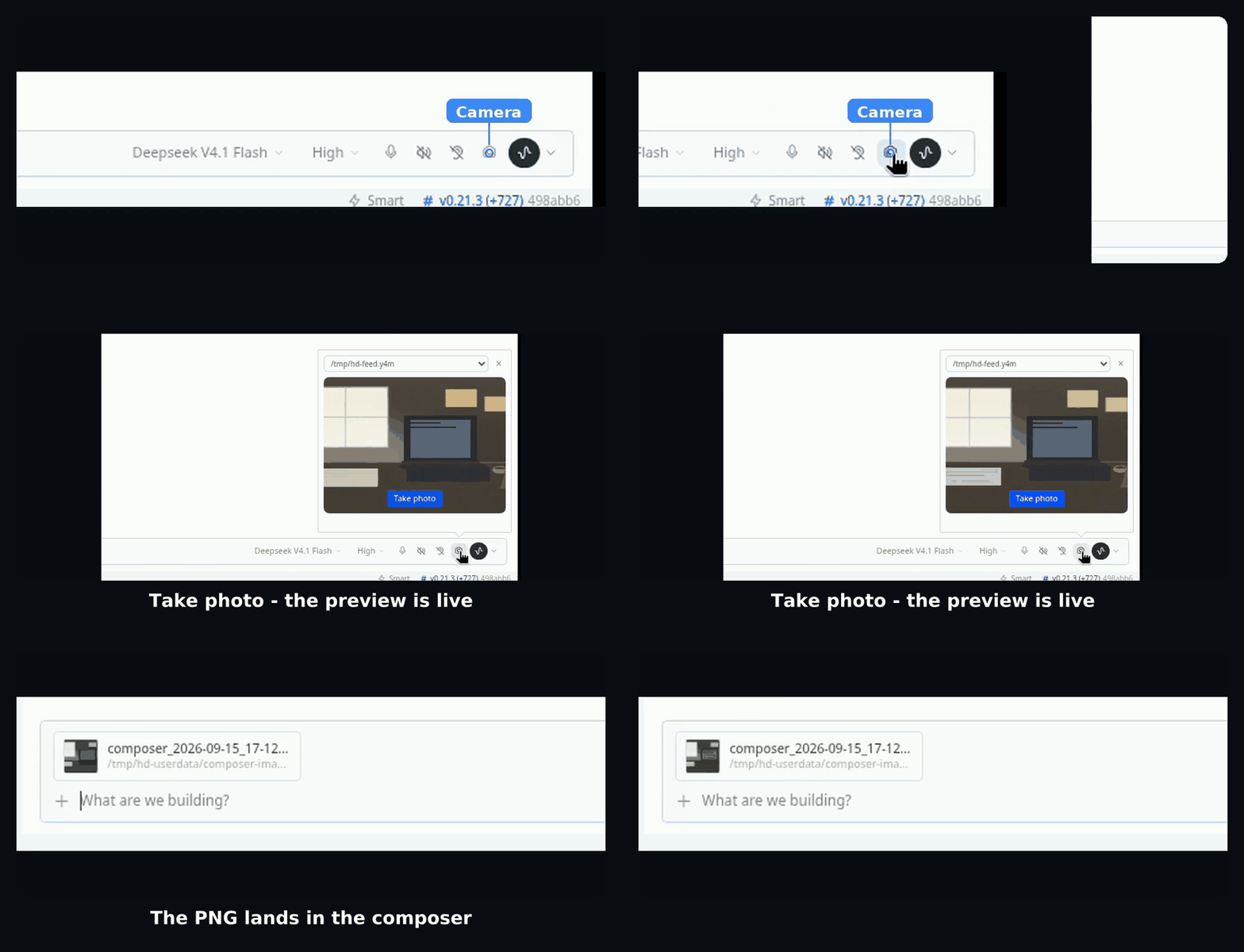
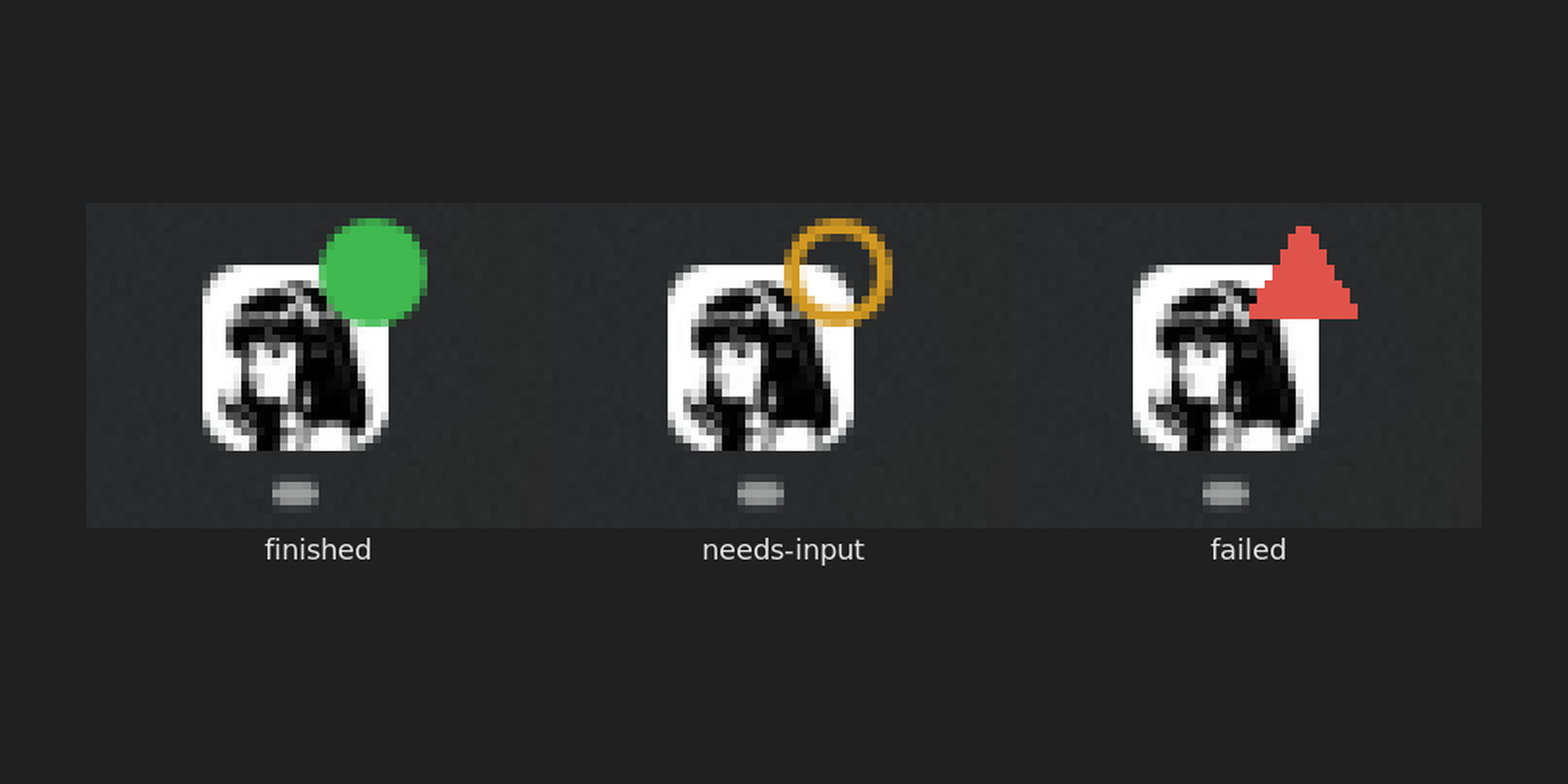
BrokeSkillhermes-insightSelection-definition lookup for Hermes Desktop. Select any text, get an AI definition with sources in a popup. Renders the definition inline, runnable code aside. Backend is a stateless hermes insight CLI; panel, providers, and one-click model picking are configurable. Disclosure — definitions are generated with your configured provider keys (the selected term, your format template and optional web-search results are sent to that provider) via a short-lived `hermes insight` CLI run; no background process remains. When web search is on it also queries your configured searxng instance and fetches result thumbnails from their image hosts, inlining them into the panel; nothing is fetched without a searxng URL.CommunityDesktop app3BrokeSkillhermes-vision-inlineAttach an image inline to the session model when it can see one, instead of letting an explicit auxiliary.vision backend describe it. Core already attaches images natively by default; what this plugin changes is an explicit auxiliary.vision setting, which it overrides so the model reads the pixels directly. The image stays in context, so follow-ups do not reprocess it. The model's modality comes from the local models.dev cache; no network calls and nothing to configure. Disclosure — replaces the vision_analyze handler through tool_execution middleware: when the local models.dev cache says the main model takes images and its provider carries images in tool results, it attaches the image itself even if you configured an auxiliary.vision backend (agent.image_input_mode: text still turns this off); the image stays in the conversation and is resent on later turns; relies on Hermes private vision helpers, so after a Hermes update it may silently fall back to the normal path.Communitytools1BrokeSkillhermes-desktop-cameraA camera button for the Hermes Desktop composer. Open the preview, take a photo, and the frame lands in the composer as an image attachment, ready to send.CommunityDesktop appBrokeSkillhermes-taskbar-badgeColour-coded badge on the Hermes taskbar button: a green disc for a turn finished in a session you have not opened, an amber ring while a session waits on an approval, a clarify or a password, a red triangle for a failure. Opening a session clears only that session; failure outranks waiting and waiting outranks finished. The settings page holds the three colours, a test button each, per-event overrides and a switch back to the plain grey count. Disclosure — Disclosure: the desktop half posts the current badge state to 127.0.0.1:8766 on the same machine once per event, and the Python half starts at plugin load in each Hermes process, listens on that loopback port (no token, CORS open to any origin, so any local program or open web page can also set or read the badge colour) and, from a background thread, calls the Windows taskbar overlay API or, on Linux, runs `gdbus emit` for the Unity launcher badge once a second while a badge is up; it writes `badge_bridge.log` in its plugin folder; nothing leaves the computer and no other network call is made. Where colour cannot be drawn, Chromium's grey count and the status-bar dot remain.CommunityDesktop appBrokeSkillturn-bellA bell in the Hermes desktop composer that pings the ntfy topic Hermes already uses when a turn finishes. Click to cycle off, current turn, or all turns. Disclosure — when enabled, posts the first line of each finished reply plus model, duration, token and cost figures to the ntfy server/topic Hermes is configured with (default ntfy.sh); reads NTFY_* from the profile .env and falls back to the ntfy CLI's ~/.config/ntfy/client.yml login (read-only).CommunityDesktop app