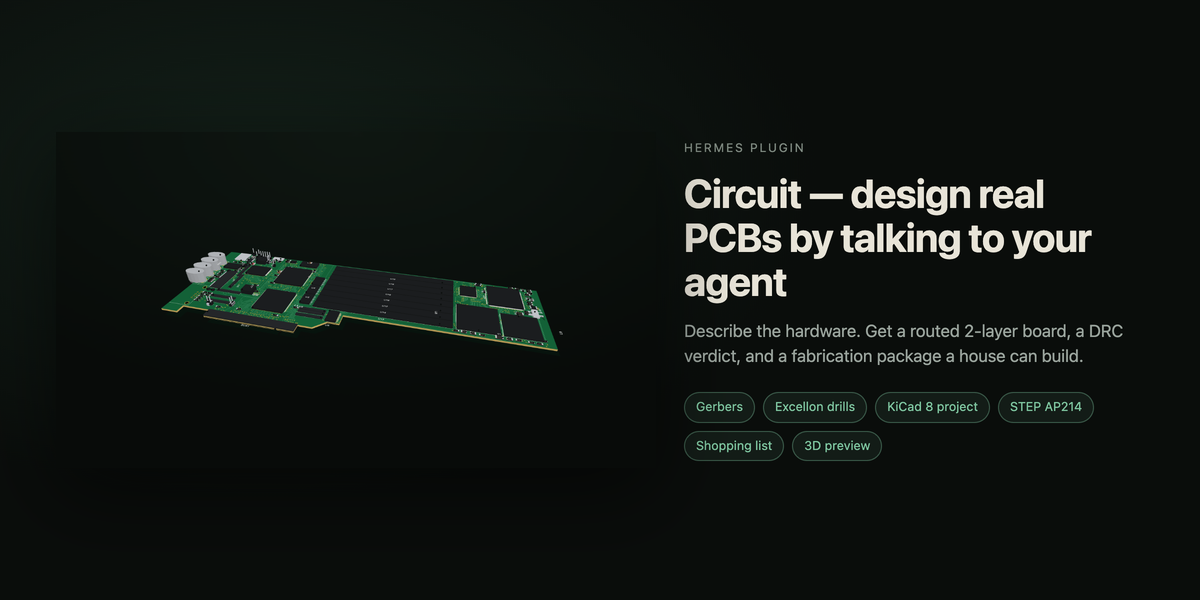
 odtboun
Circuit
Design a real PCB by talking to your agent.
Circuit is a two-layer board compiler that runs inside Hermes. You describe the
hardware in chat; the plugin holds the part library, adds and connects the parts,
places them deterministically, routes both copper layers, checks the result with
its own design-rule engine, and writes a fabrication package a board house will
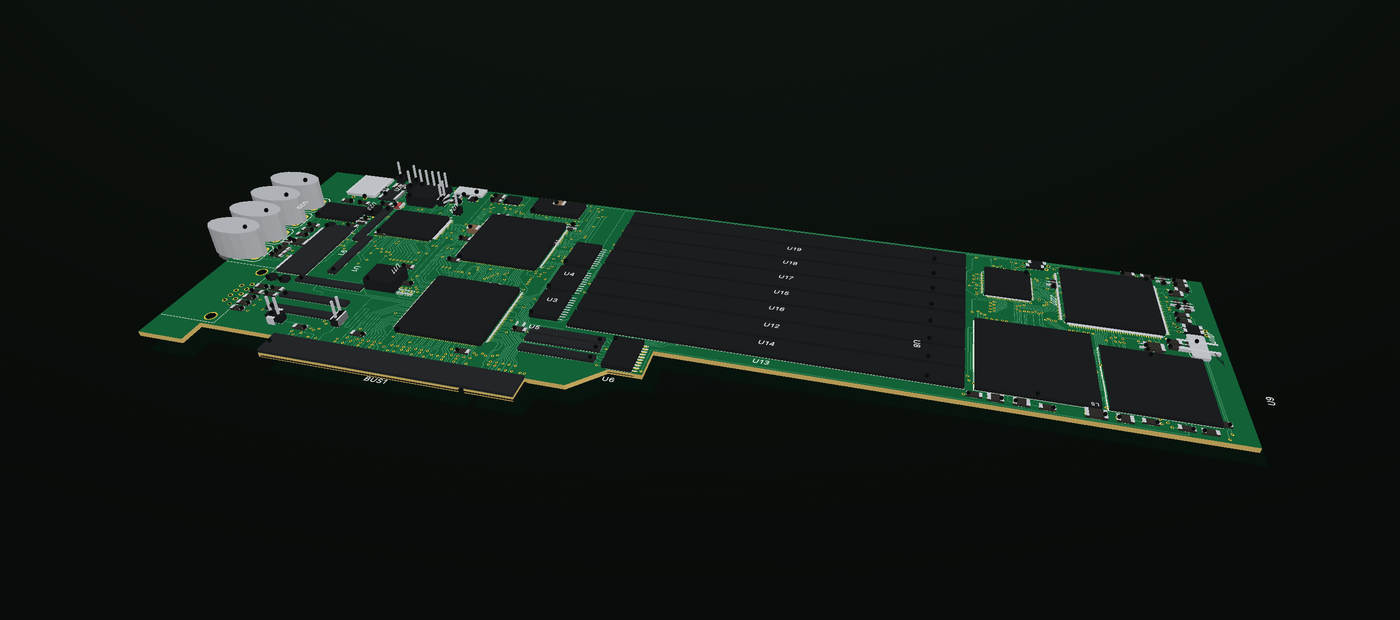
accept. Then it shows you the board — 2D and 3D — and hands you the documents you
need to buy the parts and build it.
hermes plugins install circuit
What you can ask for
"Design a 4-channel relay controller for a Raspberry Pi Pico — ULN2003 drivers,
screw terminals, a 5 V input, and mounting holes."
"Import this KiCad board and show me the bottom copper."
"Give me the shopping list for the board we just made."
Fifteen tools carry the work: circuit_create, circuit_add_part,
circuit_connect, circuit_place, circuit_route, circuit_check,
circuit_export, circuit_docs, circuit_view, and the read/import/sample
tools around them. A bundled skill teaches the agent the order to call them in.
What comes out
circuit_export writes a package you can upload to a fab:
- RS-274X Gerbers with X2 attributes — copper, mask, silk, edge cuts, and
tented vias - Excellon drills plus the Ucamco job file that ties the set together
- A KiCad 8 project, so the board opens in a real EDA tool
- A STEP AP214 model for the mechanical fit
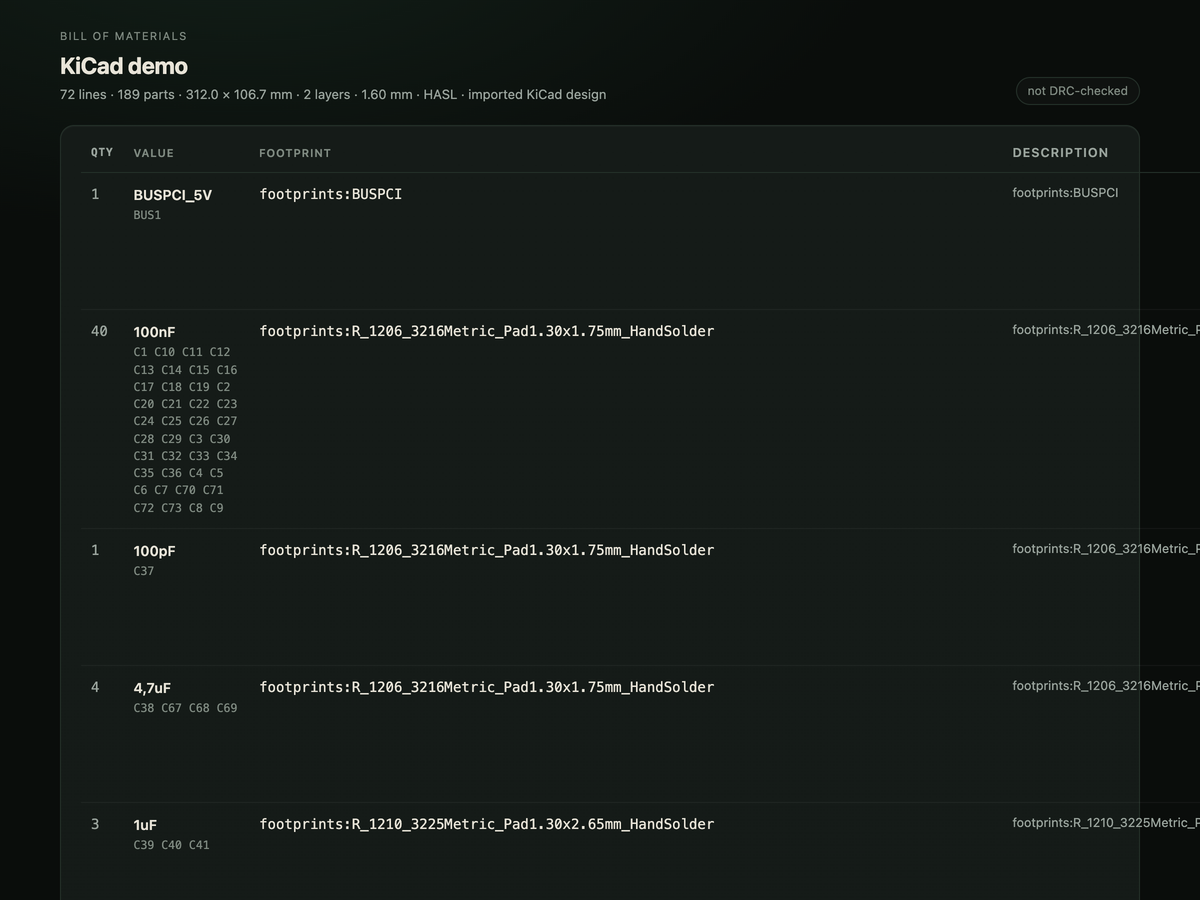
- BOM with MPN columns, and pick-and-place in both JLC and generic dialects
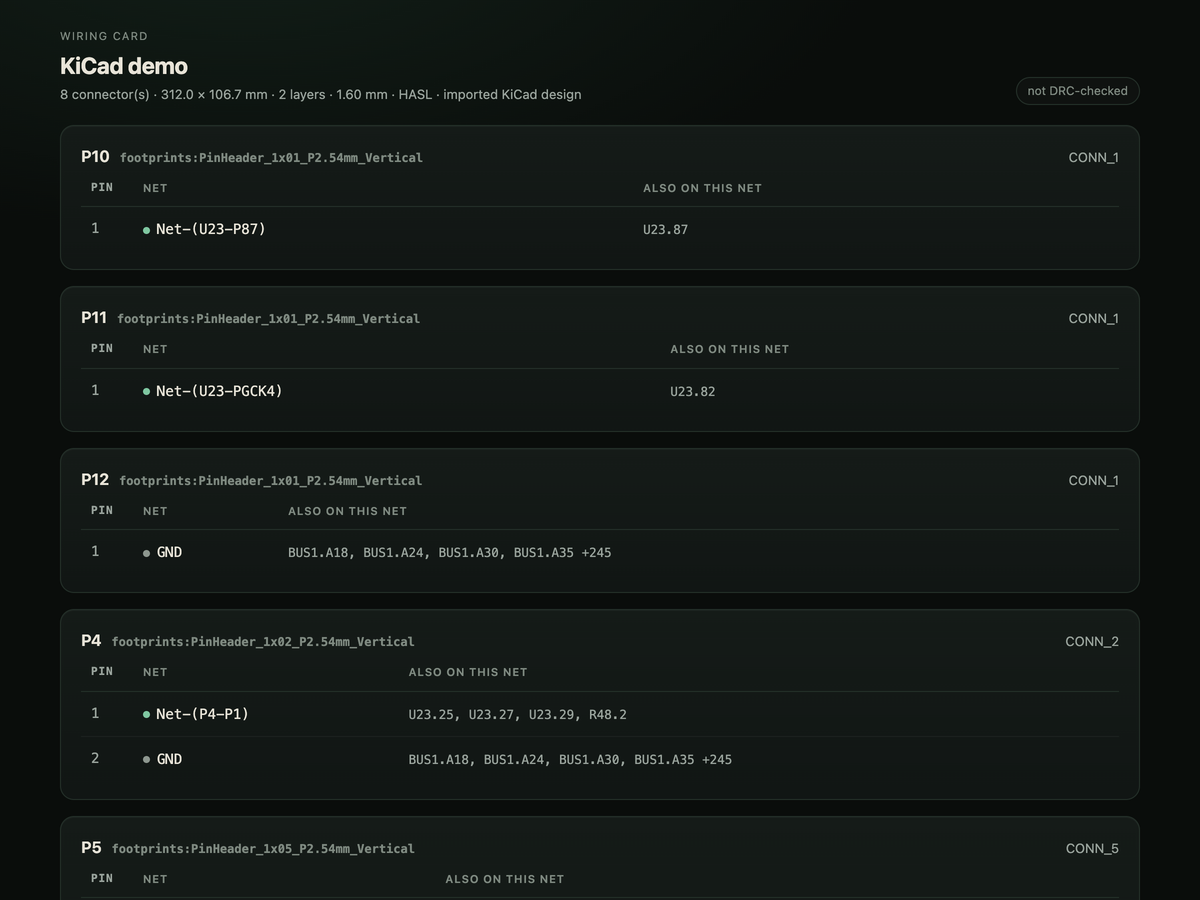
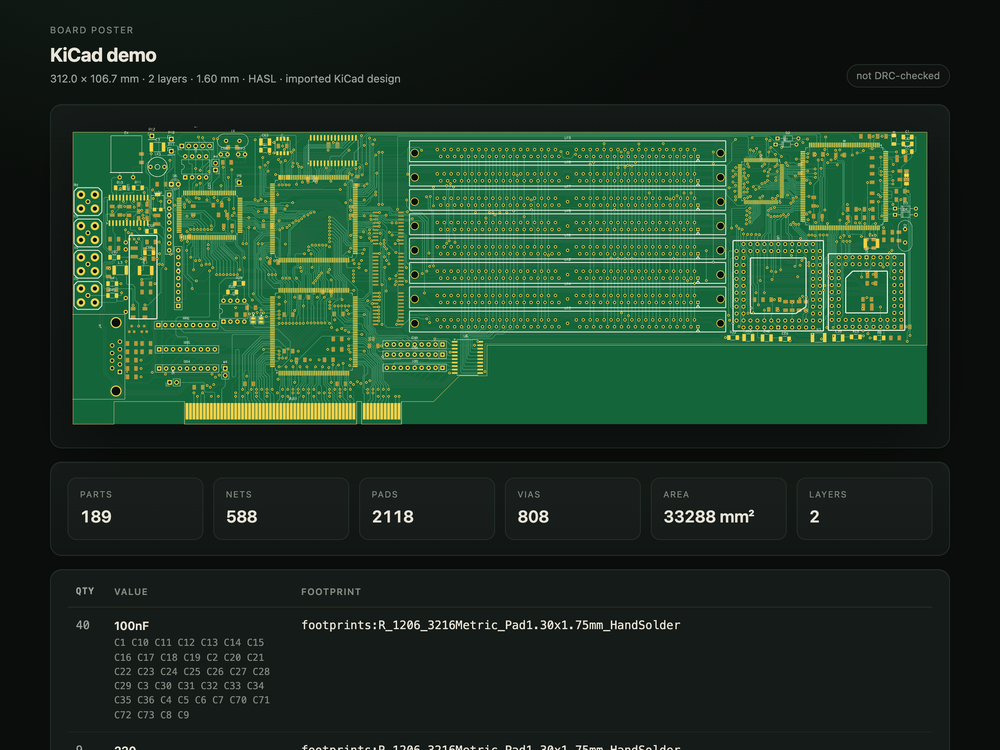
- Three documents: a shopping list with distributor search links for every
part that has a part number, a wiring card for the connectors, and a board
poster
| Shopping list | Wiring card | Board poster |
|---|---|---|
|  |
 |
 |
The viewer
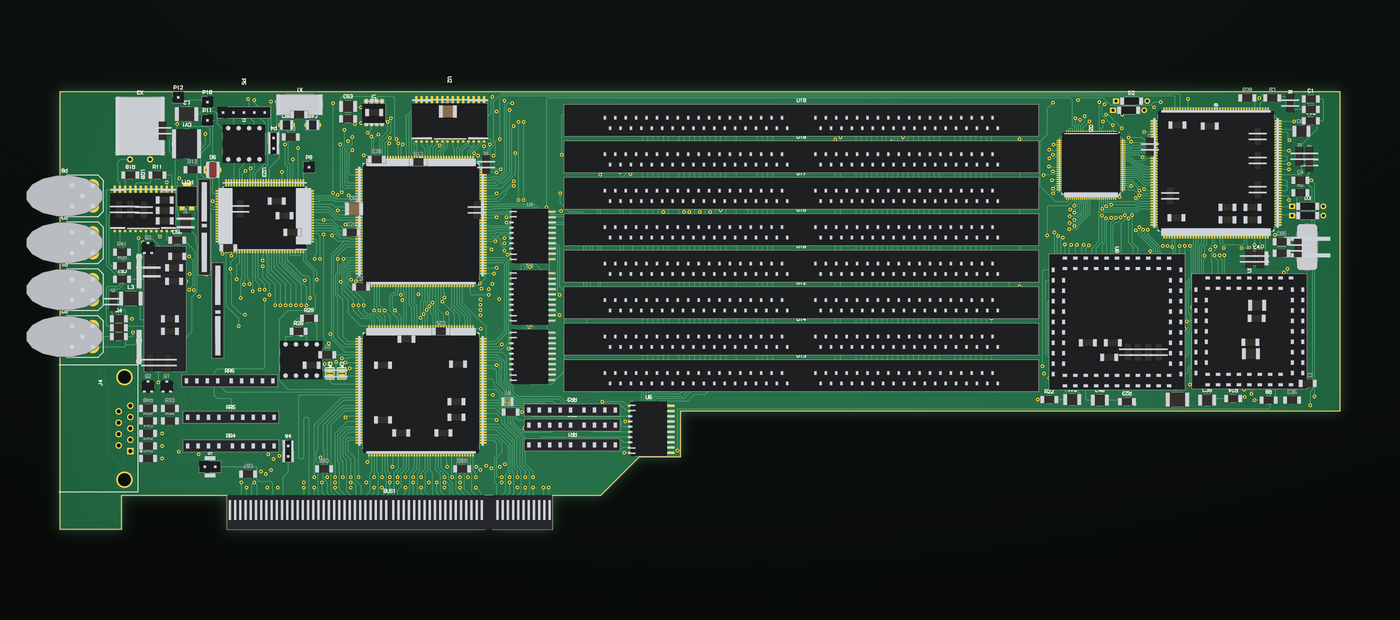
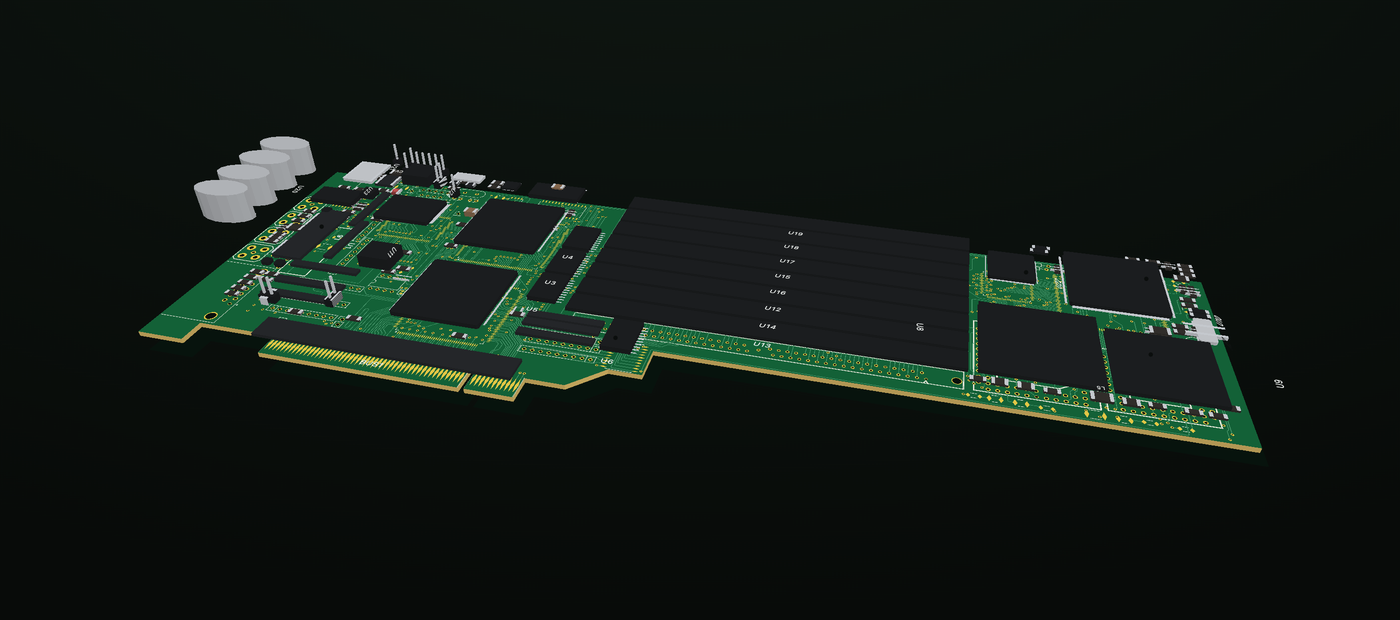
The Desktop page renders the board with a per-pixel z-buffer — solid parts, real
depth, no transparency tricks — and an exploded view that lifts every component
off the substrate. Layers toggle independently. Boards imported from KiCad render
the same way.
| 2D layer stackup | Exploded view |
|---|---|
|  |
 |
Where it puts things
Everything stays under the plugin's own data directory:
plugin-data/circuit/projects/<slug>/board.json     the design
plugin-data/circuit/projects/<slug>/view.json      what the viewer reads
plugin-data/circuit/projects/<slug>/exports/       Gerbers, drills, docs, zips
No network calls of its own, no credentials, no subprocesses, no telemetry. Two
tools fetch a file only when you ask them to: circuit_samples pulls an
open-source board from its upstream URL, and circuit_import url=… pulls one
from a URL you give it.
Scope
Two copper layers. The netlist is the source of truth — there is no schematic
capture step to keep in sync. The router searches a grid, so a 39-part board takes
about two and a half minutes while small boards are instant; a bigger design wants
a bigger outline and a deliberate layout.
The full README covers the
engine, the export format details, the part library, the sample catalogue and how
to contribute.
README from the reviewed commit da20db3; it updates when the author re-pins.


