All plugins

discord-tps

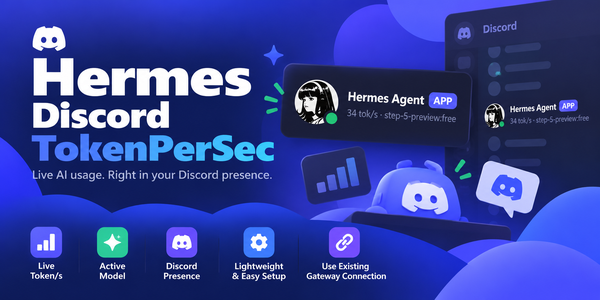
Show live tokens-per-second and the active model on your Discord bot's presence. Disclosure — Replaces the Discord bot's public presence with the live tok/s figure and the model name of the most recent API call in this gateway (any platform or chat), visible to anyone who can see the bot; updates at most every interval seconds (minimum 10) over the gateway's existing Discord connection. Reads no credentials and makes no network calls of its own.

tuancookiez-hub1Platformv1.0.3Updated 26 days ago

About

Show live tokens-per-second and the active model on your Discord bot's presence. Disclosure — Replaces the Discord bot's public presence with the live tok/s figure and the model name of the most recent API call in this gateway (any platform or chat), visible to anyone who can see the bot; updates at most every interval seconds (minimum 10) over the gateway's existing Discord connection. Reads no credentials and makes no network calls of its own.

discord-tps

Show live tokens-per-second and the active model on your Discord bot's presence.

category: platform license: MIT

Your Hermes bot's presence turns into a live throughput meter — a tok/s
figure computed with the same rolling-average approach as Hermes' own status
bar, published straight onto the bot's Discord profile card.

What it looks like

While the agent is working:

Hermes
64 tok/s · step-5-preview:free

After five minutes of no API activity:

Hermes
idle · step-5-preview:free

How it works

discord-tps registers two things, and nothing else:

  • post_api_request hook — records output_tokens and api_duration from
    each provider call into a rolling 10-sample window. The tok/s figure is
    sum(output_tokens) / sum(api_duration) over the last 10 calls, the same
    rolling-average approach as Hermes' own status bar.
  • Discord platform handler — via ctx.register_platform_handler("discord", ...).
    The factory receives the gateway's own already-connected discord.py bot
    at connect time and publishes presence on that connection.

That second point is the important one. The plugin never opens a second
Discord connection and never reads your bot token — it rides the connection
the gateway already holds, so there is no extra login, no credential to
configure, and no DISCORD_BOT_TOKEN requirement.

Requirements

  • Hermes 0.21 or newer (first release with register_platform_handler).
  • A Hermes gateway with the Discord platform enabled and connected. Without
    it there is no bot to publish on.
  • discord.py is already a dependency of the Discord adapter, so this plugin
    declares no dependencies of its own.

Installation

hermes plugins install tuancookiez-hub/hermes-discord-tokenpersec --subdir discord-tps
hermes plugins enable discord-tps

Restart the gateway (or reconnect Discord). The presence shows idle on
connect and switches to tok/s on the next API call.

Configuration

All settings live under plugins.entries.discord-tps.settings in
config.yaml, or via the CLI:

hermes config set plugins.entries.discord-tps.settings.<key> <value>

| Key | Default | Meaning |
|---|---|---|
| activity_type | custom | playing, listening, watching, competing, or custom |
| interval | 20 | Seconds between refreshes (minimum 10). Discord allows ~5 updates per 20s. |
| idle_after | 300 | Seconds of inactivity before the idle text shows. |
| idle_text | idle | Base idle text; the active model name is appended once one has been seen. |

Activity types

activity_type picks the verb Discord renders (default custom, no verb):

  • playing → Playing 64 tok/s · step-5-preview:free
  • listening → Listening to 64 tok/s · …
  • watching → Watching 64 tok/s · …
  • competing → Competing in 64 tok/s · …
  • custom → 64 tok/s · step-5-preview:free (Discord custom status, no verb)

Multiple sessions

The hook carries session_id, so when you talk to the bot in more than one
Discord thread the presence follows whichever session is currently active.
Each new session gets its own tok/s window, and the most recently active one
drives the display. Only calls that produce output tokens count, and only the
32 most recently active sessions are tracked. Failed or empty calls are ignored,
so they never take over the display.

Model names are shortened for the presence line — the vendor prefix is
dropped, so stepfun/step-5-preview:free renders as step-5-preview:free.

License

MIT

README from the reviewed commit 056fcd3; it updates when the author re-pins.
More by tuancookiez-hub

3 plugins by tuancookiez-hub in the catalog.

tuancookiez-hubhyatlasHyAtlas 5 — self-hosted 8-layer memory provider backed by a pure-Go single-binary server you run yourself (chromem-go vectors, in-process BGE-small embeddings, hybrid vector + keyword search, bitemporal knowledge graph with source citations). Embeddings, the vector index and stored memories are kept locally. Ships agent tools (hyatlas_status/search/recent/add), a `hermes hyatlas` CLI, a Desktop pane with a starmap graph view, and a web dashboard. Disclosure — requires the separate hyatlas-go server, installed by the user. The plugin never downloads or bundles it, and it talks only to the configured server (default 127.0.0.1:19528). Embeddings are computed locally; stored memories leave the machine only in the LLM calls described below. Extraction is opt-in and uses an LLM you choose: `hermes memory setup` asks for any OpenAI-compatible endpoint, model and key, and stores the key in Hermes's .env as HYATLAS_LLM_KEY. The plugin reads that key only through Hermes's get_secret and reads no Hermes credential. A plain key file named by HYATLAS_LLM_KEY_FILE also works; the server reads it on every call, so do not point it at another program's credentials such as Hermes auth.json. The server has no default endpoint and makes no LLM call until the endpoint, the model and a key are all present; while the endpoint and model are set but no key has arrived, /api/v1/status reports llm "awaiting_key". `hermes memory setup`, the repo installer and the sample launcher pre-fill a free Nous Portal endpoint and model (and setup defaults to ultra mode), but nothing is sent until a key is supplied. A server the plugin starts gets that key in its environment; for a server started another way (the launcher, a service) that reports "awaiting_key", the plugin (at most every 10 minutes) and `hermes hyatlas doctor` POST the key over plain HTTP to /api/v1/llm/key, only when the configured server host is this machine; the server accepts it only from a loopback address and keeps it in memory only, never on disk. Once configured, each turn's user and assistant text goes to that endpoint (not tool output or context summaries; capped at 12,000 characters), together with up to 5 related stored facts, 3 entity pages and 5 open intentions of that owner so the model can update them instead of duplicating them. In the default ultra mode the server also sends topic-grouped batches of up to 50 stored facts to it every 6 hours (every 20 minutes while earlier batches are still pending) and supersedes (hides but keeps) the facts the model marks merged or stale, recording a reason for each drop. It also records relations corroborated across turns in the local knowledge graph (HYATLAS_CONSOLIDATE_GRAPH=off disables that). Once a day per owner (HYATLAS_CROSS_SCHEMA_EVERY; off disables it) ultra also sends up to 40 of that owner's stored patterns to find up to 3 that hold across topics. In pro and ultra modes it also sends each owner's open intentions, recent summaries and newest facts to rewrite a short Now page, at most every 15 minutes (HYATLAS_NOW_EVERY), and, after a 30-minute pause in an owner's writes (HYATLAS_EPISODE_GAP; off disables it), up to 40 of that stretch's facts to write one episode summary. HYATLAS_RECONCILE=on (off by default) adds a second LLM call per write that sends the new facts together with similar stored ones (including those under user IDs grouped with the owner by HYATLAS_USER_ALIASES) so the model can update, replace or link them; it is meant for a local model. An optional HYATLAS_LLM_FALLBACK_MODEL, tried only when a primary call fails, receives the same text; it is sent the primary key only when it uses the same host. Turns written while the endpoint was unreachable or before a key arrived are extracted later by a catch-up pass (every 10 minutes by default, HYATLAS_CATCHUP_EVERY; rows up to 7 days old, HYATLAS_CATCHUP_MAX_AGE), sending the same text a write would have sent. `hermes hyatlas doctor` sends one short test prompt ("Reply with the single word OK.") to the endpoint and writes, finds and deletes one test memory. When you replace or remove an entry with Hermes's memory tool, the plugin asks the local server to retire the matching memory (reversible); nothing leaves the machine. HYATLAS_MODE=lite makes no LLM call. Server endpoints that rewrite stored data are off unless the server runs with HYATLAS_ADMIN=on. The spawned server gets an allowlisted environment (OS essentials plus HYATLAS_*), not the agent's keys. auto_start is off by default; when on, Hermes starts the server as soon as it loads the plugin, and a server started by auto_start or `hermes hyatlas start` keeps running after Hermes exits until `hermes hyatlas stop`. On Windows, if a hyatlas-go.ps1 launcher is configured, `hermes hyatlas start/stop` runs it; the repo's sample launcher reads no credentials (since 4.8.0 it no longer reads Hermes auth.json). No telemetry.Communitymemory31tuancookiez-hubenhance-promptA sparkle beside Send that rewrites the composer draft in place without sending it, deepening it into a clarifier, a task list, then a phased plan on further clicks, with a one-click discard back to the original. Also registers the `/enhance` slash command and the `enhance_prompt` tool for the same rewrite from the agent. Draft read and write go through `host.composer`, so `@file` and `/command` chips survive. Disclosure — every click runs one stateless `llm.oneshot` call on your own gateway with the focused chat's model (the auxiliary title model when no chat is focused), followed by a second short call to score the result, so it spends your model credits. It is not an agent turn: no tools run and nothing is written to a session you cannot see. It overrides no model, sends nothing to a third party, never sends the composer message, and carries no telemetry, no credentials and no self-update.CommunityDesktop app