 emirkaan5
disko for Hermes
Run an AI DJ set on your Mac from any Hermes chat.
disko is a desktop AI DJ. You give it a folder of music or a Spotify playlist;
its model, Kev, picks each next track, plans the transition (bass swap, filter sweep, echo out…)
and beat-matches it, and the mix plays out loud on your Mac. This plugin is the remote control:
text Hermes from the couch, from Telegram, from your phone, and the set follows.
you     put on a set from ~/Music/Friday, start mellow
hermes  disko is open on Friday (212 tracks). Starting with Aya – Morning Glass on MacBook Speakers.
you     what's this track?
hermes  Bo – Night Drive, 124 BPM in 9A, about two minutes left. Peak Hour is next, a bass swap in 0:42.
you     people are arriving, bring it up
hermes  Energy is on lift. Kev dropped the queued track and is picking a bigger one.
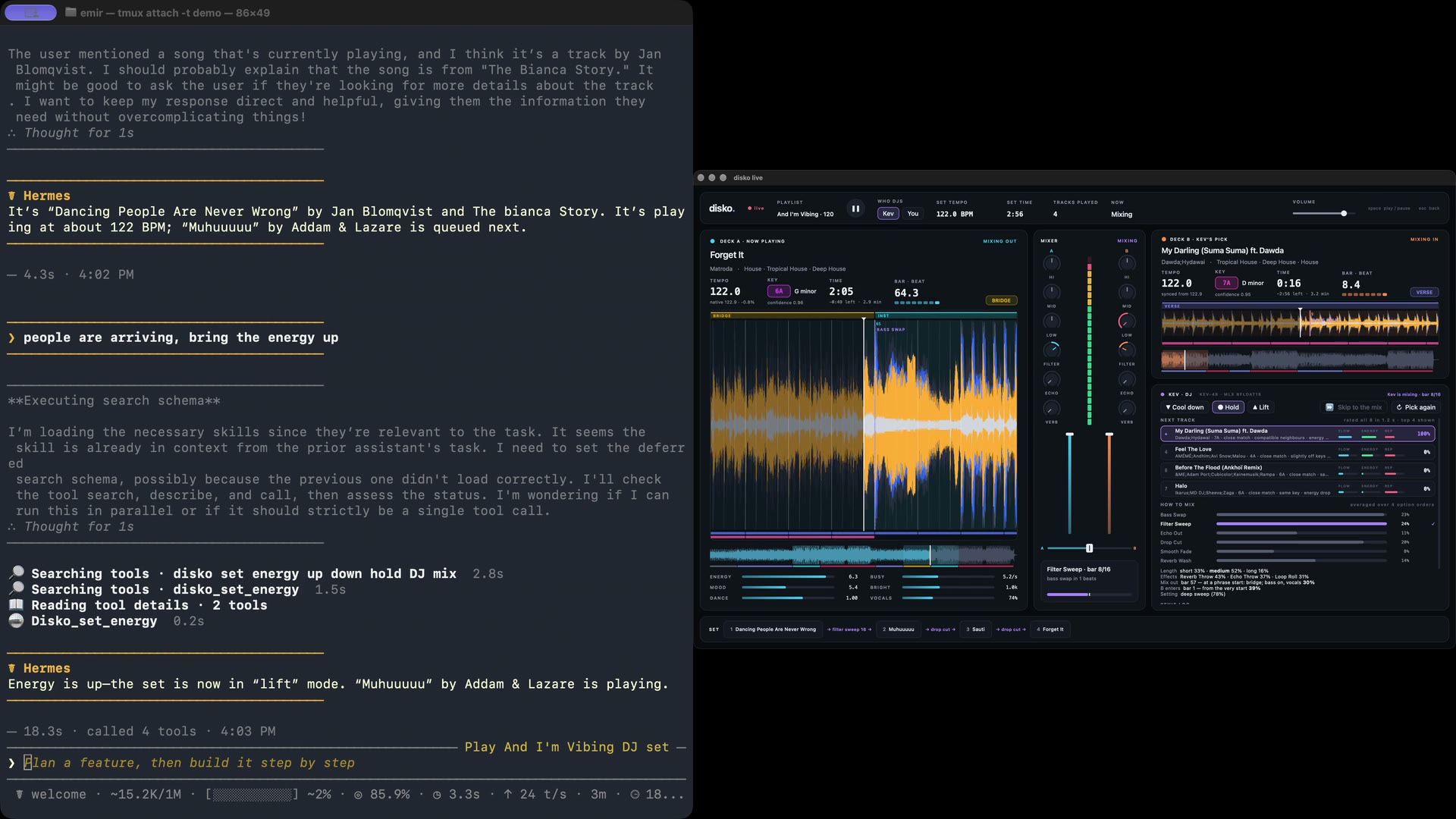
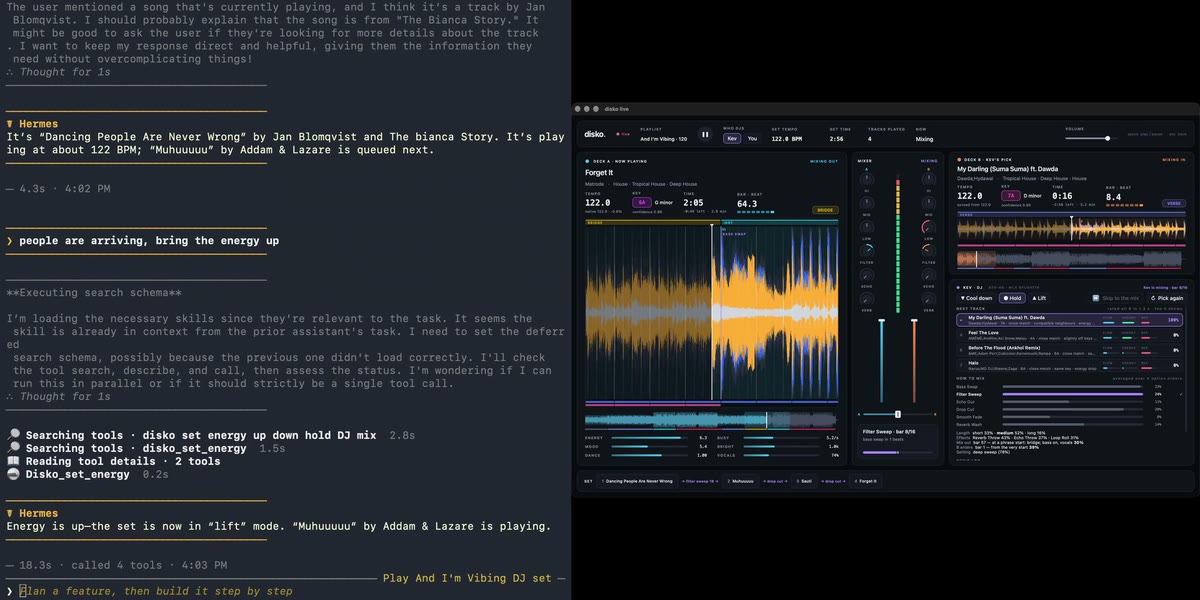
A real run: Hermes opened disko on a folder with disko_launch, started the set once you said
so, and set the energy to lift; Kev is now mixing into its next pick.
What it adds to Hermes
| Surface | What you get |
|---|---|
10 tools (disko toolset) | disko_status, disko_find_tracks, disko_start, disko_set_energy, disko_pick_again, disko_pause, disko_resume, disko_stop, disko_launch, disko_quit |
/disko slash command | The same controls with no model turn, so they answer instantly in any chat app: /disko, /disko start night drive, /disko up, /disko next, /disko pause, /disko tracks aya, /disko launch ~/Music/Friday, /disko launch --spotify liked |
hermes disko CLI | The same again from a terminal: hermes disko, hermes disko up |
Now-playing context (pre_llm_call hook) | While a set is running, each message carries one line with the current track, the next one and the energy, so "what's this?" needs no tool call. Silent when nothing is playing. Turn it off with now_playing_context: false. |
disko:disko-dj skill | The procedure and the pitfalls: confirm before starting, report only what disko says, don't invent reasons for Kev's picks. |
Requirements
- macOS, with disko set up (its README covers the virtual
environments). The disko app serves the control interface by default; with no window, run
python -m live --headless --playlist FOLDER. - Hermes 0.21.5 or newer.
- No Python dependencies: the plugin uses the standard library only.
Install
hermes plugins install emirkaan5/hermes-disko
hermes plugins enable disko
That's all. Open disko once on this Mac: it registers where it is installed, so Hermes can open
it for you later (disko_launch, /disko launch) with no settings. Then check it: with disko
open, run hermes disko or type /disko in a chat.
Settings are optional, in Hermes Desktop under Settings → Plugins → disko, or in
~/.hermes/config.yaml:
plugins:
  entries:
    disko:
      settings:
        disko_dir: ~/Projects/disko   # only to override the disko that registered itself
Settings
| Setting | Default | Meaning |
|---|---|---|
disko_dir | (empty) | Optional override for launching: your disko checkout. Empty means the disko that registered itself when it was last opened. |
disko_python | (empty) | Optional override: the Python that runs disko. Empty means the one disko registered, or <disko_dir>/.venv-live/bin/python when disko_dir is set. |
now_playing_context | true | Add the now-playing line to messages while a set runs. |
control_dir | ~/.disko | Where disko's control socket and install record are. |
control_url | (empty) | http://host:port of a disko started with --control-tcp, for a Hermes in a container or on another machine. |
control_token (secret, DISKO_CONTROL_TOKEN) | (empty) | The token for control_url. Not used for a local disko. |
What it does on your machine
Everything the plugin does, so you can decide before installing:
- Local socket. It talks to disko over disko's control socket,
~/.disko/control.sock.
disko only answers a process running as the same macOS user, so no token is involved. - One file read outside its own data.
~/.disko/install.json, which disko writes (0600) on
every start: the path of the disko folder and of the Python that runs it, sodisko_launch
can find disko. It is not a credential. The plugin reads no token or credential file. - No third-party network calls. With
control_urlset, it makes HTTP requests to that
address, which you chose, and nowhere else. That link is plain HTTP protected by the token;
keep it on a network you trust. - A background process, when you ask.
disko_launchand/disko launchstart disko with a
fixed command,<python> -m live --headless --playlist <folder>or--spotify <playlist>
(--controlwith a window), in the disko folder frominstall.json(or
disko_dir/disko_pythonif you set them). No shell is used. The folder must be an existing
directory; the Spotify playlist must belikedor a Spotify playlist id (a link is reduced to
its id), so nothing else from the conversation reaches the command. disko gets a minimal
environment, not Hermes's (which holds your provider API keys):PATH,HOME,USER,LOGNAME,
LANG,LC_*,TMPDIR, and only the variables disko documents (DISKO_*,KEV_URL,
KEV_RUN,HF_HOME,HF_HUB_CACHE), without the plugin's ownDISKO_CONTROL_URLand
DISKO_CONTROL_TOKEN.
disko keeps running after Hermes exits, and writes its output to
~/.hermes/plugin-data/disko/disko.log.disko_quitends only a disko this plugin started.
disko itself reads the music folder and saves its analysis in adisko/subfolder there. - Spotify, only if you use it. With a Spotify playlist, disko itself (not the plugin) uses
your own disko Spotify sign-in to read the playlist and fetch the tracks' audio. disko refuses
unless you turned Spotify audio on in disko yourself; the plugin never turns it on, and the
skill tells the agent not to. - Sound.
disko_startplays music out loud on the Mac running disko. The skill tells the
agent to confirm with you first. - Context. While a set is running, the hook adds one line (track names, BPM, key, energy)
to your message, which goes to your model provider with the rest of the conversation. - Credentials. None for a local disko. The remote token (
control_urlonly) is read through
Hermes's secret store. - No telemetry, no self-update, no bundled binaries.
Limits
- It steers the next track. There is no way to cut the current track short.
- Kev's reasons for a pick aren't exposed, so the agent can tell you what is playing, not why.
disko_quitonly knows about a disko launched since Hermes last started.- A folder disko hasn't seen is analysed before it opens (about half a second per track), and a
Spotify playlist needs a 30 s preview of each track first, so the first launch takes a while;disko_launchsays so and you check back.
Development
python3.11 -m unittest discover tests     # any Python 3.11+
hermes plugins validate . --install-deps
hermes plugins doctor . --ci
The tests run the plugin against a fake disko on a real Unix socket (tests/fake_disko.py),
including launching and quitting it as a subprocess.
License
AGPL-3.0, the same as disko.
README from the reviewed commit 61ca000; it updates when the author re-pins.


