
 Francisco Bastidas
Flota
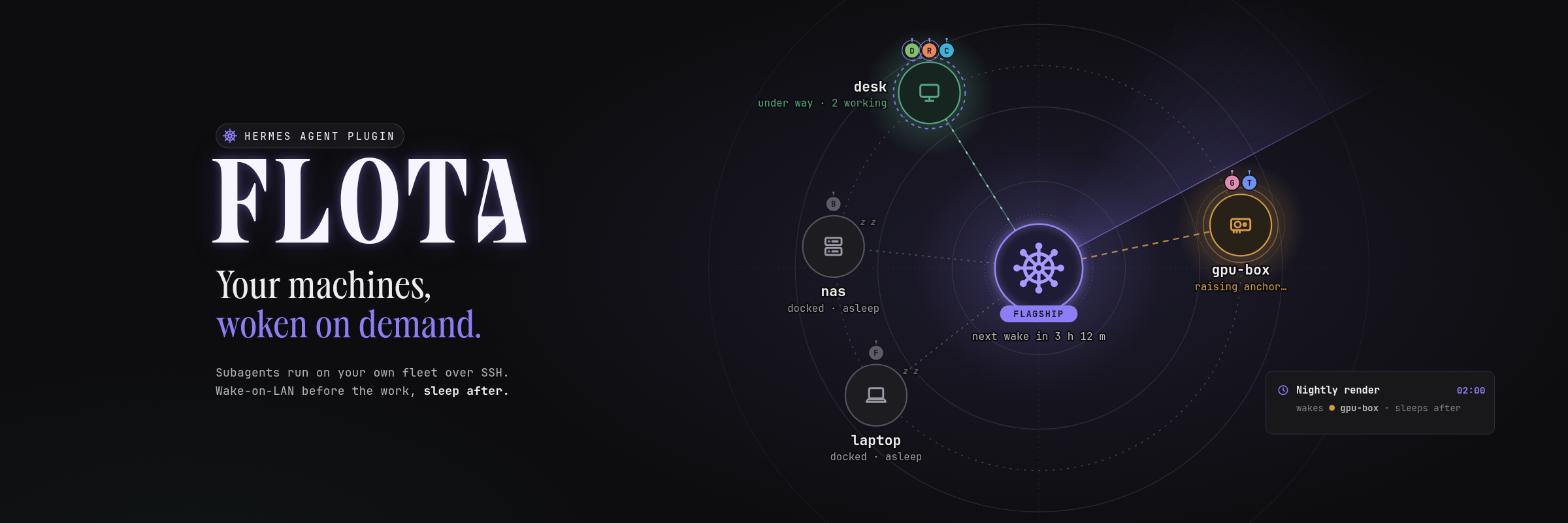
Run Hermes subagents on your own machines. Flota wakes the right one, runs the subagent there over SSH, and puts the machine back to sleep when the work is done.
Your desktop can take the heavy builds, local models and long jobs without staying on all day. Hermes stays on a small always-on host (the flagship); your other computers (the ships) sleep until a task needs them.
Measured on real hardware (2026-11-10, a Linux home server driving a Linux desktop over Tailscale, Wake-on-LAN on the LAN): waking the suspended desktop took 19-42 s until SSH answered; a scheduled job woke it (about 27 s), ran there, and Flota suspended it 2 minutes after the job (sleep_after: 2m); Flota refused to sleep the desktop while a subagent was running on it.
▶ Demo video (88 s): watch on X
Why it has to be a plugin
A skill or an MCP tool can send a magic packet. It can't do the three things Flota exists for:
- Choose where a subagent runs. Flota is a
delegation.backend. Hermes asks it to route eachdelegate_tasktask, and Flota answers with a Hermes profile whose terminal is SSH on the chosen machine. - Wake the machine before the subagent exists. The wake happens inside
route_task, before Hermes builds the child, so a subagent never starts on a machine that is off. - Sleep the machine after its last child. The
subagent_start/subagent_stoplifecycle hooks tell Flota when a machine has nothing left to do. Flota then starts an idle timer and suspends it, never while it is busy.
Quick start
You need Hermes 0.22.5 or later on a Linux host, the ssh client, and a machine you can already ssh alice@desk into with a key. Keep the machine on for step 2.
# 1. Install and enable the plugin
hermes plugins install https://github.com/Bto-03/hermes-flota --enable

# 2. Add the machine (named "desk" after its host). Flota detects its OS, LAN interface, MAC,
#    broadcast address, Wake-on-LAN state and how it can sleep, and creates the profile flota-desk
hermes flota setup alice@desk

# 3. Route subagents through Flota
hermes config set delegation.backend flota
If a gateway is running, restart it (hermes gateway restart). Then ask the agent something like "build the project on desk". hermes flota doctor checks every machine end to end, /flota dry-run desk in a chat explains what a delegation would do without sending anything, and bare hermes flota always prints the next step.
If the other machine runs its own Hermes with Flota, pair them with two codes instead: hermes flota invite here prints a hermes flota join ... line to paste there, which prints a hermes flota add-ship ... line to paste back. See docs/pairing.md.
Features
- A machine per task.
delegate_taskgets amachinefield listing your machines and their descriptions. A task naming no machine runs ondefaultif you set one (Flota wakes it too), otherwise on the normal route. If a machine won't wake, Flota tries itsfallbackonce. - Five wake methods:
wol(Wake-on-LAN from the Hermes host),wol_via(an always-on host on the machine's LAN sends the packet over SSH),command(any local command, such as a smart plug),timer/wake_timer: true(before it sleeps, the machine arms its own RTC alarm for its next cron job),none(you turn it on by hand; such a machine is not auto-slept unless you setsleep). - Auto-sleep that respects busy machines. After
sleep_afterwith no subagents, Flota suspends, hibernates or powers off the machine. That also covers a machine woken by hand, by the agent tool, by its wake timer, or left marked busy by a gateway that restarted. A failed auto-sleep is retried once. - Busy is enforced. Nothing Flota does on its own, and nothing the model asks for, stops a machine with running subagents. Only a person can force it:
--forceon the CLI,forcein/flota, or a confirmation on the Flota page. - Power-off only when Flota can turn the machine back on (
wol,wol_via,command). Every other machine can only be suspended. - Agent tool
flota:statusandwake.sleepandoffare off by default; withagent_power_actionson, each call asks for your approval first, because whoever is using that machine loses their session (no force option either way). - Chat command
/flota:status,dry-run <machine>,wake <machine>,sleep <machine> [force],off <machine> [force]. - CLI
hermes flota:setup,remove,doctor [--fix],uninstall, pairing (invite,join,join-check,add-ship,leave,role) and machine commands (status,dry-run,wake,sleep,off). Every command ends with aNext:hint. See docs/cli.md. - Flota page for Hermes Desktop and the Webapp. A naval map with Hermes as the flagship and your machines as ships, each with its crew (the Hermes bots that live there), the flagship's cron Schedule with the ship each job wakes, invite/join wizards, and a card that finds your flagship on another connection.
- Web dashboard tab (
hermes dashboard→ Flota): a live network map with wake, sleep, power off and add/remove machine. - Settings panel in Plugins → Flota.
- Python standard library only. 902 tests; none touches the network, SSH or a real machine.
Screenshots
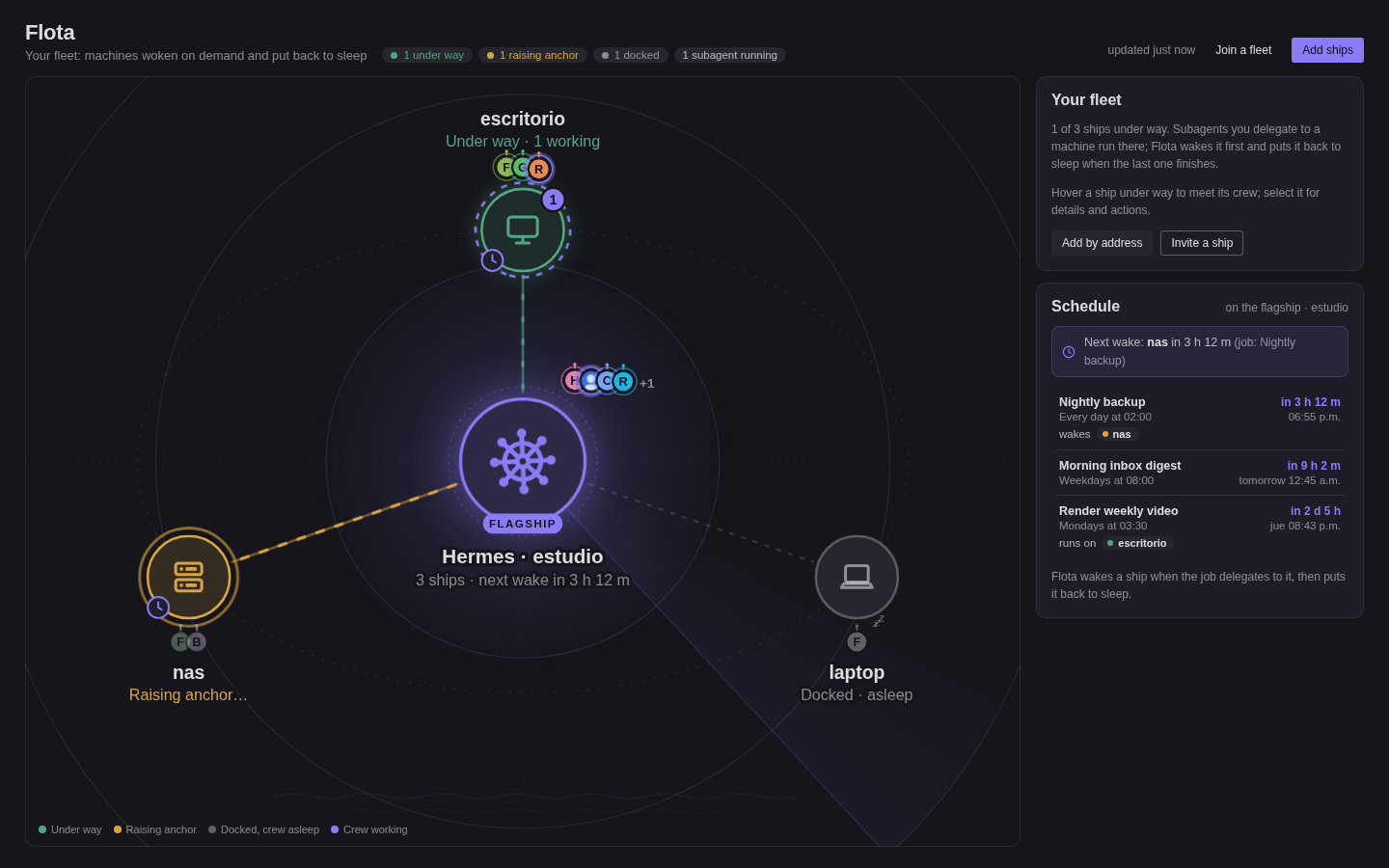 | 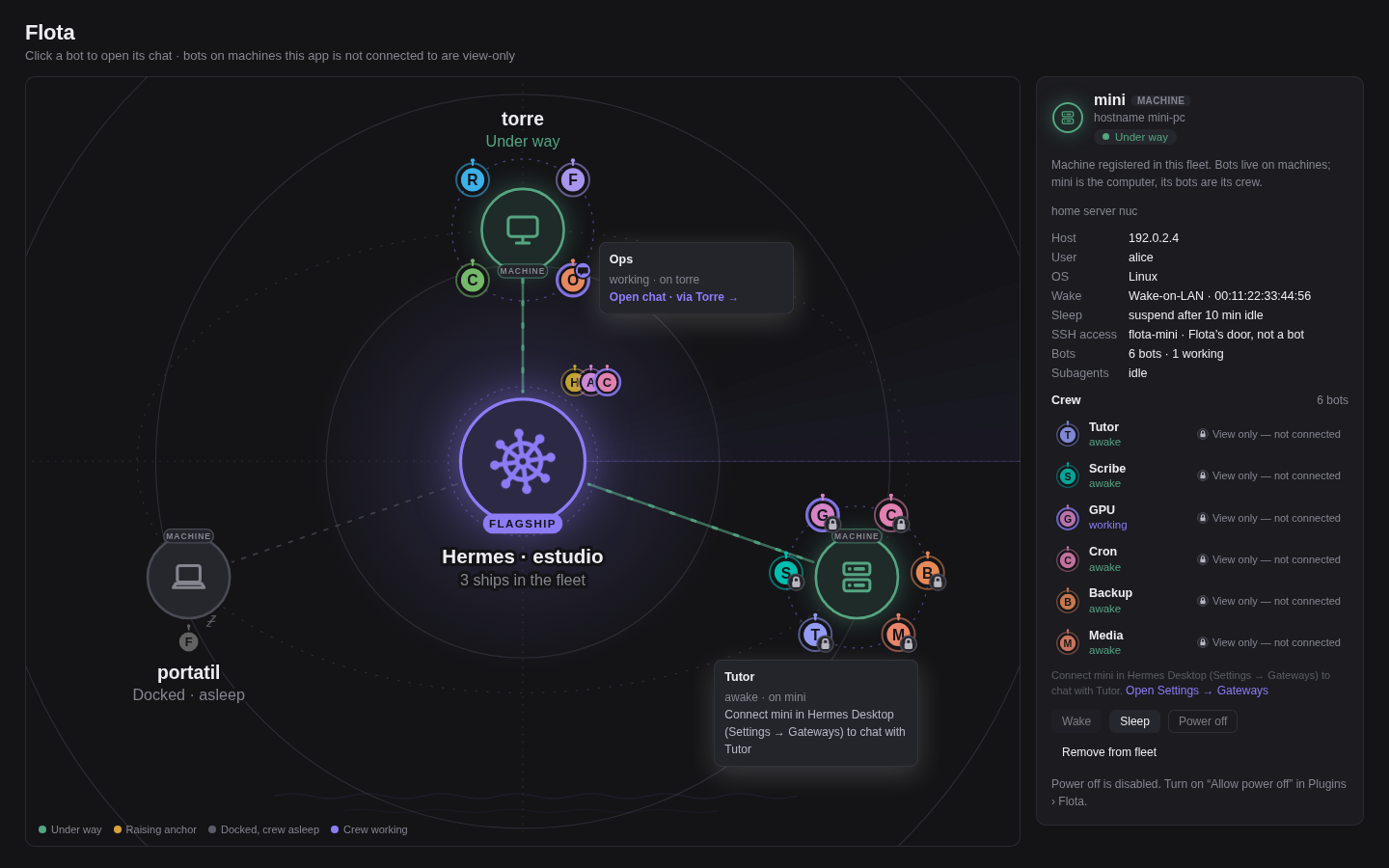 |
| The fleet map with the flagship's Schedule | Each ship carries its crew; bots on connected machines open a chat |
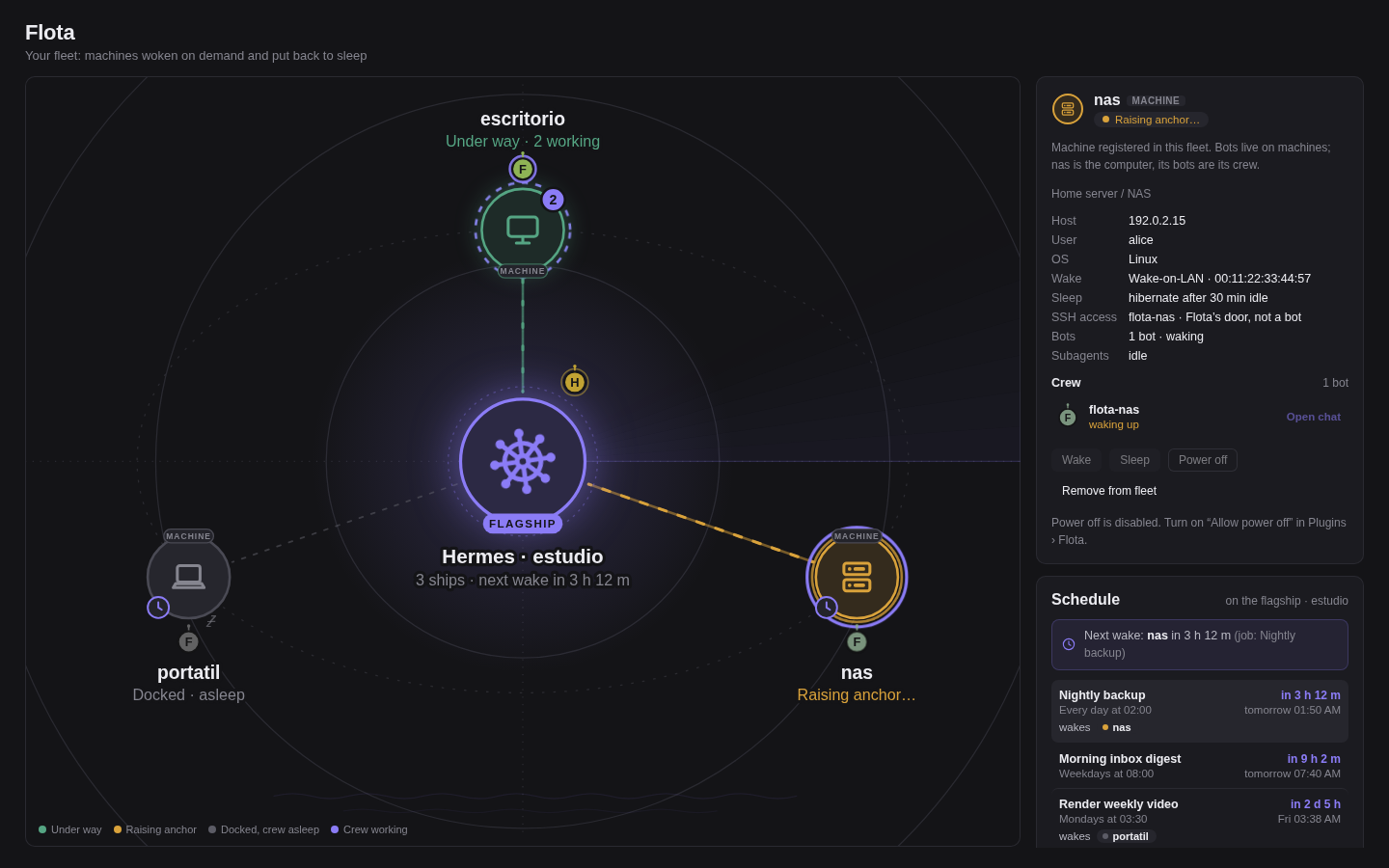 | 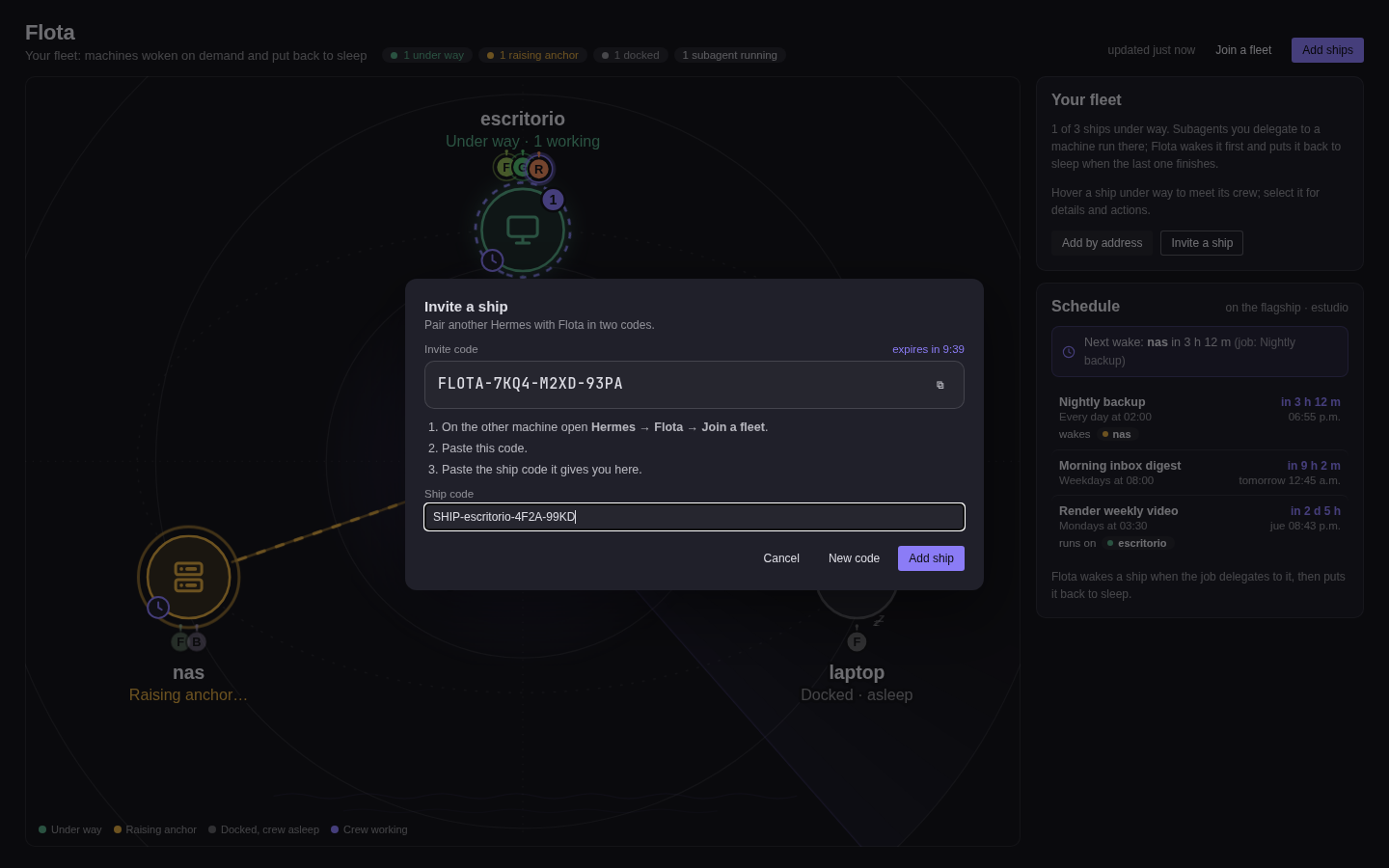 |
| A ship's details next to the Schedule | Pairing another Hermes with two codes |
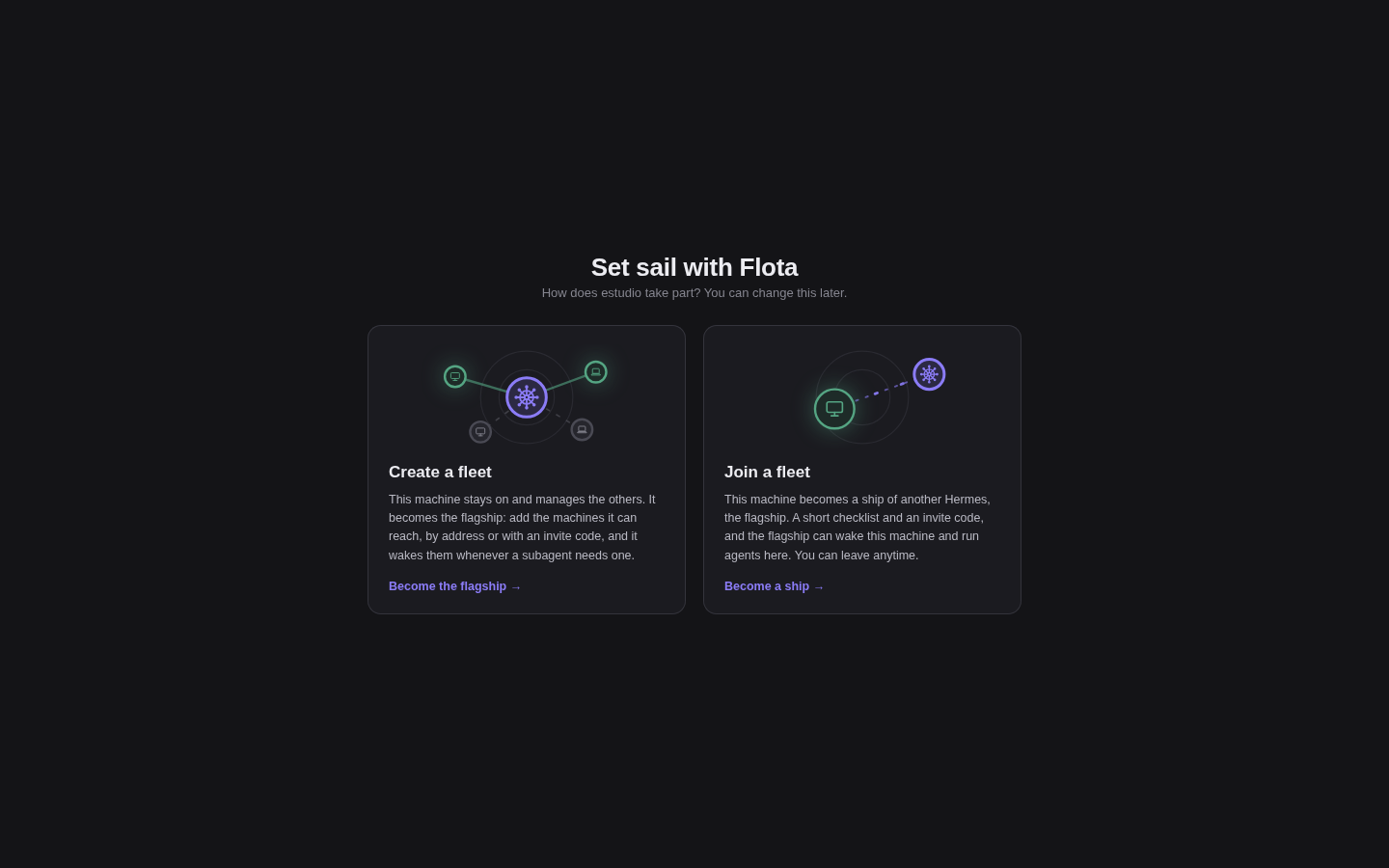 | 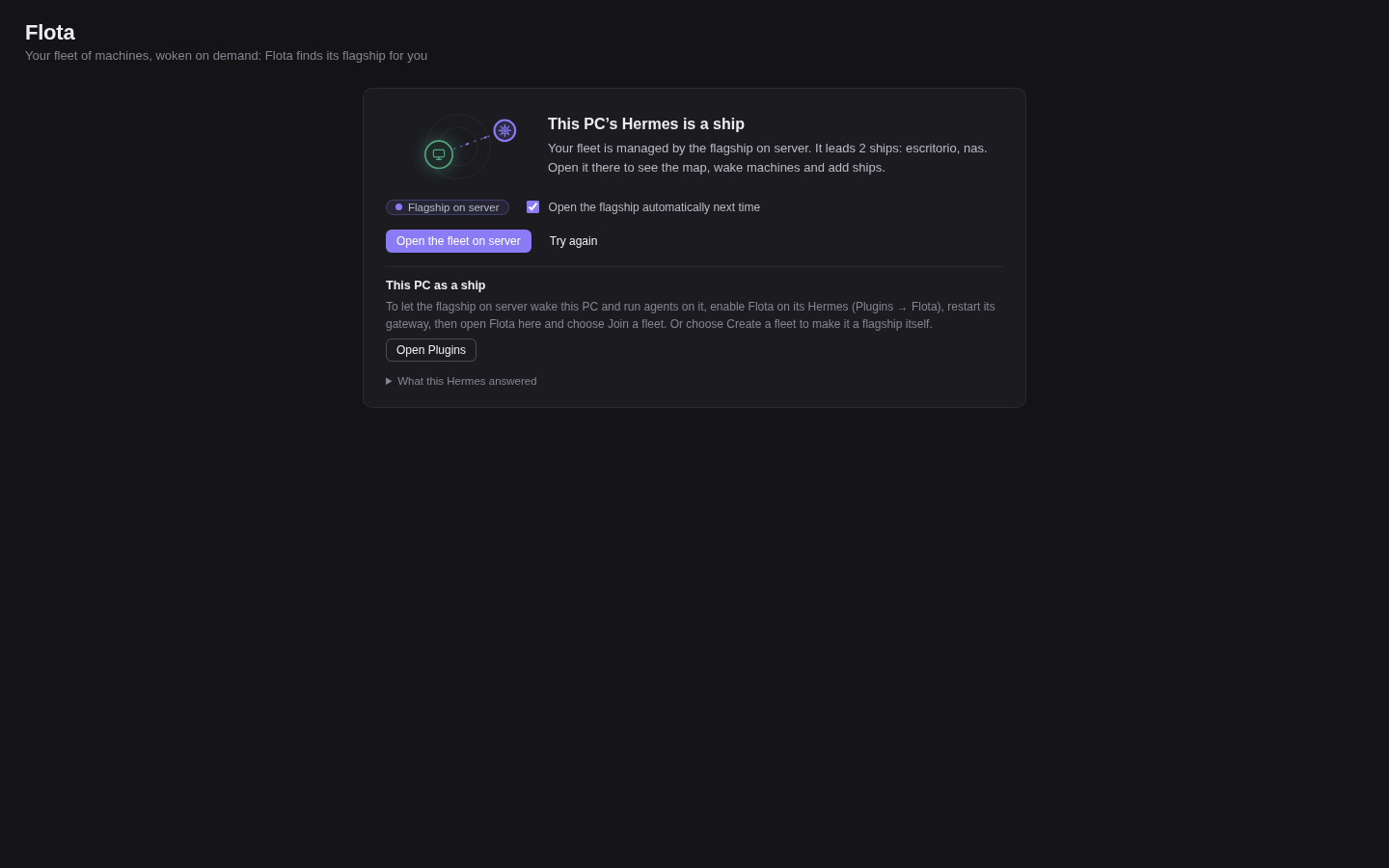 |
| First run: create a fleet or join one | Any connection finds the flagship and offers to open the fleet there |
All screenshots use made-up demo data.
Requirements
- Hermes host: Hermes ≥ 0.22.5 (pluggable delegation backends), Linux, OpenSSH client. Auto-sleep timers need a long-lived process, such as the gateway.
- Each machine:
sshdwith your key authorised (Flota usesBatchMode=yesand never types a password), and a shell. It doesn't need Hermes, Python or an API key: the subagent's agent loop runs on the Hermes host, and only its terminal commands run on the machine. - To wake it, one of: Wake-on-LAN enabled in the firmware and on the NIC with the Hermes host on the same LAN (
wol); an always-on host on that LAN withpython3(wol_via); a wake command (command); a self-armed RTC alarm (timer). - To sleep it (Linux):
systemctl suspendmust work over SSH without a password.setupchecks this and prints a one-time polkit rule if it doesn't.
Limitations
- Platforms. Linux (Hermes host and machines) is supported and tested on real hardware. macOS and Windows ships are experimental: their power commands and wake timers are unit-tested only.
- Timer mode (
wake: timer) is untested on real hardware: arming the RTC alarm / scheduled task is unit-tested only. Some firmware and Modern Standby laptops ignore wake alarms. - Full power-off needs Wake-on-LAN from S5 enabled in the BIOS/UEFI; Flota can't check that (
doctortells you how to test it once). - Plain Wake-on-LAN needs the same LAN. Across routers or Tailscale use
wol_via,commandortimer. - One delegation backend at a time:
delegation.backend: flotareplaces any other. - Auto-sleep needs a long-lived gateway; a one-shot
hermes chat -qexits before the timer fires. - Children are matched to machines by goal text (core's hooks carry no route); identical goals for different machines in one batch can be swapped.
- SSH file sync is still on with Hermes 0.23.1. Hermes' SSH terminal copies this host's
~/.hermesfiles to the machine when a subagent connects and tars the machine's~/.hermesback when it ends, which is slow on a machine with its own Hermes install. Flota setsterminal.ssh_sync_files: falsein each machine's profile, but core doesn't read that key yet (issue #148726);doctorwarns about it. See docs/troubleshooting.md. hermes plugins validatewarns about private core imports: Flota uses a few core modules that are not public plugin API (profiles, cron jobs, atomic config write), so a core release can break them. See docs/security.md.
Security
- Pairing exchanges public keys only. An invite expires after 30 minutes and adds one ship. A pasted ship code can't silently re-point an existing machine to a new address or user (
--replaceis needed). - Flota never asks for a password and never runs an interactive
sudo. It prints the one-time root steps it needs (a polkit rule, enabling Wake-on-LAN, wake-timer permission) for you to run. The only privileged command it runs issudo -nfor the wake alarm, and only where you added that exact sudoers rule. - The pairing key has no passphrase and no restrictions. If you set no
ssh_keyand this host has noid_ed25519.pubin your SSH folder, pairing creates a new key pair,flota_ed25519, without a passphrase, so Flota can log in unattended. Each ship that joins adds that public key to itsauthorized_keysfile as an ordinary login line, withoutcommand=orrestrictoptions: whoever holds the private key gets a normal shell on that ship, as that user. Pair with a dedicated, unprivileged ship user if that matters to you;hermes flota leaveon the ship takes the line back. Details: docs/security.md. - The model can't suspend or power off a machine unless you turn on
agent_power_actions, and then only after you approve each request; it can never stop a busy machine. The dashboard and the Flota page can't set shell-bearing keys:wake_commandandsleep_commandcome only fromconfig.yaml;power_prefixandprofilealso fromsetup. Every POST to the plugin API must be JSON (a cross-site form can't trigger it).
Full threat model: docs/security.md. To report a vulnerability, see SECURITY.md.
Uninstall
hermes flota uninstall          # shows what it would undo; changes nothing
hermes flota uninstall --yes    # forgets the machines, deletes the flota-* profiles Flota created,
                                # and takes back the flagship login keys Flota added on this account
hermes config set delegation.backend default   # only if it was flota (uninstall prints this)
hermes plugins remove flota
uninstall refuses while a machine is busy. It deliberately leaves keys alone; details and root changes on each machine are listed in docs/installation.md.
Documentation
| Installation | Install, enable, first machine, the Flota page, uninstall |
| Configuration | Every panel setting and per-machine key |
| Pairing | Fleet roles, invite and ship codes, what is exchanged |
| Power | Suspend, hibernate and power off per OS, polkit, wake timers |
| Desktop page | Enabling it, the map, crews, connection switching, REST API |
| CLI | Every hermes flota command, flag and exit code |
| Architecture | Routing flow, hooks, state files |
| Troubleshooting | doctor lines and their fixes |
| Security | Threat model: what Flota does and doesn't do |
| Windows ship | Checklist for a Windows 10/11 ship (experimental) |
Development
See CONTRIBUTING.md. CHANGELOG.md lists the changes in each release.
License
MIT © Francisco Bastidas. See LICENSE.
README from the reviewed commit bd99f32; it updates when the author re-pins.


