 Benjamin Crow (CrowBe) / Hermes Plugin Builder
hermes-jobs (automation)
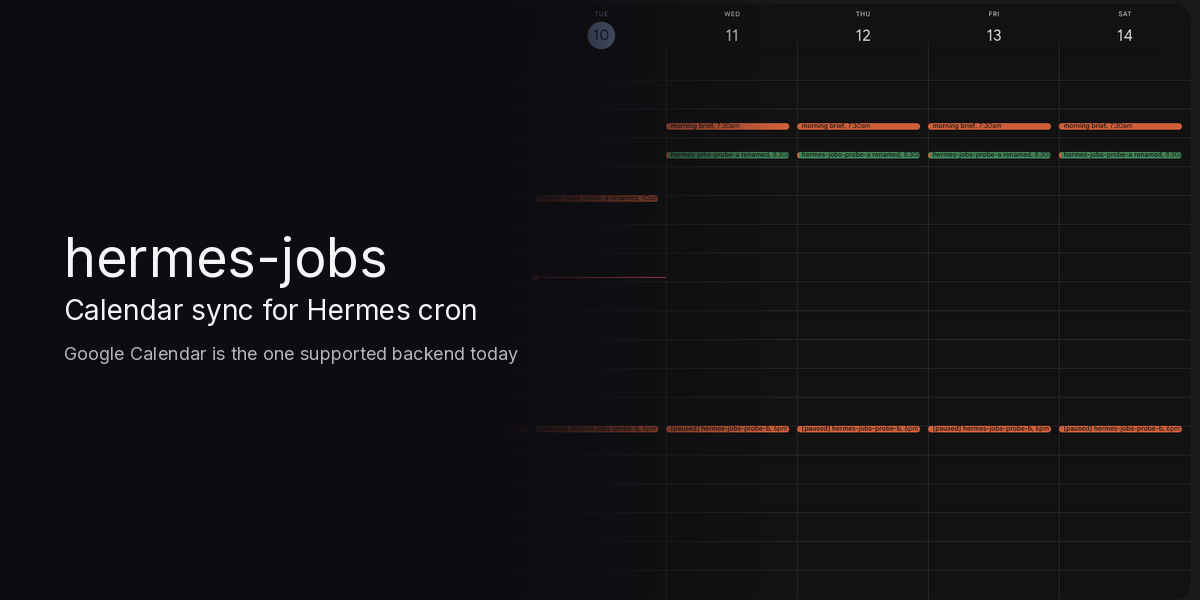
hermes-jobs: Calendar sync for Hermes cron
Google Calendar is the one supported backend today: the plugin binds to one dedicated calendar, with OAuth scope calendar.events only.
Demo (85.8s): https://x.com/BenCrow95406267/status/2120070542216871938
Your Hermes agent's scheduled work shows up on the calendar you already live in, and dragging it
there safely reschedules the real cron job.
Hermes cron is the system of record. That one Google Calendar is the job board. Every change, in either
direction, is planned as a dry run first and only applied when you run --confirm (or, for cron's own
changes only, the guarded --auto).
Happy path
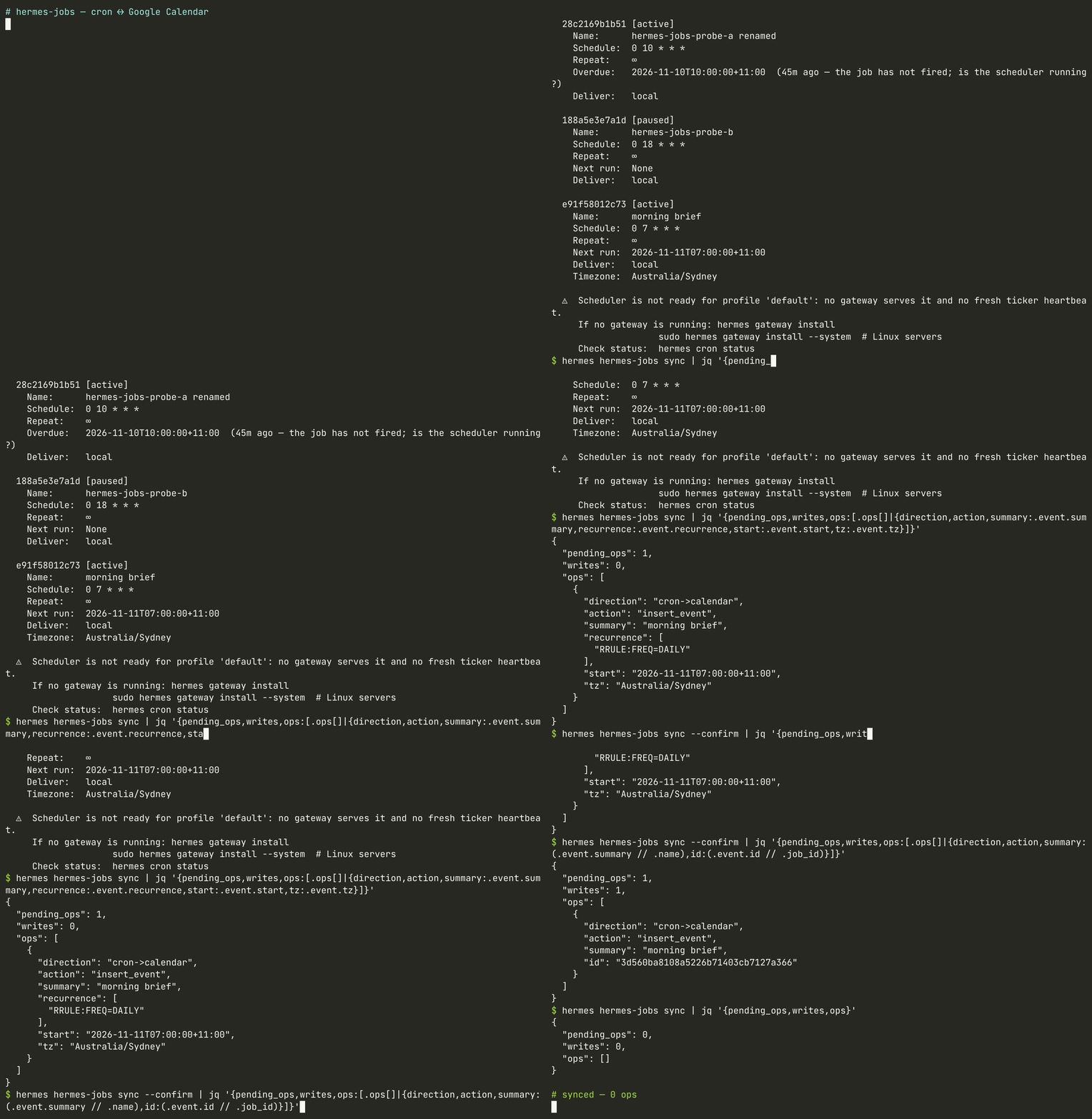
hermes hermes-jobs discover          # read-only: your cron jobs, oauth status, bound calendar
hermes hermes-jobs sync              # dry run: the exact ops in both directions, nothing written
hermes hermes-jobs sync --confirm    # apply the plan as it stands now
--confirm recalculates the plan at that moment; it does not replay a stored dry run. If anything
changed in between, it applies the new plan, so re-run the dry run when in doubt.
In a Hermes chat, /jobs prints the next 7 days of Hermes jobs in agenda order, what is waiting on
you (pending ops from a dry-run plan, deferred "this and following" changes, unfinished moves), and the
exact confirm command. It never writes. Without Google sign-in it still shows the cron-only agenda.
Drag a recurring job's series in Calendar ("all events") and the next sync proposes the matching cron
change; edit the job in Hermes and the event follows (cron wins). All four of Google's recurring edits
("this event", "all events", "this and following", delete one instance) were tested live on Google
Calendar on 2026-11-09/10; what each one does is under Recurring Google events.
Run outcome. Once a job has run, the dry run shows a mark_run op and the next confirmed sync colours its event from Hermes' own
last_run_at / last_status (Basil green = ok, Tomato red = error, Banana yellow = anything else,
e.g. delivery_failed) and keeps exactly one last run: <local time> <status> line in the description.
The line is replaced, never accumulated; the title is never touched; an unchanged outcome plans nothing;
a job that has never run gets no colour and no line. The error text itself never leaves the machine.
Auto-sync (opt-in recipe, once you trust the plan)
The plugin never schedules itself and registers no hooks. If you want the board kept current
without typing, create your own Hermes no_agent cron job with a fixed argv (no LLM, no shell
expansion of event text). The default recipe runs the guarded sync --auto: it pushes cron's own
changes to the calendar and holds every calendar edit for you to review and --confirm (see
Push sync for exactly what is held):
cat > ~/.hermes/scripts/hermes-jobs-sync.sh <<'SH'
#!/bin/sh
exec "$HOME/.local/bin/hermes" hermes-jobs sync --auto   # use your `command -v hermes`
SH
hermes cron create --no-agent --script hermes-jobs-sync.sh --deliver local \
  --name "hermes-jobs auto-sync" "0 * * * *"
Unattended bidirectional variant (pre-approves calendar edits). Putting sync --confirm in that
script instead means every future calendar-originated change (renames, reschedules, a deleted event
pausing its job) is applied hourly without anyone reviewing it. Only do that for a calendar you alone
edit. Even then --confirm refuses a moved occurrence of a recurring job unless you pass
--allow-additional-run by hand, so it never accepts a duplicate run for you; /jobs lists it as
waiting on you. Runs never overlap: applying commands hold a per-profile lock, and a second one
returns "already running" without writing. The sync job itself is
kept off the board: a no_agent job whose script is hermes-jobs-auto.sh or hermes-jobs-sync.sh, or
whose script runs hermes-jobs sync, never gets an event (a leftover one is deleted). Stop it with
hermes cron pause <id> or hermes cron remove <id>.
Push sync (experimental, MCP Events)
Calendar edits can trigger a sync the moment they land, through Hermes' experimental MCP Events client
(tools/mcp_tool_events.py, the events/* extension from the MCP Triggers & Events WG). Three parts:
hermes hermes-jobs sync --auto, the guarded sync. It applies only cron-originated ops
(insert/patch/delete/convert of events, run-outcomemark_run) and holds every calendar-originated
op (update_job,adopt_split,apply_split,drop_move,pause_job,create_once,
finish_move, deleted-instance skips). Held ops are listed underheldexactly as/jobsshows them
under "Waiting on you", and their jobs keep their last baseline, so the edit keeps waiting until you
runhermes hermes-jobs sync --confirm.--autonever callscronjob_manage.hermes hermes-jobs mcp-serve, a stdio MCP server with no tools and one event type,
calendar.event_changed(no arguments,webhookdelivery only). While a subscription is live it polls
the bound calendar every 60s (--interval, min 30) with Google incremental sync (syncToken; a 410
resyncs and says so) and POSTs one Standard Webhooks-signed occurrence per batch of changes. The
payload is{changes: [{eventId, etag, status, changedAt}], more?, resync?}: ids, etags and times
only, never titles or descriptions. It answersevents/list,events/subscribe(also the refresh;
grants up to 24h) andevents/unsubscribe, sends the signed verification challenge before the first
delivery to a URL, uses the sync token as the replaycursor, and only delivers under this gateway's
ownplatforms.webhook.extra.public_url+/webhooks/<route>(no other URL, no redirects). Google
access is Hermes' plugin oauth, as forsync.- A webhook route whose
cron_jobfires ano_agentjob that runssync --auto. Event data never
reaches a model: the job is a script.
Push is optional: hermes hermes-jobs sync works without it, run by hand or from a scheduled job.
Push needs an https address where the Hermes gateway can be reached, such as tailscale serve on your
tailnet; Tailscale Funnel or another public https front is only needed for the Apps Script fallback, and the
gateway port (8644) should be bound to localhost or firewalled to the tailnet.
Recipe (needs hermes gateway run: the gateway hosts the webhook listener, keeps the subscription
refreshed, and runs the cron job):
cat > ~/.hermes/scripts/hermes-jobs-auto.sh <<'SH'
#!/bin/sh
exec "$HOME/.local/bin/hermes" hermes-jobs sync --auto   # use your `command -v hermes`
SH
hermes cron create --no-agent --script hermes-jobs-auto.sh --deliver local \
  --name "hermes-jobs auto-sync" "0 */6 * * *"     # a slow backstop; events do the real work
# config.yaml
platforms:
  webhook:
    enabled: true
    extra:
      public_url: "https://<host>.<tailnet>.ts.net"   # any https origin that reaches the listener (:8644)
mcp_servers:
  hermes-jobs:
    command: "/home/<you>/.local/bin/hermes"
    args: ["hermes-jobs", "mcp-serve"]
    events: true
Then, in a Hermes chat, ask it to call the hermes-jobs server's subscribe_event tool with
name: calendar.event_changed, arguments: {} and deliver: local (Hermes asks you to approve the
subscription). That writes a dynamic route mcp-hermes-jobs-<hash> to webhook_subscriptions.json.
Point it at the job by adding one key to that route, "cron_job": "<auto-sync job id>"
(hermes cron list shows the id), and check it with hermes webhook list. Re-running subscribe_event
rewrites the route, so add cron_job again if you do. Every event then fires the auto-sync job.
Live-proven, Tue 10 Nov 2026 (omarchy, Hermes v0.23.0, tailscale serve, tailnet only): Hermes' MCP Events
client subscribed to calendar.event_changed, and the gateway answered our signed verification challenge.
Renaming probe-a in Google Calendar produced one signed POST about 32s later (60s poll). The route's cron_job fired
the no_agent auto-sync job, and sync --auto held the rename as update_job under held. jobs.json was
unchanged apart from that job's own last_run_at/last_status. After the rename was reverted, the next
delivery's sync held nothing. Still unproven: a subscription owned by the gateway itself. At gateway startup,
the MCP refresh ran before the webhook listener was up and failed verification (502). Hermes then waits until
the stored grant's refresh time instead of retrying after 30s, so the live test held the subscription from a
separate Hermes session. Also unproven: 24h refresh, cursor replay after downtime, and dedupe across two pollers.
Notes and limits:
public_urlmust behttps://(Hermes' client refuses anything else). It does not need to be public.
tailscale serveon this machine is enough, since the server runs here.- Fixed (found live): the auto-sync job used to be synced to the calendar, so each run's
mark_runon its
own event triggered the next run, about once a minute. It is now kept off the board (identified by its
no_agentscript, never its name; a leftover event is deleted once), so a run produces no calendar write
of its own. Other writes bysync --autostill come back as one more event, whose sync plans nothing. - Every Hermes process that connects the server (the gateway, a chat session) runs its own poller.
Identical changes carry the sameeventId, and the gateway dedupes on it. - The subscription lives in memory and lasts up to 24h. Hermes refreshes it at 80% and on every
reconnect, passing its cursor, so changes made while the gateway was down are replayed as one event.
The fallback, if MCP Events changes: a Google Apps Script installable calendar trigger that signs a
generic HMAC V2 POST to the same route. Google events.watch cannot be used directly, because it
authenticates only with X-Goog-Channel-Token.
Setup
- Create a Google Cloud Desktop OAuth client; enable Google Calendar API.
- Set
HERMES_JOBS_GOOGLE_CLIENT_IDandHERMES_JOBS_GOOGLE_CLIENT_SECRETin the Hermes profile env. - Sign in:
hermes auth add hermes-jobs:google
- Enable / doctor:
hermes plugins enable hermes-jobs
hermes plugins doctor hermes-jobs --ci
hermes hermes-jobs discover   # read-only
hermes hermes-jobs status
hermes hermes-jobs sync       # dry-run by default
Disclosure: network / credentials (catalog rule 13)
-
Calls
https://www.googleapis.com(Calendar API v3) only after Hermes oauth sign-in. -
Scope:
https://www.googleapis.com/auth/calendar.eventsonly (no Gmail/Drive/full calendar). -
Declare client under
oauth:inplugin.yaml; sign in withhermes auth add hermes-jobs:google. -
Plugin uses
credentialed_provider_request("google", …)— never readsgoogle_token.json,.env, browser profiles, or google-workspace skill tokens. -
Full detail of what leaves the machine, local files and revocation: SECURITY.md.
What leaves the machine
- Network: Google Calendar API v3 on the ONE bound calendar only, via Hermes oauth. Every
sync
(dry-runs too) reads events; onlysync --confirmandsync --auto(cron-originated ops only) write. Sent: job name, schedule/RRULE, job id,
prompt sha256 digest, private tags, and once a job has run its last-run time and status word (ok,
error, ...) as an event colour + one description line. Never the prompt text, execution config or
error text. - Reads outside plugin data (read-only):
~/.hermes/cron/jobs.json, Hermes config (time zone),
and the script file (first 8 KB) of eachno_agentcron job in~/.hermes/scripts/, only to recognise
an auto-sync job (one that runshermes-jobs sync) and keep it off the board. Script text is never
sent anywhere or executed. - Cron changes: only through Hermes'
cronjob_managetool, only on--confirm(never--auto). - Push sync only (opt-in,
mcp-serve): while subscribed, an incremental Calendar read every 60s, and
signed POSTs of event ids/etags/times to this Hermes gateway's ownpublic_urlwebhook route. - Experimental skip only (off by default): writes
~/.hermes/scripts/hermes-jobs-skip-tick.pyand
creates two one-shotno_agentcron jobs that runhermes hermes-jobs skip-tick --quiet(fixed argv,
no shell). No other background processes; no telemetry; no stored credentials.
Never
- Event text never grants tools, permissions, or prompts. A calendar title can only become a job name
(sanitised: NFKC, no control/format/bidi/zero-width characters, single line, max 120 chars); a
calendar time can only become a validated schedule. Descriptions are never parsed (the plugin only
recognises its ownlast run:line, to replace it). - No scopes beyond
calendar.events. - No writes without explicit
--confirm, except--auto, which only pushes cron's own state to the
calendar and never changes cron. Discover never creates calendars or cron jobs.
Sync (0.3.2)
hermes hermes-jobs bind primary          # choose the ONE calendar (local state only)
hermes hermes-jobs sync --offline        # dry-run against an empty calendar, no Google calls
hermes hermes-jobs sync                  # dry-run against the bound calendar
hermes hermes-jobs sync --confirm        # apply (human CLI step only; the agent tool can only plan)
hermes hermes-jobs sync --auto           # guarded: cron->calendar ops only; calendar edits held (see Push sync)
hermes hermes-jobs mcp-serve             # stdio MCP server: calendar.event_changed events (see Push sync)
hermes hermes-jobs sync --skip-original=experimental            # dry-run incl. the experimental skip steps
hermes hermes-jobs skip-tick             # advance pending experimental skips (run by their wake-up jobs)
hermes hermes-jobs mode [recurring|single]   # show/set event mode (recurring = default; single = fallback)
hermes hermes-jobs capture-fixtures <job_id> # read-only GETs -> sanitised tests/fixtures/*.json
- cron -> calendar: one 15-min event per job at its next run, tagged
extendedProperties.private.hermes_job_id;
title = job name ([paused]prefix when paused); description = job id + prompt sha256 digest only,
plus onelast run:line once the job has run (see Run outcome). - calendar -> cron (tagged events only, via Hermes'
cronjob_manage): retitle -> name update;
deleting an event pauses, never removes, its job. Untagged events are ignored and event text
never grants tools or edits prompts. - Conflicts: a cron edit wins and resets the event. A move never rewrites a recurring schedule.
- Tests:
hermes --run-module unittest discover -s tests(planner, mocked runtime, security/injection
tests, recurring-edit edge cases, and fixtures intests/fixtures:captured_*are sanitised read-only GETs of the live probe,
documented_*are built from Google's documented payload shapes and are marked as such). No Google
calls or real cron writes.
Recurring Google events (event mode recurring, the default)
A cron job whose expression converts exactly to an RRULE is shown as ONE real Google recurring
event (a master with recurrence: [RRULE...] and start.timeZone = the job's IANA zone). It is tagged
like every other event (hermes_job_id, full private prop set), its id is the derived occurrence key
of its first slot, and it is not patched forward (its DTSTART stays fixed; Google expands it).
Everything else keeps the single patch-forward event above: one-shots, interval jobs, and any cron
that does not convert.
| cron (job zone Australia/Sydney) | RRULE | back to cron |
| --- | --- | --- |
| 0 9 * * * | FREQ=DAILY | 0 9 * * * |
| 0 18 * * 1-5 | FREQ=WEEKLY;BYDAY=MO,TU,WE,TH,FR | 0 18 * * 1,2,3,4,5 |
| 30 7 * * MON,WED,FRI | FREQ=WEEKLY;BYDAY=MO,WE,FR | 30 7 * * 1,3,5 |
| 0 9 1,15 * * | FREQ=MONTHLY;BYMONTHDAY=1,15 | 0 9 1,15 * * |
| 0 9 25 12 * | FREQ=YEARLY;BYMONTH=12;BYMONTHDAY=25 | 0 9 25 12 * |
| 0 9 * 6-8 * | FREQ=DAILY;BYMONTH=6,7,8 | 0 9 * 6,7,8 * |
| 0 9 * * 0,7 | FREQ=WEEKLY;BYDAY=SU | 0 9 * * 0 |
| 0 2 * * * | refused: 02:xx is skipped/repeated at a Sydney DST change | single event |
| */5 * * * *, 0 9,17 * * *, 0 */2 * * * | refused: more than one time per day | single event |
| 0 9 1 * 1 | refused: cron ORs day-of-month with day-of-week; RRULE would AND them | single event |
| Calendar INTERVAL=2, COUNT, BYDAY=1MO, BYMONTHDAY=-1, BYHOUR | no cron equivalent | refused, nothing changes |
"Back to cron" is canonical numeric form (Sun = 0). A converted job's minute and hour must be single
values, and the wall time must exist exactly once on every day for the next ~800 days in its zone.
A FREQ=WEEKLY with no BYDAY takes its weekday from the event start.
Migration. A job that already has a single event gets convert_to_recurring: the SAME event is
patched (summary, description, tags, start = next run + timeZone, recurrence). No delete, no new
id, no orphan. Like every write it appears in the dry-run first and needs --confirm.
Reading. Events are listed with singleEvents=false&showDeleted=true (masters, singles, moved and
cancelled instances), and each current master's /instances?showDeleted=true is read for the next 60
days. Moved/cancelled instances are matched by recurringEventId + originalStartTime. Instances
before the job's next run are history and ignored. An event turned into an all-day event has no timed
start: a single event is patched back to its cron time, a master or split series is reported and refused,
and a moved all-day instance is ignored.
What each Google edit does on the next sync (dry-run shows it; --confirm applies it):
- "This event" (move one instance) -> a one-shot copy at the new time, exactly as for single
events:--confirmrefuses without--allow-additional-run(the original slot ALSO runs), or use
--skip-original=experimental. The series is unchanged. The moved instance itself is the copy's
calendar entry (no extra event, not retagged). Moving it again moves the copy; deleting it pauses the
copy (soft pause, as for any deleted event). An instance edited without changing its time (e.g.
retitled) is not a move and plans nothing. - "All events" (change the series' time or rule) -> the cron schedule follows only if the new
RRULE converts back cleanly (e.g. 09:00 -> 10:00 gives0 10 * * *; daily -> Mon/Wed gives
0 9 * * 1,3) and the new wall time is DST-safe in the job's zone (e.g. 02:30 Sydney is refused,
as in the cron -> RRULE direction). Otherwise (or if the series' time zone changed) the sync reports
it, refuses, and changes nothing. Undo it in Calendar or edit the job in Hermes; cron wins on the next sync. - "This and following" -> Google ends the old master with
UNTILand creates a new series, usually
with id<old id>_R<date>, sometimes without our tags. The plugin treats it as a series reschedule:
it adopts the new series (adopt_split: tags it, makes it the job's event), the cron takes the new
series' rule, and the old master stays untouched as history. It is never deleted, never becomes a
second job, and is never orphaned (state keeps it underhistory_ids). Only a series tied to ours is
accepted: tagged with this job id, or untagged with id prefix<our master id>_R. Untagged events are
otherwise still ignored. If the old series still has runs left (its UNTIL is after the job's next run),
the cron change is deferred (split_pending) until the first confirmed sync after the old series
ends, so the remaining old-rule runs still fire. A split that starts at the original start (only the
rule changed) is handled the same way, with an immediate cron change. Cron cannot start on a date, so
the new series is adopted only if its first event is exactly where cron would next run after the old
series ends; a gap (e.g. the continuation moved to next month) or a changed start date is reported and
refused. If the new rule does not convert (including a DST-unsafe time), nothing is adopted and
nothing changes. AnUNTILwith no follow-on series is reported (cron jobs
cannot end on a date). - Delete one instance -> Hermes cannot skip a single run. Without the flag the sync reports
can't skip a single run ... nothing changed -- that run WILL still happenunderinfo(informational, not
a pending op:opsstays empty). A confirmed sync records it in state and it is not shown again. With
--skip-original=experimentalit uses the experimental skip below (the next occurrence only; books
one "missed" ledger row). No copy is created.
Cron wins. Editing the job in Hermes rewrites the master's start/RRULE (and drops pending move or
skip work, as before). Deleting the whole series is the usual soft-delete pause; after
hermes cron resume <id> the next confirmed sync recreates the master. A removed job's current master
is deleted; history masters never are. If a cron edit makes the job non-convertible, its master is
converted back to a single patch-forward event (convert_to_single).
Fallback (single events). hermes hermes-jobs mode single switches the board back to single events
for everything: the next confirmed sync converts each master into a single event in place (PATCH
recurrence: [], start = next run; same id), and from then on the original single-event path runs
unchanged (tests assert it plans identically to it). mode recurring switches back. Moved instances
that already became one-shot copies stay as they are.
Deleted events: pause and recovery
Every deletion reports job <id> paused because its calendar event was deleted; resume with hermes cron resume <id>.
The CLI JSON ops/messages and status show this information. In a dry-run it is a proposed action,
not a claim that the job is already paused. Applied sync state keeps paused_by_delete and the reason,
including for a job that was already paused. Its deleted event is not recreated while paused.
Resume explicitly in Hermes, for example hermes cron resume 28c2169b1b51; the next confirmed sync
recreates its event and clears the tombstone. Calendar cannot resume it because its event is gone.
Moving one occurrence (important limitation)
Moving the board's next occurrence of a recurring cron/interval job plans an absolute ISO one-shot
with repeat=1, named <name> (moved <date>). It copies the source's prompt, delivery, skills,
script/monitor, tool allowlist (including []), context, workdir and other supported execution fields.
Only trusted cron configuration is copied; the Calendar description is never used as instructions.
The moved event is retagged to the new job; source_job_id links it locally. On the following sync
the source gets a fresh event previewing its following recurring slot. Completion deletes the copy's
event (not its cron history); deleting that event before it fires pauses just the copy. Completed
copies do not respawn. Rearming/resuming remains an explicit Hermes action.
Hermes currently has no public skip-occurrence action. The original occurrence WILL still run.
Creating a copy is therefore an additional run, not an exact reschedule. Both the plan and CLI
return this warning. Ordinary --confirm refuses this case. After reviewing the dry-run, choose
one of two options:
hermes hermes-jobs sync --confirm --allow-additional-run explicitly accepts both executions (the
default and recommended choice), or --skip-original=experimental (below). Without the experimental
flag, the repeating schedule is never rewritten and the source is never paused. The source calendar
event's preview does not mean the still-pending original Hermes slot was suppressed. If duplicate
execution is unacceptable and you do not opt in to the experiment, cancel the move in Calendar instead.
Series edit while a move is pending: if the source's schedule, prompt or copied configuration
changes before the copy fires, the next confirmed sync drops the move. It removes the copy job and
its event, undoes any experimental skip, and re-plans the source from cron (cron wins). Renaming the
job is not a series edit.
EXPERIMENTAL: --skip-original=experimental (true skip, off by default)
Hermes has no skip action, so this combines only public cronjob_manage actions. Slot S is the
original occurrence:
-
At
--confirm(Smust be at least 5 min away, the schedule must be a cron expression, and
the job must be enabled withnext_run_at == S), in this order:- Journal the job's original
grace_minutes/catch_upin state. - Pause the job with reason
hermes-jobs skip {"k":<key>,"slot":...,"grace":...,"catch_up":...}. - Set
grace_minutes=0(Hermes floors this at 120 s). Setcatch_up=falseonly if it was
explicitlytrue; an absent value is left absent, because an explicit grace already disables
catch-up, andcronjob_managecannot clear it back to absent. - Create two one-shot
no_agentscript jobs (no LLM,deliver: local):
hermes-jobs skip-tick <key8> #1atS+10 minand#2atS+25 min. Both run the installed
~/.hermes/scripts/hermes-jobs-skip-tick.py, which runshermes hermes-jobs skip-tick --quiet
and prints nothing on success. These jobs never appear on the board. - Create the one-shot copy at the moved time, as in the default mode.
We pause right away instead of just before
S, becauseSis the board's next occurrence, so
no other slot falls in that window. The job shows as paused in Hermes untilS+10 min, but stays
active on the board. - Journal the job's original
-
S+10 min(wake-up #1, or any later sync/skip-tick): resume. Hermes keeps an elapsed slot
due on resume (#113603). It is past the 120 s grace and catch-up is off, so the next due scan
skipsS, books onemissed ×1row in the cron execution ledger ("skipped, catch-up off"),
and emits amissedmetric. It sends no chat notification. -
S+25 min(wake-up #2, or any later sync/skip-tick): oncenext_run_atis pastS, restore
the originalgrace_minutes(cleared if it was absent) andcatch_up.
Before acting, every step checks that the job is unchanged (same fingerprint), is still paused by
this marker, and still has the same slot. Otherwise it aborts with a warning and restores the
grace/catch_up settings:
- A job that was paused manually is left paused.
- A job that was resumed manually is not touched; its original slot may run.
- An edited job is resumed (the pause was ours).
- An interrupted arming is undone.
- A slot that ran anyway is reported (
skip failed).
The copy is independent of the skip and runs regardless. If sync state is lost while the job is
paused, the skip is rebuilt from the pause marker. If state is lost after the resume, nothing marks
the job anymore. Thegrace_minutes=0override (andcatch_up=false, if it was set) then stays and
has to be restored by hand withhermes cron edit.
Limitations: it is experimental, cron expressions only, and depends on the gateway ticker scanning
within ~15 min of S+10. The skip shows up in Hermes run history as a miss, not as a deliberate
skip. A clean fix needs a Hermes skip action (see below).
Installed-source verification: tools/cronjob_tools.py defines actions create/list/update/pause/resume/
remove/run/cancel, but no skip. _HANDLER_FORWARDED_ARGS is the copy-field contract; the handler also
accepts monitor_script/monitor_url. cron/jobs.py:parse_schedule accepts offset-aware ISO timestamps
as kind=once. Its advance_next_run(s) is ticker bookkeeping calculated from now, not a future
slot-specific skip (calling it before a future slot leaves that slot unchanged), so it is not used.
hermes cron resume --at only re-arms one-shots; it cannot skip one recurring occurrence.
Pinned inference settings/interpreter overrides that dispatch cannot preserve cause the move to be
refused, not silently dropped. Source origin delivery is resolved from its recorded origin, not the
current CLI session; unresolved origin targets are refused. Pending ownership transfers are journaled
and retried without another create. After an uncertain create result, the retry first adopts an
existing copy with the same name and one-shot instant, and only creates one if none is found.
Sync is not a transaction across cron and Google; run a fresh dry-run after any partial error.
Offline mode projects against an empty calendar and empty sync history, so it never interprets
unfetched events as deletions. It does not bind a calendar, call Google, or change cron/state.
Derived ids (reference stability)
Every scheduled occurrence has a stable occurrence key:
uuid5(3ac1ead0-9909-5599-8d64-da65c43647dc, "<job_id>@<instant as ISO UTC>"), written as 32 lowercase
hex. The namespace is a fixed literal and must never change. The instant is canonicalised to UTC, so
09:00+11:00 and 22:00Z give the same key. Hex is a subset of Google's event-id alphabet (base32hex
a-v0-9, 5-1024 chars), so the key doubles as a client-chosen Google event id.
- Inserts use the key of the occurrence the event shows as its Google event id. A retried insert
gets409, and that means "already exists, adopt it": the plugin reads the event and patches it to
the desired body.status: confirmedbrings back a cancelled event that reused the id. An id owned
by a different job's tag is refused, never taken over. - A recurring job's event shows its next occurrence and is patched forward, not recreated. The id
is fixed when the event is inserted. Each advance patchesstartand the private
hermes_occurrencetag (the key of the occurrence it now shows) on the same event. That is one
write per advance, never a delete plus insert, and Google keeps no trail of dead event ids. Insert
retries stay idempotent through the derived id. Finding "what is tied to slot X" means matching
hermes_occurrence, or the copy'shermes_original_slot, not the event id. - Every write sends the full private tag set (
hermes_job_id,hermes_occurrence, and for
copieshermes_source_job_id+hermes_original_slot), so a PATCH can never strip the job tag. - One-shot copies and skips are recorded in sync state under
occurrences[<key of the original slot>]. Each record holds the source job, child job, event, mode, status, and the source's
fingerprint: a digest of schedule + copied execution config, without name, enabled or grace. - Rebuilding after a lost state file: calendar events are found by
hermes_job_idand adopted,
never deleted or recreated. Copy links come back from the event tags. A pause caused by deleting
its event is recognised from Hermes' ownpaused_reason(hermes-jobs: calendar event deleted),
so the deleted event is still not recreated. An armed experimental skip comes back from its pause
marker (see below); its wake-up jobs are matched by name AND the installed script, never by name alone. A copy is owned by provenance, never by name: before creating it,
the occurrence record journals the ids of any one-shot jobs that already have the copy's name and
instant (they are never ours). If the create's result is lost, the retry adopts only the one job that
appeared since that journal with exactly the copied execution config; anything ambiguous or different
is refused, nothing is created twice, and the copy never gets its own duplicate event. Dropping a move
removes only a copy recorded as created by the plugin (child_owned); any other job is left in place
with a message. - Existing events keep their Google-assigned ids (the two live probe events). They are adopted
by tag, and they pick uphermes_occurrenceon their next patch-forward. Nothing is deleted or
recreated to migrate them.
Repo
https://github.com/CrowBe/hermes-jobs
README from the reviewed commit 34c0490; it updates when the author re-pins.